

The Transaction view
While a Query Tool tab has a transaction open, pgjumbo keeps track of it: a statement that fails is undone alone, the Transaction tab lists what the transaction holds and can roll back to any statement, and a banner above the editor says when the transaction blocks other sessions. How a transaction begins and ends is on Transactions.
A failed statement undoes only itself
Section titled “A failed statement undoes only itself”In PostgreSQL, one failed statement fails the whole transaction: everything after it is refused until you roll back, and the work before it is lost. pgjumbo keeps a savepoint before each statement it runs inside a transaction. When a statement fails, pgjumbo goes back to that savepoint, so only the failed statement is undone and the transaction goes on with what came before.
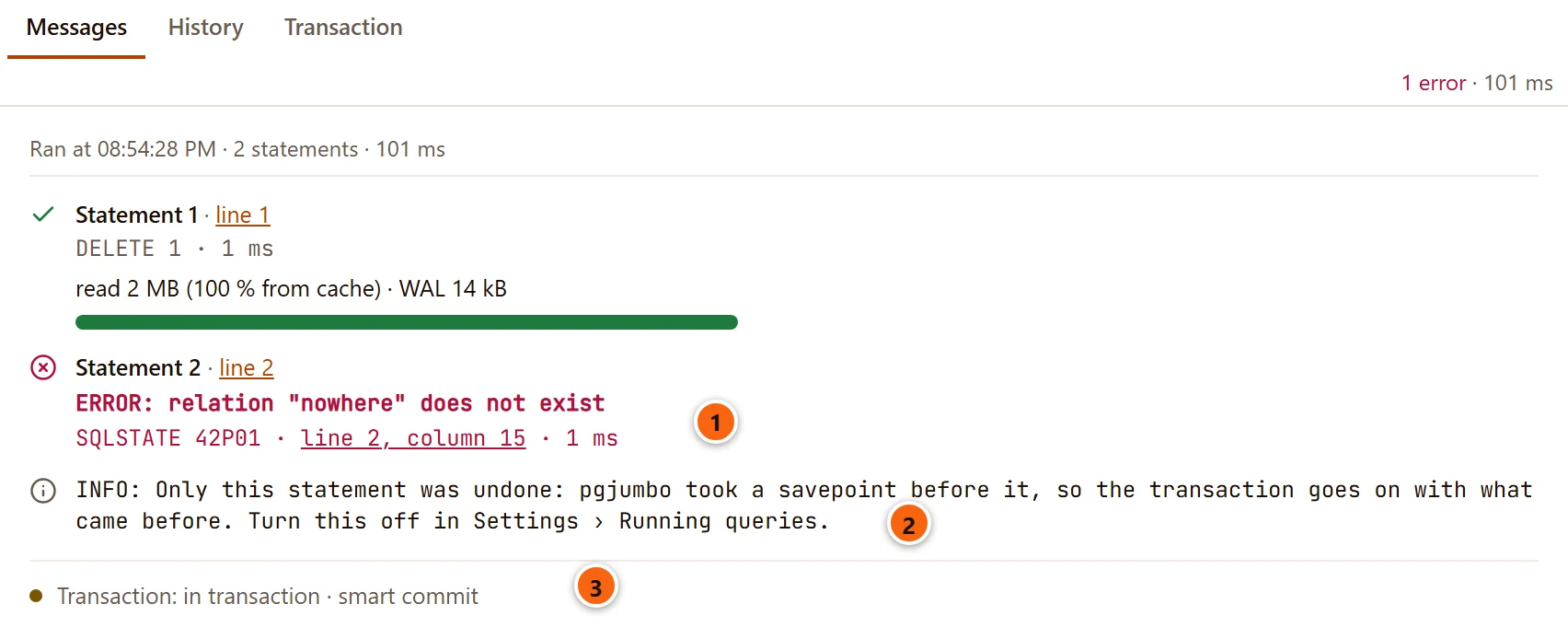
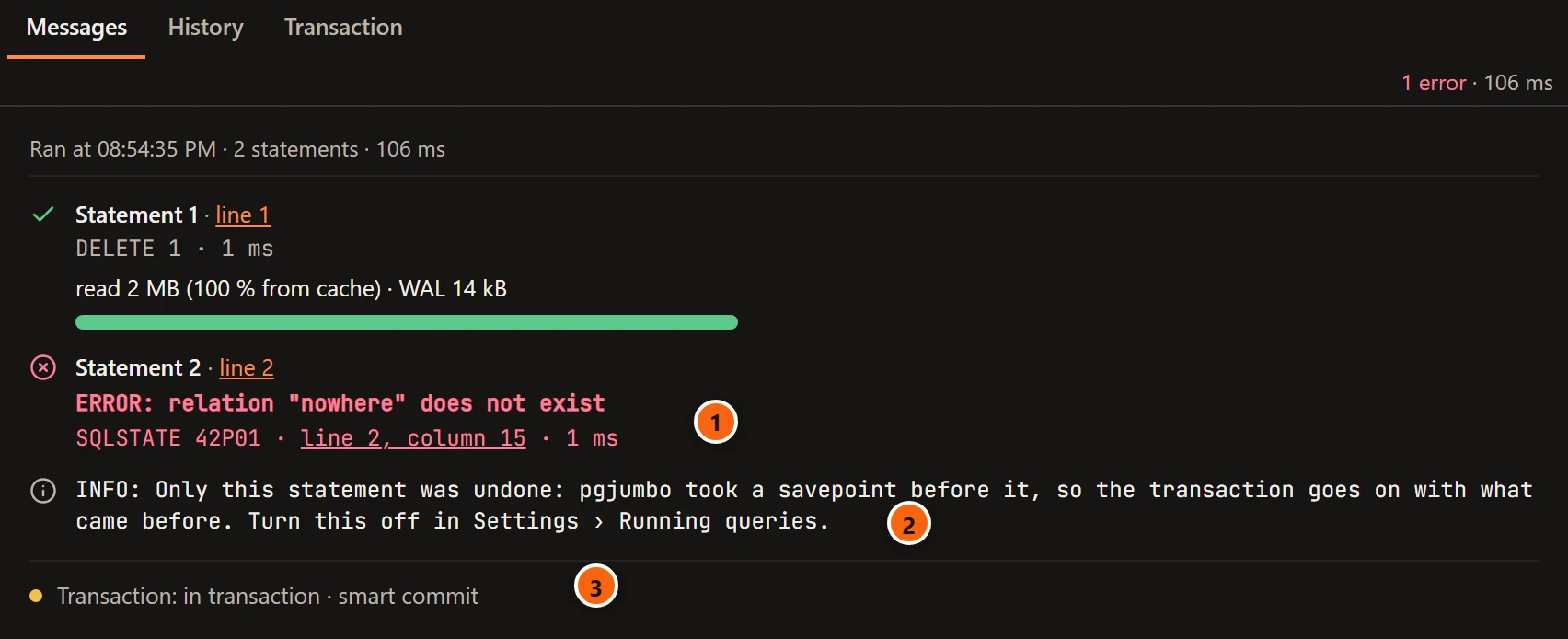
- 1 The statement that failed, with PostgreSQL’s error.
- 2 Under it:
Only this statement was undone: pgjumbo took a savepoint before it, so the transaction goes on with what came before. Turn this off in Settings › Running queries. - 3 The transaction is still open, not failed. Fix the statement and run it again, or commit what you have.
The run still stops at the failed statement, unless the run’s own choice says to go on; see Run SQL.
The savepoints have limits:
| Limit | What happens past it |
|---|---|
| A run of at most 16 statements gets a savepoint before each statement. | A longer script runs without them, as each savepoint costs a trip to the server. Its statements are still listed in the Transaction tab, without Roll back to here. |
| One transaction keeps at most 64 savepoints. | The next statement runs without one, and a failure then fails the whole transaction. The Transaction tab says no savepoints left in this transaction: a failure now fails all of it. PostgreSQL slows other sessions down when one session holds more. |
| Only inside a transaction. | In Auto-commit each statement commits by itself, and there is nothing to keep. A BEGIN of your own gets them. |
Rolling back to a statement gives back the savepoints of everything after it.
To have a failure fail the transaction, as psql does, turn off SettingsRunning queriesTransactionsA failed statement undoes only itself. It is on by default. See Settings, and Transactions for what a failed transaction looks like.
The Transaction tab
Section titled “The Transaction tab”The Transaction tab shows beside Messages while the tab has a transaction open, and goes when the transaction ends. Click it to see the transaction statement by statement.
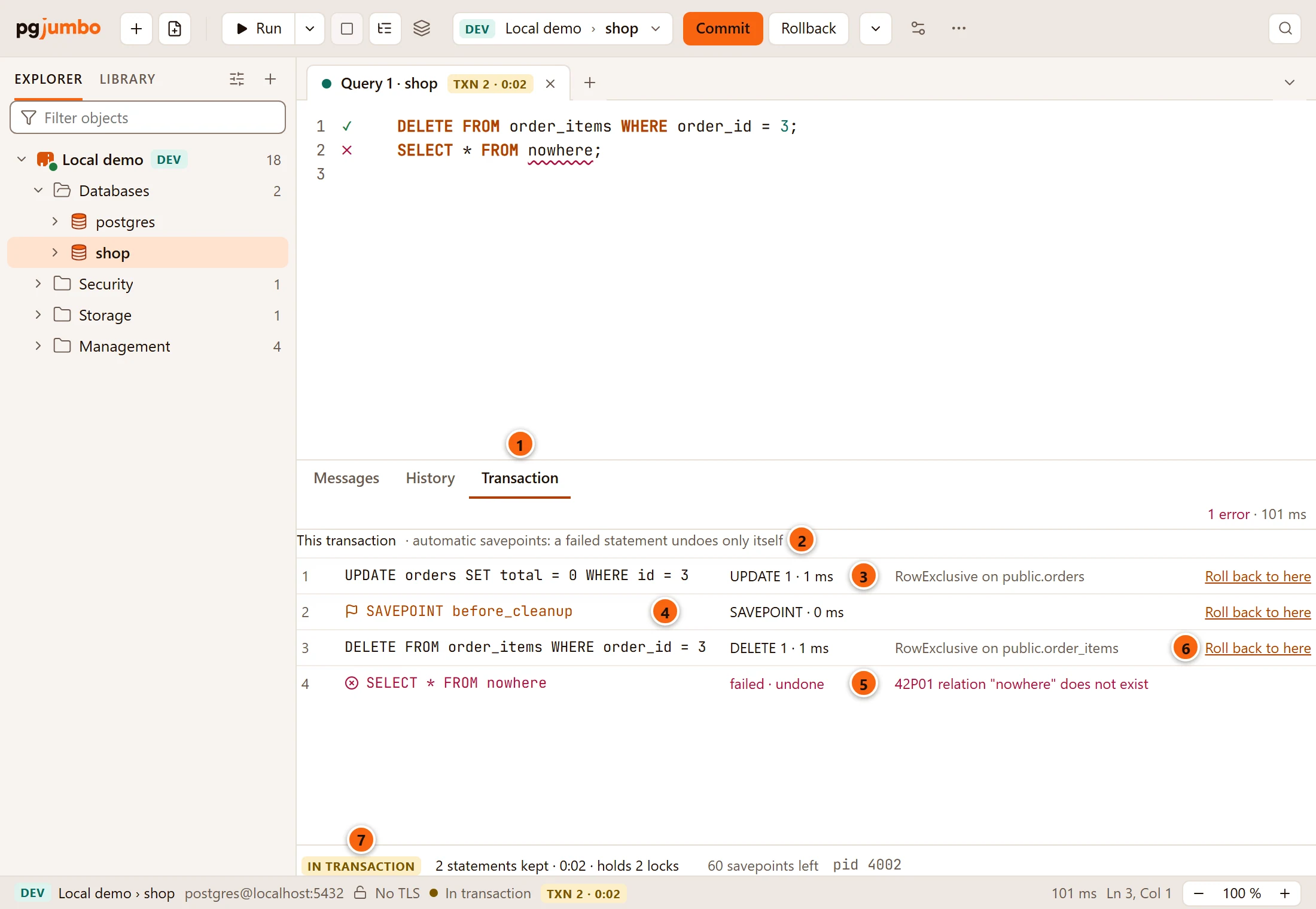
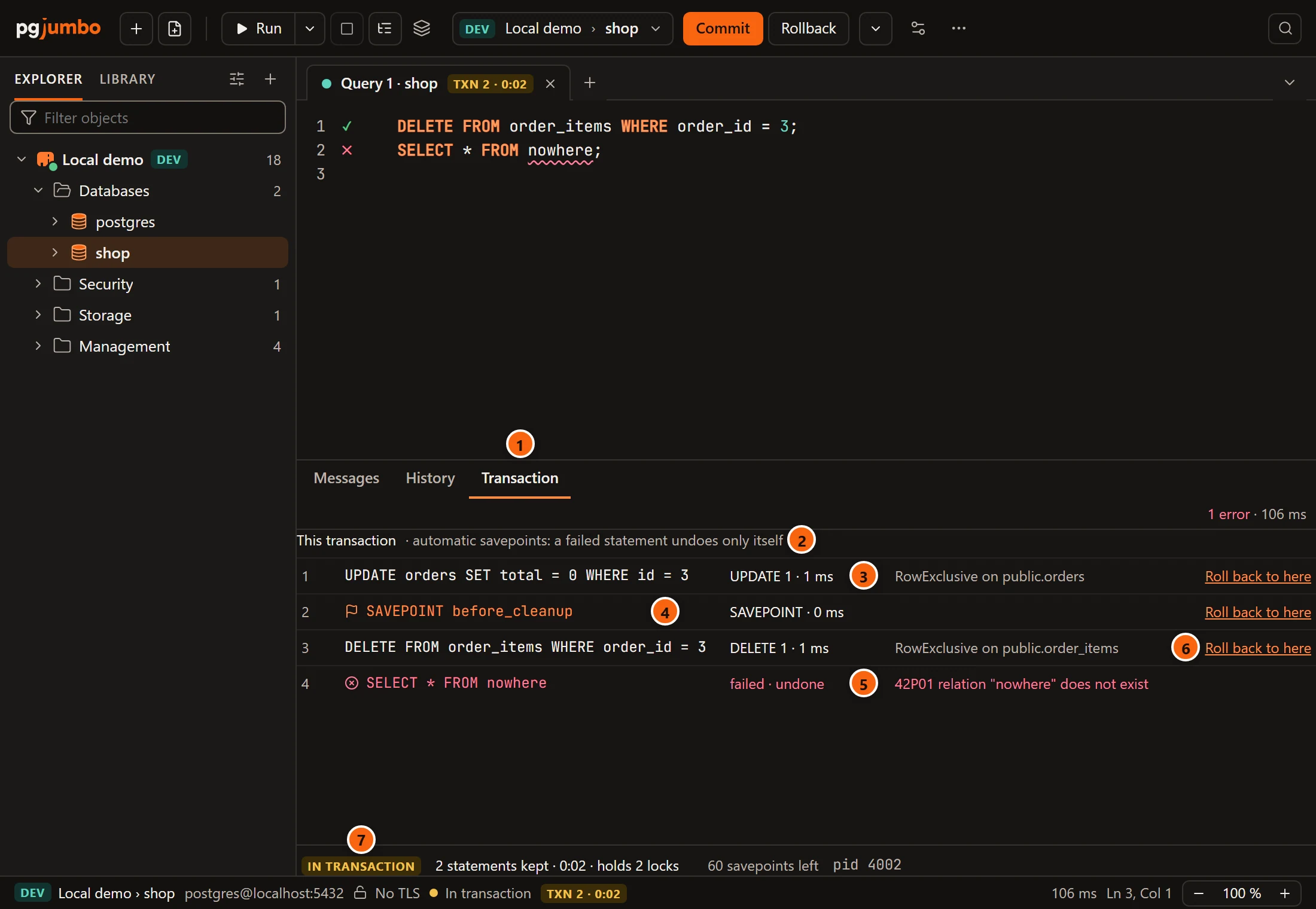
- 1 The Transaction tab.
- 2 What a failure does in this transaction:
automatic savepoints: a failed statement undoes only itself,no savepoints left in this transaction: a failure now fails all of it, orstatement savepoints are off (Settings › Running queries): a failure fails the transaction. - 3 One entry for each statement: its number, its text on one line, then its command tag and how long it
took, such as
UPDATE 1 · 1 ms, then the locks the transaction took with it, such asRowExclusive on public.orders. A lock the transaction already held is not named again. - 4 A flag marks a savepoint you named: by Savepoint… or by a
SAVEPOINTyou ran yourself. - 5 A statement that failed is red and says failed · undone, with its SQLSTATE and PostgreSQL’s message where the locks would be. Without a savepoint it says failed, and the transaction has failed with it.
- 6 Roll back to here, on every entry that still has its savepoint.
- 7 The foot: IN TRANSACTION (or FAILED), the statements kept, the transaction’s age, the locks it holds, the savepoints it has left and the session’s process id. Hover the line for the list of locks.
The list shows the first 500 statements of a transaction and counts the rest:
and 12 more statements, counted only. A statement too long for its column ends in “…”; hover it to read its
first 160 characters. In a narrow results pane each entry’s locks, or a failure’s reason, move under its statement.
Before anything has run in the transaction, the tab says Nothing has run in it yet.
The foot’s process id is the one Activity lists for the tab’s session.
While a rehearsed write waits, a line above the list names it,
the rows it changed and the locks the transaction holds, with Show it to go to the Rehearsal tab, and the
foot counts it as 1 rehearsed. A rehearsed write you commit into your own transaction joins the list with the
locks it took, as a statement you ran does.
Roll back to here
Section titled “Roll back to here”Roll back to here undoes that statement and everything after it. What came before stays, and the transaction stays open.
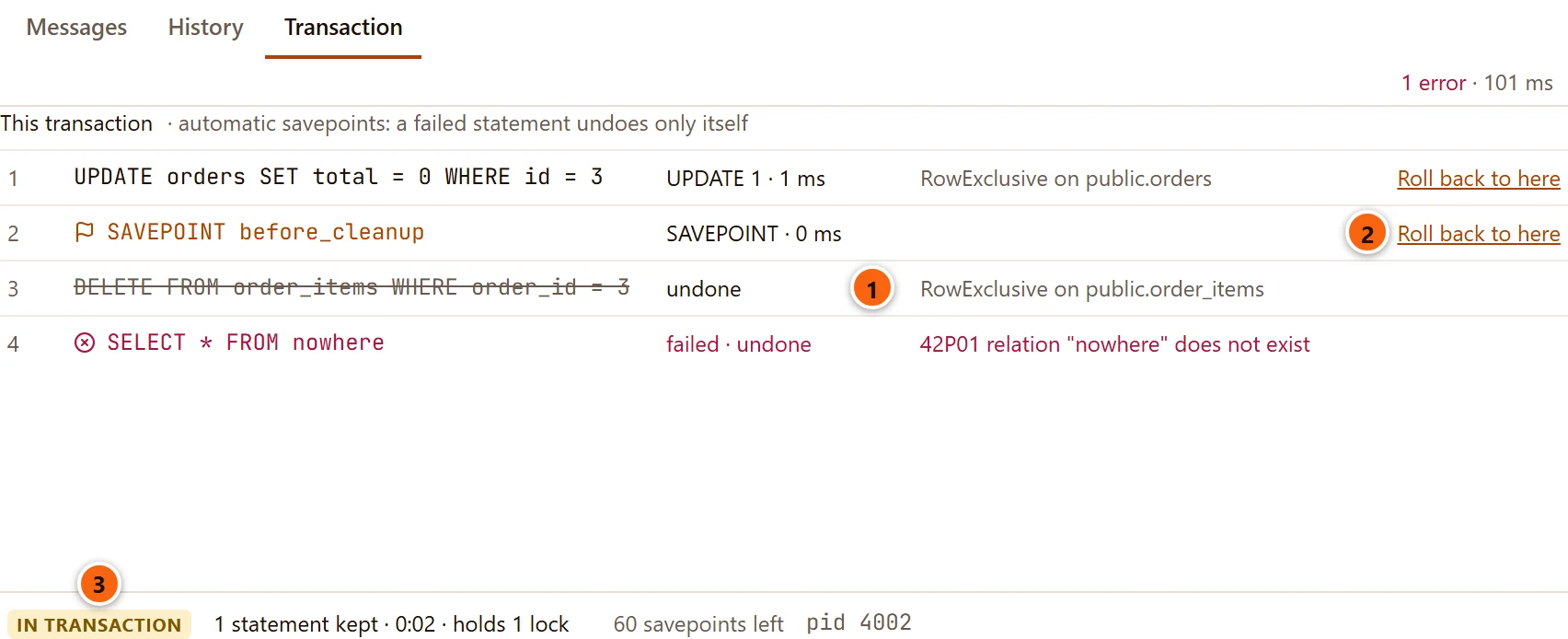
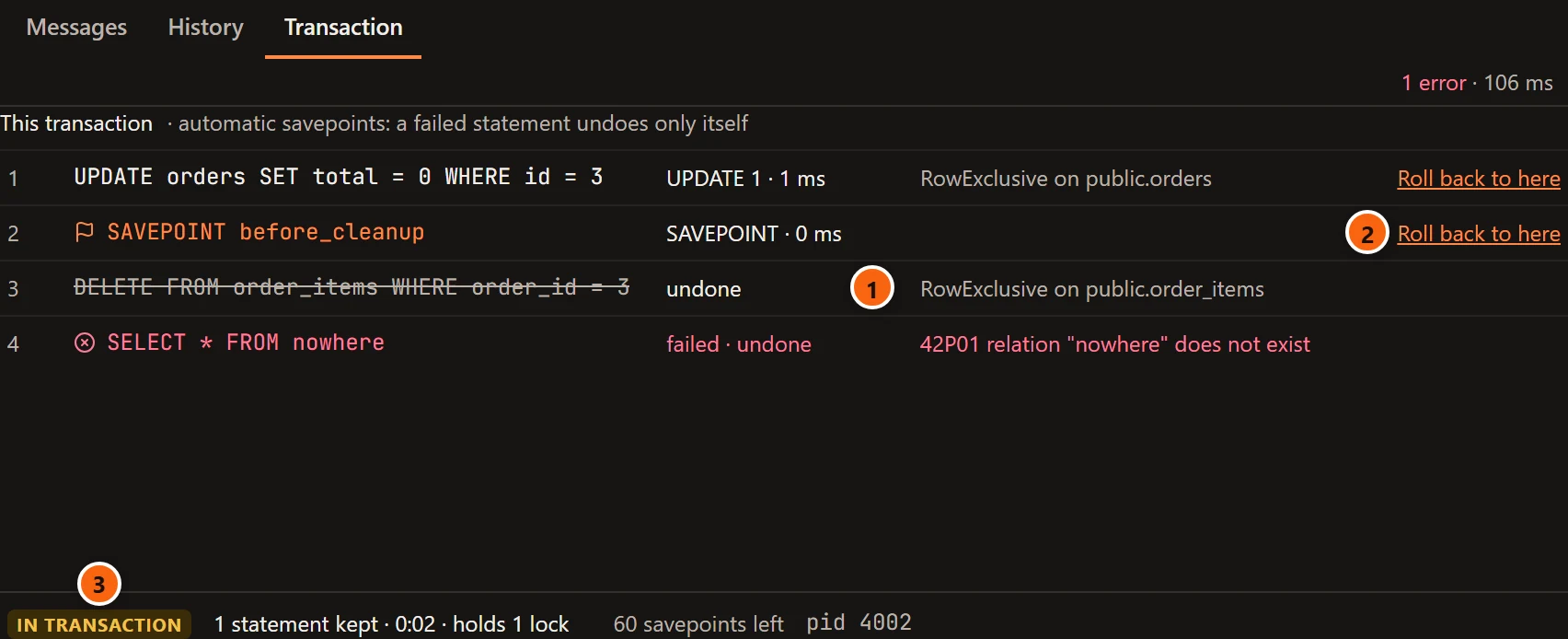
- 1 What was undone is struck through and says undone. It has no Roll back to here any more.
- 2 On a savepoint you named, Roll back to here undoes everything after the savepoint and keeps the savepoint, so you can go back to it again.
- 3 The foot counts what is left: here one statement and one lock. The badge on the tab follows.
Messages logs the step as an entry Transaction with ROLLBACK TO statement 3 and the time it took.
Roll back to here is greyed while the tab runs, and while a rehearsed write waits for its own Commit or Roll Back. Once the transaction has failed it no longer works: Rollback in the toolbar ends the transaction.
Your own transaction commands change what the list can do:
| You run | What the list shows |
|---|---|
SAVEPOINT name |
A flagged entry, the same as Savepoint… makes. |
ROLLBACK TO name, for a savepoint in the list |
Everything after that savepoint says undone. |
ROLLBACK TO name, for a savepoint the list does not have |
No entry offers Roll back to here any more: pgjumbo no longer knows where each savepoint stands. |
RELEASE name |
The savepoint and the statements after it stay in the transaction, and lose Roll back to here. |
Name a savepoint
Section titled “Name a savepoint”A named savepoint is a place in the transaction you mean to come back to: before a risky step of a long change, for example. Choose Savepoint… in the toolbar’s Transaction menu. It needs an open transaction that has not failed.
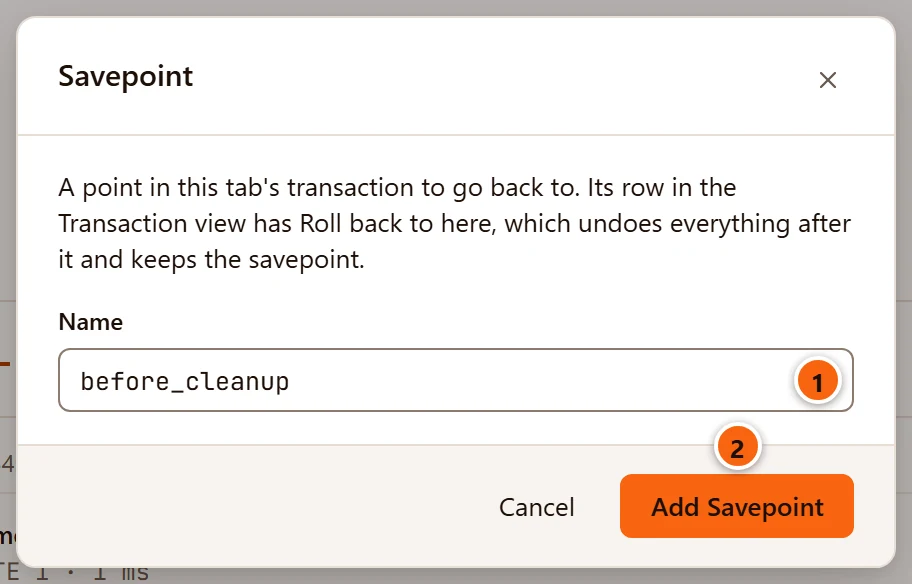
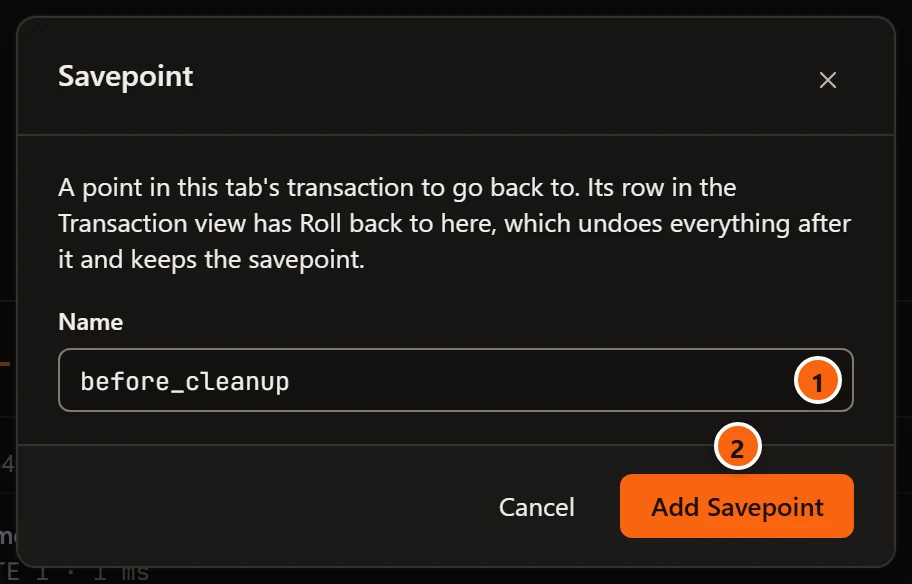
- 1 Name: the savepoint’s name, such as
before_cleanup. pgjumbo quotes it as SQL needs, so any name works. - 2 Add Savepoint makes it and closes the dialog. It is greyed while Name is empty. If the server refuses, its message shows at the foot of the dialog. Cancel, the × and Esc close the dialog and add nothing.
The savepoint joins the list with a flag, and Messages logs SAVEPOINT before_cleanup.
PostgreSQL goes to the newest savepoint when a name is used twice. An earlier entry with that name then says
A later savepoint uses this name in place of Roll back to here, so that no button promises a place it cannot
reach. Releasing the newer savepoint makes the earlier one reachable again. Give each savepoint a name of its own
when you want to reach them all.
Who blocks whom
Section titled “Who blocks whom”While a tab runs a statement or holds a transaction open, pgjumbo looks every two seconds whether the tab’s session waits for a lock another session holds, or holds one that others wait for. It says so in a banner above the editor. The look runs on a connection of pgjumbo’s own to that database, never on the tab’s session, so it does not disturb a running statement.
Your tab blocks others
Section titled “Your tab blocks others”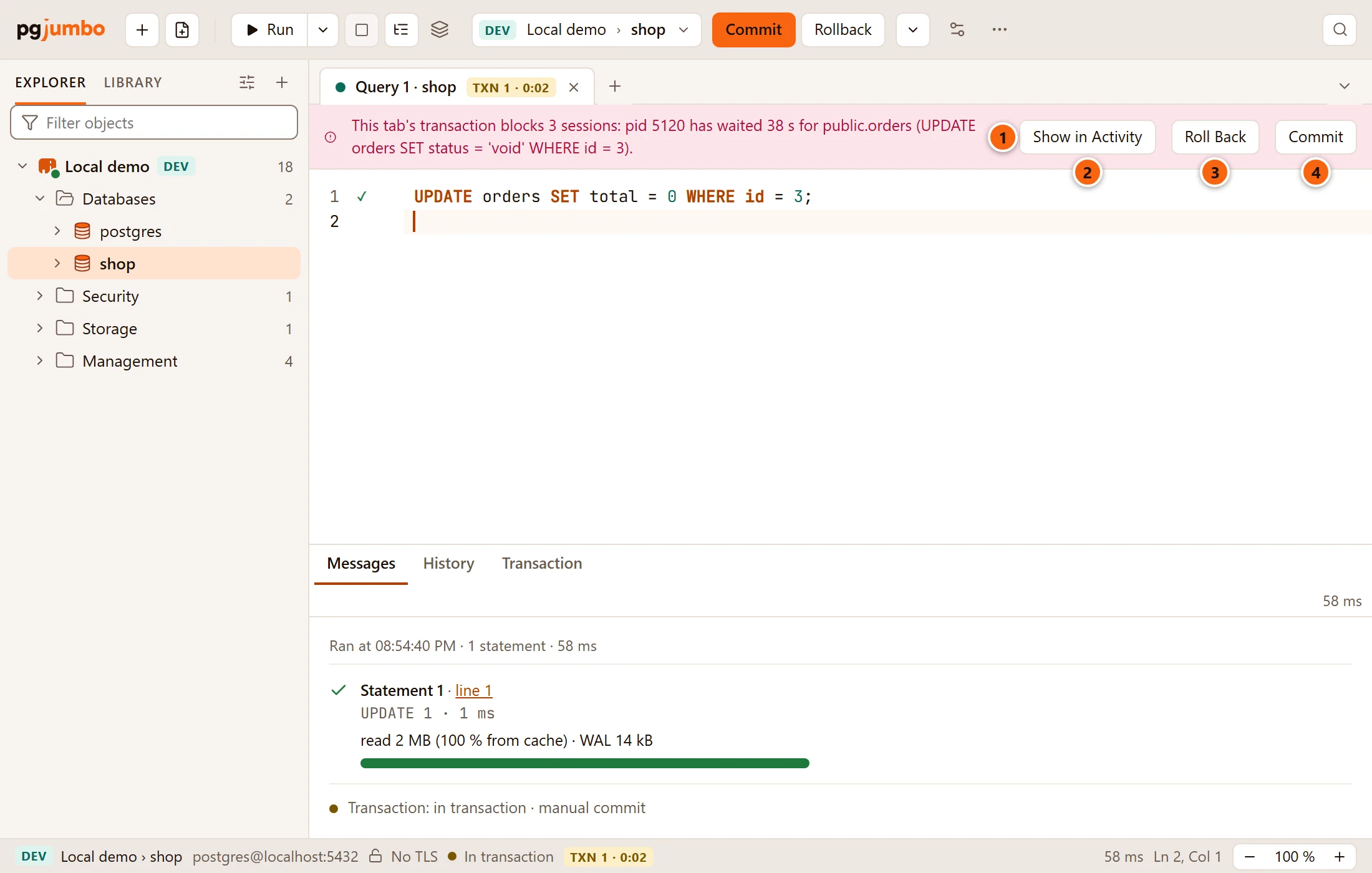
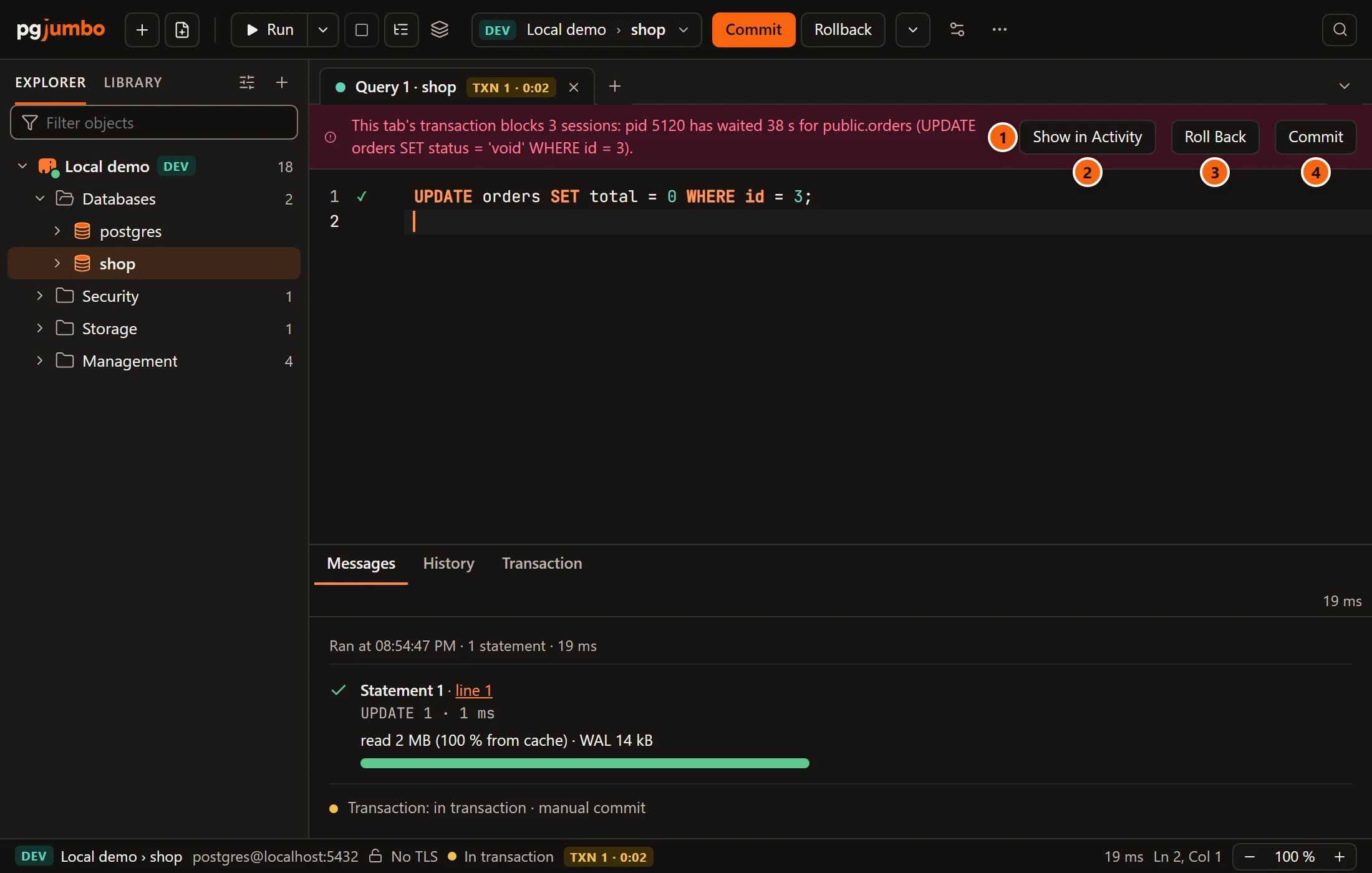
- 1 The red banner counts the sessions that wait behind this tab and names the first of them: its
process id, how long it has waited, the table, and the start of its statement. With one session it says
blocks another session. In Auto-commit, where a running statement holds the lock, it startsThis tab's statement blocks. - 2 Show in Activity opens the server’s Activity, where the whole chain of waiting sessions is.
- 3 Roll Back ends the tab’s transaction with a rollback, which frees its locks.
- 4 Commit ends it with a commit. It does not show for a failed transaction, and it is greyed while a rehearsed write waits: then Roll Back rolls the rehearsal back first.
While the tab runs, the banner offers Stop in place of Roll Back and Commit.
Your tab waits
Section titled “Your tab waits”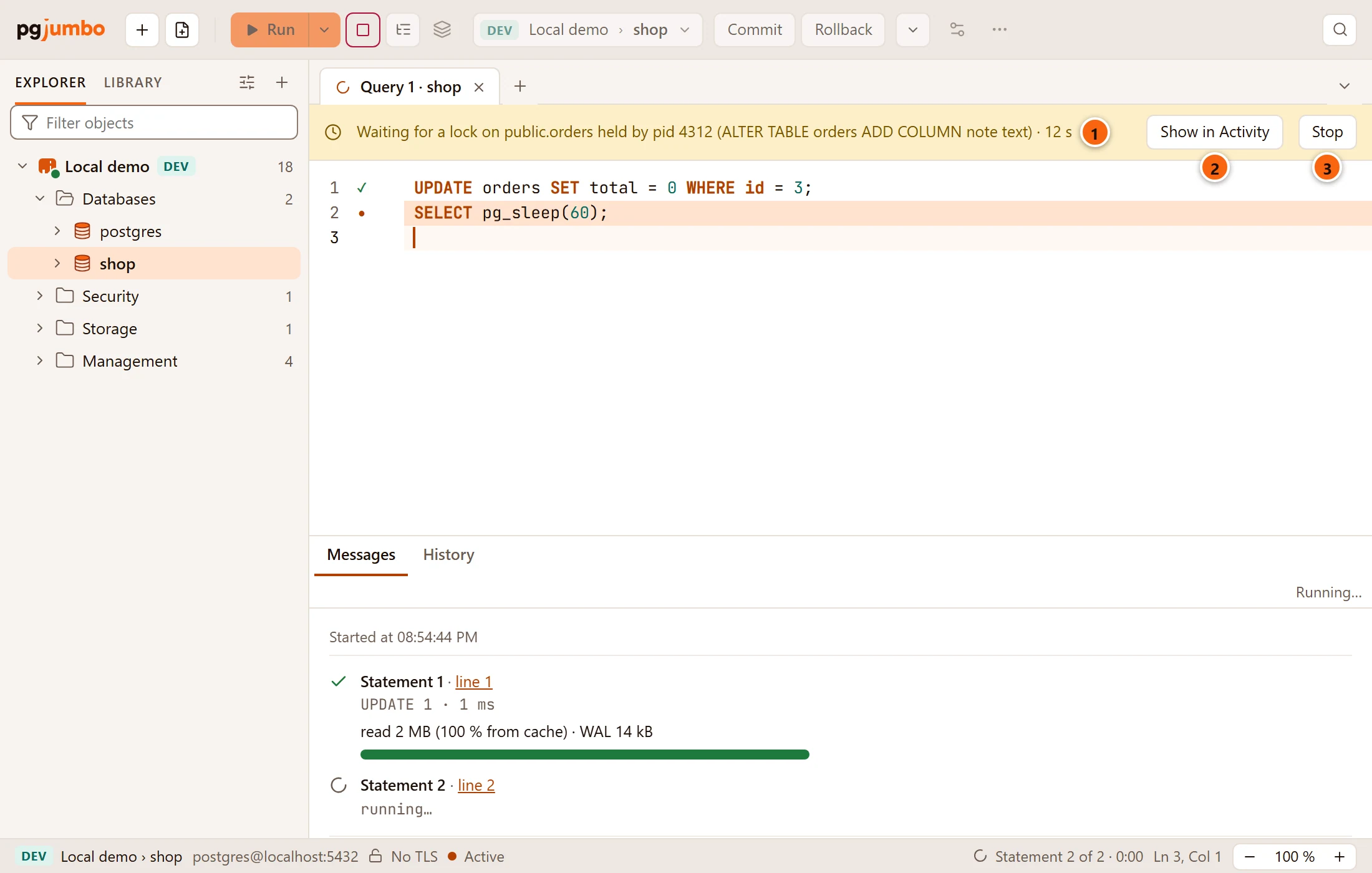
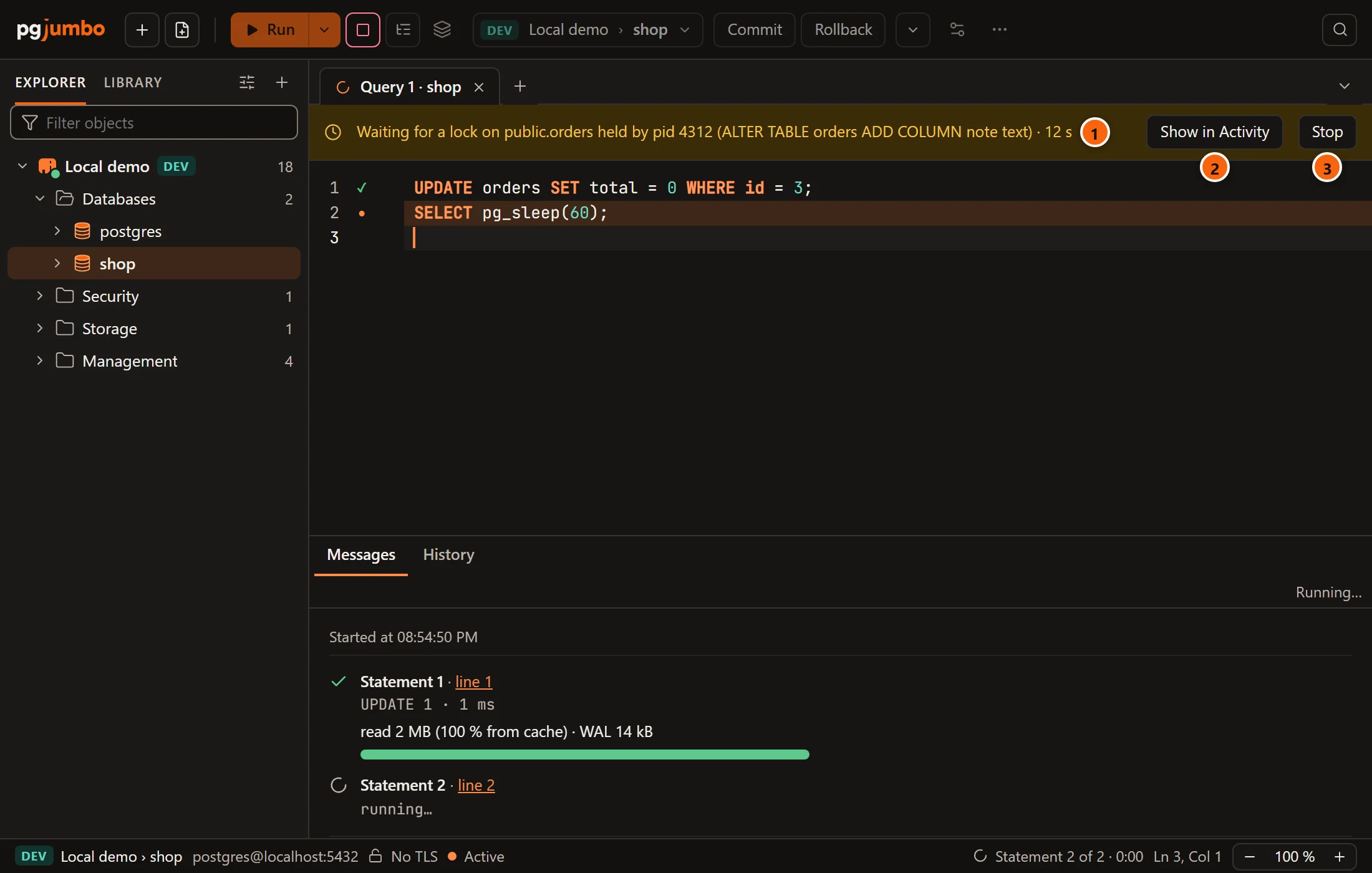
- 1 The amber banner names the table the running statement waits for, the process id of the session that
holds the lock, the start of that session’s statement, and how long the tab has waited. When several sessions hold
it, the banner adds
and 2 more. - 2 Show in Activity opens the server’s Activity.
- 3 Stop cancels the tab’s running statement, as the toolbar’s Stop does.
Both banners can show at once: a tab can wait for one session while it blocks others.
pgjumbo never cancels, ends or commits anything by itself here: every button is yours. Another session’s statement shows only when the server lets your role see it, and it is cut at 60 characters. On a Production server, a new tab gives up waiting for a lock after 10 seconds unless you changed that limit, so the amber banner is short-lived there.