
Functions and procedures
Functions and procedures share one kind of tab. It shows the routine’s name and owner, its arguments, what it returns,
how it behaves, its body, the settings it runs with, who may run it, how often it was called and its CREATE script. You
change it there and save; pgjumbo writes the ALTER or CREATE OR REPLACE statements for you. Run… builds a call
from the values you type and opens it in a Query Tool, where you run it yourself.
In the Explorer, functions (window functions among them) are in a schema’s Functions folder and procedures in its Procedures folder. Each row shows the name with its arguments, and for a function the type it returns. Aggregates have a folder of their own and no tab; see Types, domains and other schema objects.
Open a function in its tab
Section titled “Open a function in its tab”- Double-click a function or a procedure in the Explorer, or select it and press Enter.
- Right-click it and choose Properties…, or select it and press ⌘ I (Alt+Enter on Windows and Linux).
- Find it with Open Quickly, or double-click it in Object Details.
The tab opens on General. If it is already open, it comes to the front. The server must be connected.
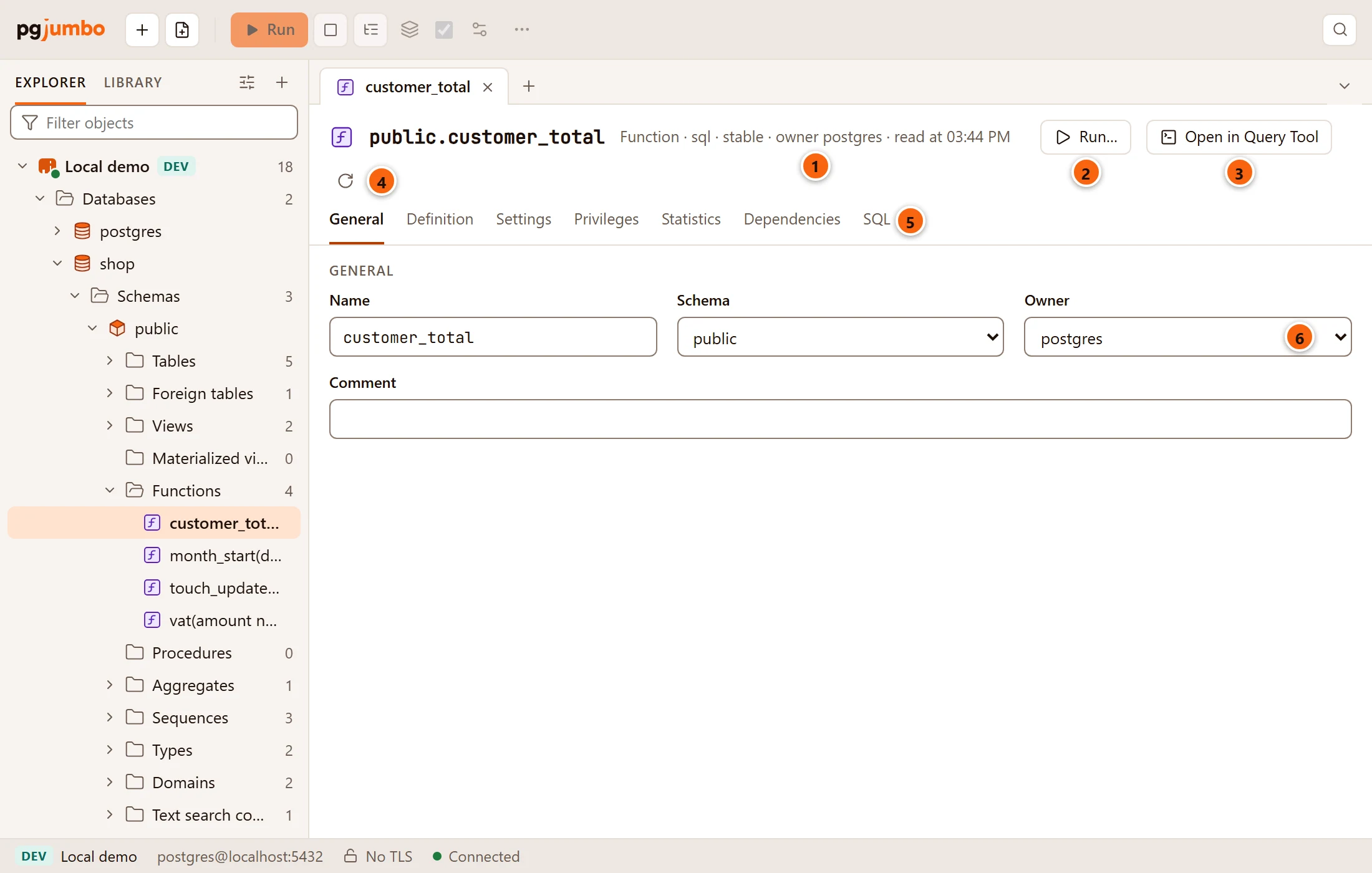
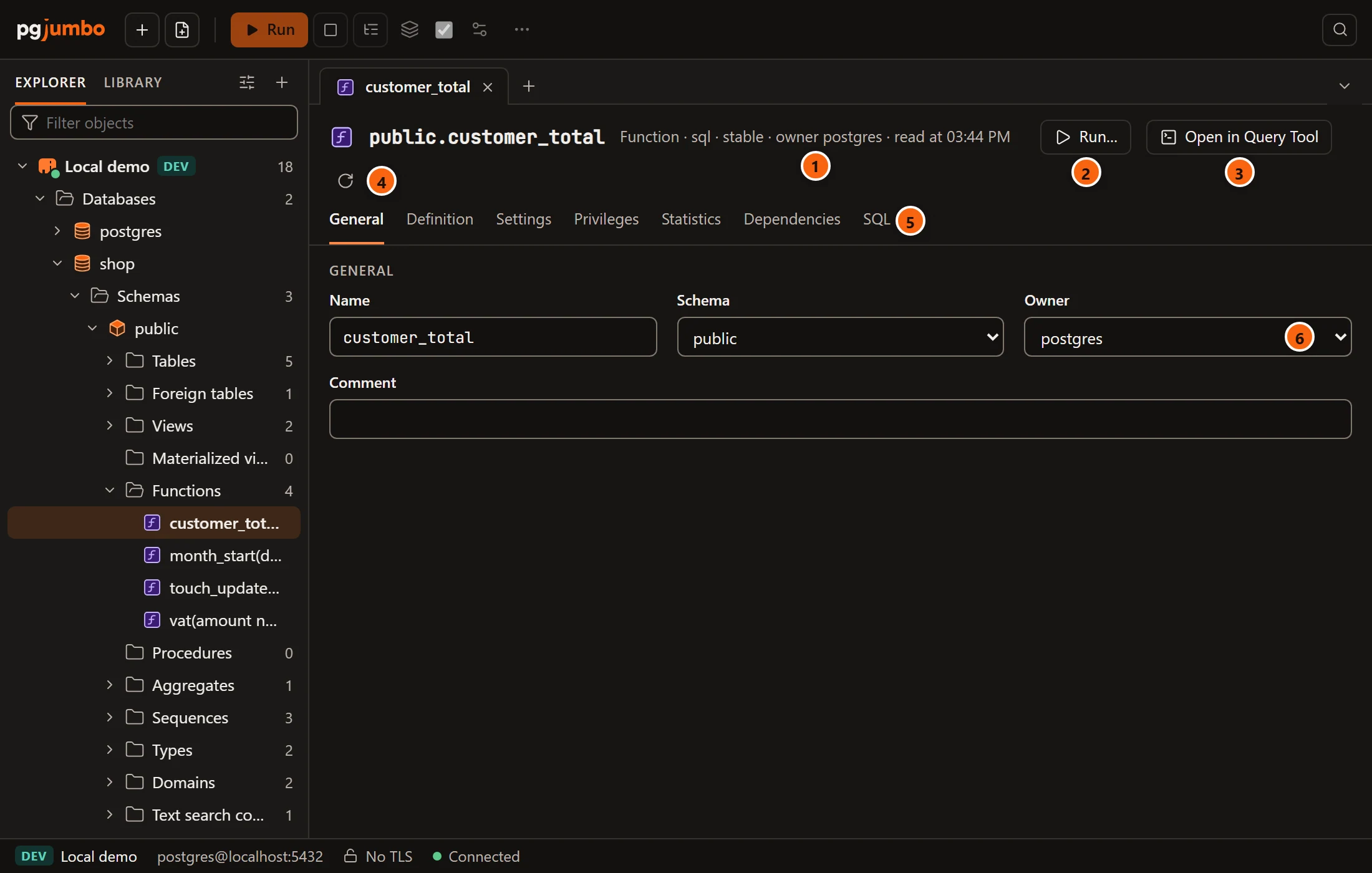
- 1 What it is (Function or Procedure), its language, a function’s volatility, its owner and when the tab read it.
- 2 Run… builds a call to it. See Build a call with Run….
- 3 Open in Query Tool opens its CREATE script in a new Query Tool on its database. Nothing runs.
- 4 Read again reads it from the server again. It drops any change you have not saved.
- 5 The views: General, Definition, Settings, Privileges, Statistics, Dependencies and SQL. A dot after a name means you changed something there.
- 6 General holds its name, schema, owner and comment.
| Field | What it does |
|---|---|
| Name | Renames it (ALTER FUNCTION … RENAME TO). |
| Schema | Moves it to another schema (ALTER FUNCTION … SET SCHEMA). |
| Owner | Gives it to another role (ALTER FUNCTION … OWNER TO). |
| Comment | Sets or clears its comment (COMMENT ON FUNCTION). |
For a procedure the statements say PROCEDURE. They name the routine by its argument types, so they act on this one
and not on another with the same name.
The Definition view
Section titled “The Definition view”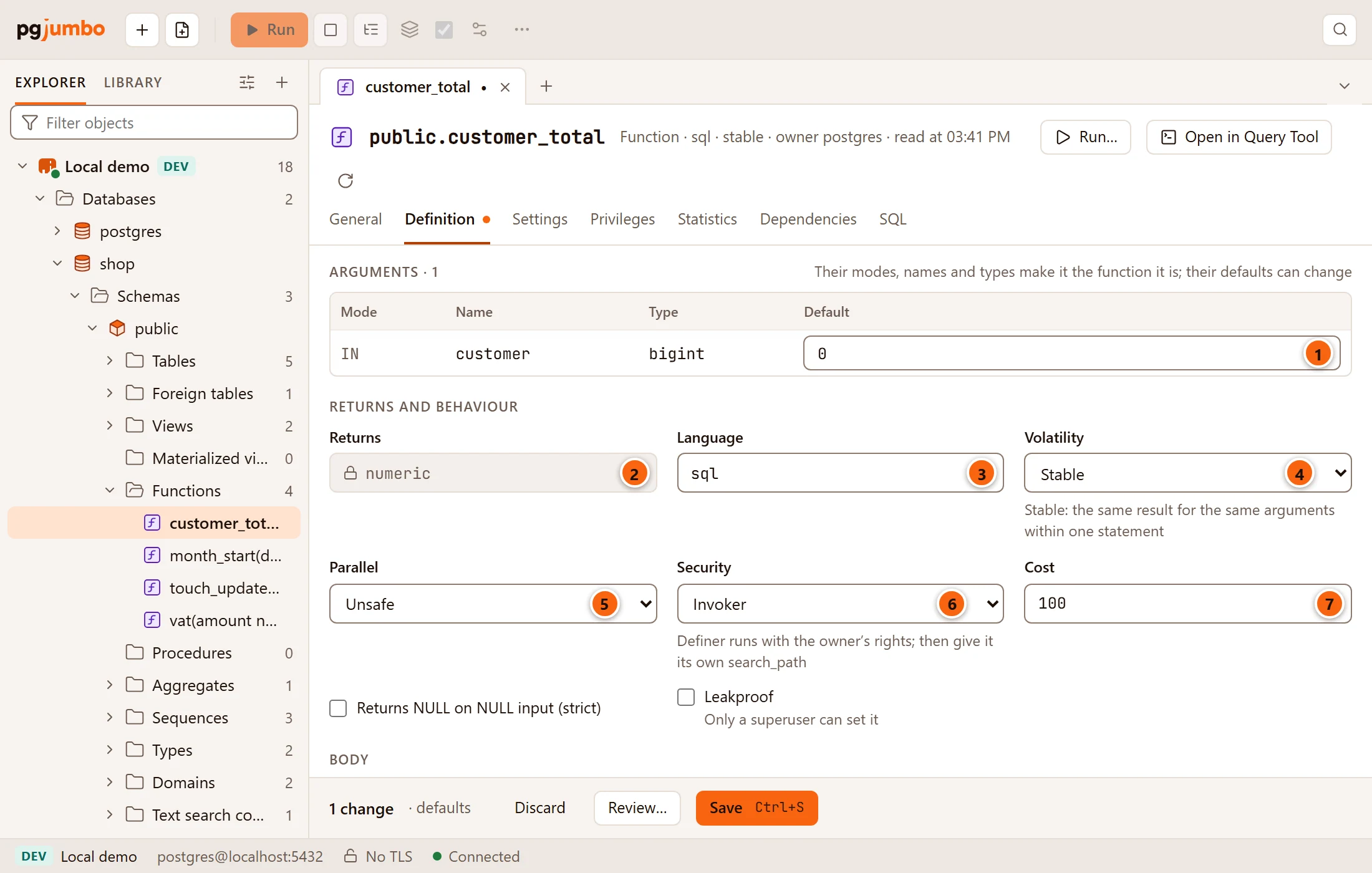
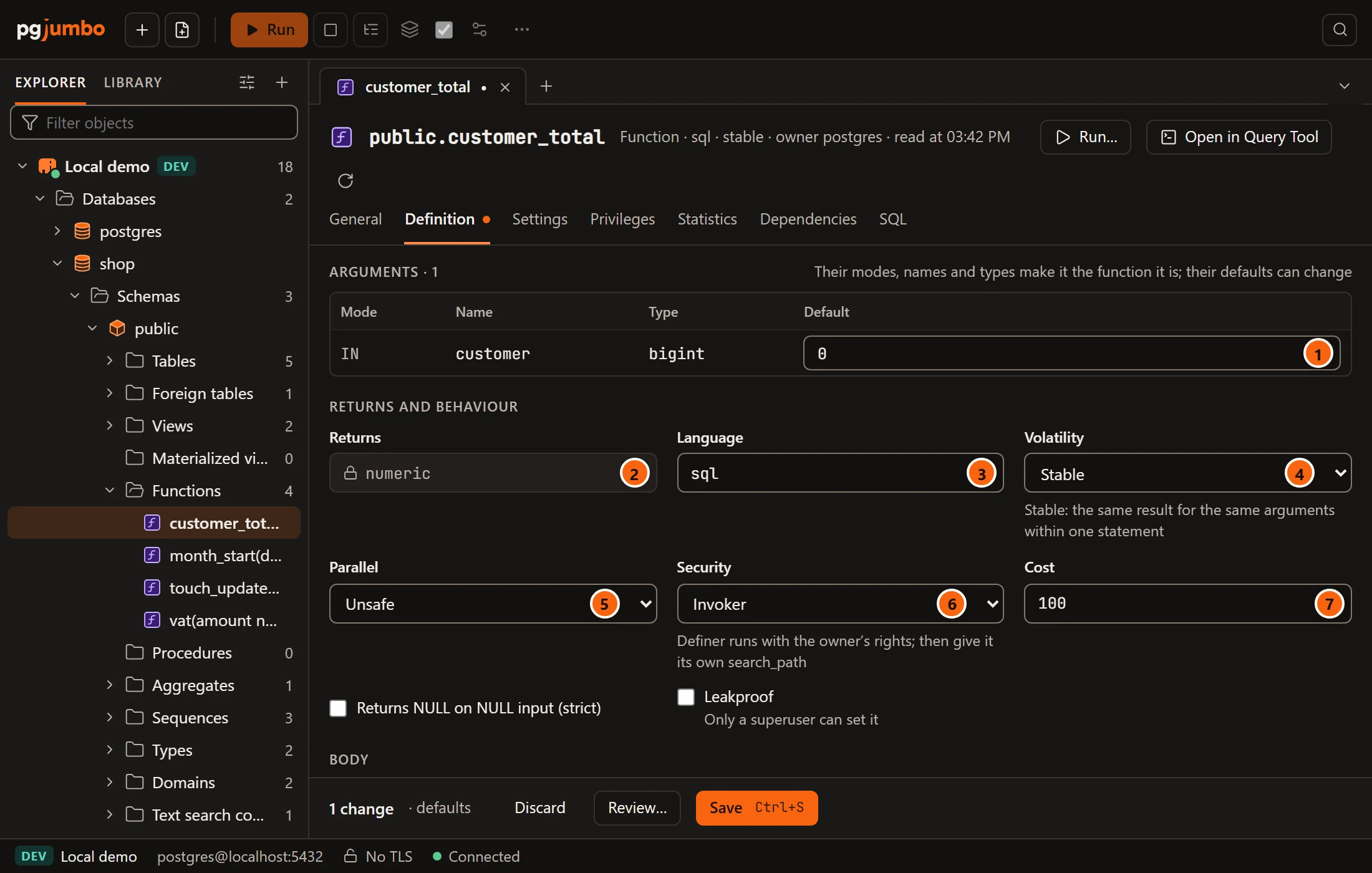
- 1 Arguments: each argument’s Mode (
IN,OUT,INOUT,VARIADIC, orTABLEfor a column ofRETURNS TABLE), Name, Type and Default. Only the default of anINorINOUTargument can change; the others show a dash. The heading counts the arguments, leaving outTABLEcolumns; a routine with none says “None.” - 2 Returns: what a function returns, locked.
- 3 Language: the language its body is written in, such as
sqlorplpgsql. - 4 Volatility: Volatile, Stable (the same result for the same arguments within one statement) or Immutable.
- 5 Parallel: Unsafe, Restricted or Safe.
- 6 Security: Invoker runs it with the caller’s rights; Definer with its owner’s. A definer
function should set its own
search_path, on Settings. - 7 Cost: the planner’s estimate of what one call costs. A function that returns a set also has Rows, the number of rows the planner expects.
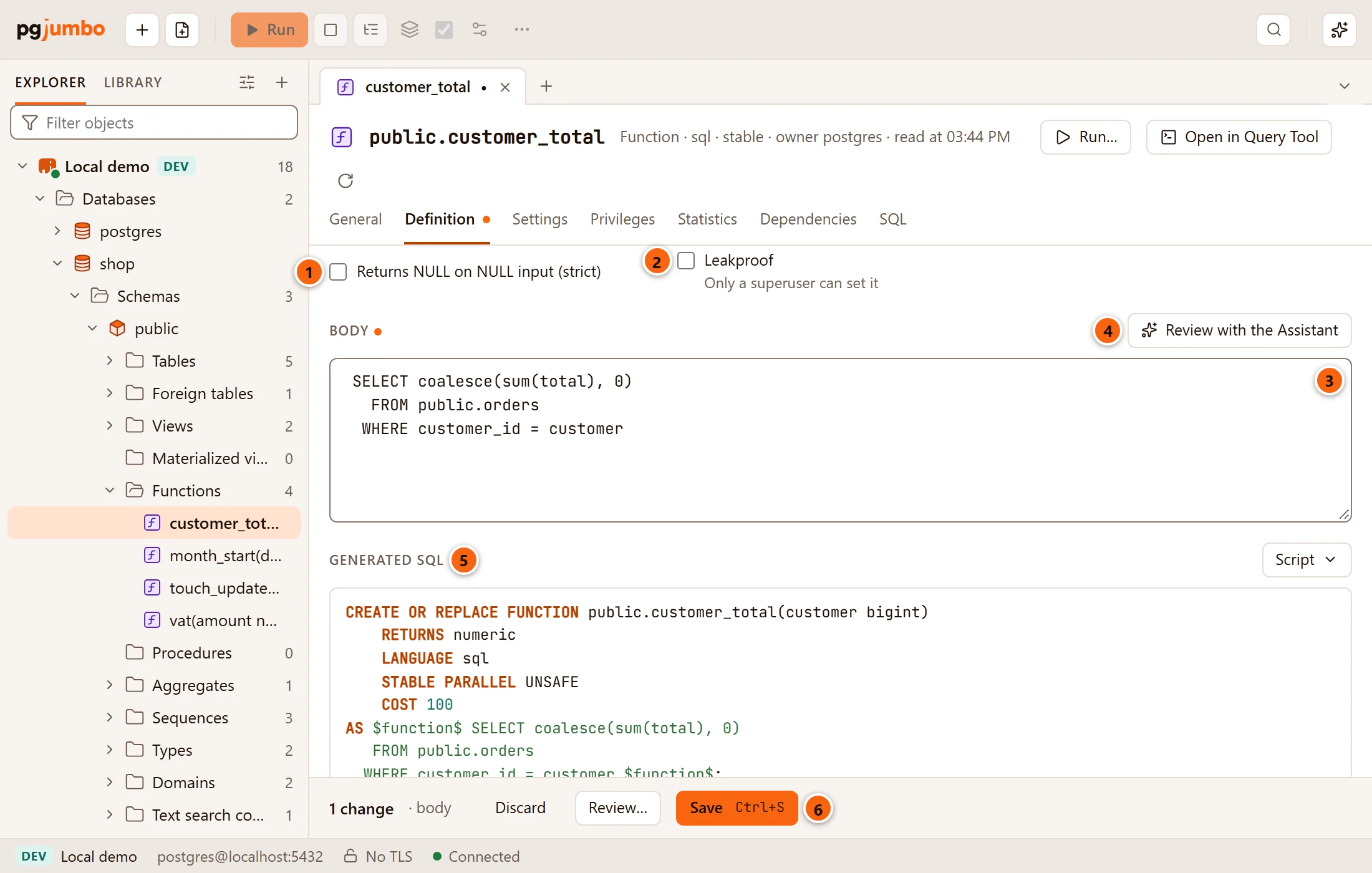
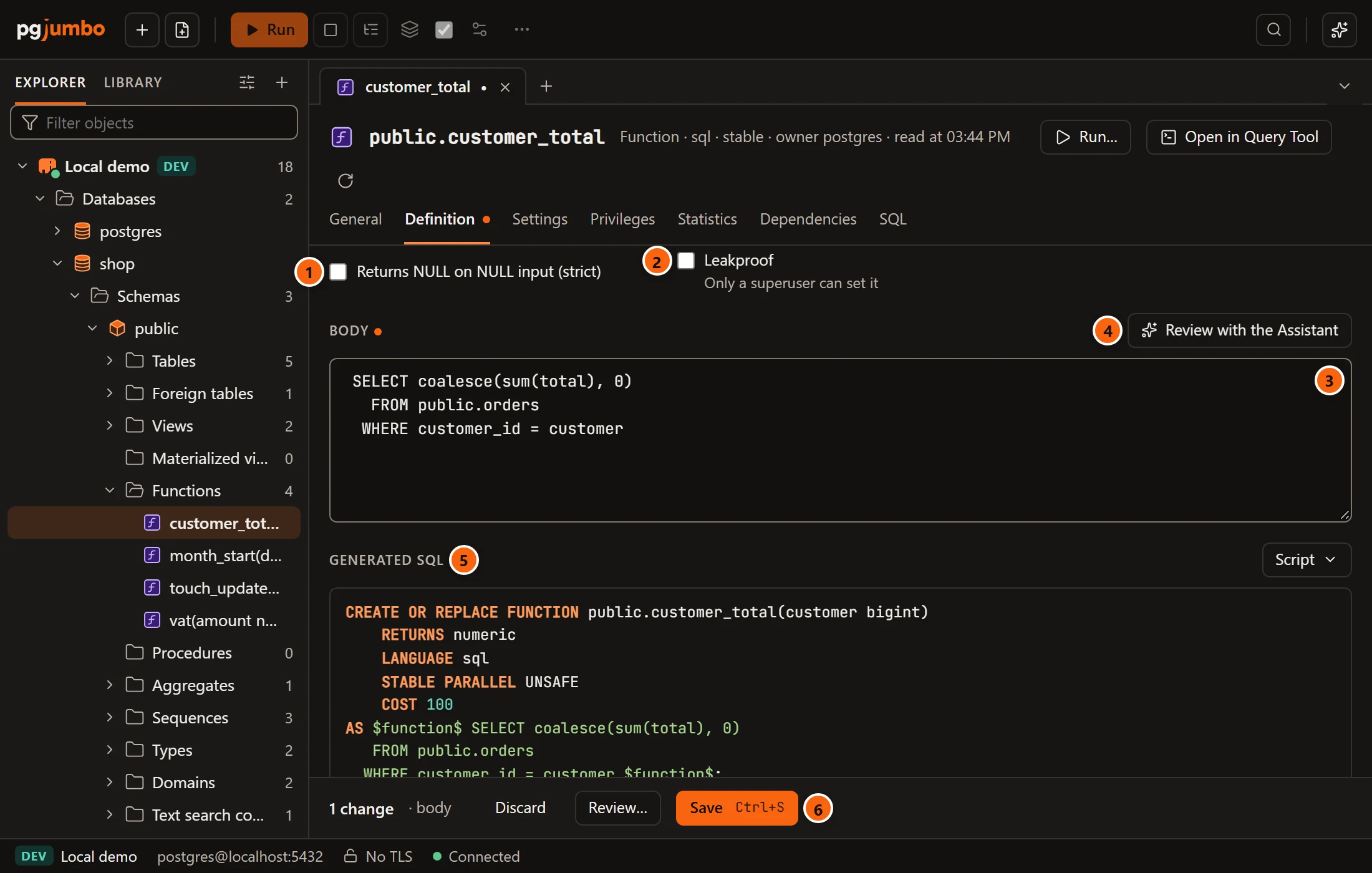
- 1 Returns NULL on NULL input (strict): the function is not called when an argument is NULL; the result is NULL.
- 2 Leakproof: it reveals nothing about its arguments but its result. Only a superuser can set it; PostgreSQL refuses it otherwise.
- 3 Body: the code between the dollar quotes. A dot after Body means you changed it.
- 4 Review with the Assistant: see Review with the Assistant.
- 5 Generated SQL shows the statements Save will run.
- 6 Save (⌘ S (Ctrl+S on Windows and Linux)), with Discard and Review… beside it.
A procedure’s Definition has fewer fields: a procedure has no return type, volatility, parallel safety, cost, rows, strictness or leakproofness.
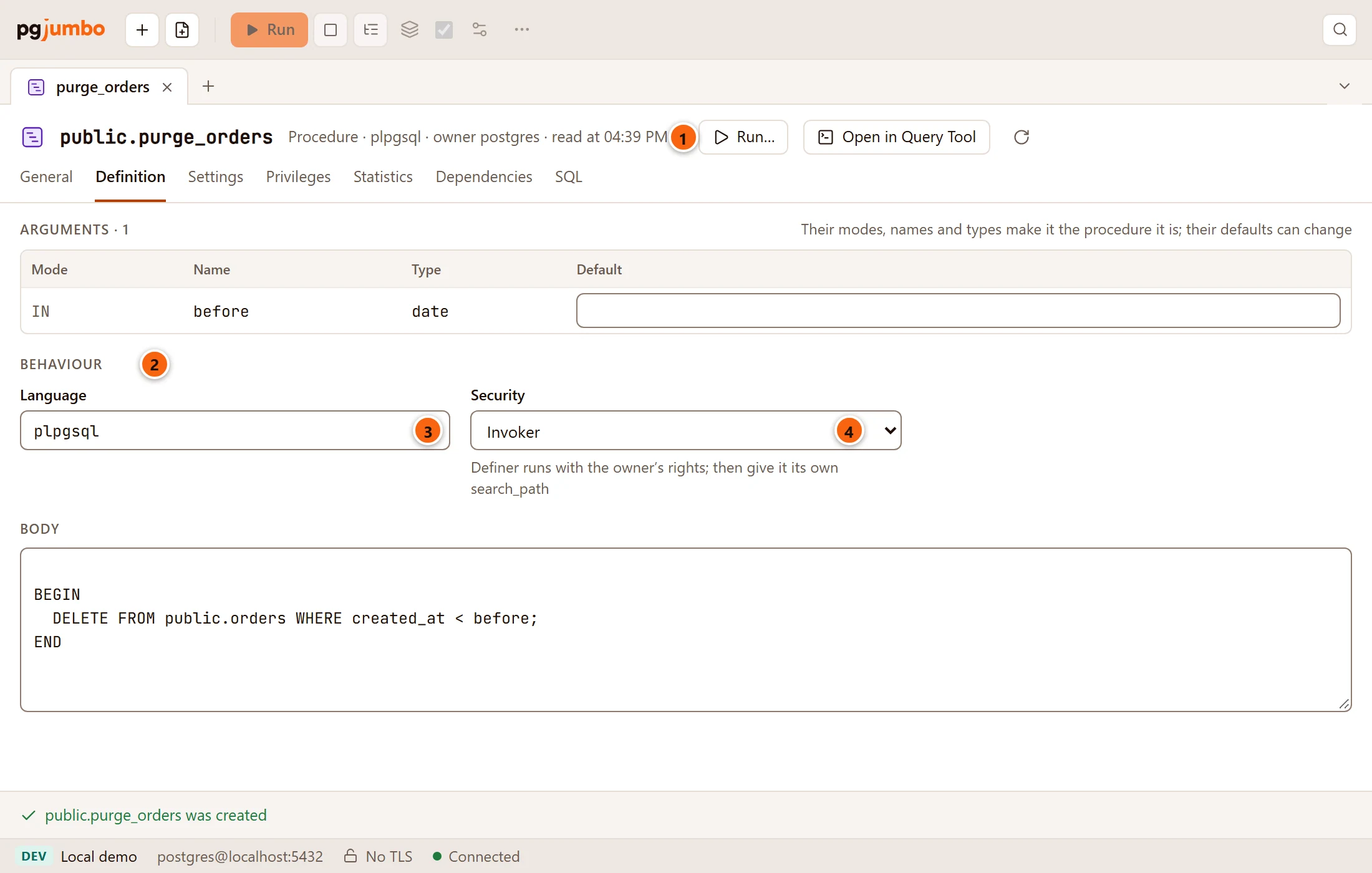
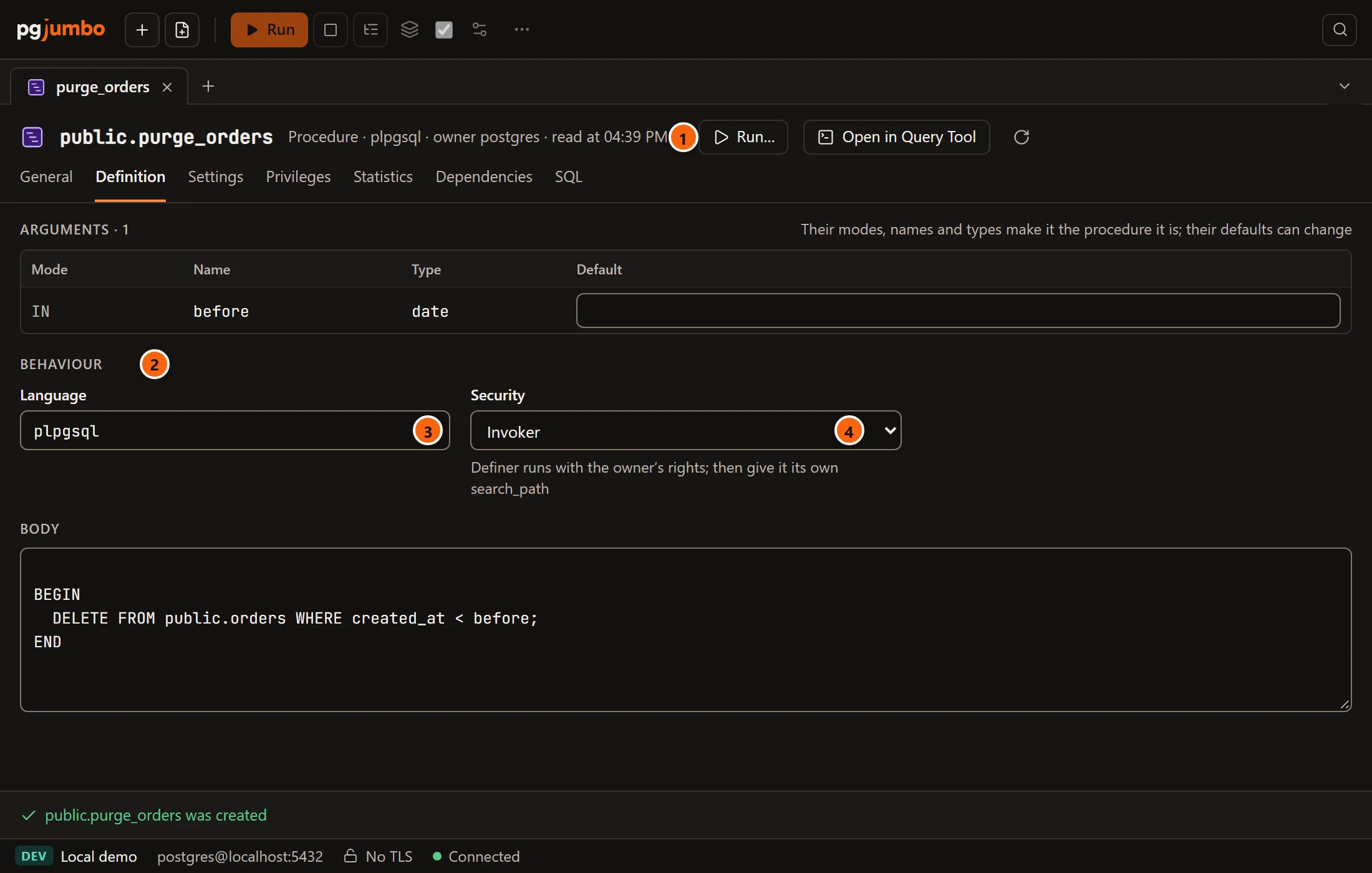
- 1 The header says Procedure and its language, with no volatility.
- 2 The second section is called Behaviour instead of “Returns and behaviour”.
- 3 Language, as for a function.
- 4 Security, as for a function:
ALTER PROCEDURE … SECURITY DEFINERorSECURITY INVOKER.
What can change and what cannot
Section titled “What can change and what cannot”A routine’s arguments (their modes, names and types) and what it returns make it the function it is. Changing them would make another function, so the tab does not let you. To change them, create the new function (see below), move the callers to it, then drop the old one.
Everything else can change, and pgjumbo picks the statement:
- Volatility, Parallel, Security, Cost, Rows, strictness and Leakproof change with one
ALTER FUNCTION. Cost and Rows must be numbers above 0; emptying them leaves them as they are. - A new Body, Language or argument Default needs
CREATE OR REPLACE FUNCTION, which writes the whole definition again: the same arguments and return type, your behaviour fields, its settings and the new body. PostgreSQL can add or change an argument’s default this way but not take one away; it says so when you save. - Settings change with
ALTER FUNCTION … SETandRESET, or go into theCREATE OR REPLACEwhen that runs. - Then come the owner, the comment, the name and the schema, and last the
GRANTandREVOKEstatements from Privileges.
Some bodies cannot change here. A function written in C or internal has its body kept as a symbol, and from
PostgreSQL 14 a SQL-standard body (BEGIN ATOMIC or RETURN) is kept already parsed. Then the body is read only and
says “Kept by PostgreSQL as written for it: change it in a Query Tool”. A new Language or argument Default is
refused for such a function too, since it would need CREATE OR REPLACE.
The Settings view
Section titled “The Settings view”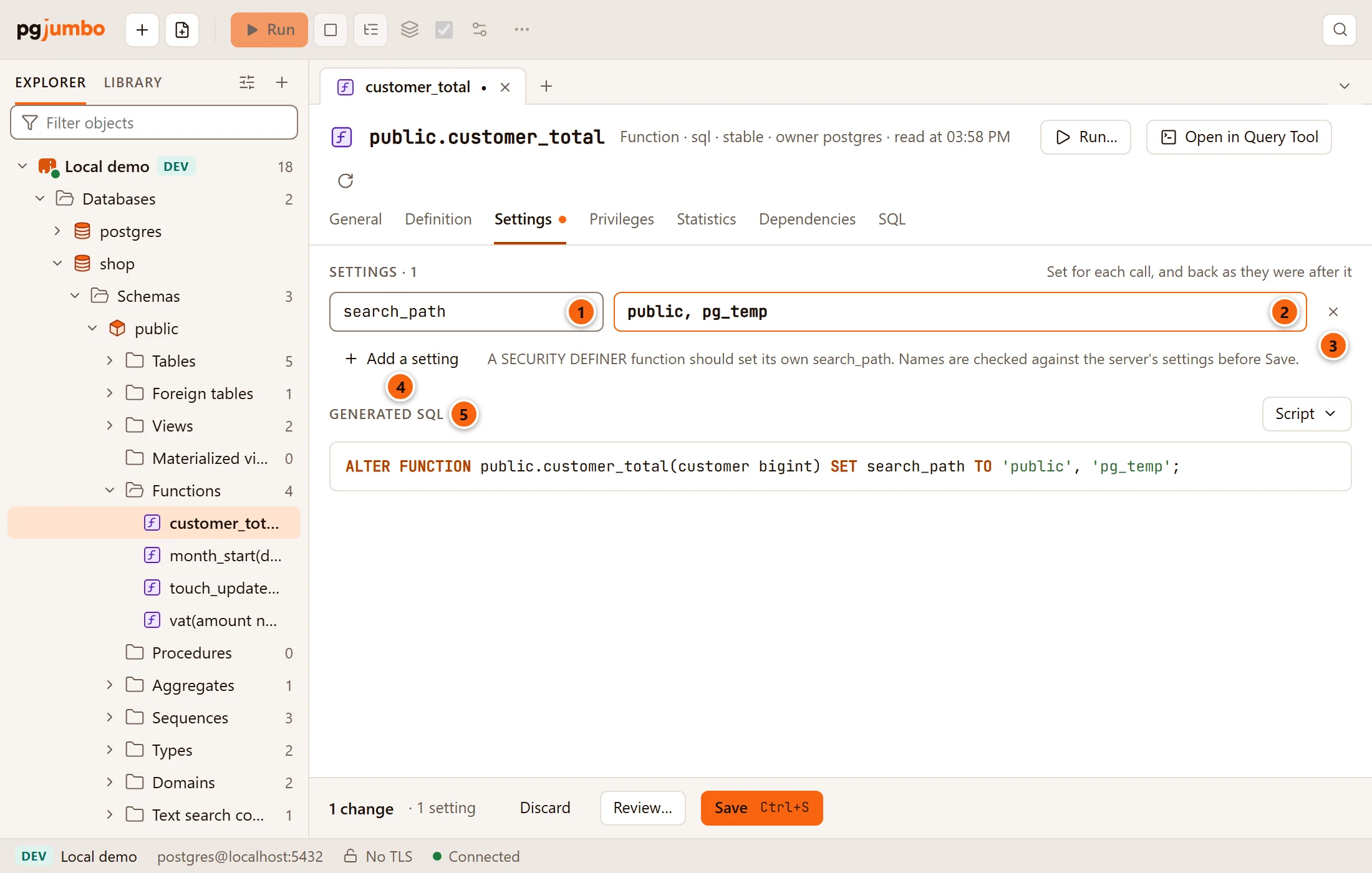
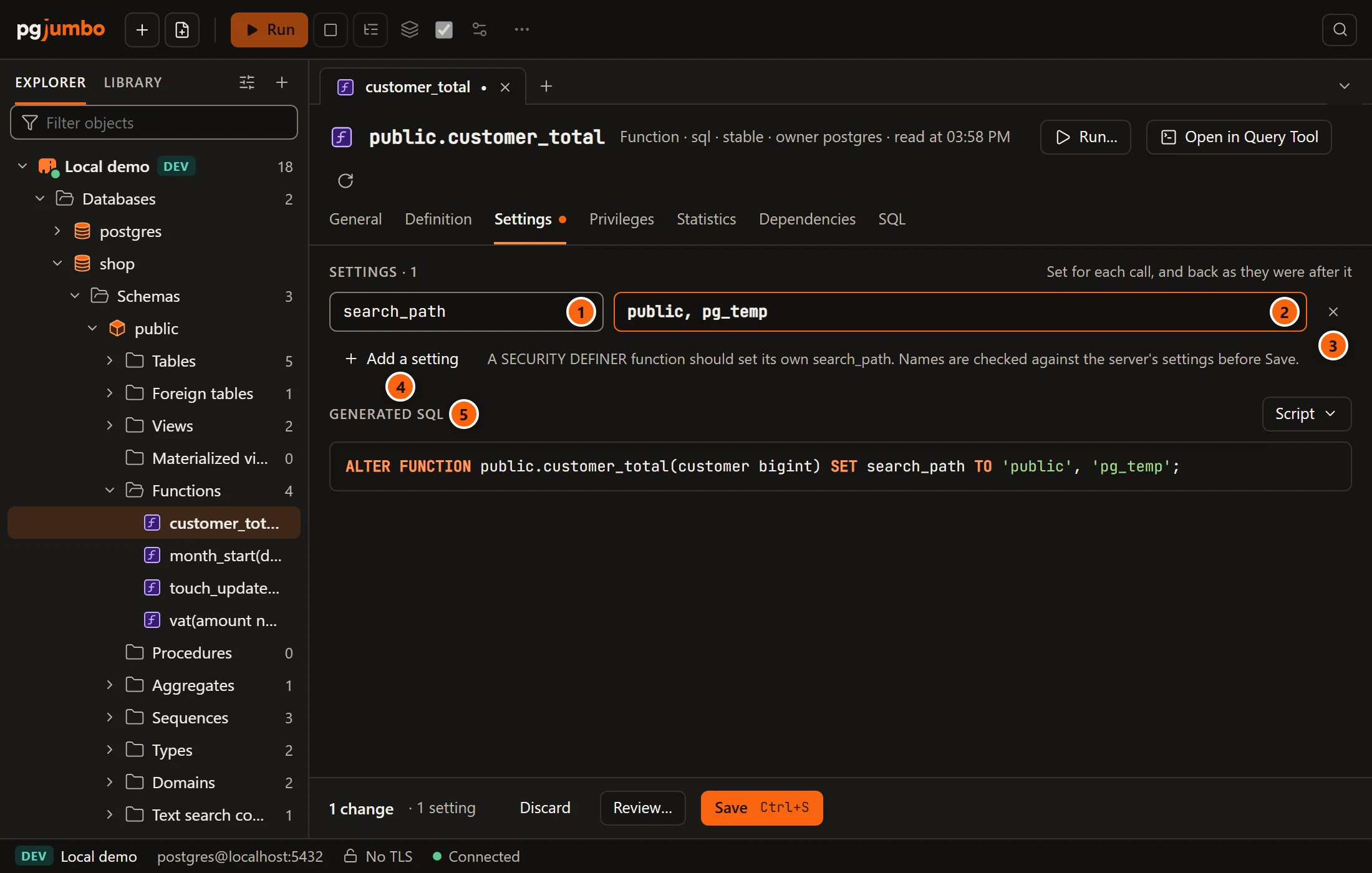
The settings a function runs with are set for each call and put back as they were after it.
- 1 The setting’s name. As you type, pgjumbo suggests common ones:
statement_timeout,lock_timeout,idle_in_transaction_session_timeout,work_mem,search_path,timezoneanddefault_transaction_isolation. - 2 Its value. A value you changed has a coloured border.
- 3 × removes the setting (
RESET). - 4 Add a setting adds an empty row. Next to it a hint reminds you that a
SECURITY DEFINERfunction should set its ownsearch_path. - 5 Generated SQL shows the
ALTER FUNCTION … SETstatements.
With no settings, the view says “None: it runs with the caller’s settings.” Before anything runs, pgjumbo checks each name against the server’s settings: a name it does not know is refused (“… is not a setting this server knows.”), unless it has a dot, as an extension’s own settings do. A setting with no value, or one set twice, is refused too.
The Statistics view
Section titled “The Statistics view”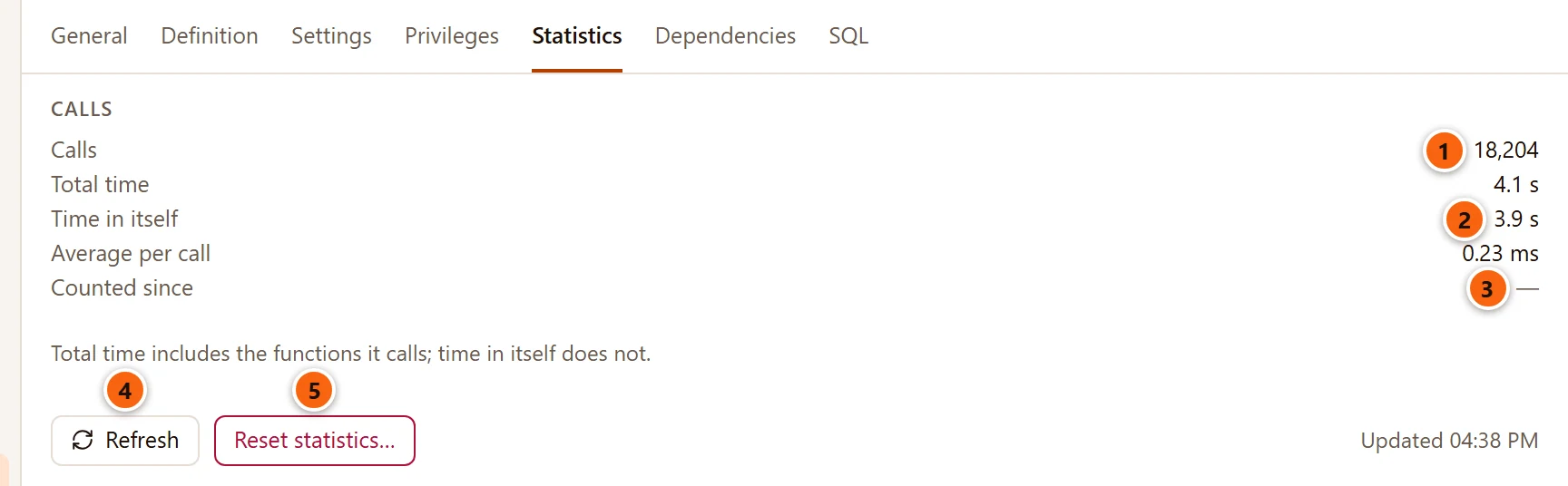
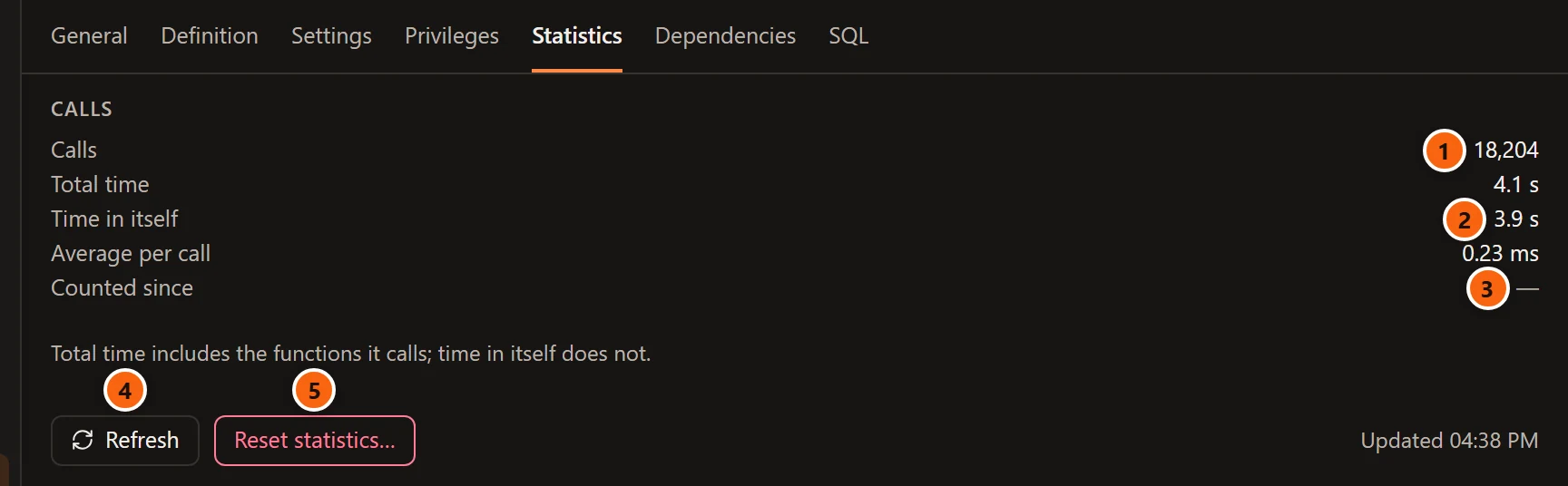
- 1 Calls: how many times it was called.
- 2 Time in itself: the time spent in its own code. Total time, above it, also counts the functions it calls; Average per call, below it, is the total time divided by the calls.
- 3 Counted since: when its counts were last reset; a dash when that is not known.
- 4 Refresh reads the numbers again. Updated on the right says when they were read.
- 5 Reset statistics… asks “Reset the statistics of …?” and, with Reset statistics, starts its calls and time again from zero.
PostgreSQL counts calls only as its track_functions setting allows. With none, a note says the server counts no
calls and that a superuser can change it on the server’s Configuration. With pl, only
functions in a procedural language are counted, so a SQL, C or internal function gets a note saying to set it to
all. A function with no calls says “Not called since the counts were reset”; a SQL function adds that a function the
planner inlines is never counted.
Privileges, Dependencies and SQL
Section titled “Privileges, Dependencies and SQL”- Privileges shows who may run it (
EXECUTE) and lets you grant and revoke that. The grid is explained in Privileges. - Dependencies lists what the routine depends on and what uses it. Open on a row shows that object in the Inspector.
- SQL shows its CREATE script, with Open in Query Tool and the Script menu (open, copy or save it).
Save your changes
Section titled “Save your changes”The pending bar counts your changes, for example “1 change · body”. Discard puts the tab back as it was read, Review… opens the review sheet, and Save (⌘ S (Ctrl+S on Windows and Linux)) runs the statements in one transaction, on a connection of its own. A routine’s changes only change the catalog and lock no table, so Save runs without the review sheet, except on a server that asks first (Production, or Staging when Settings say so), where the sheet opens and you type the database’s name. The sheet is explained in Object tabs and review.
When it worked, the bar says “Saved: n statements ran” and the tab reads the routine again. If someone changed the routine since the tab read it, nothing runs: the bar says what changed (“… changed since it was read: its body changed. Nothing was run.”) and offers Read again.
Build a call with Run…
Section titled “Build a call with Run…”Click Run… in the tab’s header. pgjumbo builds the call to the routine from the values you type, and opens it in a Query Tool. It never runs the call itself.
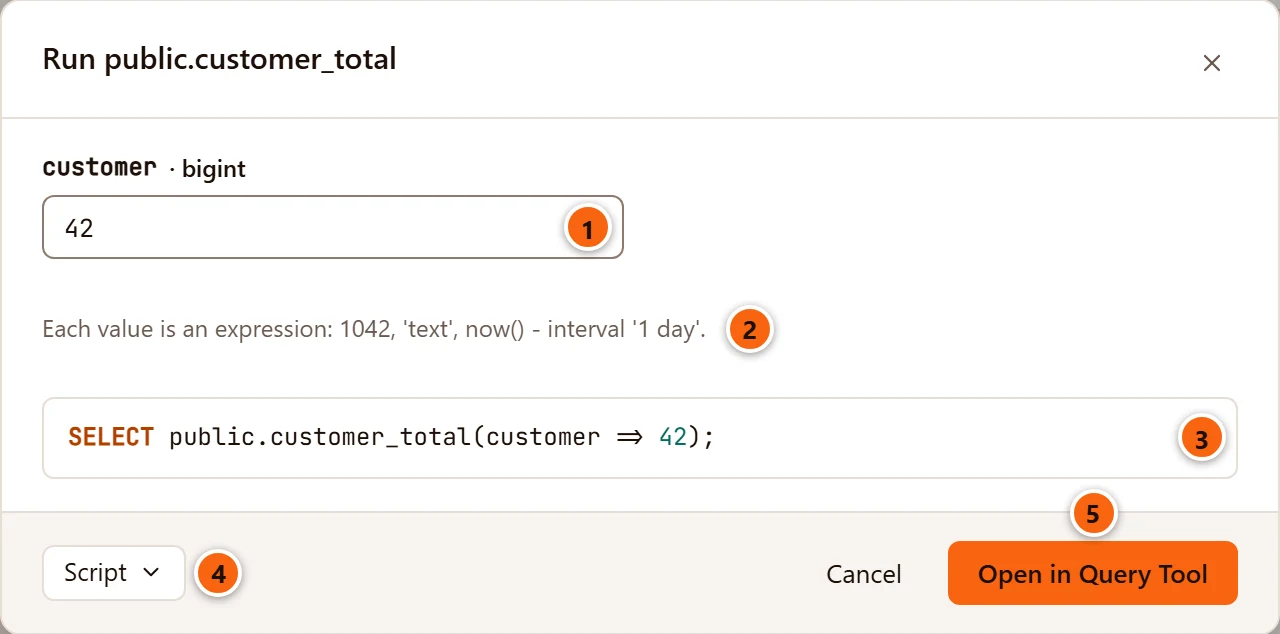
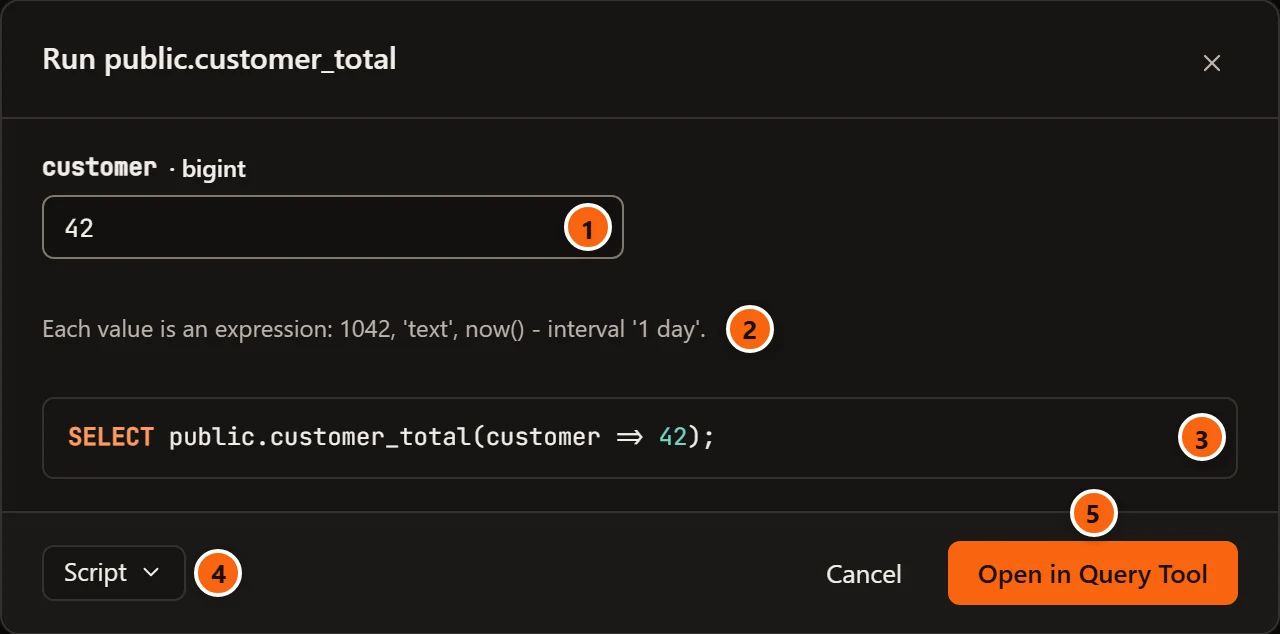
- 1 One field for each
IN,INOUTandVARIADICargument, labelled with its name and type. An empty field showsNULL, ordefault …when the argument has a default. - 2 Each value is an SQL expression:
1042,'text',now() - interval '1 day'. It must be one expression with no semicolon. - 3 The call, as it will be opened. It changes as you type, or shows in red why it cannot be built.
- 4 Script opens the call in a Query Tool, copies it or saves it to a file.
- 5 Open in Query Tool (or Enter) opens the call in a new Query Tool on the routine’s database. Run it there with Run. Cancel closes the dialog.
How pgjumbo writes the call:
- A function is called with
SELECT schema.name(…), a function that returns a set or a table withSELECT * FROM schema.name(…), and a procedure withCALL schema.name(…). - When every argument it takes has a name and none is
VARIADIC, the call names them:customer => 42. Otherwise the values are given in order, and aVARIADICargument gets the wordVARIADICbefore its value. - An empty field leaves out an argument that has a default, so the default applies. That works in a call that names
its arguments, and for the last argument of a call that gives values in order. Anywhere else, and for an argument
with no default, an empty field passes
NULL. - On PostgreSQL 14 and later, a procedure’s
OUTarguments are passed asNULL, asCALLneeds.
A routine with no arguments shows “It takes no arguments.” Script asEXECUTE in the right-click menu gives a call too, without asking for values: a comment stands where each value goes. See Scripts.
Review with the Assistant
Section titled “Review with the Assistant”When the Assistant is on (Settings › Assistant, Use the Assistant), Definition has a
Review with the Assistant button beside the Body heading; a new routine’s tab has none. The button opens the
Assistant pane and asks Claude to review the function: bugs, a wrong volatility, SECURITY DEFINER without a fixed search_path, and anything unsafe. If something
should change, the answer carries a card with the fix. Stage in its tab on the card puts the new body, volatility,
security and search_path into this tab, where Generated SQL and Review… show them and nothing runs until you
save. See Ask the Assistant and
What the Assistant proposes.
Create a function or a procedure
Section titled “Create a function or a procedure”Right-click a schema’s Functions folder and choose Create function…, or its Procedures folder and choose Create procedure…. On a schema or a database, the same items are in the Create submenu as Function… and Procedure… (see the picture in Views and materialized views).
An empty tab opens on Definition. It has only General, Definition, Settings and SQL: privileges, statistics and dependencies come once the routine exists.
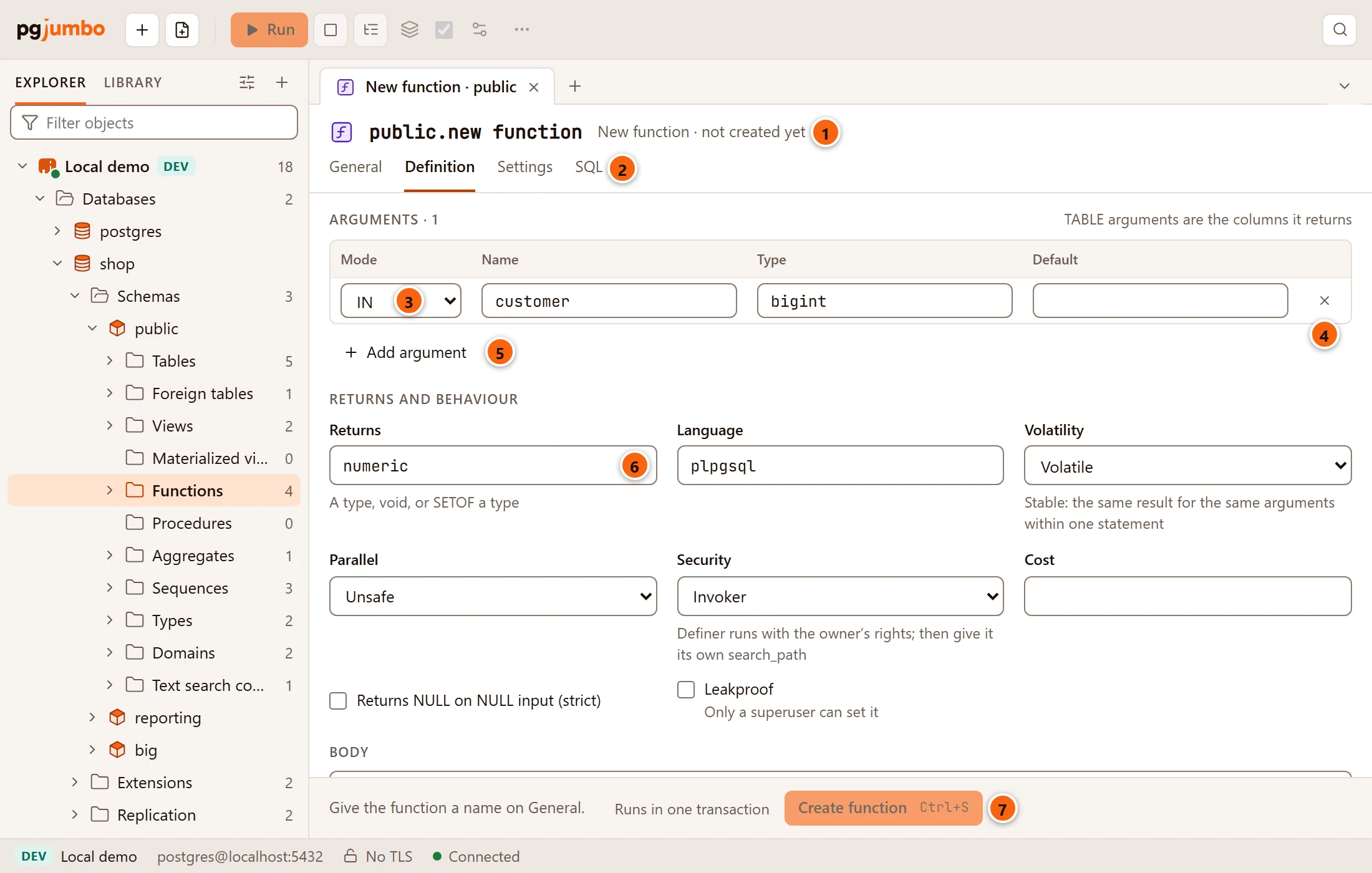
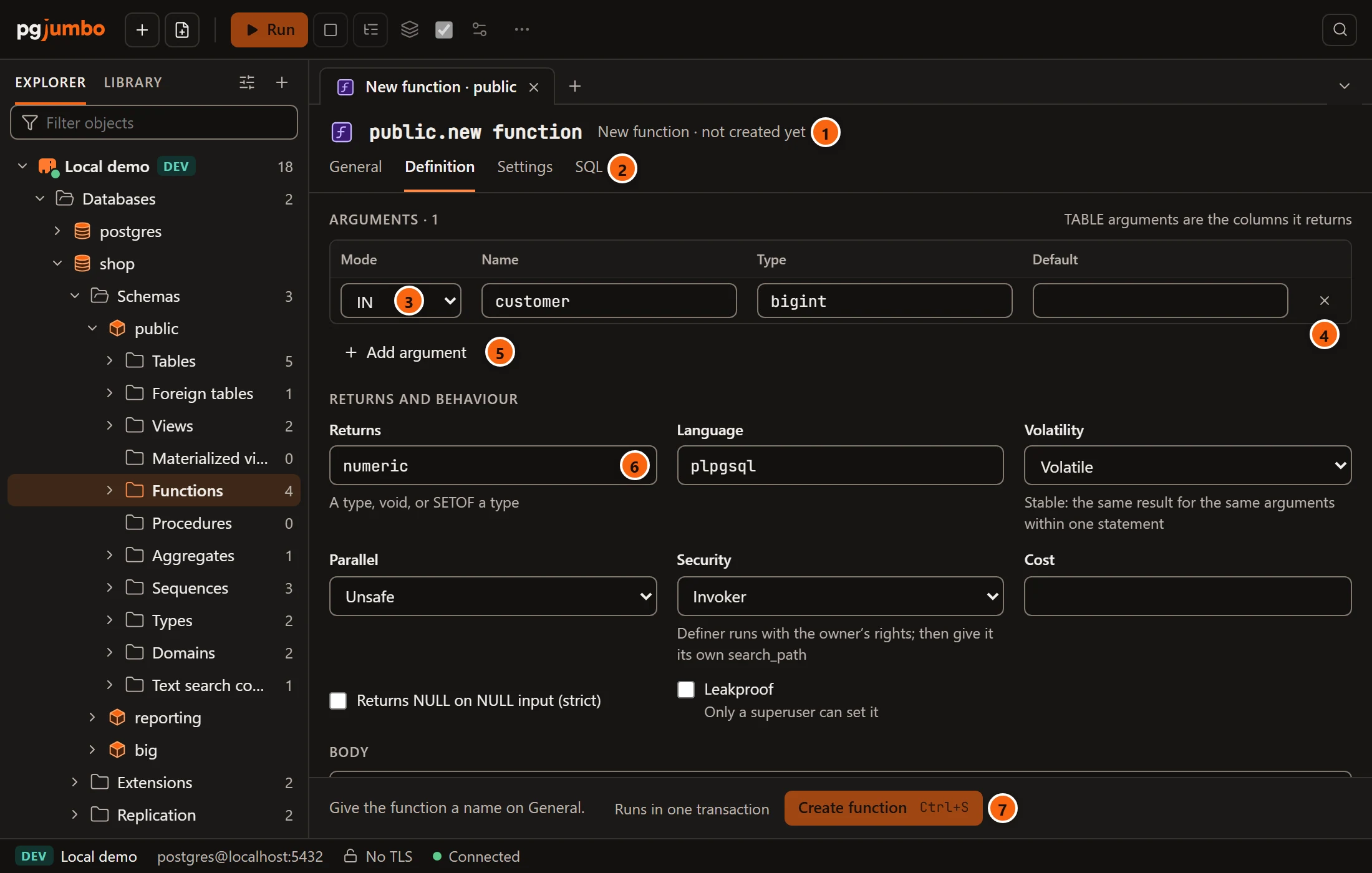
- 1 New function (or New procedure) and “not created yet”. The name shows as you type it on General.
- 2 The four views of a new routine.
- 3 Mode of the argument:
IN,OUT,INOUT,VARIADIC, and for a functionTABLE.TABLEarguments are the columns it returns (RETURNS TABLE). Then come its Name, its Type and its Default; anOUTorTABLEargument has no default. - 4 × removes the argument.
- 5 Add argument adds a row,
INwith no name or type yet. - 6 Returns: a type,
void, orSETOFa type. It starts asvoid. WithTABLEarguments it showsTABLE(…)and cannot be typed in. - 7 Create function (or Create procedure, ⌘ S (Ctrl+S on Windows and Linux)) stays disabled until the routine has a name; the bar says where to give it one.
The rest of the tab starts as a new function usually does: Language plpgsql, Volatile, Unsafe,
Invoker, and a body with BEGIN and END. On General you give it a Name; its Schema starts on the
schema you right-clicked (or public) and its Owner on the role you are connected as. Settings you add on
Settings go into the CREATE as SET clauses. SQL shows the CREATE FUNCTION that Create function will
run, with the Script menu; until the routine has a name it says “Name the function on General to see its SQL.”
pgjumbo checks each type with the server first. A type it cannot find is refused (“… is not a type in this database. A
type outside pg_catalog and schema needs its schema, as in public.…”, where schema is the routine’s own schema), as
is an argument with no type, a TABLE column with no name, or a function that does not say what it returns. The
reason shows in red on SQL, and in the bar when you click Create function. A length or precision in a type,
such as varchar(20), is dropped, because PostgreSQL ignores it in a signature.
Create function runs the CREATE, then ALTER … OWNER TO and COMMENT ON, in one transaction on a connection of
its own. If PostgreSQL refuses, its message shows in red in the bar and nothing is created. When it works, the tab
becomes the new routine’s, with all seven views, the bar says “schema.name was created”, and the Explorer shows it.
Closing the tab before that asks whether to create it first; see Object tabs and review.
More from the right-click menu
Section titled “More from the right-click menu”| Item | What it does |
|---|---|
| Query Tool | A new Query Tool on the routine’s database. See The Query Tool. |
| Script as ▸ | CREATE, DROP and CREATE and EXECUTE, each opened in a new Query Tool. See Scripts. |
| Properties… | Opens the tab on General. |
| TasksReset statistics | Starts its call counts again from zero. See Drop, truncate and other quick actions. |
| Copy name | Copies its schema-qualified name. |
| Drop… | Drops it. See Drop, truncate and other quick actions. |