
Tablespaces
A tablespace is a directory on the database server where PostgreSQL keeps the files of the tables, indexes and materialized views placed in it. It belongs to the whole server, not to one database. pgjumbo opens each tablespace in a tab that shows what it holds in every database, moves objects out of it, and changes its name, owner, comment, planner options and who may create in it.
pgjumbo does not create or drop tablespaces. CREATE TABLESPACE needs a directory that already exists on the database
server, so run it (or DROP TABLESPACE, once the tablespace is empty) in a
Query Tool, then refresh the Tablespaces folder.
Open a tablespace
Section titled “Open a tablespace”Tablespaces are under each server, in Storage ▸ Tablespaces. Every server has the two built in,
pg_default (where everything goes unless told otherwise) and pg_global (the catalogs every database shares).
- Double-click a tablespace, or select it and press ↩︎ (Enter on Windows and Linux), to open its tab on Contents.
- Properties… on its right-click menu, or ⌘ I (Alt+Enter on Windows and Linux), opens the tab on General.
The tab’s views are General, Options, Contents, Privileges and SQL. It reads and changes the tablespace on the database the server’s connection opened (its maintenance database), because a tablespace belongs to the whole server.
The Contents view
Section titled “The Contents view”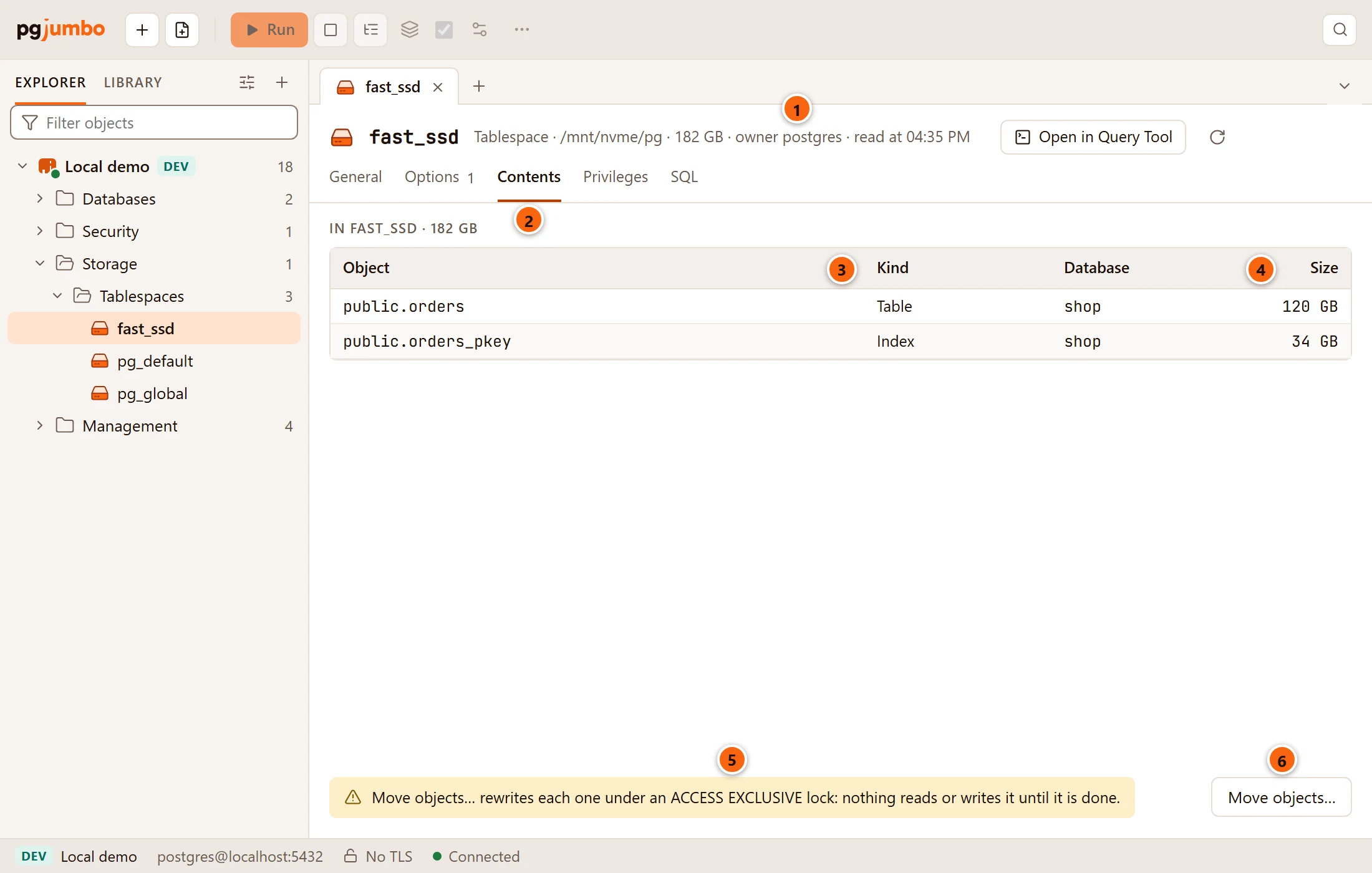
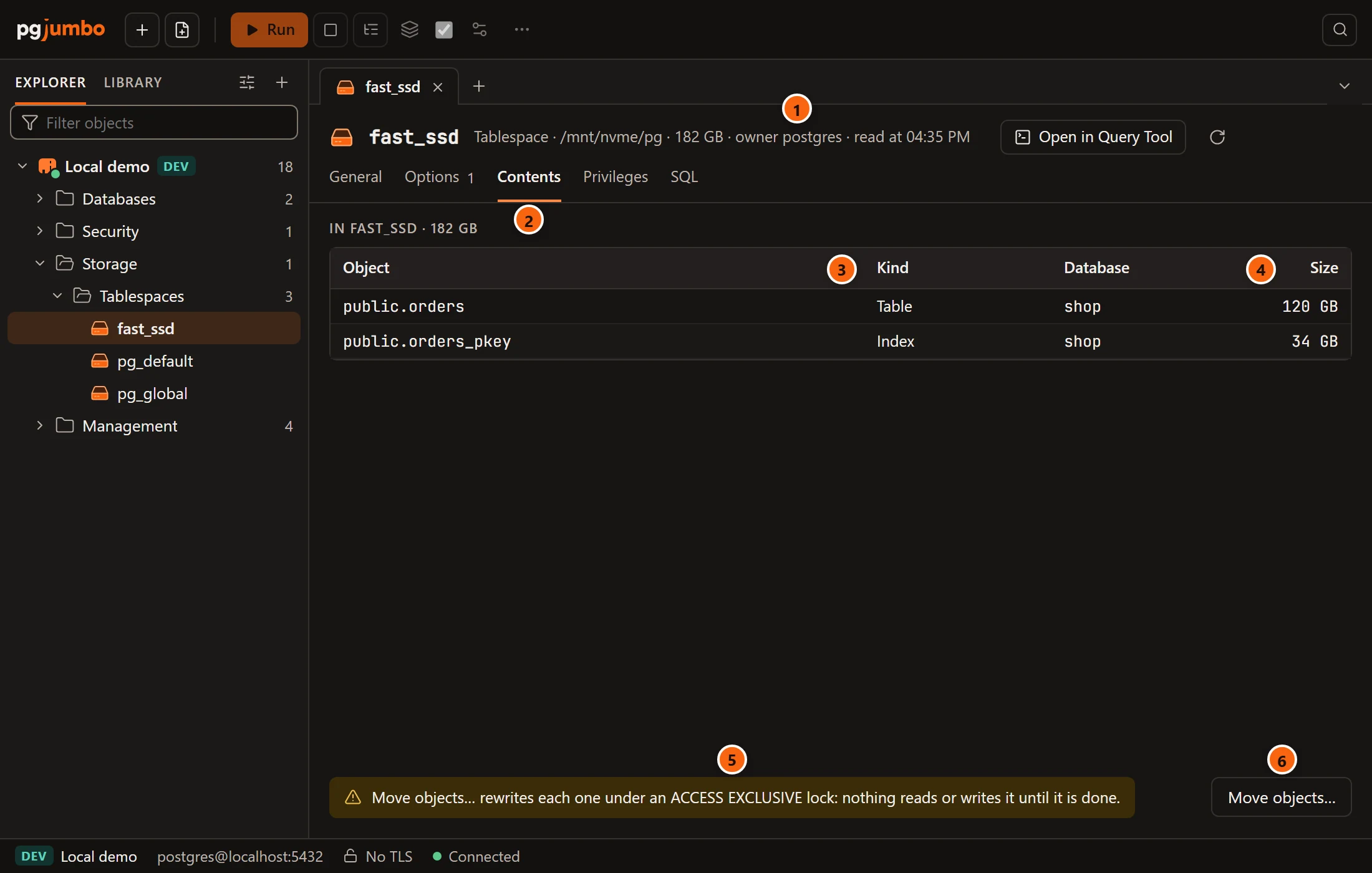
- 1 The header says, after Tablespace, its directory on the server (or built in), its size on disk,
its owner and when the tab read it. The size shows only when you may read it: you need
CREATEon the tablespace, or membership inpg_read_all_stats. - 2 Contents is the view the tab opens on. Its heading names the tablespace and its size.
- 3 The list names each object stored in the tablespace with its Object (schema and name), Kind (Table, Partitioned table, Index, Partitioned index or Materialized view) and Database.
- 4 Size is the object’s size on disk: a table counts its TOAST data, an index only itself.
- 5 The warning reminds you that moving an object rewrites it under an
ACCESS EXCLUSIVElock. - 6 Move objects… moves tables, indexes and materialized views to another tablespace (see
Move objects out of a tablespace). It shows only when the tablespace holds
some, and never for
pg_global.
While it reads, the view says Looking in every database that stores something here…. pgjumbo first asks the server which databases keep files in the tablespace, then connects to each one that accepts connections and that you may connect to, and lists what it places there: database by database, the largest first in each. It names at most 500 objects per database; when it leaves some out, a line beside the heading says how many it shows of how many tables and indexes there are (Showing the … largest of … tables and indexes). A database it could not read gets a warning line (… could not be read: followed by PostgreSQL’s reason), and the others are still listed.
The view reads the server each time the tab comes to the front. Read again in the header reads the tablespace and its contents once more, and Open in Query Tool puts its script in a new Query Tool.
Databases whose default it is
Section titled “Databases whose default it is”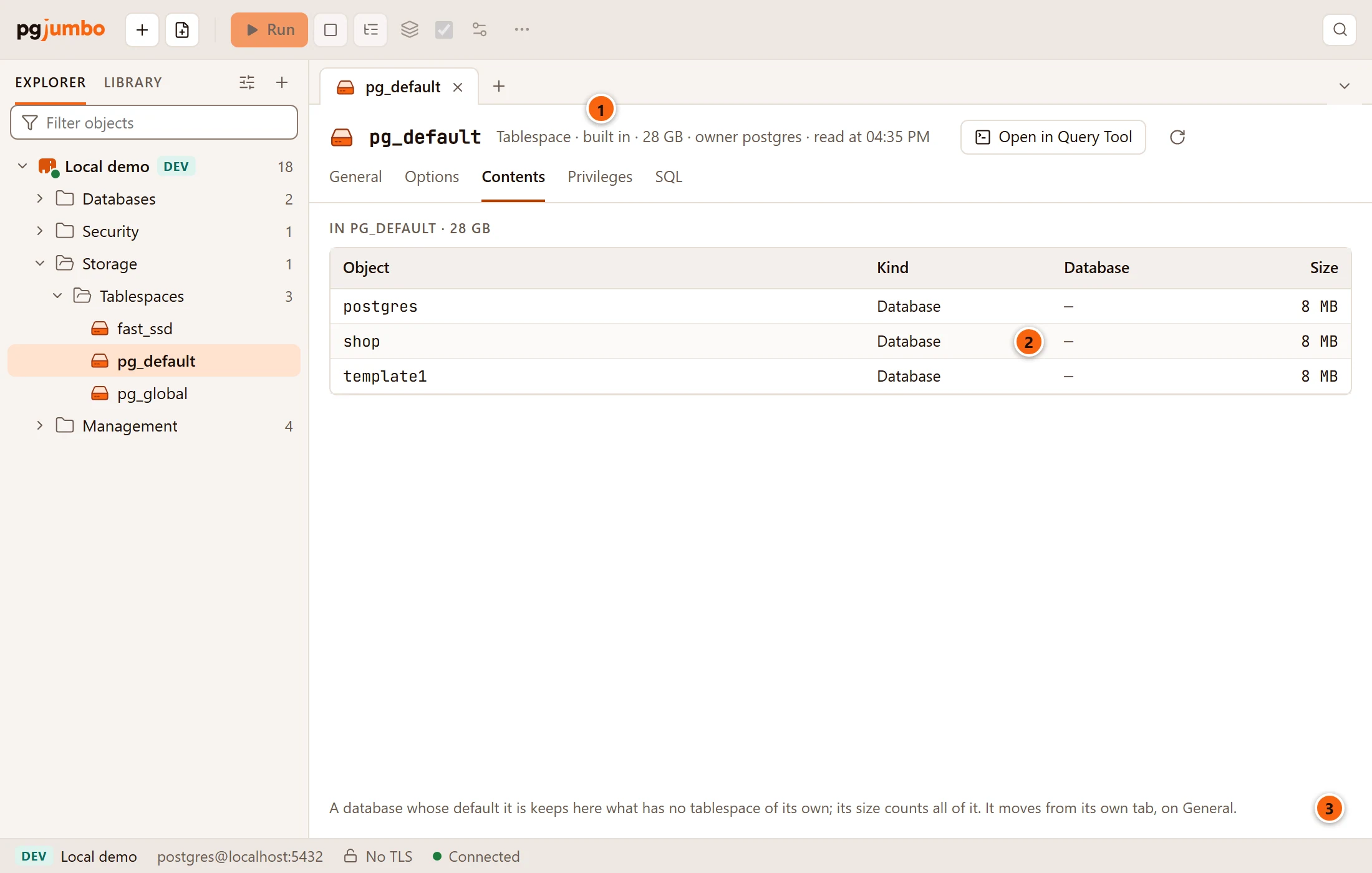
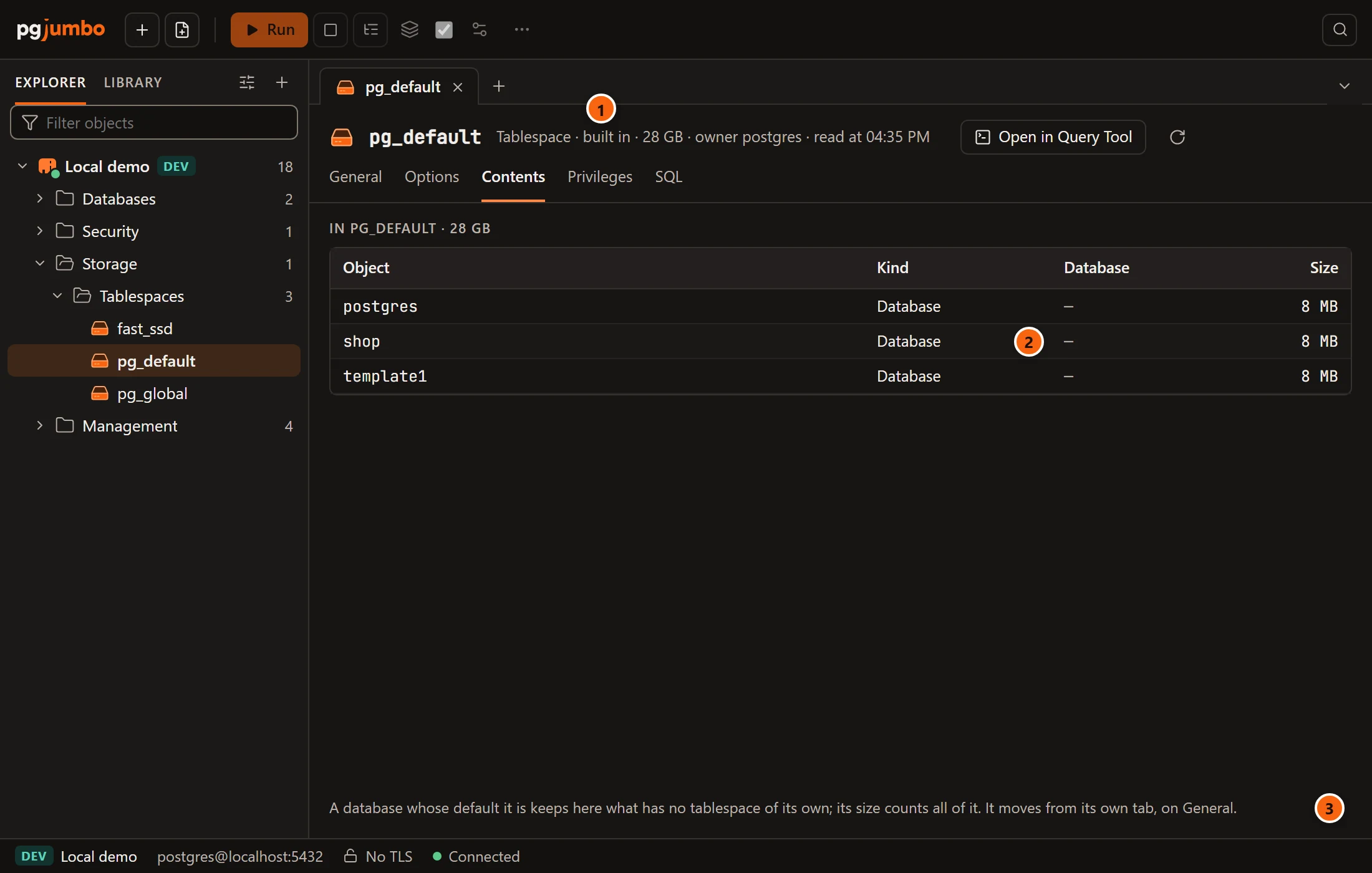
- 1 A built-in tablespace says built in in place of a directory.
- 2 A database whose default tablespace this is appears as a row of kind Database, with a dash under Database. Its objects that name no tablespace of their own are stored here, so its size counts all of them. The size is empty when you may neither connect to that database nor read all statistics.
- 3 The note says so, and that such a database moves from its own tab: change Tablespace on its General view (see Databases).
Objects that follow their database’s default name no tablespace of their own. They are counted in the database’s row, not listed one by one, and Move objects… does not move them.
An empty tablespace says Nothing is stored in it.; pg_global says
It holds the catalogs every database shares, and nothing else.
Move objects out of a tablespace
Section titled “Move objects out of a tablespace”Click Move objects… on the Contents view. The dialog says Reading where they can go… until it has the list of tablespaces and databases.
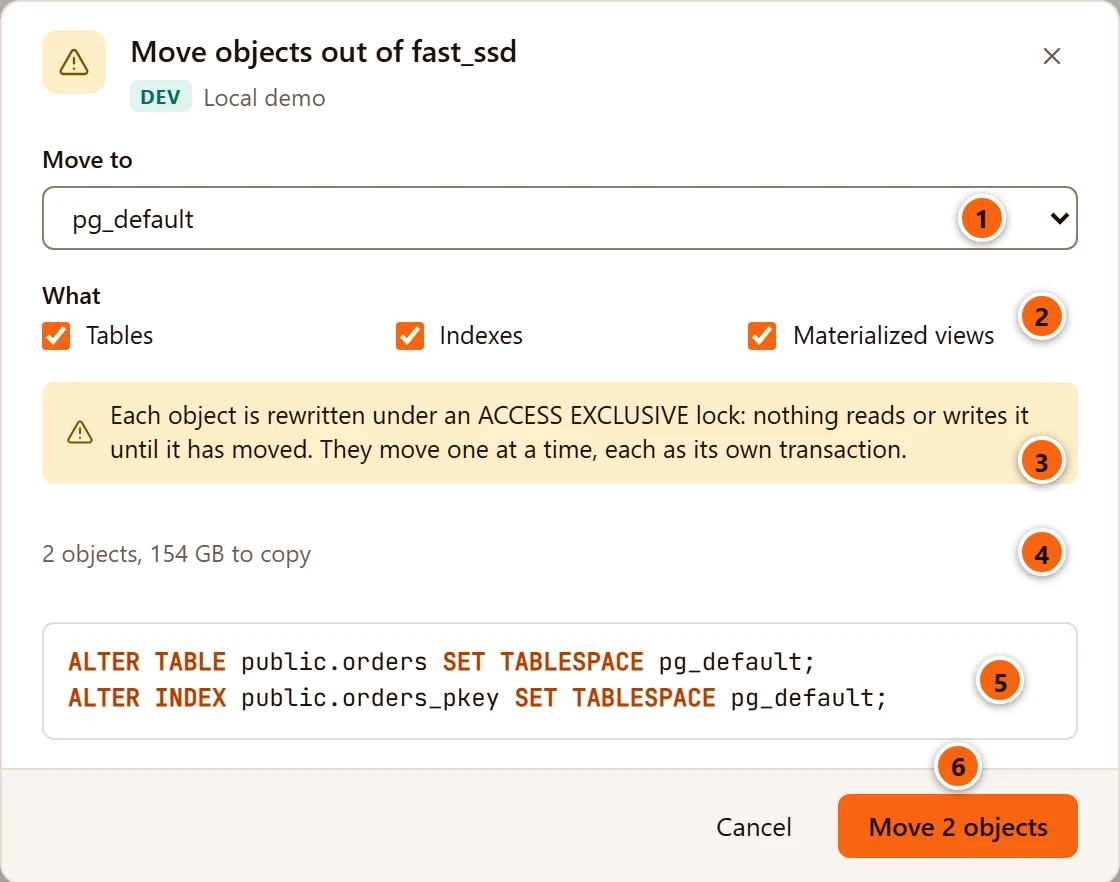
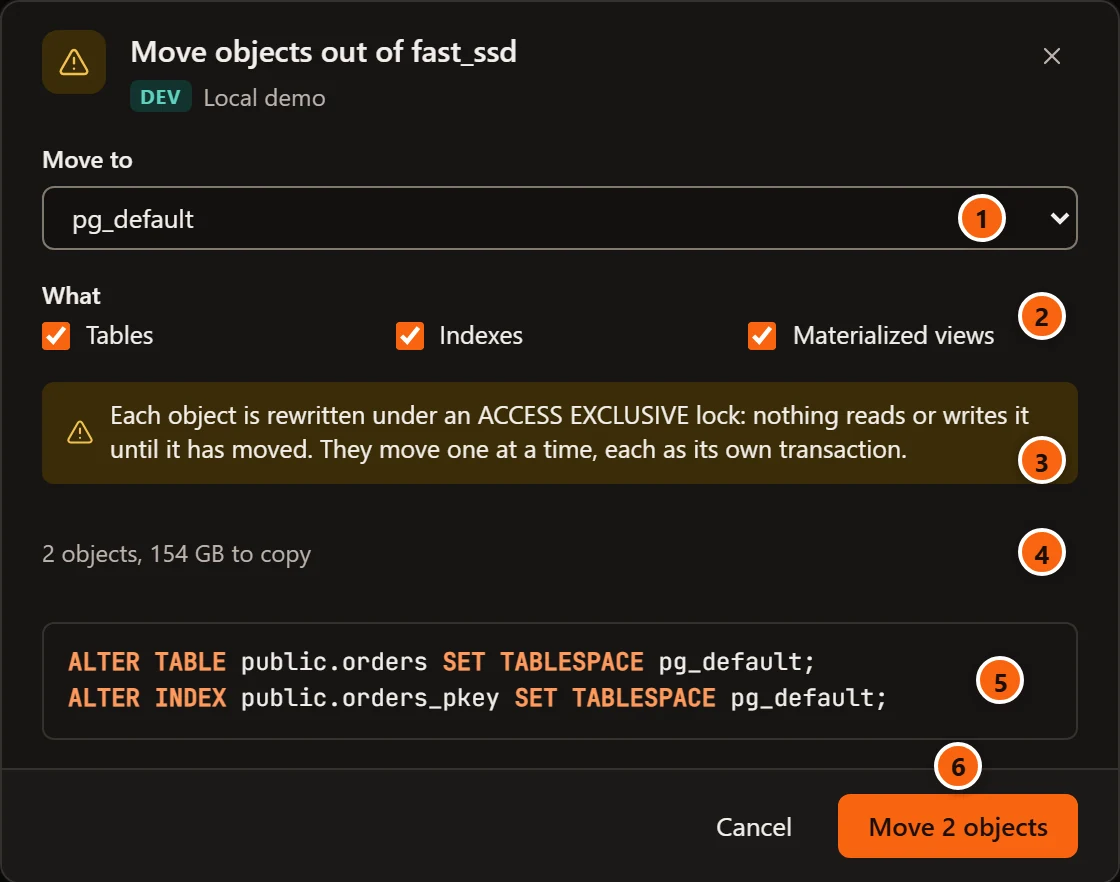
- 1 Move to lists every other tablespace of the server except
pg_global;pg_defaultis chosen first. - 2 What picks the kinds to move: Tables, Indexes and Materialized views, all ticked. A table’s TOAST data moves with it; its indexes stay where they are unless Indexes is ticked too.
- 3 The warning: each object is rewritten under an
ACCESS EXCLUSIVElock, so nothing reads or writes it until it has moved. Objects move one at a time, each in its own transaction. - 4 How many objects will move and how much data that copies.
- 5 The statements, one per object, database by database and the largest first in each, with names quoted by the server. When there are more than 40, the dialog writes out the first 40 and the line above says so.
- 6 Move followed by the number of objects (Move 2 objects) starts the move. Cancel closes the dialog without moving anything.
When more than one database keeps objects in the tablespace, an In list of their names appears under What: untick a database to leave its objects where they are. Only databases that accept connections, and that you may connect to, are offered.
If nothing of the kinds you ticked is stored there, the dialog says Nothing of that kind is stored in it. With no kind ticked at all, it says Tick what to move: tables, indexes or materialized views.
How the move runs
Section titled “How the move runs”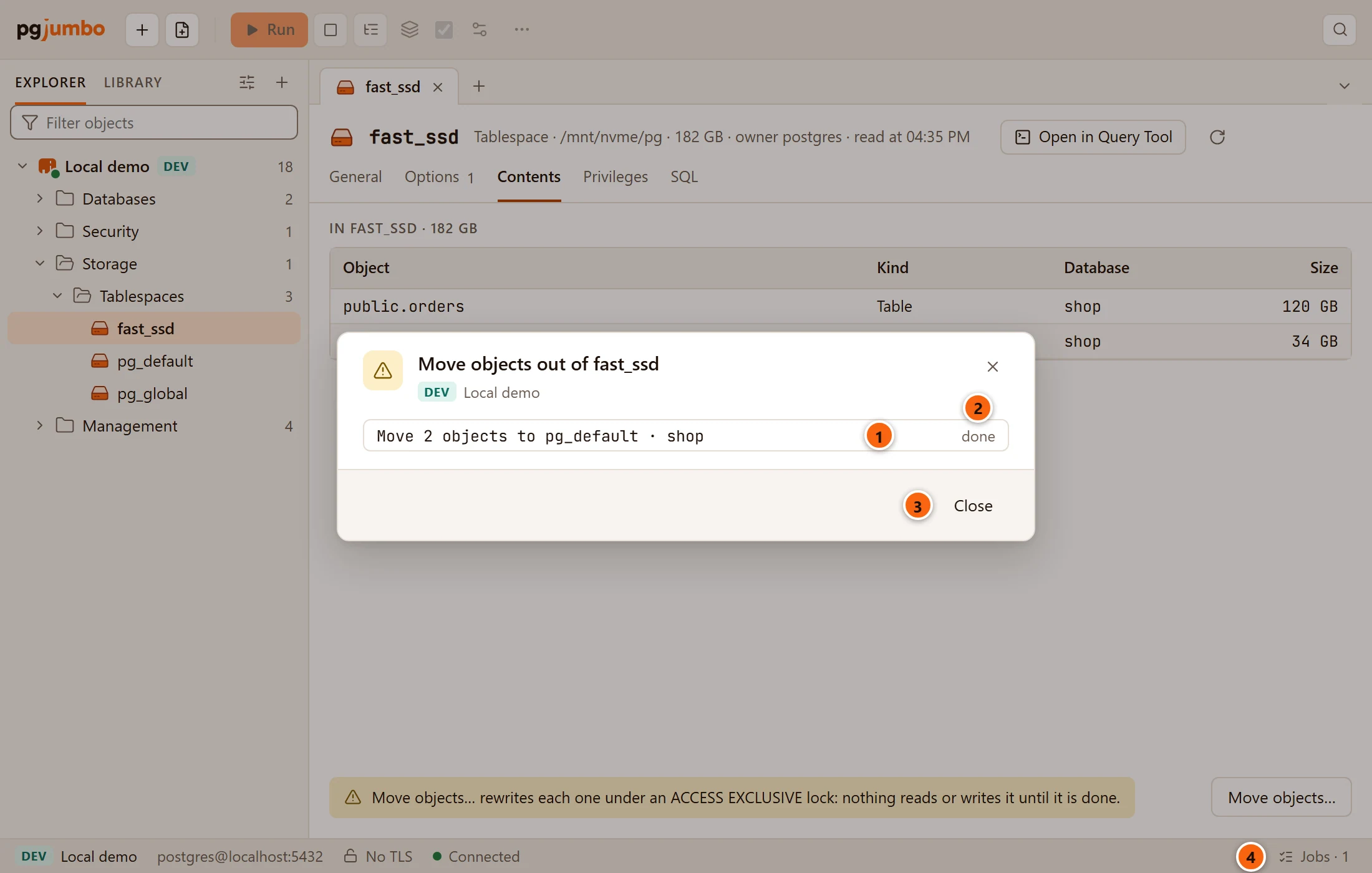
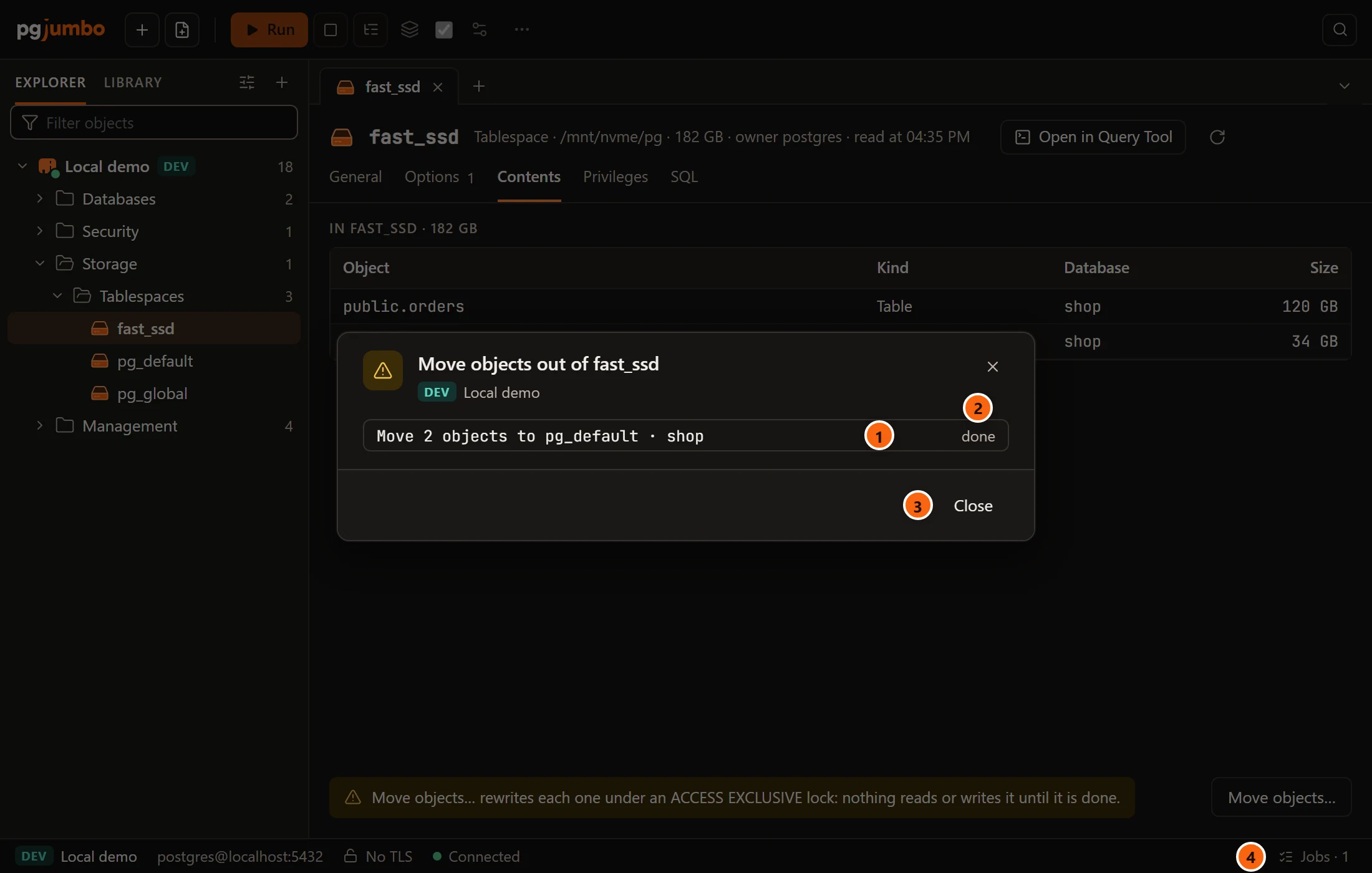
pgjumbo starts one job per database, each on a connection of its own. A job runs its statements one after another, and each statement commits as soon as it ends, so an object is locked only while it is being copied. The job stops at the first statement that fails, or when you cancel it; the objects moved before that stay moved.
- 1 Each job is listed by its title: how many objects it moves, where to, and in which database.
- 2 Its state: how many have moved while it runs (1 moved…), done when it finished, or the error that stopped it.
- 3 Close closes the dialog; the jobs go on.
- 4 Jobs in the status bar opens the Jobs panel, where you follow or cancel them (see Maintenance and jobs).
When every job has finished, the Contents view reads the tablespace again.
Change a tablespace
Section titled “Change a tablespace”General
Section titled “General”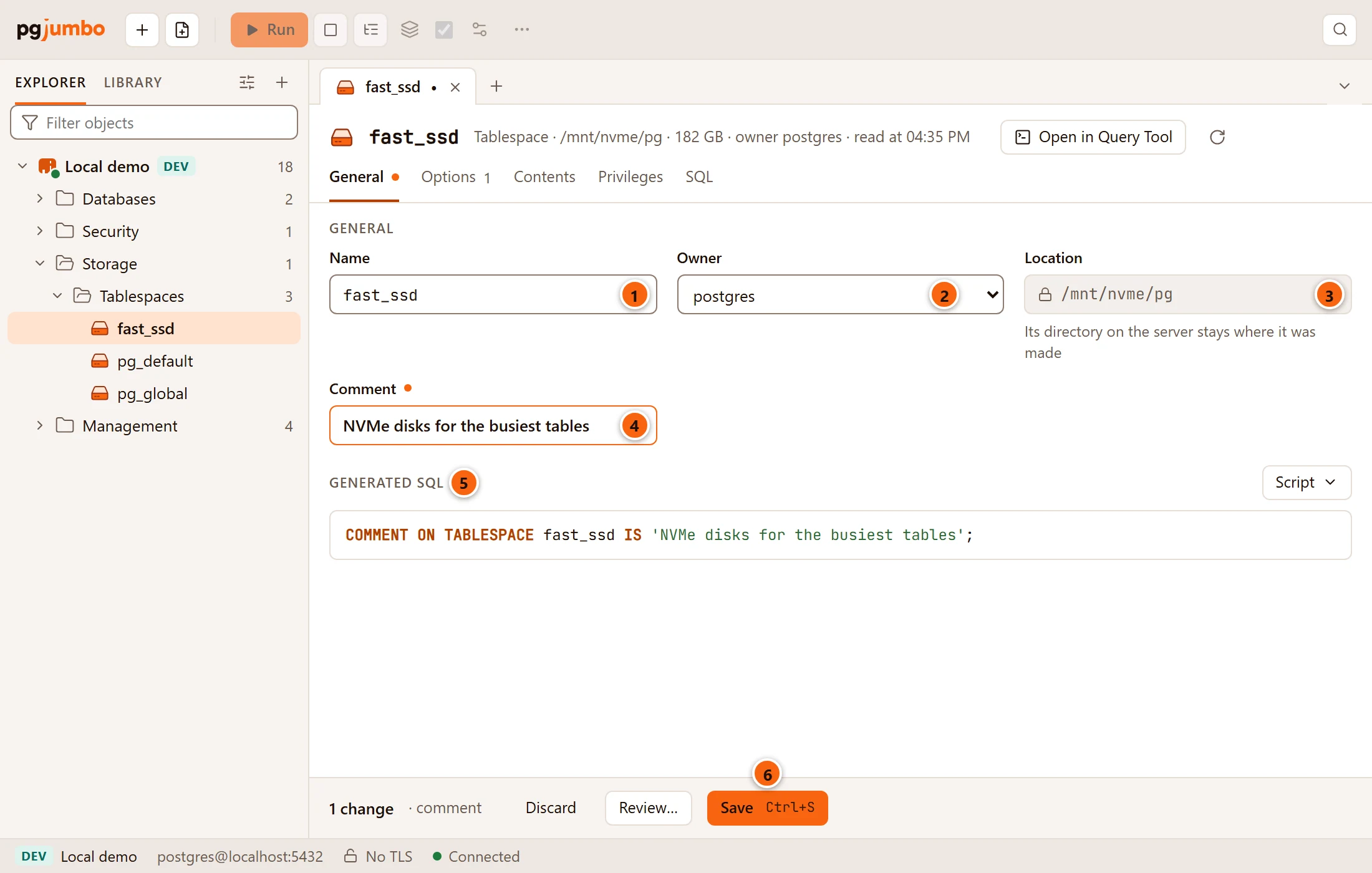
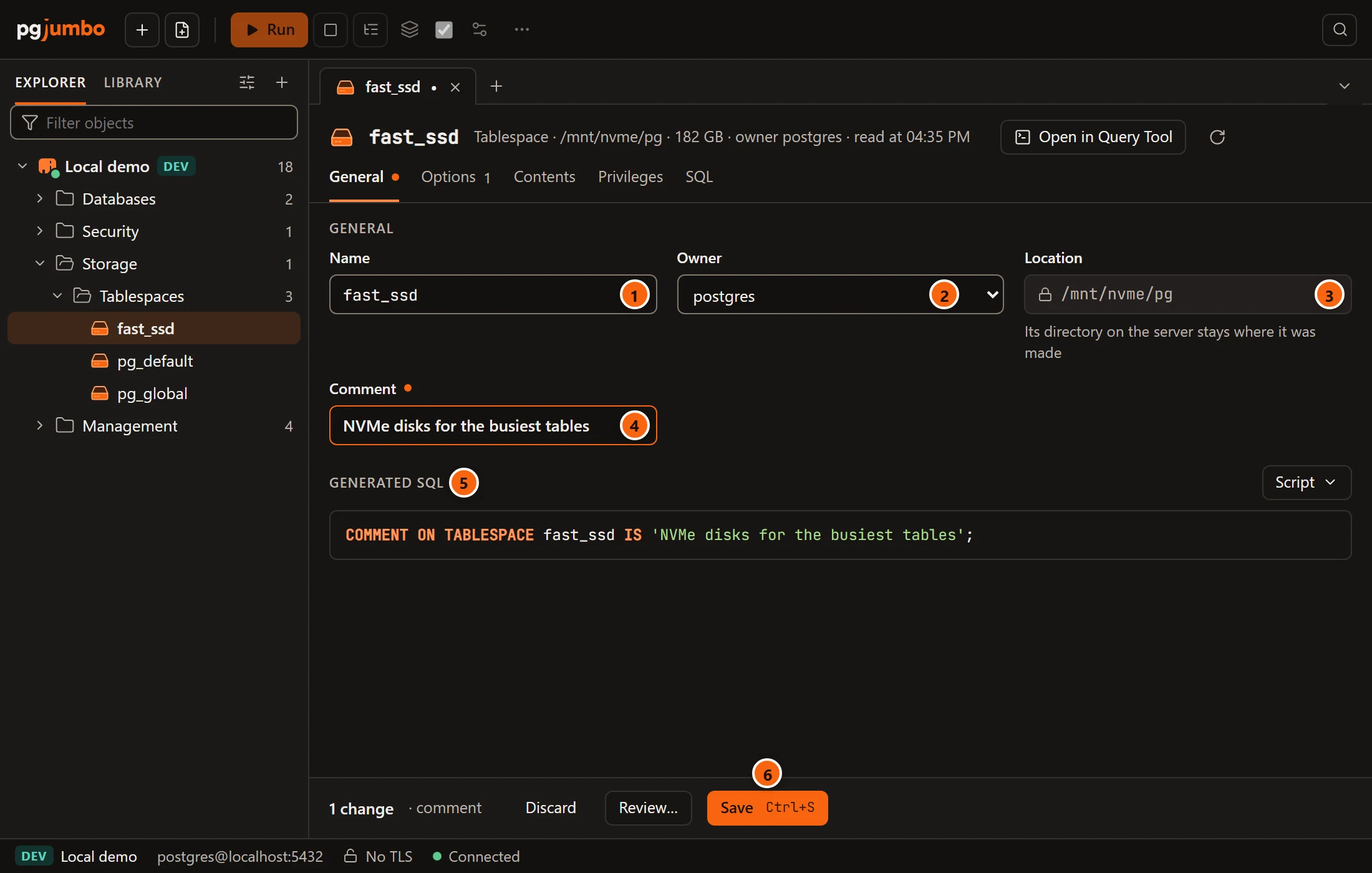
- 1 Name renames the tablespace (
ALTER TABLESPACE … RENAME TO). Forpg_defaultandpg_globalit is locked, with the helper Built into PostgreSQL: every database counts on its name; pgjumbo refuses to rename them even for a superuser. - 2 Owner lists every role (
ALTER TABLESPACE … OWNER TO). - 3 Location is its directory on the server, locked: Its directory on the server stays where it was made. A built-in tablespace shows Built in and In the server’s data directory.
- 4 Comment sets
COMMENT ON TABLESPACE; empty it to remove the comment. - 5 Generated SQL shows the statements your changes make.
- 6 Save (⌘ S (Ctrl+S on Windows and Linux)) runs them.
Options
Section titled “Options”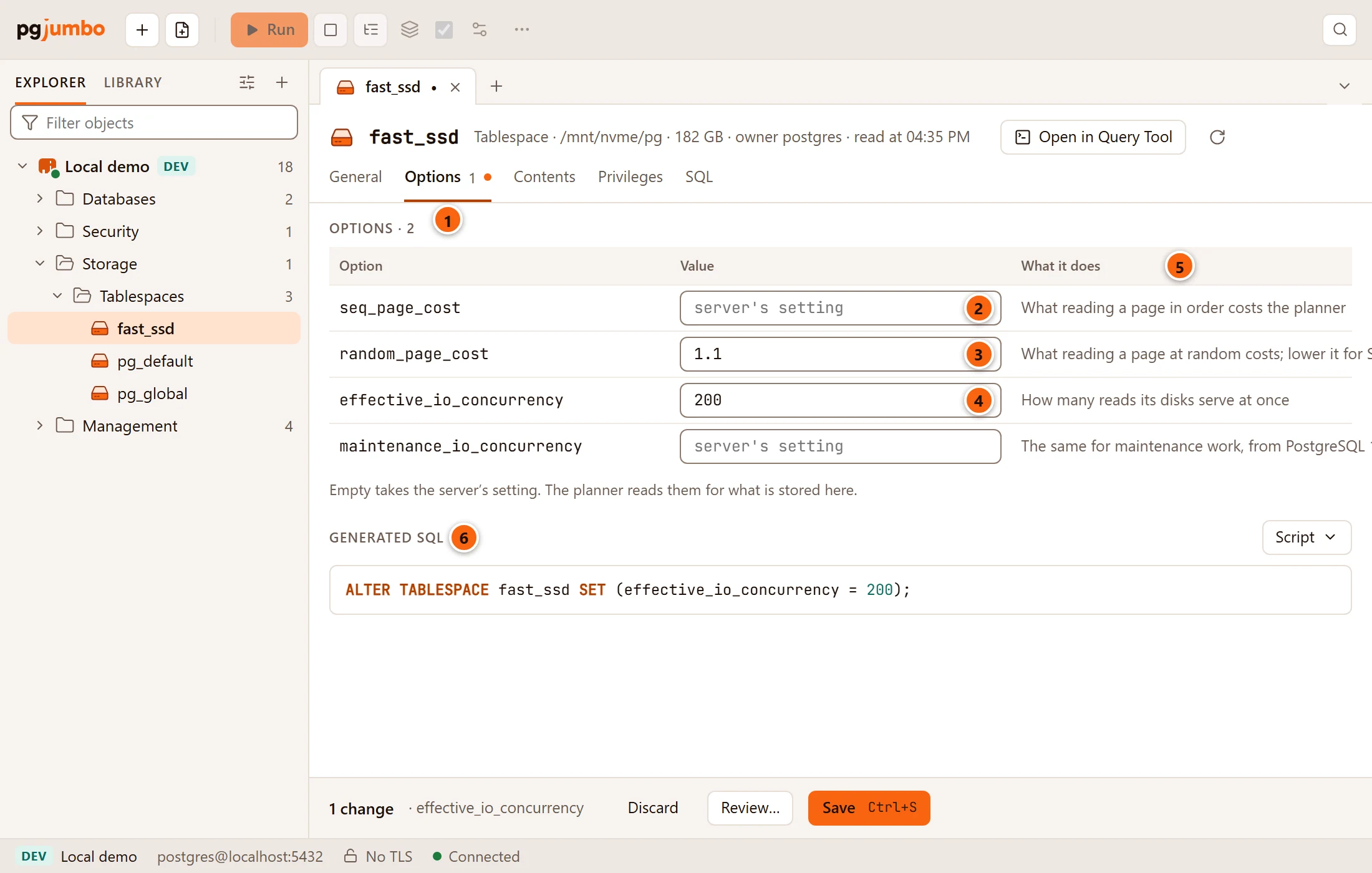
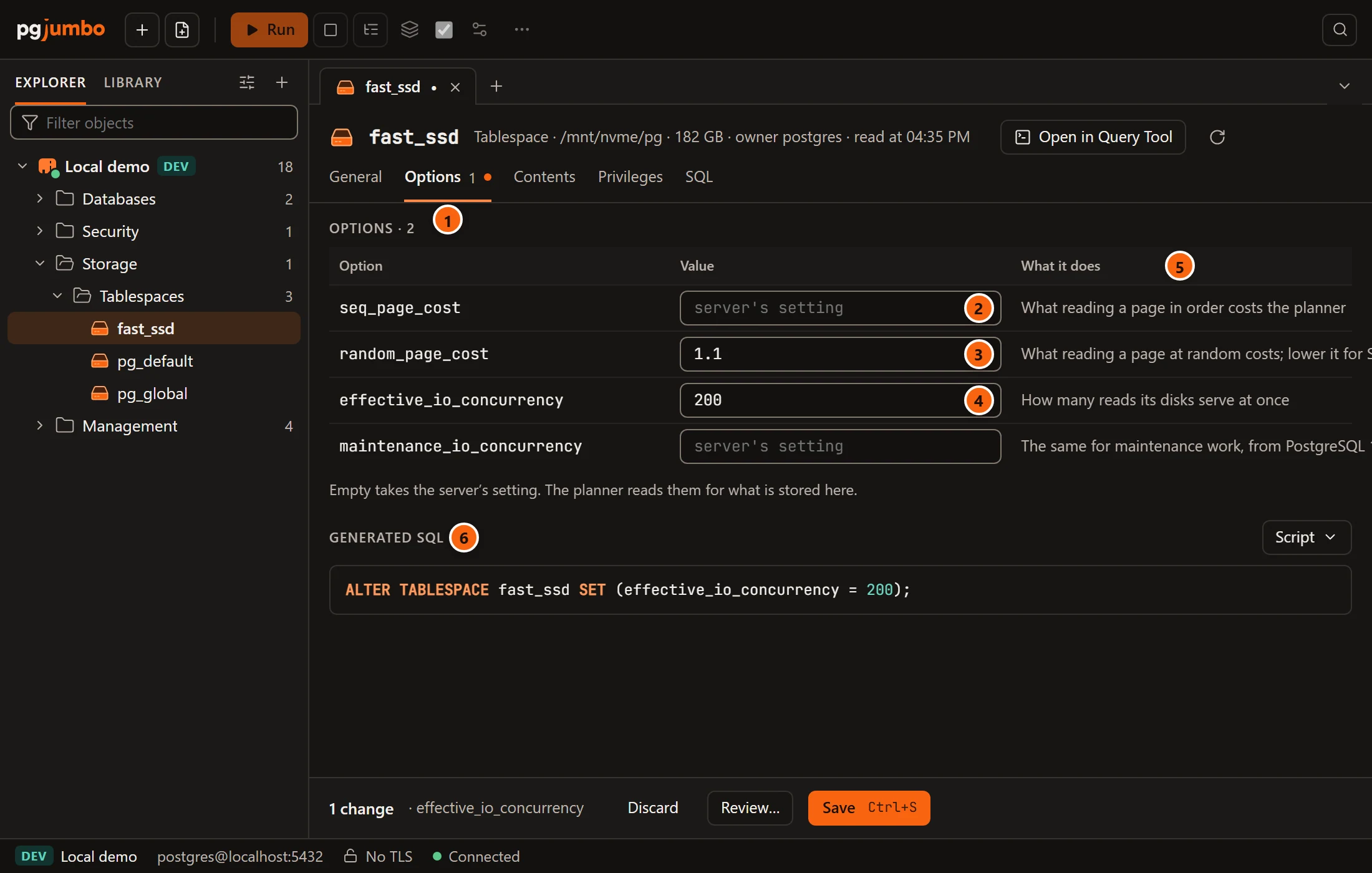
The planner reads these options for what is stored in the tablespace, in place of the server’s settings.
- 1 The number beside the Options view is how many options the tablespace has set now; the heading under it counts them with your changes.
- 2 An empty field shows server’s setting: the option is not set for this tablespace.
- 3 A value set on the tablespace.
- 4 A value you changed, with its border marked.
- 5 What it does explains each option.
- 6 Generated SQL shows
ALTER TABLESPACE … SET (…)for values given or changed, andALTER TABLESPACE … RESET (…)for values you emptied.
| Option | What it does |
|---|---|
seq_page_cost |
What reading a page in order costs the planner. |
random_page_cost |
What reading a page at random costs; lower it for SSDs. |
effective_io_concurrency |
How many reads its disks serve at once. |
maintenance_io_concurrency |
The same for maintenance work, from PostgreSQL 13. |
The helper under the table repeats that an empty field takes the server’s setting. Each value must be a number of 0 or
more; anything else is refused with a message such as seq_page_cost takes a number of 0 or more.
Privileges and SQL
Section titled “Privileges and SQL”Privileges sets who besides the owner may create objects in the tablespace (CREATE), with the grid described in
Privileges. SQL shows the tablespace’s CREATE TABLESPACE script, or a comment saying
that a built-in one is built into every server.
Saving
Section titled “Saving”Your changes wait in the tab, and the views that hold them get a dot. A tablespace’s changes only touch the shared catalog: nothing stored in it is locked or moved. So Save runs them at once, in this order: options, owner and comment, then the new name, then the privileges. On a server that asks first, the review sheet opens instead; see Object tabs and review for the pending bar, Review…, Discard and the review sheet.