
Right-click menus
Right-click any row of the Explorer to see what you can do with it. On a Mac, Control-click works too; on Windows and Linux, select the row and press Shift+F10 or the menu key. The menu is built for the row: its kind, whether its server is connected, and whether it is a system object. This page lists every menu, item by item, and links to the page that explains each one. A tab’s right-click menu (Close, Pin, Move to New Window and the rest) is on Tabs.
An item whose name ends in an ellipsis (…) opens a dialog or a tab first, where you see what will happen. An item with an arrow opens a submenu. The rest act as soon as you choose them, and of those only Reset statistics changes anything in the database.
The shortcuts printed beside some items follow your system: the pictures show Windows and Linux (Ctrl+T, Alt+Enter), and a Mac shows ⌘T, ⌘I, ⌘R and ⌥↑ instead.
How a menu is arranged
Section titled “How a menu is arranged”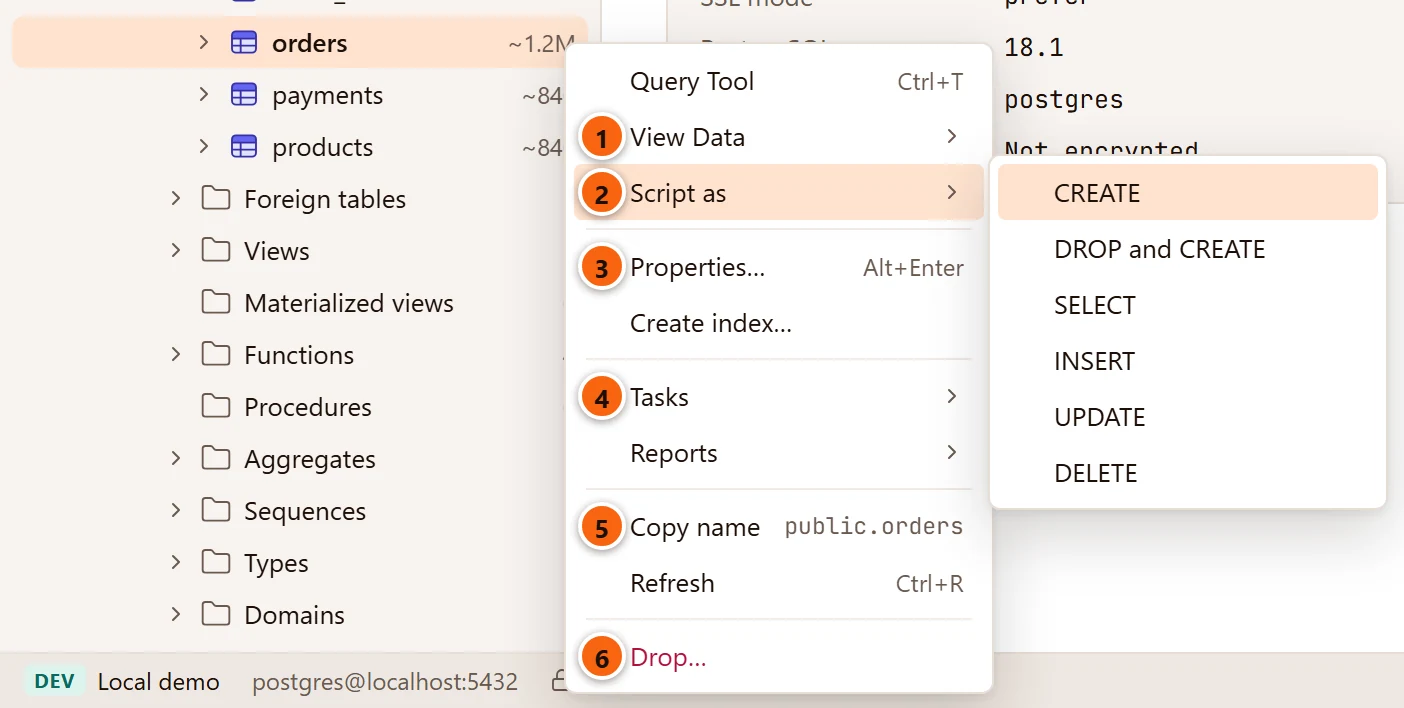
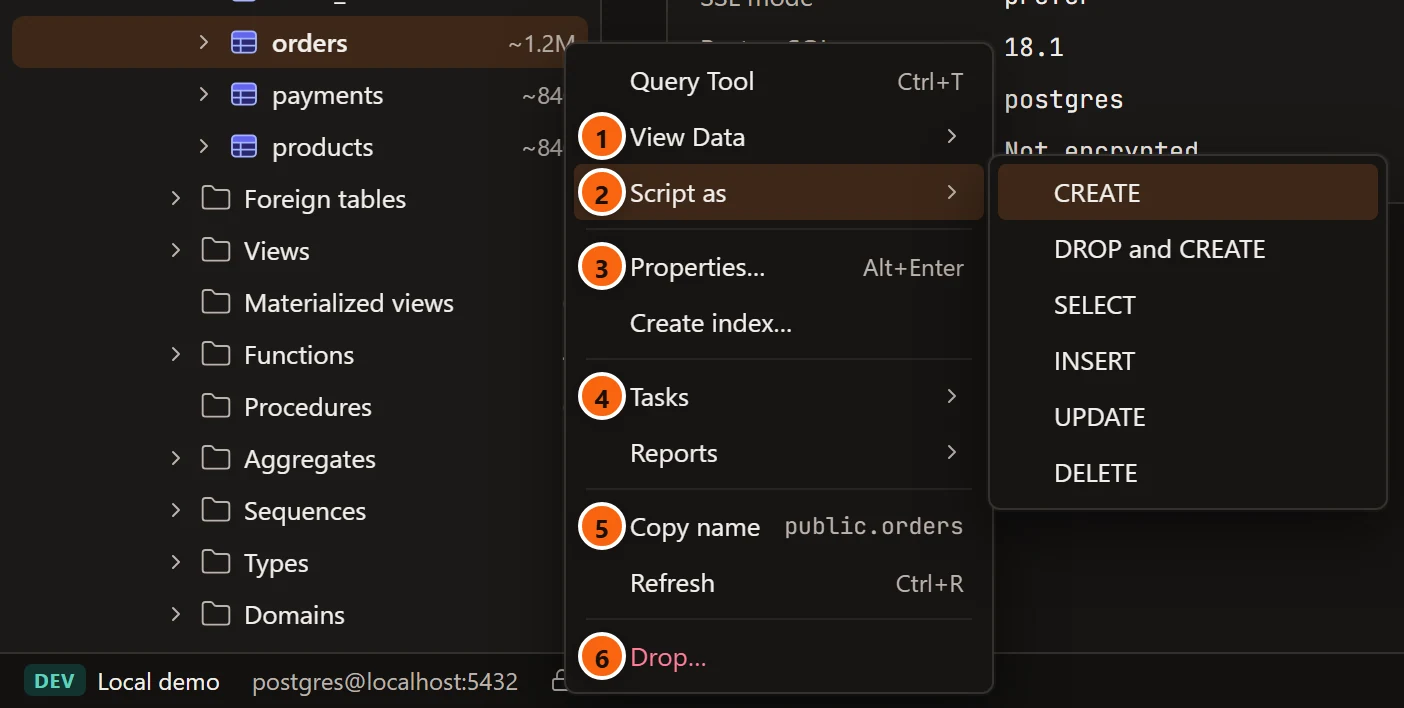
- 1 Query Tool, View Data and Script as come first. They show the object or write SQL for it. On a database, and on a connected server, PSQL Tool follows Query Tool.
- 2 An arrow means a submenu, which opens to the right. Hover over the item, or press →; ← closes the submenu again.
- 3 Properties… opens the object where you change it. The Create items sit beside it.
- 4 Then the tools: Tasks, Reports, and a few more on a database or a schema.
- 5 Copy name shows the text it will copy. Refresh follows it, and on a folder Filter….
- 6 Drop… is always last, in red.
A group with nothing to offer is left out, with its separator. Use ↑ ↓ to move through a menu, Enter to choose, and Esc to close it. Right-clicking the empty space below the rows opens the menu of the selected row.
Items many menus share
Section titled “Items many menus share”| Item | Where | What it does |
|---|---|---|
| Query Tool ⌘ T (Ctrl+T on Windows and Linux) | Every row of a connected server, except Management’s tools and rows that could not load | Opens a new Query Tool on the row’s database. On the server and on the rows that belong to the whole server (Databases, Security, Storage, roles, tablespaces), it uses the server’s maintenance database. See The Query Tool. |
| View Data ▸ | Tables, partitioned tables, partitions, views, materialized views, foreign tables | Shows the rows. See View Data below. |
| Script as ▸ | Every object | Writes a statement for the object and opens it in a new Query Tool. Nothing runs. See Script as below. |
| Properties… ⌘ I (Alt+Enter on Windows and Linux) | Every object | Opens the object in its tab: a table on its Settings view, every other kind on General. A kind without a tab of its own (column, constraint, index, trigger, policy, rule, foreign table, domain, collation, aggregate, operator, text search object) shows in the Inspector’s Summary instead, and the Inspector opens if it was hidden (while the Assistant pane is open it takes the Inspector’s place, so close it to see the Summary). See Object tabs and review and The Inspector. |
| Create ▸, or Create kind… | Databases, schemas, the folders of what can be created, tables | Makes a new object there. See each kind’s section below. |
| Tasks ▸ | Most objects | The jobs and quick actions that fit the kind. |
| Reports ▸ | Connected servers, databases (not template databases), tables, partitioned tables | Opens the reports tab on one report. See Reports. |
| Copy name | Objects with a name SQL can use | Copies the name, quoted and schema-qualified where needed. The menu shows the text in grey. See Copy a name. |
| Refresh ⌘ R (Ctrl+R on Windows and Linux) | A connected server, and every row that has an arrow | Reads the row’s children again. See Refresh the tree. |
| Filter…, Remove filter | Folders of objects | Shows only the objects that match a name or an owner. See Filter a folder. |
| Drop… | Objects pgjumbo can drop | Shows what would be dropped, then drops it. See Drop, truncate and other quick actions. |
View Data
Section titled “View Data”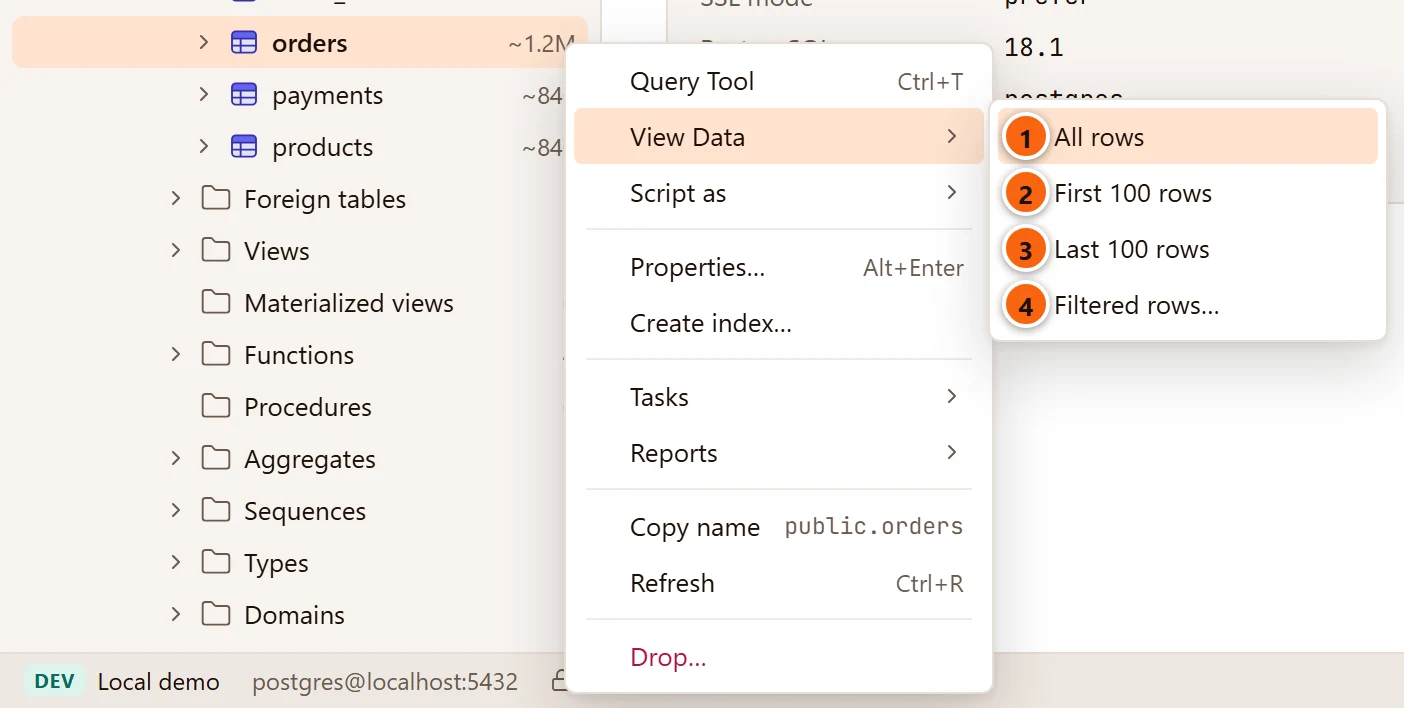
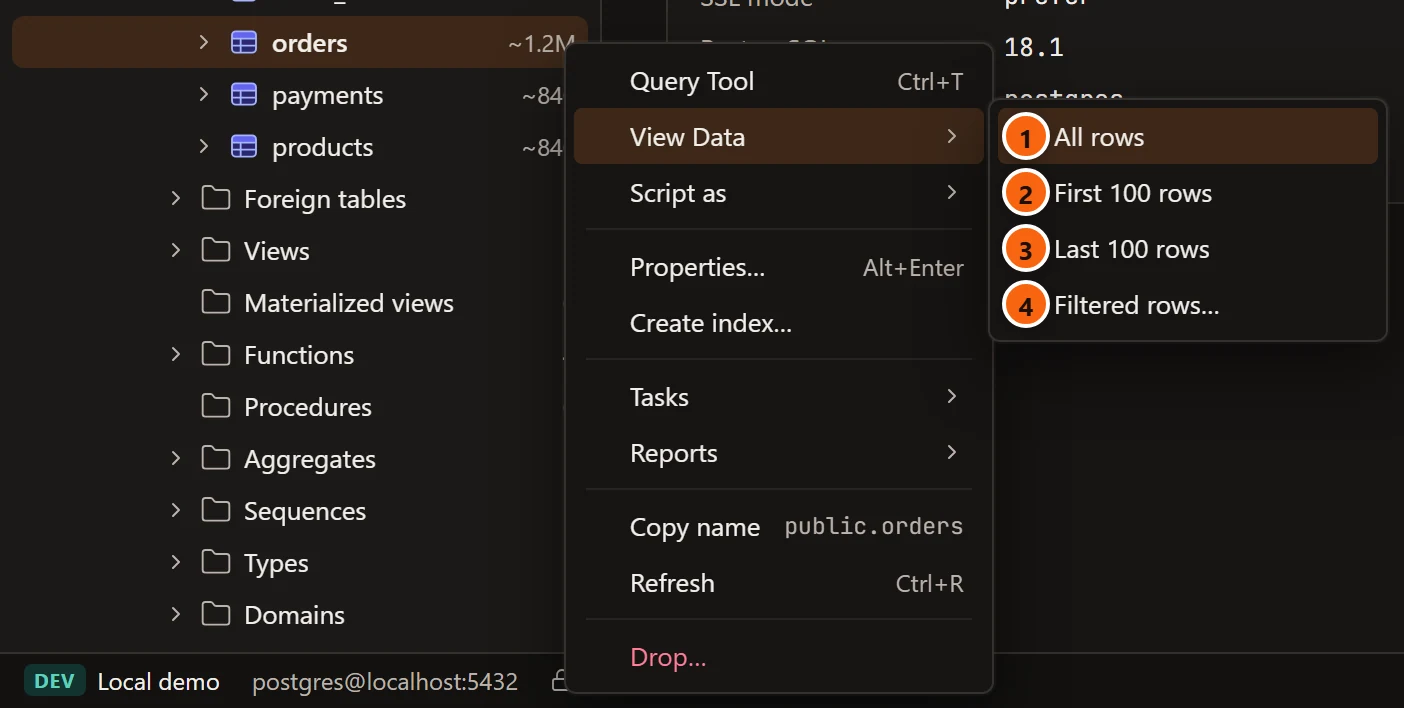
- 1 All rows: every row, as far as the result limits in Settings allow.
- 2 First 100 rows.
- 3 Last 100 rows: the rows sorted by the primary key, highest first. Without a primary key, the first 100 rows.
- 4 Filtered rows…: opens without running anything, so you can type a condition first.
A table, view or materialized view opens in its tab on the Data view; a foreign table opens in a data tab of its own. See View data.
Script as
Section titled “Script as”The choices depend on the kind of object. Each opens in a new Query Tool, on the object’s database, and never runs.
| Choice | Offered on | What it writes |
|---|---|---|
| CREATE | Every object | The object’s script, as the Inspector’s SQL tab shows it. |
| DROP and CREATE | Every object that has Drop… | The drop statement, then the script. |
| SELECT | Tables, partitioned tables, views, materialized views, foreign tables | A SELECT of every column. |
| INSERT, UPDATE, DELETE | Tables, partitioned tables, views, foreign tables | The statement with every column named and the values left for you as comments. |
| EXECUTE | Functions and procedures | A call with a comment for each argument. |
See Scripts for what each one looks like.
Server groups
Section titled “Server groups”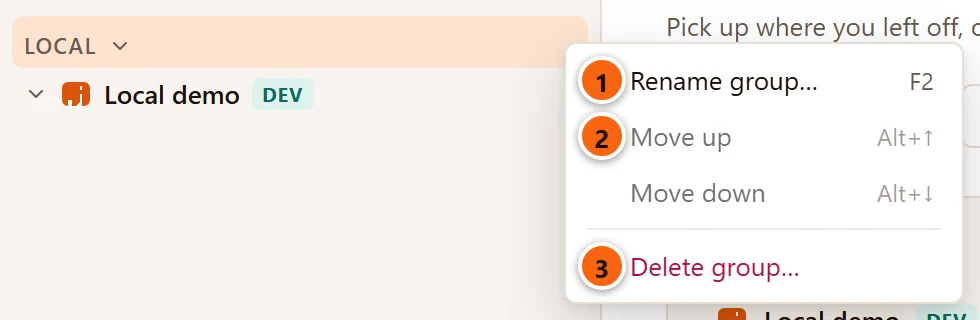
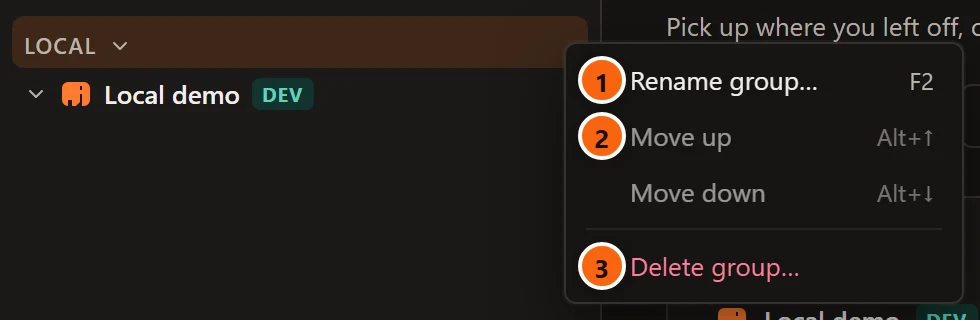
- 1 Rename group… F2 asks for the new name.
- 2 Move up ⌥ ↑ (Alt+↑ on Windows and Linux) and Move down ⌥ ↓ (Alt+↓ on Windows and Linux) move the group among the groups. They are greyed out when there is no group to swap with.
- 3 Delete group… asks first; the group’s servers stay, outside any group.
See Manage your servers.
Servers
Section titled “Servers”A server that is not connected has a short menu:
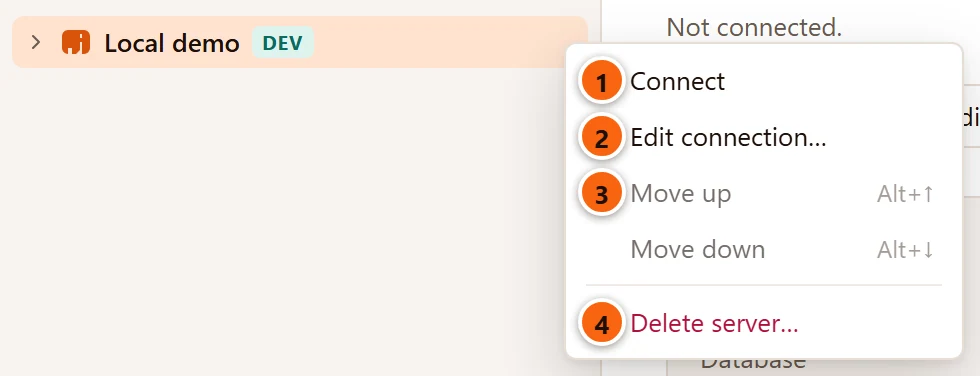
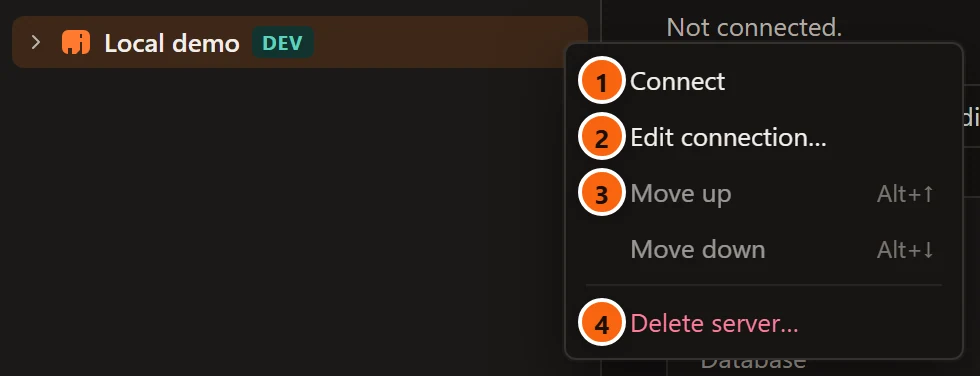
- 1 Connect connects it, asking for a password when none is saved. It is greyed out while pgjumbo connects.
- 2 Edit connection… opens the Edit connection dialog.
- 3 Move up and Move down move the server among the servers of its group.
- 4 Delete server… removes it from pgjumbo, after asking.
A connected server has more:
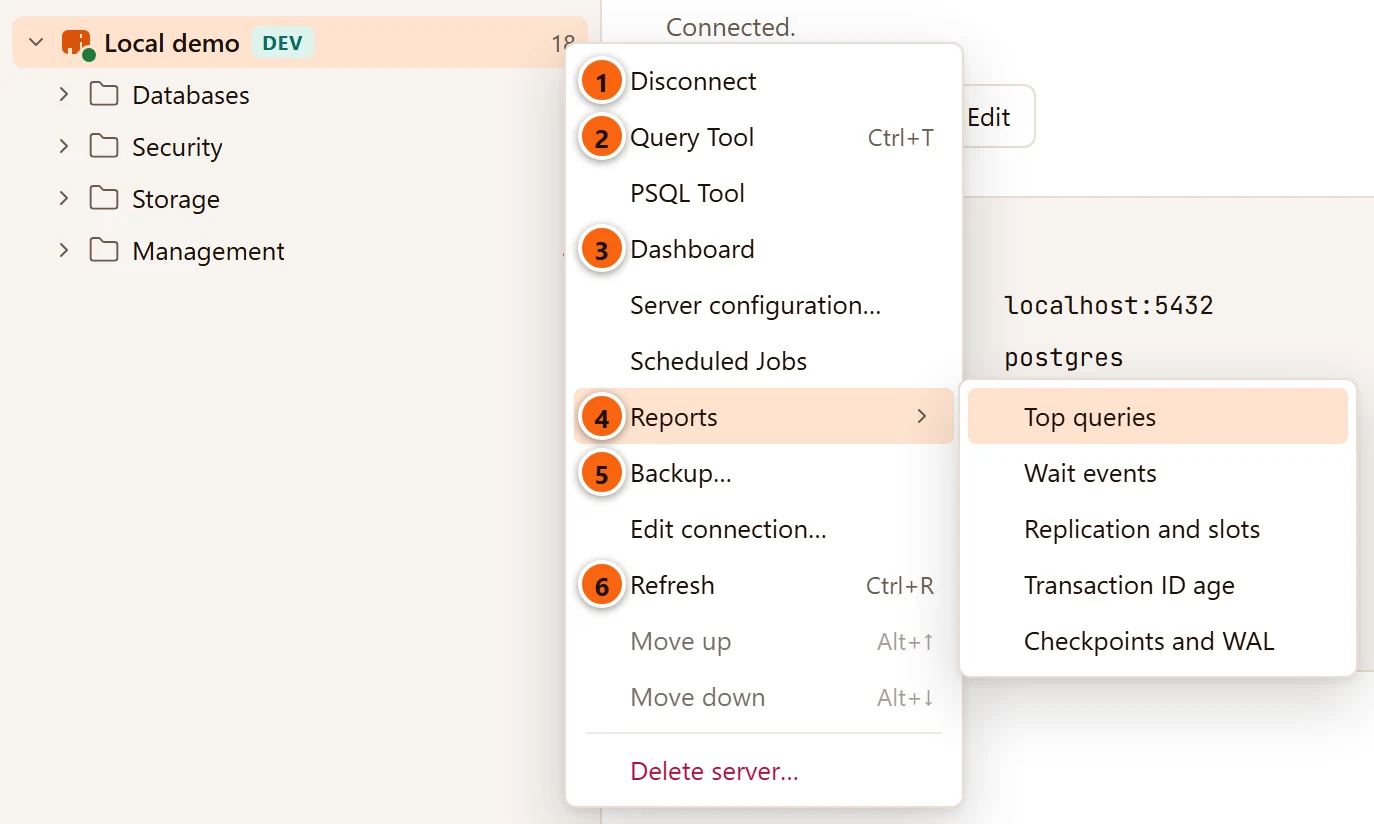
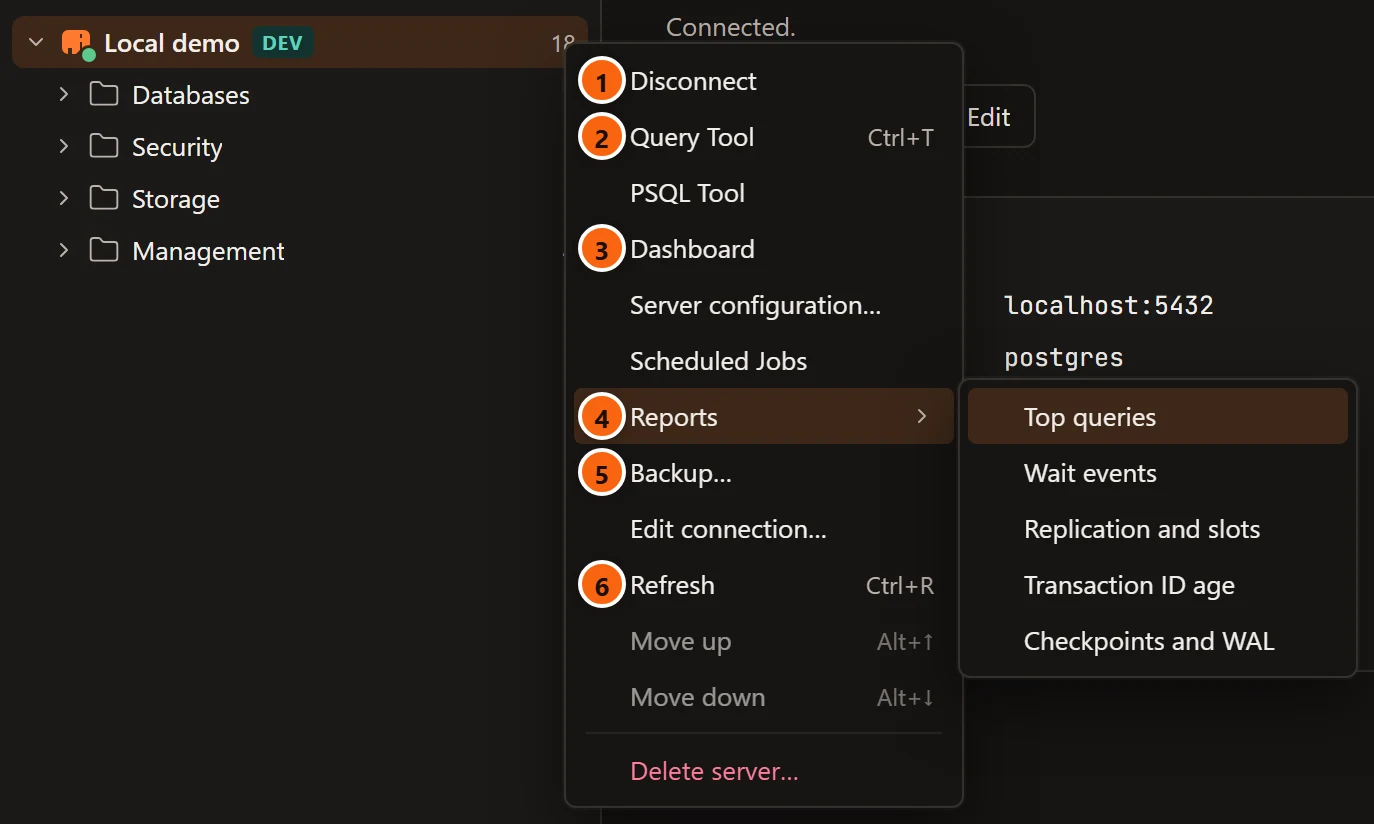
- 1 Disconnect replaces Connect.
- 2 Query Tool opens one on the maintenance database.
- 3 Dashboard opens the server’s tab on its Activity view.
- 4 Reports ▸ lists the server’s reports.
- 5 Backup… backs up the whole server with
pg_dumpall. - 6 Refresh reads the server’s rows again.
| Item | Shown | What it does |
|---|---|---|
| Connect / Disconnect | Always | Connects or disconnects pgjumbo. See Manage your servers. |
| Query Tool ⌘ T (Ctrl+T on Windows and Linux) | Connected | A new Query Tool on the server’s maintenance database. See The Query Tool. |
| PSQL Tool | Connected | PostgreSQL’s own psql in a new tab, on the server’s maintenance database. See PSQL Tool. |
| Dashboard | Connected | The server’s tab on Activity. See Activity. |
| Server configuration… | Connected | The server’s tab on Configuration. See Server configuration. |
| Scheduled Jobs | Connected | The pg_cron jobs tab. See Scheduled jobs. |
| Reports ▸ Top queries, Wait events, Replication and slots, Transaction ID age, Checkpoints and WAL | Connected | The server’s reports tab on that report. See Reports. |
| Backup… | Connected | The server backup dialog (pg_dumpall: roles and tablespaces, or every database). See Back up and restore. |
| Edit connection… | Always | The Edit connection dialog, or, on a connected server, the Connection view of its tab. See Connection settings and The server’s tab. |
| Refresh ⌘ R (Ctrl+R on Windows and Linux) | Connected | Reads the server’s folders again. |
| Move up ⌥ ↑ (Alt+↑ on Windows and Linux), Move down ⌥ ↓ (Alt+↓ on Windows and Linux) | Always | Moves the server among the servers of its group; greyed out when there is none to swap with. |
| Delete server… | Always | Removes the server from pgjumbo, after asking. |
Databases
Section titled “Databases”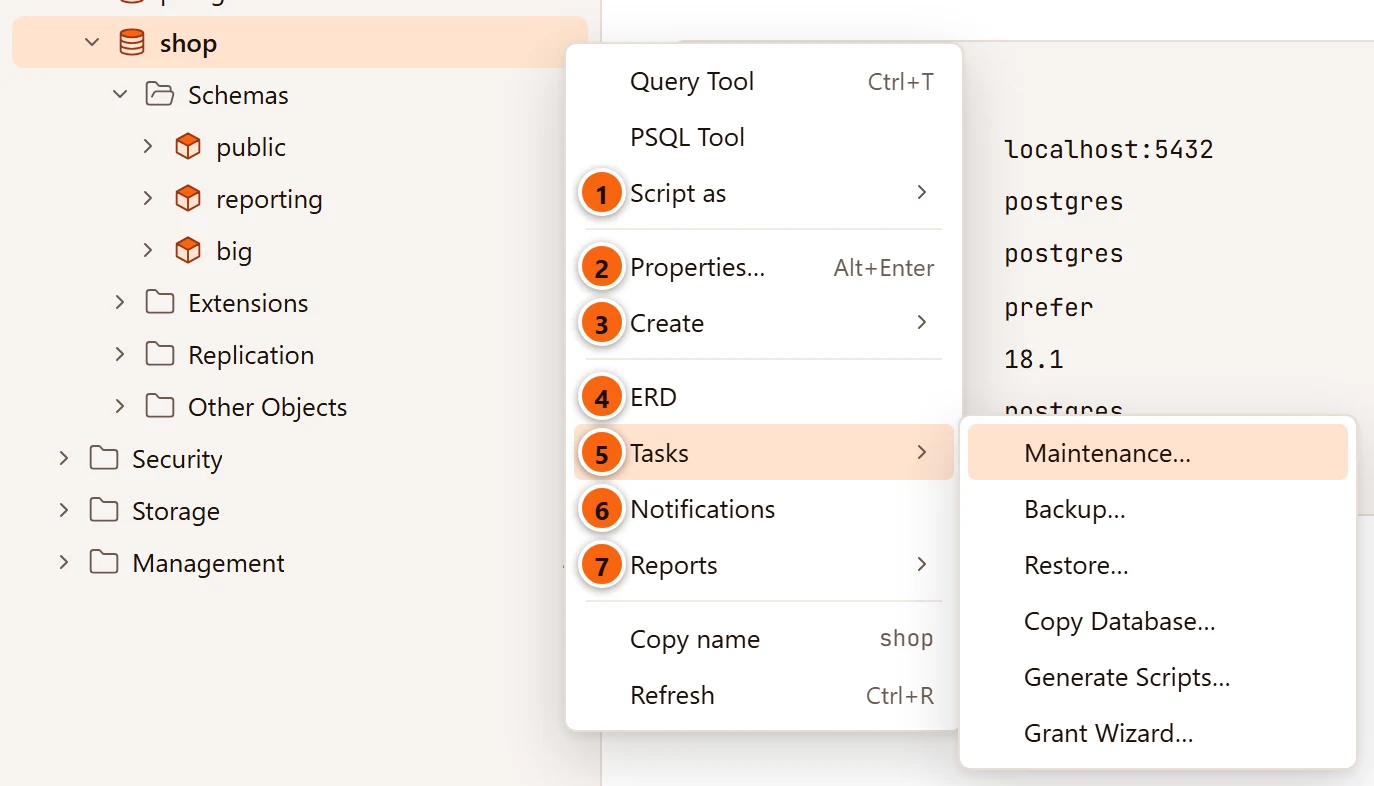
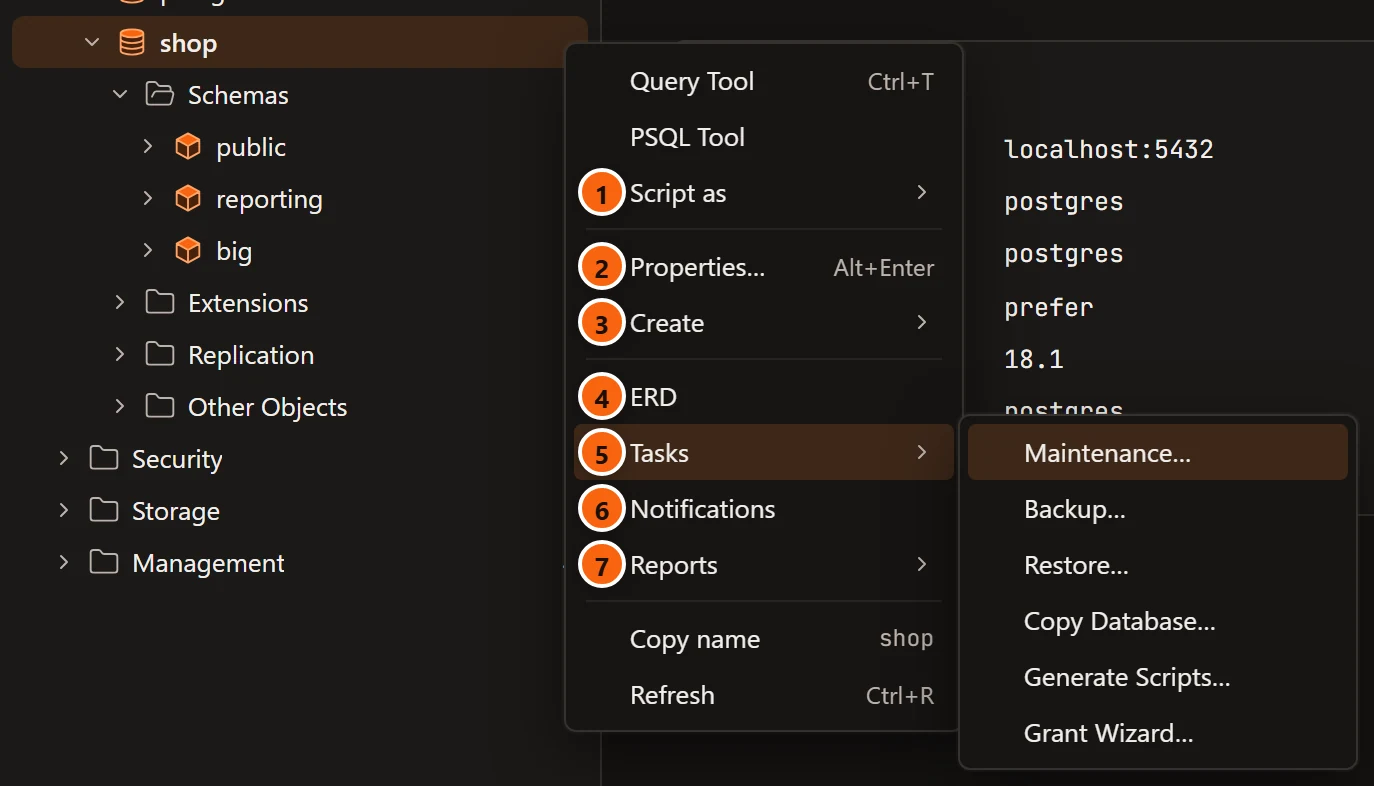
- 1 Script as ▸ has CREATE only.
- 2 Properties… opens the database’s tab.
- 3 Create ▸ makes a new object in the database.
- 4 ERD draws the tables of the database’s
publicschema. - 5 Tasks ▸ holds the database’s jobs.
- 6 Notifications opens a LISTEN/NOTIFY tab on the database.
- 7 Reports ▸ holds the database’s reports.
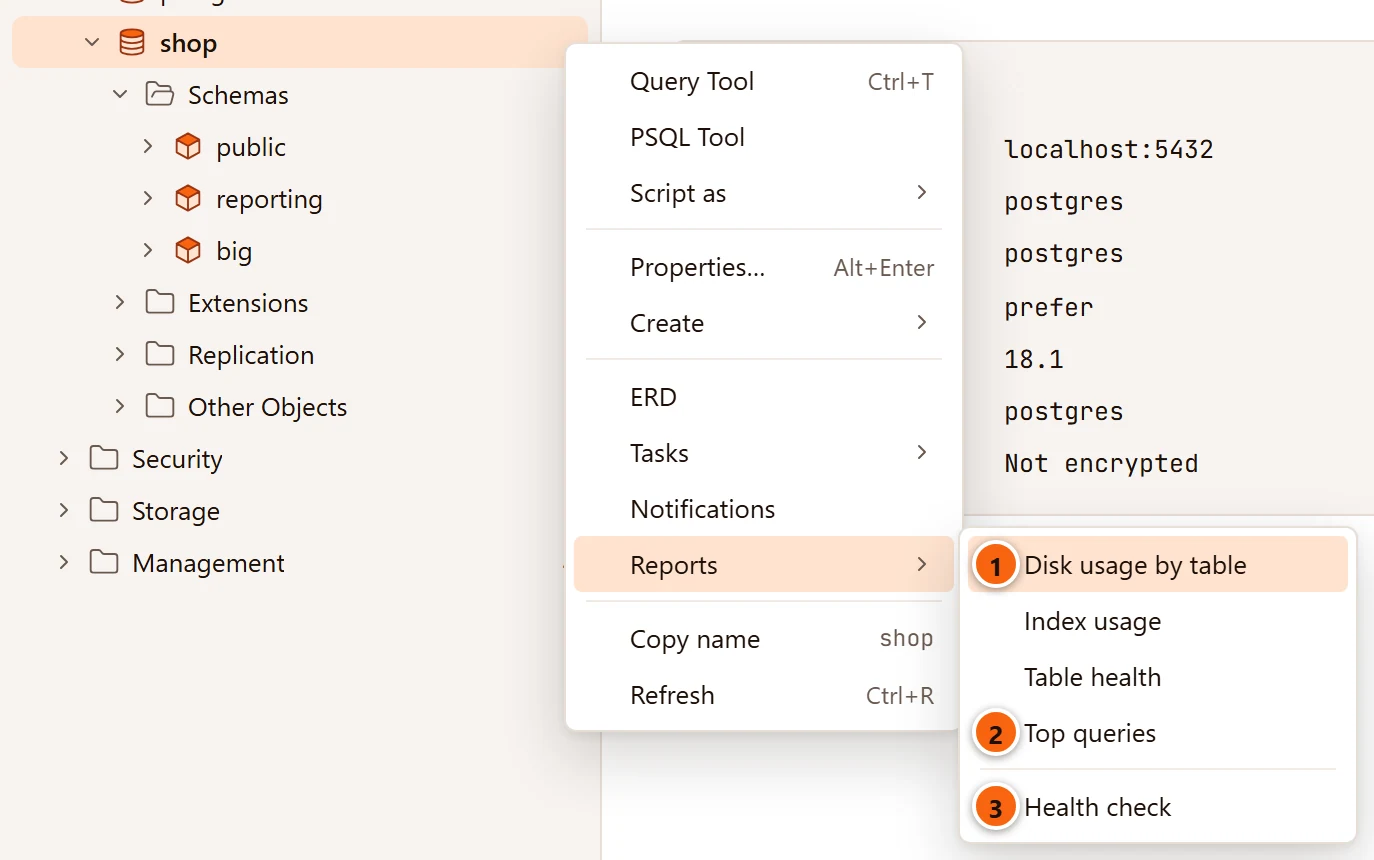
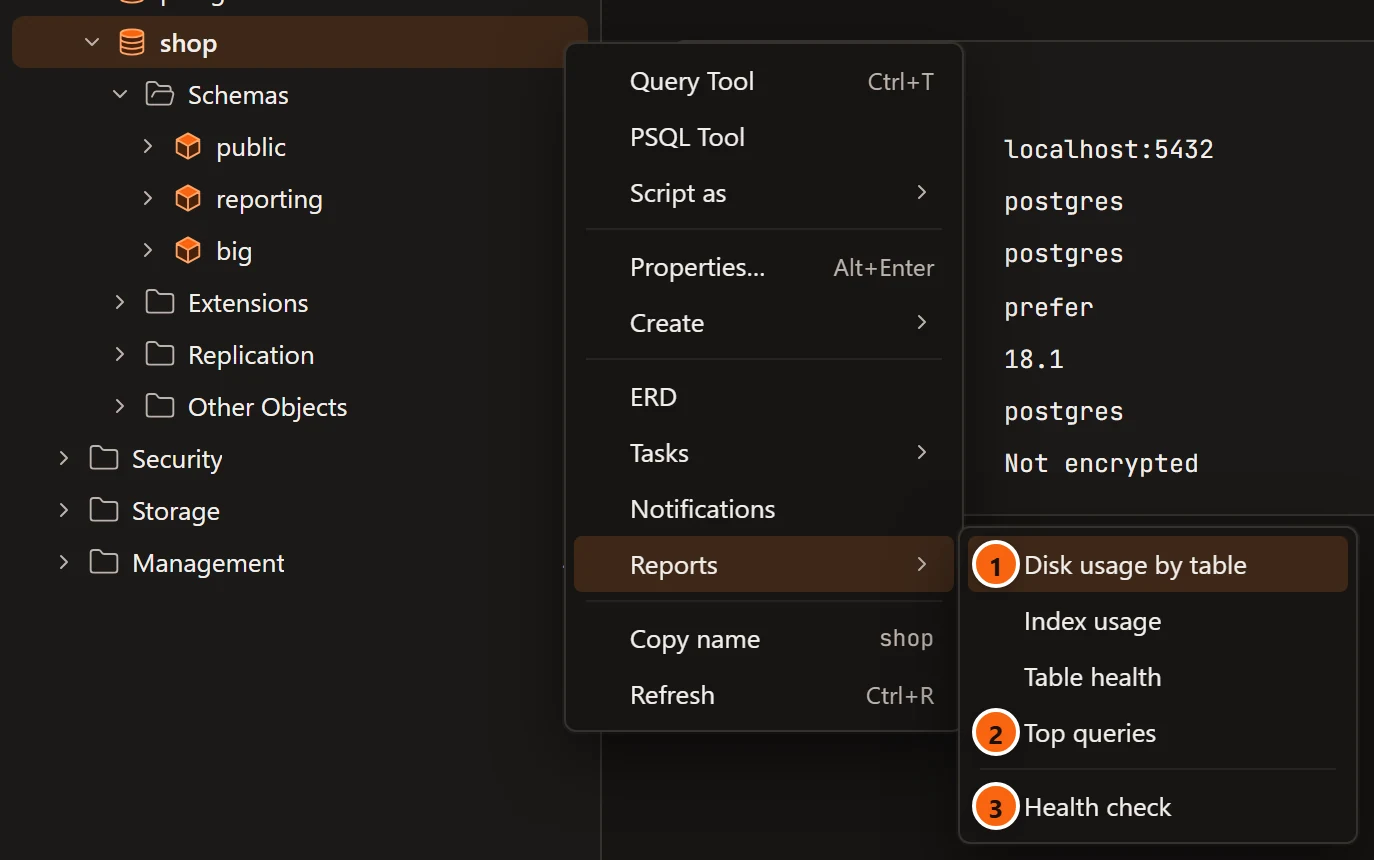
- 1 Disk usage by table, Index usage and Table health report on this database’s tables.
- 2 Top queries shows the statements run in this database only.
- 3 Health check checks this database.
| Item | What it does |
|---|---|
| Query Tool | A new Query Tool on the database. |
| PSQL Tool | PostgreSQL’s own psql on the database, in a new tab. See PSQL Tool. |
| Script as ▸ CREATE | The CREATE DATABASE script in a new Query Tool. |
| Properties… | The database’s tab. See Databases. |
| Create ▸ Schema… | The new schema dialog. See Schemas. |
| Create ▸ Table… | An empty tab for a new table. See Tables. |
| Create ▸ View…, Materialized view… | The new view dialog. See Views and materialized views. |
| Create ▸ Sequence… | The new sequence dialog. See Sequences. |
| Create ▸ Function…, Procedure… | An empty tab for a new function or procedure. See Functions and procedures. |
| Explain this database | Shown only while the Assistant is turned on. The Assistant writes a guide to the database in a tab. See Database guides. |
| ERD | The entity-relationship diagram of the database’s public schema, in a tab. See Diagrams. |
| Tasks ▸ Maintenance… | VACUUM, ANALYZE, REINDEX and the other maintenance commands, as a job. See Maintenance and jobs. |
| Tasks ▸ Backup…, Restore… | pg_dump of the database, or a restore into it. See Back up and restore. |
| Tasks ▸ Copy Database… | A copy of the database on this server or another connected one. See Copy a database. |
| Tasks ▸ Generate Scripts… | A script of the objects you pick. See Scripts. |
| Tasks ▸ Grant Wizard… | Grants or revokes on many objects at once. See Privileges. |
| Notifications | A tab that listens on the database’s channels. See Notifications. |
| Reports ▸ | Disk usage by table, Index usage, Table health, Top queries; then Health check. See Reports and Health check. |
| Copy name | The database’s name. |
| Refresh | Reads the database’s folders again. Not offered on a database you may not connect to. |
A database has no Drop… here. A template database (shown with system objects) keeps only Query Tool, Script as, Properties…, Create, Copy name and, when you may connect to it, Refresh.
Schemas
Section titled “Schemas”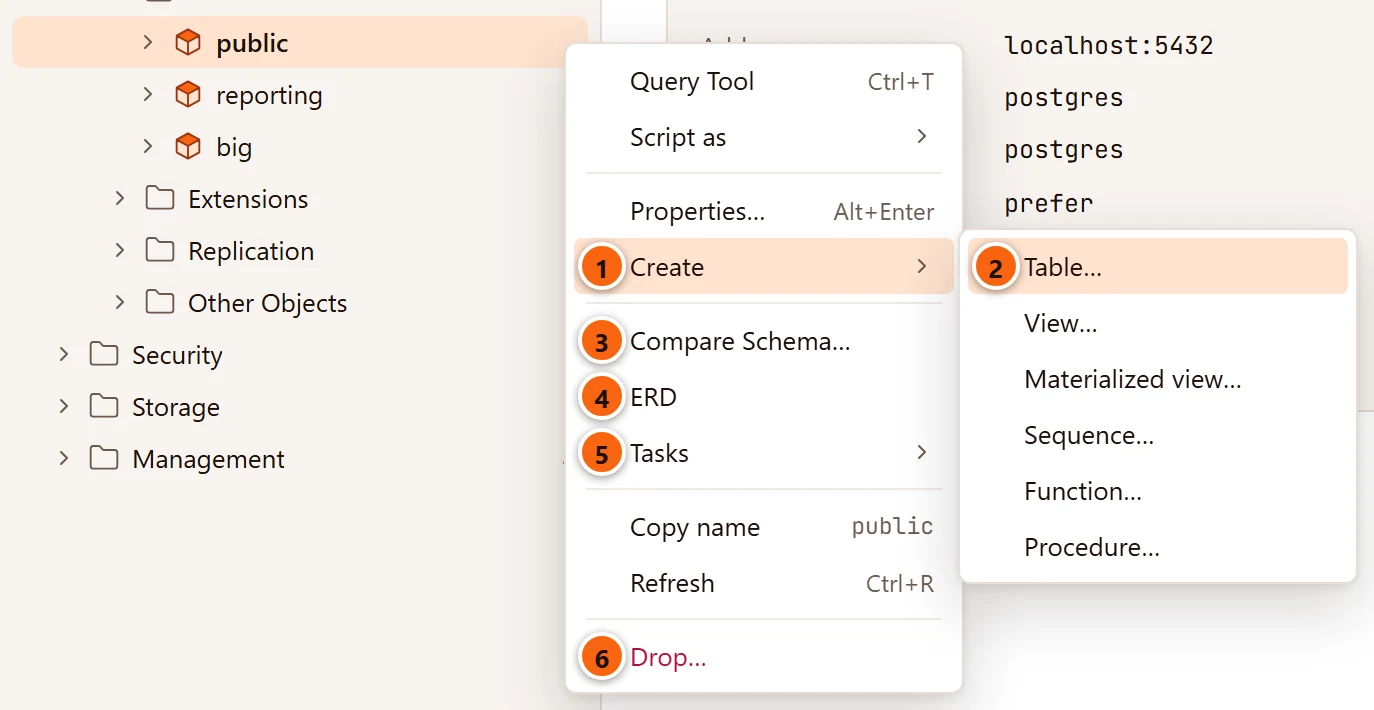
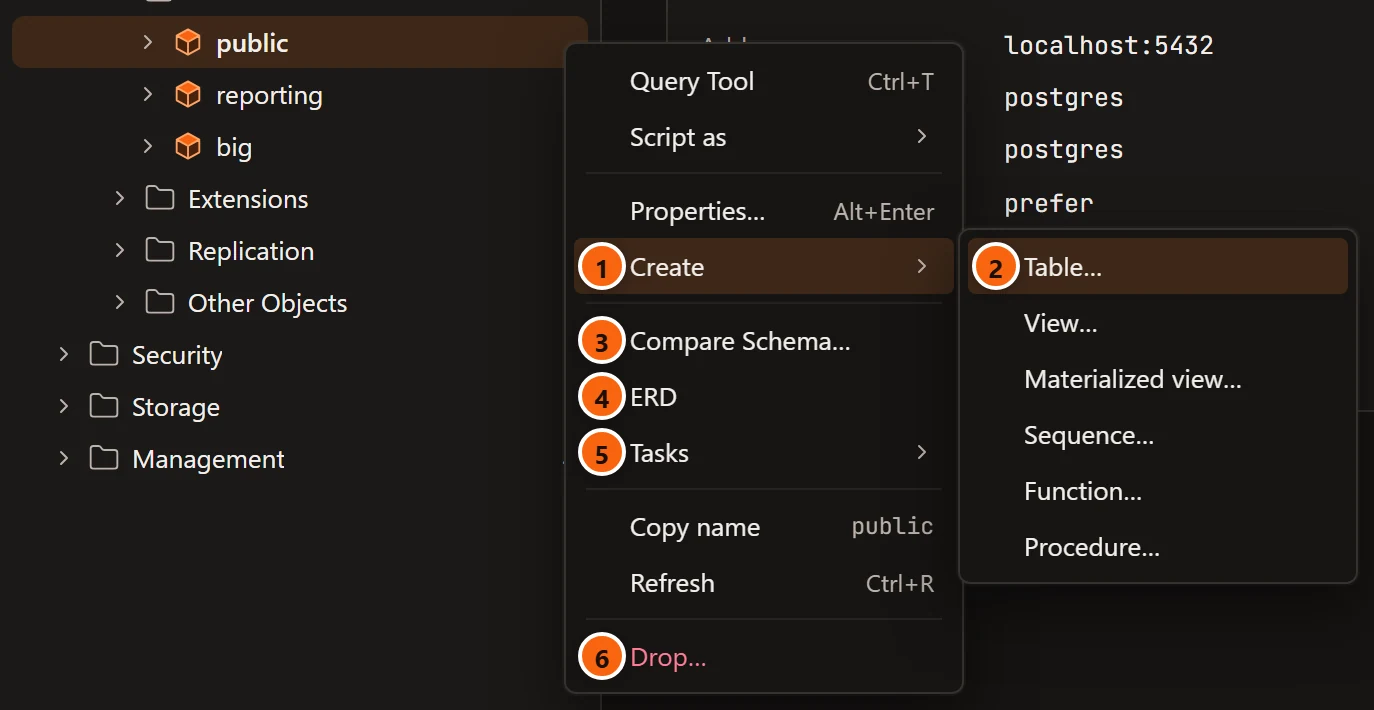
- 1 Create ▸ makes a new object in this schema.
- 2 Table… opens an empty table tab in the schema.
- 3 Compare Schema… compares the schema with another one.
- 4 ERD draws the schema’s tables and foreign keys.
- 5 Tasks ▸ holds the schema’s jobs.
- 6 Drop… drops the schema.
| Item | What it does |
|---|---|
| Query Tool | A new Query Tool on the schema’s database. |
| Script as ▸ CREATE, DROP and CREATE | The schema’s script in a new Query Tool. |
| Properties… | The schema’s tab. See Schemas. |
| Create ▸ Table…, View…, Materialized view…, Sequence…, Function…, Procedure… | As on a database, in this schema. |
| Explain this schema | Shown only while the Assistant is turned on. A guide to this schema alone. See Database guides. |
| Compare Schema… | A Schema diff · shop.public tab. Choose a target server and database there and click Compare: pgjumbo compares this schema with the schema of the same name in that database and writes the script that would make the target match, which you can Copy, Save as .sql or Open in Query Tool. The tab never runs it. ToolsSchema Diff… does the same for the selected schema. See Compare two schemas. |
| ERD | The schema’s entity-relationship diagram, in a tab. See Diagrams. |
| Tasks ▸ Maintenance… | Maintenance of the schema’s tables. See Maintenance and jobs. |
| Tasks ▸ Import File into New Table… | A CSV file into a table made for it in this schema. See Import and export table data. |
| Tasks ▸ Backup… | pg_dump of the schema. See Back up and restore. |
| Tasks ▸ Generate Scripts…, Grant Wizard… | As on a database, with this schema’s objects. See Scripts and Privileges. |
| Copy name, Refresh | See Items many menus share. |
| Drop… | Drops the schema, with CASCADE if you tick it. See Drop, truncate and other quick actions. |
A system schema such as pg_catalog keeps only Query Tool, Script as ▸ CREATE, Properties…,
Create, Copy name and Refresh.
Folders
Section titled “Folders”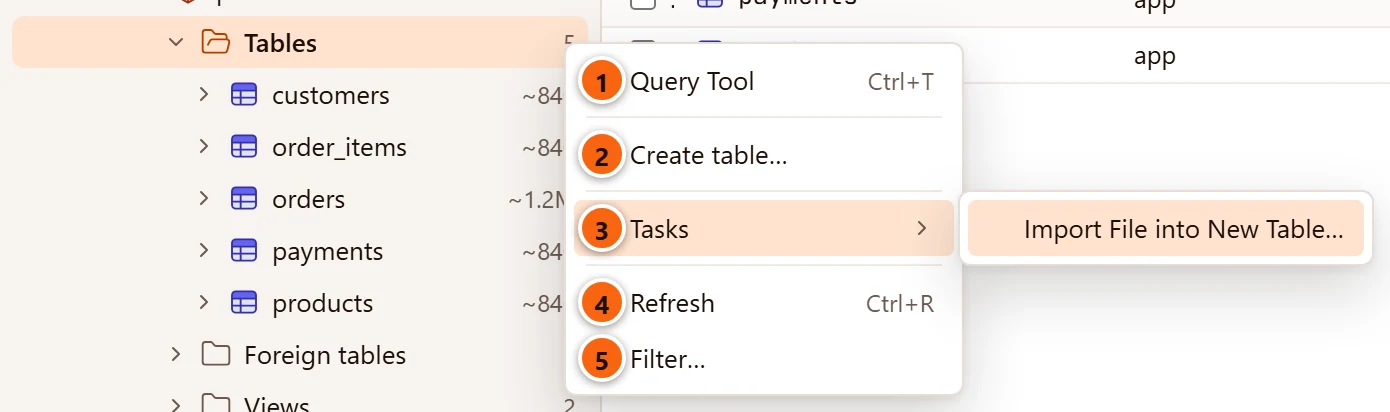
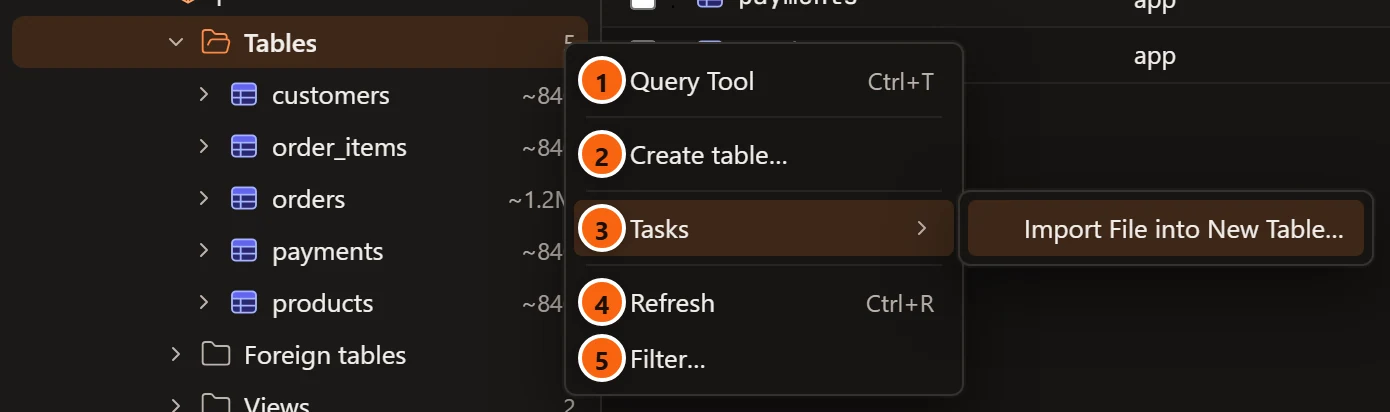
- 1 Query Tool opens one on the folder’s database.
- 2 The folder’s Create item, for the kind it holds.
- 3 Tasks ▸ Import File into New Table…, on a Tables folder only.
- 4 Refresh reads the folder again. A folder with nothing in it has no Refresh: refresh the row above it.
- 5 Filter… opens the folder’s filter. Remove filter follows it when the folder is filtered.
| Folder | Its Create item | Leads to |
|---|---|---|
| Databases | Create database… | The new database dialog. See Databases. |
| Schemas | Create schema… | The new schema dialog. See Schemas. |
| Tables | Create table… | An empty table tab. See Tables. |
| Views, Materialized views | Create view…, Create materialized view… | The view dialog. See Views and materialized views. |
| Functions, Procedures | Create function…, Create procedure… | An empty function tab. See Functions and procedures. |
| Sequences | Create sequence… | The sequence dialog. See Sequences. |
| Indexes | Create index… | The index dialog. See Tables. |
| Login/Group Roles | Create role… | An empty role tab. See Roles. |
| Extensions | Install extension… | The list of extensions the server offers. See Extensions. |
Every other folder (Types, Columns, Partitions, Tablespaces, Publications and so on) has only Query Tool, Refresh (when it has an arrow) and Filter…, plus Remove filter while it is filtered. The groups (Security, Storage, Management, Replication and Other Objects) have only Query Tool and Refresh.
Tables and partitions
Section titled “Tables and partitions”The menu at the top of this page is a table’s. Its Tasks submenu:
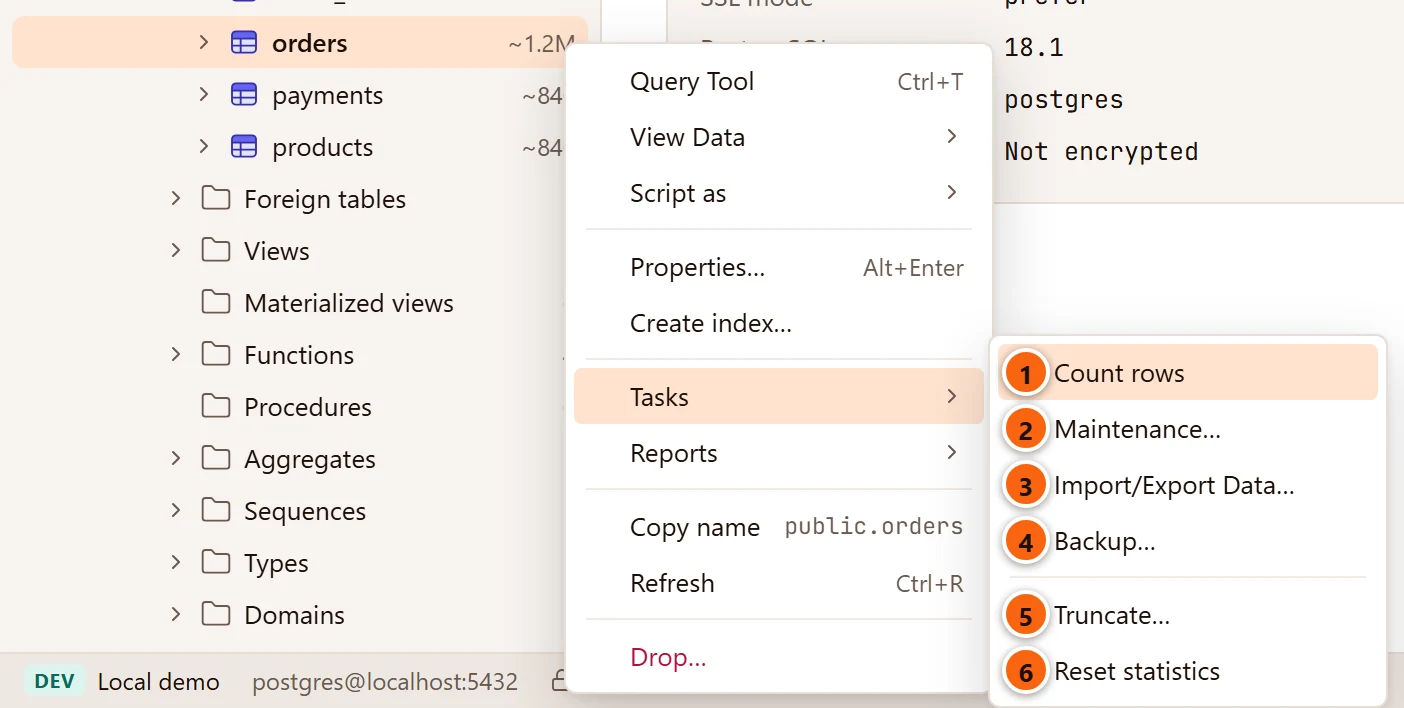
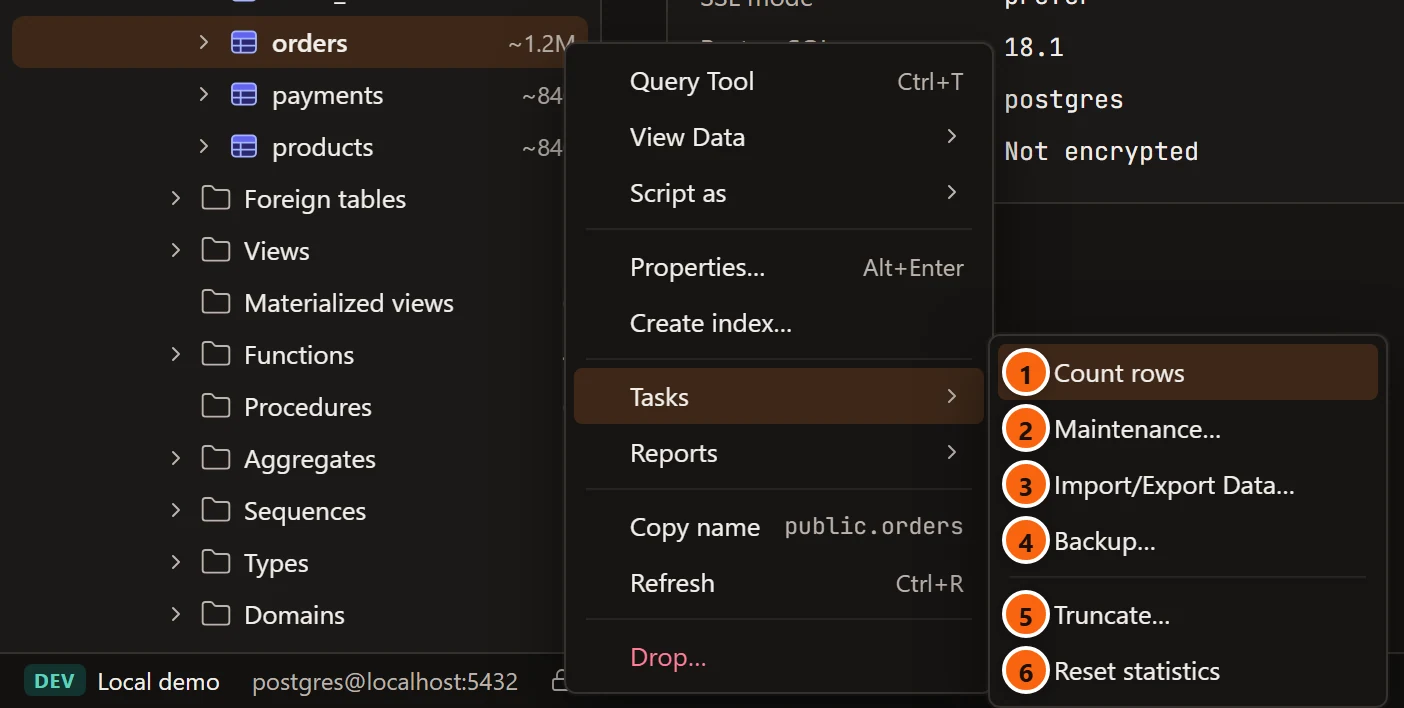
- 1 Count rows counts them exactly with
count(*), at once, and says the result beside the row. - 2 Maintenance… opens the maintenance dialog for this table.
- 3 Import/Export Data… copies rows between the table and a file.
- 4 Backup… dumps this table with
pg_dump. - 5 Truncate… empties the table, after asking.
- 6 Reset statistics resets the table’s statistics counters, at once.
| Item | What it does |
|---|---|
| Query Tool | A new Query Tool on the table’s database. |
| View Data ▸ | All rows, First 100 rows, Last 100 rows, Filtered rows…: the table’s tab on its Data view. See View Data. |
| Script as ▸ | CREATE, DROP and CREATE, SELECT, INSERT, UPDATE, DELETE. |
| Properties… | The table’s tab, on Settings. See Table settings and privileges. |
| Create index… | The new index dialog for this table. See Tables. |
| Tasks ▸ Count rows, Truncate…, Reset statistics | See Drop, truncate and other quick actions. |
| Tasks ▸ Maintenance… | See Maintenance and jobs. |
| Tasks ▸ Import/Export Data… | See Import and export table data. |
| Tasks ▸ Backup… | See Back up and restore. |
| Reports ▸ Disk usage by table, Index usage, Table health | The report of the table’s database. See Reports. |
| Copy name | The schema-qualified name, such as public.orders. |
| Refresh | Reads the table’s folders again. |
| Drop… | Drops the table. See Drop, truncate and other quick actions. |
A partition has the same menu as a table. A partitioned table has it too, without Reset statistics.
Views, materialized views and foreign tables
Section titled “Views, materialized views and foreign tables”| Item | View | Materialized view | Foreign table |
|---|---|---|---|
| Query Tool | Yes | Yes | Yes |
| View Data ▸ | Its tab, on Data | Its tab, on Data | A data tab |
| Script as ▸ | CREATE, DROP and CREATE, SELECT, INSERT, UPDATE, DELETE | CREATE, DROP and CREATE, SELECT | CREATE, DROP and CREATE, SELECT, INSERT, UPDATE, DELETE |
| Properties… | Its tab | Its tab | The Inspector’s Summary |
| Tasks ▸ | Count rows, Import/Export Data…, Backup… | Count rows, Maintenance…, Import/Export Data…, Backup…; Reset statistics | Count rows, Import/Export Data… |
| Copy name, Refresh, Drop… | Yes | Yes | Yes |
See Views and materialized views and Foreign data.
Functions and procedures
Section titled “Functions and procedures”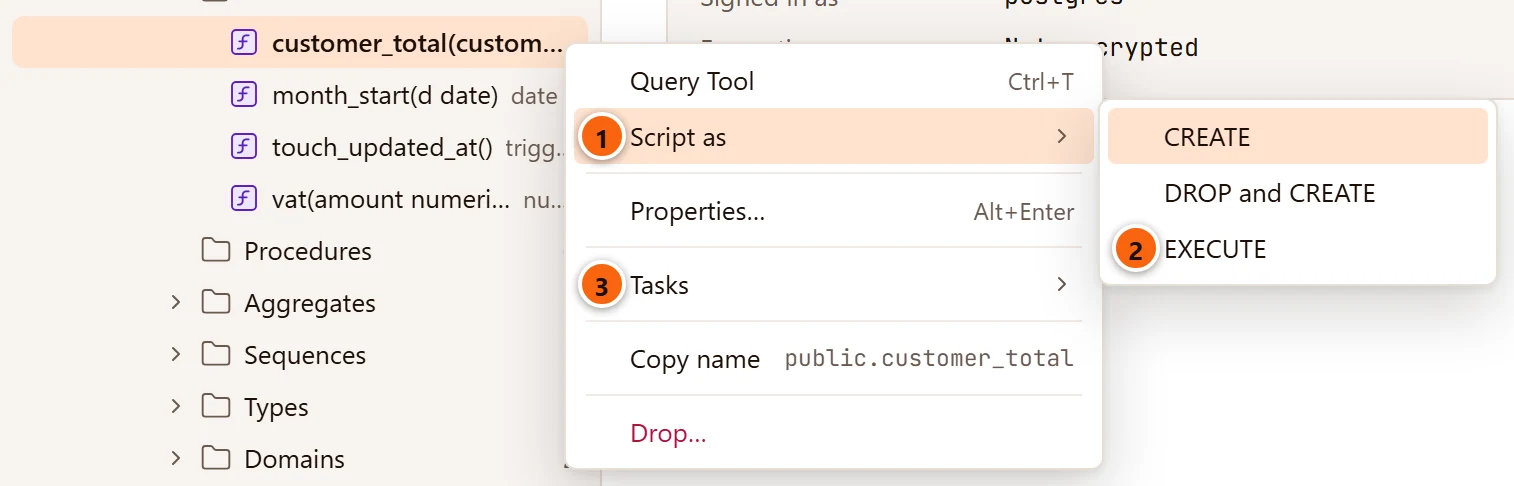
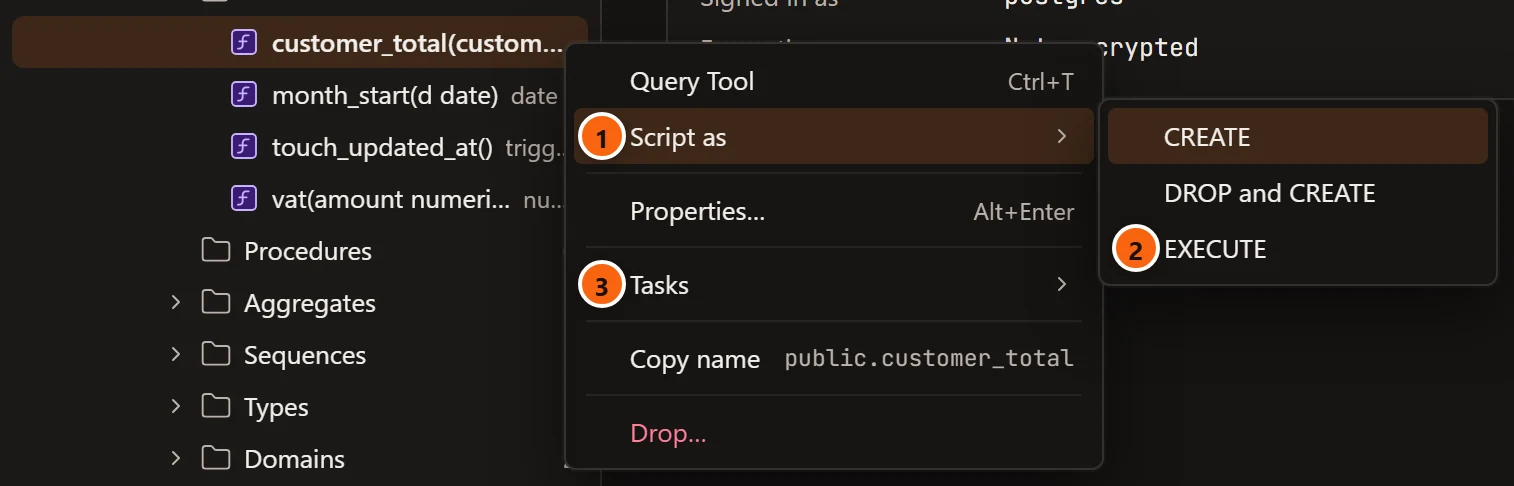
- 1 Script as ▸ offers CREATE, DROP and CREATE and EXECUTE.
- 2 EXECUTE writes a call of the function, with a comment for each argument.
- 3 Tasks ▸ has Reset statistics, which resets the function’s call counts and times.
The menu also has Query Tool, Properties… (the function’s tab, see Functions and procedures), Copy name (without the arguments) and Drop…. A procedure’s menu is the same.
Other objects in a schema
Section titled “Other objects in a schema”| Object | Its menu |
|---|---|
| Sequence | Query Tool, Script as ▸ (CREATE, DROP and CREATE), Properties… (its tab, see Sequences), Tasks ▸ Backup…, Copy name, Drop… |
| Type | Query Tool, Script as ▸ (CREATE, DROP and CREATE), Properties… (its tab, see Types, domains and other schema objects), Copy name, Drop… |
| Domain, collation, aggregate, operator, text search configuration, dictionary, parser, template | Query Tool, Script as ▸ (CREATE, DROP and CREATE), Properties… (the Inspector), Copy name, Drop… |
Columns, constraints, indexes and the rest of a table
Section titled “Columns, constraints, indexes and the rest of a table”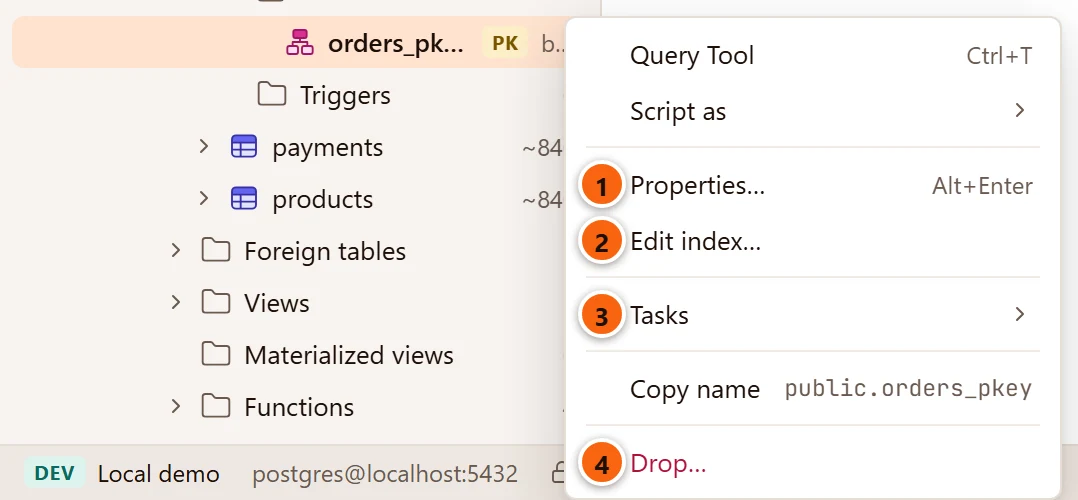
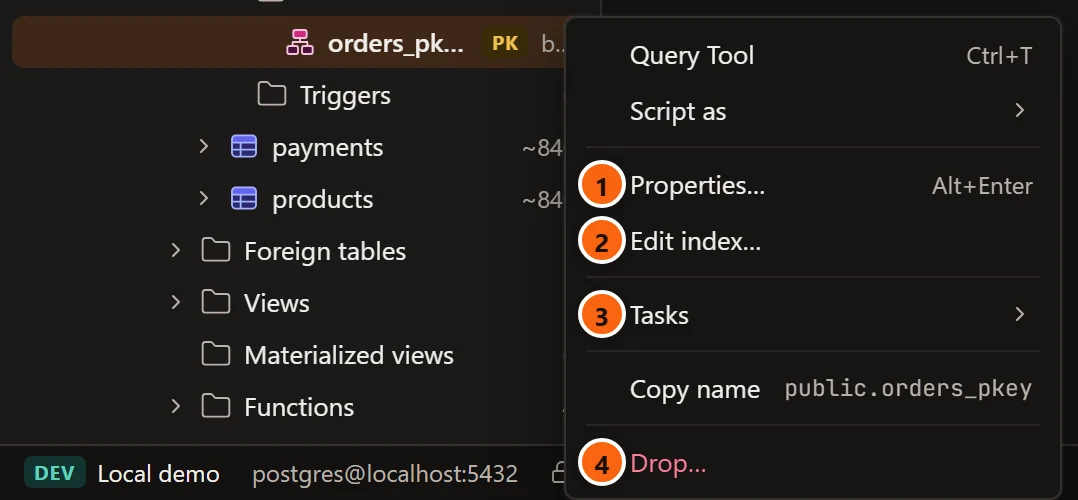
- 1 Properties… shows the index in the Inspector.
- 2 Edit index… opens the index dialog, where you change the index. See Tables.
- 3 Tasks ▸ has Maintenance… (to
REINDEXit, for example) and Reset statistics. - 4 Drop… drops the index.
| Object | Its menu |
|---|---|
| Column | Query Tool, Script as ▸ CREATE, Properties… (the Inspector), Copy name. Change a column in its table’s tab. |
| Constraint, trigger, policy, rule | Query Tool, Script as ▸ (CREATE, DROP and CREATE), Properties… (the Inspector), Copy name, Drop… |
| Index | Query Tool, Script as ▸ (CREATE, DROP and CREATE), Properties… (the Inspector), Edit index…, Tasks ▸ (Maintenance…, Reset statistics), Copy name, Drop… |
Roles, tablespaces and the other server or database objects
Section titled “Roles, tablespaces and the other server or database objects”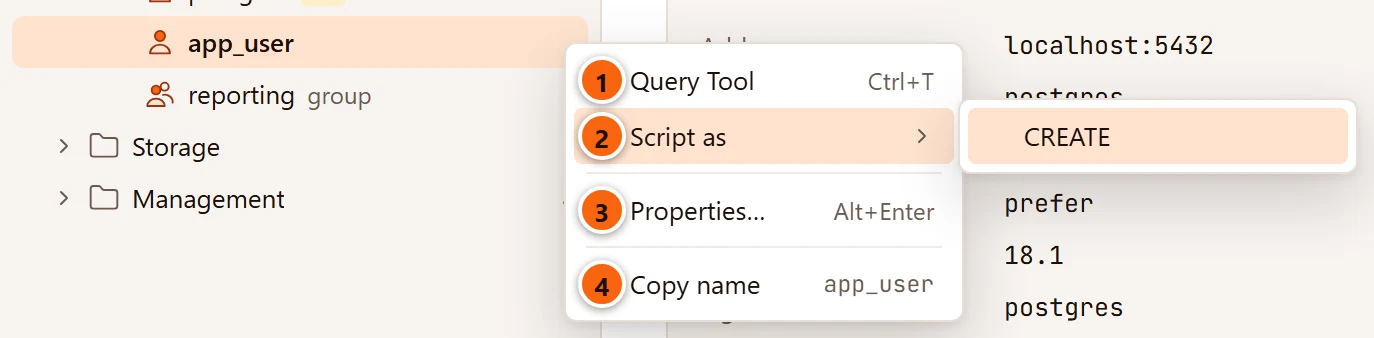
- 1 Query Tool opens one on the server’s maintenance database, as a role belongs to the whole server.
- 2 Script as ▸ has CREATE only: a role is not dropped from the Explorer.
- 3 Properties… opens the role’s tab on General.
- 4 Copy name copies the role’s name.
| Object | Its menu |
|---|---|
| Role | Query Tool (on the maintenance database), Script as ▸ CREATE, Properties… (the role’s tab, see Roles), Copy name |
| Tablespace | Query Tool, Script as ▸ CREATE, Properties… (see Tablespaces), Copy name |
| Extension | Query Tool, Script as ▸ (CREATE, DROP and CREATE), Properties… (see Extensions), Copy name, Drop… |
| Publication | Query Tool, Script as ▸ (CREATE, DROP and CREATE), Properties… (see Publications and subscriptions), Copy name, Drop… |
| Subscription | Query Tool, Script as ▸ CREATE, Properties…, Copy name |
| Event trigger, language | Query Tool, Script as ▸ (CREATE, DROP and CREATE), Properties… (see Event triggers, languages and casts), Copy name, Drop… |
| Cast | Query Tool, Script as ▸ (CREATE, DROP and CREATE), Properties…, Drop… (a cast has no name to copy) |
| Foreign-data wrapper | Query Tool, Script as ▸ (CREATE, DROP and CREATE), Properties… (see Foreign data), Copy name, Drop… |
| Foreign server | Query Tool, Script as ▸ CREATE, Properties…, Copy name |
Roles, tablespaces, subscriptions and foreign servers have no Drop… in the Explorer, and neither have databases or
columns. The built-in casts and languages are system objects: they lose DROP and CREATE and Drop…. The
predefined pg_ roles are system objects too, with the same menu as any other role.
A tablespace opens on Contents, a publication on Tables and a subscription on Status when you double-click them; Properties… opens each of them on General.
Management’s tools and other rows
Section titled “Management’s tools and other rows”| Row | Its menu |
|---|---|
| Activity, Reports, Health Check, Configuration under Management | Open, which does what a double-click does: see What a double-click or Enter does. |
| A row that could not load (a warning sign and a message) | Retry reads the folder again. |
| Loading… | No menu. |
What changes a menu
Section titled “What changes a menu”- The server’s connection. A server that is not connected shows only its own menu, as above, since none of its objects are listed.
- System objects. A template database keeps only Query Tool, Script as, Properties…, Create,
Copy name and Refresh. A system schema loses Explain this schema, Compare Schema…, ERD,
Tasks, DROP and CREATE and Drop…. Built-in casts and languages lose DROP and CREATE and Drop….
The objects inside a system schema, such as the tables of
pg_catalog, are not system objects themselves: their menus are complete, and PostgreSQL refuses the changes it does not allow. - The Assistant. Explain this database and Explain this schema show only while the Assistant is turned on in Settings. See Set up the Assistant.
- A server that asks first. On a server tagged Production (and on Staging, when Settings asks for it), Truncate… and Drop… also ask you to type the database’s name. See Drop, truncate and other quick actions.
- A read-only connection. The menus are the same, but PostgreSQL refuses any change, because the connection’s sessions are read-only.
Several of these items are in the menu bar too, acting on the Explorer’s selected row: ObjectRefresh, ObjectProperties, and in Tools the reports, Health Check, Notifications, PSQL Tool, Backup…, Restore…, Import/Export Data…, Maintenance…, Generate Scripts…, ERD and Schema Diff… (Compare Schema… on a schema’s menu). Server Activity, Server Configuration and Scheduled Jobs in Tools act on the selected server, or on the server of the tab in front. See Menus.