
Maintenance and jobs
The Maintenance dialog writes a VACUUM, ANALYZE, REINDEX, CLUSTER, REFRESH MATERIALIZED VIEW or amcheck
statement for one object, or a VACUUM or ANALYZE for several tables, shows it to you, and runs it in the
background as a job. The Jobs panel in the status bar follows that job and every other one: backups, restores, copies,
imports and exports.
Open the Maintenance dialog
Section titled “Open the Maintenance dialog”Right-click a database, schema, table, partitioned table, materialized view or index in the Explorer and choose TasksMaintenance….
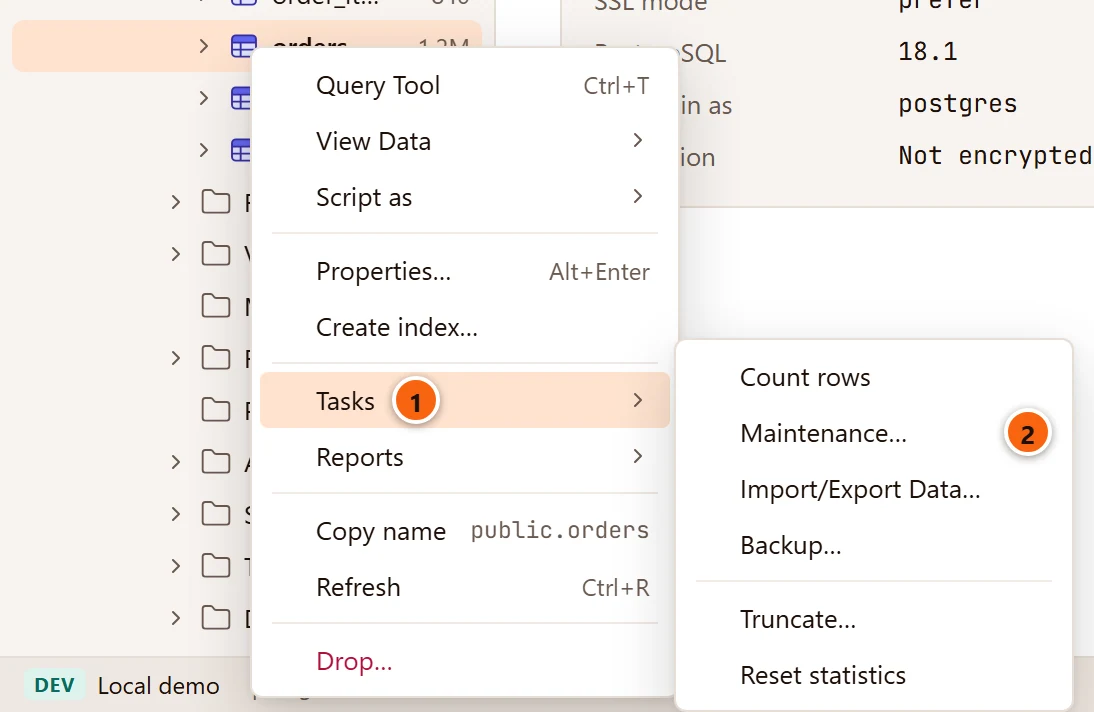
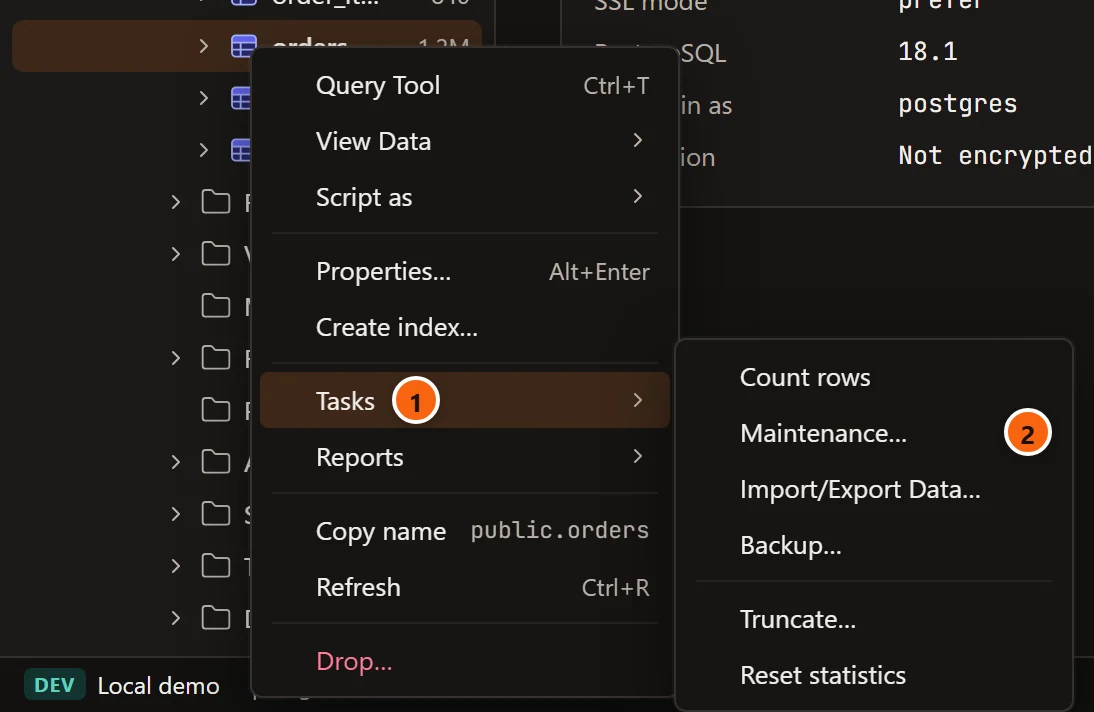
- 1 Tasks groups the jobs and quick actions for the object.
- 2 Maintenance… opens the dialog for that object.
You can also select the object in the Explorer and choose ToolsMaintenance… in the menu bar. It has no shortcut, and it is greyed out unless the selected row is one of the kinds above and its server is connected. To vacuum or analyze several tables at once, tick them in Object Details (see Several tables at once).
Maintenance is not offered on PostgreSQL’s own objects, the ones the Explorer shows only with ViewSystem Objects on, template databases among them. While the dialog reads the object it says “Reading the object…”.
The dialog
Section titled “The dialog”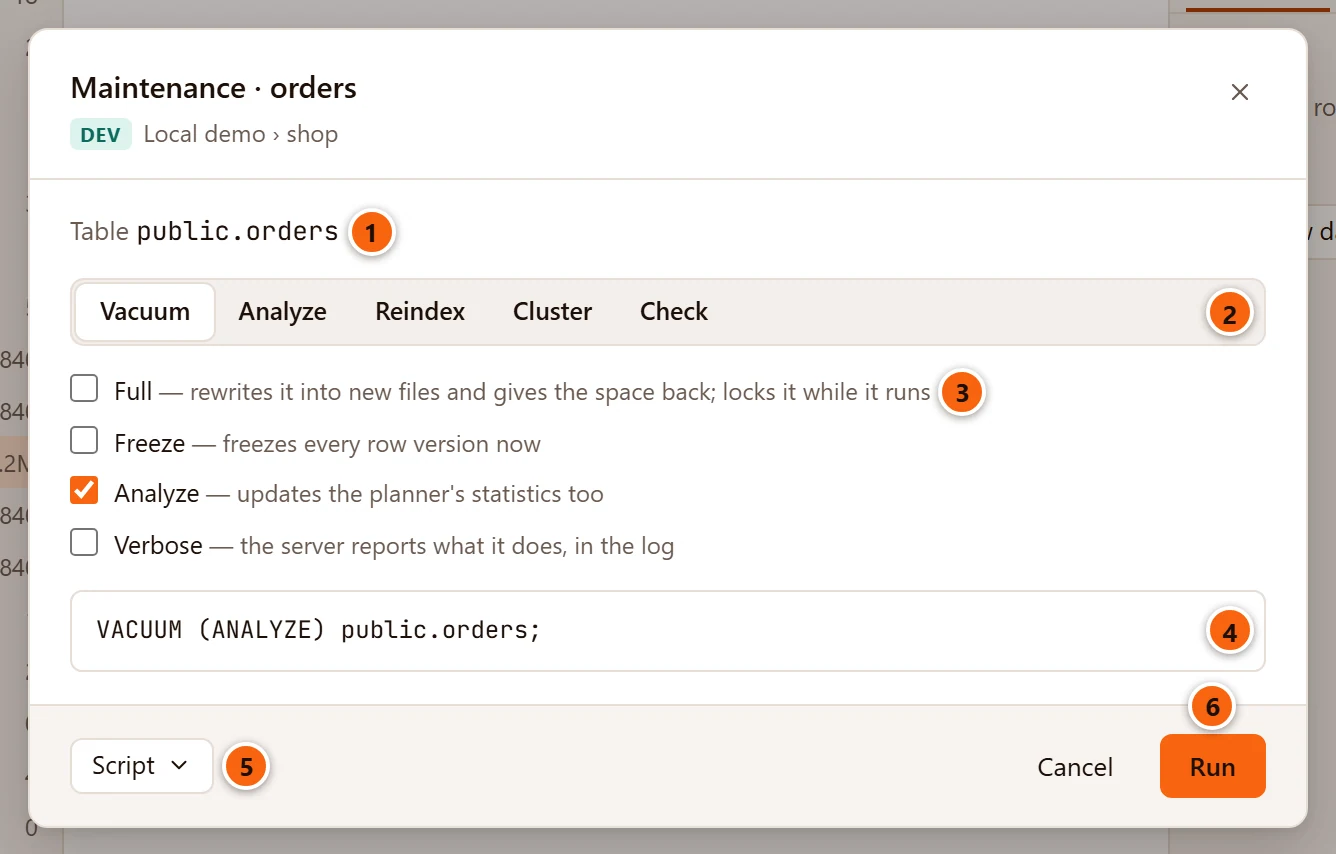
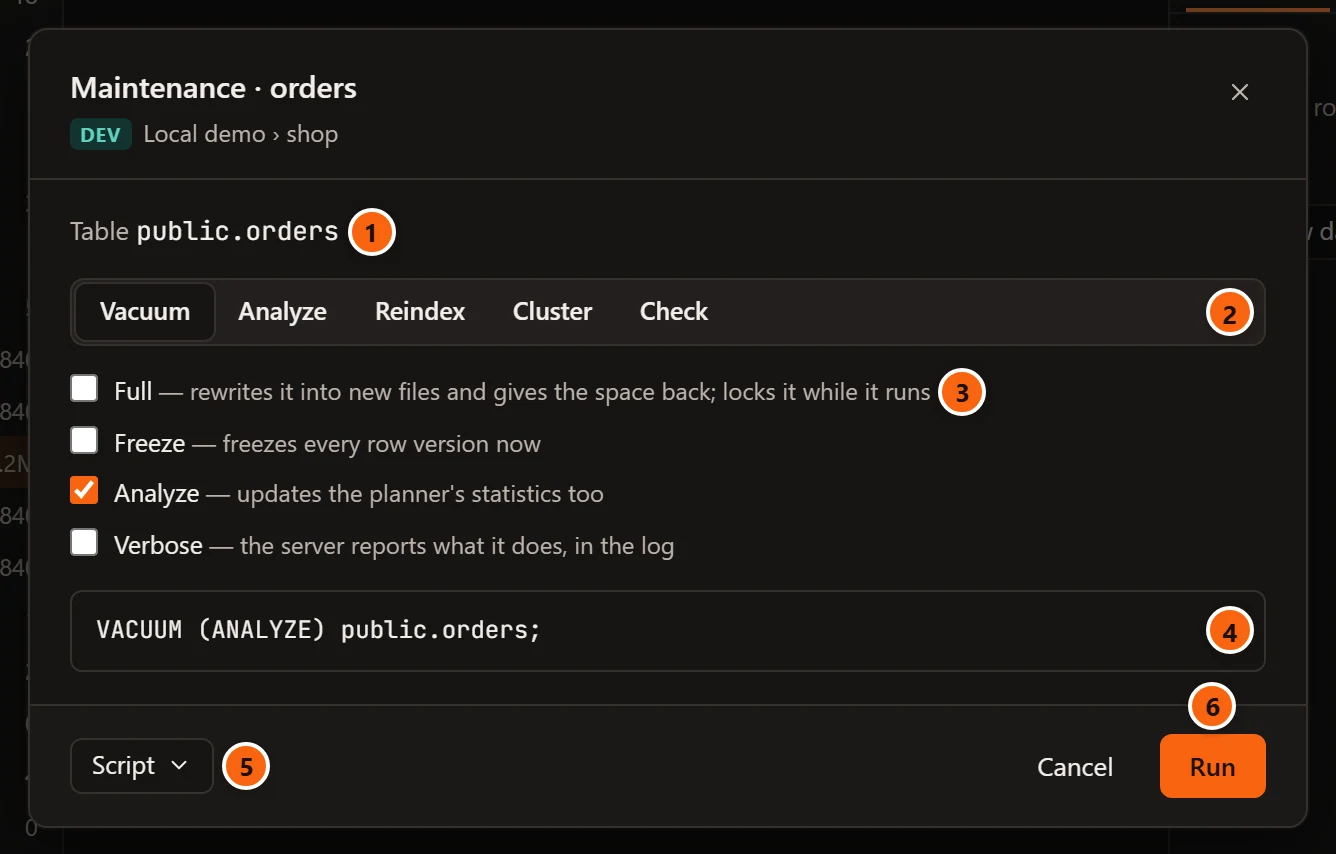
- 1 What the dialog works on: its kind and its name as SQL writes it. The title names the object; the line under it shows the server’s environment tag, the server and the database.
- 2 The operation. Only those the object can take are shown (see the table below). The first one is chosen when the dialog opens.
- 3 The options of that operation, each with a short reminder of what it does. pgjumbo keeps them while you switch from one operation to another.
- 4 The statement that will run, written by pgjumbo with names the server quotes. It changes as you change the options.
- 5 Script opens, copies or saves the statement instead of running it (see The Script menu).
- 6 Run starts the statement as a job. It waits until the statement shown matches the options on screen, and until the database’s name is typed when the server asks for it (see Statements that lock). Enter in the name field does the same once Run is available.
Cancel, the × in the corner and Esc close the dialog without running anything. If the statement
cannot be written, for example a CLUSTER with no index to use, the reason shows in place of the statement, and
Run and Script stay greyed out. If the job cannot start, the reason shows in red beside the buttons.
What each object offers
Section titled “What each object offers”| Object | Operations |
|---|---|
| Database | Vacuum, Analyze, Reindex, Cluster, Check |
| Schema | Reindex, Check |
| Table | Vacuum, Analyze, Reindex, Cluster, Check |
| Partitioned table | Vacuum, Analyze, Reindex, Cluster |
| Materialized view | Vacuum, Analyze, Reindex, Cluster, Refresh, Check |
| Index | Reindex, Cluster, Check |
| Index of a partitioned table | Reindex |
| Several tables and materialized views | Vacuum, Analyze |
PostgreSQL itself sets some limits on partitioned tables: Reindex on a partitioned table or its index needs PostgreSQL 14 or later, and Cluster on a partitioned table needs PostgreSQL 15 or later. On an older server the job shows the server’s own warning or error.
On a whole database
Section titled “On a whole database”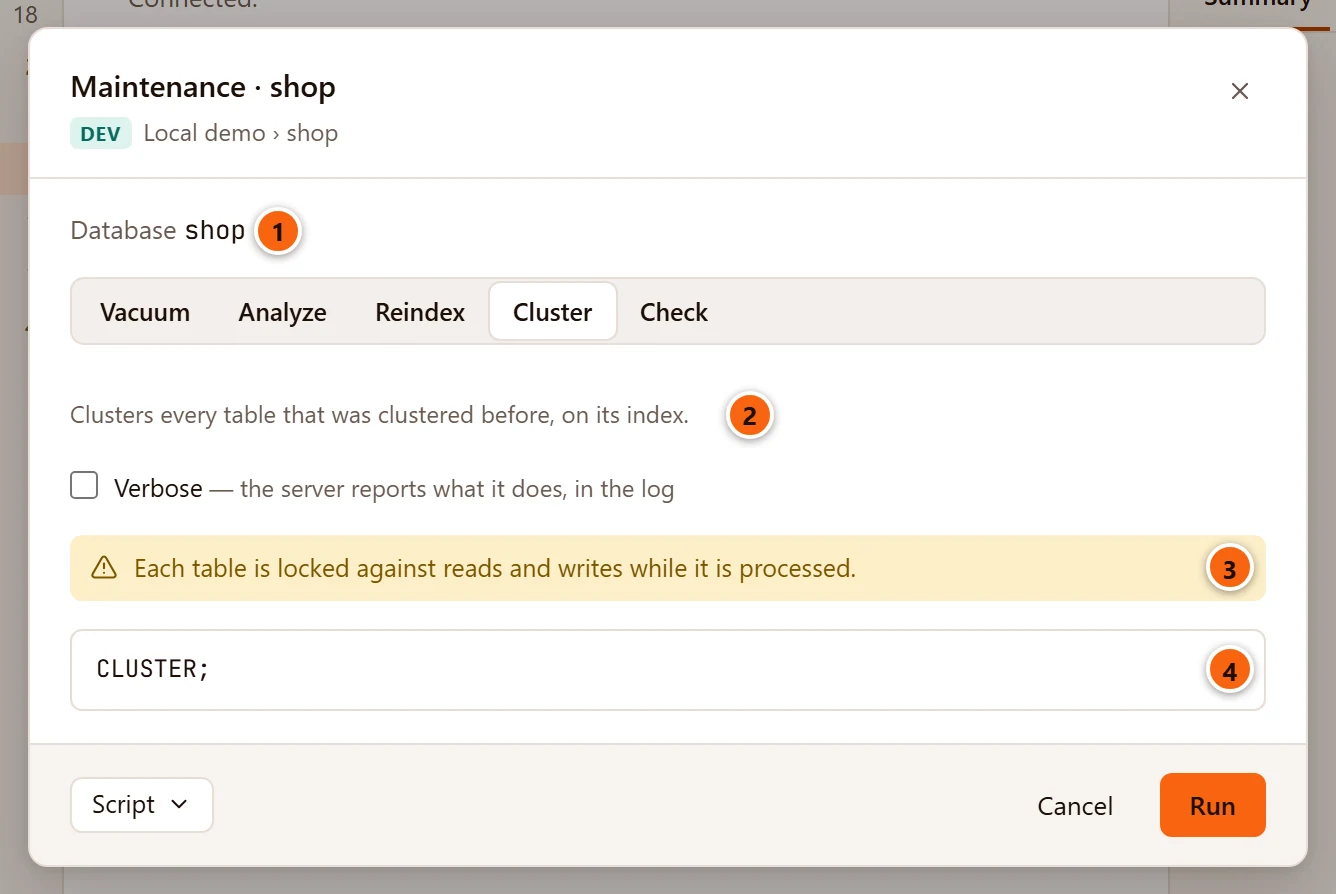
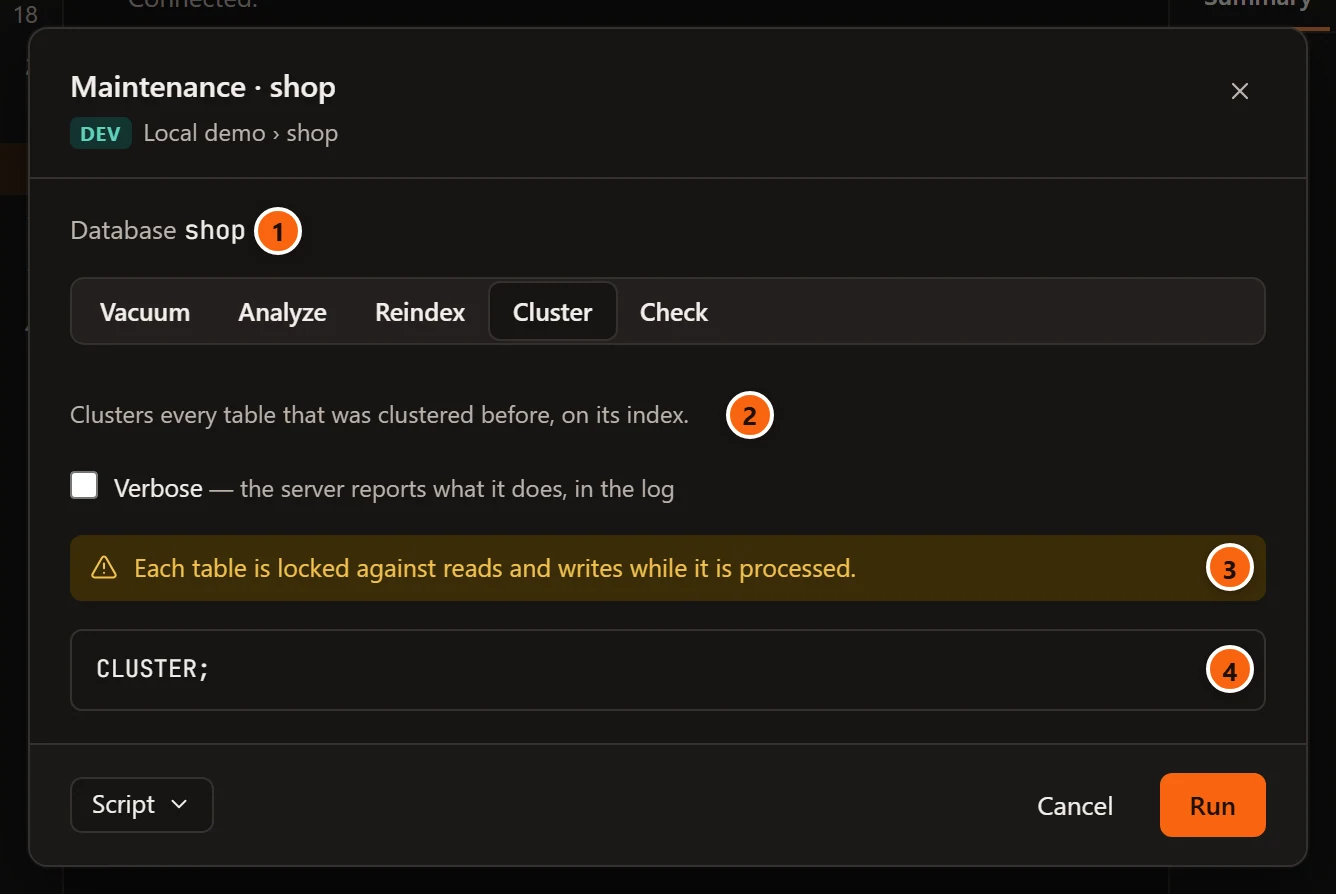
- 1 The dialog works on the database itself.
- 2 Cluster has no index to choose here: it clusters every table that was clustered before, each on its own index.
- 3 A statement that locks warns that each table is locked in turn, while it is processed.
- 4
VACUUM,ANALYZEandCLUSTERrun without a name, so they cover the whole database (CLUSTER;,VACUUM (ANALYZE);), andREINDEXbecomesREINDEX DATABASE shop;.
The statement always runs on a connection to the object’s own database.
Vacuum
Section titled “Vacuum”| Option | Adds | What it does |
|---|---|---|
| Full | FULL |
Rewrites the table into new files and gives the space back to the operating system. It locks the table against reads and writes while it runs. |
| Freeze | FREEZE |
Freezes every row version now, as a vacuum with vacuum_freeze_min_age and vacuum_freeze_table_age set to zero would. |
| Analyze | ANALYZE |
Updates the planner’s statistics too. Ticked when the dialog opens. |
| Verbose | VERBOSE |
The server reports what it does; the lines appear in the job’s messages. |
With Full and Analyze ticked on public.orders, the statement is VACUUM (FULL, ANALYZE) public.orders;. With
nothing ticked it is a plain VACUUM public.orders;.
Analyze
Section titled “Analyze”Analyze has one option, Verbose: ANALYZE (VERBOSE) public.orders;. It reads a sample of the rows and updates
the statistics the planner uses, without vacuuming.
Reindex
Section titled “Reindex”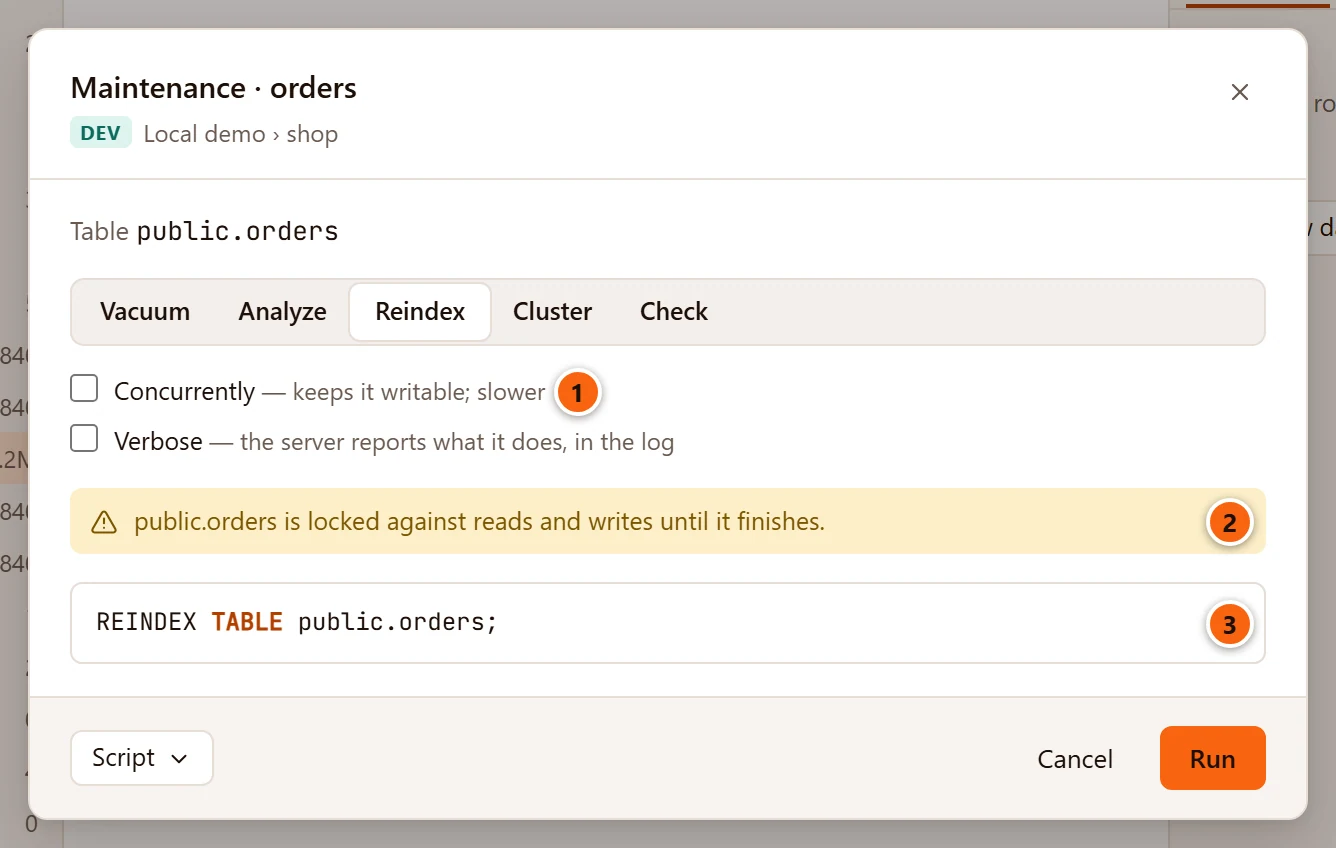
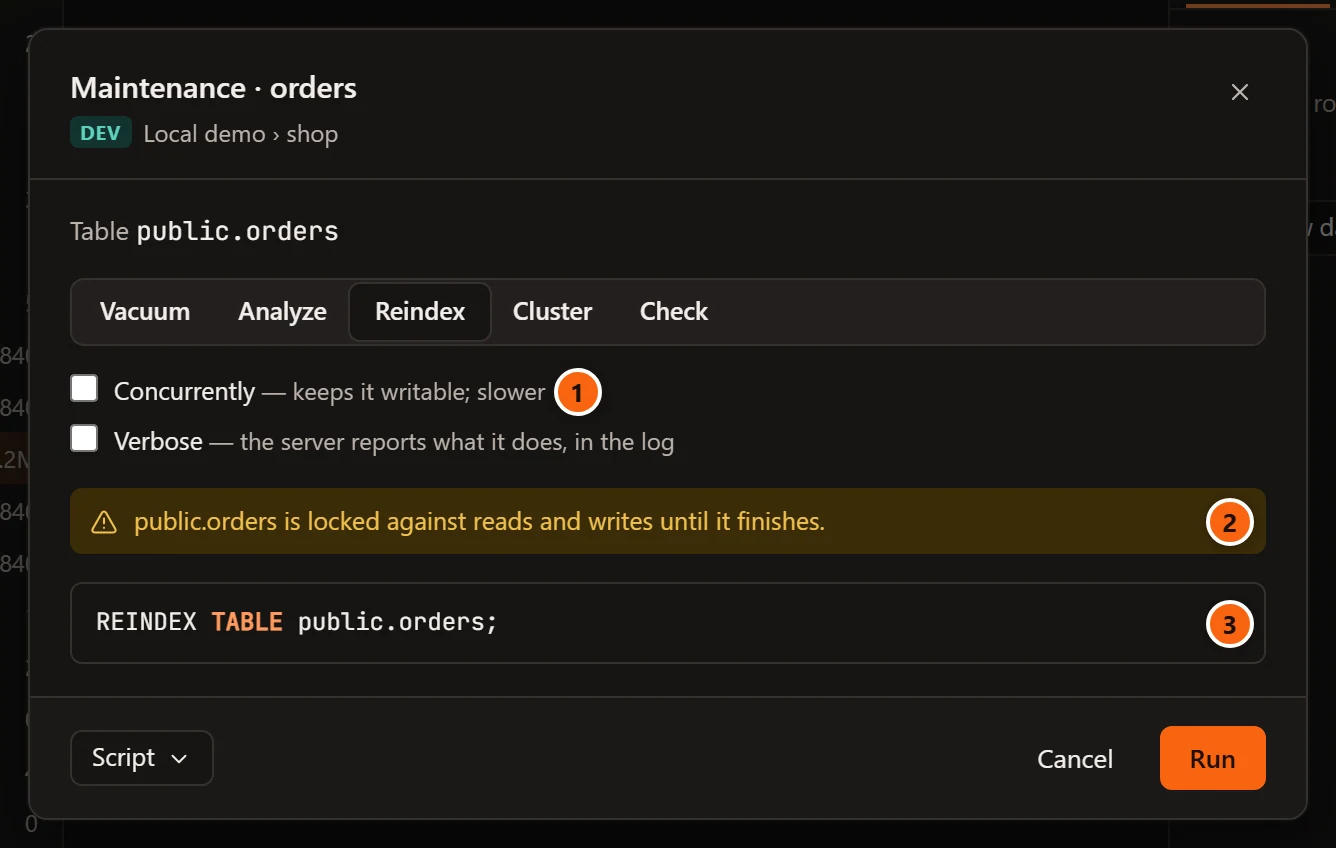
- 1 Concurrently builds each index again without blocking writes, which is slower. It adds
CONCURRENTLY:REINDEX TABLE CONCURRENTLY public.orders;. - 2 Without Concurrently the object is locked while the statement runs, and a warning says so.
- 3 The statement names what it rebuilds:
REINDEX TABLEfor a table, partitioned table or materialized view (all its indexes),REINDEX INDEXfor one index,REINDEX SCHEMAorREINDEX DATABASE.
Verbose adds (VERBOSE) after REINDEX.
Cluster
Section titled “Cluster”CLUSTER rewrites a table in the order of one of its indexes.
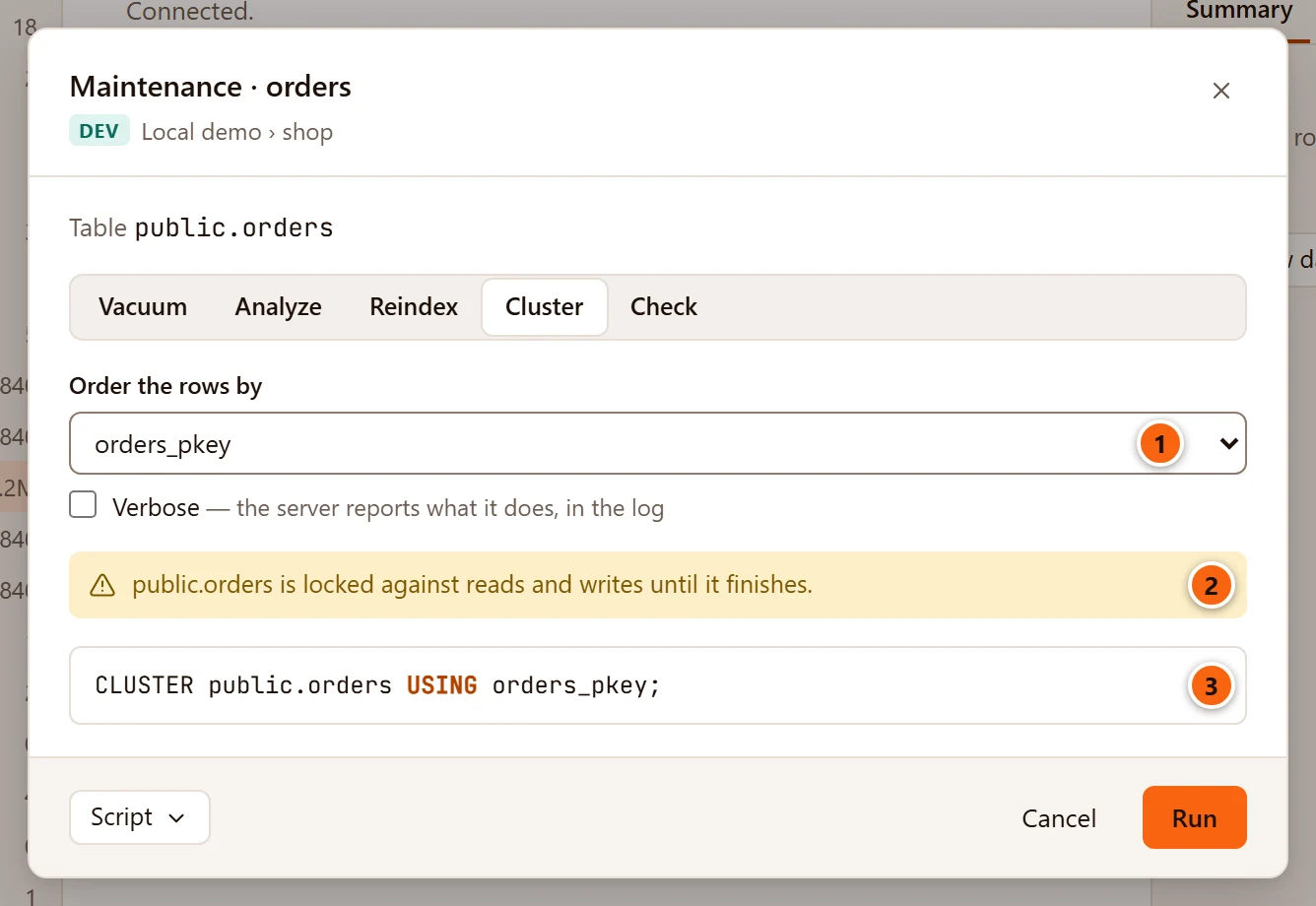
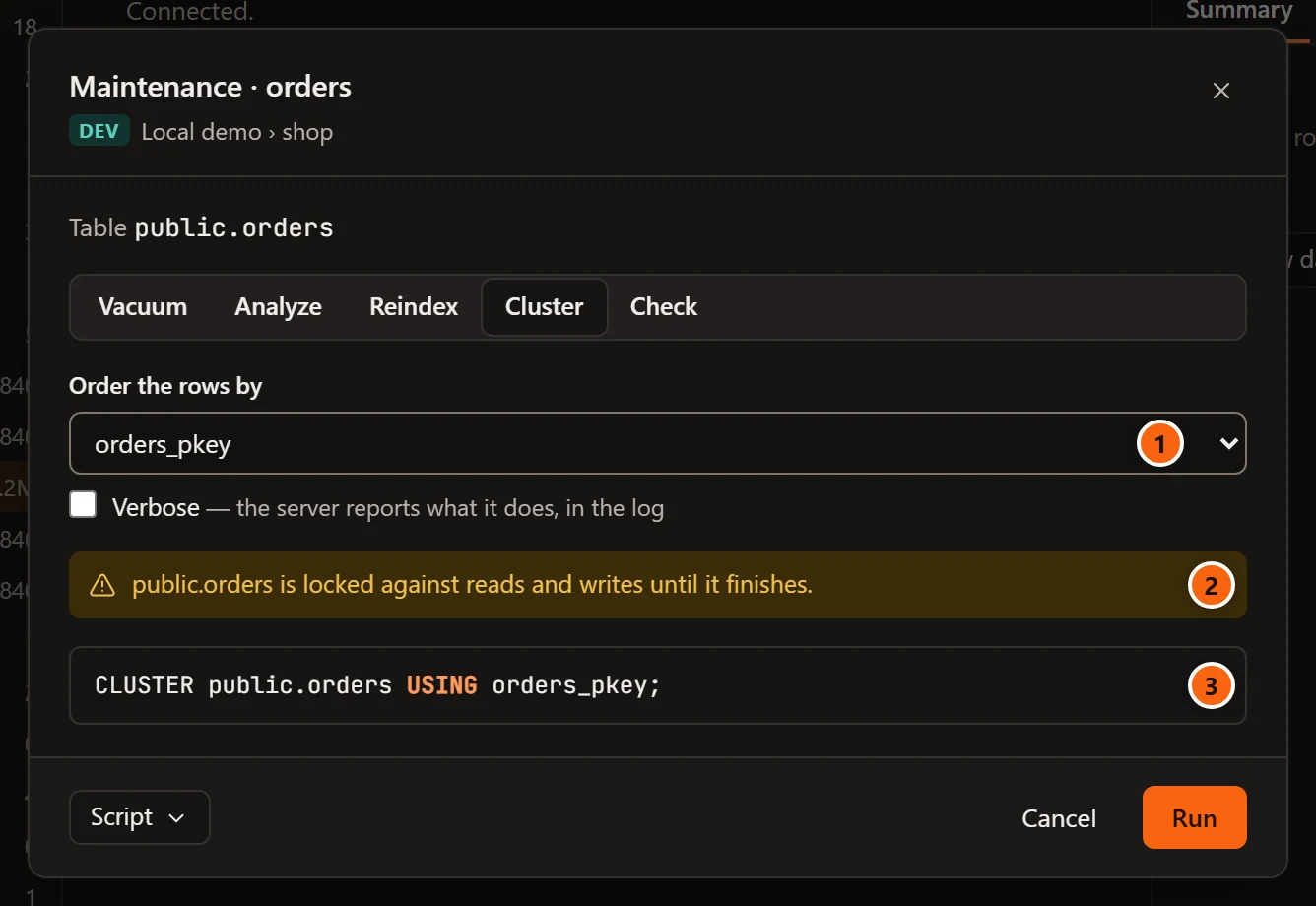
- 1 Order the rows by lists the table’s indexes that
CLUSTERcan use: valid indexes without aWHEREclause, of a type that can order a table (B-tree or GiST). The index the table was last clustered on comes first, as name (as last clustered), and is chosen when the dialog opens; choosing it writesCLUSTER public.orders;withoutUSING, and PostgreSQL uses that index again. A table never clustered starts on its first index by name. - 2
CLUSTERalways locks the table against reads and writes while it runs. - 3 The statement:
CLUSTER public.orders USING orders_pkey;, orCLUSTER VERBOSE …with Verbose.
On an index there is no list: the statement clusters the index’s table on it, CLUSTER public.orders USING orders_pkey;. On a database there is no list either (see On a whole database). A table with no
index CLUSTER can use has an empty list: the dialog says “Choose the index to order the table by.” in place of the
statement, and Run stays greyed out.
Refresh a materialized view
Section titled “Refresh a materialized view”Refresh is offered on a materialized view only. It runs the view’s query again and replaces its rows:
REFRESH MATERIALIZED VIEW reporting.sales_daily;.
- Concurrently adds
CONCURRENTLY: readers keep seeing the old rows until the new ones are in. PostgreSQL allows it only when the materialized view has a unique index on plain columns and already holds rows; otherwise the job fails with the server’s reason. - Without Concurrently, the materialized view is locked against reads and writes until the refresh ends.
- Verbose is shown here too, but
REFRESH MATERIALIZED VIEWhas no such option: ticking it does not change the statement.
The materialized view’s own tab has a Refresh view that starts the same job and checks first whether a concurrent refresh is possible; see Views and materialized views.
Check integrity with amcheck
Section titled “Check integrity with amcheck”Check reads the object’s B-tree indexes, and from PostgreSQL 14 its tables too, with PostgreSQL’s amcheck
extension, looking for corruption. It changes nothing.
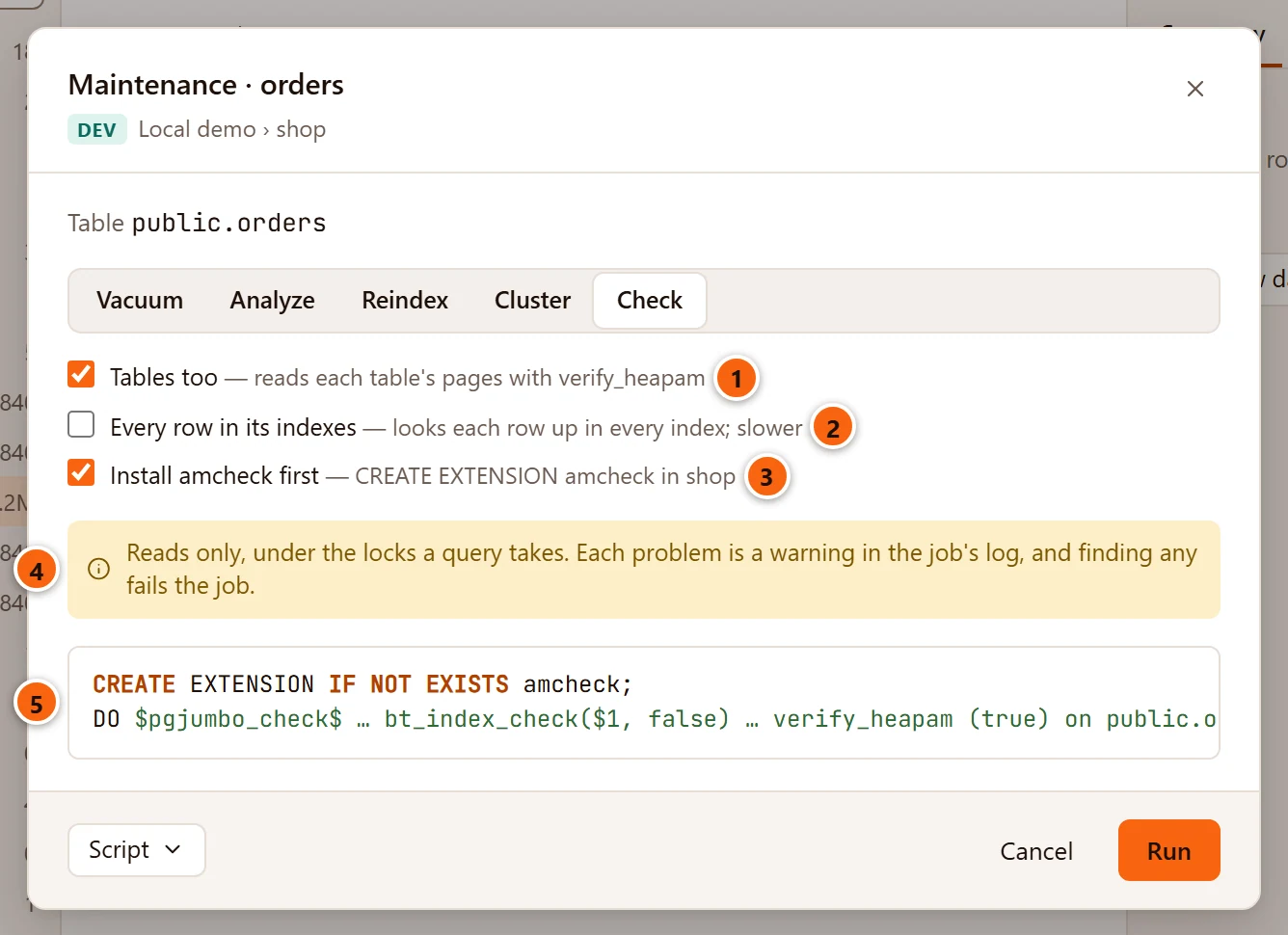
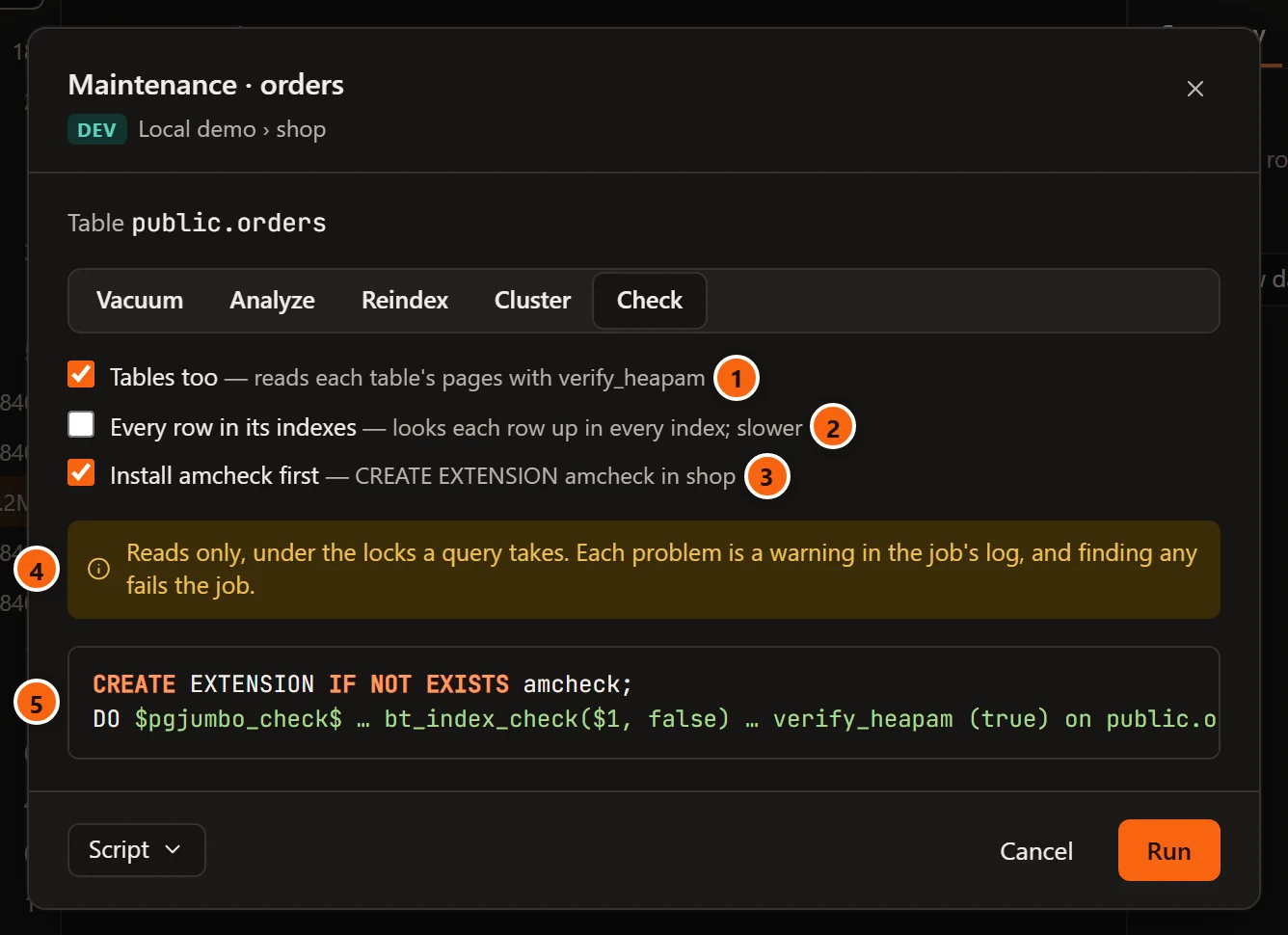
- 1 Tables too reads each table’s pages with
verify_heapam, besides the indexes. It is ticked when the dialog opens. Where the server cannot do it, the box is replaced by “This server checks B-tree indexes only: tables need PostgreSQL 14 and amcheck 1.3.” - 2 Every row in its indexes looks each row of the table up in every B-tree index (
bt_index_checkwithheapallindexed), which finds an index that is missing a row. It is slower. - 3 Install amcheck first appears when amcheck is not installed in the database but the server has it.
It adds
CREATE EXTENSION IF NOT EXISTS amcheck;before the check, in the object’s database. When the server does not have amcheck at all, a warning says “amcheck is not on this server: it comes with PostgreSQL’s contrib package.” - 4 The check takes only the locks a query takes. Each problem it finds is a warning in the job’s messages, and finding any fails the job.
- 5 The statement: a
DOblock that finds the schema amcheck was installed in, then goes through the relations one by one.
Check has no Verbose option. What it goes through depends on the object:
| Object | What is checked |
|---|---|
| Database | Every table, materialized view and B-tree index outside pg_catalog, information_schema and the other pg_ schemas |
| Schema | Every table, materialized view and B-tree index in the schema |
| Table or materialized view | It and its B-tree indexes |
| Index | That index, if it is a B-tree |
Temporary tables are left out. Tables go first, then materialized views, then indexes. Each relation is checked in a
subtransaction of its own, so a problem on one is written as a WARNING in the job’s messages and the check goes on
with the next:
- Each piece of damage
verify_heapamfinds in a table is one warning, naming the table, the block and the item, such aspublic.orders: block 12, item 3: …. - An error while checking a relation (
bt_index_checkraises one when an index is damaged) is one warning, the relation’s name and the server’s message, such aspublic.orders_pkey: ….
The job ends with a notice, “amcheck checked 14 relation(s) and found no problems.”, or fails with “amcheck found 2 problem(s); the warnings above list them.” With Install amcheck first unticked in a database that does not have the extension, the job fails at once with “amcheck is not installed in this database.”
The statement box holds the whole DO block, some forty lines long. Script opens it in a Query Tool, where it is
easier to read.
Installing the extension is a change to the database, so on a server that asks first it needs the database’s name typed, as the statements that lock do. To install it yourself, see Extensions.
Statements that lock
Section titled “Statements that lock”VACUUM with Full, CLUSTER, and a refresh without Concurrently take an ACCESS EXCLUSIVE lock on their
table while they run. REINDEX without Concurrently blocks writes to the table, and any read that would use the
index being rebuilt. For all four the dialog shows a yellow warning: “public.orders is locked against reads and writes
until it finishes.”, or on a database “Each table is locked against reads and writes while it is processed.”
On a server tagged Production, or Staging when Staging servers ask before destructive statements too is ticked in Settings, such a statement, and installing amcheck, also needs the database’s name typed.
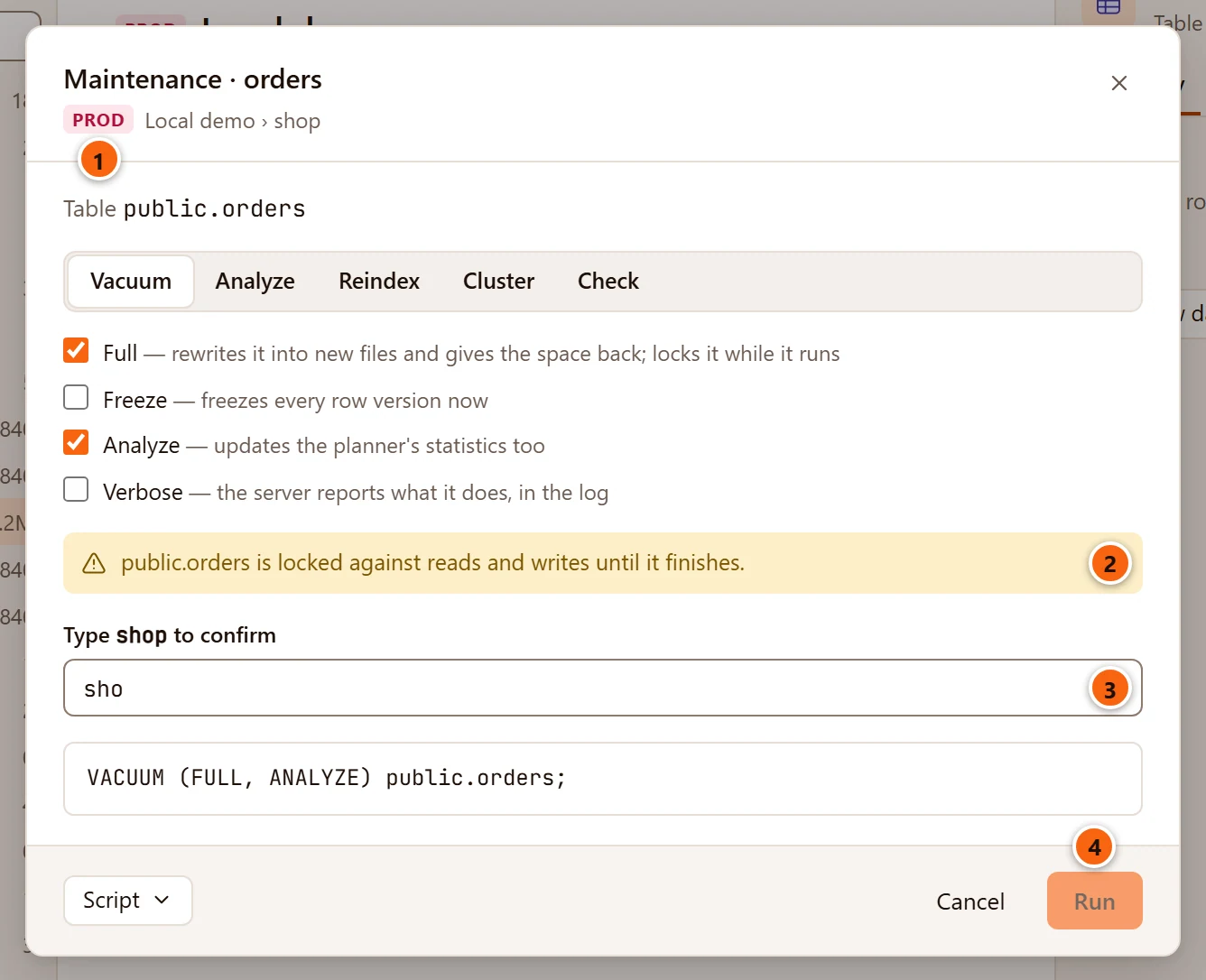
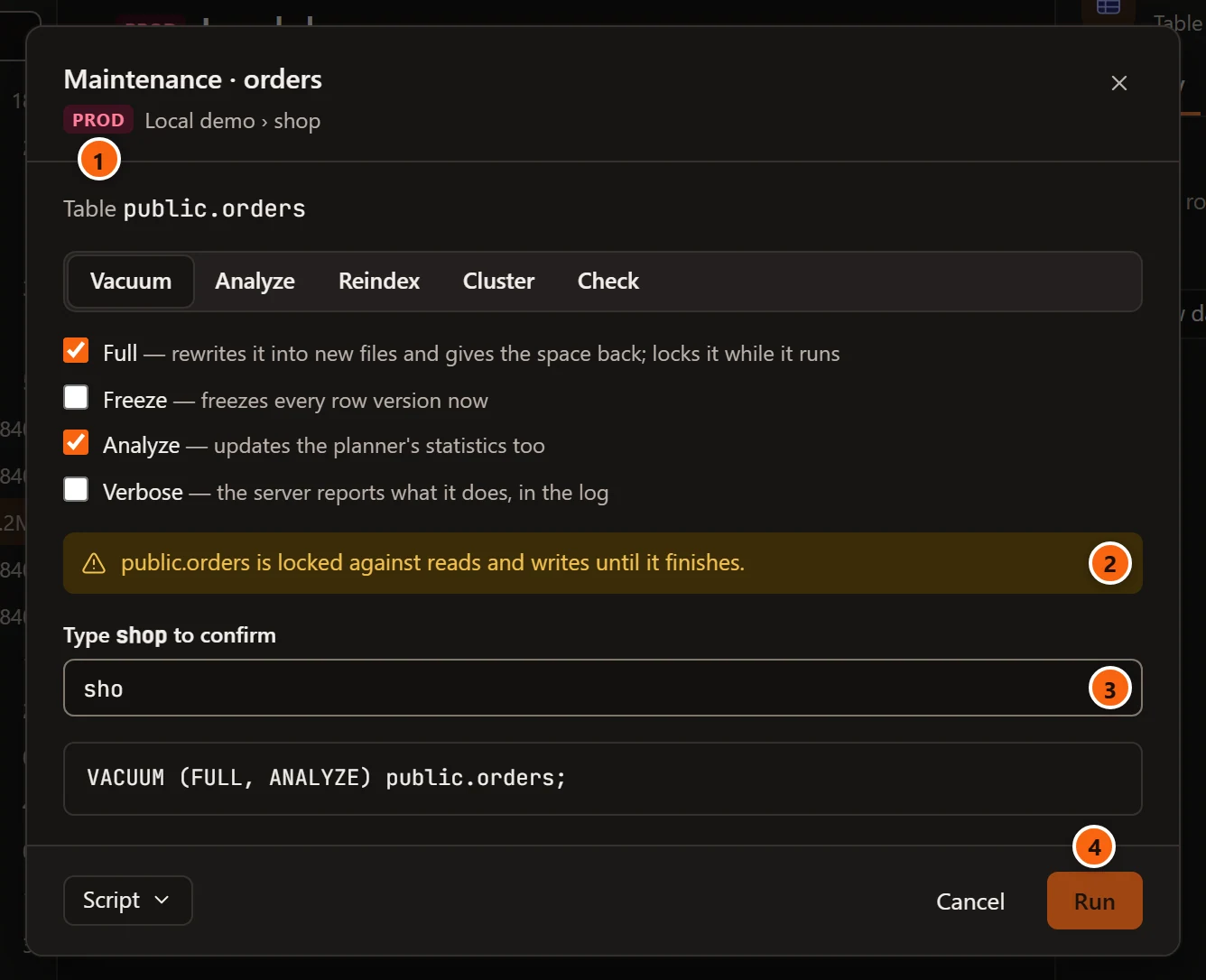
- 1 The server’s environment tag, here PROD.
- 2 The warning that the statement locks.
- 3 Type database to confirm: type the database’s name exactly. pgjumbo checks it again before the job starts.
- 4 Run stays greyed out until the name matches.
A plain VACUUM or ANALYZE, a concurrent REINDEX or refresh, and a check that installs nothing never ask.
Several tables at once
Section titled “Several tables at once”VACUUM and ANALYZE take a list of tables, so you can run one of them on several tables and materialized views at
once from Object Details.
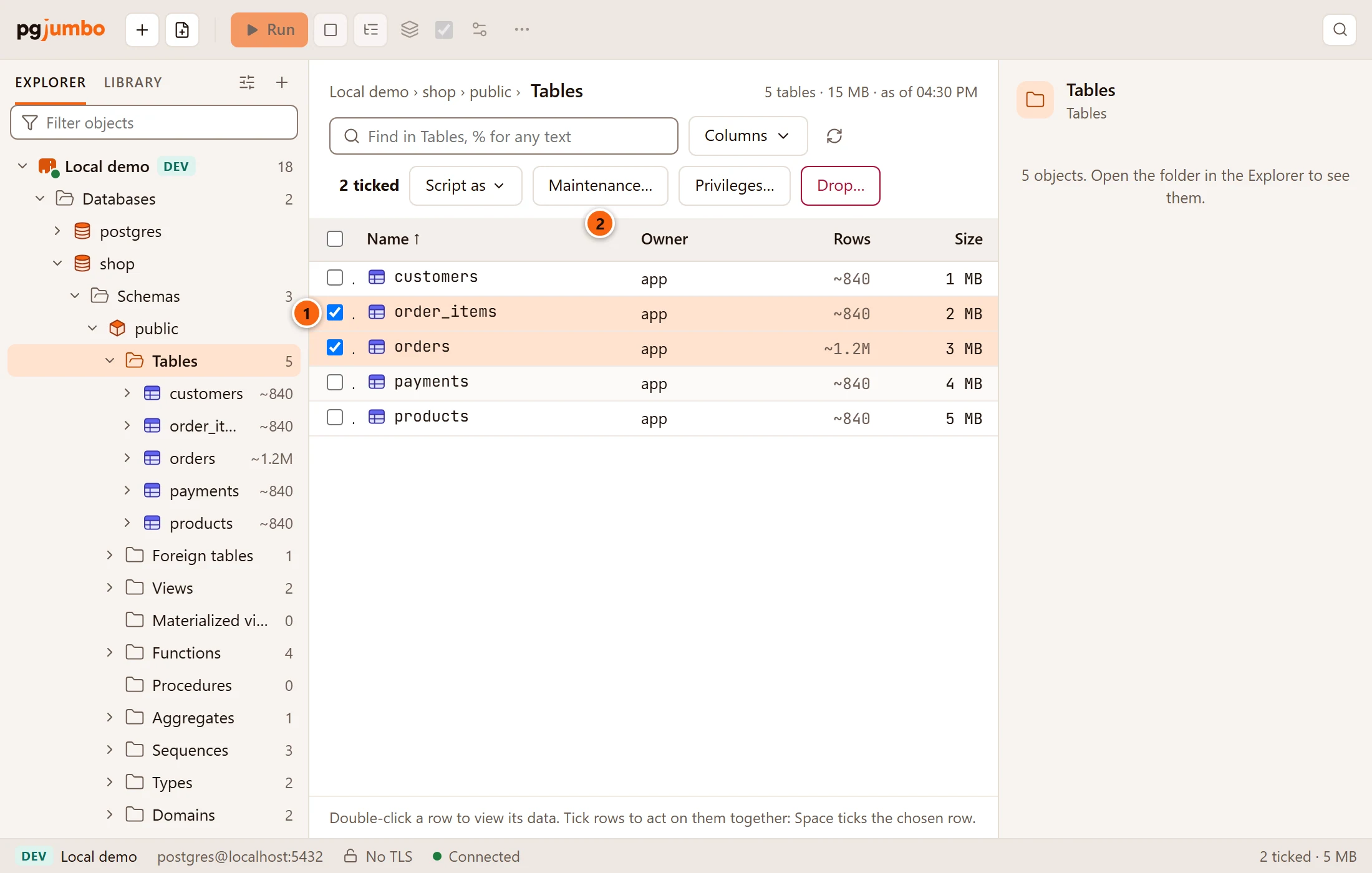
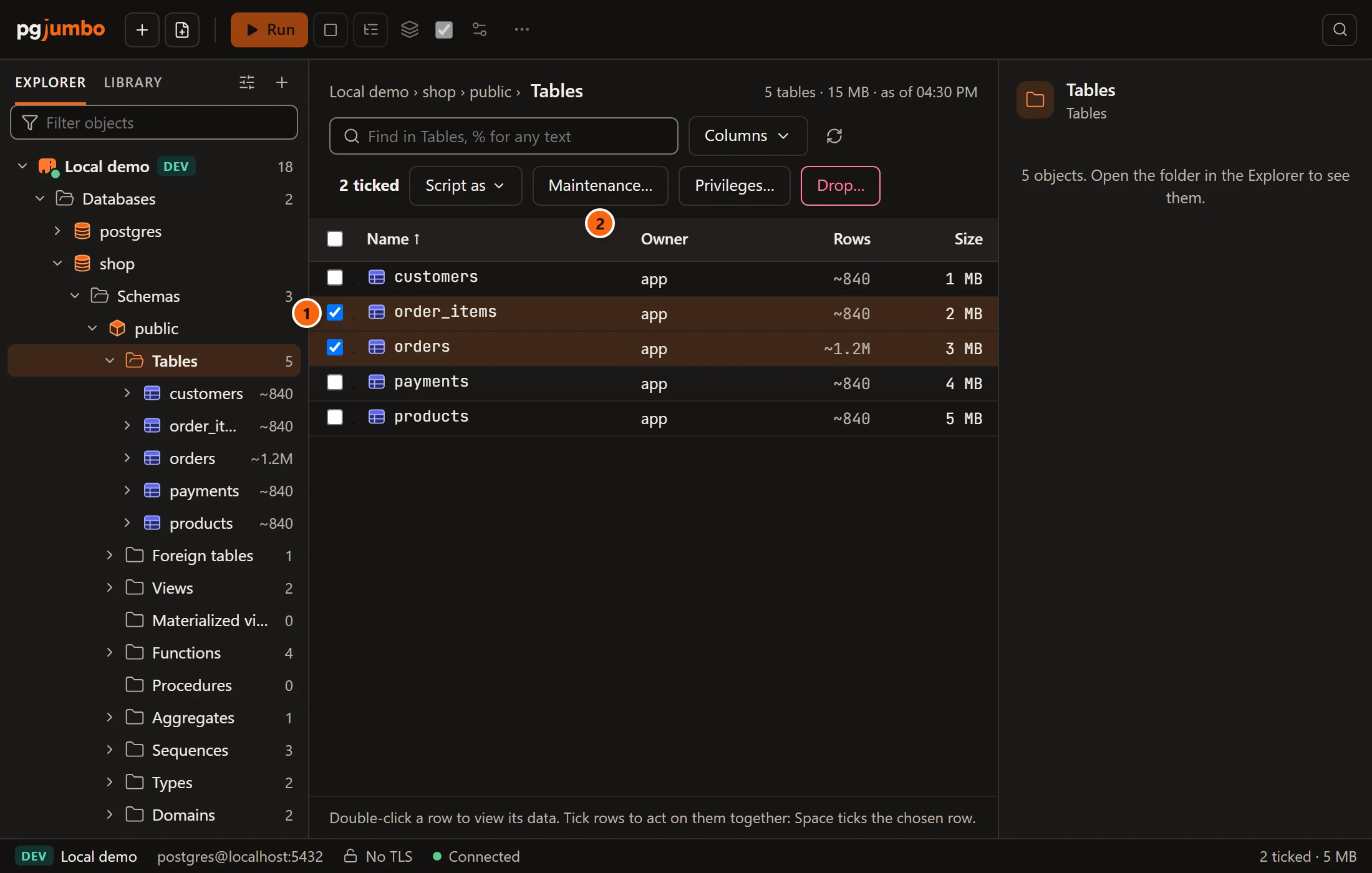
- 1 Tick the tables in the list.
- 2 Maintenance… appears above the list when the ticked rows are all tables, partitioned tables or materialized views, or when one object of any kind maintenance works on is ticked.
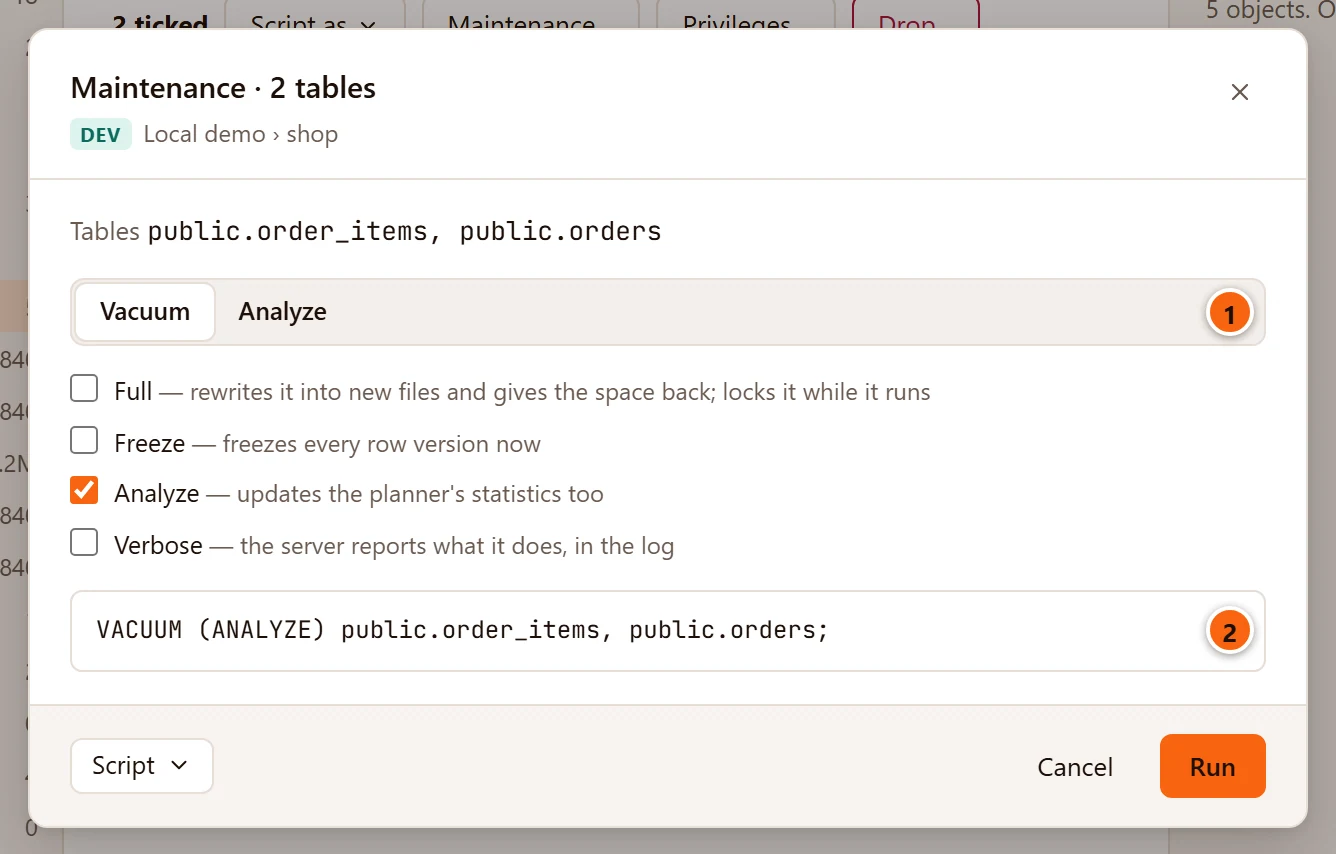
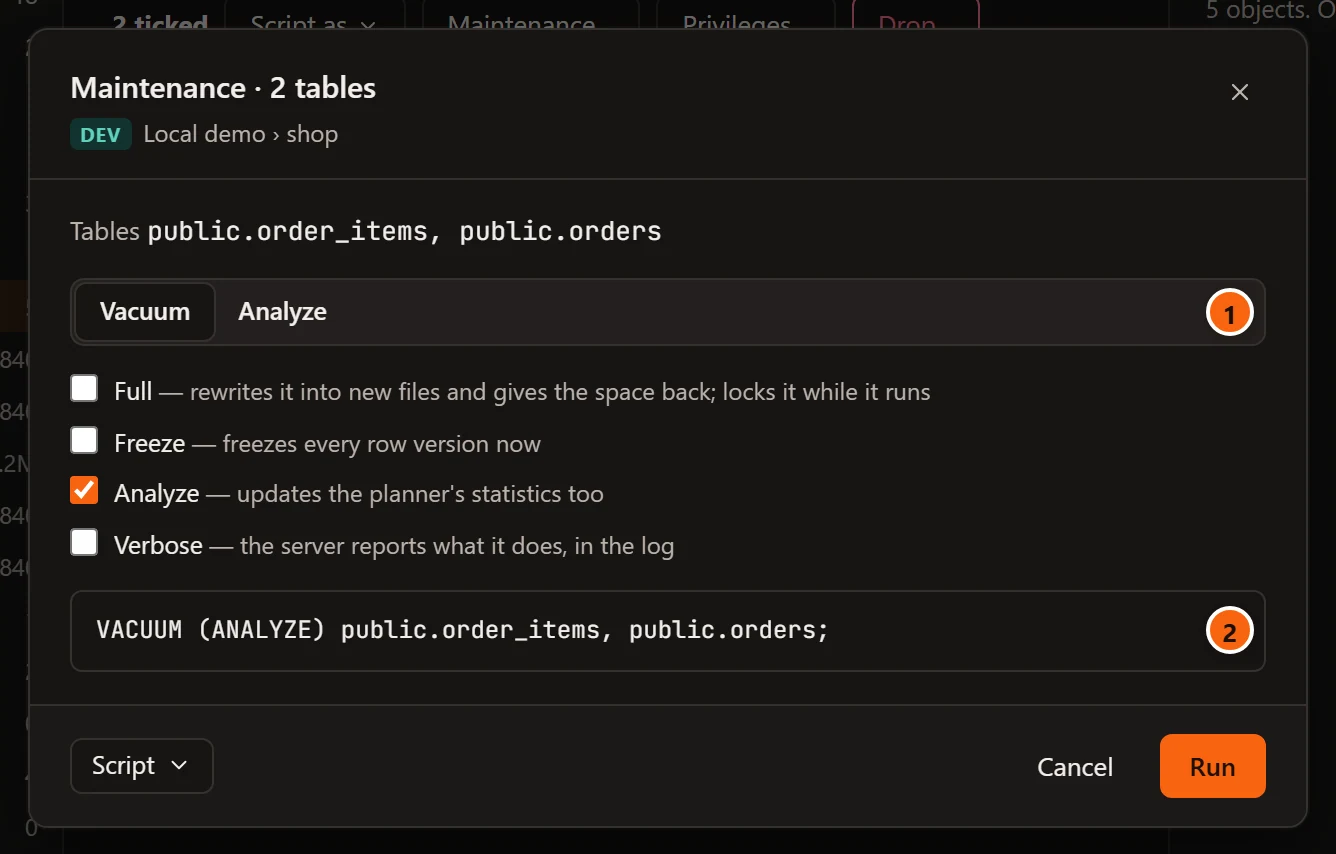
- 1 Only Vacuum and Analyze are offered for several objects.
- 2 One statement names them all, and it runs as one job.
The title counts what is ticked: Maintenance · 2 tables, · 3 materialized views, or · 4 relations for a mix of both.
Run it and follow the job
Section titled “Run it and follow the job”Run starts the statement on a connection of its own to the object’s database, outside any transaction, as VACUUM
requires. The connection’s application_name is pgjumbo/maintenance, so you can find it in
Activity. The dialog stays open and follows the job.
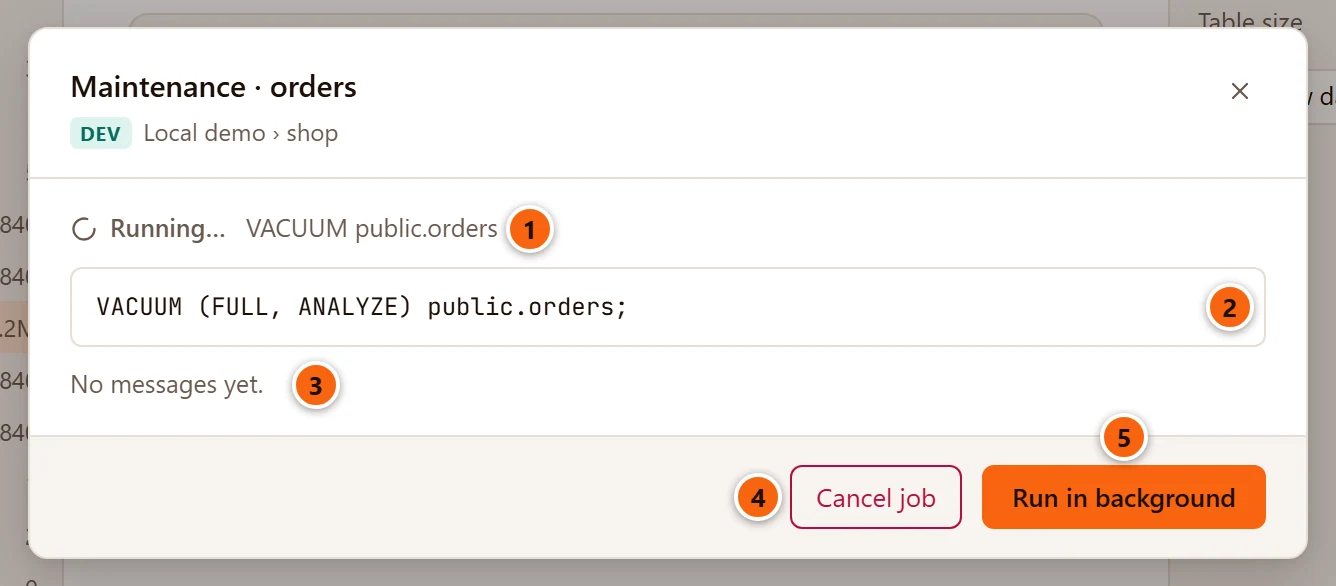
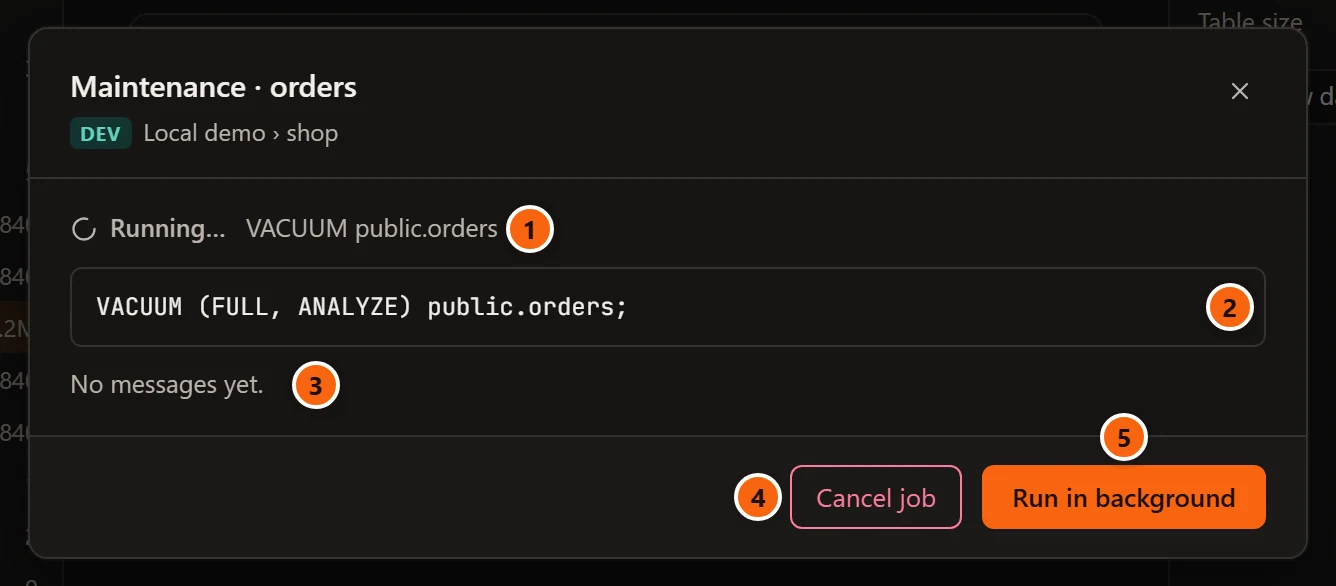
- 1 The job’s state and its title.
- 2 The statement it runs.
- 3 The server’s messages as they arrive: the output of Verbose, notices and warnings, each with its
severity (
INFO:,NOTICE:,WARNING:). The list follows the newest line while you are at its end; scroll up to stop it there. Before the first line it says “No messages yet.” - 4 Cancel job asks the server to cancel the statement, as
pg_cancel_backendwould. The job then ends as Cancelled. - 5 Run in background closes the dialog and leaves the job running. The × and Esc do the same. Find the job again in the Jobs panel.
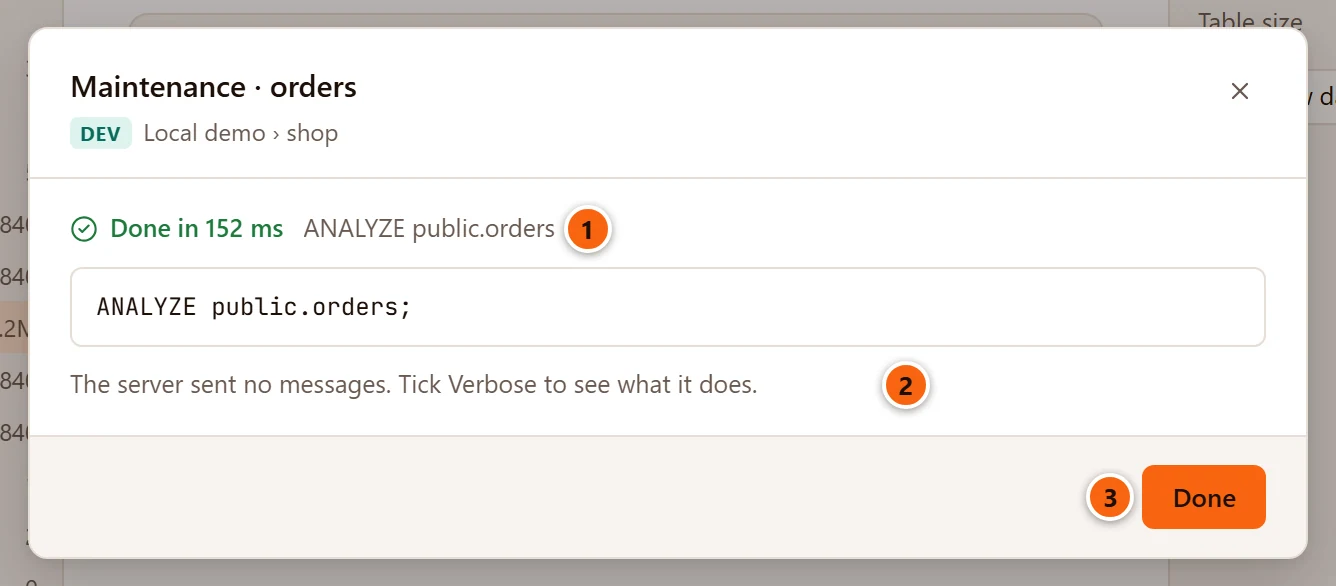
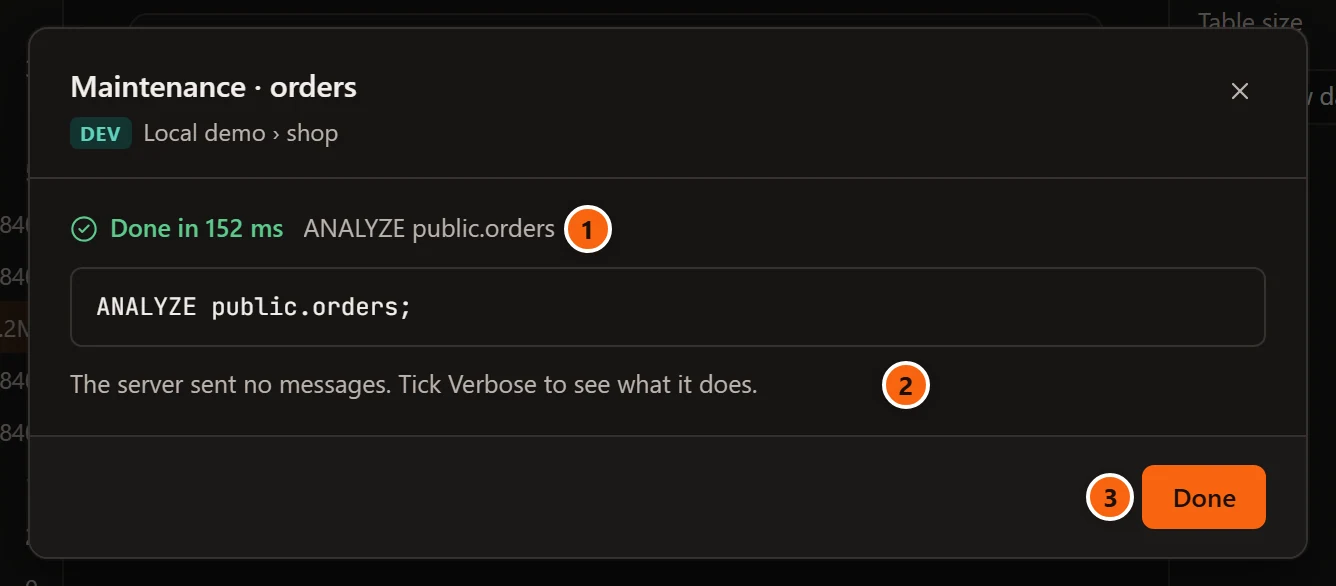
- 1 Done in time once the statement has finished (such as 152 ms, 2.35 s or 12.3 s), Failed after time with the server’s error below the statement, or Cancelled.
- 2 A job that ended without a message from the server says “The server sent no messages. Tick Verbose to see what it does.”
- 3 Done closes the dialog.
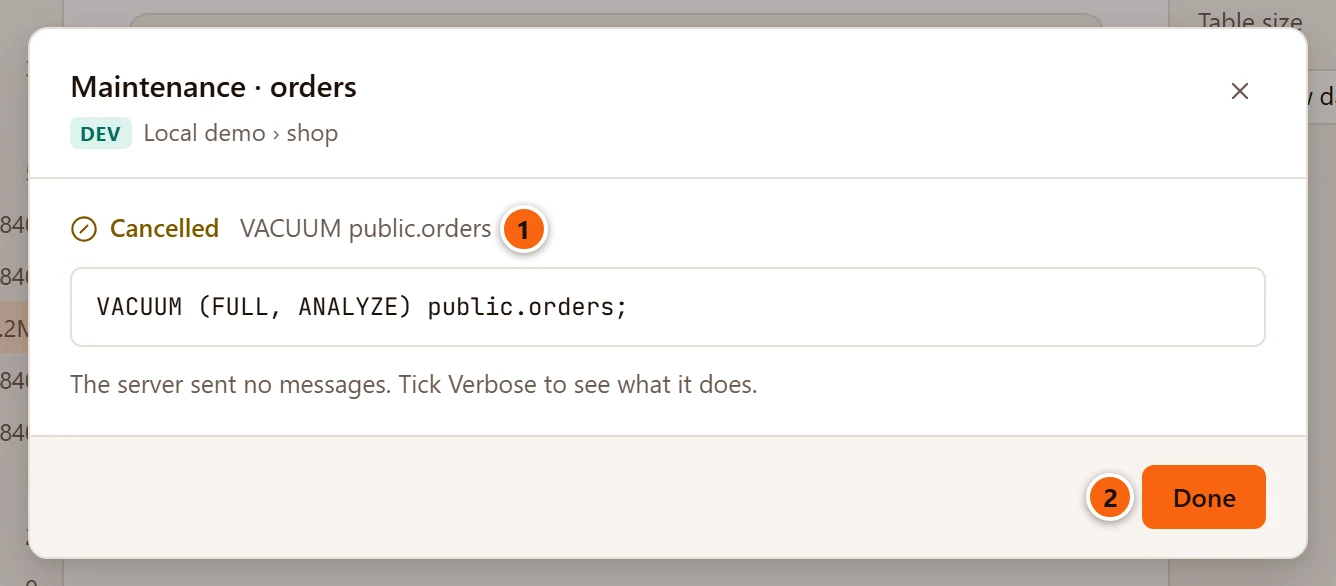
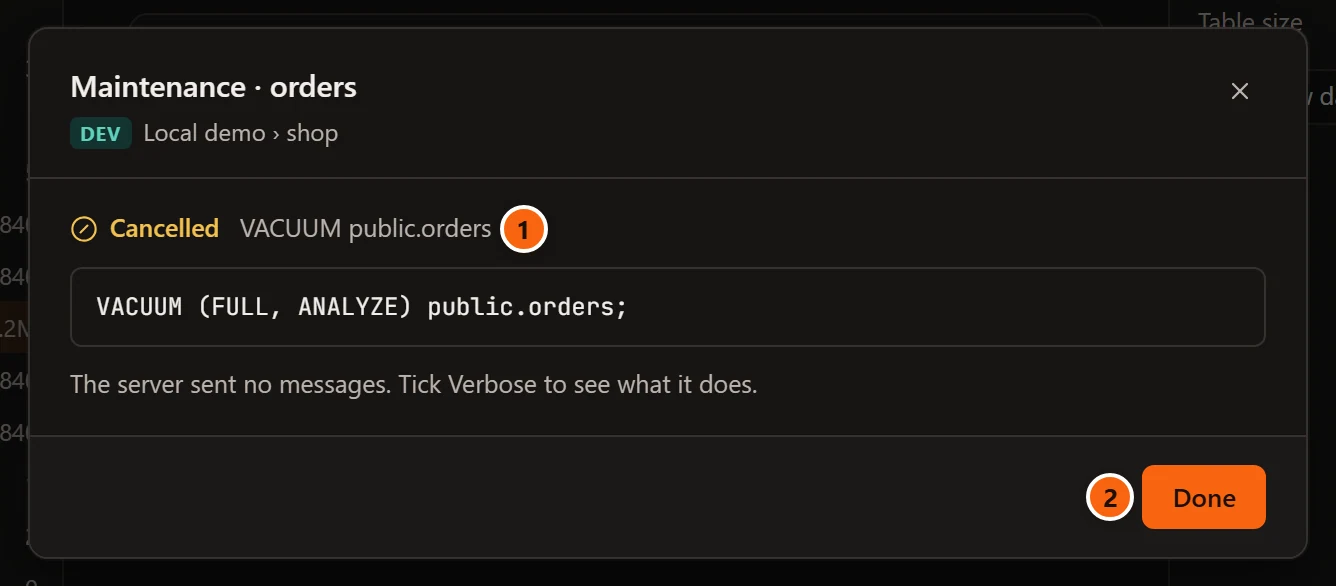
- 1 After Cancel job, the state before the job’s title reads Cancelled once the server has stopped the statement. If the statement finished before the cancel request arrived, the job ends as Done in time instead.
- 2 Done closes the dialog.
When a job finishes well while its dialog is still open, pgjumbo reads the object’s Statistics in the Inspector and the lists in Object Details again, so the last vacuum, the last analyze and the sizes are current. After Run in background it does not: click Refresh in the Inspector’s Statistics, or Read again (the circular arrow) in Object Details, to see the new figures.
The Script menu
Section titled “The Script menu”Script, at the left of the dialog’s buttons, hands you the statement instead of running it:
| Item | What it does |
|---|---|
| Open in Query Tool | Opens a new Query Tool on the object’s database with the statement in it, and closes the dialog. Nothing runs until you run it. |
| Copy | Copies the statement; “Copied” shows beside the button. |
| Save to file… | Opens your system’s Save dialog with a name such as maintenance orders.sql, then saves the statement there; “Saved as” and the file’s name show beside the button. |
The same menu is on every script pgjumbo generates; see Scripts.
The Jobs panel
Section titled “The Jobs panel”Maintenance, backups and restores, copies of a database, imports and exports of table data (Import File into New Table… among them), a materialized view’s Refresh and Move objects… on a tablespace all run as jobs. The Jobs panel lists every job started since pgjumbo opened.
Open it
Section titled “Open it”

- 1 The status bar shows a jobs button, at its right end, once the first job has started. While jobs run it says 1 job running or N jobs running, with a spinner; when none run it says Jobs · N, the number of jobs listed. Click it to open the panel. There is no menu item or key for the panel.
The panel
Section titled “The panel”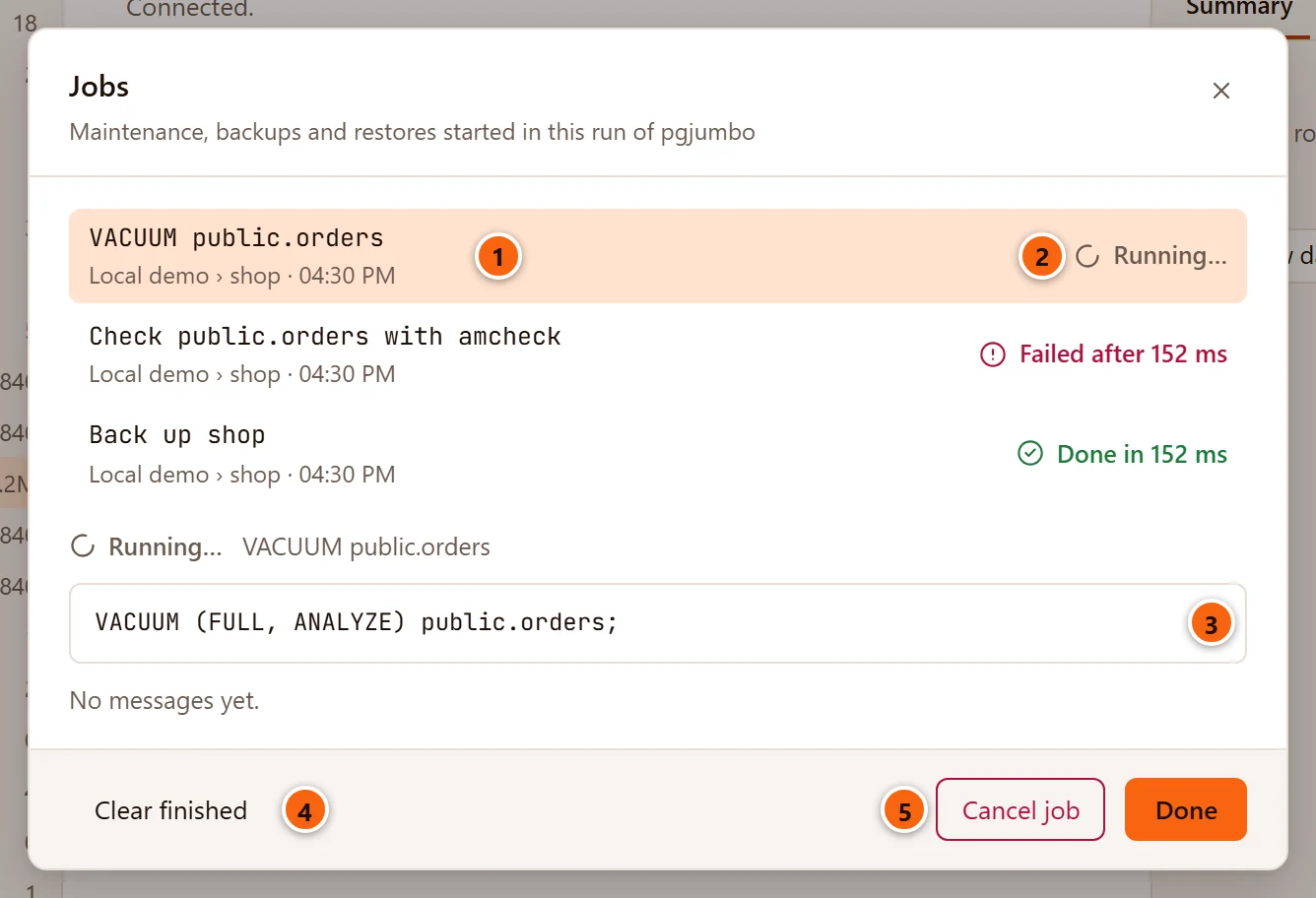
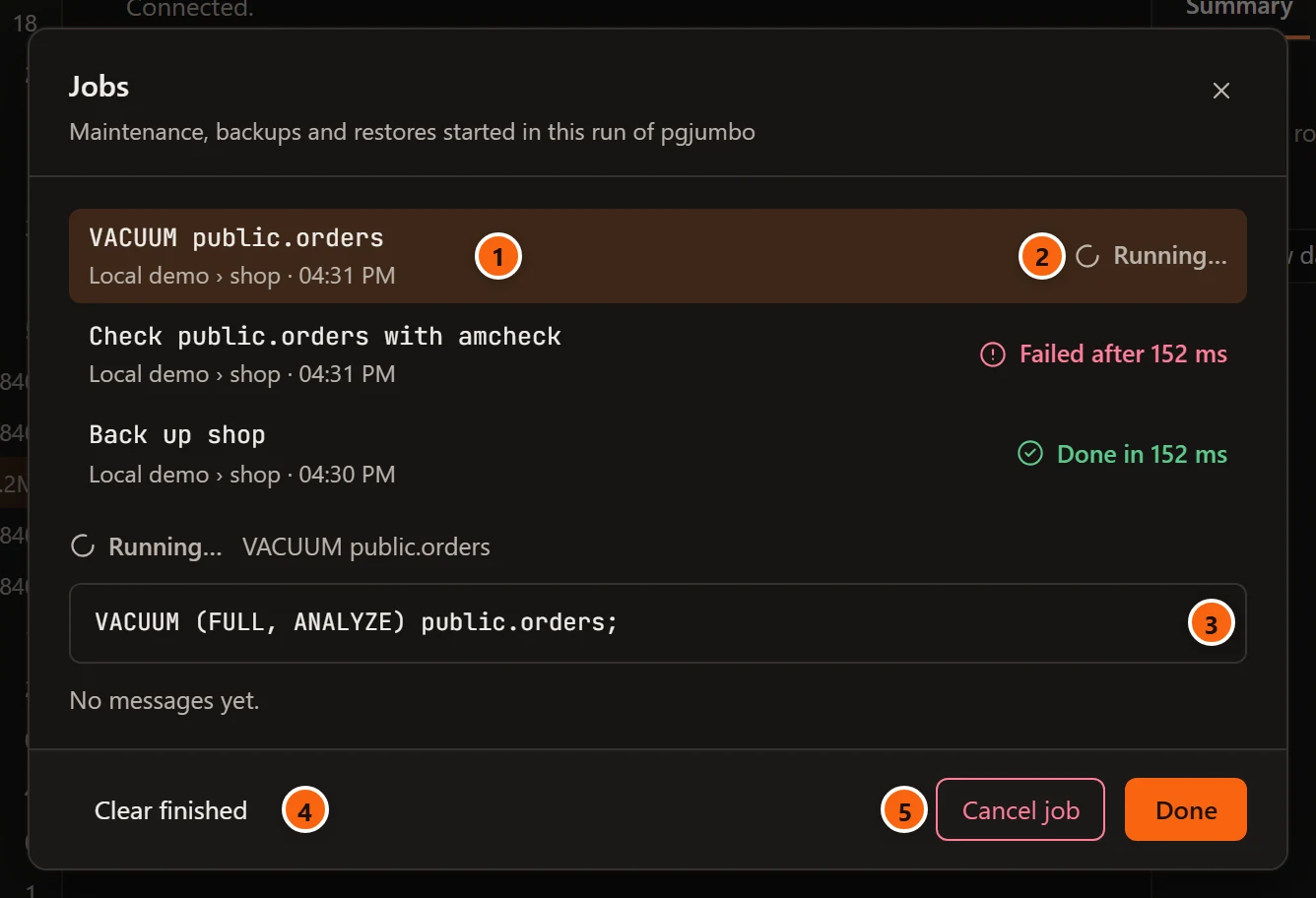
- 1 Each job, newest first: its title, then server › database and when it started (the time if it was today, else the date and time). Click a job to show it below the list; the newest is shown when the panel opens.
- 2 Its state (see the table below).
- 3 Below the list, the job you chose: its state and title, its statement or command line, its error, and its messages, as in the dialog that started it.
- 4 Clear finished forgets every job that has ended. It is greyed out while every job is still running.
- 5 Cancel job stops the chosen job; it shows only while that job is running.
Done, the × and Esc close the panel; the jobs go on. The panel’s subtitle reads “Maintenance, backups and restores started in this run of pgjumbo”, though it lists every kind of job. pgjumbo does not keep the list when it quits: each start begins with no jobs.
When Clear finished empties the list, the panel says “No jobs yet. Backup…, Restore… and Maintenance… in the Explorer start them.” Once you close it, the jobs button leaves the status bar until the next job starts.
| State | What it means |
|---|---|
| Running… | The job has started and not ended yet. |
| Done in time | It finished well. |
| Failed after time | It stopped with an error, shown in red under its statement. |
| Cancelled | You cancelled it. |
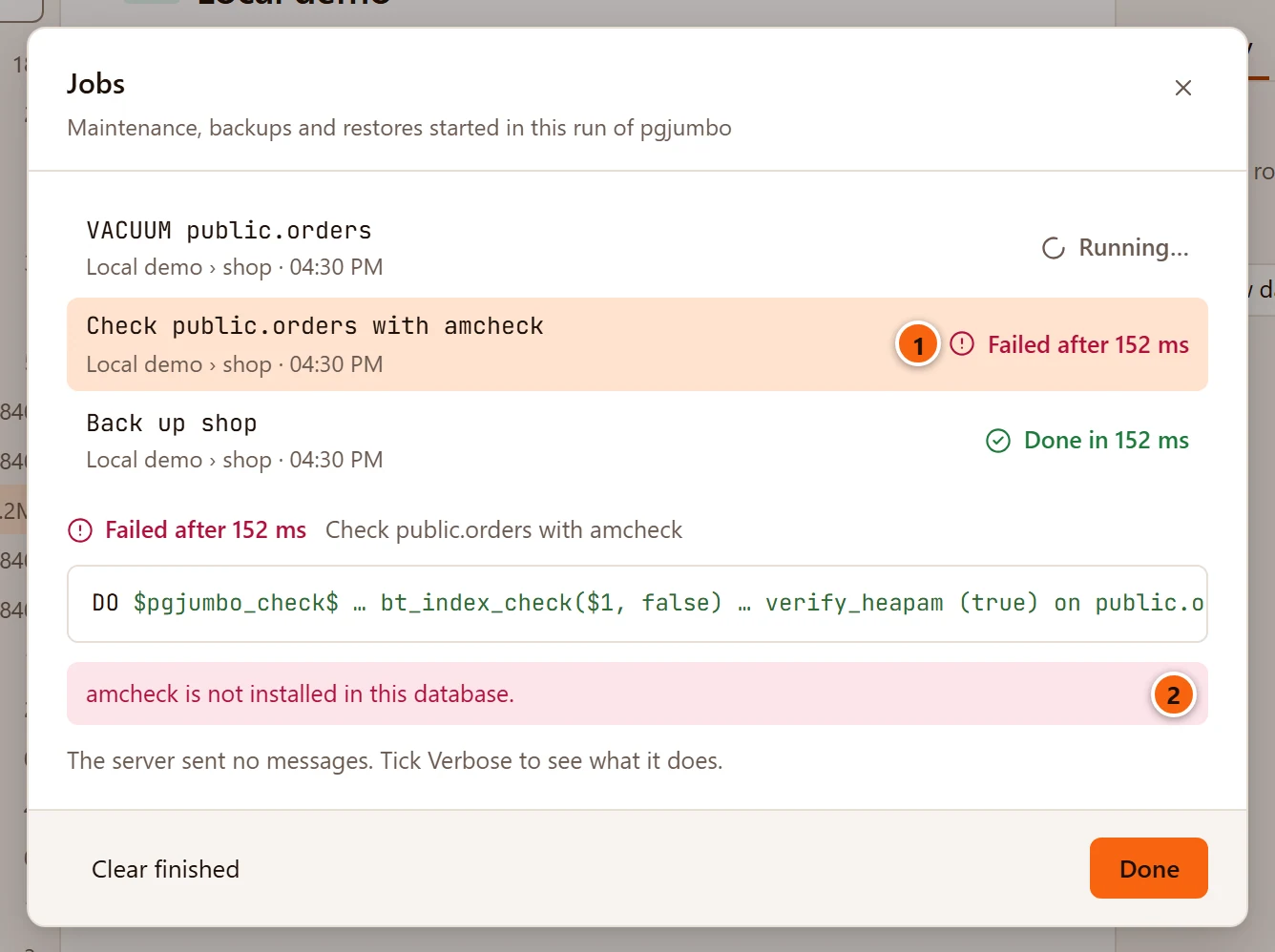
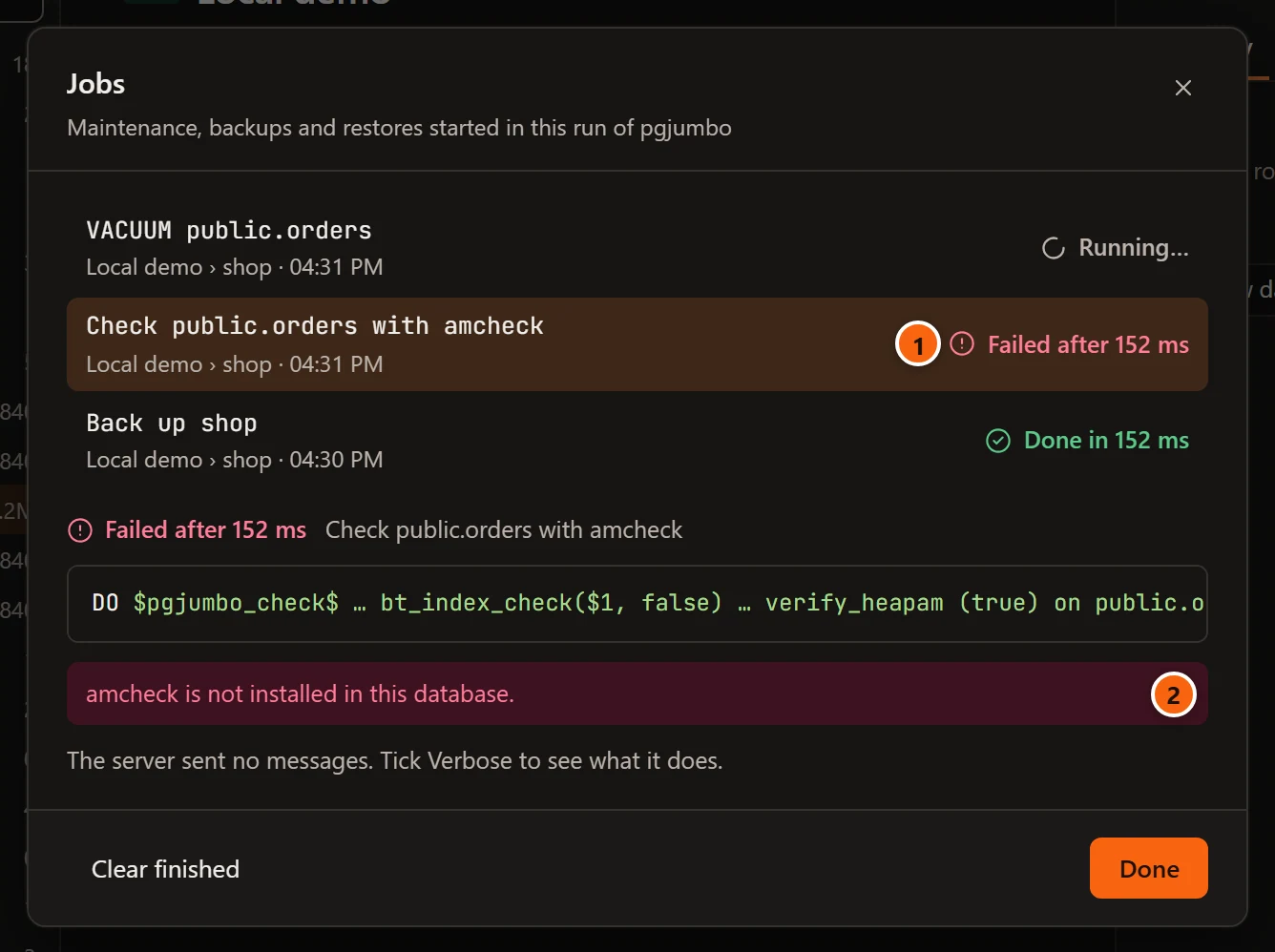
- 1 A job that failed says how long it ran.
- 2 Why it failed: the server’s error for a statement, or for a program such as
pg_dumpthe last error line it wrote, as “pg_dump ended with exit code 1: pg_dump: error: …”. When the program wrote no error line, the message ends in “see the log”. A program ended by the system rather than by itself says “pg_dump was stopped: …”.
How Cancel job stops a job depends on what it runs. A statement gets PostgreSQL’s cancel request, and the job ends
as Cancelled when the server has stopped it. A program (pg_dump, pg_restore, psql) is asked to stop; on
macOS and Linux it has five seconds to end before it is killed, and on Windows it ends at once.
Jobs belong to this run of pgjumbo: the list starts empty each time pgjumbo opens. When a new job starts, pgjumbo keeps the 50 most recent finished jobs and forgets older ones; running jobs always stay. Closing a dialog never stops its job.