
Run on several databases
When the same schema lives in many databases, for example one per customer, you can run a Query Tool’s script on all of them at once. Each database runs it on a connection of its own, and the rows come back as one result, with the server and the database each row came from.
Open the dialog
Section titled “Open the dialog”Write the script in a Query Tool tab, then choose one of these:
- QueryRun on Several Databases… in the menu bar. It has no shortcut.
- The layers button in the toolbar, beside Explain. When the window is narrow the toolbar hides it; use the menu then.
- The toolbar’s ··· (More query actions) menu, Run on Several Databases….
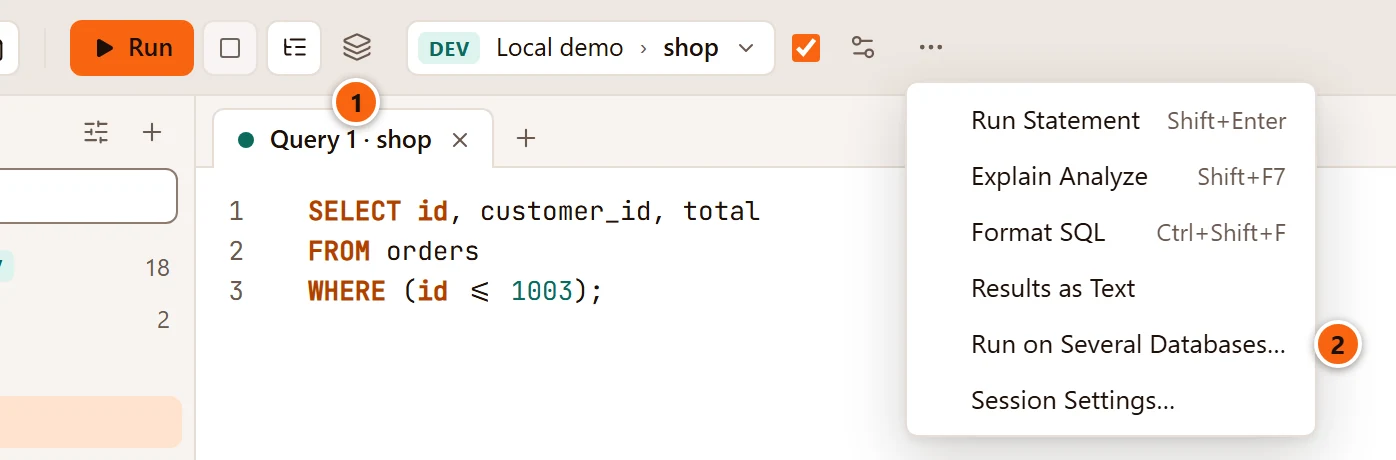
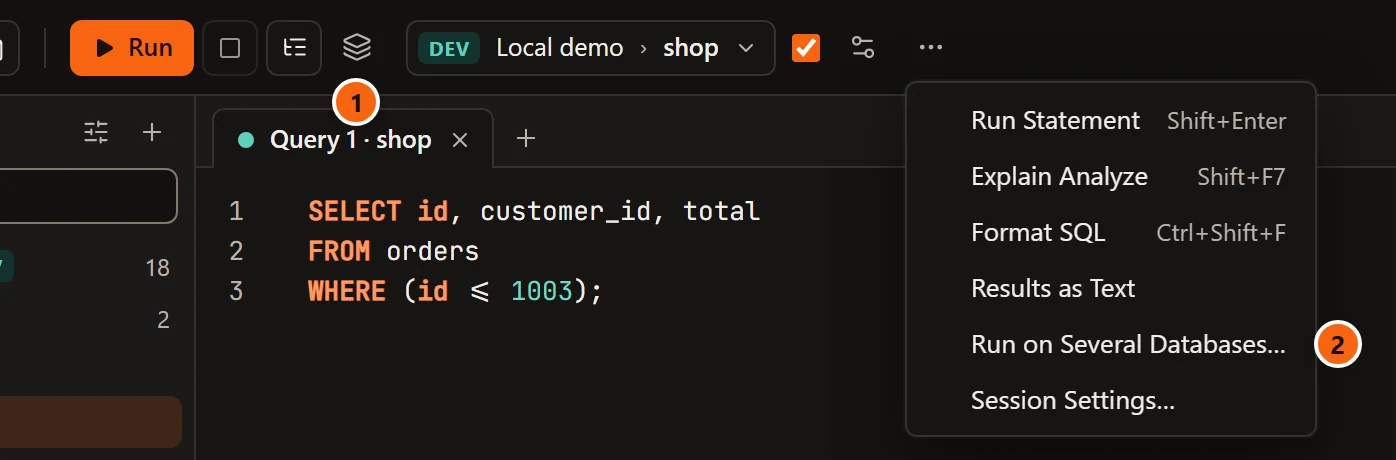
- 1 The layers button: Run the selection or the whole script on several databases, each on its own connection.
- 2 The same command in the ··· menu.
The dialog runs the selection when you have selected text, otherwise the whole script; its subtitle says which, and how many statements that is. Nothing opens while the editor is empty. The command is greyed out while the tab is not connected or is running something, and in a data tab.
Choose the databases
Section titled “Choose the databases”

- 1 Named like ticks every database whose name matches a pattern, written as for SQL’s
LIKE:%stands for any characters and_for any one character; put\before either to mean the character itself. Case counts, as it does forLIKE. Each change of the pattern ticks exactly the matching databases, on every server, and unticks the others; beside the field, 8 of 10 match says how many. Emptying the field leaves the ticks as they are, and the hint goes back to “% any characters, _ any one”. - 2 A server’s own box ticks or unticks all its databases. It shows a dash when only some are ticked, and 8 of 10 at the right counts them. The server’s environment tag is beside its name.
- 3 Tick or untick databases one by one, after the pattern or instead of it.
- 4 At the same time: how many databases run at once, One, 4 or 8. The default is 4.
- 5 When one fails: Stop starts no more databases once one has failed (those already running finish, and the rest are skipped); Go on with the rest, the default, runs every database whatever happens.
- 6 Add server and database columns to the results puts two text columns,
serveranddatabase, in front of each result’s own. It is ticked unless you untick it. - 7 Run on 8 databases starts the run, as Enter does. With nothing ticked the button says Run and is greyed out; it is also greyed out while the dialog says “Reading the connected servers’ databases…”. Cancel or Esc closes the dialog.
The list holds every connected server, in the Explorer’s order, with the databases its user may connect to, by name:
template databases and databases that do not allow connections are left out, and so are those without the CONNECT
privilege. pgjumbo reads this list on each server’s maintenance database. A server whose databases cannot be read
shows the reason in red under its name. Servers that are not connected are not listed; connect them in the Explorer
first. With none connected, the dialog says “Connect to the servers whose databases the script should run on.”
The note under the options says how the script will run (see the next section): “Each runs the script on its own connection, in its own transaction”, or, for a script that cannot run in a transaction, that each statement commits on its own. When the tab has changed rows that are not saved, the dialog says “Save or discard the changes to the rows first: the results are replaced”, and Run is greyed out.
How each database runs the script
Section titled “How each database runs the script”pgjumbo opens a new connection to each database, signed in as that server’s connection settings say, and closes it when the database is done. Your tab’s own session is not used, so its open transaction, Auto-commit, its session settings and its search path play no part. On a server whose connection is read-only, these connections are read-only too.
When every statement can run inside a transaction, each database runs the script between BEGIN and COMMIT. A
failure rolls back that database and no other. A constraint that is checked at COMMIT and fails there fails the
database too.
Some scripts cannot run that way: those with their own BEGIN, COMMIT or ROLLBACK, and those with a statement that
cannot run in a transaction, such as VACUUM, CREATE DATABASE or CREATE INDEX CONCURRENTLY. Then each statement
commits on its own. A failure stops that database’s script, and what ran before it stays committed.
Only SQL runs. psql’s meta-commands, such as \d, fail with “psql meta-commands such as \d are not SQL”, and so do
COPY … FROM STDIN and COPY … TO STDOUT.
The databases start in the list’s order: servers as the Explorer lists them, databases by name.
On a Production server
Section titled “On a Production server”On a server tagged Production, or Staging when Staging servers ask before destructive statements too is
ticked in Settings, pgjumbo asks before a DROP, a TRUNCATE, or an UPDATE or DELETE
without WHERE. On several databases it asks once for all of them.

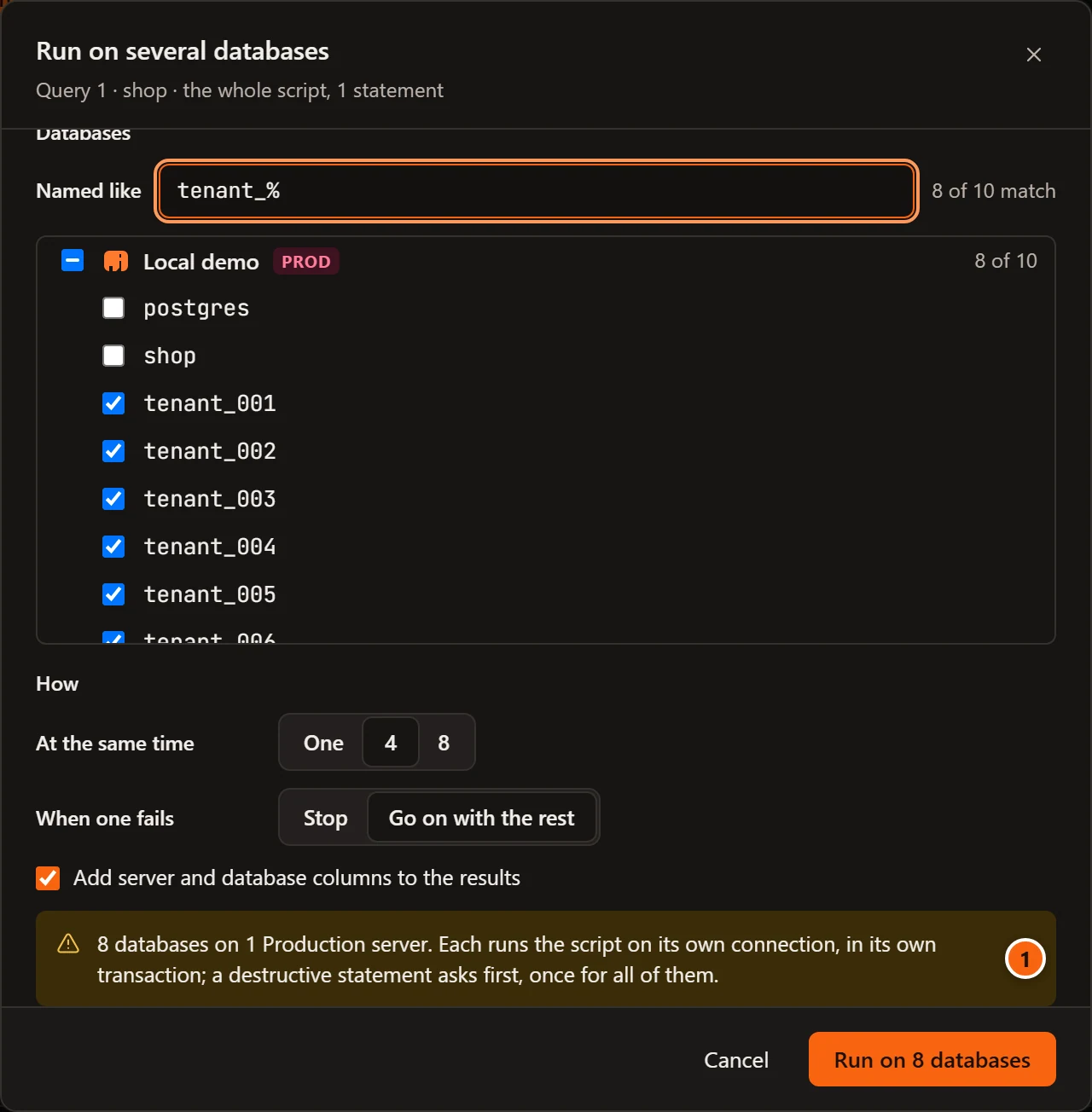
- 1 When a ticked database is on such a server, the note turns into a warning that names how many databases and servers, and says that a destructive statement asks first.
Click Run on N databases and the question comes before anything is sent:
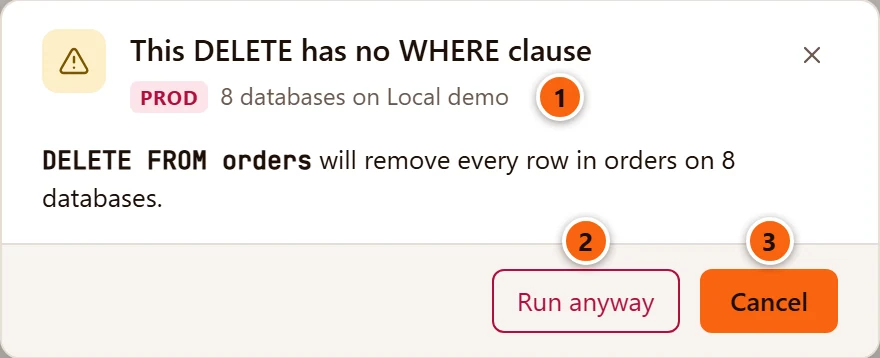
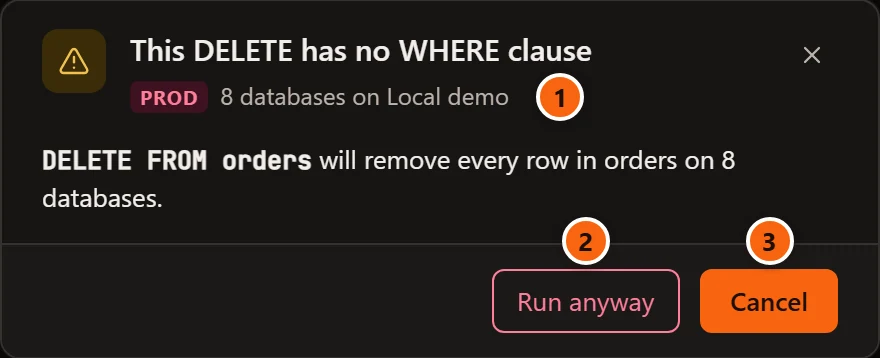
- 1 The environment’s tag, and how many databases on which servers.
- 2 Run anyway runs the script on every ticked database.
- 3 Cancel takes you back to the dialog. It is the default: Enter and Esc both choose it.
The question is the Query Tool’s own (see Destructive statements on Production), worded for many databases.
Read the results
Section titled “Read the results”While the run goes on, the result bar says Running on N databases and
how many are done. Rows come in as the databases finish, in the list’s order: a database’s rows wait until every
database above it is done. When no database returns rows (a script of UPDATEs, say), there is no Data Output tab
and Messages holds the whole outcome.
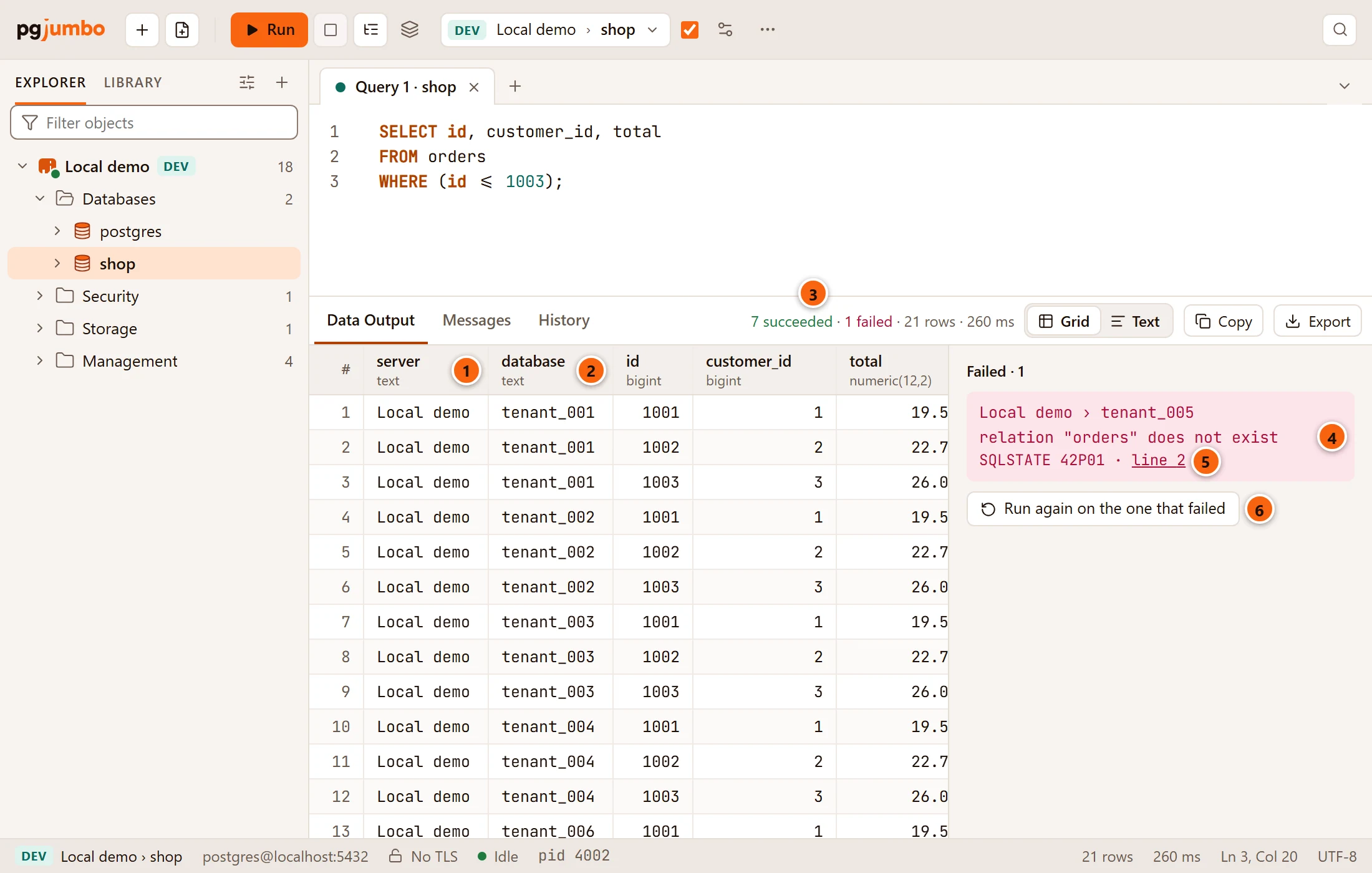
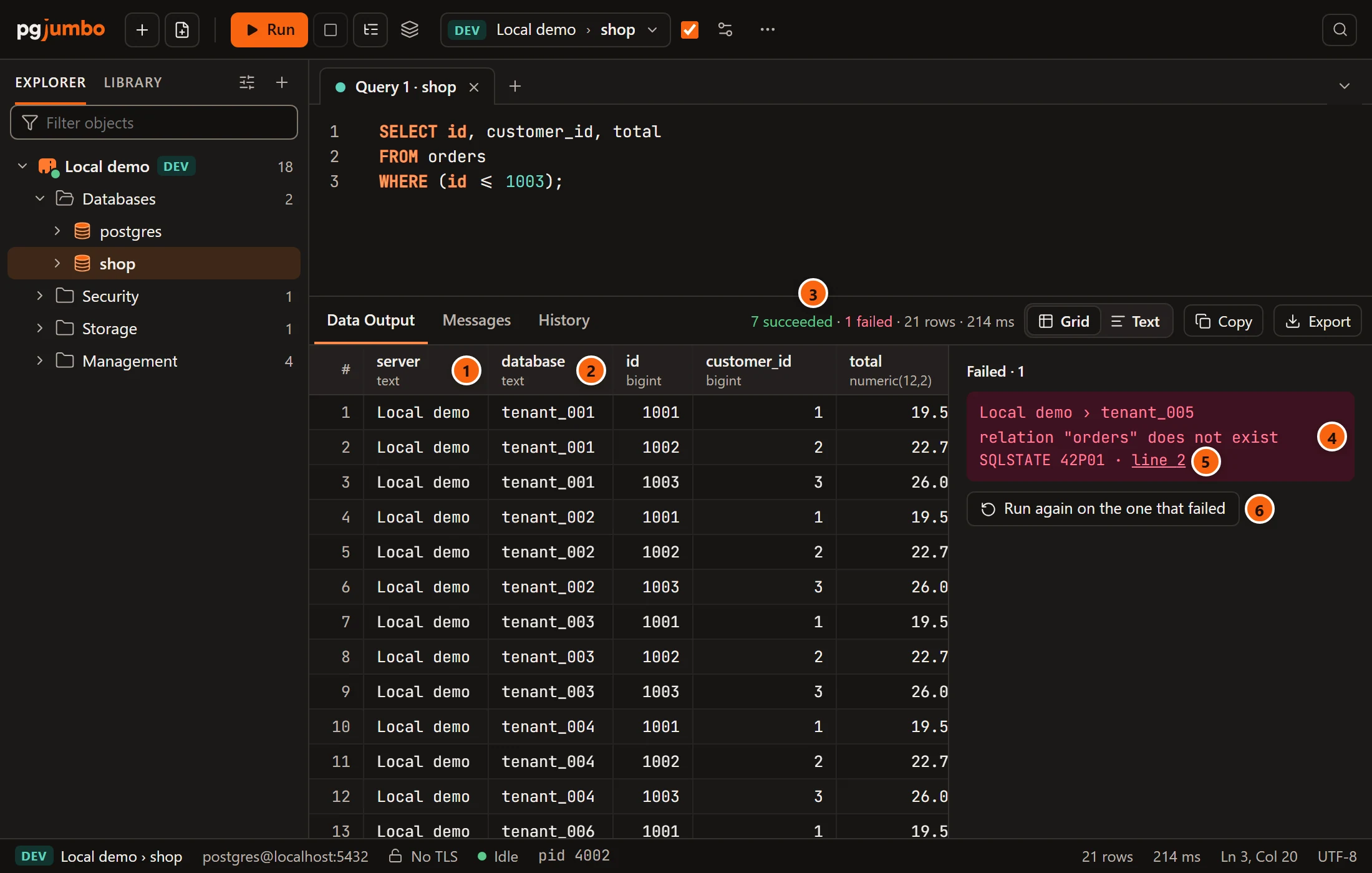
- 1 The
servercolumn names the server each row came from, as the Explorer names it. - 2 The
databasecolumn names its database. - 3 The result bar says how many databases succeeded, then how many failed (cancelled ones count here) and were skipped when there are any, then the rows of the result shown and the time the whole run took.
- 4 Failed lists each database that failed or was cancelled: server › database, the server’s error (or Cancelled) and its SQLSTATE. It shows the first 20, then “N more in Messages.”
- 5 line N puts the editor’s cursor where the error is.
- 6 Run again on the one that failed (or on the N that failed) opens the dialog again with only the failed and cancelled databases ticked, the same choices and the same text. It shows once the run is over.
How the rows come together:
- A result merges with the other databases’ results when it comes at the same place among their results and has the same columns, with the same names and types. A result with other columns starts a Data Output tab of its own, which the databases that return those same columns join.
- Rows follow the list’s order, not the order in which the databases finished.
- A database that fails adds no rows, not even those of statements that ran before the error.
- The result limits apply to each merged result as to any other: Rows kept per result and Memory per result (MB) in Settings.
- The rows cannot be edited. Copy and Export work on the rows kept. In the Export dialog, the All rows choice is greyed out and says “All rows: not for rows from several databases”, because no single query can read these rows again (see Save results to a file).
The Messages tab
Section titled “The Messages tab”Messages has one line per database.
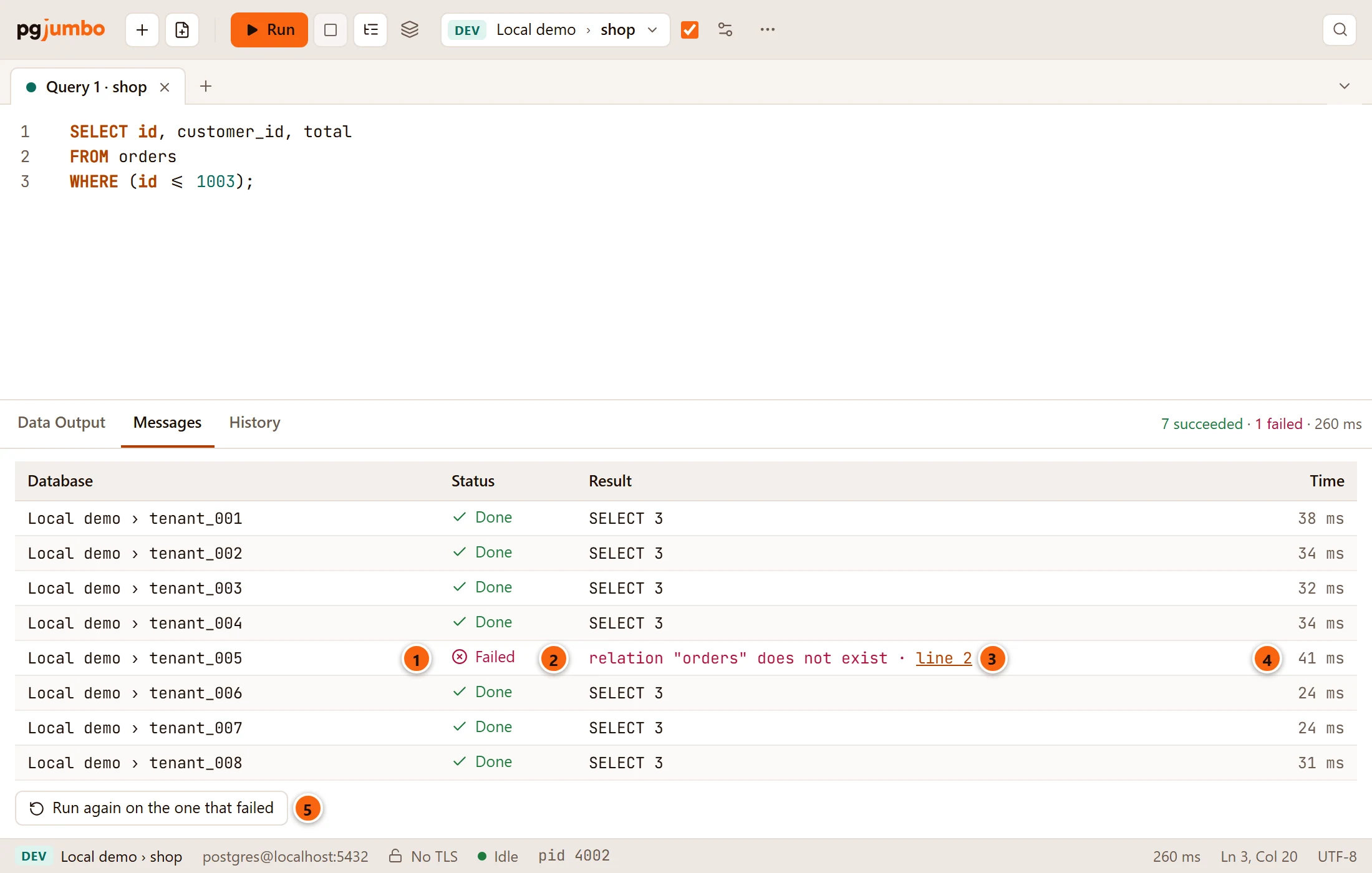

- 1 Database: server › database.
- 2 Status: where that database is (see the table below).
- 3 Result: the last statement’s command tag, such as
SELECT 3, or the error and a line link that puts the cursor on it. When the database sent notices, it adds how many, such as · 2 notices (it keeps the first 20). - 4 Time the database took.
- 5 Run again on the one that failed, as beside the grid.
Double-click a failed database’s line to put the cursor at its error. If the run could not start at all, the reason is above the table.
| Status | What it means |
|---|---|
| Waiting | It has not started yet. |
| Running | Its connection is opening, or its script is running. |
| Done | Every statement ran and its transaction committed. |
| Failed | A statement, the connection or the commit failed. When the script ran in a transaction, it was rolled back. |
| Cancelled | Stop cancelled it while it ran. |
| Skipped | It never started: you stopped the run, or an earlier database failed with When one fails set to Stop. |
Stop a run
Section titled “Stop a run”Click Stop in the toolbar, or choose QueryStop (⌘ . (Ctrl+. on Windows and Linux)). pgjumbo asks each database that is running to cancel its statement, and starts no more. Those that were running end as Cancelled, and their transaction, if the script ran in one, rolls back; those that had not started are Skipped.
In the history
Section titled “In the history”The run goes into the History of each server it ran on: one entry per server, naming the database, or how many databases there were (8 databases), with the time the whole run took. Skipped databases are not counted. The entry says failed when any of that server’s databases failed, otherwise cancelled when one of them was cancelled, and otherwise done.