
Event triggers, languages and casts
Event triggers, procedural languages and casts are small objects, and pgjumbo gives them one shared tab. Each shows what you can change (its name, owner, comment and a few settings) next to what was fixed when it was made, which stays locked.
They are in each database’s Other Objects group, in the Casts, Event Triggers and Languages folders. The same group holds Foreign Data Wrappers and Foreign Servers, described in Foreign data.
- An event trigger’s row shows the event it fires on, followed by disabled when it is.
- A language’s row says untrusted for a procedural language that is not trusted. The languages built into
PostgreSQL (
internal,c,sql) are system objects, listed only when ViewSystem Objects is on (see The Explorer). - A cast’s row is named
source → target, and says implicit or assignment when it is used that way. Casts built into PostgreSQL are system objects too.
Double-click one, or select it and press ↩︎ (Enter on Windows and Linux), to open its tab on General; Properties… (⌘ I (Alt+Enter on Windows and Linux)) does the same. Every tab has a General and a SQL view; a language also has Privileges. The header has Open in Query Tool, which puts the object’s script in a new Query Tool, and Read again, which reads the object from the server once more. A field you change gets a marked border, and Generated SQL appears under the fields with the statements your changes make.
pgjumbo does not create these objects: write CREATE EVENT TRIGGER, CREATE LANGUAGE or CREATE CAST in a
Query Tool, then refresh the folder.
Event triggers
Section titled “Event triggers”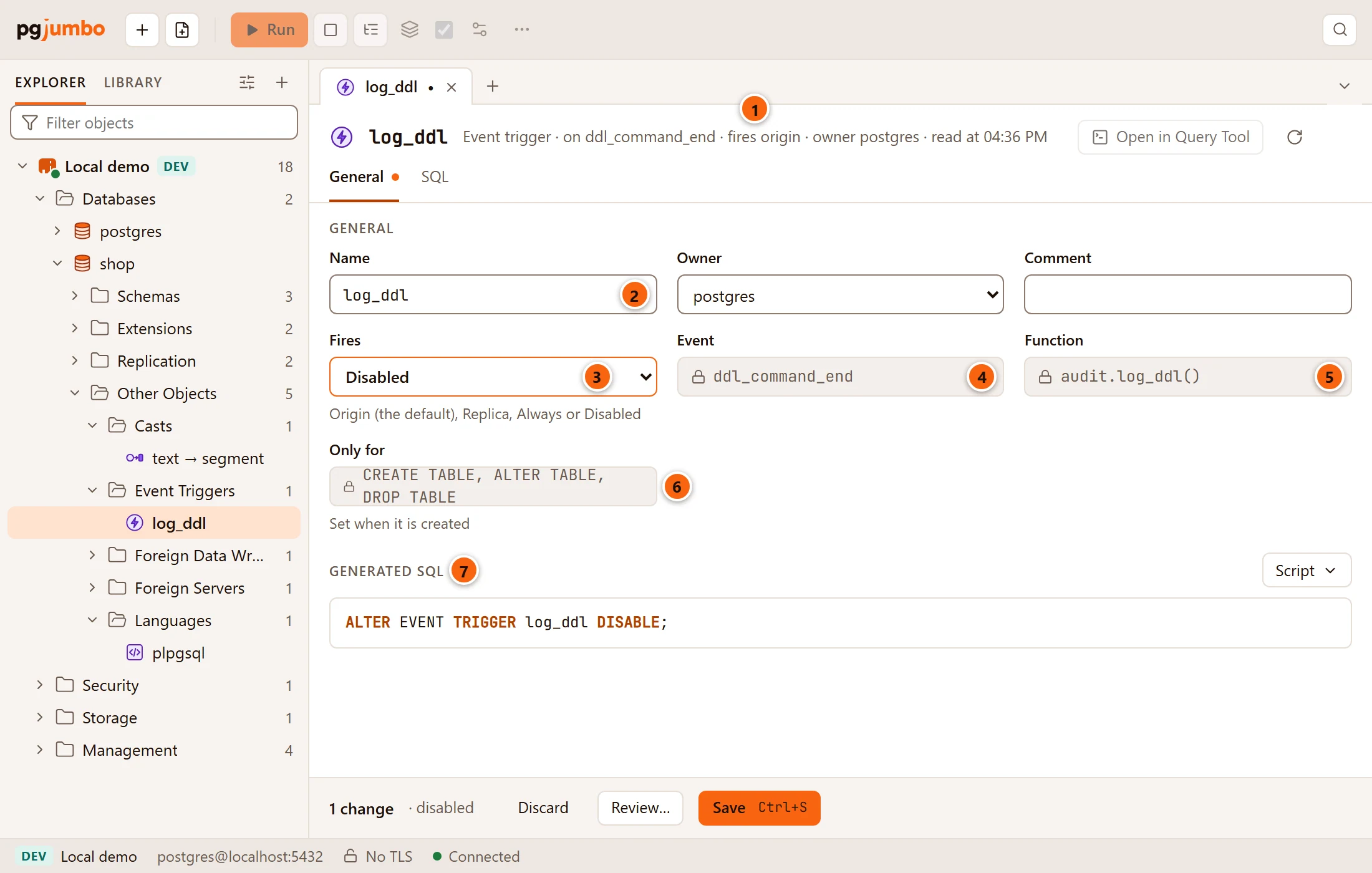
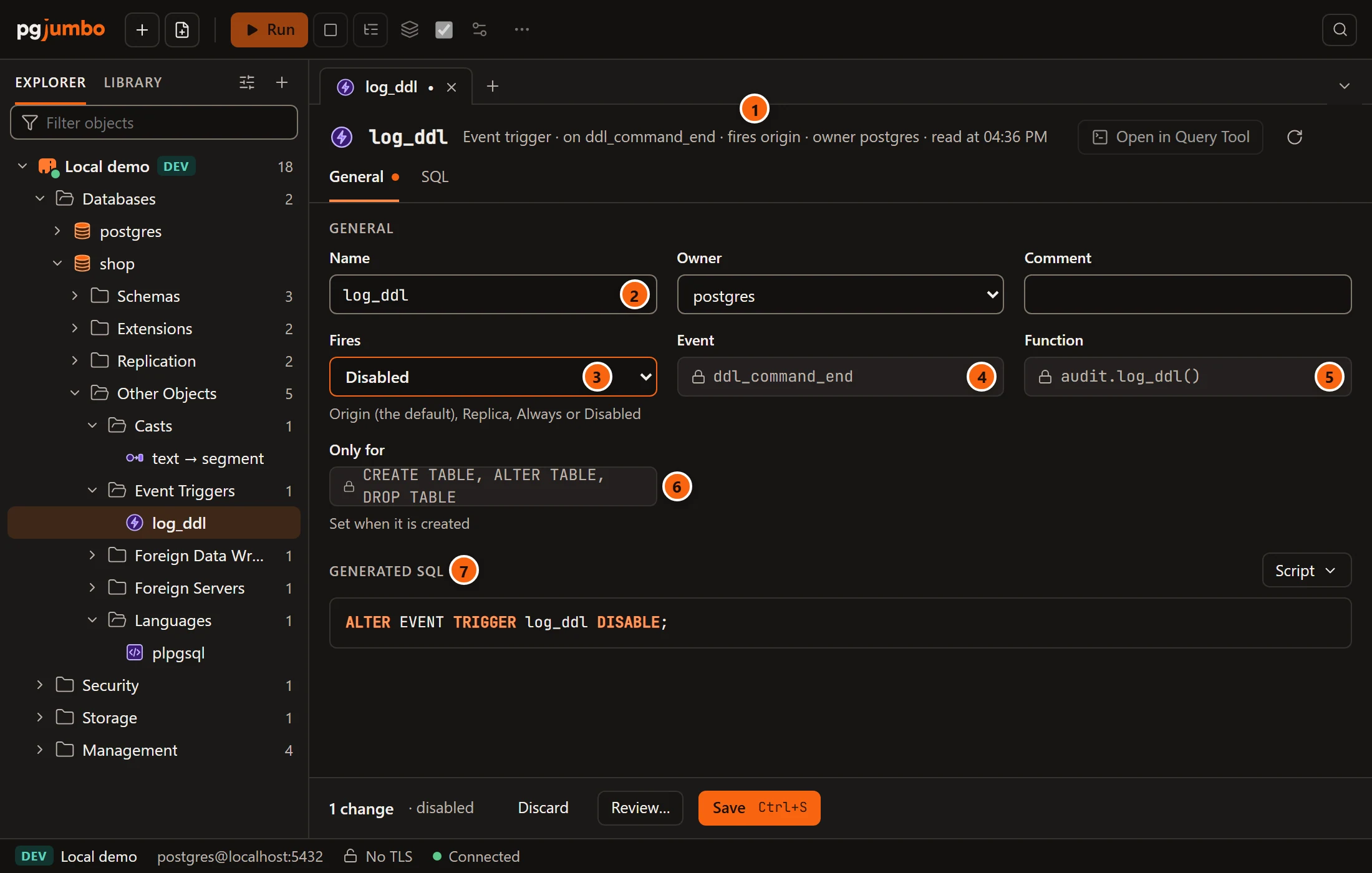
- 1 The header says, after Event trigger, the event it fires on, whether it fires and how (or disabled), its owner, and when the tab read it.
- 2 Name renames it; Owner and Comment beside it change its owner and its comment.
- 3 Fires says in which sessions it fires (see the table below). Its helper lists the choices: Origin (the default), Replica, Always or Disabled.
- 4 Event is the event it fires on, such as
ddl_command_start,ddl_command_end,sql_droportable_rewrite. Locked. - 5 Function is the function it runs. Locked.
- 6 Only for lists the command tags it fires for, or every command. Locked, with the helper Set when it is created.
- 7 Generated SQL shows the statements your changes make.
| Fires | Statement | When it fires |
|---|---|---|
| Origin | ALTER EVENT TRIGGER … ENABLE |
In sessions whose session_replication_role is origin (the default) or local. |
| Replica | ALTER EVENT TRIGGER … ENABLE REPLICA |
Only in sessions whose session_replication_role is replica. |
| Always | ALTER EVENT TRIGGER … ENABLE ALWAYS |
In every session. |
| Disabled | ALTER EVENT TRIGGER … DISABLE |
Never. |
The statements run in this order: when it fires, owner, comment, then the new name. To change its event, function or tags, drop it and create it again in a Query Tool.
Languages
Section titled “Languages”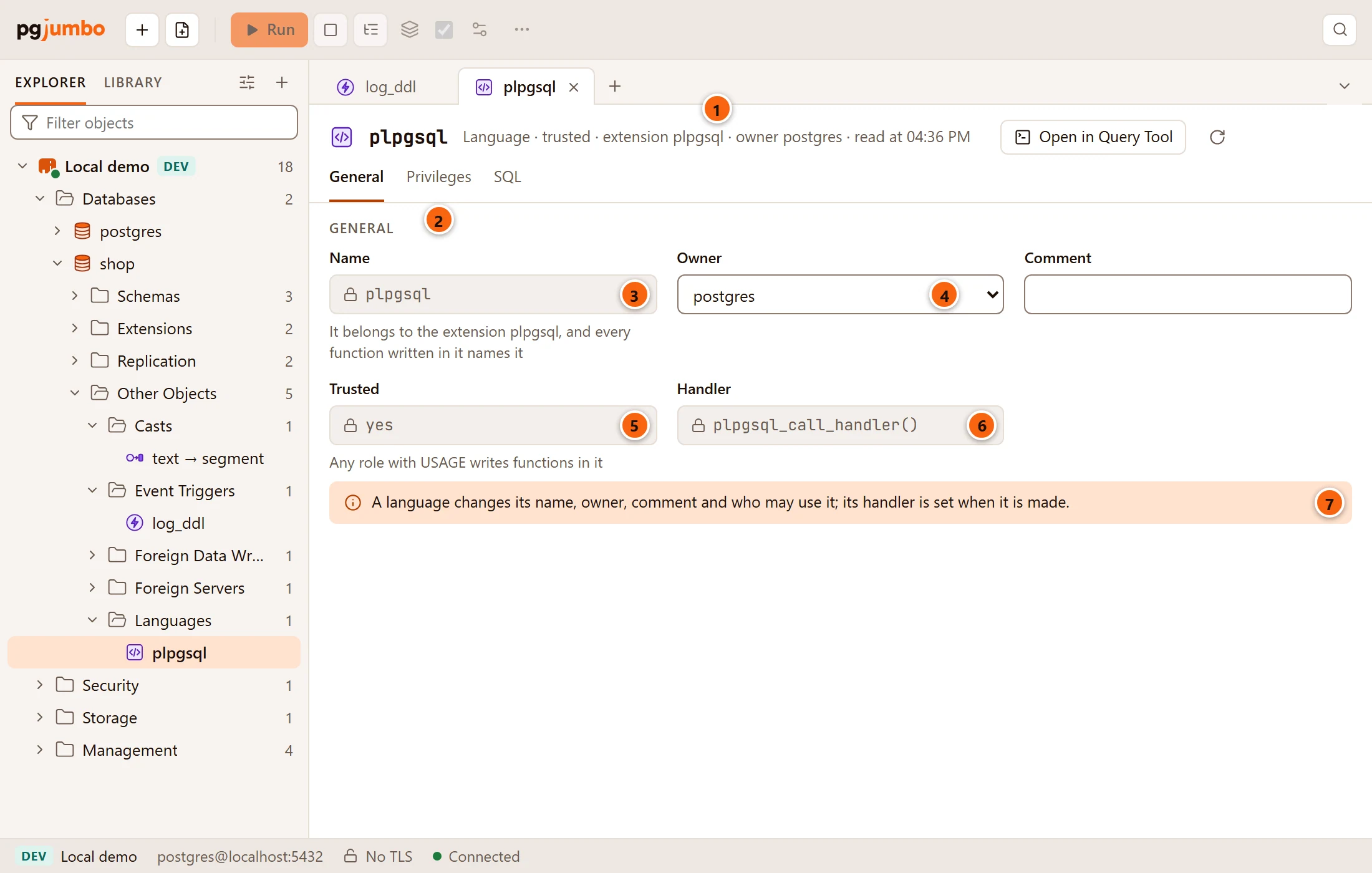
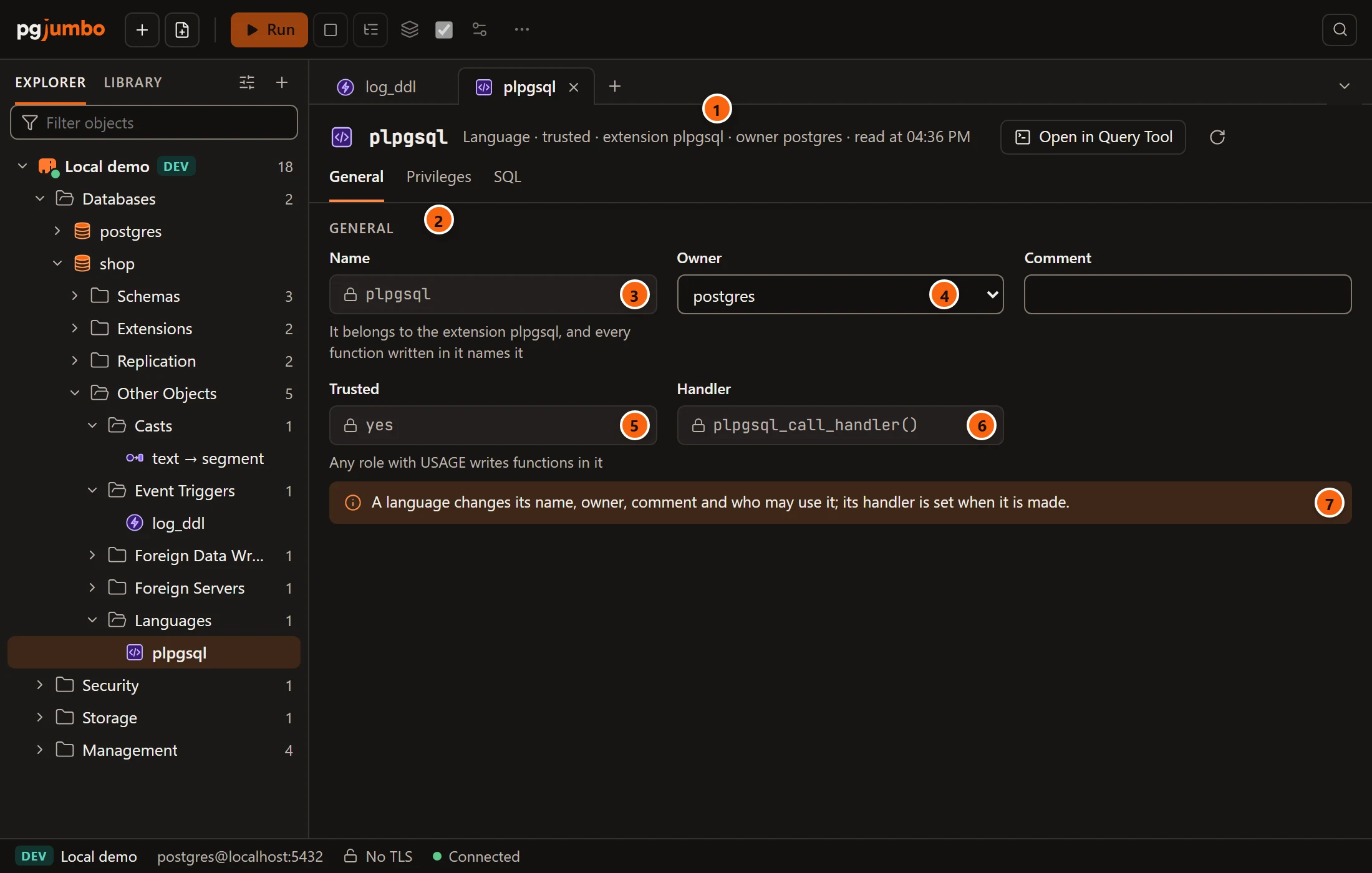
- 1 The header says, after Language, whether it is trusted or untrusted, where it comes from (extension and its name, procedural, or built in), its owner, and when the tab read it.
- 2 Privileges sets who may write functions in it (
USAGE), with the grid described in Privileges. - 3 Name renames it (
ALTER LANGUAGE … RENAME TO), unless it is locked. A language that belongs to an extension keeps its name, and the helper says why: It belongs to the extension plpgsql, and every function written in it names it. A built-in language’s helper says Built into PostgreSQL. - 4 Owner gives it to another role. It is disabled for a built-in language.
- 5 Trusted is locked. yes means any role with
USAGEwrites functions in it; no means only superusers do. - 6 Handler is its call handler. Locked.
- 7 The note: a language changes its name, owner, comment and who may use it; its handler is set when it is made.
Comment sets COMMENT ON LANGUAGE. The statements run in this order: owner, comment, new name, then the
privileges. The engine refuses to rename or give away a built-in language
(… is built into PostgreSQL: it keeps its name and owner.) and to rename one that belongs to an extension.
plpgsql is the usual case: it belongs to the extension plpgsql, so its name is locked and its SQL view says
that CREATE EXTENSION creates it. PostgreSQL refuses DROP LANGUAGE on a language an extension needs; drop the
extension instead.
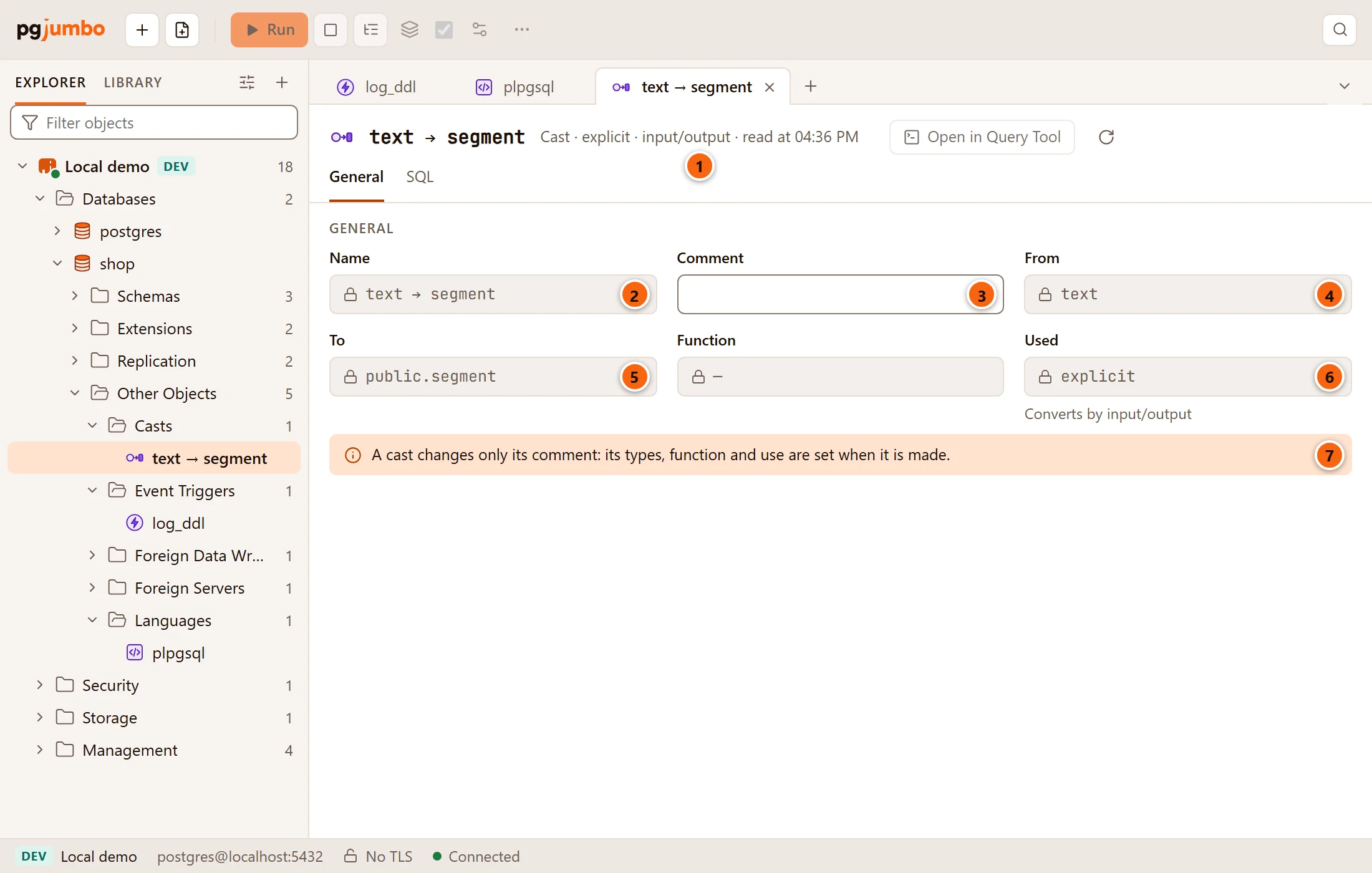
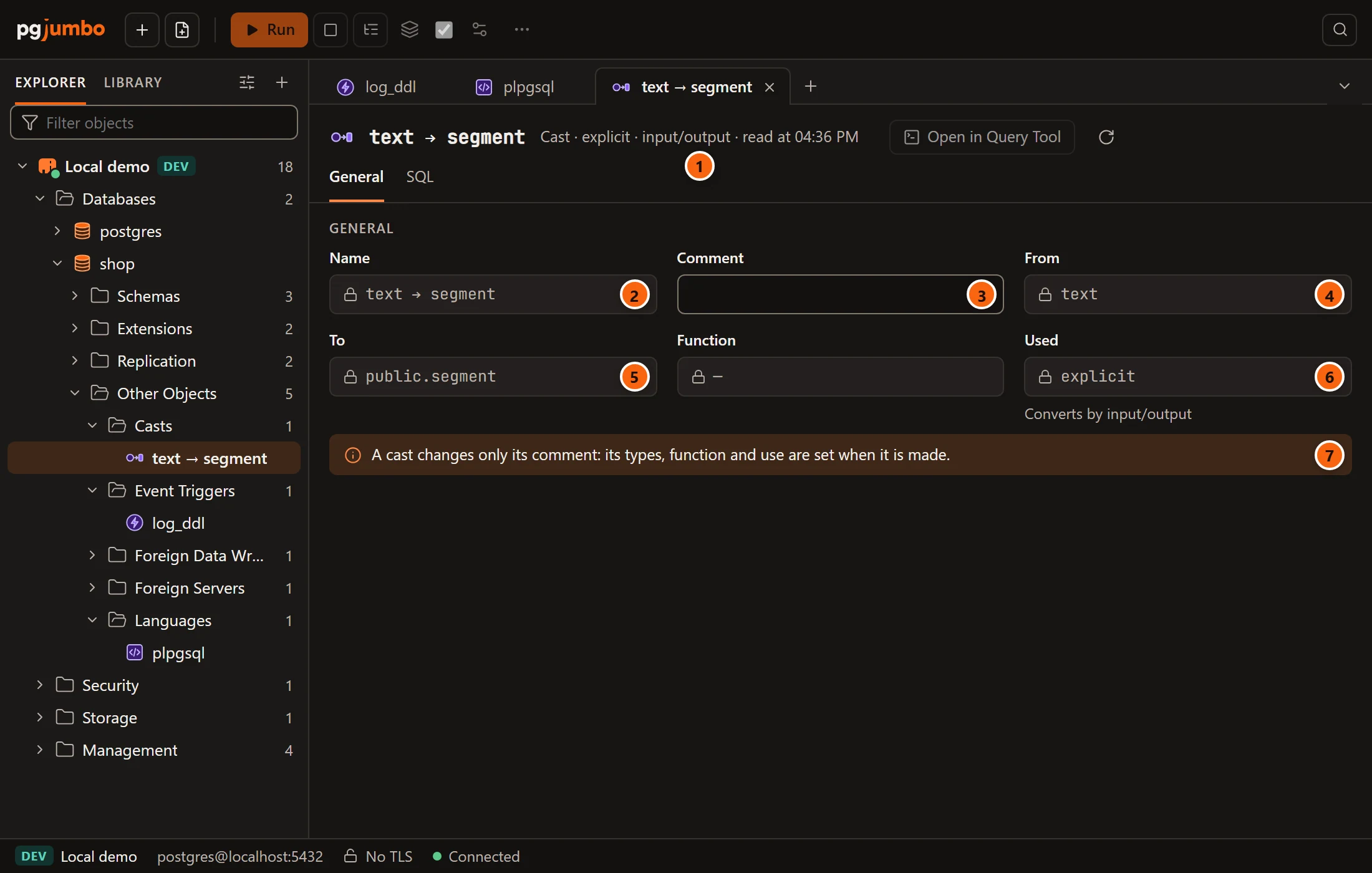
- 1 The header says, after Cast, how it may be used and how it converts.
- 2 Name is the two types, locked.
- 3 Comment is the one thing a cast can change:
COMMENT ON CAST (… AS …). - 4 From is the source type. Locked.
- 5 To is the target type. Locked. Function, beside it, is the function that converts, or a dash when it has none.
- 6 Used is locked: explicit (only with
CASTor::), assignment (also when a value is stored in a column) or implicit (anywhere in an expression). The helper says how it converts: by function, by input/output (the source’s text output read by the target’s input), or binary coercible (no conversion needed). - 7 The note: a cast changes only its comment; its types, function and use are set when it is made.
To change anything else about a cast, drop it and create it again in a Query Tool. A cast has no owner field.
SQL, saving and dropping
Section titled “SQL, saving and dropping”SQL shows the object’s script: CREATE EVENT TRIGGER … ON … EXECUTE FUNCTION … (with WHEN TAG IN and its
enabled state), CREATE LANGUAGE … HANDLER …, or CREATE CAST (… AS …). For a language or a cast that is built in,
or that belongs to an extension, it is a comment saying so instead.
These objects’ changes only change the catalog, so Save (⌘ S (Ctrl+S on Windows and Linux)) runs them at once, unless the server asks first. The pending bar, Review…, Discard and the review sheet are explained in Object tabs and review.
To drop one, right-click it and choose Drop…: pgjumbo runs DROP EVENT TRIGGER, DROP LANGUAGE or
DROP CAST (… AS …), with CASCADE if you tick it. A language or a cast built into PostgreSQL has no Drop… on its
menu, and the engine refuses to drop one. See
Drop, truncate and other quick actions.