
Back up and restore
pgjumbo backs up and restores with PostgreSQL’s own programs: pg_dump and pg_dumpall write a backup, pg_restore
and psql load one. A backup made in pgjumbo works with every other PostgreSQL tool, and the other way round. Each
backup or restore runs in the background as a job that you can follow, leave running, or cancel.
Where pg_dump and the other programs come from
Section titled “Where pg_dump and the other programs come from”pgjumbo does not ship PostgreSQL’s client programs: install them with PostgreSQL, or with your system’s PostgreSQL client package. pgjumbo looks for them each time you open a Backup, Restore or Copy Database dialog, and again when the job starts:
- In the folder named under Backup and restore in Settings, and only there, when you set one. Settings opens with ⌘ , (Ctrl+, on Windows and Linux), or with Settings… (in the app menu on macOS, in File on Windows), or Preferences… in File on Linux.
- Otherwise in every folder on your
PATH, then in the folders PostgreSQL’s installers use. On macOS an app opened from the Finder or the Dock does not get thePATHyour terminal sets up, so the install folders matter there.
| System | Folders searched after PATH |
|---|---|
| Windows | C:\Program Files\PostgreSQL\<version>\bin (the EDB installer) |
| macOS | Postgres.app (/Applications/Postgres.app/Contents/Versions/<version>/bin), Homebrew’s postgresql@<version> in /opt/homebrew/opt and /usr/local/opt, the EDB installer’s /Library/PostgreSQL/<version>/bin, and Homebrew’s libpq |
| Linux | /usr/lib/postgresql/<version>/bin (Debian and Ubuntu), /usr/pgsql-<version>/bin (the PGDG packages for RHEL and Fedora) |
When it finds a program in several places it takes the one with the highest major version, and of several with the same major version the first it found. The Backup dialog shows the program it will use with its version and path, for example pg_dump 18.1 · /usr/bin/pg_dump; the Restore and Copy Database dialogs show the version only.
pg_dump and pg_dumpall refuse to back up a server newer than themselves, so pgjumbo needs them at least as new as
the server’s major version. An older one is refused with “pg_dump 16.4 cannot work with PostgreSQL 18: it needs version
18 or newer. Install a newer PostgreSQL client, or choose its folder in Settings.” A missing one gives “pg_dump was not
found on PATH or in the usual install folders. Install PostgreSQL’s client programs, or choose their folder in
Settings.” pg_restore and psql are taken in whatever version is found.
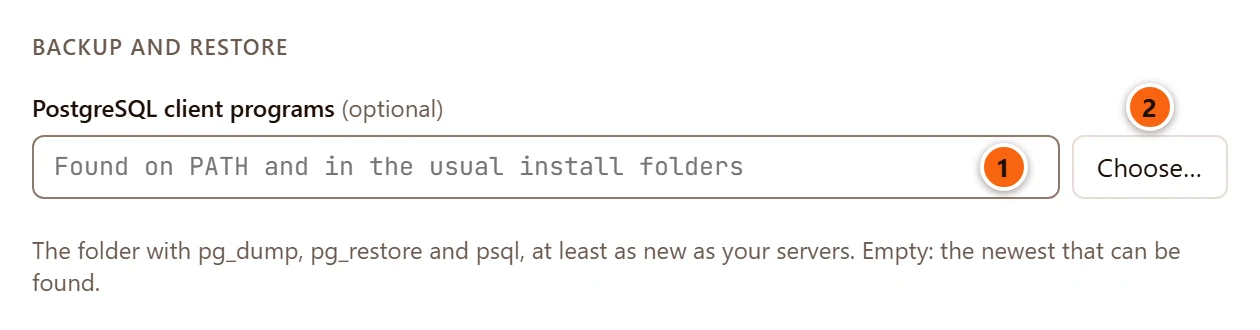
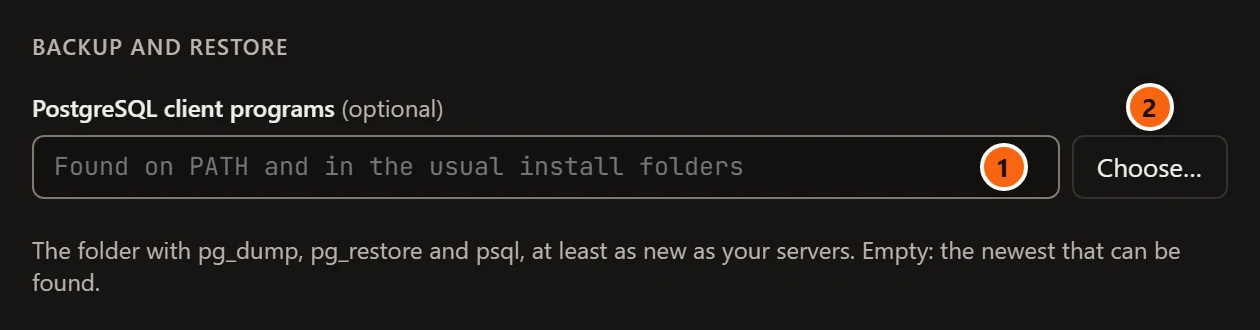
- 1 PostgreSQL client programs is the folder that holds
pg_dump,pg_dumpall,pg_restoreandpsql. Leave it empty to let pgjumbo search. A folder that does not exist is refused when you save Settings (“… is not a folder.”). pgjumbo does not look inside the folder until a dialog needs a program. - 2 Choose… opens your system’s folder dialog, titled “PostgreSQL Client Programs”.
See Settings for the rest of the dialog.
Back up
Section titled “Back up”Open the Backup dialog
Section titled “Open the Backup dialog”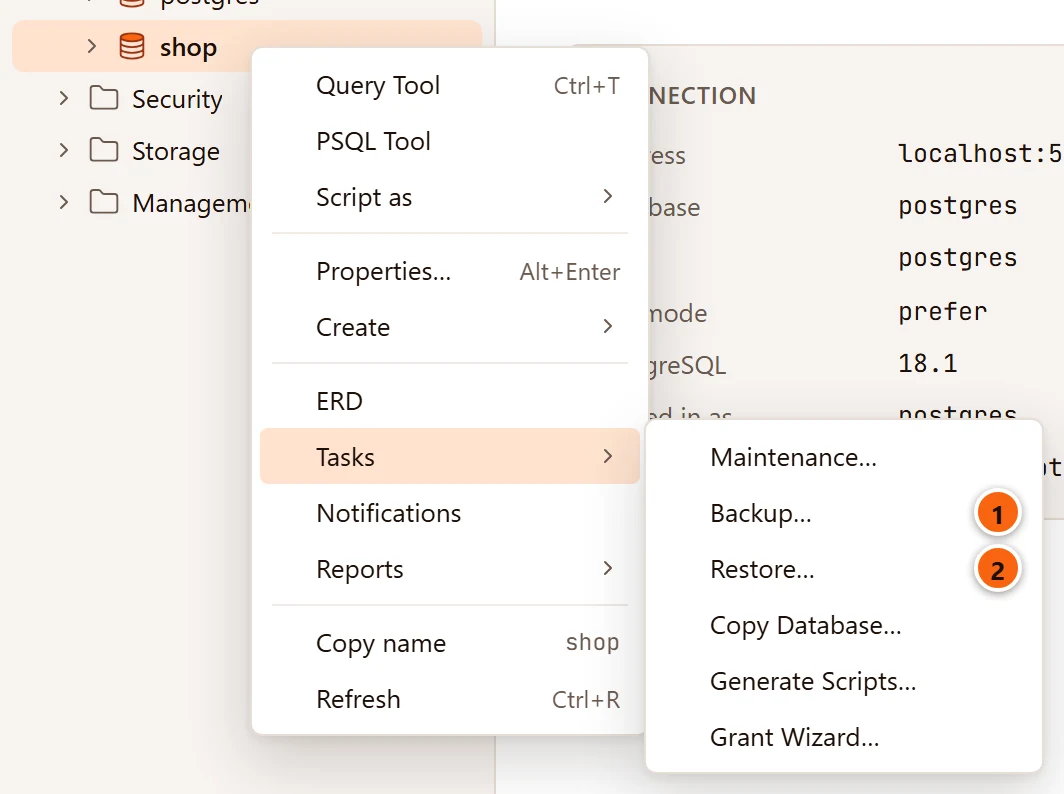
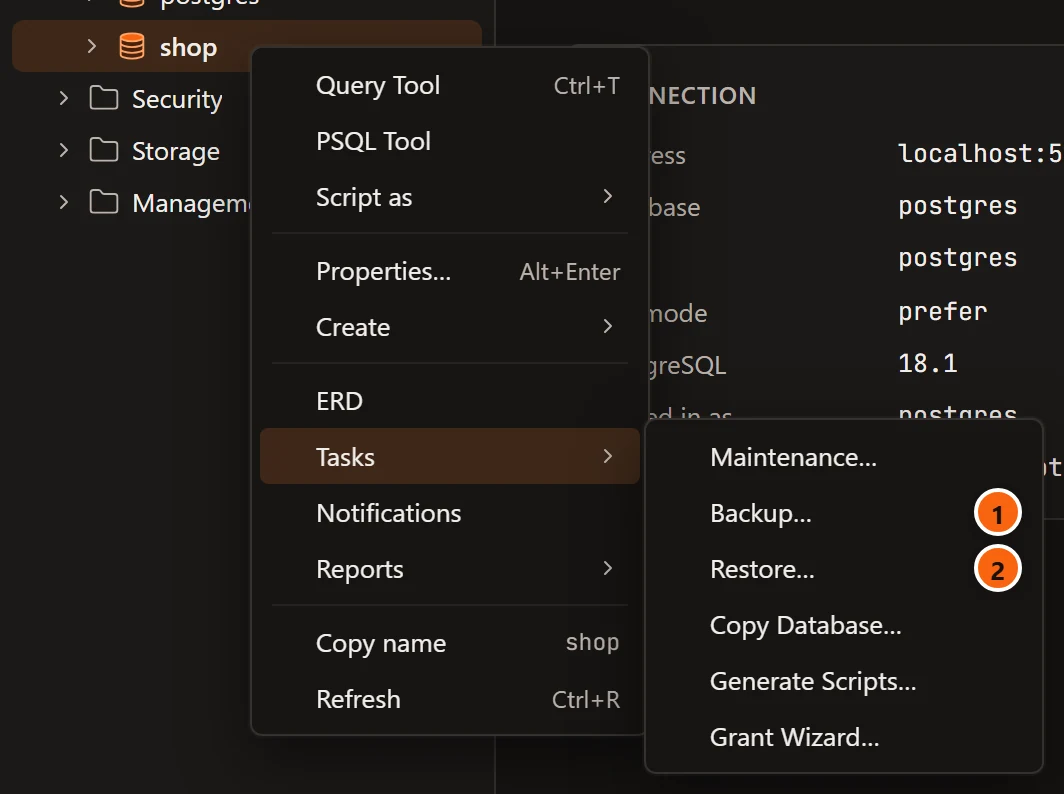
- 1 Right-click a database, schema, table, partitioned table, view, materialized view or sequence and choose TasksBackup….
- 2 Restore…, on a database only, opens the Restore dialog.
To back up a whole server, right-click the server and choose Backup… (it is in the menu only while the server is connected). You can also select a row in the Explorer and choose ToolsBackup… in the menu bar; it has no shortcut. Backup is not offered on PostgreSQL’s own objects, template databases among them.
A server is backed up with pg_dumpall, anything else with pg_dump. While the dialog looks for the program it says
“Reading the object…”.
The Backup dialog
Section titled “The Backup dialog”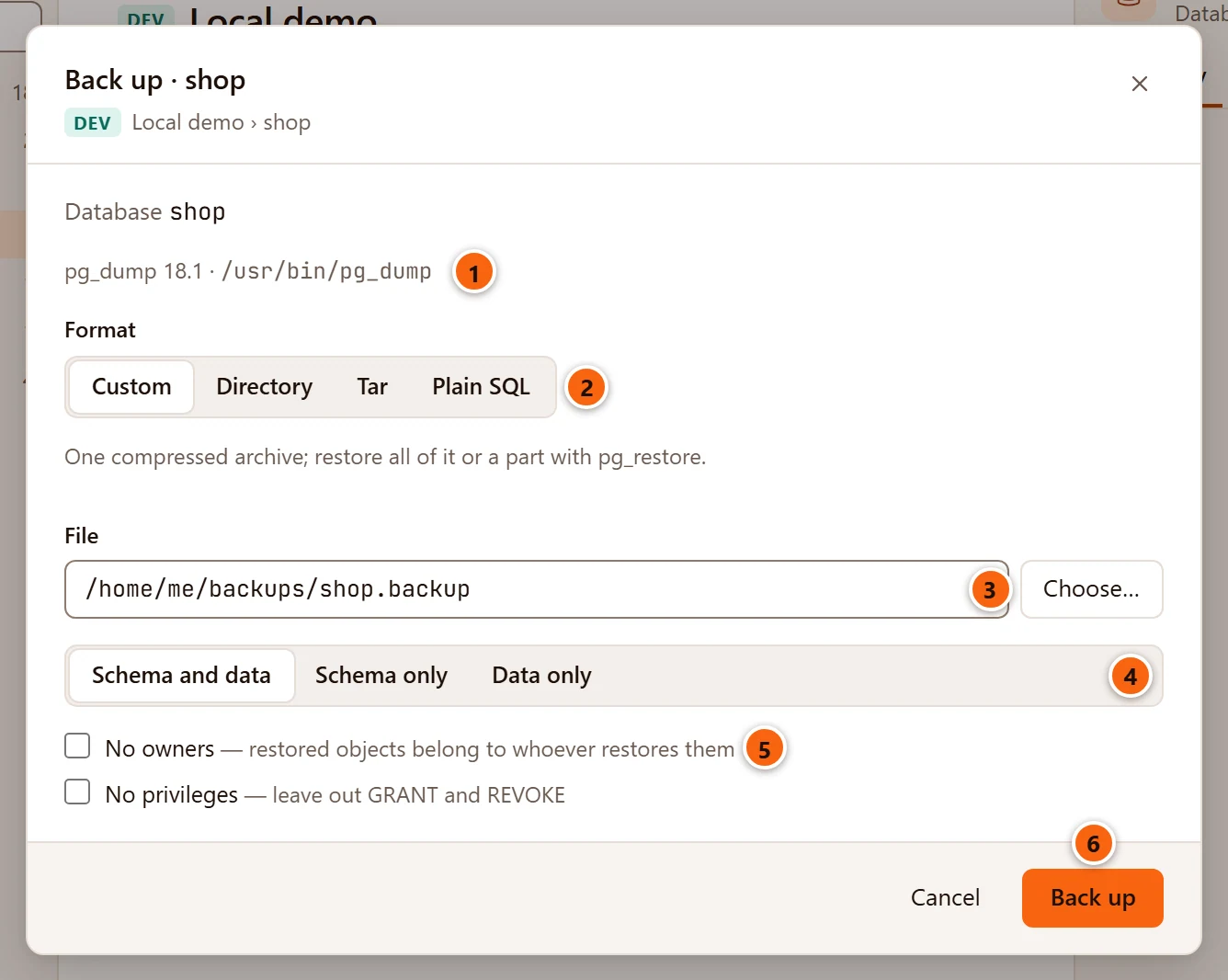
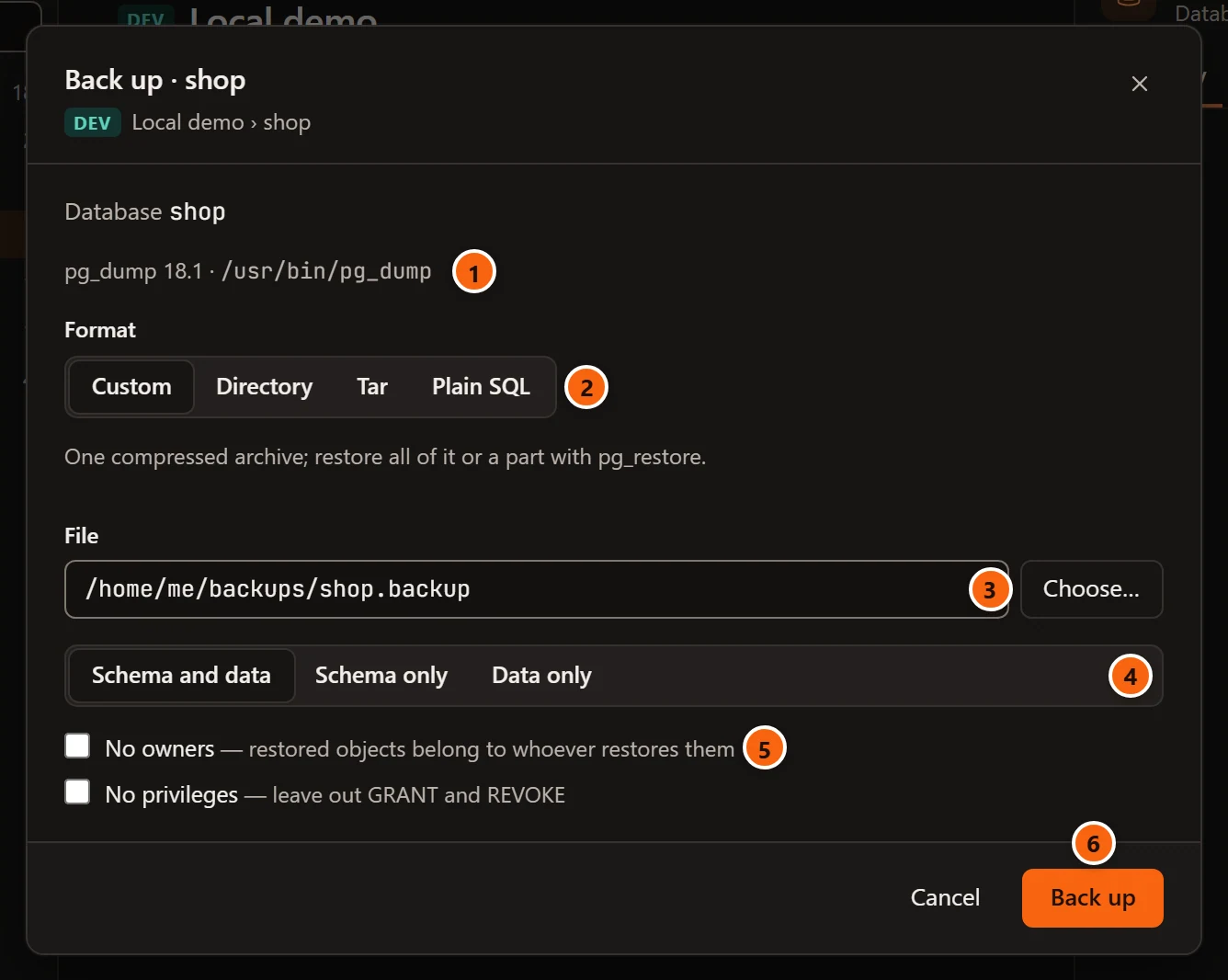
- 1 The program pgjumbo will run, its version and where it is. If no usable program was found, a warning says why in its place, and Back up stays greyed out.
- 2 Format: see the table below. The line under it reminds you what each one is.
- 3 File (Folder for the Directory format): click Choose… to name the backup in your system’s Save dialog, titled “Back Up To”. The field shows “Choose where to save it” until you do, and Back up stays greyed out until then. Choosing another format empties the field, as it wants another kind of file.
- 4 What to include: Schema and data, Schema only (
--schema-only) or Data only (--data-only). - 5 No owners (
--no-owner): the restored objects belong to whoever restores them. No privileges (--no-privileges): noGRANTorREVOKEin the backup. - 6 Back up starts the job.
| Format | What you get | Restored with |
|---|---|---|
| Custom | One compressed archive, --format=custom. pg_restore can load all of it or a part, and in parallel. The Save dialog offers name.backup. |
pg_restore |
| Directory | A folder with one file per table, --format=directory. It can be written and restored in parallel. |
pg_restore |
| Tar | A tar archive, --format=tar. The Save dialog offers name.tar. |
pg_restore, one object at a time |
| Plain SQL | A script you can read, edit or run in any SQL tool, --format=plain. The Save dialog offers name.sql. |
psql |
The Save dialog suggests a name from what you back up: shop for the database, shop-public for a schema,
shop-public.orders for a table.
Plain SQL adds two options:
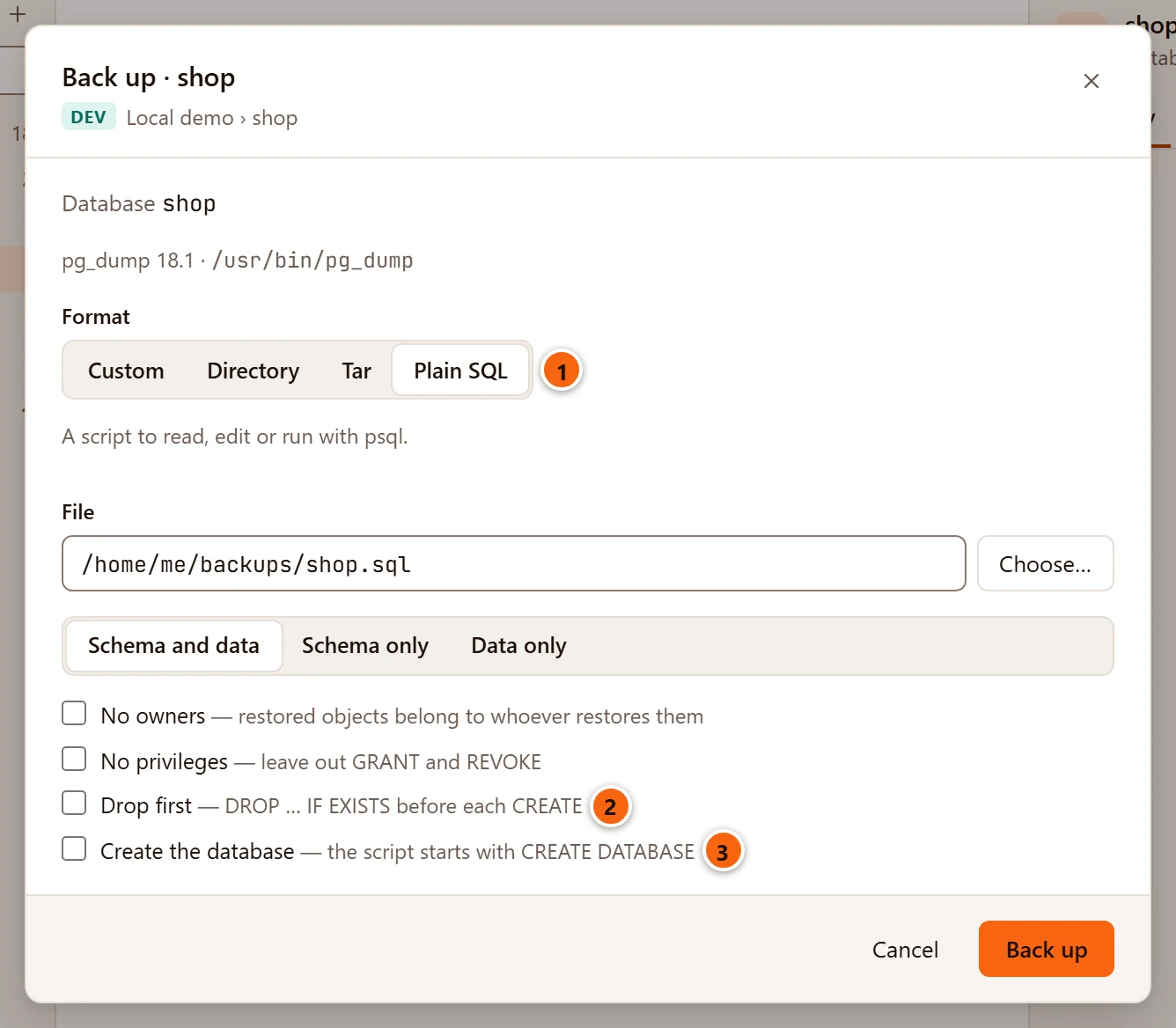
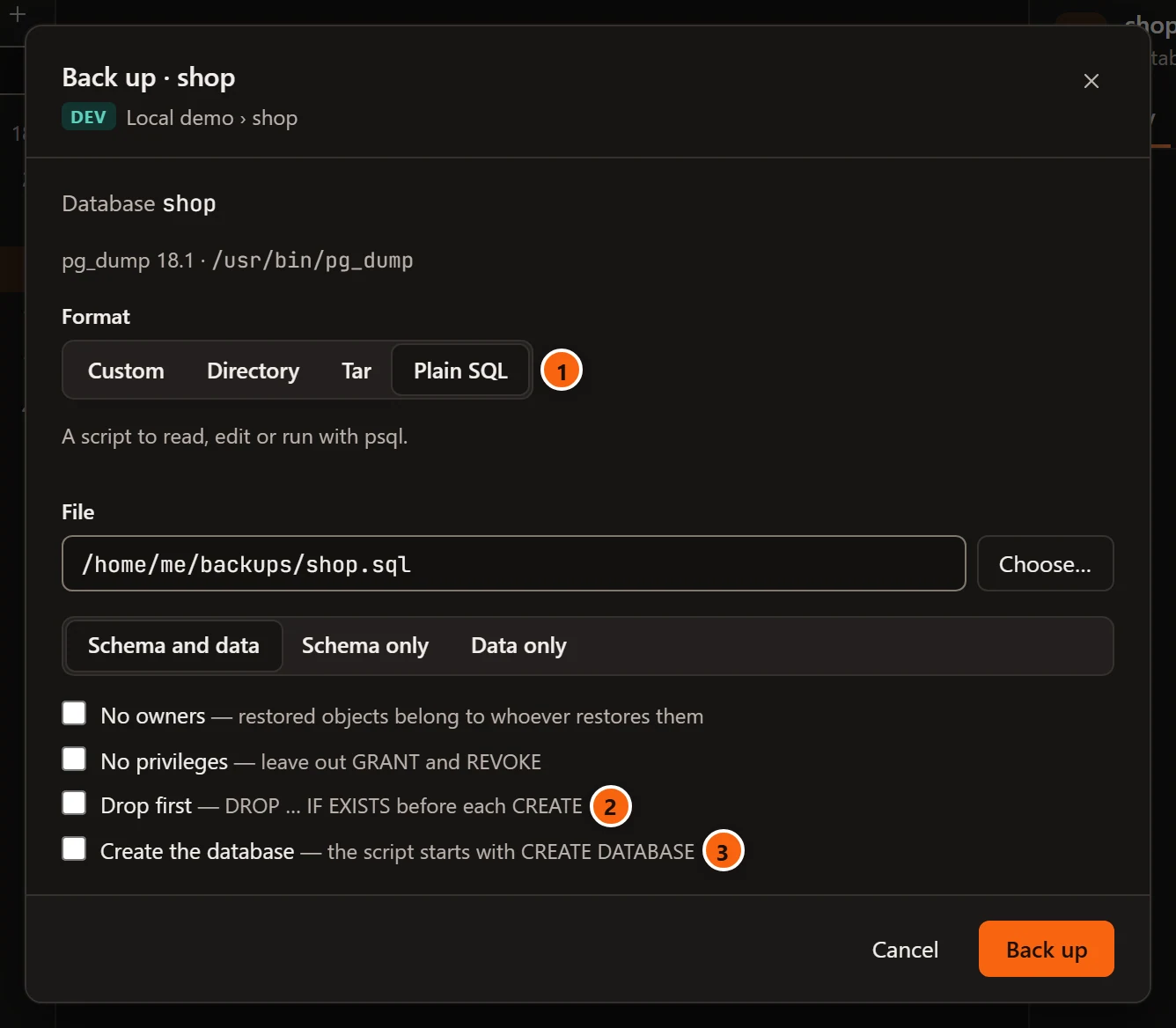
- 1 Plain SQL chosen.
- 2 Drop first writes
DROP … IF EXISTSbefore eachCREATE(--clean --if-exists), so running the script replaces what is there. - 3 Create the database, for a database only: the script starts with
CREATE DATABASEand connects to it (--create).
The Directory format adds one:
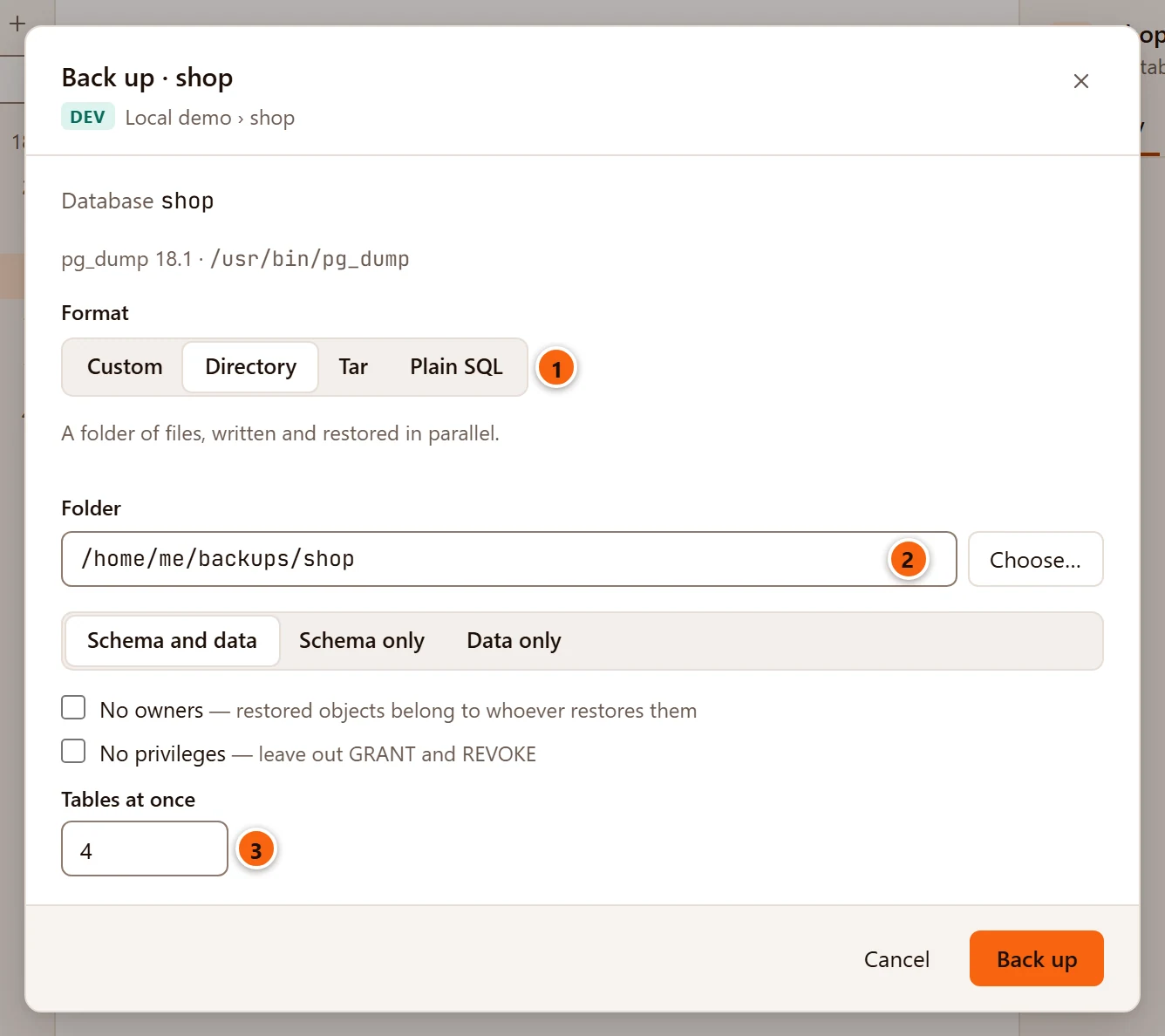
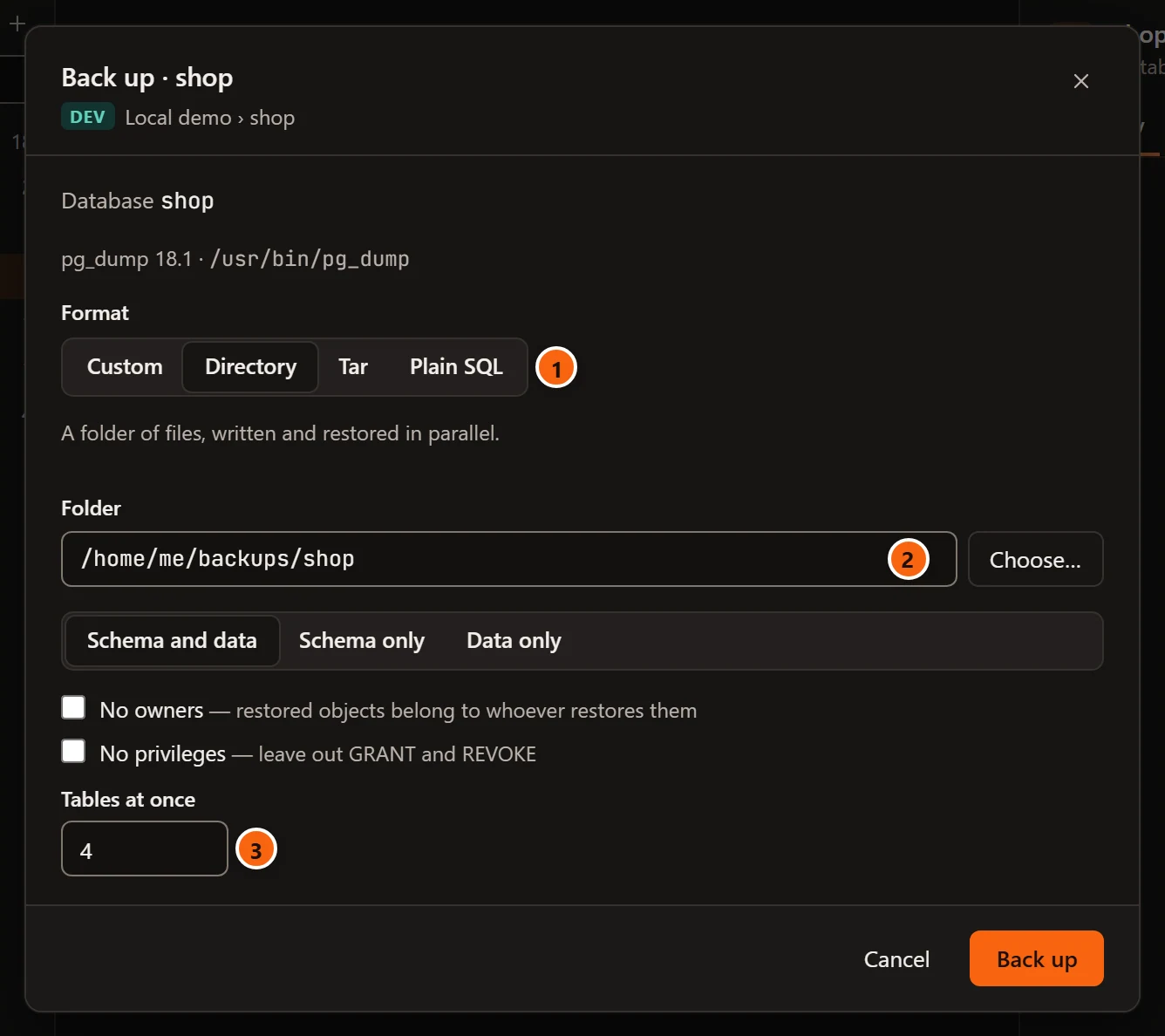
- 1 Directory chosen.
- 2 Folder: the Save dialog names the folder to write.
pg_dumpmakes it, so name one that does not exist yet. - 3 Tables at once: how many tables
pg_dumpwrites in parallel (--jobs), from 1 to 32; 4 when the dialog opens.pg_dumpopens one connection to the server for each, plus one. With 1 it writes one table at a time and gets no--jobs.
What a backup covers
Section titled “What a backup covers”| You chose | The dialog says | pg_dump gets |
|---|---|---|
| A database | Database name | the whole database |
| A schema | Schema name | --schema="public" |
| A table, partitioned table, view, materialized view or sequence | Table schema.name | --table="public"."orders" |
The names go to pg_dump in double quotes, so a * or ? in a name matches only itself, never other objects.
Back up a whole server
Section titled “Back up a whole server”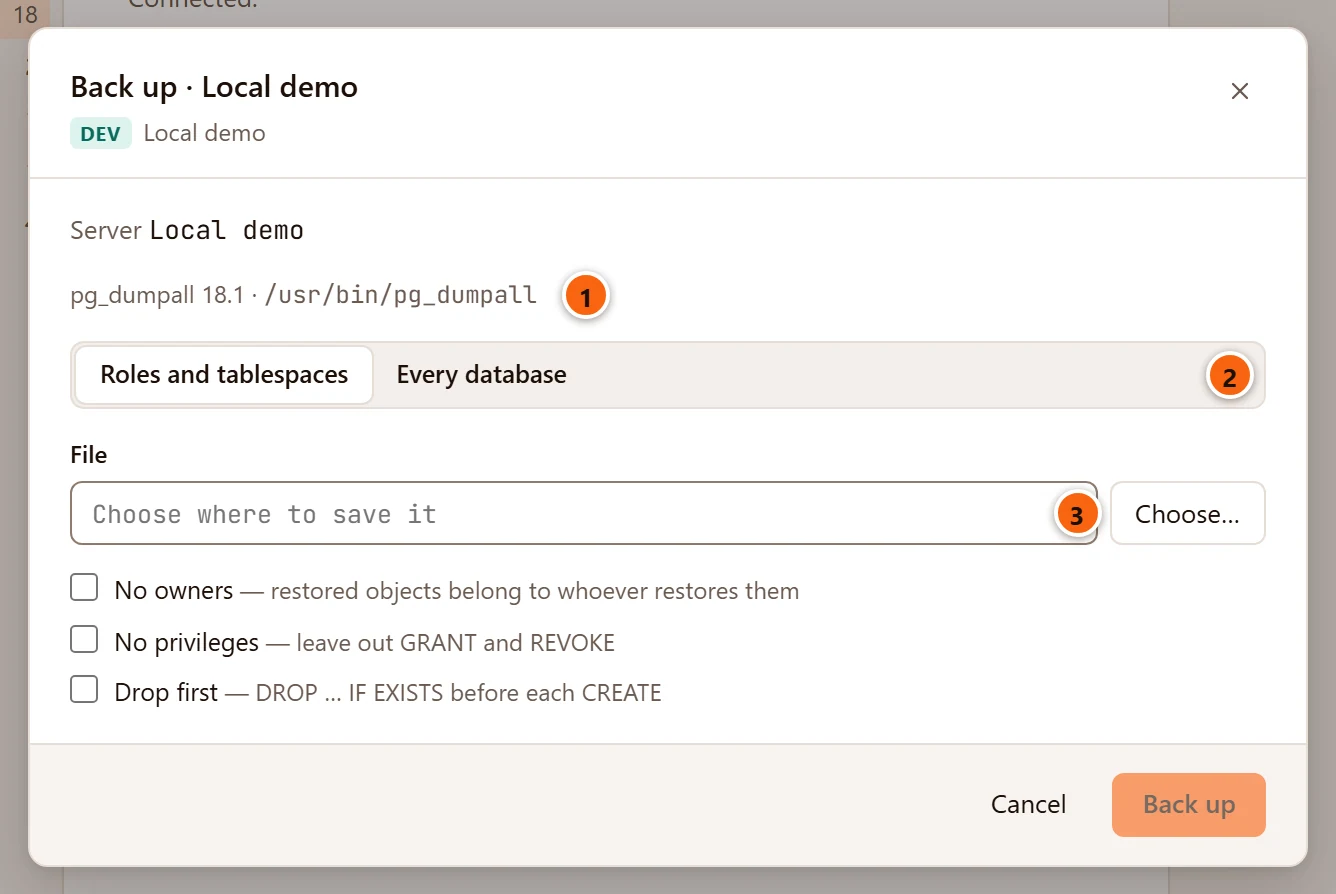
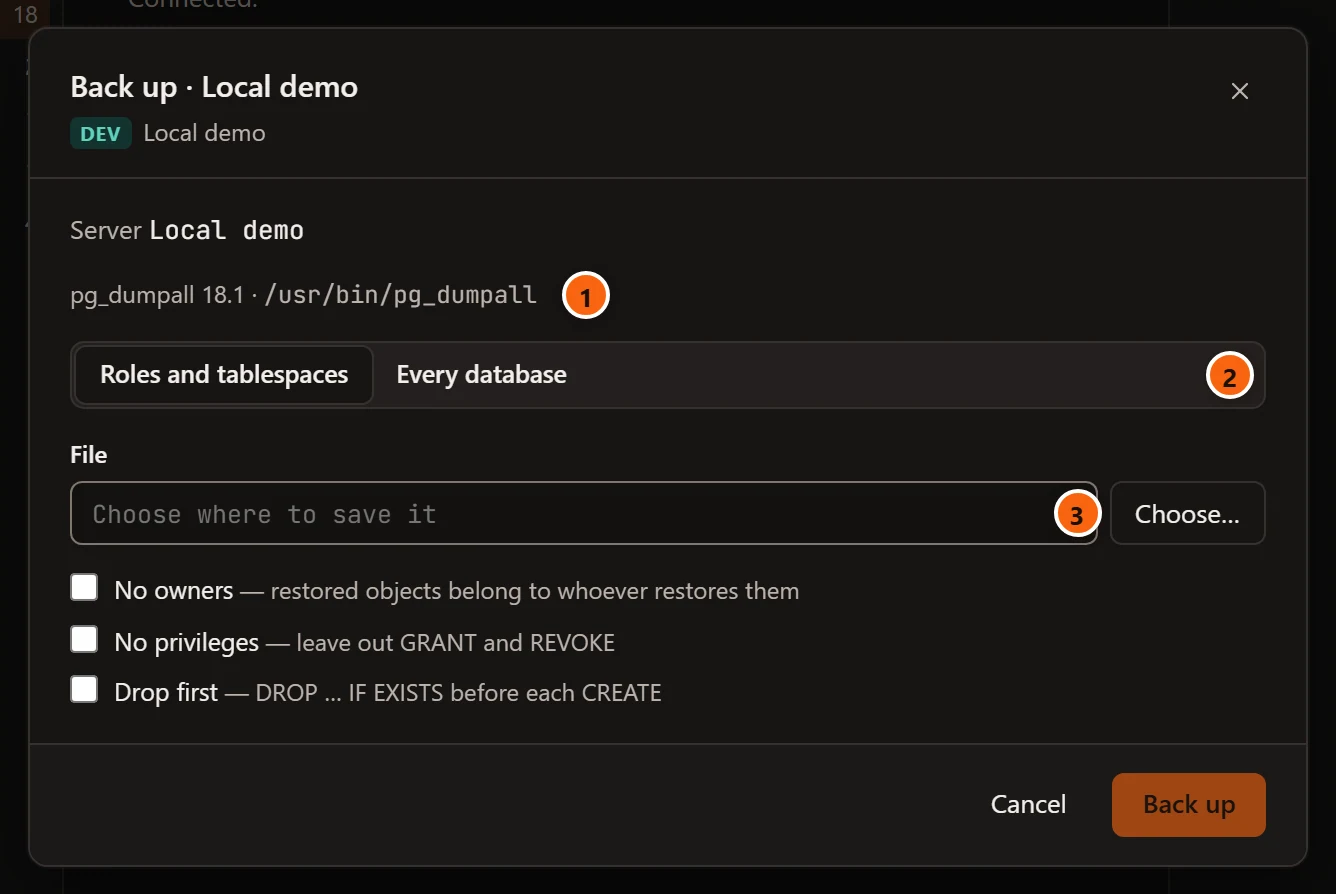
- 1 A server is backed up with
pg_dumpall, which must be at least as new as the server. - 2 Roles and tablespaces, chosen when the dialog opens, writes only what belongs to the whole server:
roles, their memberships and settings, and tablespaces (
--globals-only). Every database writes those and every database as well. - 3
pg_dumpallwrites only SQL, so there is no format to choose. The Save dialog offers server-globals.sqlfor either choice.
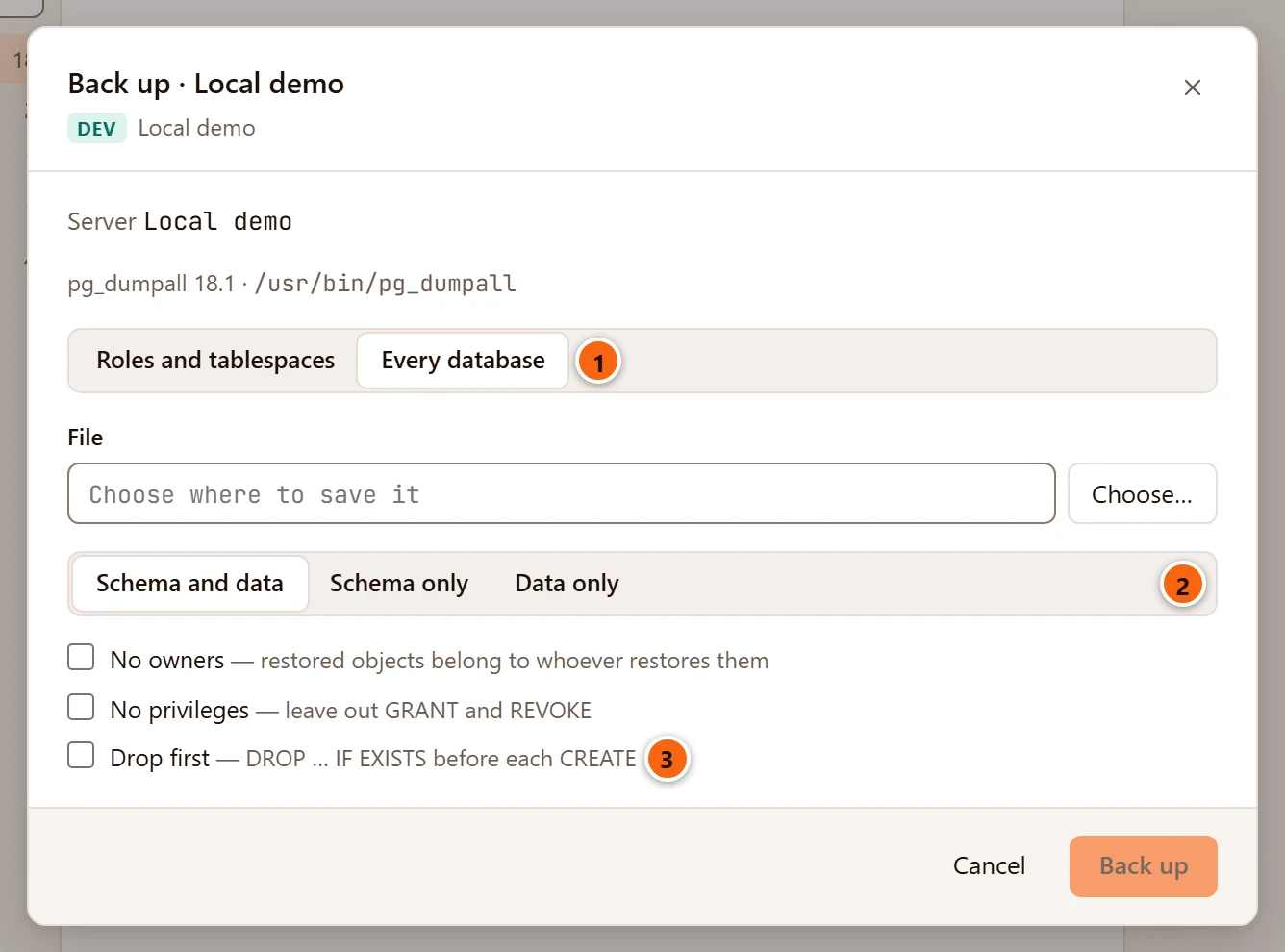
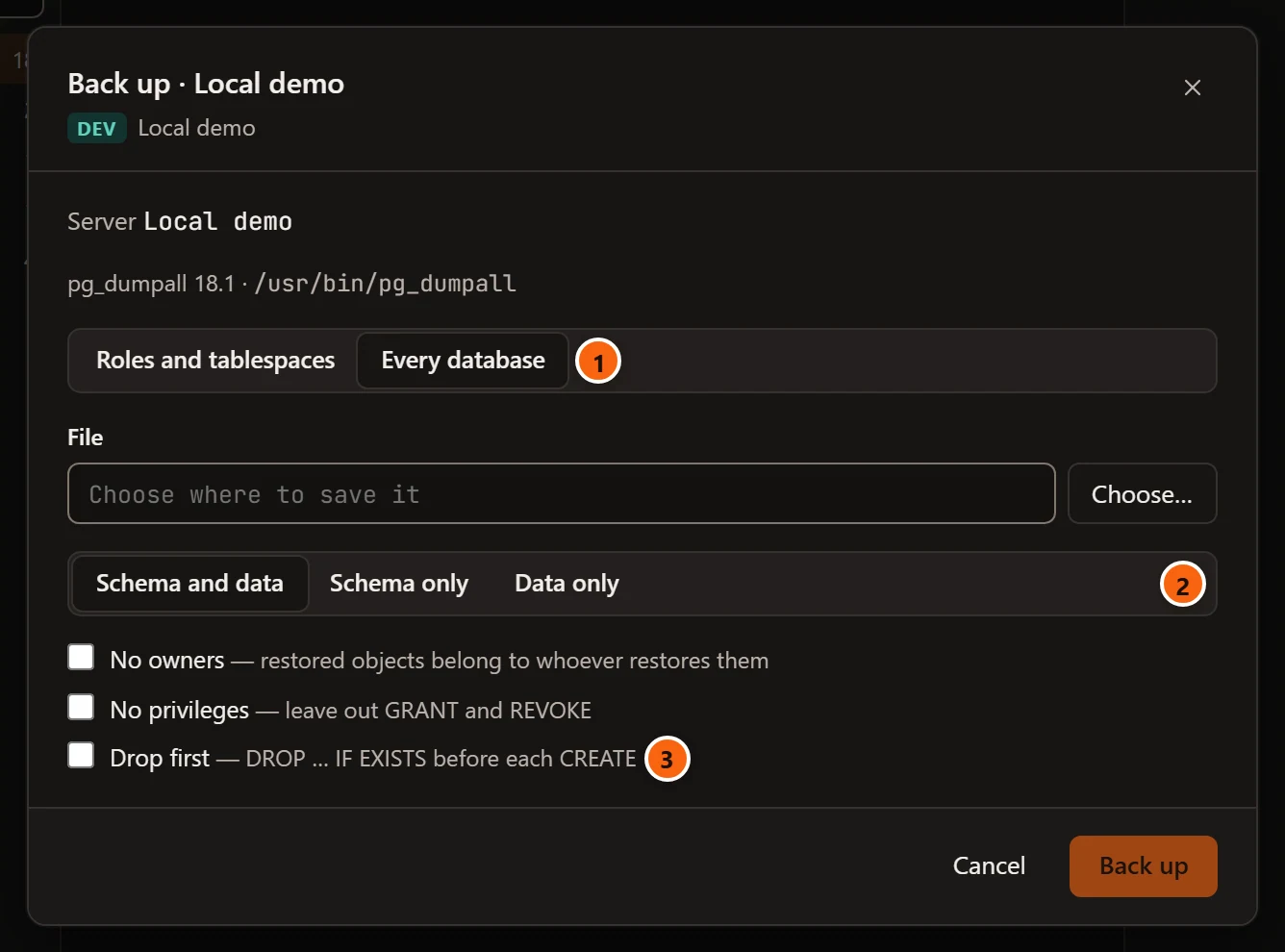
- 1 Every database chosen.
- 2 What to include, as for a database.
- 3 Drop first (
--clean --if-exists), as for Plain SQL.
No owners and No privileges work as for a database.
Follow the backup
Section titled “Follow the backup”Back up starts the program as a job, and the dialog follows it.
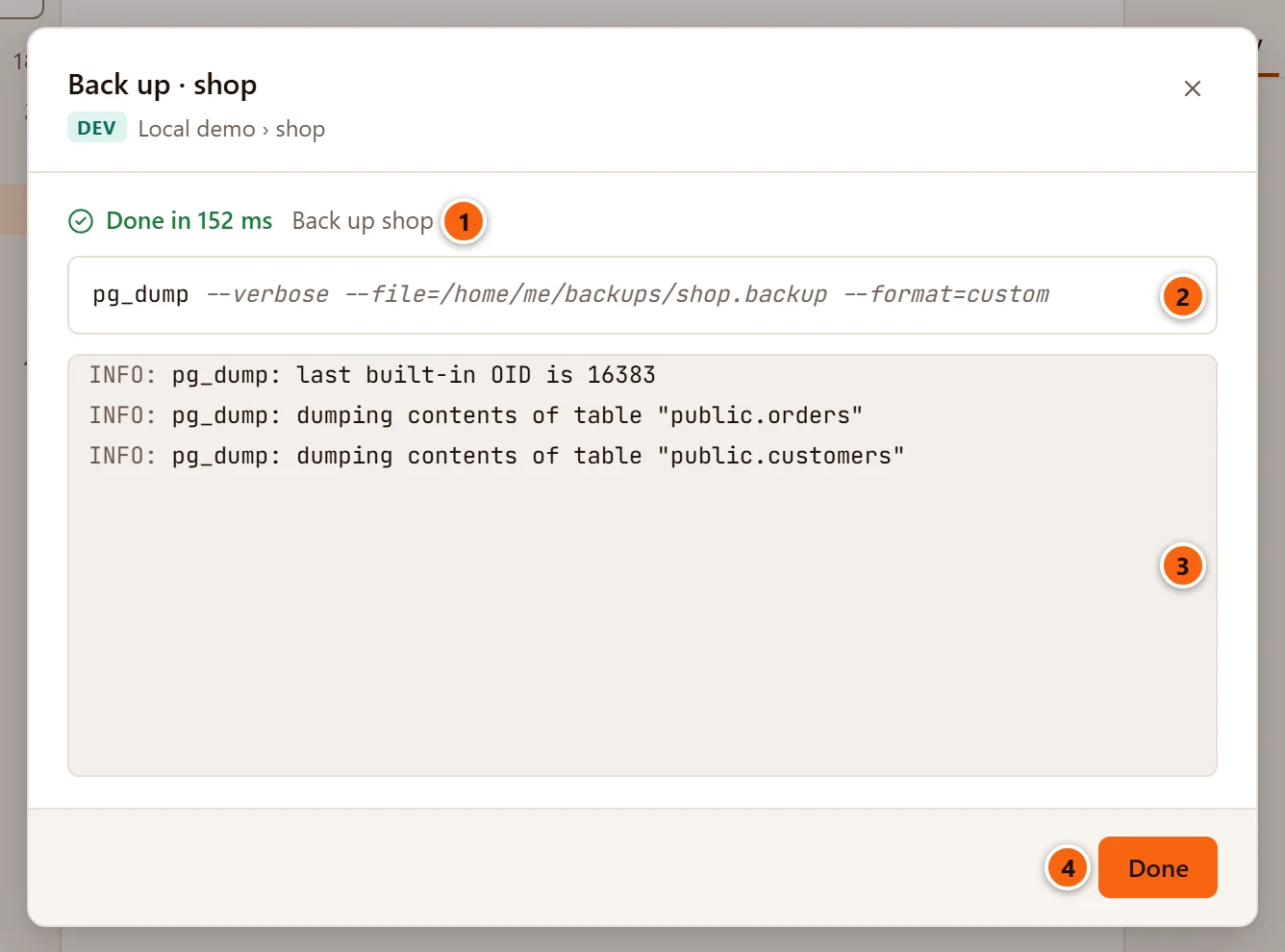
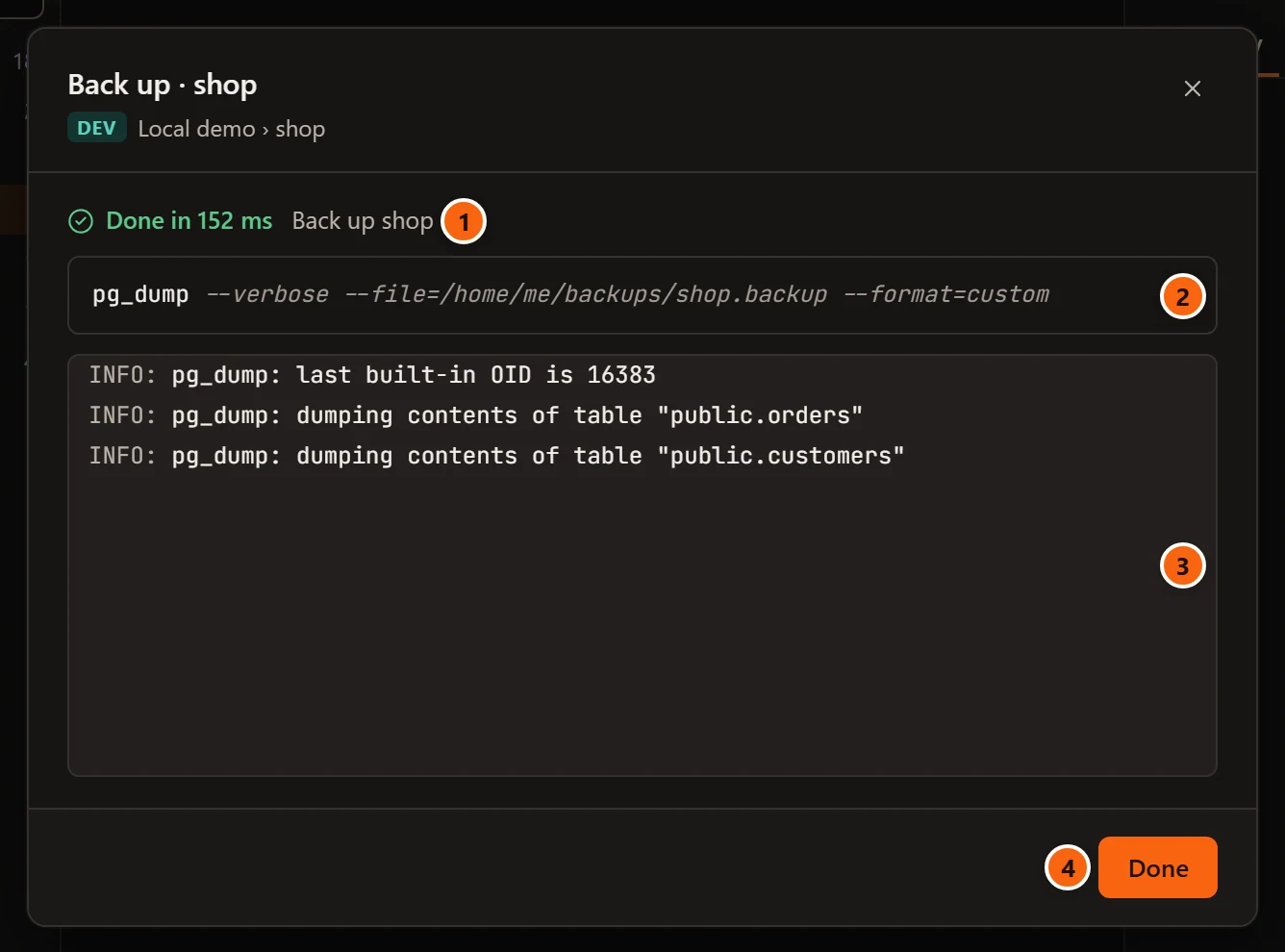
- 1 The state and the job’s title: Back up name, Back up roles and tablespaces or Back up every database.
- 2 The command line pgjumbo ran. It holds no password and no connection settings (see below).
- 3 What the program writes, line by line. pgjumbo runs
pg_dumpandpg_dumpallwith--verbose, so you see each table as it goes. A line holdingfatal:shows asFATAL,error:asERROR,warning:asWARNING,notice:asNOTICE, and the rest asINFO. - 4 Done closes the dialog.
While the job runs, the dialog shows Cancel job and Run in background; the jobs and the Jobs panel work as described in Maintenance and jobs. A failed backup says how the program ended, such as “pg_dump ended with exit code 1: pg_dump: error: …”.
How pgjumbo starts the program:
- The connection goes in environment variables (
PGHOST,PGPORT,PGUSER,PGDATABASE,PGSSLMODEand the certificate files), taken from the server’s connection: through its SSH tunnel when it has one, and from its service when it uses a service file. Your ownPG…environment variables are not passed on. - The password that the connection signed in with goes in a temporary password file that only you can read, which is deleted when the program ends. It is never on the command line. With AWS IAM sign-in, the file holds a fresh token.
- The program shows up in the server’s sessions as
pgjumbo/backup, and gives up if it cannot connect within 15 seconds. On a server with Read-only sessions ticked, its sessions are read-only too. - On a server with a reader endpoint, a read-only server’s programs go to the reader endpoint, and the others to the writer, as the server’s own connections do.
- Through an SSH tunnel, the program keeps the tunnel open until it ends, even if you disconnect the server meanwhile.
Restore a backup
Section titled “Restore a backup”A restore loads a backup into a database that exists. To restore into a new database, create it first, then restore into it.
Open the Restore dialog
Section titled “Open the Restore dialog”Right-click the database and choose TasksRestore…, or select it and choose
ToolsRestore… in the menu bar. While the dialog looks for pg_restore and psql it says “Looking
for pg_restore and psql…”.
The Restore dialog
Section titled “The Restore dialog”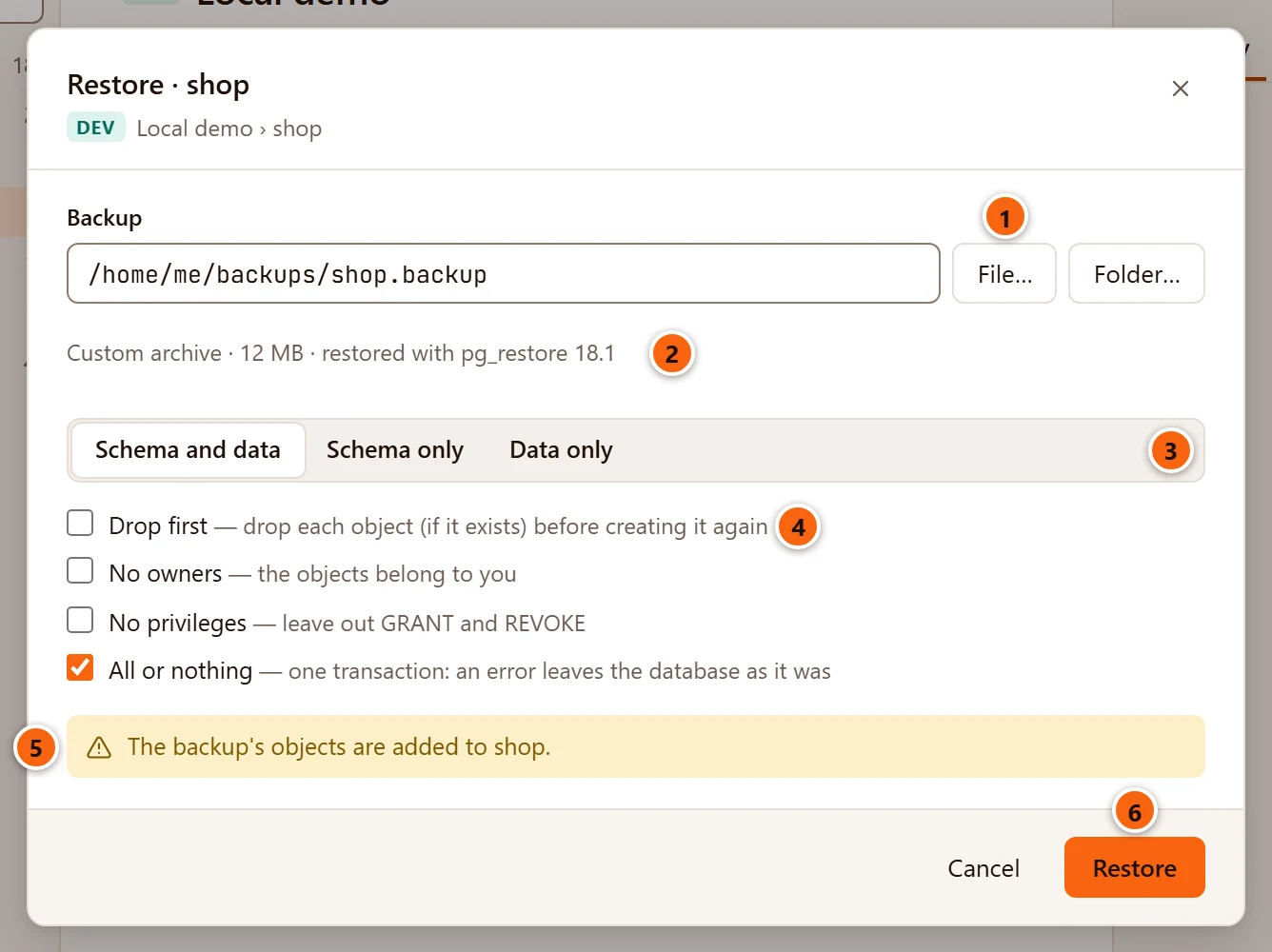
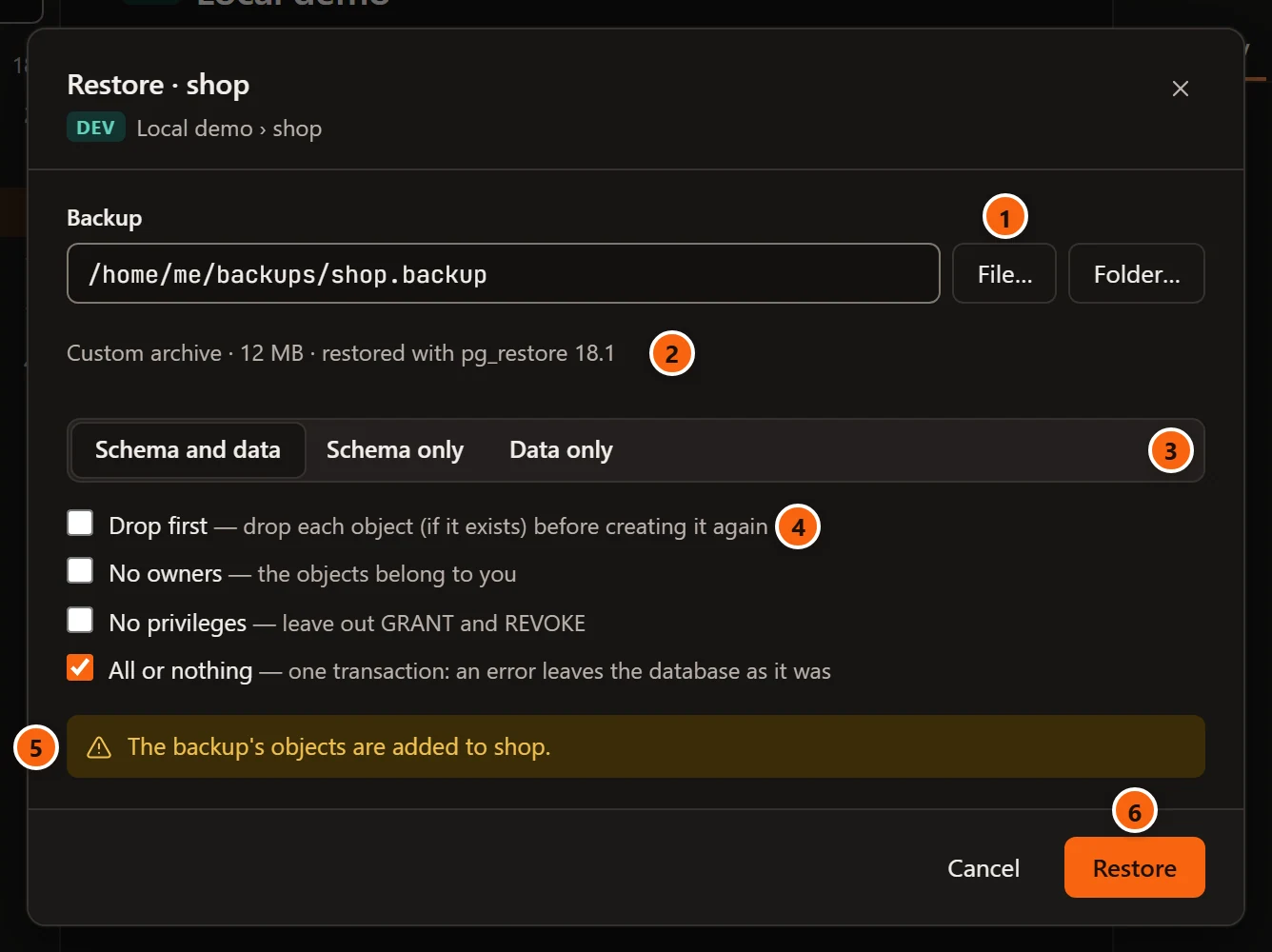
- 1 Backup: the field says “Choose a backup file or folder” until you do. File… opens your system’s
Open dialog, “Restore From”, for a backup file (it lists
.backup,.dump,.tarand.sqlfiles, or all files). Folder… opens a folder dialog, “Restore From Folder”, for a backup in the Directory format. - 2 What pgjumbo found in it, its size, and the program that will load it, with its version (see the table below).
- 3 What to restore: Schema and data, Schema only (
--schema-only) or Data only (--data-only). - 4 The options (see the second table below).
- 5 What the restore does to the database: “The backup’s objects are added to shop.”, or with Drop first “Objects of shop that are in the backup are dropped and created again.”
- 6 Restore starts the job. It stays greyed out until a backup is chosen, its program was found, and the name is typed when the server asks for it.
pgjumbo reads the first bytes of what you choose to tell what it is:
| What you chose | Shown as | Loaded with |
|---|---|---|
A file that starts with PGDMP |
Custom archive | pg_restore |
| A file with a tar header | Tar archive | pg_restore |
A folder that holds a toc.dat |
Directory archive | pg_restore |
| Any other file | SQL script | psql |
A folder without toc.dat is refused with “folder is not a pg_dump directory archive: it has no toc.dat.” When the
program a backup needs was not found, a warning says why under the file, and Restore stays greyed out.
| Option | Shown for | What it does |
|---|---|---|
| Schema and data, Schema only, Data only | Archives | What part of the archive to load. |
| Drop first | Archives | Drops each object that exists before creating it again (--clean --if-exists). |
| No owners | Archives | The restored objects belong to you, the role the server’s connection signs in as (--no-owner). |
| No privileges | Archives | Leaves out the backup’s GRANT and REVOKE (--no-privileges). |
| All or nothing | Archives and scripts | Restores in one transaction (--single-transaction): an error leaves the database as it was. Ticked when the dialog opens. |
| Objects at once | Custom and Directory archives, with All or nothing unticked | How many objects pg_restore loads in parallel (--jobs), from 1 to 32; 4 when it appears. |
A SQL script is loaded as it is written, so only All or nothing is offered for it. Untick All or nothing for a
script made from a whole server, or a Plain SQL backup made with Create the database: such a script creates
tablespaces or databases and connects to them, and CREATE DATABASE and CREATE TABLESPACE cannot run inside a
transaction.
On a Production server
Section titled “On a Production server”On a server tagged Production, or Staging when Staging servers ask before destructive statements too is ticked in Settings, every restore needs the database’s name typed, whatever its options.
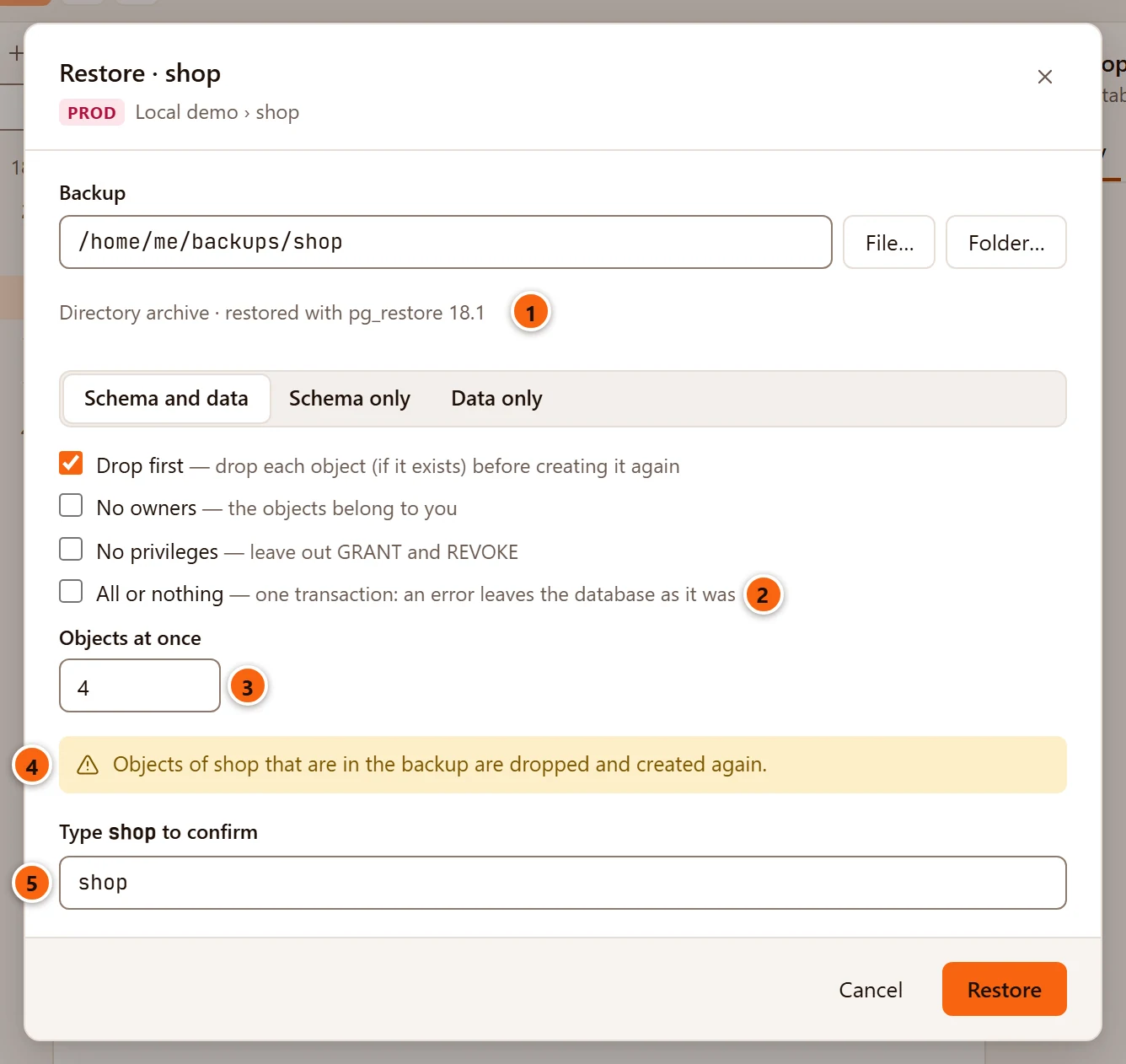
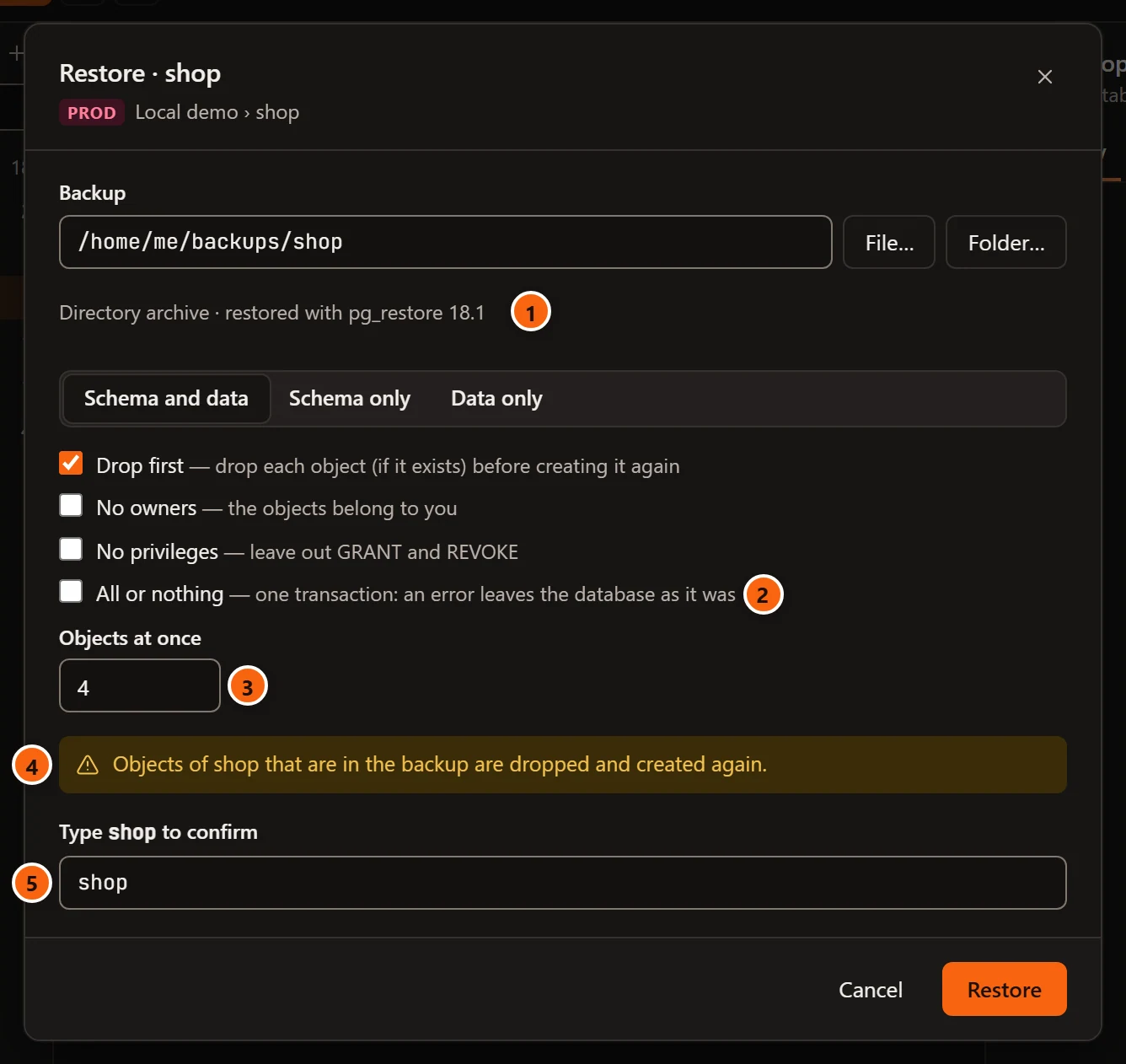
- 1 A Directory backup chosen with Folder…: no size is shown for a folder.
- 2 All or nothing unticked…
- 3 …so Objects at once appears.
- 4 With Drop first ticked, the note says that the database’s objects are replaced.
- 5 Type database to confirm: Restore stays greyed out until the name matches, and pgjumbo checks it again before the job starts.
Choosing Production also ticks Read-only sessions for the server, and then pg_restore and psql connect
read-only too: PostgreSQL refuses the restore’s first change, and the job fails. Untick
Read-only sessions in the server’s connection to restore there.
What a restore runs
Section titled “What a restore runs”Restore starts the job, titled Restore database from file, and the dialog follows it as the Backup dialog does.
- An archive:
pg_restore --dbname=… --verbose --exit-on-errorwith your options and the file. It stops at the first error. - A script:
psql --dbname=… --no-psqlrc --set=ON_ERROR_STOP=1 --echo-errors --file=…, with--single-transactionfor All or nothing. It stops at the first error and writes the statement that failed into the job’s messages.
Both connect as a backup does, with the same environment variables and password file. When the restore succeeds while its dialog is still open, pgjumbo reads the database’s objects in the Explorer again. After Run in background it does not: right-click the database and choose Refresh to see what was restored.
Restore into a server older than PostgreSQL 17
Section titled “Restore into a server older than PostgreSQL 17”pg_dump and pg_restore from PostgreSQL 17 on write SET transaction_timeout = 0; at the start of every script,
whatever the server, and a server older than 17 does not know that setting and stops there. When the program that loads
your backup is 17 or newer and the database’s server is older, pgjumbo takes the backup through psql and leaves that
line out:
- A SQL script is read by pgjumbo and fed to
psqlwithout the line. - An archive is turned into its script by
pg_restore --file=-and fed topsqlthe same way. The objects are then loaded one at a time, whatever Objects at once says, andpsqlmust be found too.
The job’s first message says so, for example “pg_restore 18.1 writes SET transaction_timeout, which PostgreSQL 16 does
not know: the script goes to psql without that line.” For a SQL script the message names psql and its version
instead. Its command line shows the way the script takes: pg_restore … | psql … for an archive, psql … < file for
a script.
More jobs on the same menu
Section titled “More jobs on the same menu”- Copy a database to the same server or another one: TasksCopy Database….
- Copy one table’s rows to or from a CSV or text file: TasksImport/Export Data…, on Import and export table data.
- Maintenance:
VACUUM,ANALYZE,REINDEX,CLUSTERand integrity checks.