
Sequences
A sequence opens in a tab of its own. Besides its name and owner, the tab shows its type and numbers, the column it fills, the last value it gave and how much of its range that has used. You can set the value it gives next, point it at another column, or give it a wider type, and pgjumbo works out whether the column it fills has to change too.
Open a sequence
Section titled “Open a sequence”- Double-click a sequence in a schema’s Sequences folder, or select it and press Enter.
- Right-click it and choose Properties…, or select it and press ⌘ I (Alt+Enter on Windows and Linux).
- Find it with Open Quickly, or double-click it in Object Details.
The tab opens on General; if it is already open, it comes to the front. The server must be connected. Its header shows the sequence’s name, then Sequence, its type, the column it fills (“owned by public.customers.id”) and when the tab read it, with Open in Query Tool (its CREATE script in a new Query Tool, not run) and Read again (which drops changes you have not saved).
The views are General, Definition, Privileges, Dependencies and SQL. A dot after a view’s name means you changed something there.
The General view
Section titled “The General view”| Field | What it does |
|---|---|
| Name | Renames it (ALTER SEQUENCE … RENAME TO). |
| Schema | Moves it to another schema (ALTER SEQUENCE … SET SCHEMA). |
| Owner | Gives it to another role (ALTER SEQUENCE … OWNER TO). |
| Comment | Sets or clears its comment (COMMENT ON SEQUENCE). |
The Definition view
Section titled “The Definition view”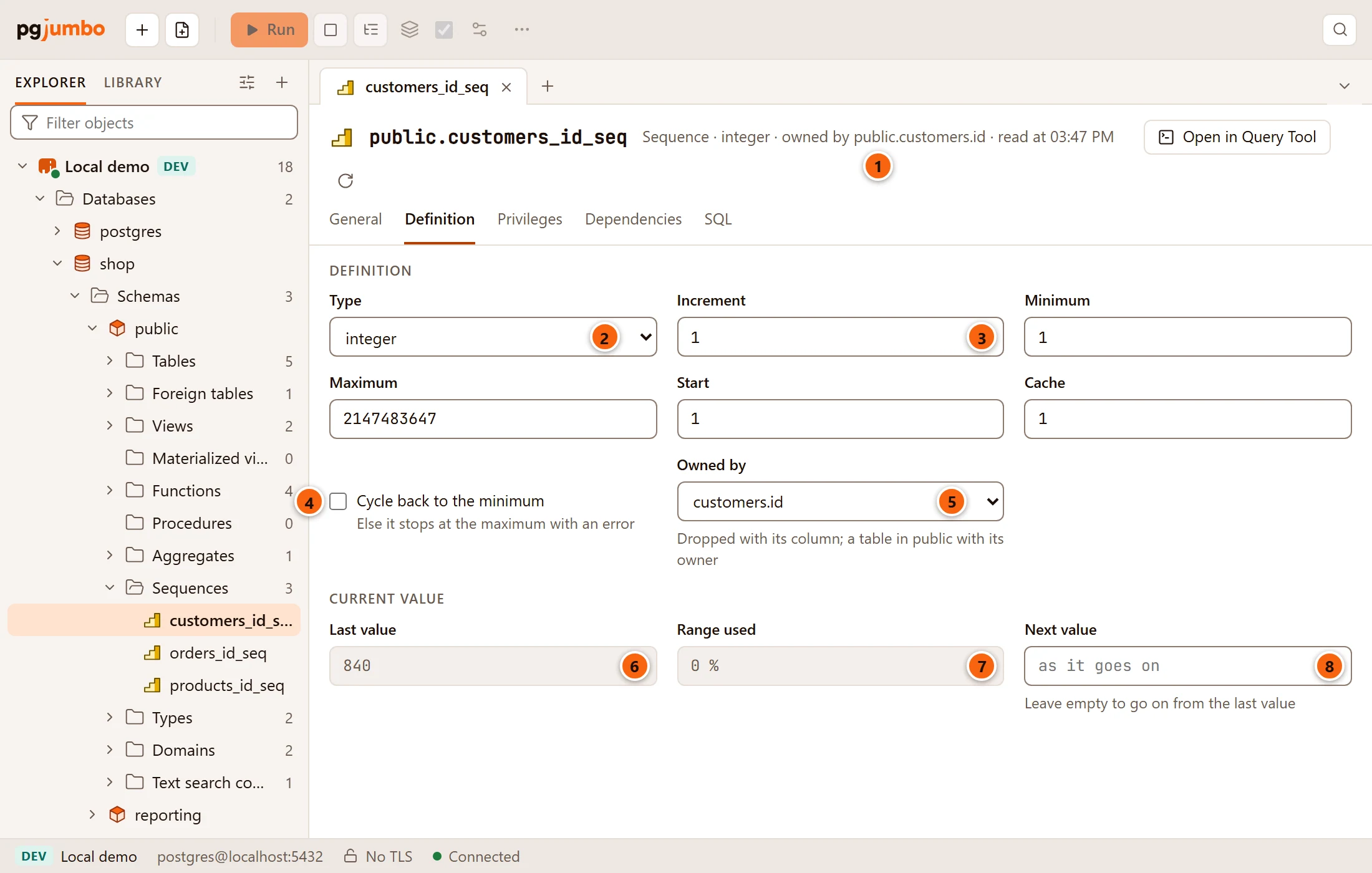
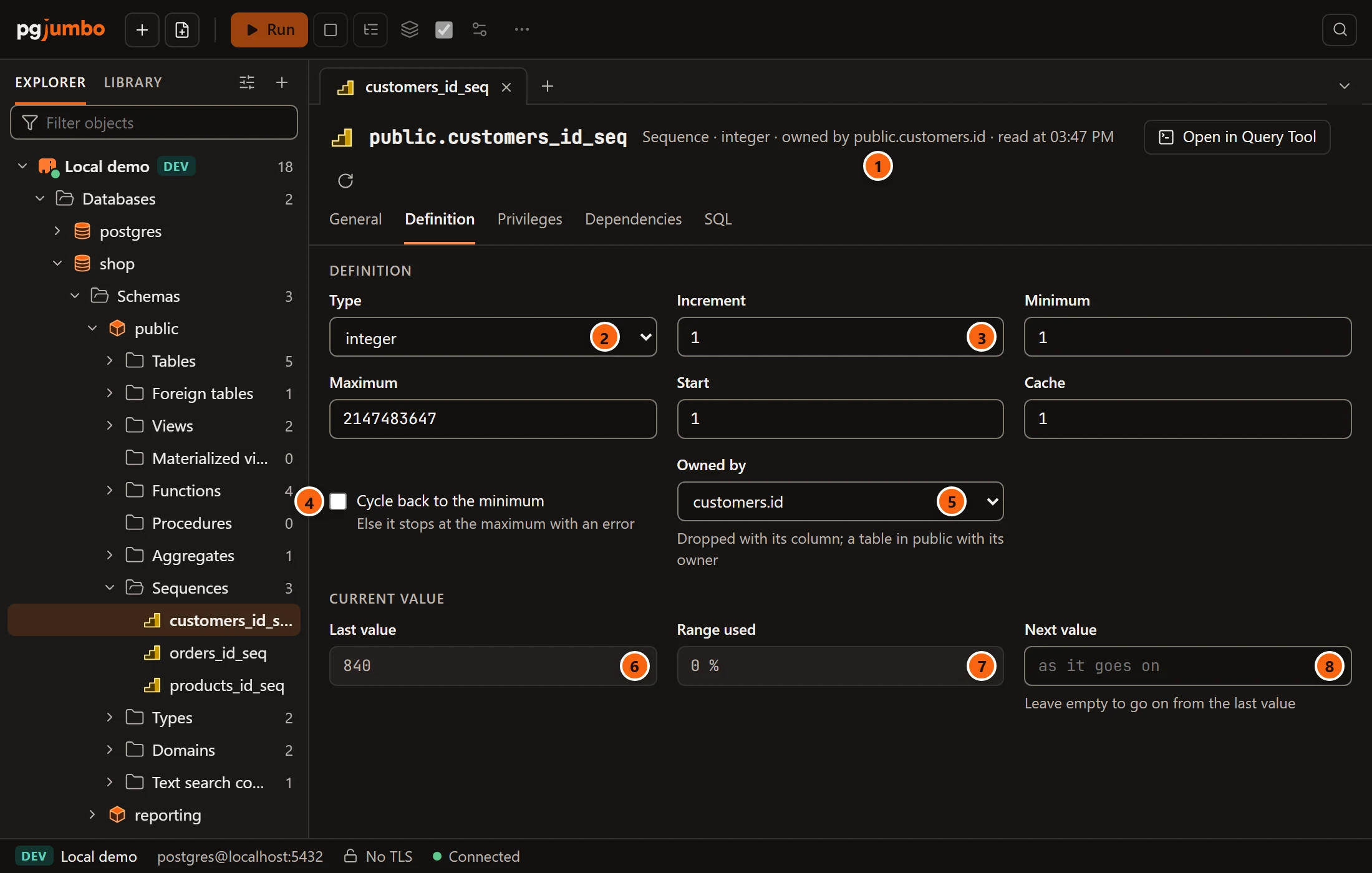
- 1 The facts line names the column the sequence fills.
- 2 Type:
smallint,integerorbigint. See Give it a wider type. - 3 Increment, then Minimum, Maximum, Start and Cache: the sequence’s numbers.
- 4 Cycle back to the minimum: after the maximum, start again from the minimum. Unticked, it stops at the maximum with an error.
- 5 Owned by: the column the sequence fills. See The column it fills.
- 6 Last value: the last number it gave, read only.
- 7 Range used: how much of its range the last value has used.
- 8 Next value: the number it gives next. See Set the next value.
| Field | Statement | Notes |
|---|---|---|
| Increment | INCREMENT BY |
A negative increment counts down. |
| Minimum | MINVALUE |
Emptied, NO MINVALUE: the type’s lowest number (or 1 when counting up). |
| Maximum | MAXVALUE |
Emptied, NO MAXVALUE: the type’s highest number (or -1 when counting down). |
| Start | START WITH |
The value a plain RESTART goes back to. It does not move the sequence now. |
| Cache | CACHE |
How many numbers each session takes at a time. |
| Cycle back to the minimum | CYCLE or NO CYCLE |
Every number must be a whole number that a bigint holds. Changes to the type, the numbers, Cycle back to the
minimum and Owned by go into one ALTER SEQUENCE statement; Next value gets a statement of its own. Once you
change something, Generated SQL appears under the view and shows the statements as you type.
The column it fills
Section titled “The column it fills”Owned by ties the sequence to a column, OWNED BY in SQL: when the column or its table is dropped, the sequence is
dropped with it. It does not change the column’s default. The list offers None and the number columns
(smallint, integer, bigint, numeric) of the tables, partitioned tables and foreign tables in the sequence’s
schema that have the same owner as the sequence, as OWNED BY requires; the column it fills now is always there.
The sequence of an identity column belongs to it for good. Then Owned by is locked and says “It makes this identity column’s values and stays with it”.
Last value and range used
Section titled “Last value and range used”Last value is the last number the sequence gave. It says Not used yet when the sequence has never been used, and also when the role you are connected as may not read it.
Range used is how far the last value has gone between Minimum and Maximum, in percent; for a sequence that counts down, from the maximum. It shows a dash when there is no last value. From 75 % a warning says how much it has used and that a wider type or a higher maximum keeps it going.
Set the next value
Section titled “Set the next value”Type a number in Next value to make the sequence give it next: Save runs ALTER SEQUENCE … RESTART WITH once,
after the sequence’s other changes and before any GRANT or REVOKE. The field is never read back, so it is empty
again after the save: leave it empty to go on from the last value. The pending bar counts it as “next value”.
Give it a wider type
Section titled “Give it a wider type”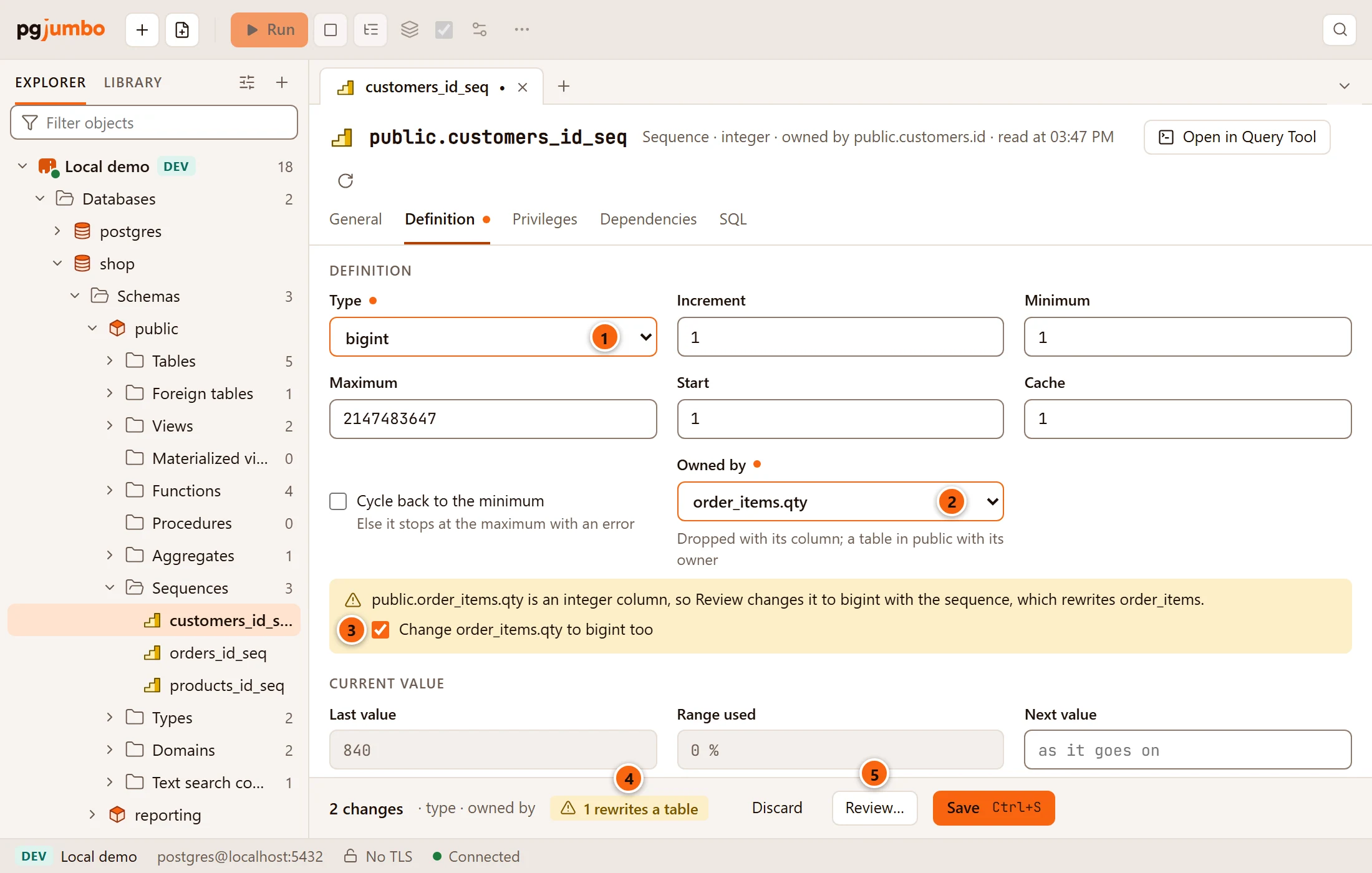
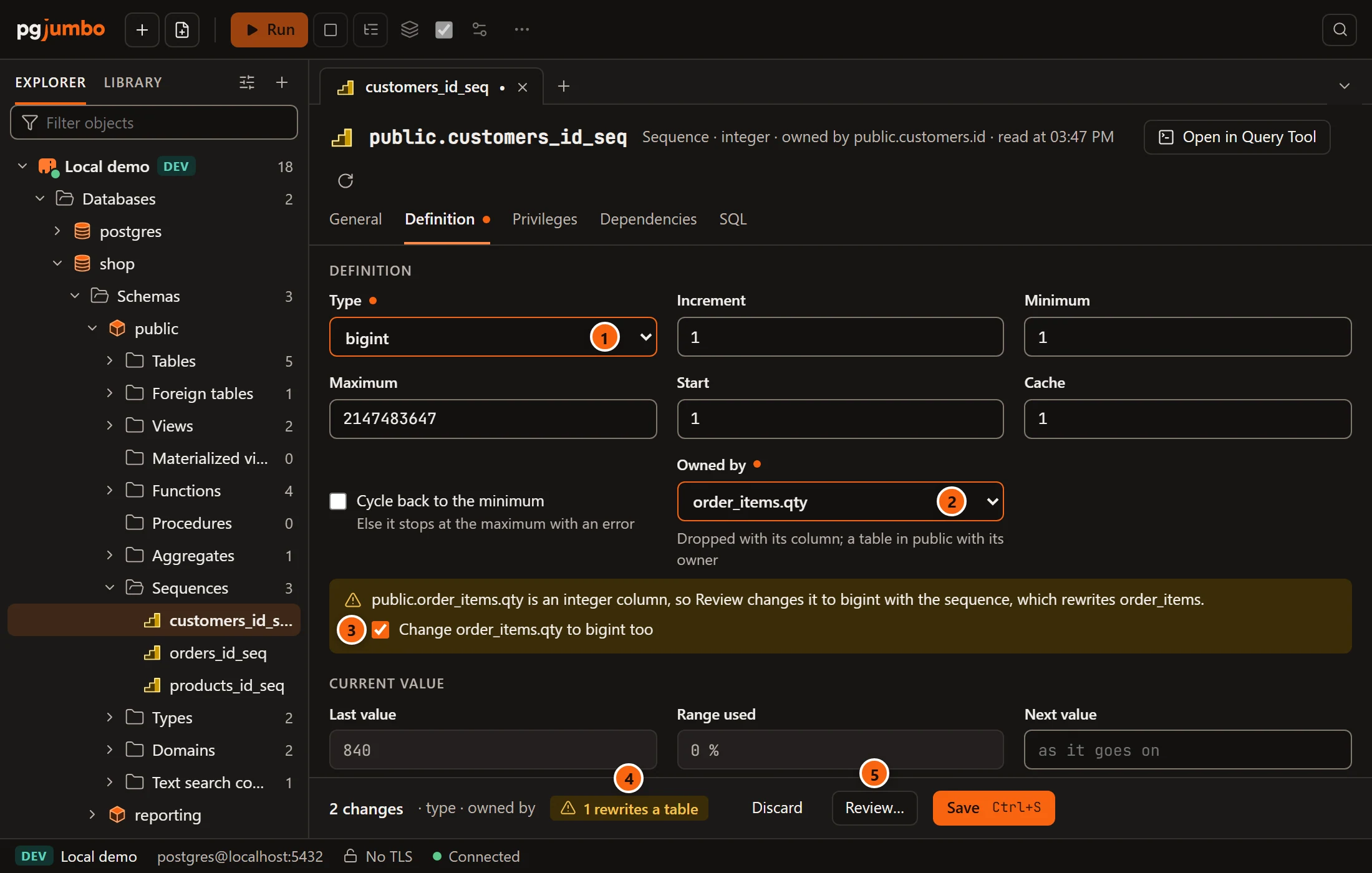
- 1 Type changed to a wider integer type (
ALTER SEQUENCE … AS bigint). - 2 Owned by: the column the sequence will fill.
- 3 When that column is a narrower integer than the new type, a note says that Review changes the column too, which rewrites its table. Untick Change … too to leave the column as it is; the note then warns that numbers past its range will not fit in it.
- 4 The pending bar warns “1 rewrites a table”.
- 5 Review… shows the statements, with the table’s size.
PostgreSQL changes a column’s type only when no view uses it. If a view uses the column, the note names the views and says the column stays as it is; there is no box to tick.
When Minimum and Maximum were the old type’s limits, PostgreSQL moves them to the new type’s limits with the type, so leave them as they are. A number you type there yourself is kept. You can choose a narrower type too; PostgreSQL refuses it when the sequence’s numbers do not fit in it, and its message shows in the pending bar.
The column’s change runs right after the ALTER SEQUENCE, in the same transaction:
ALTER TABLE … ALTER COLUMN … TYPE. It holds an ACCESS EXCLUSIVE lock on the table while PostgreSQL writes the whole
table again, so nobody can read or write it meanwhile. That is why Save opens the review sheet first.
Save your changes
Section titled “Save your changes”The pending bar counts what changed, for example “2 changes · type · owned by”, with Discard, Review… and Save (⌘ S (Ctrl+S on Windows and Linux)). Save runs everything in one transaction, on a connection of its own.
| Statement | Lock | What it means for others |
|---|---|---|
ALTER SEQUENCE with its numbers, type, OWNED BY, or RESTART |
SHARE ROW EXCLUSIVE on the sequence |
Reading it goes on; nextval waits until the transaction ends. |
| A new name, schema or owner | ACCESS EXCLUSIVE on the sequence |
Everything that uses it waits a moment. |
ALTER TABLE … ALTER COLUMN … TYPE |
ACCESS EXCLUSIVE on the table |
The table is written again; nobody can use it meanwhile. |
COMMENT |
none | |
GRANT, REVOKE |
ACCESS SHARE on PostgreSQL 18, none before |
Changes that only touch the catalog save at once. A table rewrite, or a server that asks first (Production, or Staging when Settings say so), opens the review sheet, where you see each statement and, on such a server, type the database’s name. The sheet is explained in Object tabs and review.
If the sequence changed since the tab read it (its name, type, numbers, the column it fills, owner, comment or privileges), nothing runs and the pending bar says what changed and offers Read again. Its last value moving does not count.
Privileges, Dependencies and SQL
Section titled “Privileges, Dependencies and SQL”- Privileges: who holds
SELECT,UPDATEandUSAGEon the sequence, granted and revoked as in Privileges. - Dependencies: what the sequence depends on and what uses it, such as the table whose column default calls it. Open shows an object in the Inspector.
- SQL: its CREATE script, with Open in Query Tool and the Script menu.
Create a sequence
Section titled “Create a sequence”Right-click a schema’s Sequences folder and choose Create sequence…, or right-click a schema or a database and choose CreateSequence….
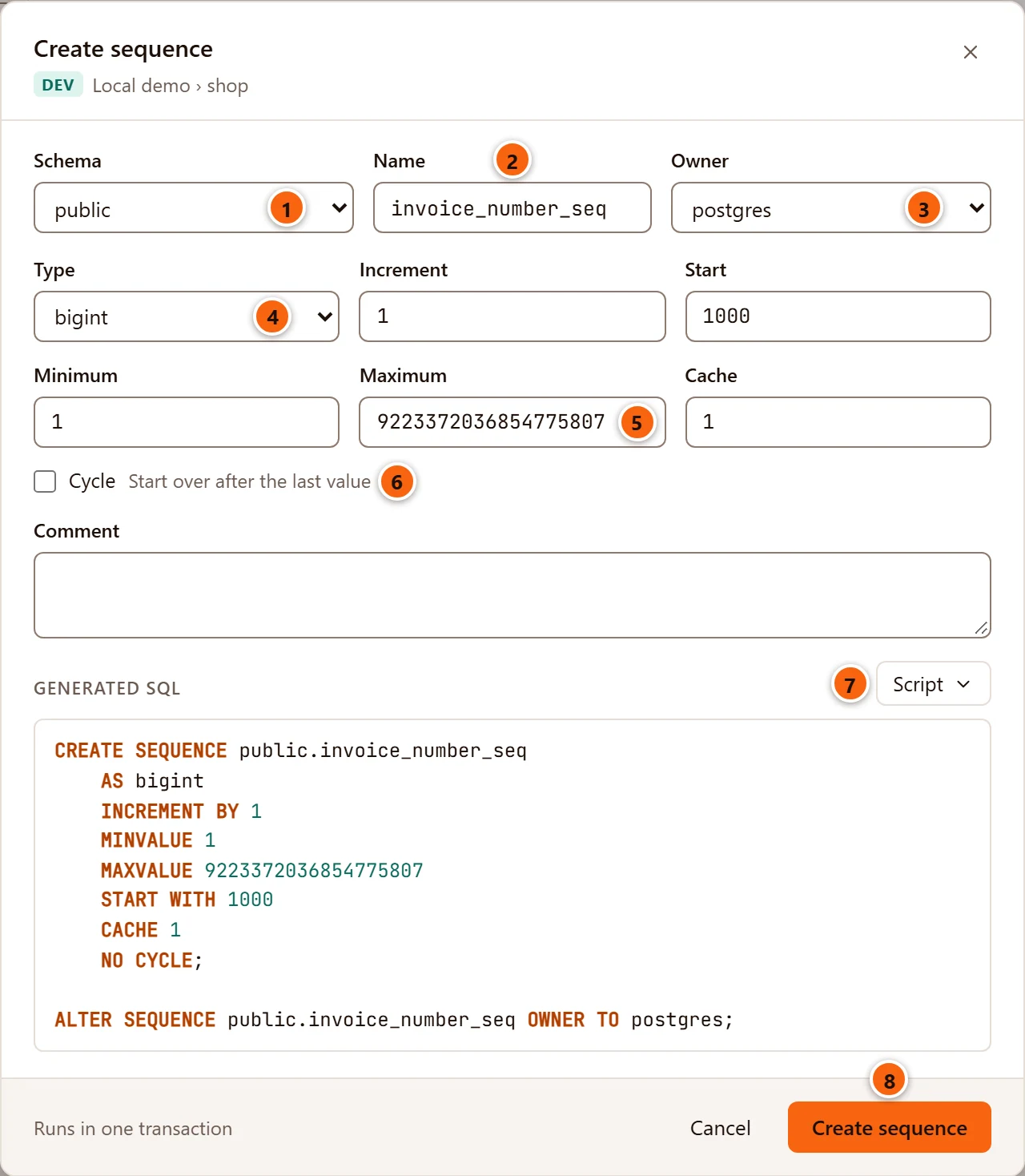
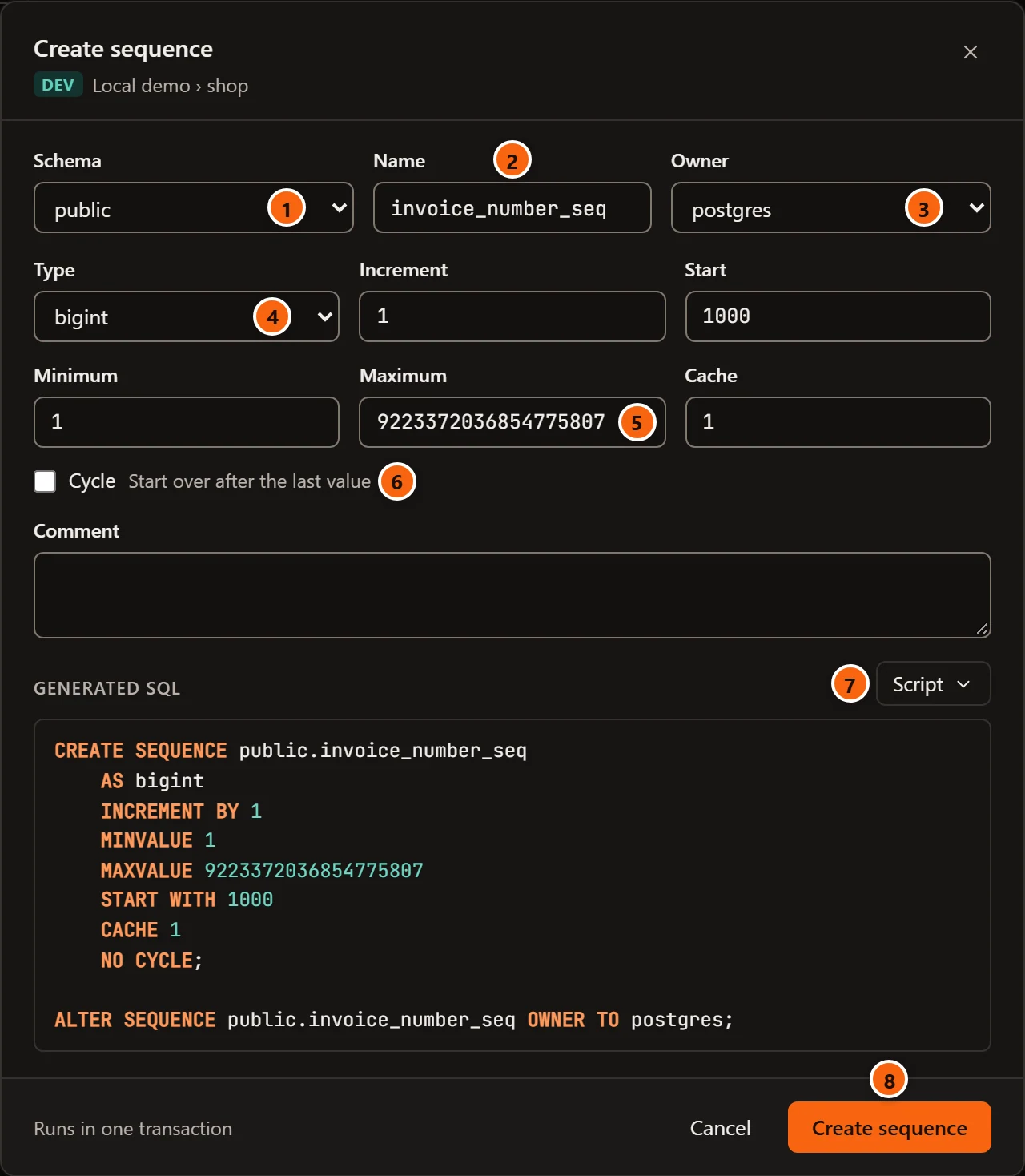
- 1 Schema: where it goes; it starts on the schema you right-clicked, or
public. - 2 Name: its name.
- 3 Owner: it starts on the role you are connected as.
- 4 Type:
bigintto start with. Choosing another type moves Maximum with it, as long as Maximum was still the old type’s highest number. - 5 Increment, Start, Minimum, Maximum and Cache: they start at 1, 1, 1, the type’s
highest number and 1. A field you empty is left out of the
CREATE SEQUENCE, so PostgreSQL’s default applies. - 6 Cycle: start over after the last value.
- 7 Script opens, copies or saves the statements under Generated SQL; opening them in a Query Tool
also closes the dialog. The Comment field above them becomes
COMMENT ON SEQUENCE. - 8 Create sequence runs
CREATE SEQUENCE, thenALTER SEQUENCE … OWNER TOand, when you wrote a comment,COMMENT ON SEQUENCE, in one transaction.
If PostgreSQL refuses, its message shows in red at the bottom of the dialog and nothing is created. Otherwise the dialog
closes, a notice says the sequence was created, and the Explorer shows it. To make a column use it, set the column’s
default to nextval(…) in the table’s tab (Tables), then point Owned by at the column.
More from the right-click menu
Section titled “More from the right-click menu”| Item | What it does |
|---|---|
| Query Tool | A new Query Tool on its database. |
| Script as ▸ | CREATE and DROP and CREATE, opened in a new Query Tool. See Scripts. |
| Properties… | Opens the tab on General. |
| TasksBackup… | Backs up the sequence with pg_dump. See Back up and restore. |
| Copy name | Copies its schema-qualified name. |
| Drop… | Drops it. See Drop, truncate and other quick actions. |