
Table settings and privileges
These are the views of a table’s tab that are about the table as a whole rather than its columns. Changes you make on Settings and Privileges wait in the tab with the rest and are reviewed before they run, as described in Object tabs and review. Opening a table and its other views are in Tables.
The Settings view
Section titled “The Settings view”Right-click a table and choose Properties… (⌘ I (Alt+Enter on Windows and Linux)) to open its tab on Settings, or click Settings in a tab that is open.
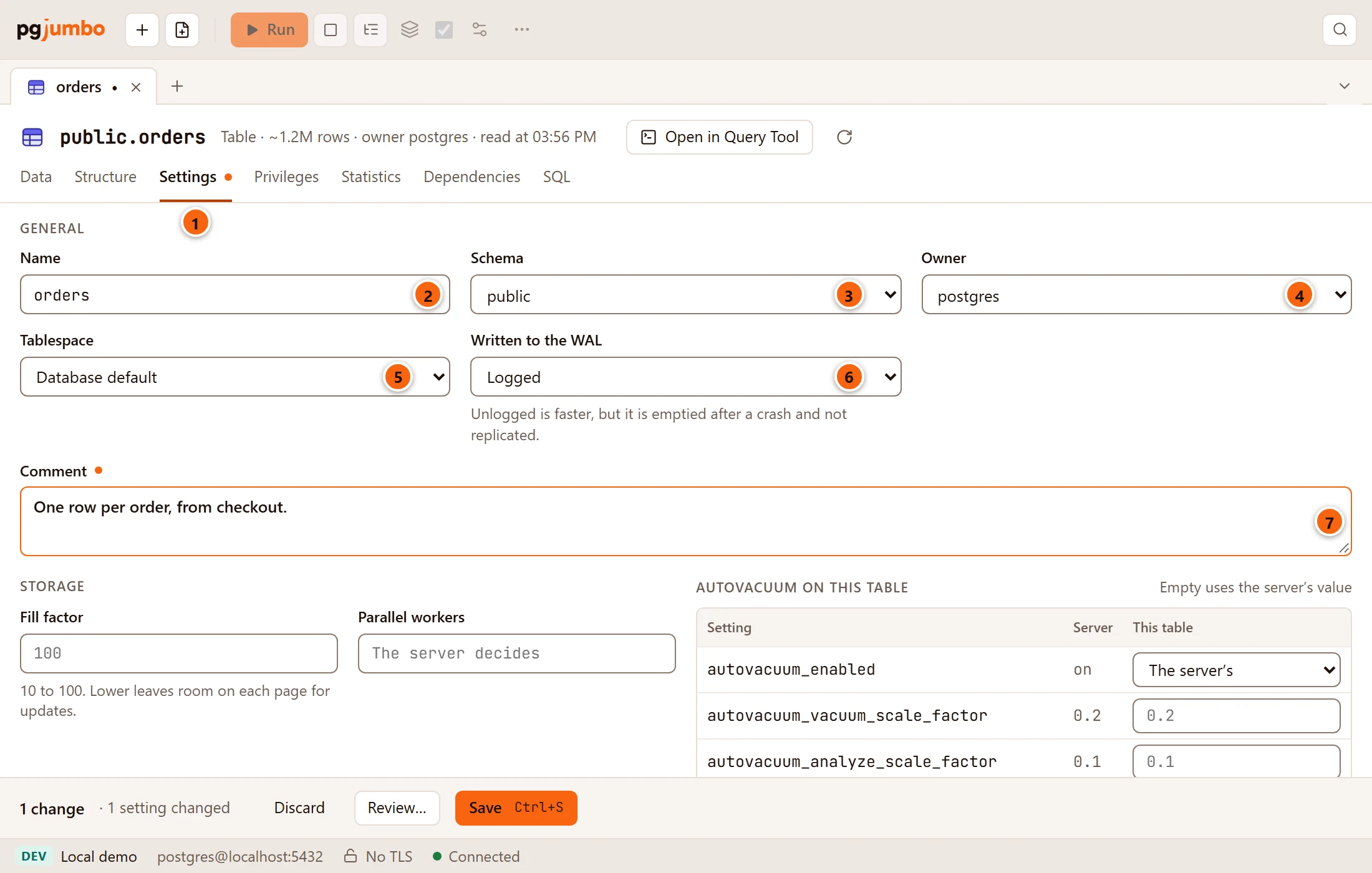
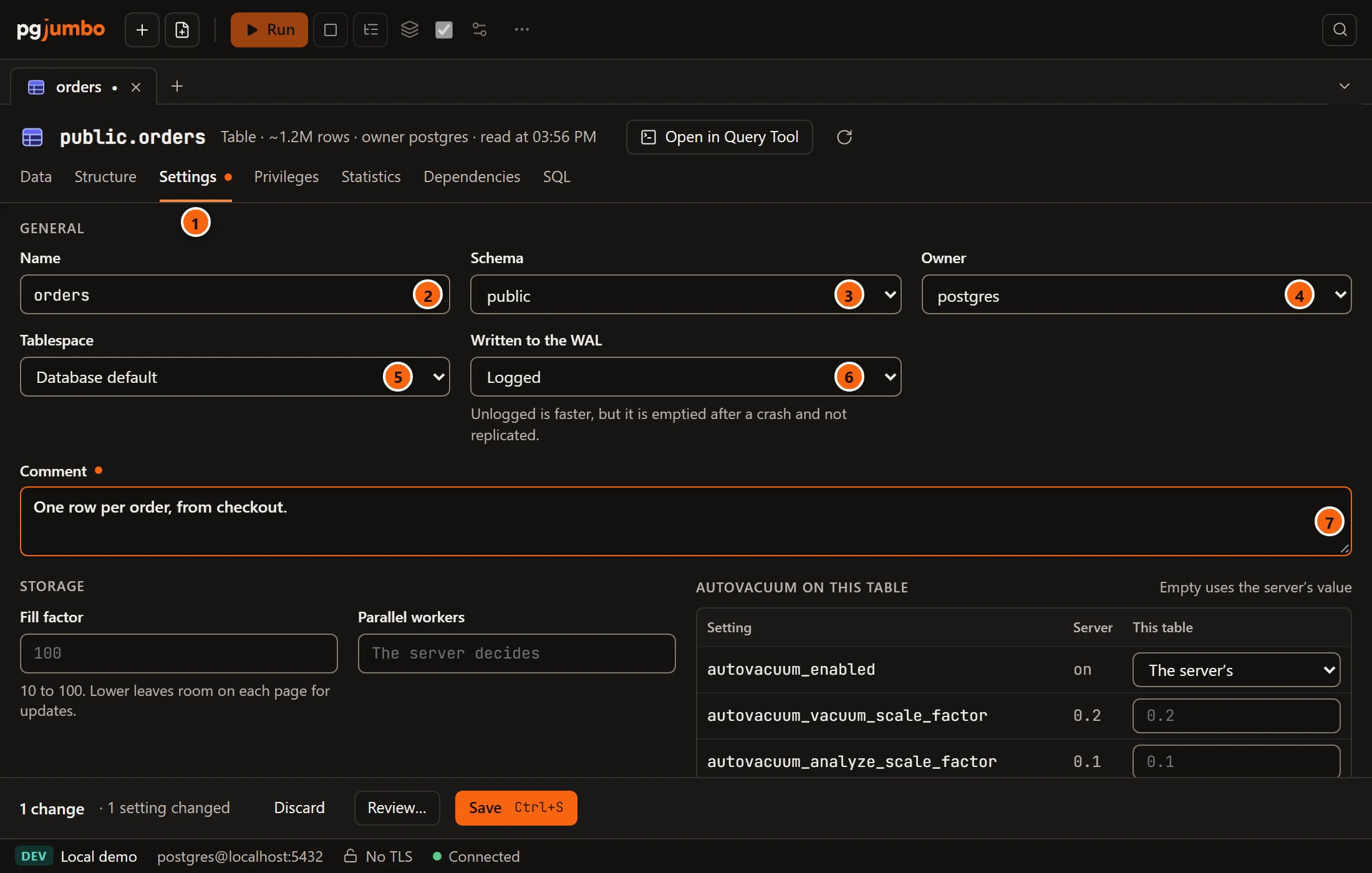
- 1 The Settings view. Its dot says something on it changed.
- 2 Name: the table’s name. A new name renames the table (
ALTER TABLE … RENAME TO) after its other changes, so those still find it by its old name. - 3 Schema: the schemas of the database. Another one moves the table there (
SET SCHEMA). - 4 Owner: the roles of the server (
OWNER TO). - 5 Tablespace: Database default or a tablespace. Another one moves the table’s files there
(
SET TABLESPACE), which copies the whole table while nothing can read or write it. - 6 Written to the WAL: Logged or Unlogged. Unlogged is faster, but it is emptied after a crash
and not replicated. Switching runs
SET LOGGEDorSET UNLOGGED, which rewrites the table. - 7 Comment: the table’s comment (
COMMENT ON TABLE). Empty removes it.
A field you changed gets a dot beside its label. In the pending bar a new name or schema counts as renamed, and the
owner, tablespace, persistence and comment each count as a setting (1 setting changed, 2 settings changed).
Storage parameters, row security, the replica identity and policies have their own words there, such as
1 storage parameter changed or 1 policy added. What each statement locks is in
What each statement does: the tablespace and the persistence
are the two that keep the table locked while PostgreSQL copies or rewrites it.
A new table’s Settings view also has Partitioning, described in A partitioned table.
Storage and autovacuum
Section titled “Storage and autovacuum”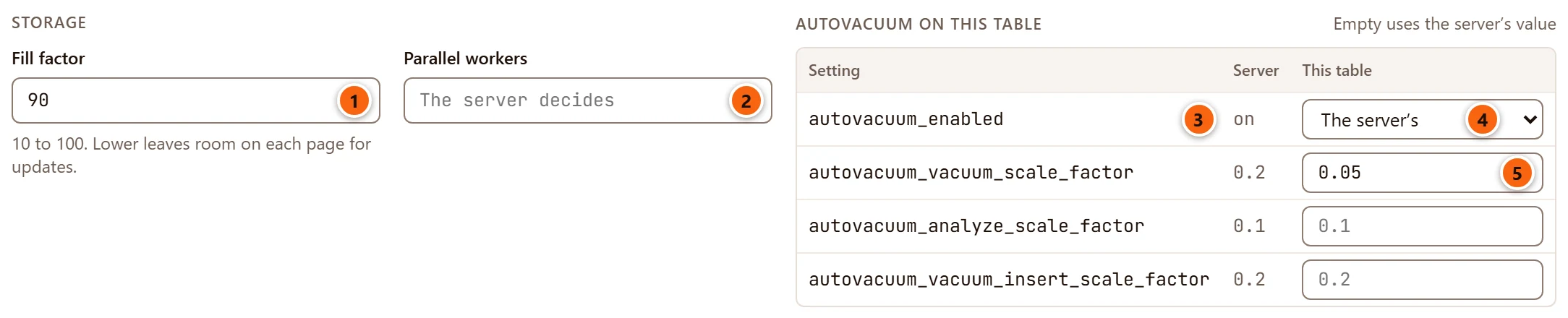
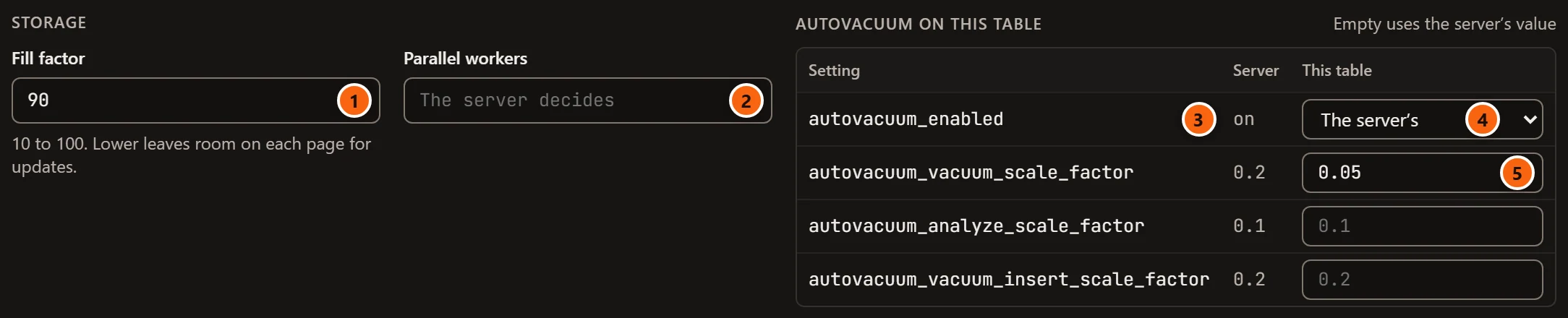
These are the table’s storage parameters, set with ALTER TABLE … SET (…). An empty field leaves the parameter to
the server, and emptying one that was set runs RESET (…). Both take a SHARE UPDATE EXCLUSIVE lock, which lets reads
and writes go on.
- 1 Fill factor (
fillfactor): a whole number from 10 to 100. Lower leaves room on each page for updates. The grey100is PostgreSQL’s default. - 2 Parallel workers (
parallel_workers): how many workers a parallel scan of the table may use, from 0 to 1024. Empty lets the server decide. - 3 Autovacuum on this table lists, for each setting, the server’s value under Server.
- 4
autovacuum_enabled: The server’s, on or off. - 5 A value of the table’s own under This table, a number from 0 to 100. Empty uses the server’s value, shown in grey.
The autovacuum settings shown are autovacuum_enabled, autovacuum_vacuum_scale_factor,
autovacuum_analyze_scale_factor and, on PostgreSQL 13 or later, autovacuum_vacuum_insert_scale_factor. Other
storage parameters the table has, such as an autovacuum threshold, stay as they are. A value
pgjumbo cannot accept is explained in red under Generated SQL, for example
fillfactor takes a whole number from 10 to 100, not 5.
Row security and replica identity
Section titled “Row security and replica identity”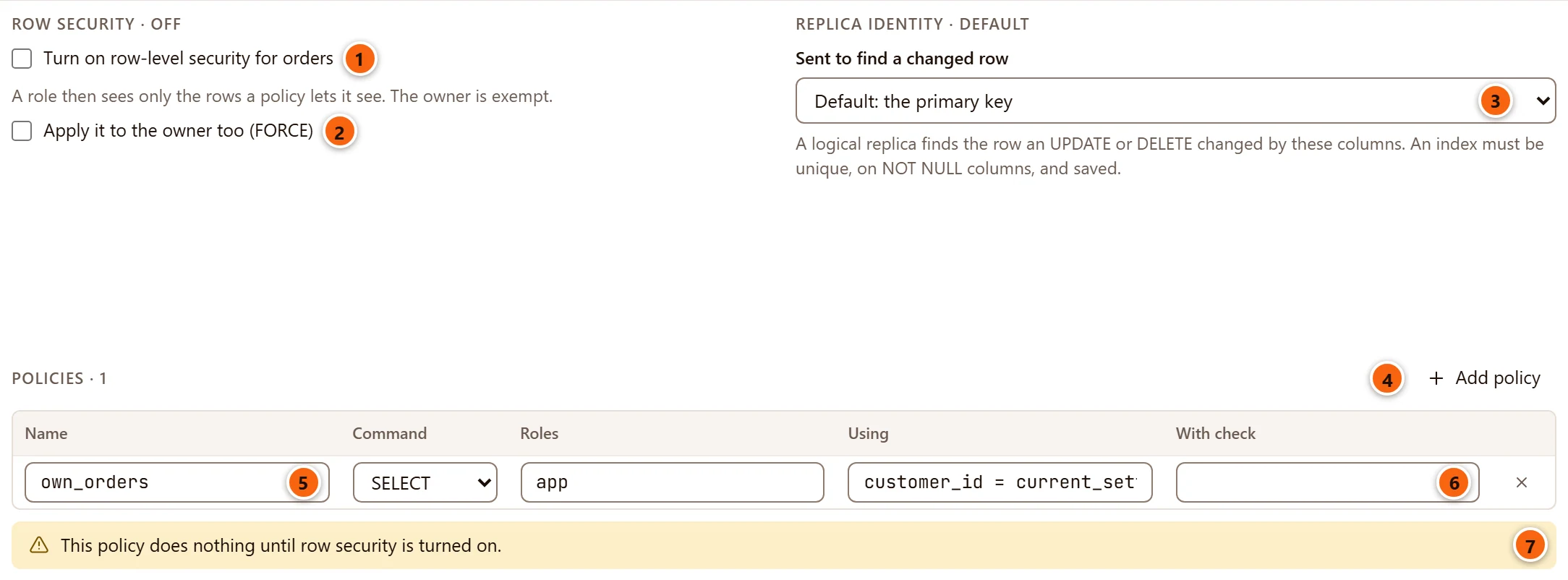
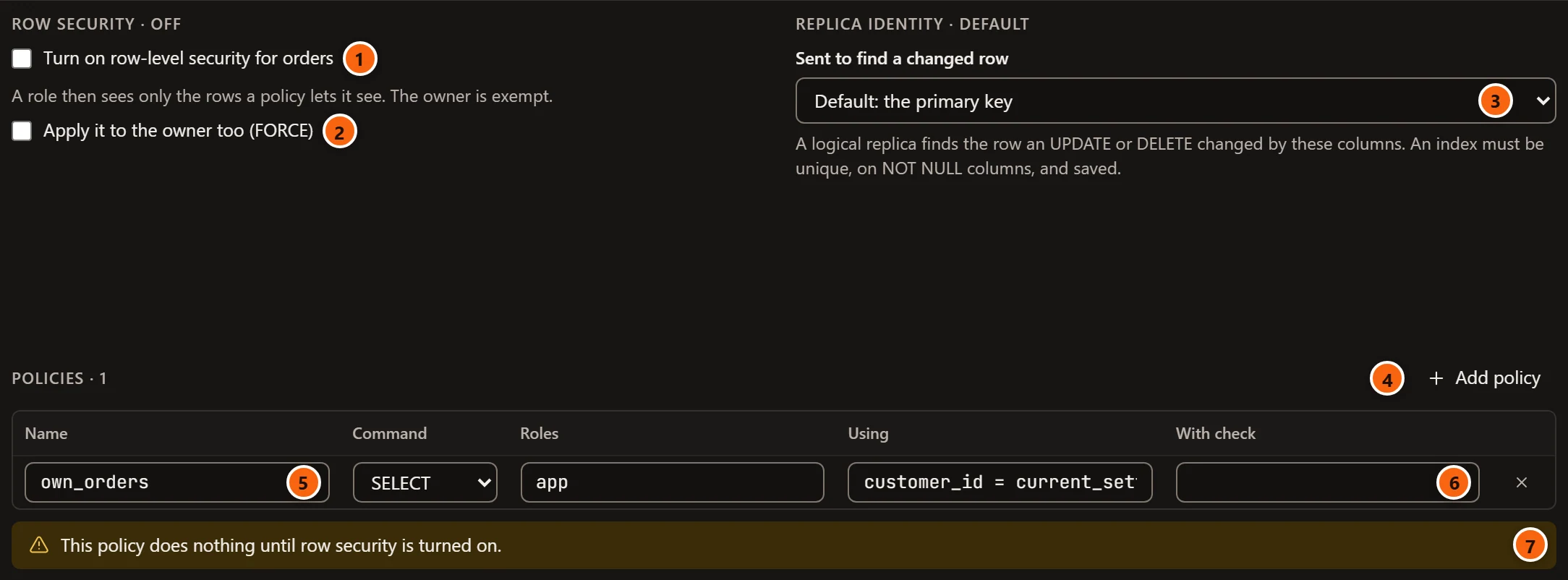
- 1 Turn on row-level security for orders (
ENABLE ROW LEVEL SECURITY). A role then sees only the rows a policy lets it see. The owner is exempt. The section’s heading says Row security · on or off. - 2 Apply it to the owner too (FORCE) (
FORCE ROW LEVEL SECURITY). - 3 Sent to find a changed row: the table’s replica identity, which a logical replica uses to find the
row an
UPDATEorDELETEchanged. The choices are below. - 4 Add policy adds a row to the policies.
- 5 A policy’s Name.
- 6 With check, here turned off because a
SELECTpolicy takes only a Using condition. - 7 The warning This policy does nothing until row security is turned on. (or These 2 policies do nothing…), while row security is off.
Each of these statements takes an ACCESS EXCLUSIVE lock for a moment: they only change the catalog.
| Replica identity | What a logical replica is sent |
|---|---|
| Default: the primary key | The primary key’s columns. On a table without one it reads Default: nothing, without a primary key. |
| Full: every column | Every column of the old row: more WAL, but no key needed. |
| Nothing | Nothing. Once the table is published, an UPDATE or DELETE on it fails. |
| Under Using a unique index | The columns of that index: the primary key (marked (primary key)), a unique constraint or a unique index. |
Only unique indexes the table has now, on columns that are NOT NULL, are listed. An index you add in the same edit
must be saved first; then choose it. When your edit drops the index, or lets one of its columns hold nulls, saving
stops with a message that says what to do, such as
The replica identity cannot use orders_ref_key: its column ref may be null. Make the column NOT NULL and save first.
The section’s heading says which kind is chosen: Replica identity · default, full, nothing or
an index.
Policies
Section titled “Policies”Each row of Policies is one row-security policy of the table.
| Column | What it does |
|---|---|
| Name | The policy’s name. A new one is called after the table, as in orders_policy_1. |
| Command | What it applies to: ALL, SELECT, INSERT, UPDATE or DELETE. |
| Roles | The roles it applies to, separated by commas. Empty means every role (PUBLIC). |
| Using | Which rows it lets a role see or change: a condition you write. Turned off for INSERT. |
| With check | Which new or changed rows it accepts. Turned off for SELECT and DELETE. |
| × | Removes the policy. |
A new policy is permissive. A restrictive policy the table already has stays restrictive; the tab has no control to
change that. Saving creates a new policy with CREATE POLICY and drops a removed one with DROP POLICY. A changed
command, or a condition you emptied, drops the policy and creates it again; a new name, new roles or a new condition
use ALTER POLICY. Each condition must be one expression. Mistakes are explained under Generated SQL, for example
own_orders is for SELECT, which takes only a USING condition. or Two policies are called own_orders.
The table’s policies also show in its Policies folder in the Explorer, once it has some.
The Privileges view
Section titled “The Privileges view”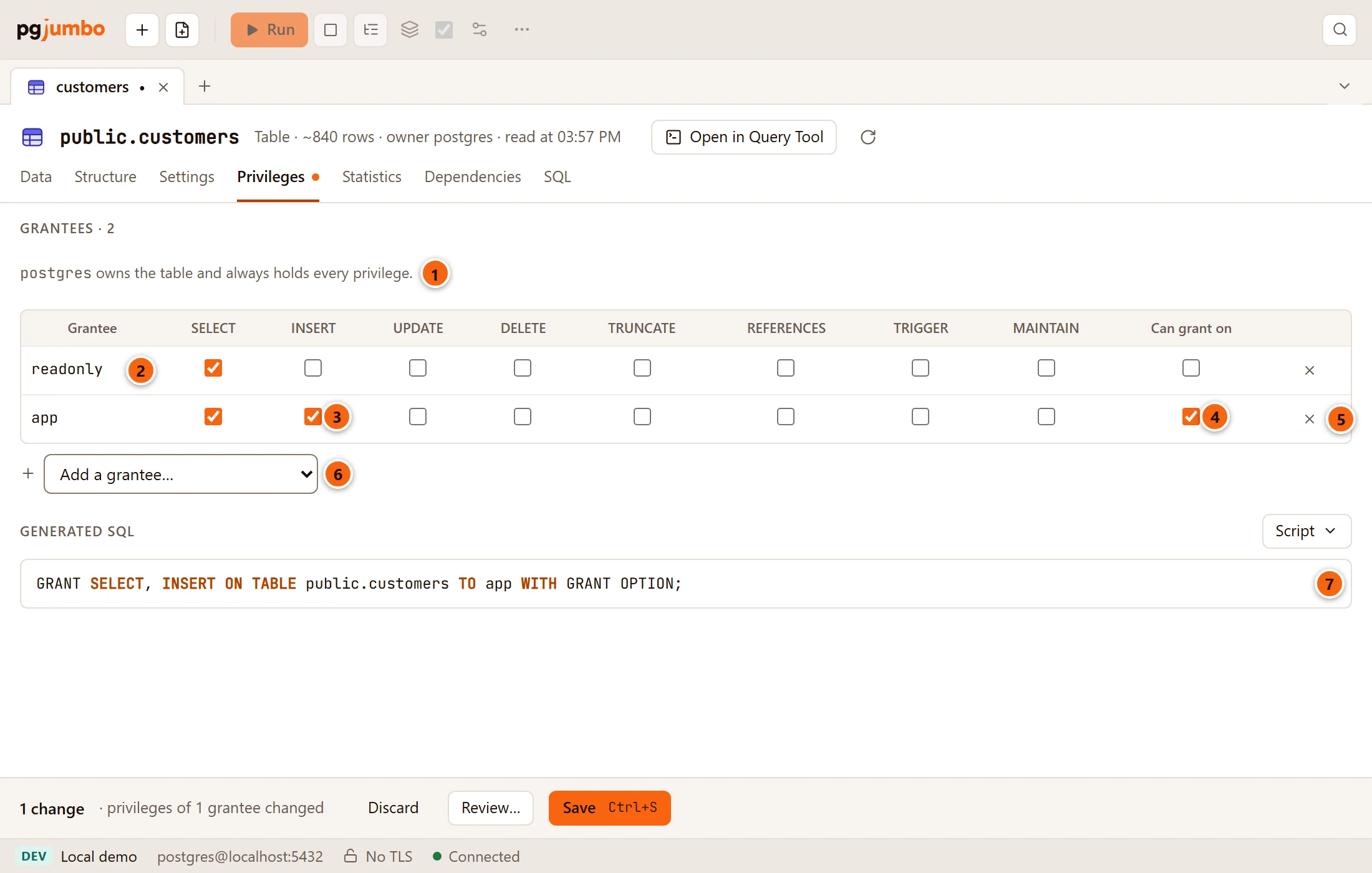
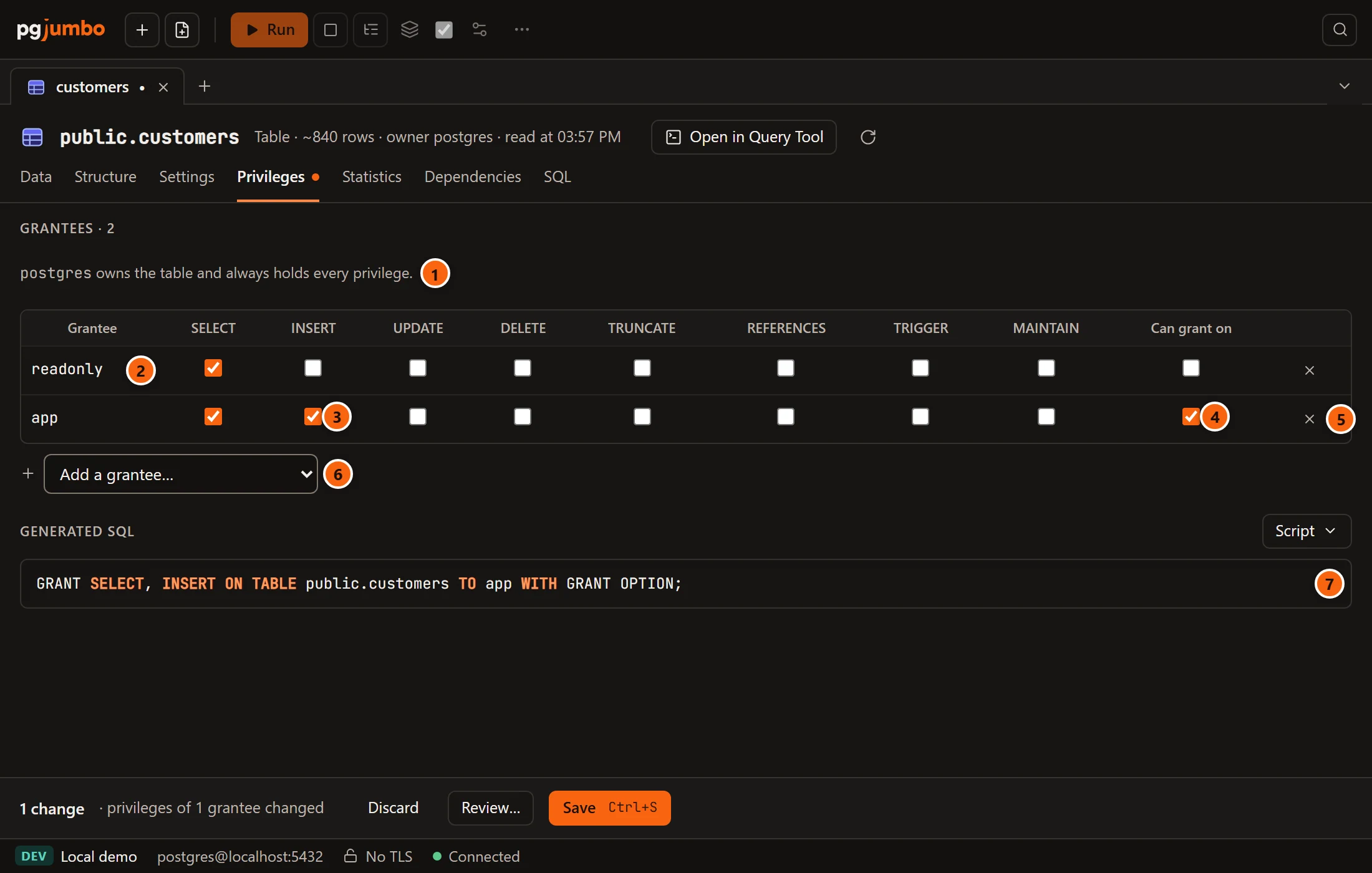
- 1 The owner, who always holds every privilege and is not in the list.
- 2 A grantee, one row each: a role, or
PUBLICfor every role. The heading Grantees counts them. - 3 A box for each privilege the table can have: SELECT, INSERT, UPDATE, DELETE, TRUNCATE, REFERENCES, TRIGGER and, on PostgreSQL 17 or later, MAINTAIN.
- 4 Can grant on: the grantee may grant these privileges to others (
WITH GRANT OPTION). A dash in the box means it may grant only some of them; ticking it gives the option on all. It is off while the grantee holds nothing. - 5 × removes the grantee and every privilege they hold.
- 6 Add a grantee… adds a role, or PUBLIC (every role), with no privileges yet; tick what they should hold.
- 7 Generated SQL: the
GRANTandREVOKEstatements Save would run, with the rest of the tab’s changes.
With nobody but the owner, the view says Nobody else holds a privilege on it. In the pending bar a change here
counts as privileges of 1 grantee changed. GRANT and REVOKE change only the catalog: they take no lock on the table
before PostgreSQL 18, and the lock a SELECT takes from 18, so they save without the review unless the server asks
first.
To grant on many objects at once, or to see what a role can reach, see Privileges.
The Dependencies view
Section titled “The Dependencies view”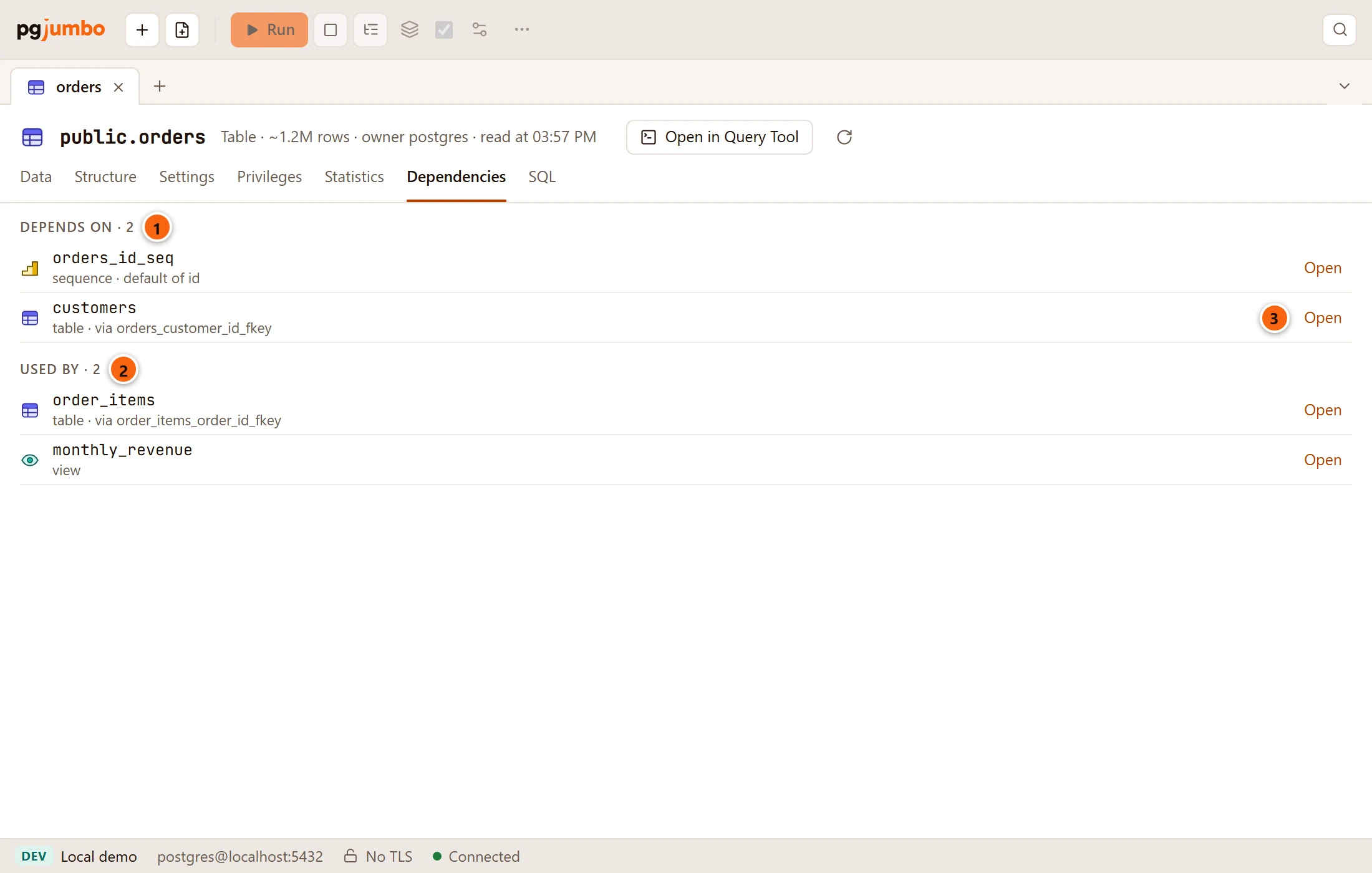
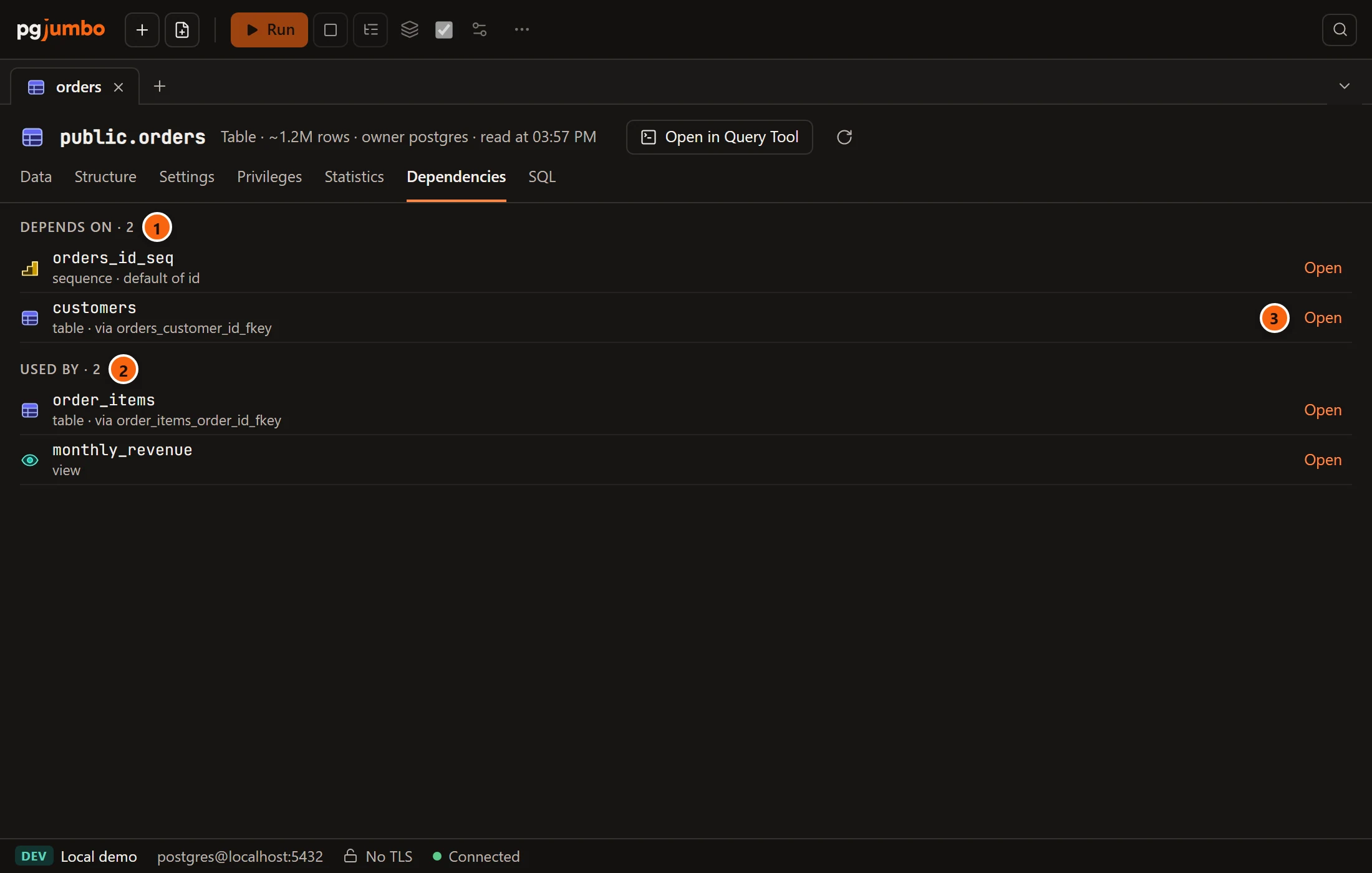
- 1 Depends on: what the table needs, such as the sequence of a column’s default (default of id) or the table a foreign key points to (via orders_customer_id_fkey). With nothing, it says Nothing besides its schema.
- 2 Used by: what needs the table, such as a table whose foreign key points to it, or a view that reads it. With nothing, it says Nothing uses it.
- 3 Open shows that object in the Inspector.
Look here before you drop the table or change a column that views read. A DROP … CASCADE also drops the views that
read the table and the foreign keys that point to it (see
Drop, truncate and other quick actions).
The SQL view
Section titled “The SQL view”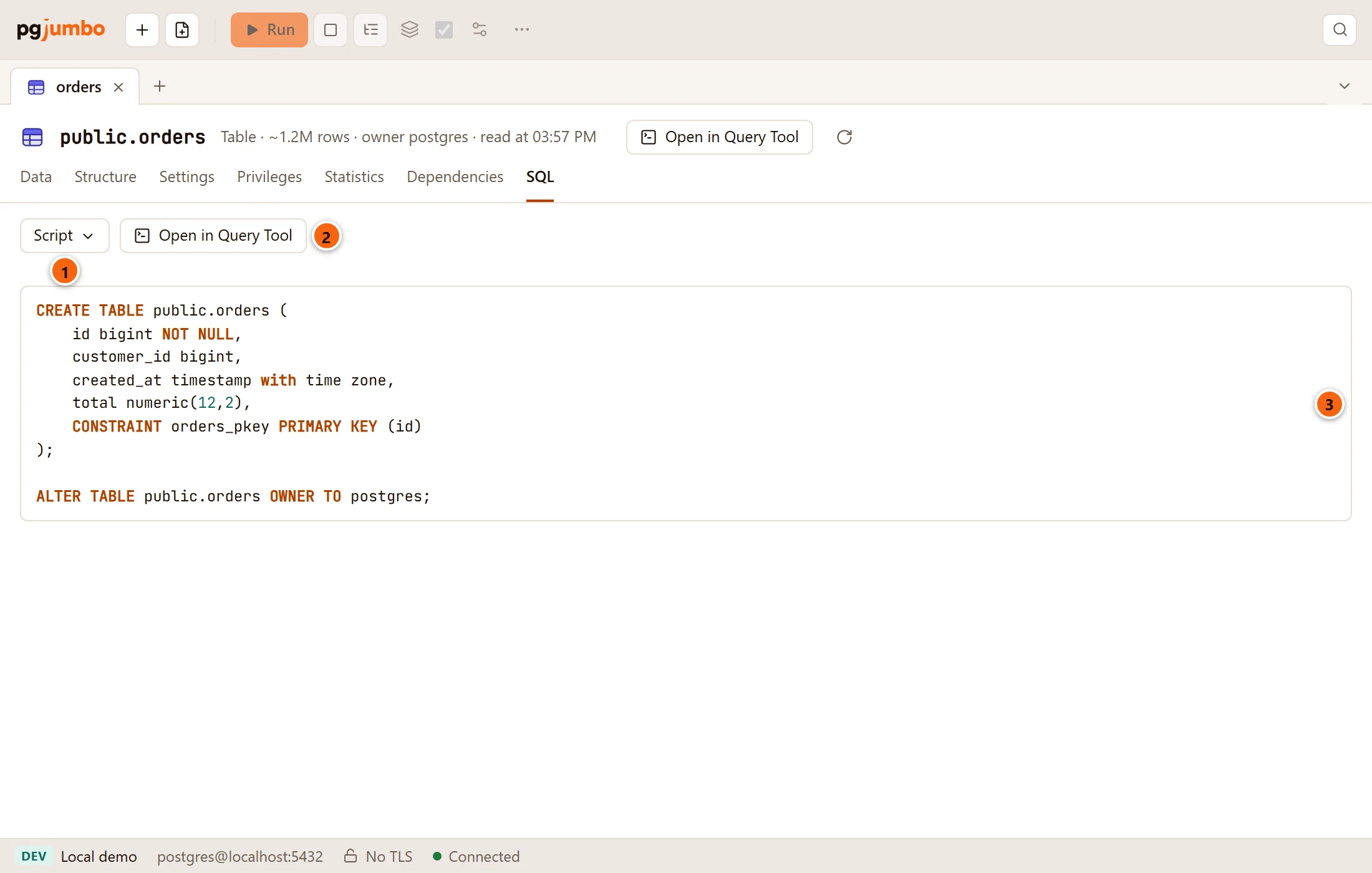
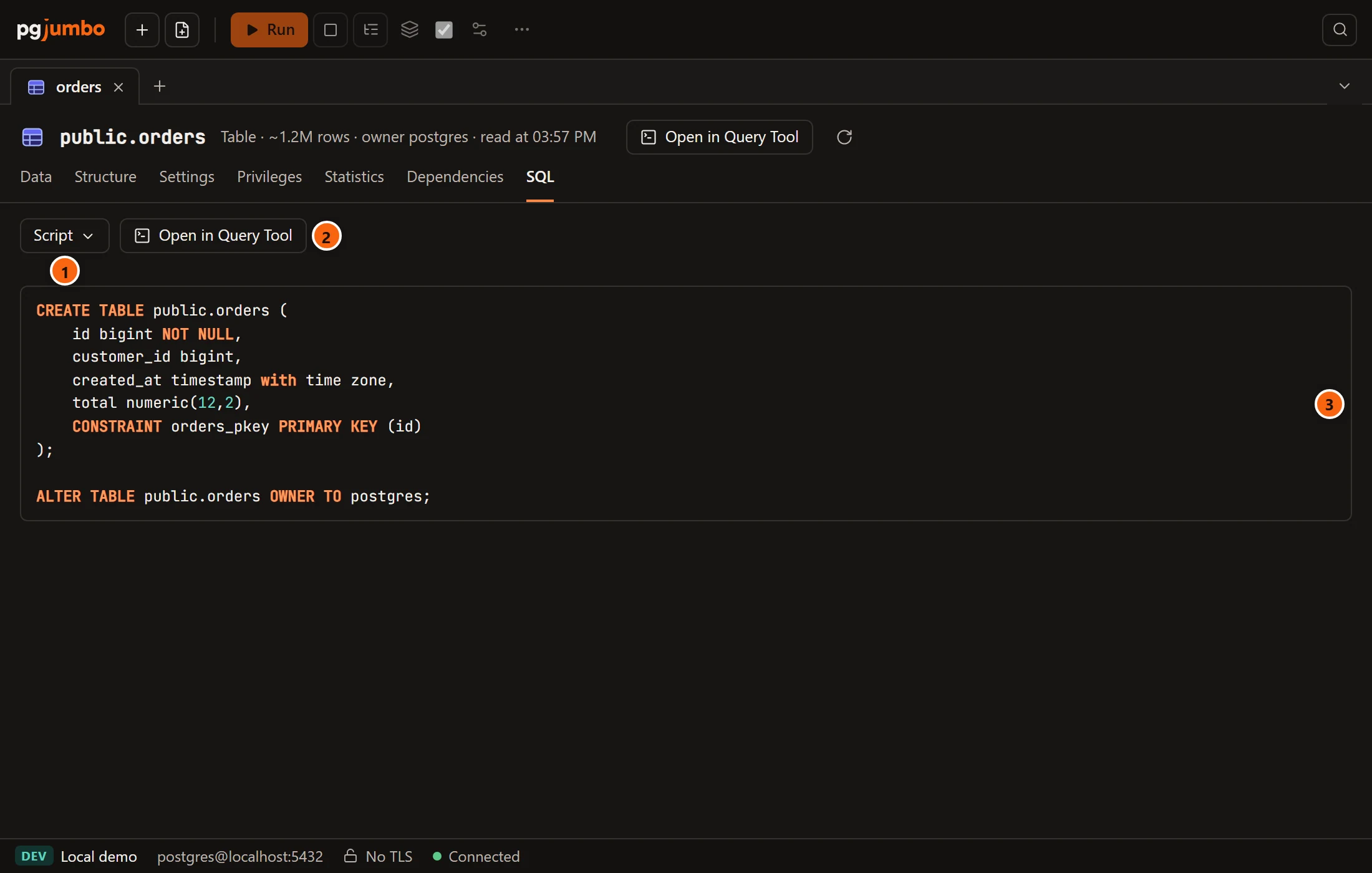
- 1 Script, with Copy and Save to file… (see The Script menu).
- 2 Open in Query Tool opens the script in a new Query Tool on the table’s database. Nothing runs.
- 3 The script that creates the table as it is on the server:
CREATE TABLEwith its columns and constraints, then its owner, comments, indexes, grants, triggers, policies and rules.
The view shows the table as the server has it, not your unsaved changes; those are under Generated SQL on the view
where you made them. It is the same script as the Inspector’s SQL tab. A new table’s SQL view shows instead the
CREATE TABLE its Create table button will run (see Create a table).