
Publications and subscriptions
Logical replication copies changes from one database to another. A publication on the publishing database says which tables send their changes; a subscription on the receiving database connects to the publisher, reads one or more publications and applies what arrives. pgjumbo opens each of them in a tab of its own.
Both live in a database’s Replication group: Replication ▸ Publications and Replication ▸ Subscriptions. A publication’s row says all tables when it publishes every table; a subscription’s row says disabled when it is. A database lists only its own subscriptions.
pgjumbo does not create publications or subscriptions, and does not drop subscriptions: write CREATE PUBLICATION,
CREATE SUBSCRIPTION or DROP SUBSCRIPTION in a Query Tool, then refresh the folder.
Publications
Section titled “Publications”Double-click a publication, or select it and press ↩︎ (Enter on Windows and Linux), to open its tab on Tables. Properties… (⌘ I (Alt+Enter on Windows and Linux)) opens it on General. The header says, after Publication, whether it publishes all tables or how many tables it names, how many logical slots its database has, and when the tab read it. Open in Query Tool puts its script in a new Query Tool, and Read again reads the publication and its slots once more. The views are General, Tables, Slots and SQL; Tables and Slots show a count when there is something to count.
The Tables view
Section titled “The Tables view”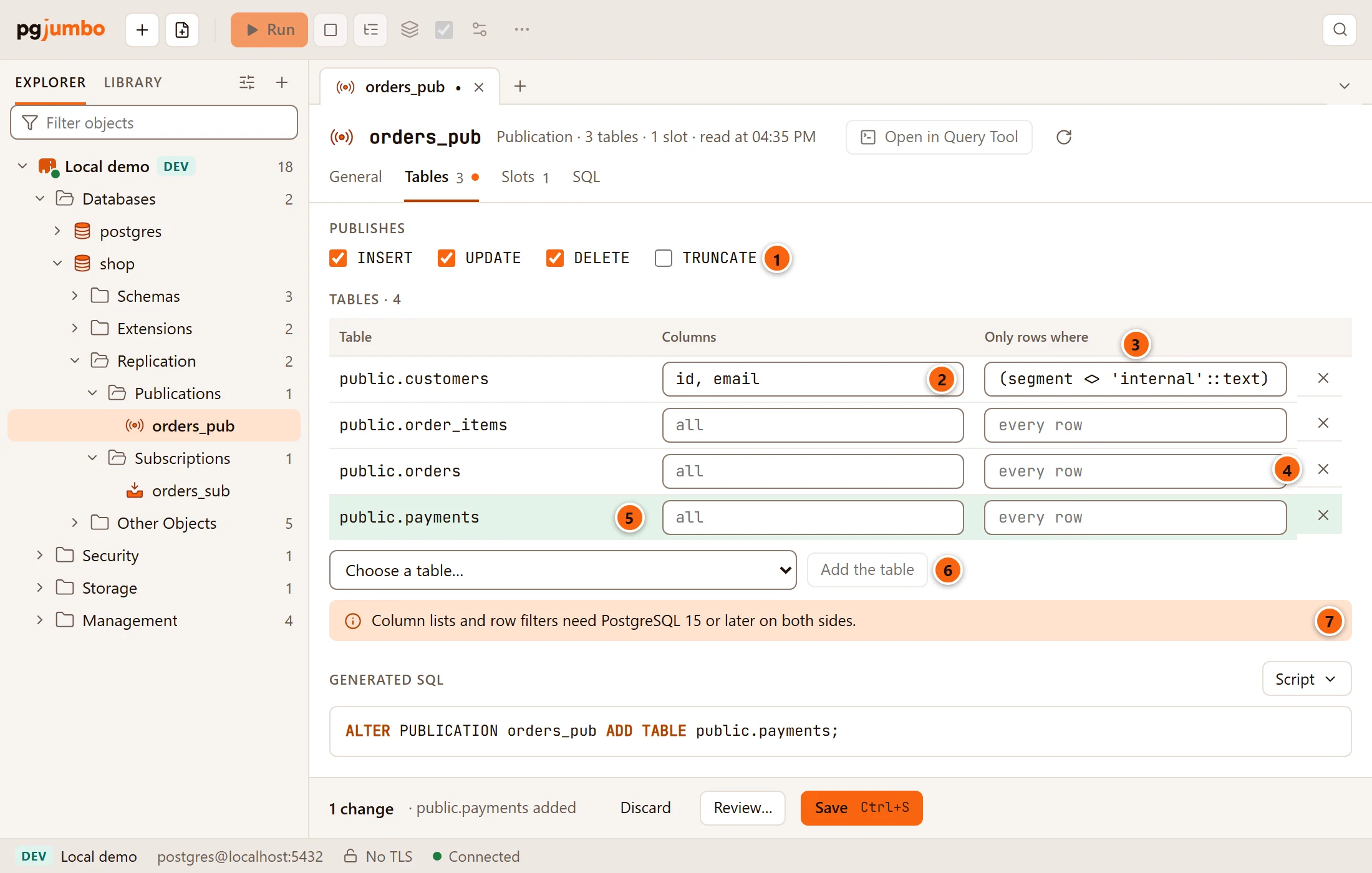
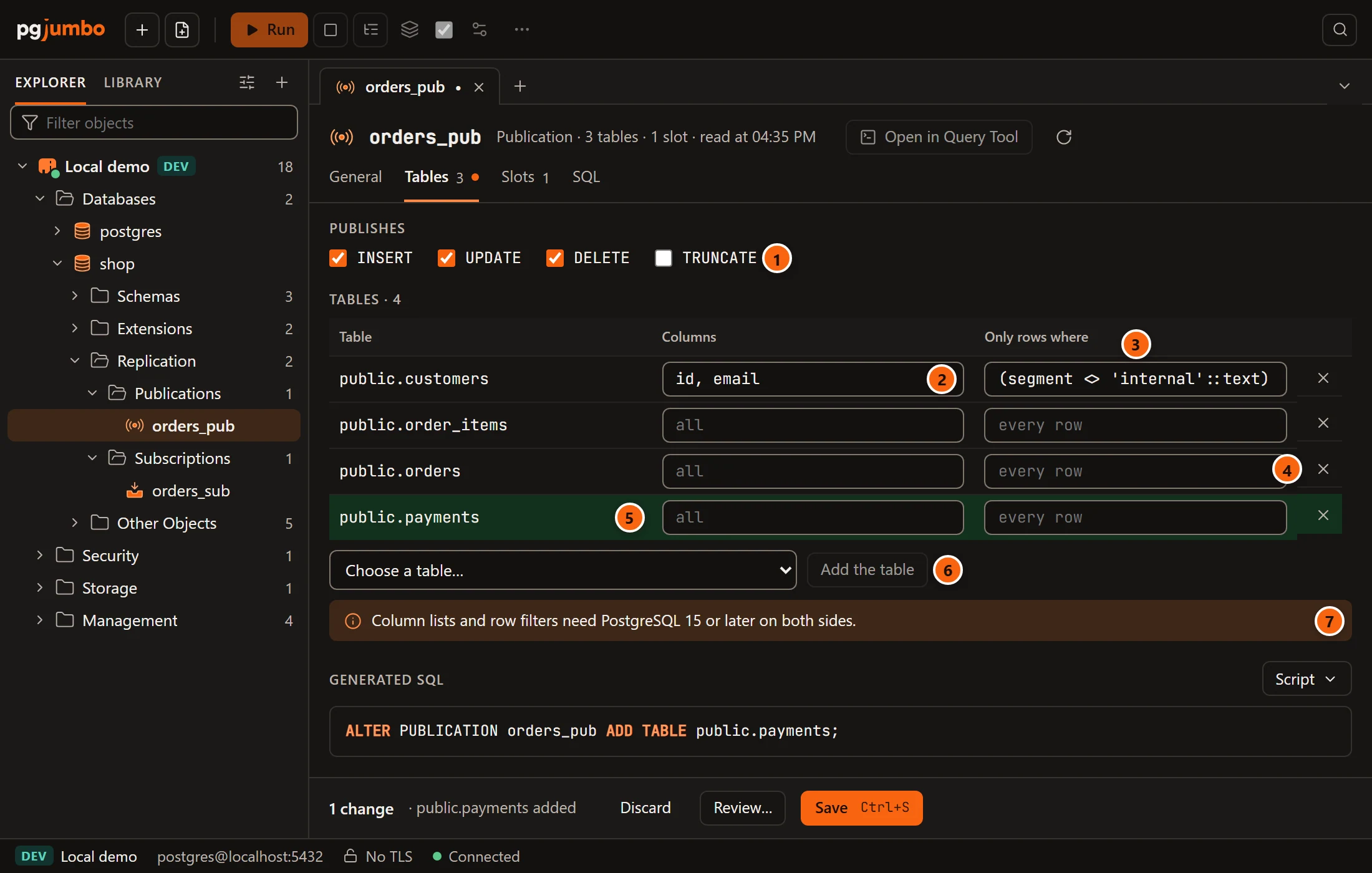
- 1 Publishes has one box for each kind of change: INSERT, UPDATE, DELETE and TRUNCATE.
A change here stages
ALTER PUBLICATION … SET (publish = '…'). With none ticked, a helper says It publishes nothing while none is ticked. - 2 Columns limits the table’s published columns to the names you type, between commas. Empty, it shows all: every column is published.
- 3 Only rows where is a row filter: one SQL expression, such as
segment <> 'internal'. Empty, it shows every row. A filter with a semicolon, or more than one expression, is refused withThe row filter must be one expression, with no semicolon. - 4 The cross at the end of a row removes the table from the publication.
- 5 A table you added is shaded until you save.
- 6 Choose a table… lists the database’s tables and partitioned tables that the publication does not name yet (it reads Reading the tables… while it fetches them); pick one and click Add the table, which stays disabled until you do.
- 7 The note Column lists and row filters need PostgreSQL 15 or later on both sides. On a server older than 15, Columns and Only rows where are disabled, and the note reads Column lists and row filters need PostgreSQL 15 or later; this server publishes whole tables.
A box or field you change gets a marked border, the heading counts the tables with your changes (Tables · 4), and Generated SQL appears under the view.
pgjumbo changes a publication one table at a time, never by rewriting its whole list. A table added becomes
ALTER PUBLICATION … ADD TABLE, with its column list and WHERE filter; a table removed becomes
ALTER PUBLICATION … DROP TABLE; a table whose columns or filter changed is dropped and added again. For example:
ALTER PUBLICATION orders_pub DROP TABLE public.customers;ALTER PUBLICATION orders_pub ADD TABLE public.customers (id, email) WHERE (segment <> 'internal');Each of these statements locks only its own table, with SHARE UPDATE EXCLUSIVE until the commit: reads and writes on
it go on. So Save runs them at once, unless the server asks first.
Two things stay out of the tab’s reach:
- A publication made
FOR ALL TABLESpublishes every table in the database, including tables made later. Its list is replaced by a note that says so, and its tables cannot change in the tab. - A publication that also publishes whole schemas (
FOR TABLES IN SCHEMA, PostgreSQL 15) shows a note naming them. Its single tables still change here; change the schemas in a Query Tool.
The General view
Section titled “The General view”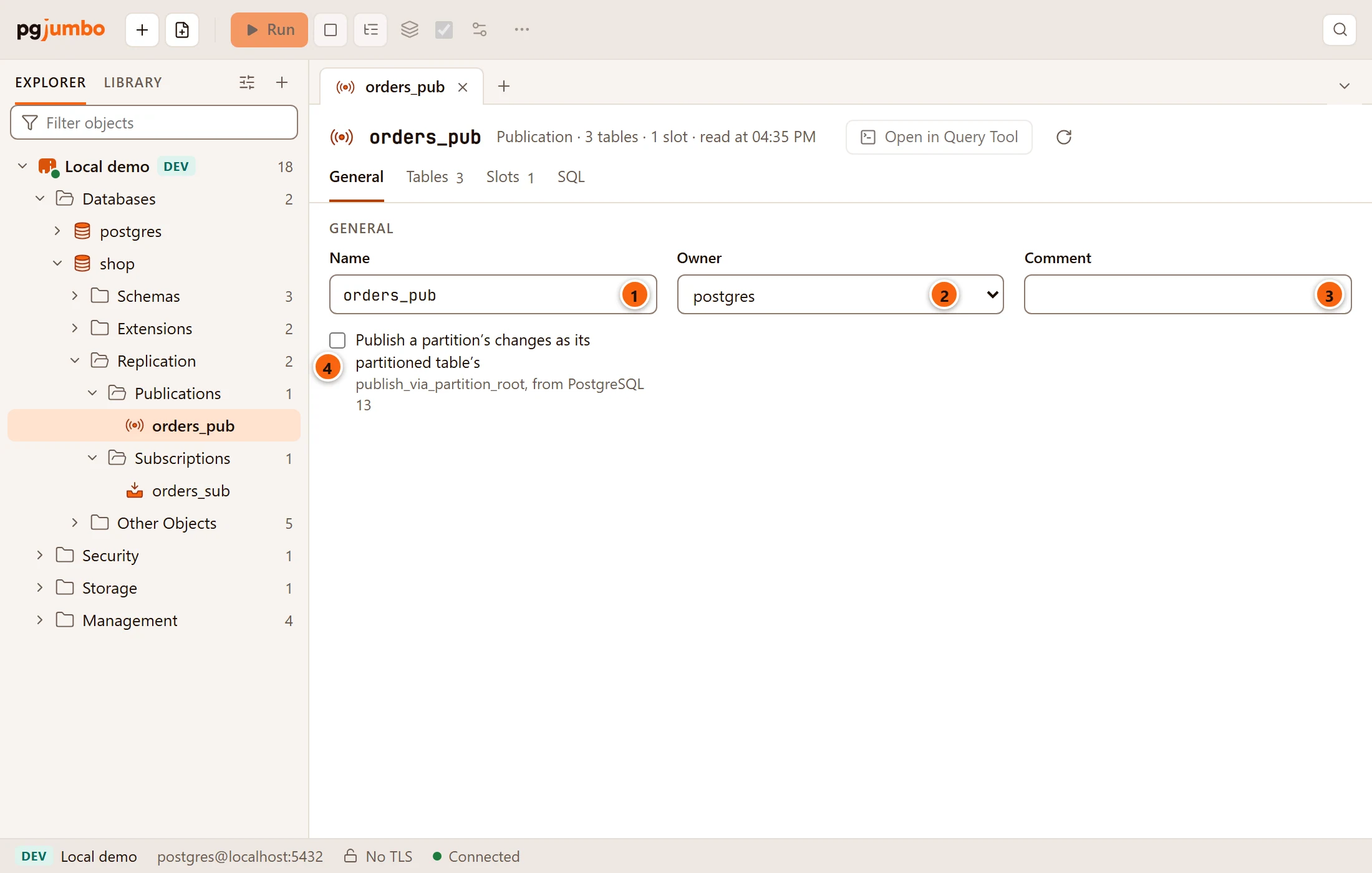
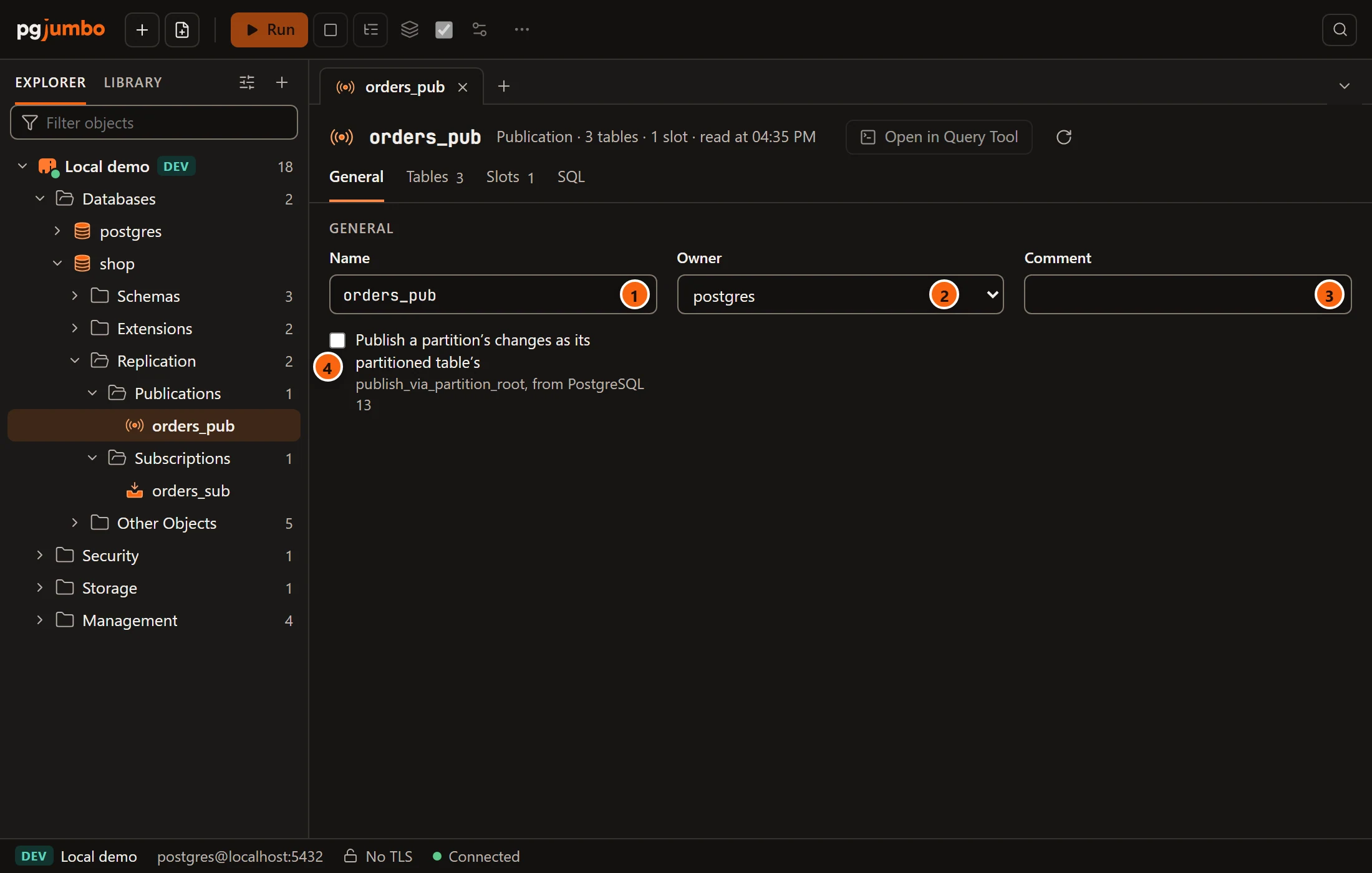
- 1 Name renames the publication; the rename runs last.
- 2 Owner gives it to another role.
- 3 Comment sets
COMMENT ON PUBLICATION; empty it to remove the comment. - 4 Publish a partition’s changes as its partitioned table’s sets
publish_via_partition_root, so that changes in a partition reach subscribers as changes of the partitioned table. It needs PostgreSQL 13 or later; on PostgreSQL 12 the engine refuses the change.
The Slots view
Section titled “The Slots view”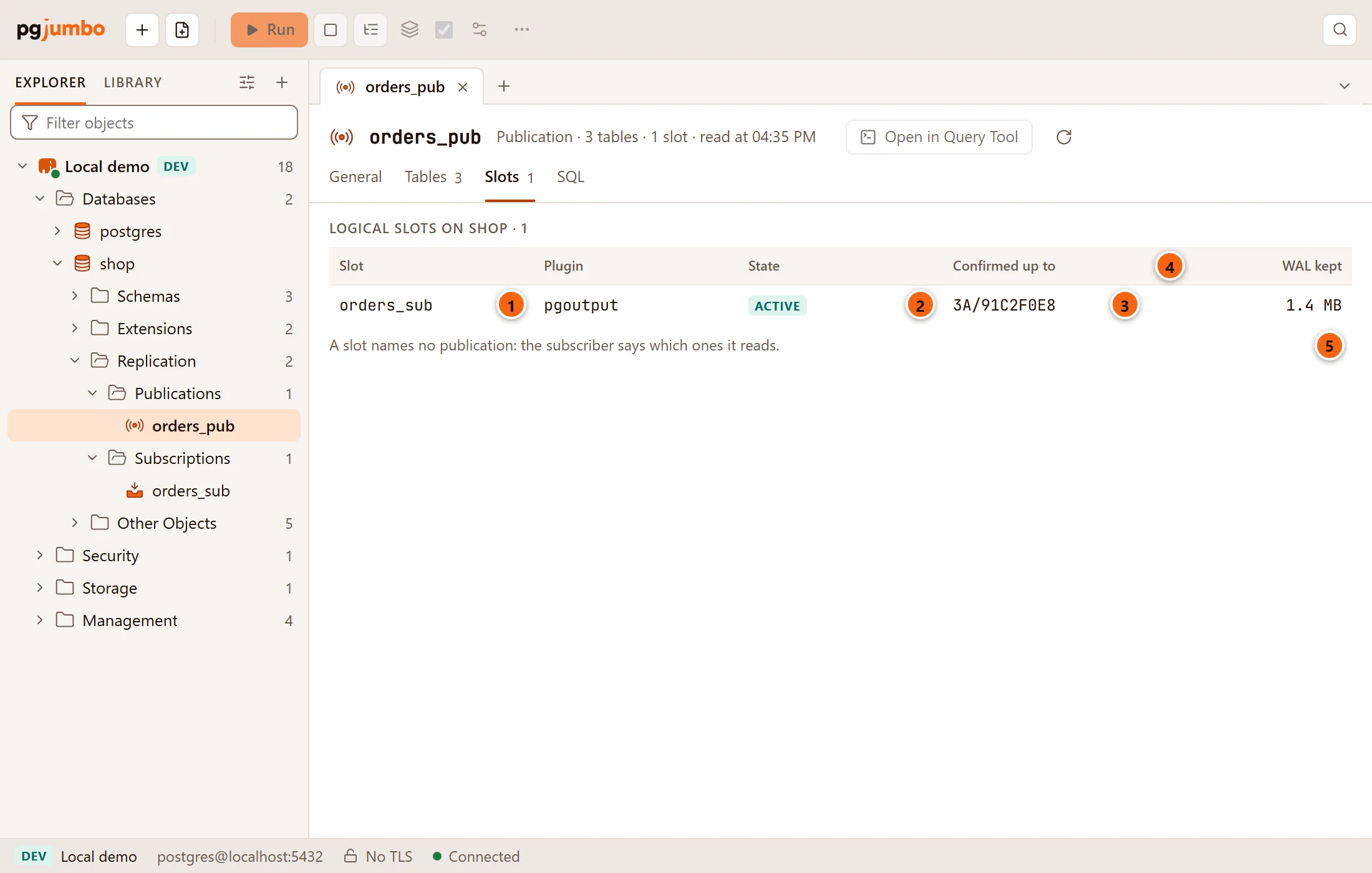
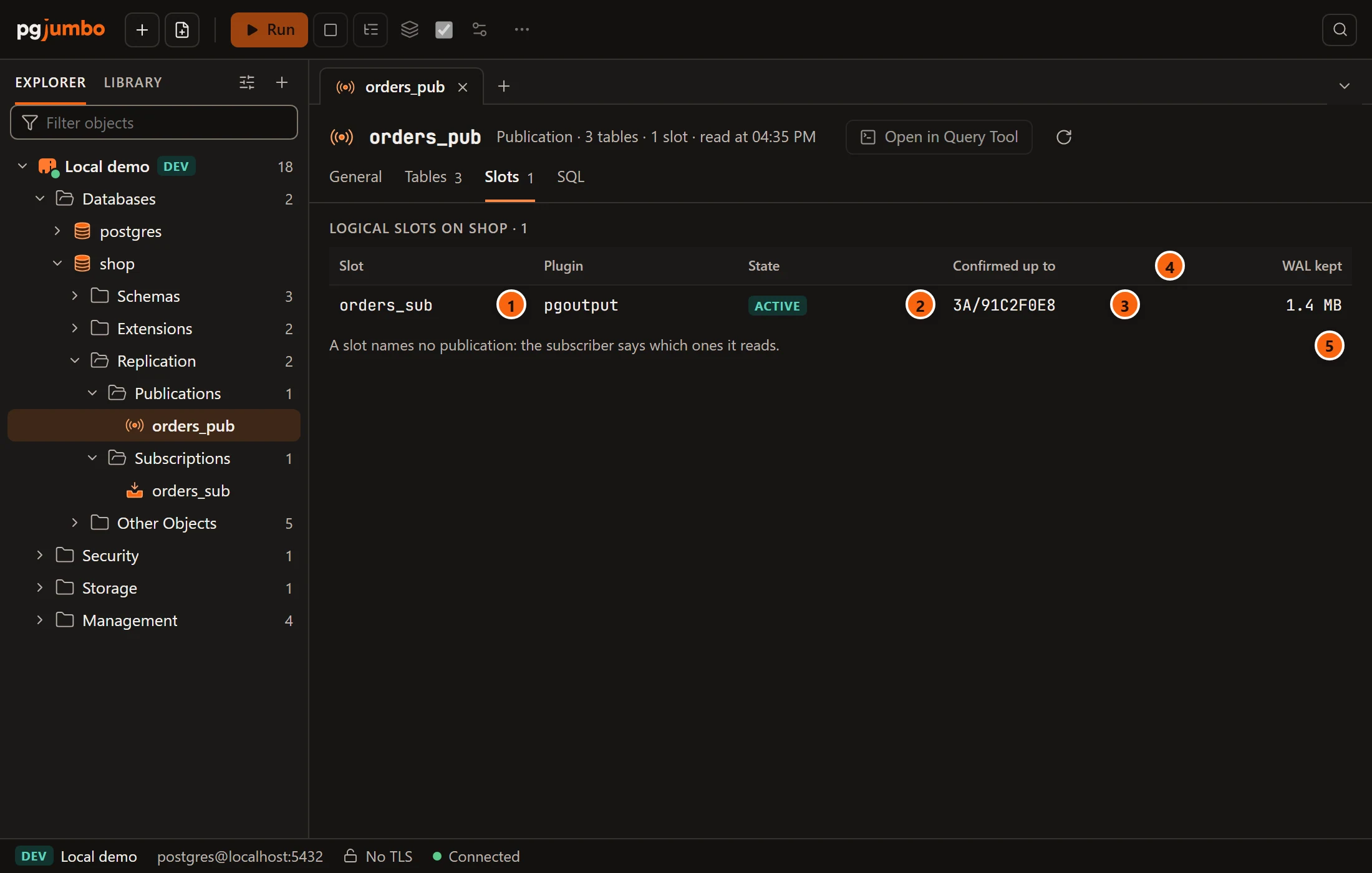
The view lists the logical replication slots on the publication’s database. A slot does not name a publication (the subscriber says which ones it reads), so these are all the database’s logical slots, as the note under the list says.
- 1 Slot: the slot’s name; a subscription’s slot is usually named after the subscription.
- 2 State: Active while a subscriber is connected and reading, Idle otherwise.
- 3 Confirmed up to: the last position (LSN) the subscriber confirmed it received.
- 4 WAL kept: how much write-ahead log the server keeps for this slot. On a standby it shows a dash.
- 5 The note: a slot names no publication.
Plugin is the output plugin, pgoutput for PostgreSQL’s own subscriptions. The heading names the database
(Logical slots on shop · 1). With no slot, the view says No subscriber reads from shop yet. with your
database’s name. The view reads the server each time the tab comes to the front. An idle slot keeps WAL on the server
until a subscriber reads it again; to drop a slot, use the server tab’s Replication view (see
The server’s tab).
SQL, saving and dropping
Section titled “SQL, saving and dropping”SQL shows the publication’s CREATE PUBLICATION script, with its tables, column lists, row filters and
WITH (publish = …). Your changes wait in the tab with a dot on the views that hold them, until you Save
(⌘ S (Ctrl+S on Windows and Linux)), Discard or Review… them (see
Object tabs and review). To drop a publication, right-click it and choose Drop…
(see Drop, truncate and other quick actions).
Subscriptions
Section titled “Subscriptions”Double-click a subscription, or select it and press ↩︎ (Enter on Windows and Linux), to open its tab on Status. Properties… (⌘ I (Alt+Enter on Windows and Linux)) opens it on General. The views are General, Status, Tables (with a count once it has tables) and SQL. The header’s buttons stay the same on every view.
The Status view
Section titled “The Status view”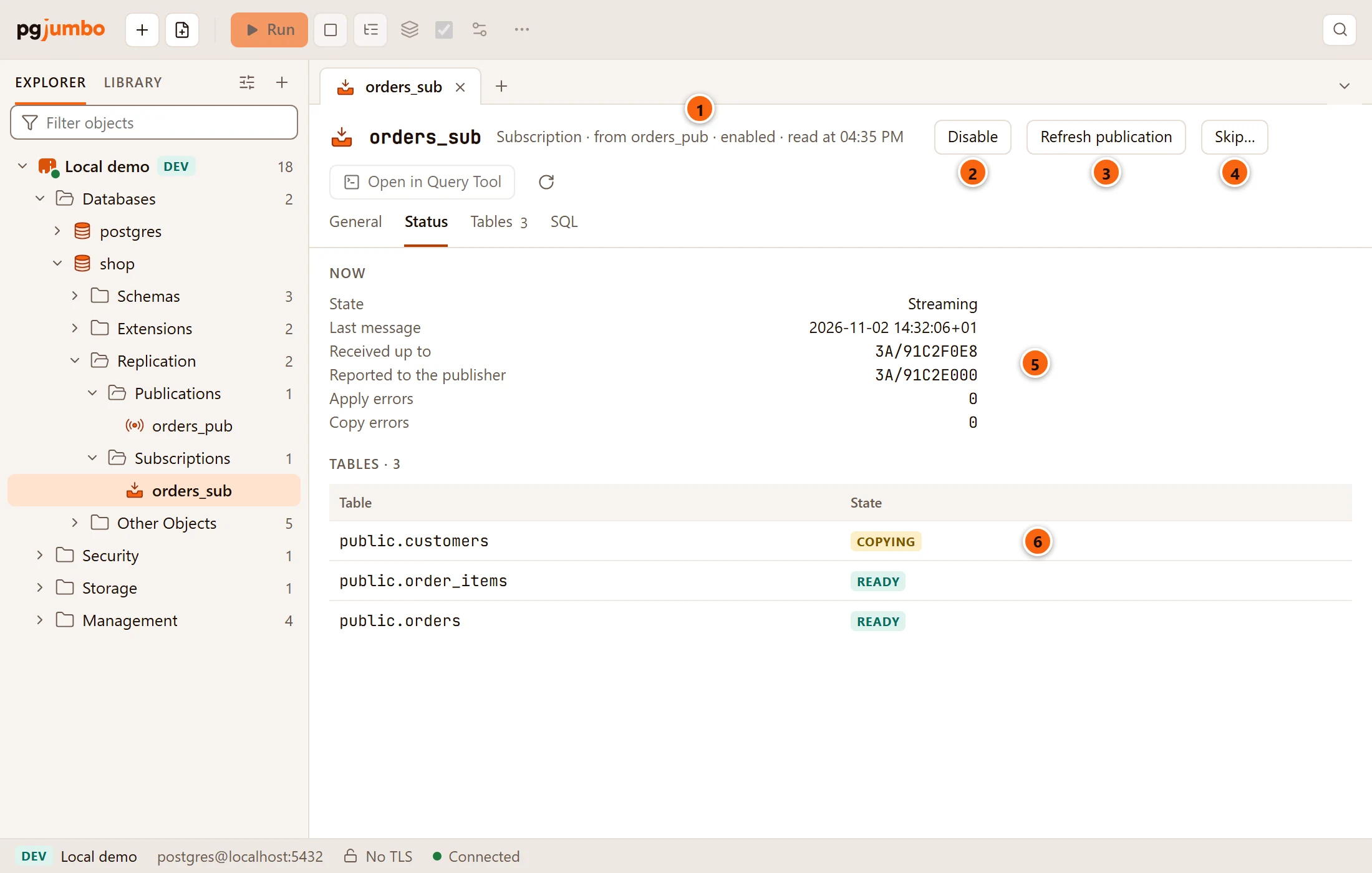
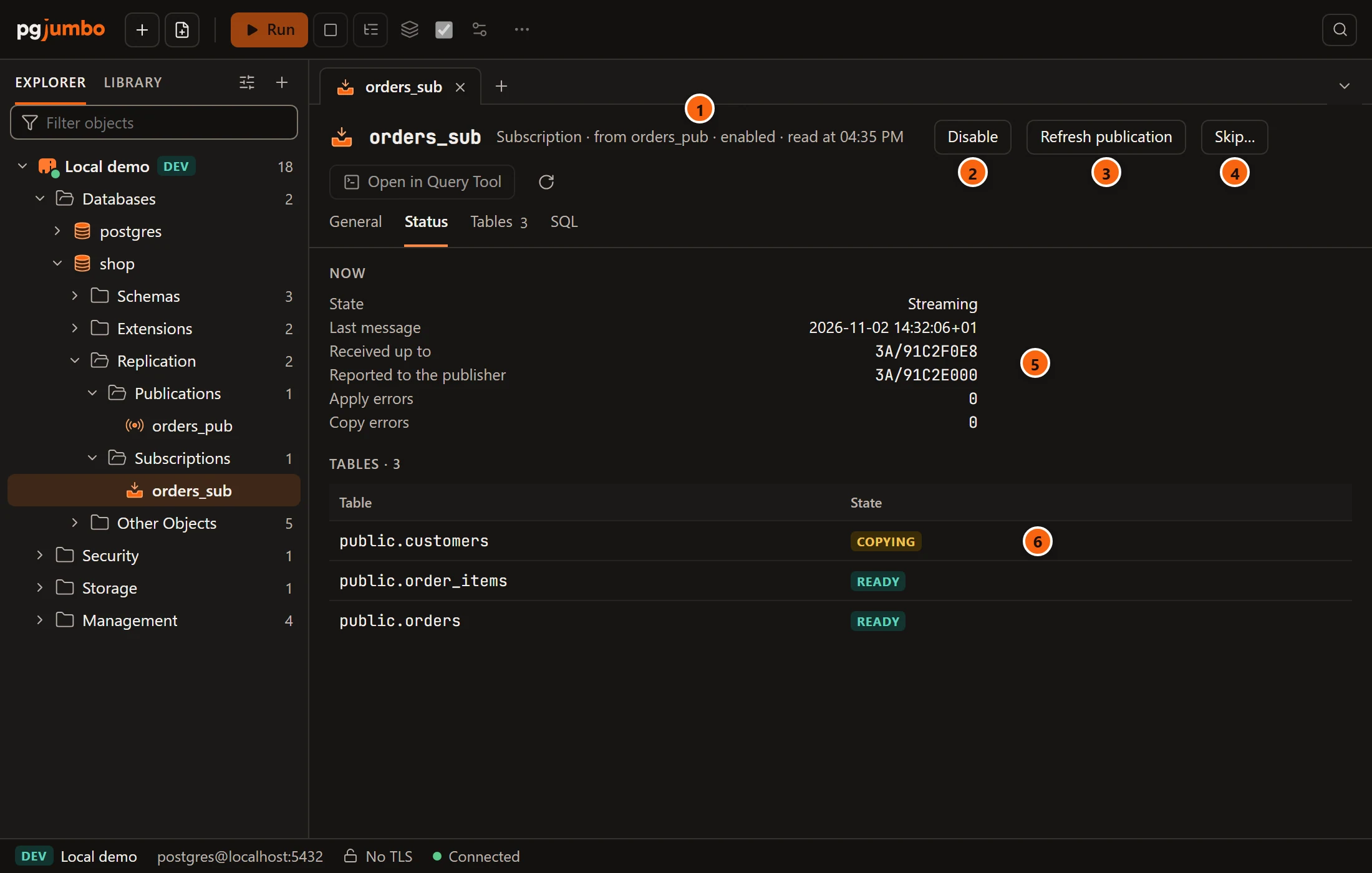
- 1 The header says, after Subscription, which publications it reads (from …), whether it is enabled or disabled, and when the tab read it.
- 2 Disable (or Enable when it is disabled) stages
ALTER SUBSCRIPTION … DISABLEorENABLE, like the Enabled box on General. - 3 Refresh publication stages
ALTER SUBSCRIPTION … REFRESH PUBLICATION, which asks the publisher for the tables its publications have now and starts copying the new ones (its tooltip: Learn of tables its publications gained, once Save runs). The button stays pressed while the refresh is staged; click it again to take it back. It is disabled while the subscription is, or is about to be, disabled, and its tooltip then says Enable it first. - 4 Skip… passes over a remote transaction that keeps failing (see Skip a failing transaction). It shows on PostgreSQL 15 or later only.
- 5 Now says how the subscription is doing (see the table below).
- 6 Tables lists each subscribed table with its state.
The Disable, Enable and Refresh publication buttons do not act at once: they stage a change that runs with Save, like any other change in the tab.
| Line in Now | What it says |
|---|---|
| State | Streaming while its worker applies changes; Starting or failing: its worker is not running when it is enabled but no worker runs; Disabled when it is disabled. |
| Last message | When the last message from the publisher arrived. |
| Received up to | The last position (LSN) received from the publisher. |
| Reported to the publisher | The last position reported back to the publisher. |
| Apply errors | How many errors applying changes has met. PostgreSQL 15 or later. |
| Copy errors | How many errors copying tables has met. PostgreSQL 15 or later. |
| Skips the transaction finishing at | The LSN that Skip… set, until that transaction comes by. |
| Table state | What it means |
|---|---|
| Waiting to copy | The table’s first copy has not started. |
| Copying | Its rows are being copied from the publisher. |
| Copied | The copy is done; it waits to join the stream. |
| Catching up | It applies what changed during the copy. |
| Ready | It receives changes like the rest. |
With no table yet, the list says No table yet: Refresh publication learns of its publications’ tables once it is enabled. The view reads the server each time the tab comes to the front; Read again in the header reads the subscription and its state once more. Open in Query Tool puts its script in a new Query Tool.
The Tables view
Section titled “The Tables view”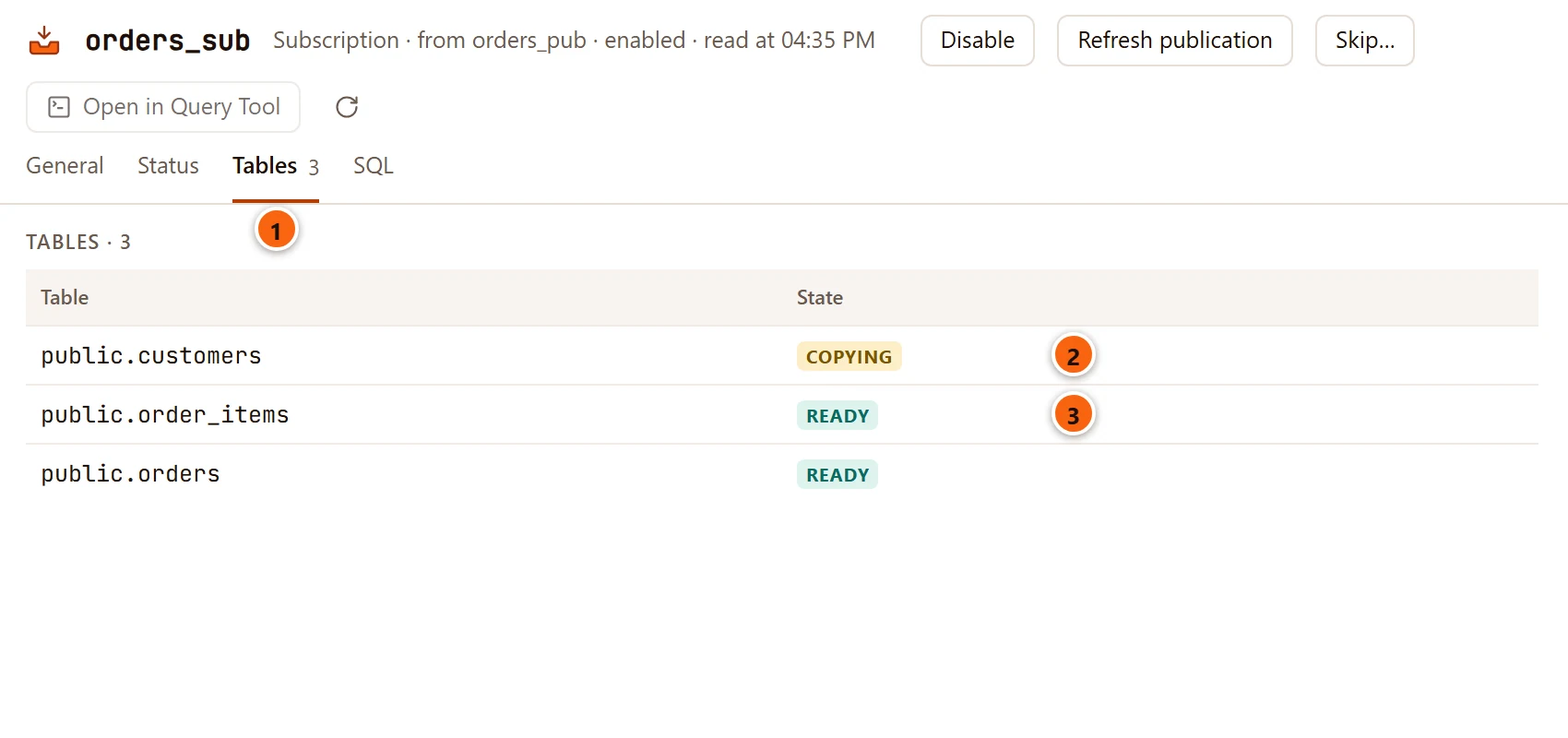
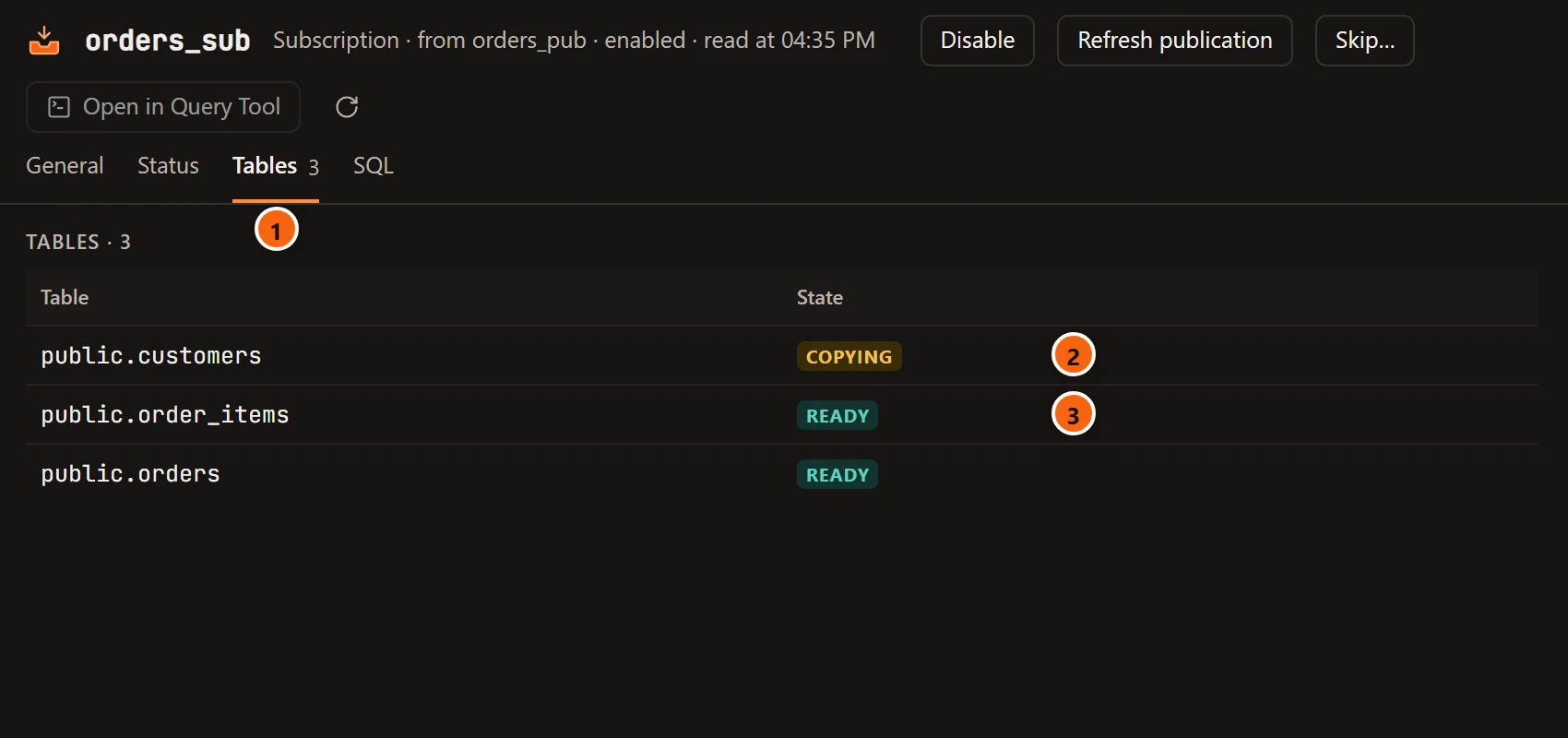
- 1 Tables, with how many there are, shows the subscription’s tables on their own.
- 2 A table still being copied.
- 3 A table that receives changes like the rest.
The General view and the connection
Section titled “The General view and the connection”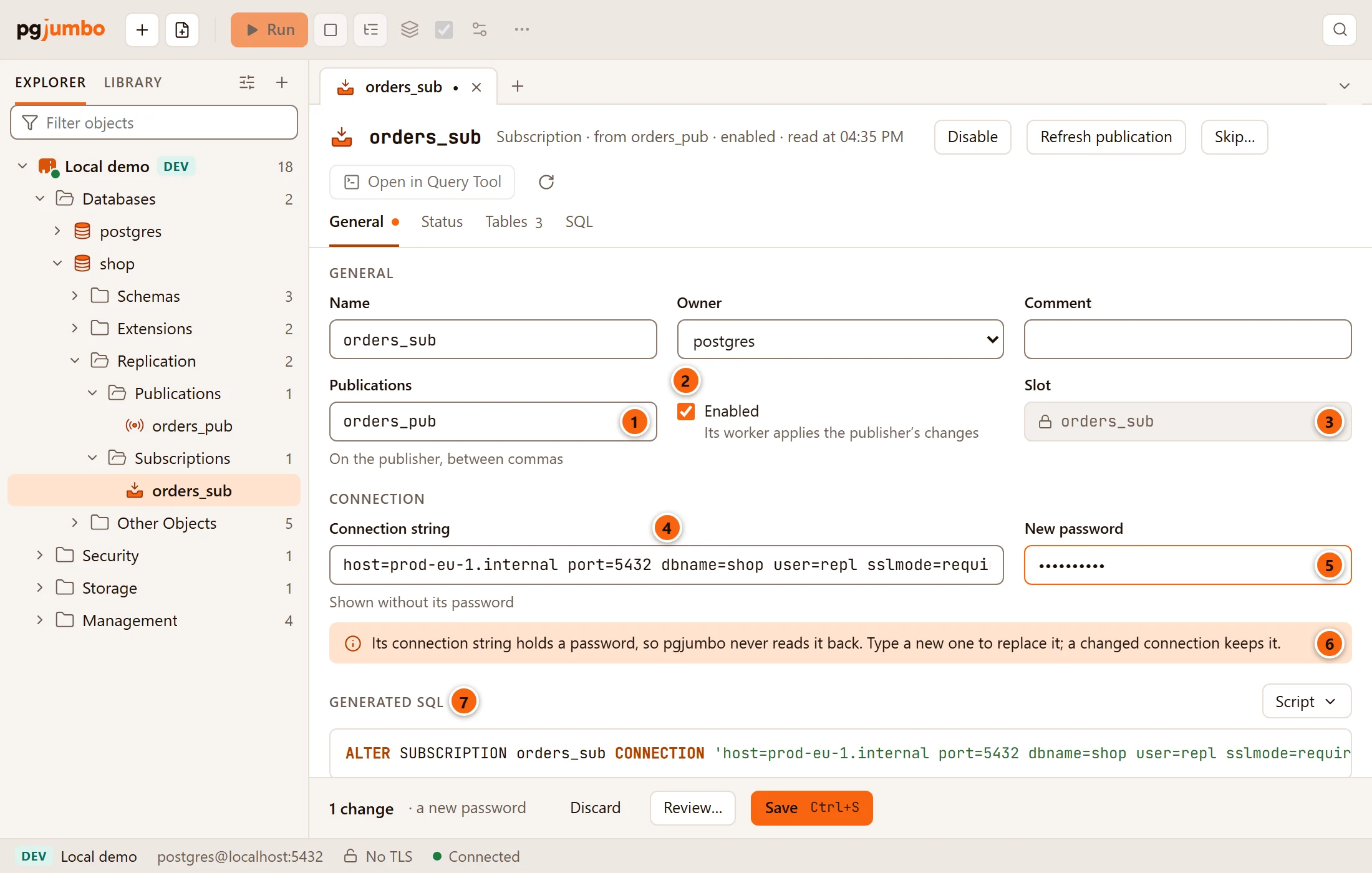
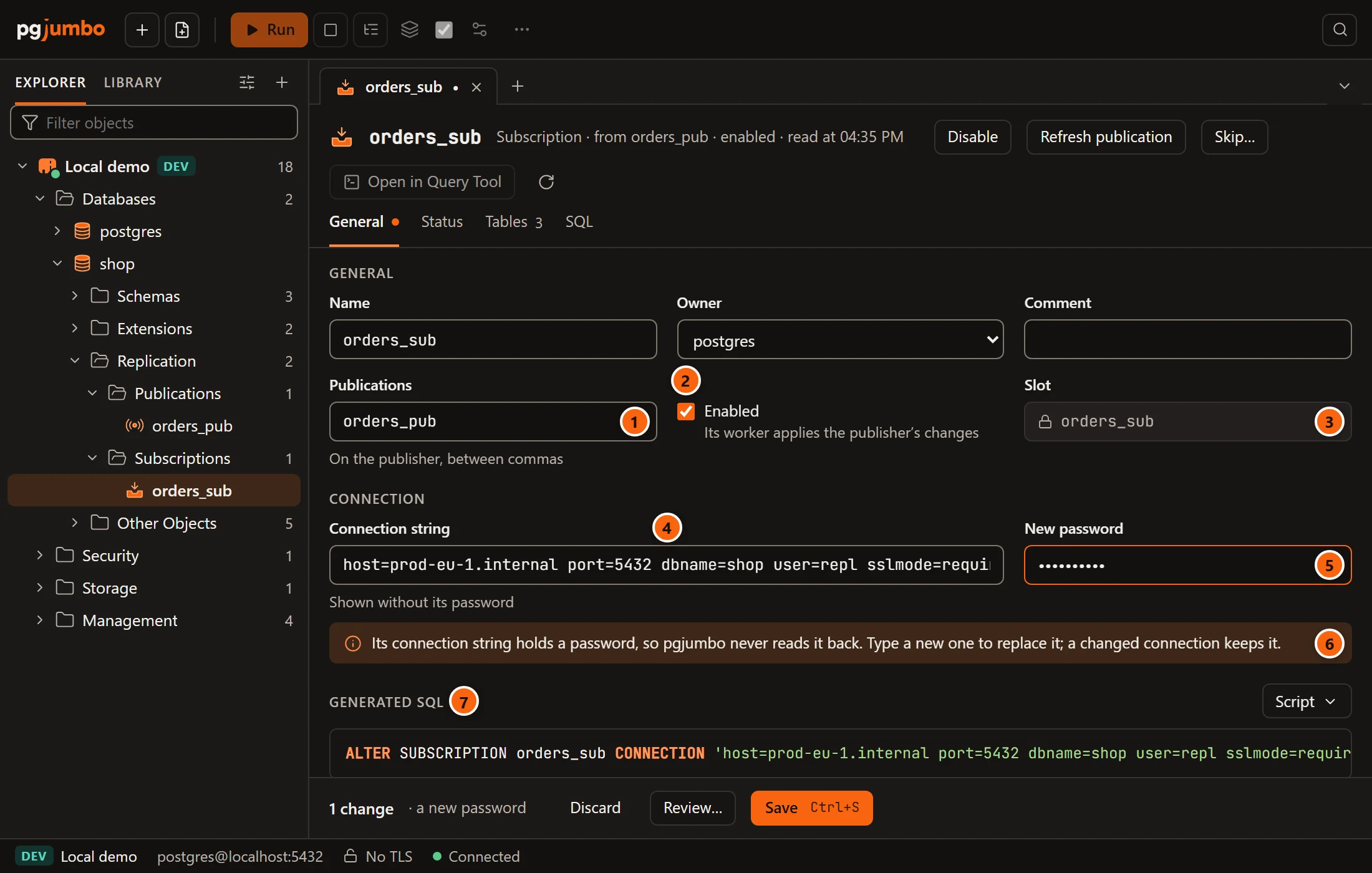
Name, Owner and Comment work as in other object tabs; a rename runs after the other changes.
- 1 Publications names the publications it reads on the publisher, between commas. A change stages
ALTER SUBSCRIPTION … SET PUBLICATION … WITH (refresh = false), followed after the commit byREFRESH PUBLICATIONwhen the subscription is enabled. At least one publication is needed. - 2 Enabled: whether its worker applies the publisher’s changes.
- 3 Slot is its replication slot on the publisher, locked; NONE when it has none.
- 4 Connection string is how it connects to the publisher, Shown without its password.
- 5 New password replaces the password inside the connection string. Its placeholder says keep the one it has, or none when the connection string has no password.
- 6 The note: Its connection string holds a password, so pgjumbo never reads it back.
- 7 Generated SQL shows what Save will run.
Only a superuser may read a subscription’s connection string. When you are connected as another role, the Connection section says Only a superuser can read or change its connection string.
How the password is kept
Section titled “How the password is kept”The engine reads the connection string itself, takes the password out with libpq’s own parser, and sends the window only the rest. The password never reaches the window, the Generated SQL or the review sheet:
- When you change the connection string and leave New password empty, Save puts the old password back in.
- When you type a new password, it goes to the engine only when Save runs.
- Everywhere the statement is shown, the password is replaced by a placeholder:
ALTER SUBSCRIPTION orders_sub CONNECTION 'host=prod-eu-1.internal port=5432 dbname=shop user=repl sslmode=require password=/* the password, filled in when it runs */';Do not type password= into the connection string: the engine refuses it with
Type the password in its own field: the connection string is shown without it.
The SQL view writes CONNECTION 'host=… dbname=…' with a comment asking you to put the publisher’s connection
string in its place, for the same reason.
Saving
Section titled “Saving”All of a subscription’s changes only change the catalog, so Save (⌘ S (Ctrl+S on Windows and Linux)) runs them
at once unless the server asks first. They run in this order: connection, publications, owner, comment, enable or
disable, rename. REFRESH PUBLICATION runs last, after the commit, because PostgreSQL does not allow it inside a
transaction. A disabled subscription cannot refresh: the engine says
A disabled subscription cannot refresh: enable it first. See
Object tabs and review for the pending bar and the review sheet.
Skip a failing transaction
Section titled “Skip a failing transaction”When the subscriber cannot apply a transaction (a row that breaks a unique constraint, say), the subscription stops and
retries it over and over. From PostgreSQL 15 you can tell it to pass over that one transaction. The server log names
it, after the error, as finished at followed by an LSN.
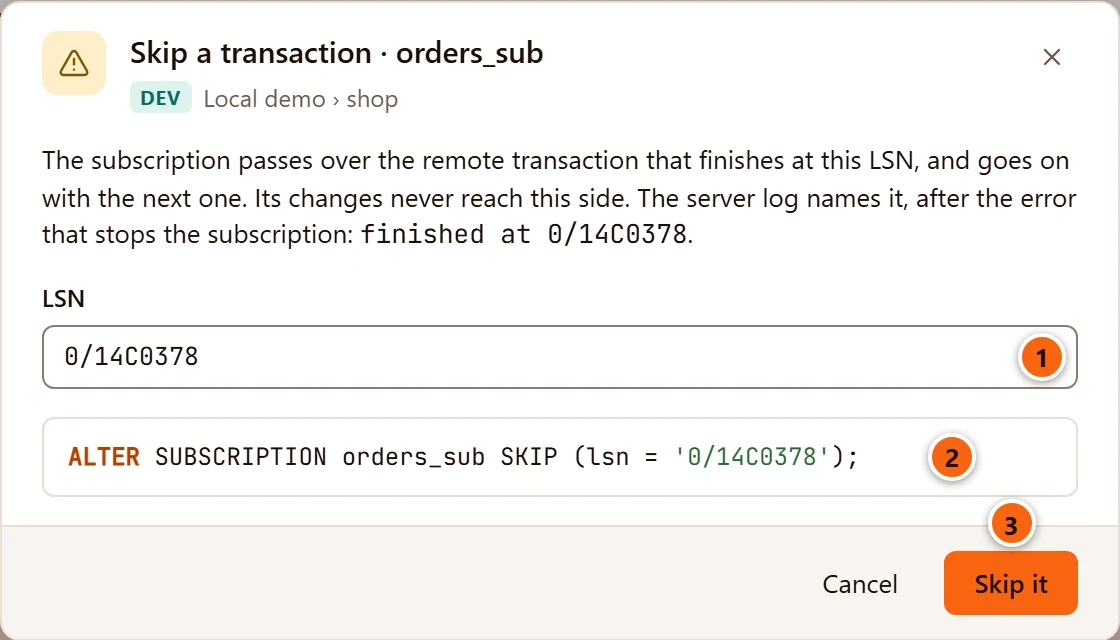
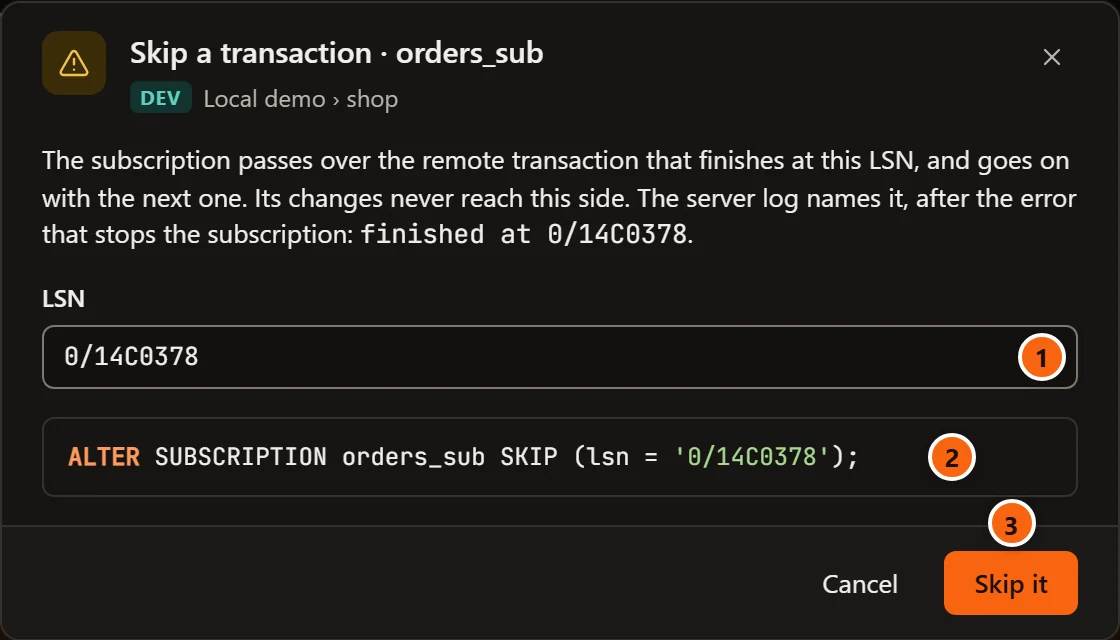
Click Skip… in the tab’s header.
- 1 LSN: type the position from the server log, two hexadecimal numbers with a slash between, such as
0/14C0378. Anything else is refused:… is not an LSN: it is two hexadecimal numbers with a slash between, as in 0/14C0378. - 2 The statement that will run,
ALTER SUBSCRIPTION … SKIP (lsn = '…'). - 3 Skip it runs it once, on a connection of its own, and the Status view reads the subscription again. It then shows Skips the transaction finishing at until that transaction comes by.
When a skip is already set, the dialog says so (It is set to skip the transaction finishing at …) and fills the
field with it. Empty the field to clear it: the statement becomes SKIP (lsn = NONE) and the button reads
Clear the skip. With no skip set and the field empty, that button stays disabled. Cancel or
Esc closes the dialog without changing anything.
On a server that asks first (Production, or Staging with Staging servers ask before destructive statements too on), the dialog asks you to type the database’s name before the button works.