
Server configuration
Configuration is a view of the server’s tab. It lists every setting of pg_settings
your role may see, says what each means, where its value comes from and when a change takes effect, and changes
settings for the whole server with ALTER SYSTEM. Settings for one database or one role are changed in their tabs
instead (Databases, Roles); settings for one Query Tool session
in Session settings (Transactions and sessions).
Open Configuration
Section titled “Open Configuration”Connect the server, then do one of these:
- Right-click the server in the Explorer and choose Server configuration….
- Choose ToolsServer Configuration in the menu bar.
- Double-click Configuration in the server’s Management folder.
- Click Configuration in the server’s tab, if it is open already.
The other ways in are listed on The server’s tab. The settings are read each time you show the view, on a connection of their own, so that pgjumbo’s own session settings do not show up as changes.
Find a setting
Section titled “Find a setting”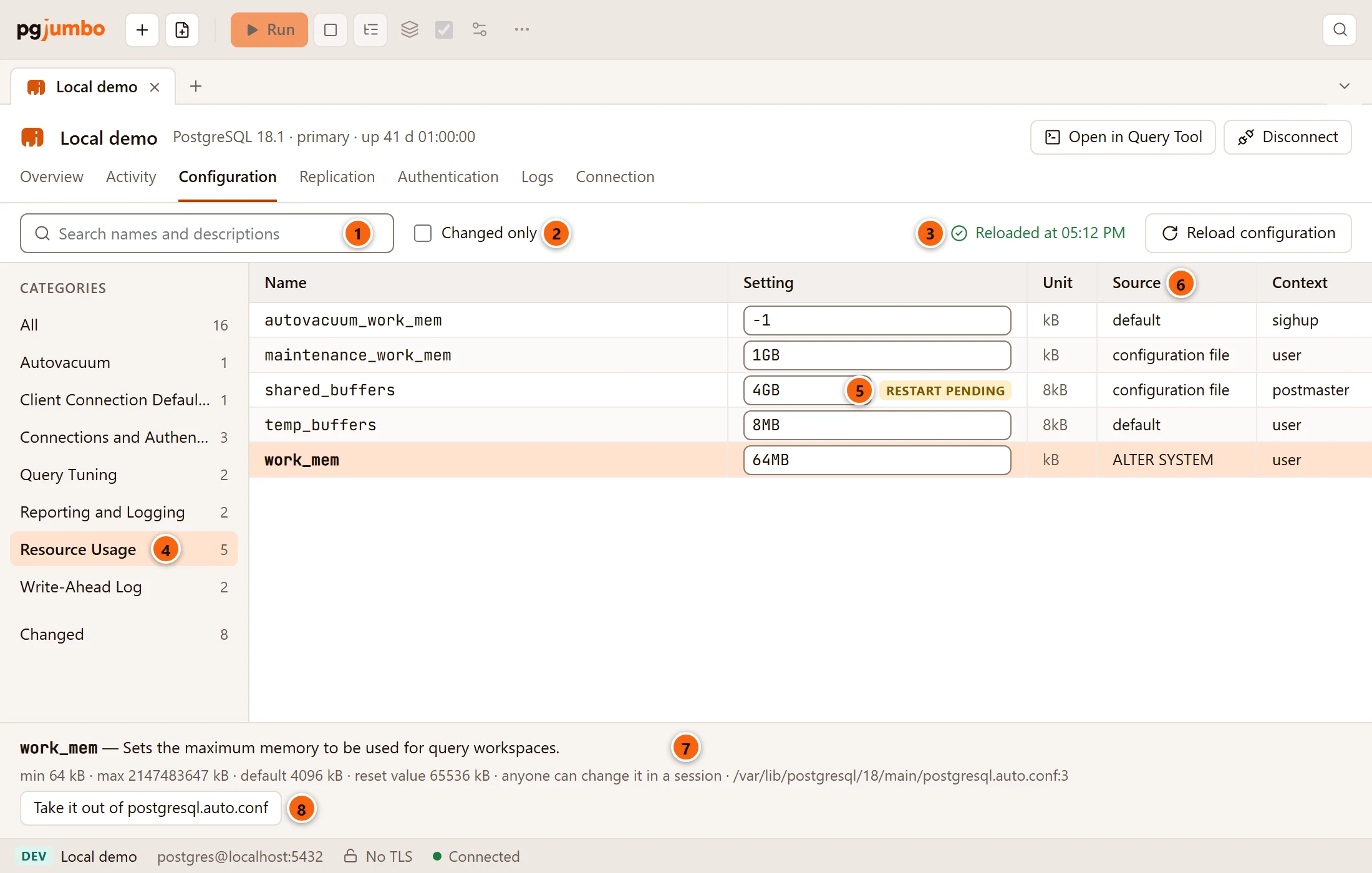

- 1 Search names and descriptions: keeps the settings whose name, description or longer description holds the text.
- 2 Changed only: keeps the settings that something other than their default set (below).
- 3 The result of the last Reload configuration (below).
- 4 Categories: All, then each top-level category of
pg_settingswith its count (Resource Usage covers Resource Usage / Memory and the rest), then Changed. Point at a long name to read it whole. - 5 restart pending: the value was changed in a configuration file, and the server needs a restart to use it (below).
- 6 Source: where the value comes from.
- 7 The setting selected, in full (below).
- 8 Take it out of postgresql.auto.conf shows on a setting whose details name
postgresql.auto.confas the file that set it (below).
The search, Changed only and the category work together. Click a setting’s name to select it; with the keyboard focus on a name, ↑ and ↓ move the selection, Home and End go to the first and last. When the filters hide the selected setting, the first one shown is selected. When nothing matches, the list says No settings match and the text (and the category), or No settings to show in the category; the details then say No setting selected and Clear the search or choose another category.
What each column says
Section titled “What each column says”| Column | What it says |
|---|---|
| Name | The setting’s name. |
| Setting | Its value as SHOW writes it, with its unit (4GB, on, "$user", public), in a field you can change (below). A restart pending tag follows it when the file holds a value the server is not using yet. |
| Unit | The unit pg_settings counts in, such as kB, 8kB or ms. The range and default in the details are in this unit. |
| Source | Where the value comes from: default, configuration file, ALTER SYSTEM (from postgresql.auto.conf), command line, environment variable, database, user, override… A role that may not see the files (see below) sees configuration file where others see ALTER SYSTEM. |
| Context | When a change takes effect: see the table below. |
A setting counts as changed (for Changed only and the Changed category) when something other than its default, the server itself or the connection set it.
| Context | A change takes effect |
|---|---|
internal |
Never: fixed when the server was built or initialized. It has no field. |
postmaster |
After a server restart. |
sighup |
After a configuration reload. |
superuser-backend, backend |
After a reload, in sessions that start afterwards. |
superuser |
After a reload; a superuser can also change it for one session with SET. |
user |
After a reload; anyone can also change it for one session with SET. |
The details under the list
Section titled “The details under the list”Under the list, the selected setting’s name and description, its longer description when it has one, then one line of facts: the values of an enum (one of…), the min and max of a number, the default, the reset value when it differs (the value a session starts with), when a change takes effect in words, changed in the file, waiting for a restart when that is so, and the file and line that set it.
The file and line show only to superusers and members of pg_read_all_settings. Other roles see fewer facts, get no
Take it out of postgresql.auto.conf button, and pg_settings hides some settings from them altogether.
While the Assistant is on, Explain this setting asks it what the setting does, its value here, and whether to change it (Ask the Assistant).
Change settings
Section titled “Change settings”Type a new value in a setting’s Setting field. Nothing runs yet: the change waits in the tab’s draft, with the script pgjumbo would run.
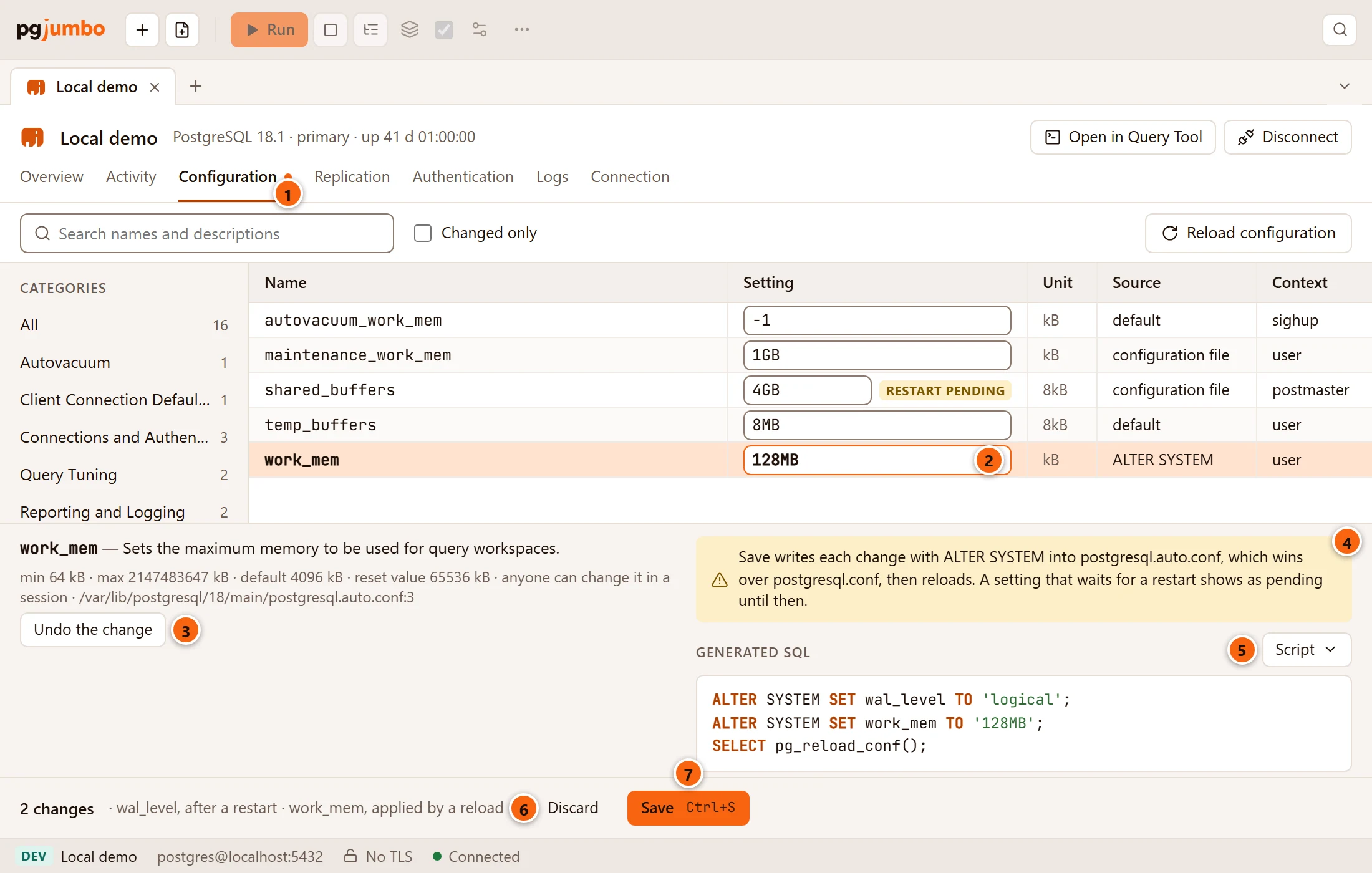
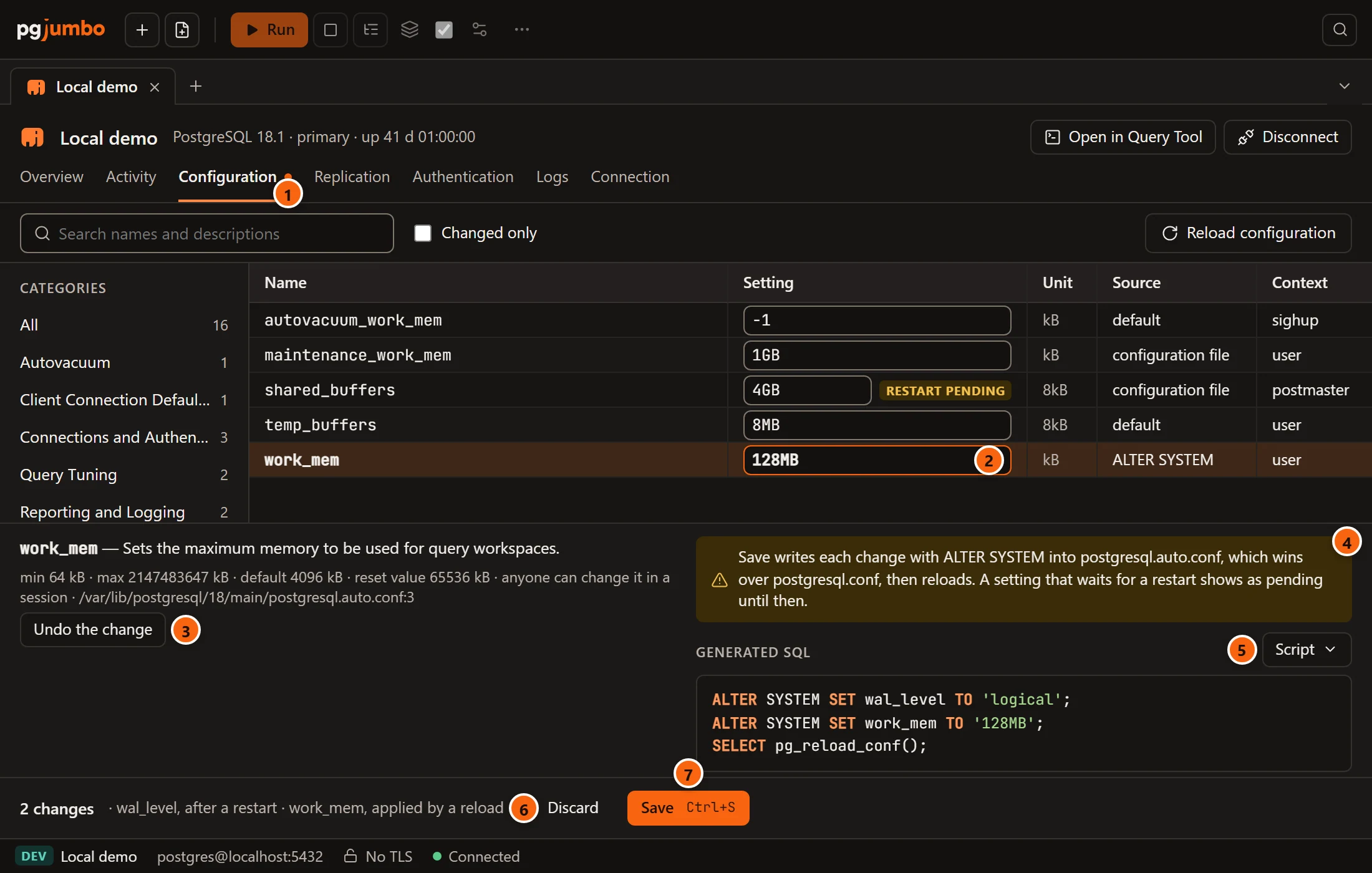
- 1 The dot on Configuration: the draft holds changes. It stays while you look at other views.
- 2 A changed field is highlighted.
- 3 Undo the change puts the selected setting back as the server has it. Typing the server’s value back does the same.
- 4 What Save does: each change is written with
ALTER SYSTEMintopostgresql.auto.conf, which wins overpostgresql.conf, then the server reloads. A setting that waits for a restart shows as pending until then. - 5 Generated SQL, with the Script menu: Open in Query Tool, Copy and Save to file… (Scripts).
- 6 The bar counts the changes and says when each takes effect: after a restart for a
postmastersetting, applied by a reload for the others. - 7 Save runs the script. While the tab is in front, ⌘ S (Ctrl+S on Windows and Linux) and FileSave do the same. Discard beside it empties the draft.
The field fits the setting:
| Kind of setting | The field |
|---|---|
| On or off | A list: on, off. |
One of several values (wal_level, log_min_messages…) |
A list of its values. |
| A number, a size, a time, text, a list | A text box. Type the value as SHOW writes it: 128MB, 30s, "$user", public. |
internal |
No field: it cannot change. |
pgjumbo builds the script itself, one statement per change in order of name, then SELECT pg_reload_conf();. Values
are quoted as literals; for a list setting (search_path, shared_preload_libraries, temp_tablespaces and the other
preload and directory lists) each element is quoted on its own. The server checks each value when it writes it, so a
value it does not accept fails at Save (below).
The draft is kept in the tab, not on disk: closing the tab or quitting pgjumbo loses it (closing the tab asks first, below).
Take a setting out of postgresql.auto.conf
Section titled “Take a setting out of postgresql.auto.conf”Select the setting and click Take it out of postgresql.auto.conf.
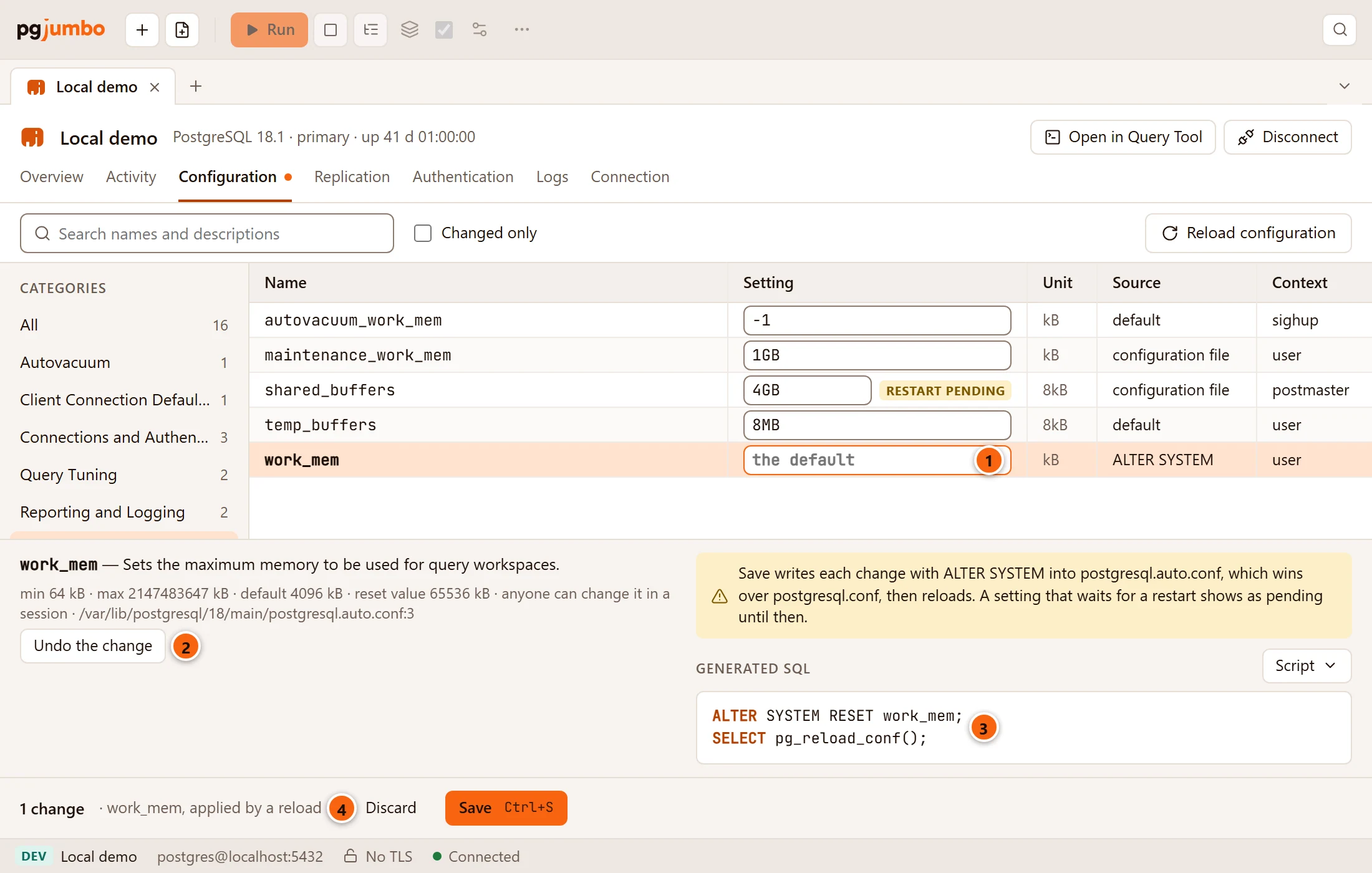
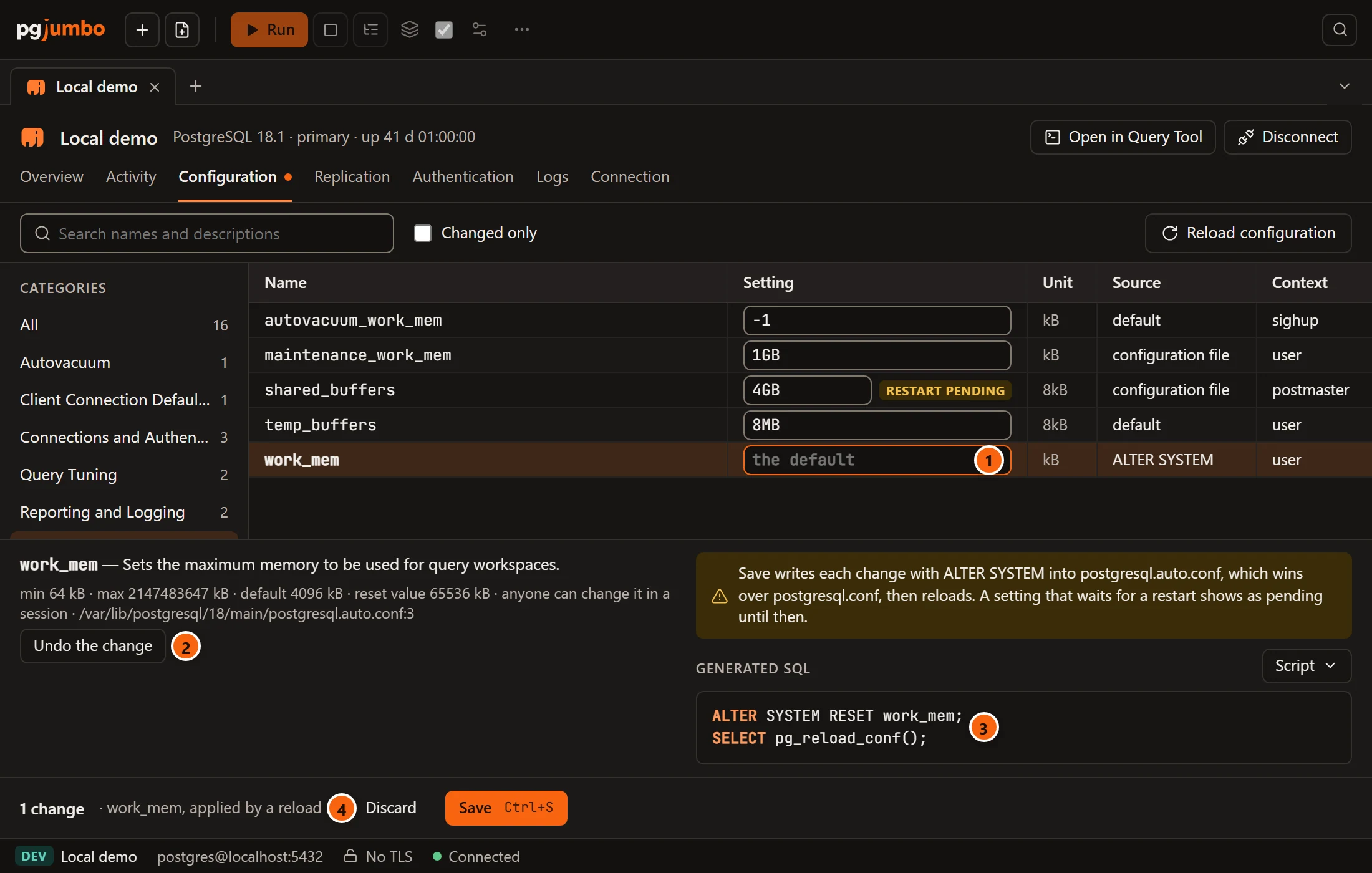
- 1 The field says the default (a list says default).
- 2 Undo the change drops it from the draft, and the setting stays in the file.
- 3 The script has
ALTER SYSTEM RESETfor it. - 4 The bar counts it like any other change.
After Save and the reload, the value comes from postgresql.conf again, or from the built-in default.
When the script cannot be built
Section titled “When the script cannot be built”Before it shows the script, pgjumbo checks that each name is a setting the server knows (a name with a dot, an extension’s setting, is let through) and that no value is empty.
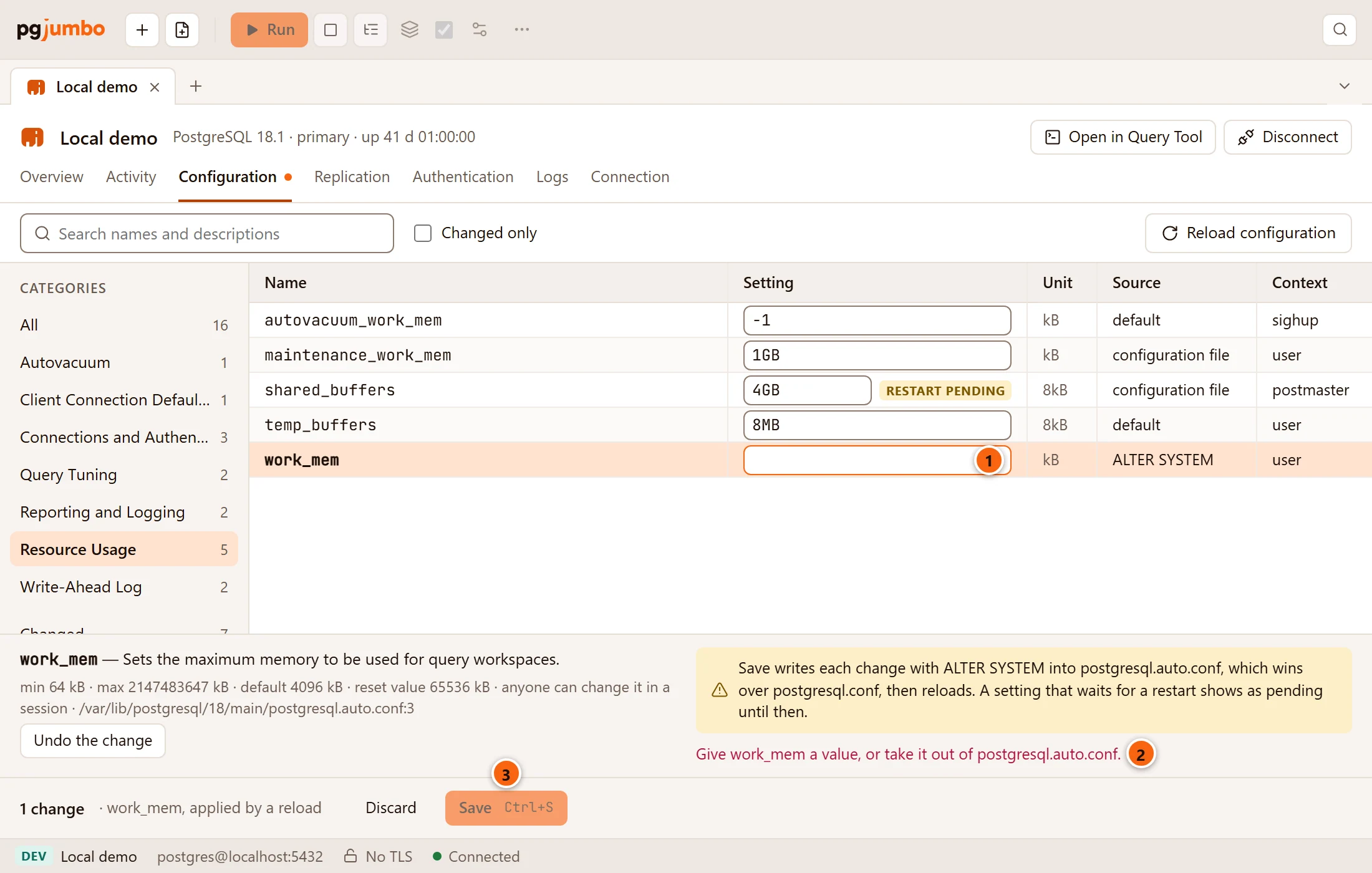
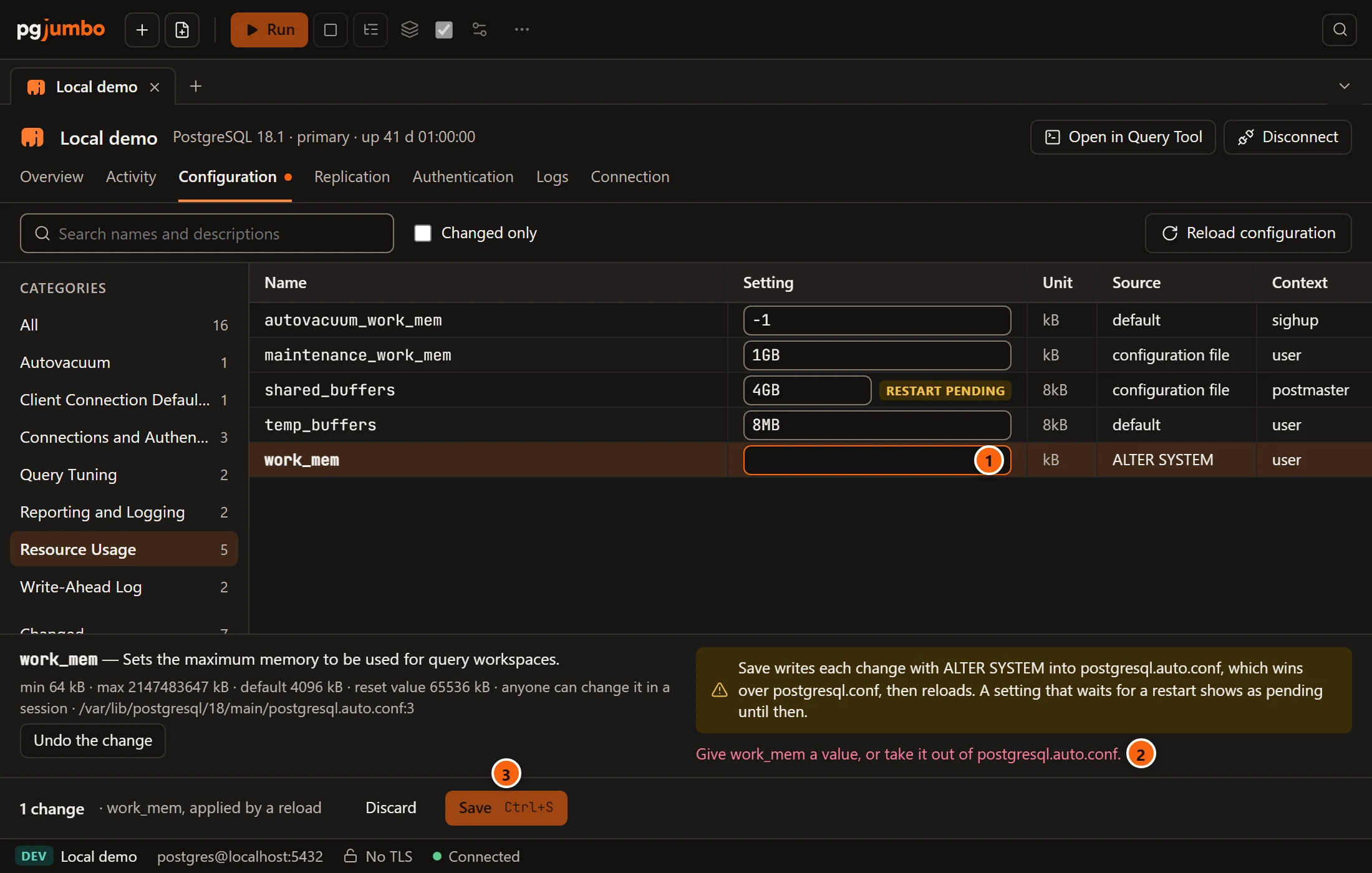
- 1 Here the field was emptied.
- 2 The problem shows in red where the script would be.
- 3 Save stays greyed out until the problem is fixed.
| Message | Why |
|---|---|
| name is not a setting this server knows. | A setting this server does not have, such as one the Assistant staged for a newer PostgreSQL. |
| Give name a value, or take it out of postgresql.auto.conf. | The field is empty. Type a value, or click Undo the change. |
Save the changes
Section titled “Save the changes”Save runs each ALTER SYSTEM statement on its own, one at a time, on a connection of its own, and never runs one
twice. PostgreSQL writes postgresql.auto.conf at once for each, outside any transaction. When all have run, pgjumbo
runs pg_reload_conf() and waits up to two seconds for a new session to see the files read again. The settings are
then read again.
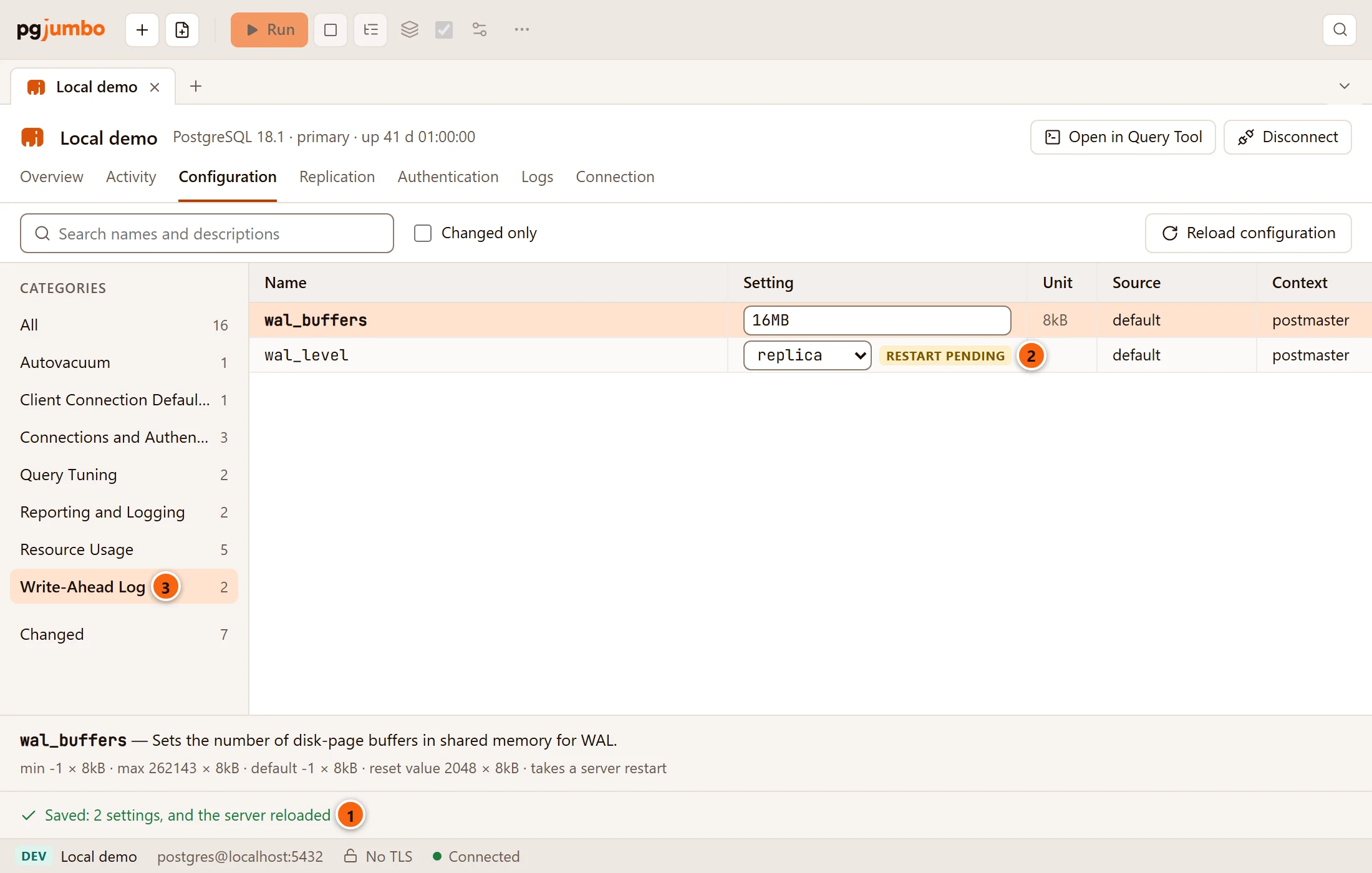
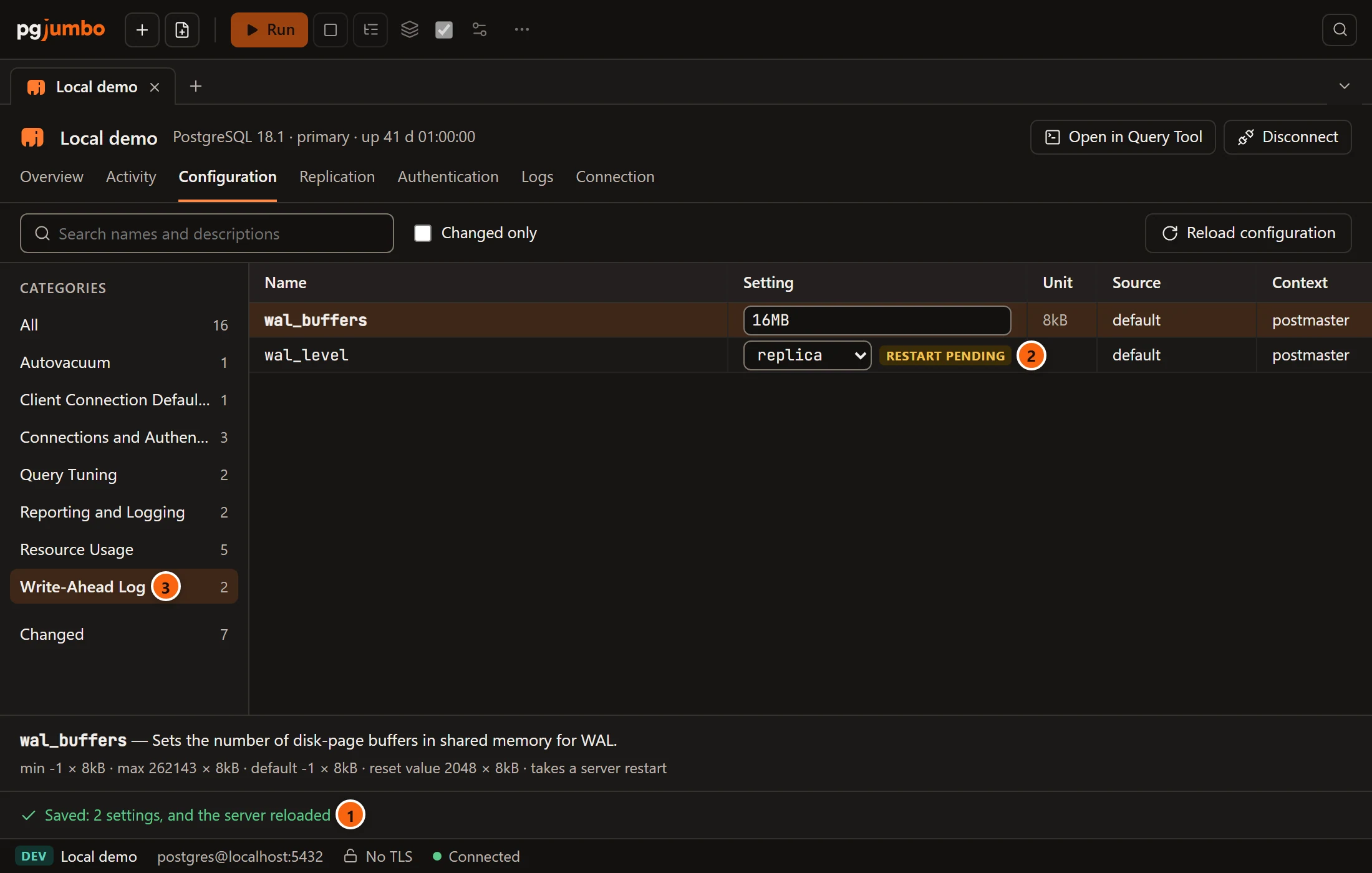
- 1 What happened. The draft is empty again.
- 2 A
postmastersetting keeps its old value, with restart pending, until the server restarts. - 3 Here the Write-Ahead Log category shows
wal_level.
| Message | What it means |
|---|---|
| Saved: 2 settings, and the server reloaded | Every statement ran and the server read its files again. |
| Saved: 2 settings; the server has not reloaded yet | Every statement ran, but no new session saw the reload within two seconds. Click Reload configuration later, or look again. |
| The server’s error, then (1 setting was written before it) | A statement failed. The ones before it stay written in postgresql.auto.conf and wait for a reload; the draft keeps every change, so Save writes them again once you fix the value. |
ALTER SYSTEM needs a superuser, or from PostgreSQL 15 a role granted ALTER SYSTEM on that parameter.
On a server that asks first
Section titled “On a server that asks first”Production servers always ask before Save runs, and Staging servers too when Staging servers ask before destructive statements too is on in Settings.
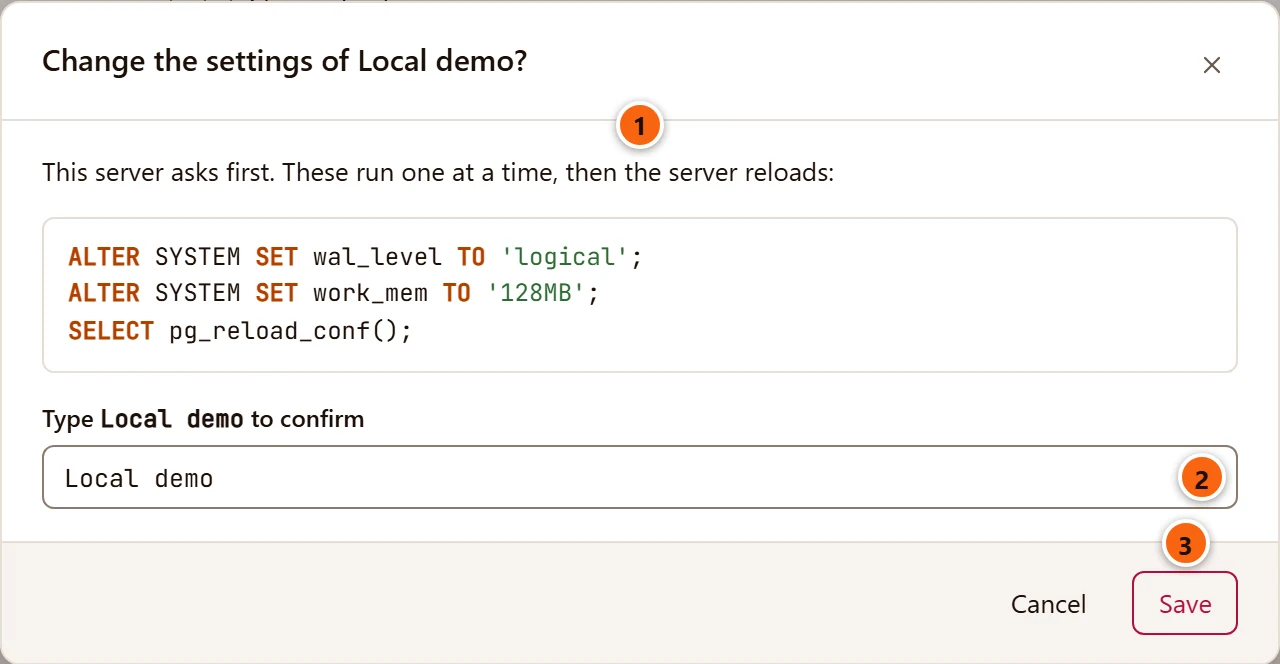
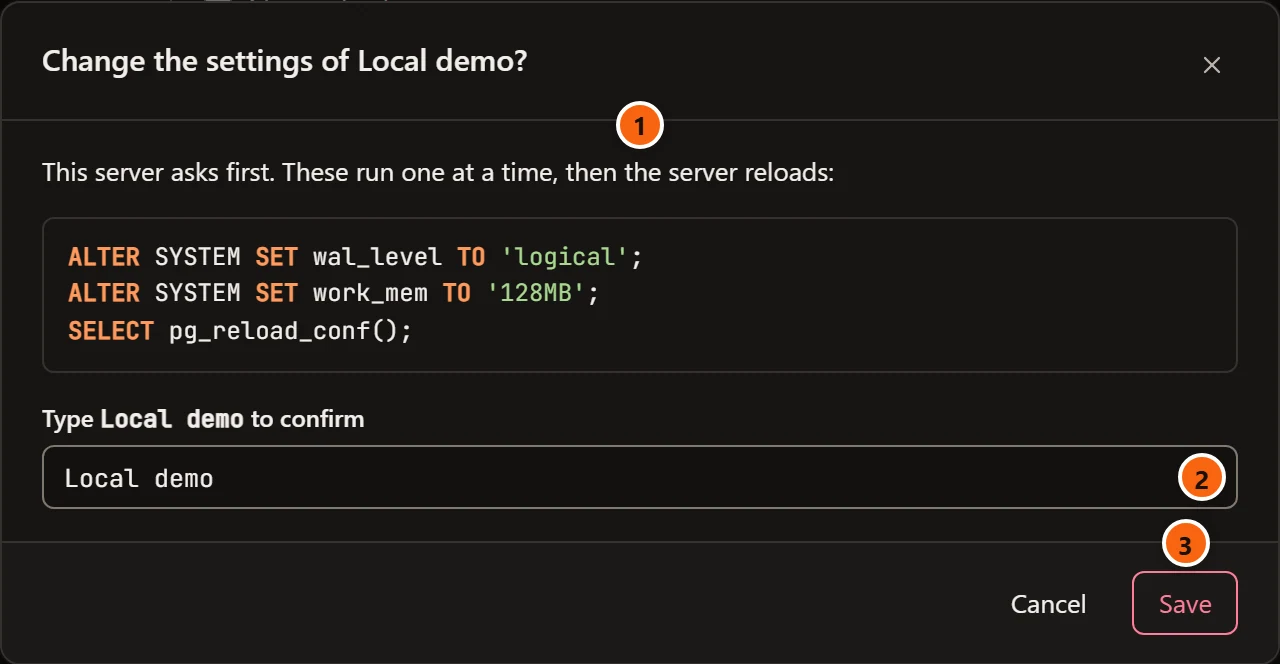
- 1 The statements, as they will run.
- 2 Type the server’s name, as it is in the Explorer. pgjumbo checks it again before running anything.
- 3 Save runs them. Cancel goes back to the draft.
Close the tab with unsaved changes
Section titled “Close the tab with unsaved changes”Closing the server’s tab while the draft holds changes asks first:
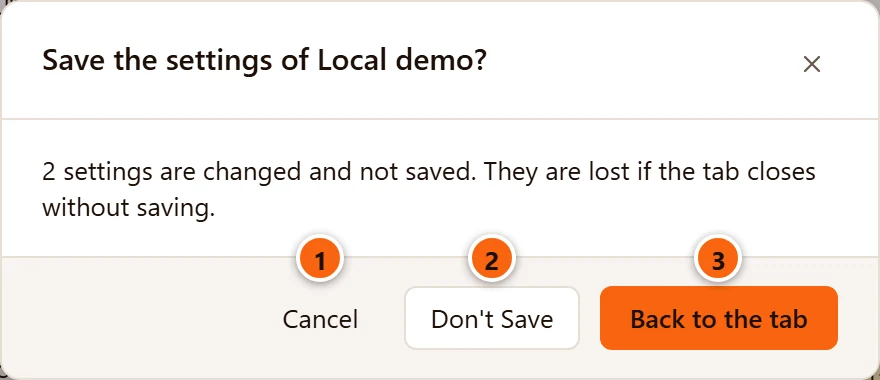
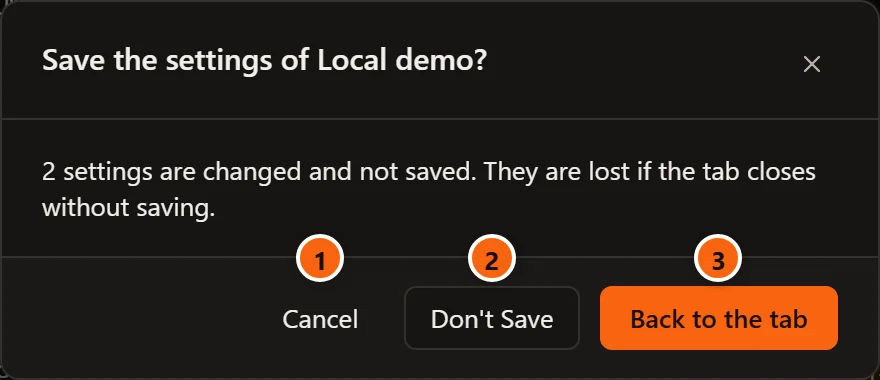
- 1 Cancel keeps the tab open, where it was.
- 2 Don’t Save closes the tab and drops the changes.
- 3 Back to the tab brings the tab to the front on Configuration, to save there.
Reload the configuration
Section titled “Reload the configuration”Reload configuration asks the server to read its configuration files again: after you changed postgresql.conf
or pg_hba.conf on the server, for instance. pgjumbo runs pg_reload_conf() once, on a connection of its own, then
waits up to two seconds for a new session to see the files read again, and reads the settings again.
| Beside the button | What it means |
|---|---|
| Reloaded at and the time, with a tick | The server read its files again. |
| Reload sent; the server has not read its files yet | The signal went, but no new session saw it within two seconds. |
| An error in red | The server refused, for instance a role without EXECUTE on pg_reload_conf(). |
The button turns while it waits, and is greyed out until the settings are read. Save reloads by itself; you need this button for changes made outside pgjumbo.
Settings that need a restart
Section titled “Settings that need a restart”A setting whose context is postmaster (shared_buffers, max_connections, wal_level, shared_preload_libraries
and others) takes effect only when the server restarts. Until then, its row keeps the value in use and shows
restart pending, and its details say changed in the file, waiting for a restart. pgjumbo does not restart
servers: restart it the way you run it (pg_ctl restart, systemctl restart postgresql, your provider’s console).
Settings the Assistant staged
Section titled “Settings the Assistant staged”When you ask the Assistant to suggest settings (Ask the Assistant in the header while Configuration is in front), it answers with a settings card. Stage in Configuration on the card opens this view, in the server’s tab, and adds the card’s values to its draft beside any changes already there; nothing is saved until you click Save here. On Amazon RDS and Aurora the card has no Stage in Configuration: Copy for the parameter group copies the values for you to set in the AWS console.

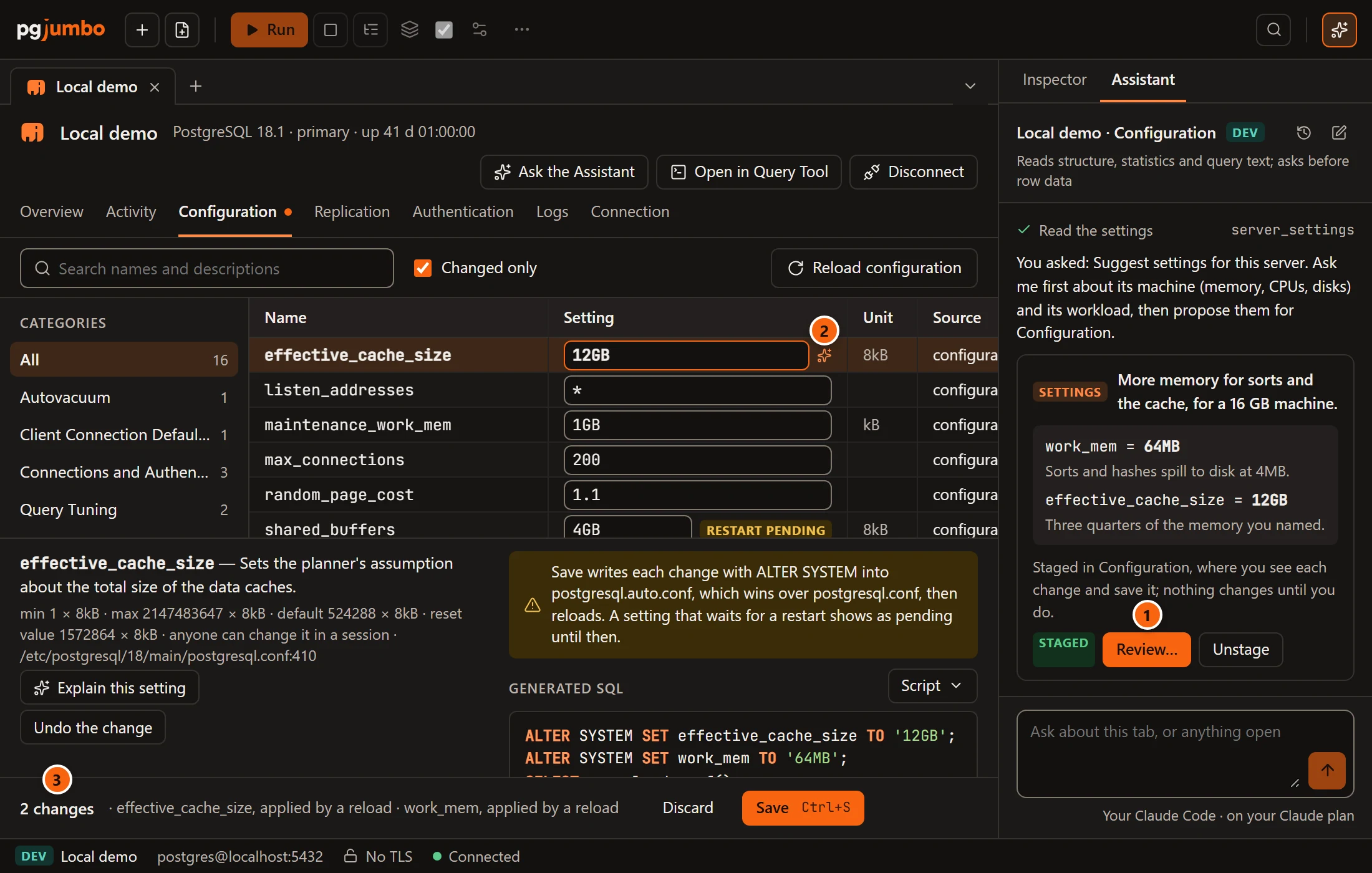
- 1 Review… on the card brings this view to the front. Unstage takes the staged values back out of the draft, except those you changed since.
- 2 A sparkles icon (Proposed by the Assistant) marks each value the Assistant staged, while the draft still holds it. Change the value and the icon goes.
- 3 Staged values are ordinary changes in the draft: review the script and Save or Discard them as above.
The cards and their buttons are on What the Assistant proposes.
When the settings cannot be changed here
Section titled “When the settings cannot be changed here”The view lists the settings but shows plain values without fields, Undo the change or Take it out of postgresql.auto.conf when:
- The server has Read-only sessions on (Connection settings).
ALTER SYSTEMwould write its file even in a read-only session, so pgjumbo refuses it. Reload configuration stays, since a reload writes nothing. Choosing Production for a server ticks that option, so untick it in the server’s Connection view to change settings there. - The server is Amazon RDS or Aurora. Their settings come from the database’s parameter group, and they refuse
ALTER SYSTEMandpg_reload_conf(). In place of Reload configuration the toolbar says so:
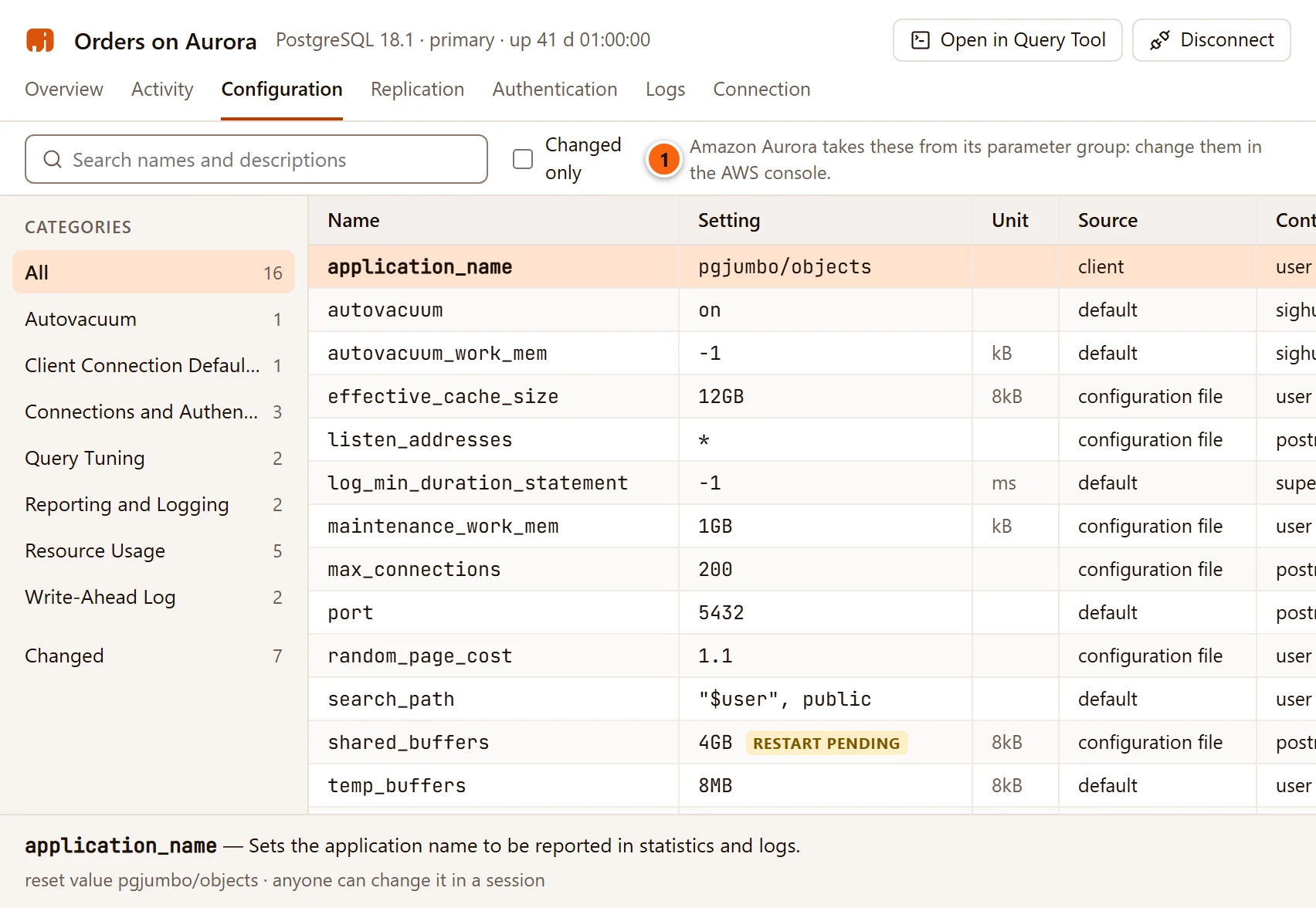
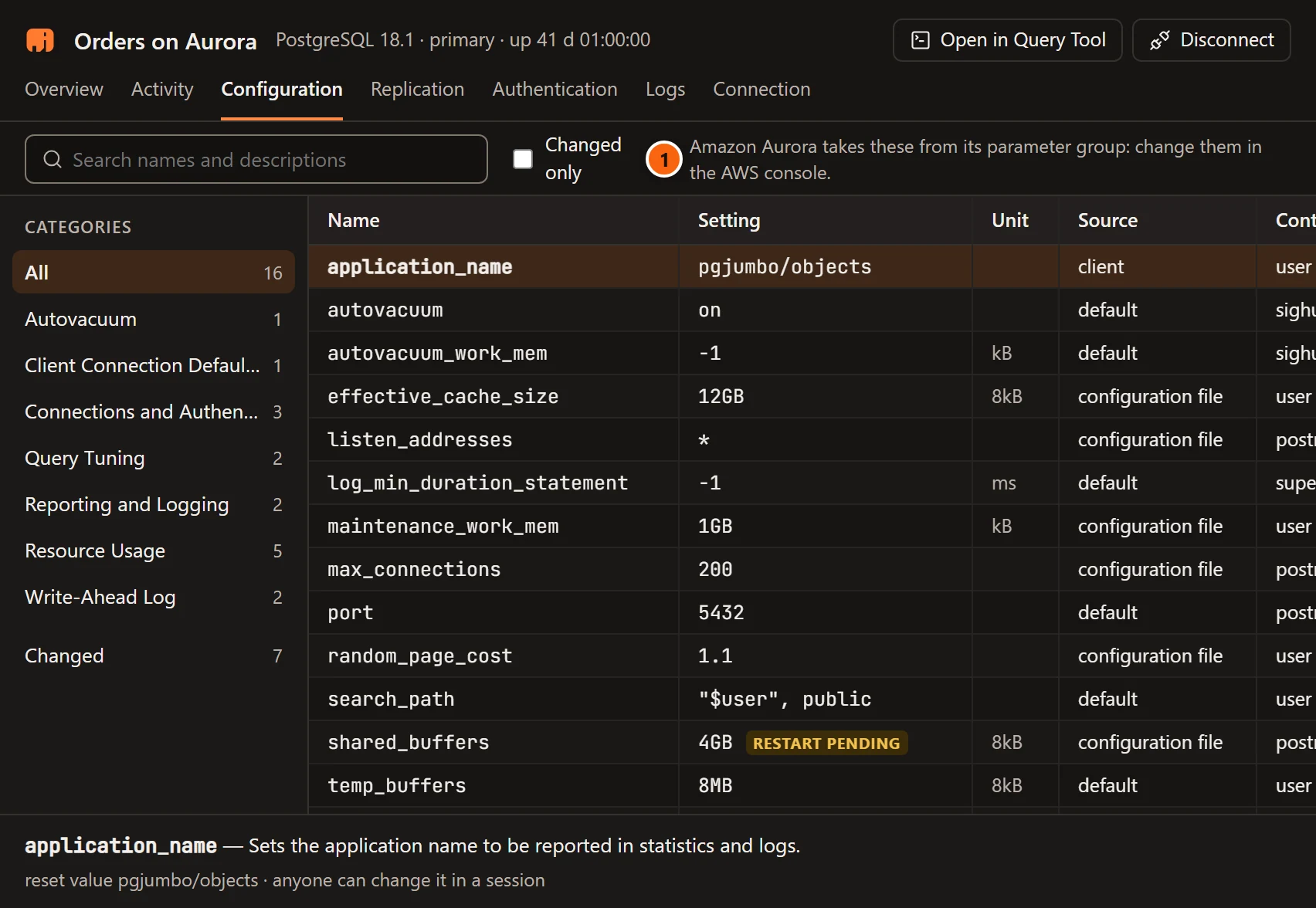
- 1 Amazon Aurora takes these from its parameter group: change them in the AWS console. (or Amazon RDS). See Amazon RDS and Aurora.