
Drop, truncate and other quick actions
Four actions on the Explorer’s right-click menu change or measure an object at once: Drop…, Truncate…, Count rows and Reset statistics. The two that remove things show you what they will take and the statement they will run, and wait for you. The two others run straight away and answer in a small notice beside the row.
Find the actions
Section titled “Find the actions”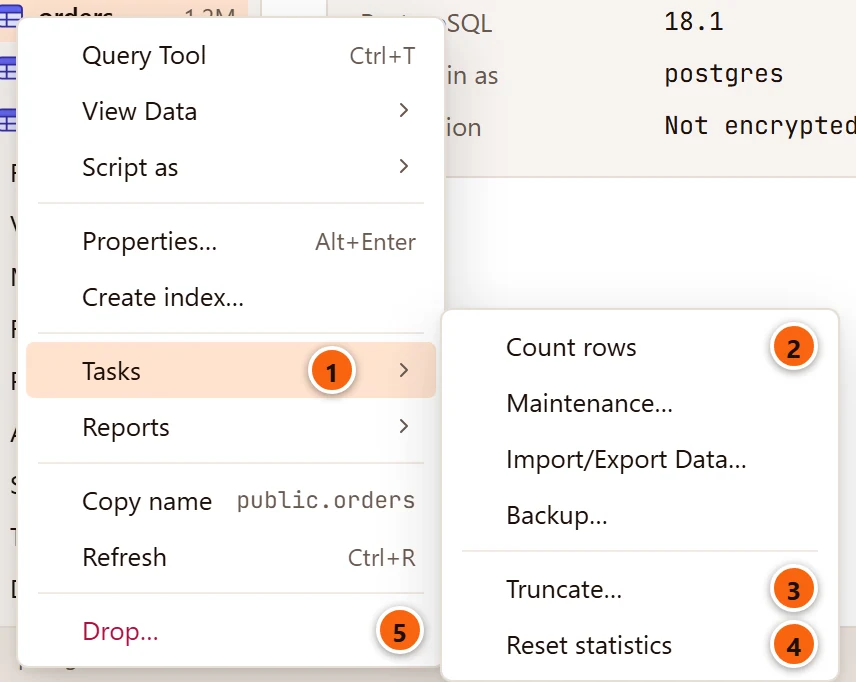
- 1 Tasks holds the actions that work on the object’s data and upkeep.
- 2 Count rows counts the rows exactly.
- 3 Truncate… empties a table, after asking.
- 4 Reset statistics sets the object’s activity counters back to zero.
- 5 Drop…, last in the menu and in red, removes the object, after asking.
| Action | Offered on | Asks first |
|---|---|---|
| Count rows | Tables, partitioned tables, views, materialized views and foreign tables | No |
| Truncate… | Tables and partitioned tables | Yes, in a dialog |
| Reset statistics | Tables (not partitioned tables), materialized views, indexes, functions and procedures | No |
| Drop… | Most objects in a database; see What Drop… can remove | Yes, in a dialog |
None of them has a key of its own. System objects, which the Explorer shows only when you ask for them, do not offer Drop…. The other items of these menus are explained in Right-click menus.
Drop an object
Section titled “Drop an object”Right-click the object and choose Drop…. The dialog opens at once and says Looking for what depends on it… while pgjumbo reads the catalog.
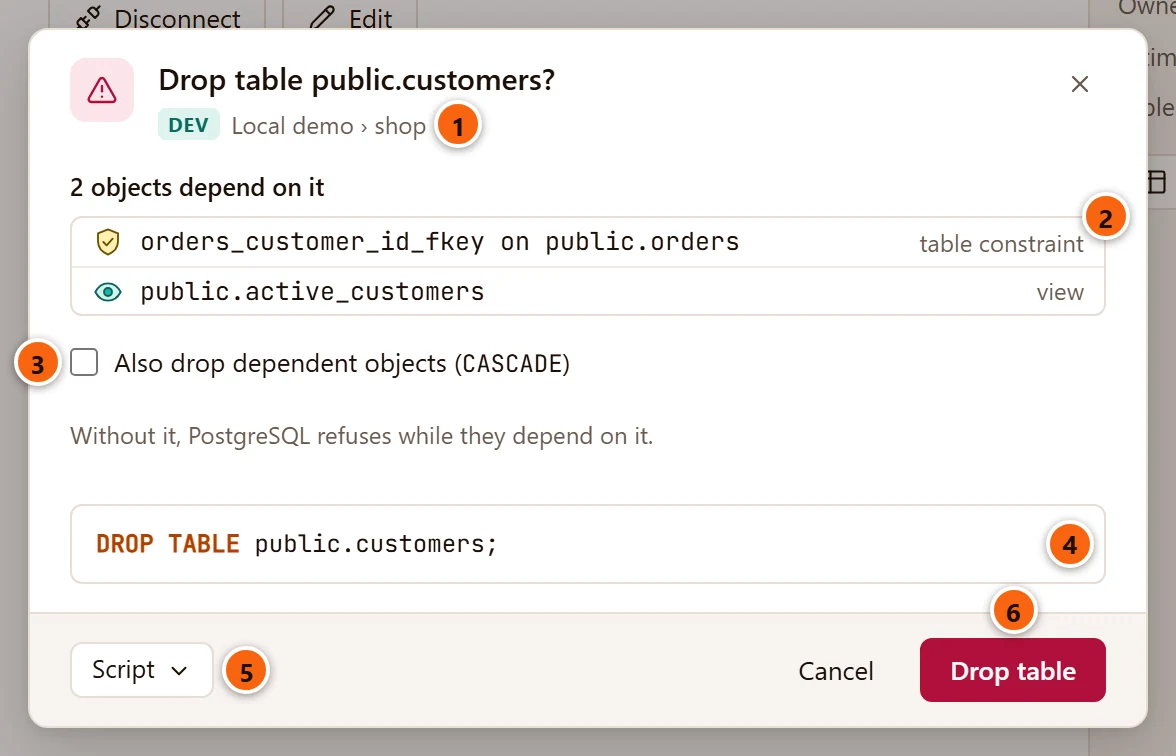
- 1 Under the title: the server’s environment tag, the server and the database the object is in.
- 2 What depends on the object, each with its kind as PostgreSQL names it:
table constraint,view,function,table column, and so on. The heading says how many there are. - 3 Also drop dependent objects (
CASCADE) drops them too. It starts unticked. Without it, PostgreSQL refuses while anything depends on the object, as the line below it says. - 4 The statement that will run. It gains
CASCADEwhen you tick the box. - 5 Script takes the statement elsewhere instead of running it: open it in a Query Tool, copy it or save it. See The Script menu.
- 6 Drop table (or Drop view, Drop function and so on) runs the statement.
Cancel has the keyboard focus when the dialog opens, so pressing ↩︎ (Enter on Windows and Linux) by mistake drops nothing. Cancel, × and Esc close the dialog.
The list is the one DROP … CASCADE would follow. It leaves out the parts that go with the object anyway: its
indexes, its own constraints, the sequences its columns own, its row type and its rules. It shows at most 200 objects
and ends with and so many more when there are others. When nothing depends on the object, the dialog says
Nothing else depends on it. and has no CASCADE box.
When PostgreSQL refuses
Section titled “When PostgreSQL refuses”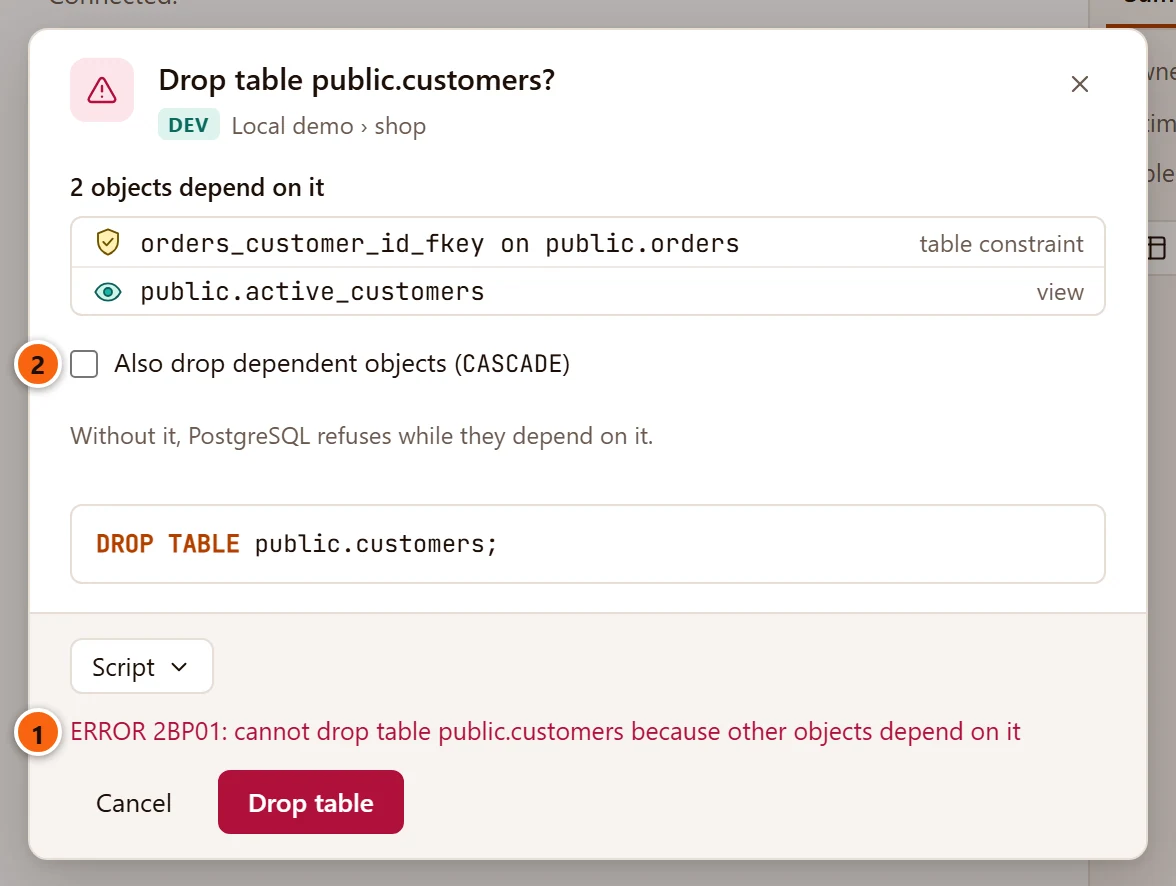
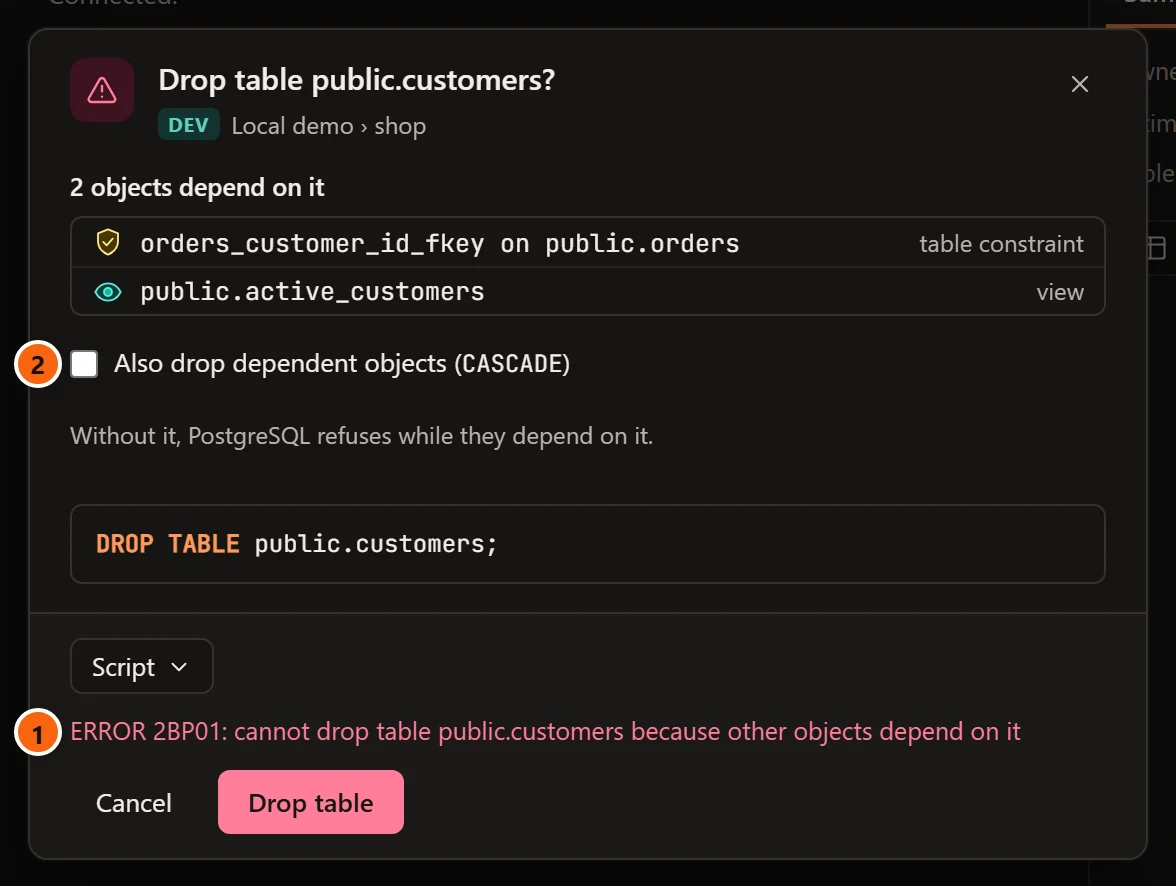
- 1 PostgreSQL’s error, with its SQLSTATE code, shows in red. The dialog stays open and nothing changed.
- 2 Tick CASCADE and press the button again, or cancel and deal with the dependents first.
Other refusals come the same way. A role that does not own the object gets must be owner of …. A server whose
connection has Read-only sessions on answers cannot execute DROP TABLE in a read-only transaction; see
Connection settings.
Some problems show before you press anything. If the object went away since you opened the menu, the dialog says
This object no longer exists. Refresh the Explorer. in place of the list. pgjumbo also refuses anything built into
PostgreSQL, such as the plpgsql extension: the dialog says … is built into PostgreSQL; pgjumbo does not drop it.
In both cases it has no Drop button, and Script is greyed out.
What Drop… can remove
Section titled “What Drop… can remove”pgjumbo builds the statement from names the server quotes. It never adds IF EXISTS, and adds CASCADE only when
you tick it.
| Object | Statement |
|---|---|
| Table, partitioned table or partition | DROP TABLE schema.name |
| View, materialized view, foreign table | DROP VIEW, DROP MATERIALIZED VIEW, DROP FOREIGN TABLE |
| Sequence | DROP SEQUENCE schema.name |
| Index | DROP INDEX schema.name (not CONCURRENTLY) |
| Function, procedure, aggregate | DROP FUNCTION, DROP PROCEDURE or DROP AGGREGATE with its arguments, such as public.vat(amount numeric) |
| Type, domain | DROP TYPE, DROP DOMAIN |
| Schema | DROP SCHEMA name |
| Constraint | ALTER TABLE schema.table DROP CONSTRAINT name |
| Trigger, policy, rule | DROP TRIGGER name ON schema.table, and the same for POLICY and RULE |
| Extension, event trigger, publication, language, foreign-data wrapper | DROP EXTENSION, DROP EVENT TRIGGER, DROP PUBLICATION, DROP LANGUAGE, DROP FOREIGN DATA WRAPPER |
| Cast | DROP CAST (source AS target) |
| Collation, operator, text search configuration, dictionary, parser or template | DROP COLLATION, DROP OPERATOR schema.op (left, right), DROP TEXT SEARCH … |
Drop… is not offered on databases, roles, tablespaces, subscriptions, foreign servers or user mappings. Write the statement in a Query Tool for those. A column is removed in its table’s tab; see Tables.
Drop several objects together
Section titled “Drop several objects together”In Object Details, tick the objects and click Drop… beside the count of ticked rows. It is there when every ticked object can be dropped.
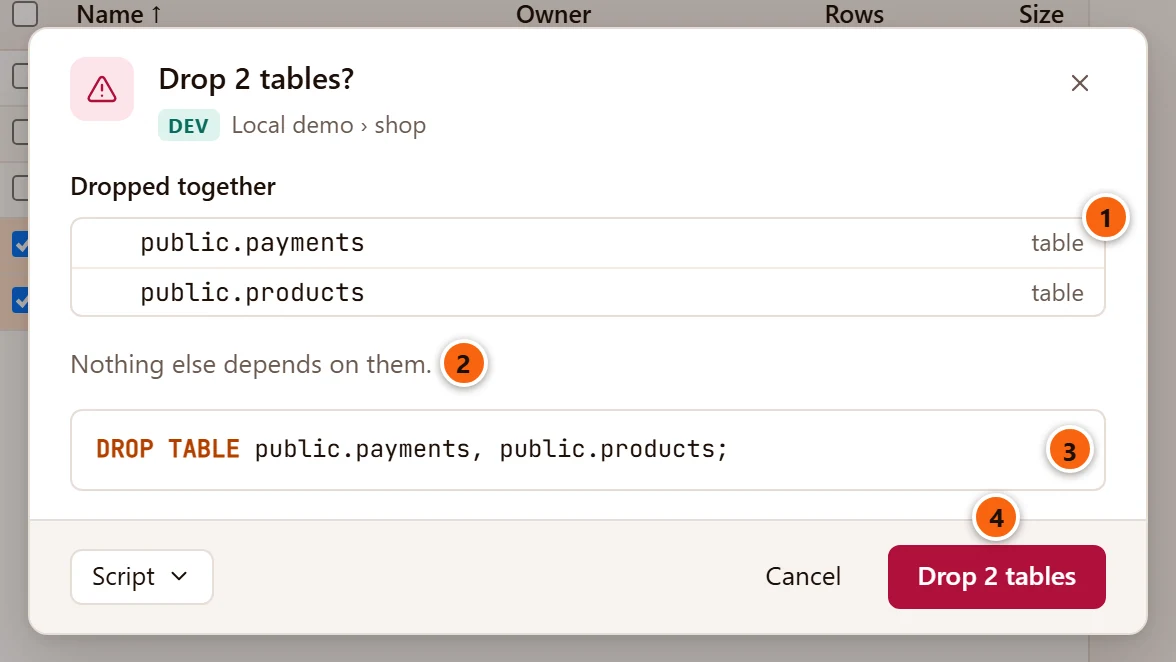
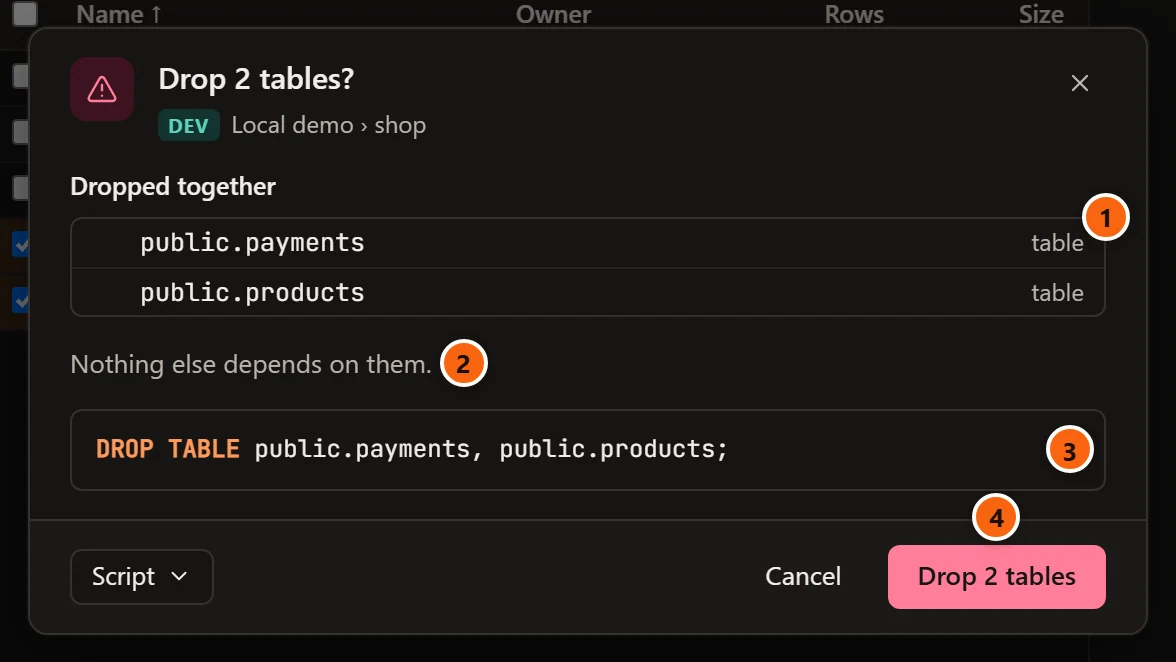
- 1 Dropped together lists the ticked objects.
- 2 What depends on any of them, without the ticked ones themselves: here, nothing.
- 3 One statement drops them all, so objects that depend only on each other go without CASCADE.
- 4 The button says how many: Drop 2 tables.
The objects must be of one kind and in one database. Otherwise the dialog says These objects are not all of one kind: drop them one kind at a time. or These objects are in different databases: act on one database at a time. After the drop, the ticks are cleared and the list is read again.
After the drop
Section titled “After the drop”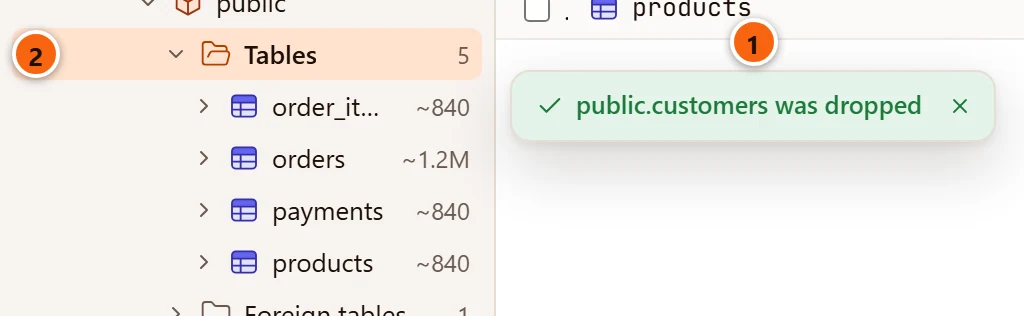
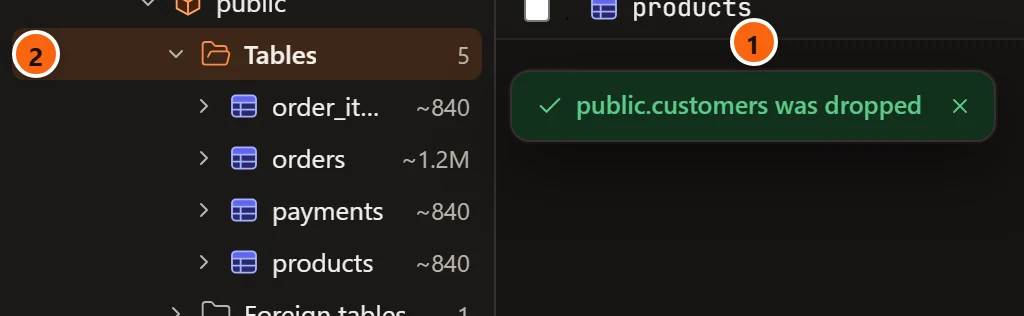
- 1 A green notice beside the row says the object was dropped. It goes away after six seconds.
- 2 The folder the object was in is selected.
pgjumbo reads the whole database again in the Explorer, because CASCADE may have reached objects anywhere in it, and refreshes what the editor suggests for that database.
On a server that asks first
Section titled “On a server that asks first”On a server tagged Production, a drop or a truncate also needs the database’s name typed. Staging servers ask too when Staging servers ask before destructive statements too is on in Settings.
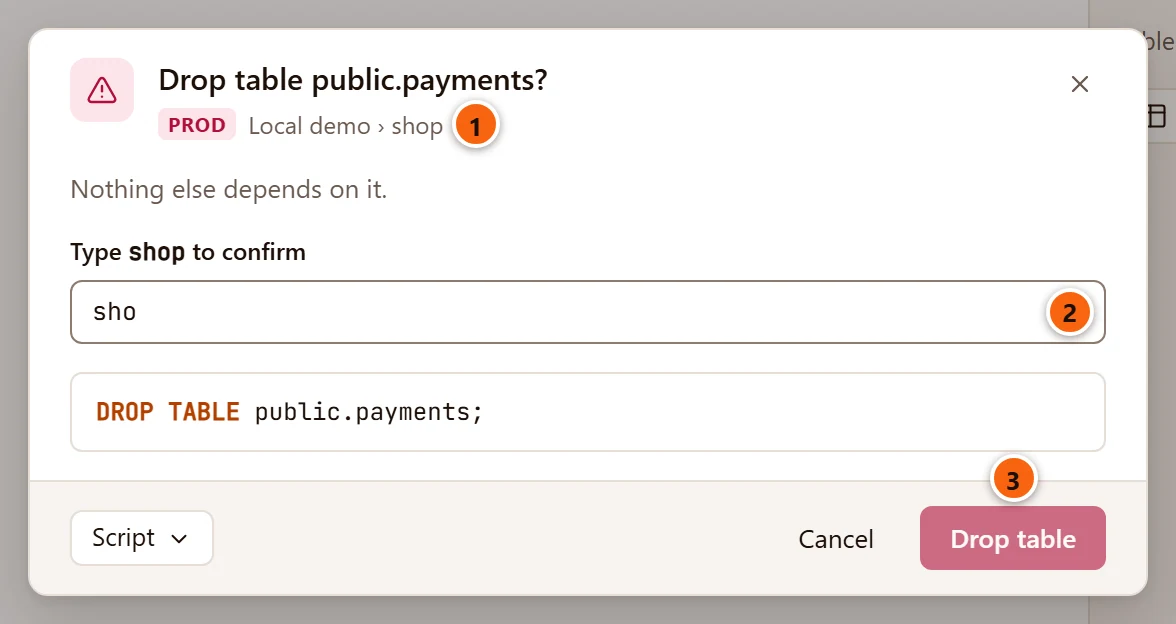
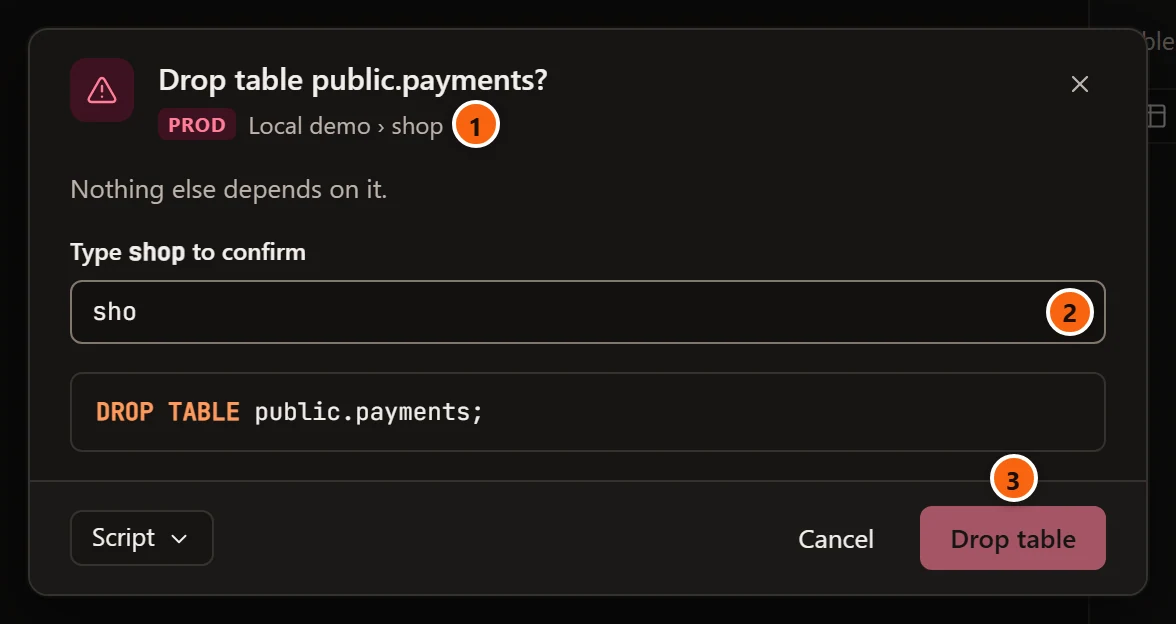
- 1 The PROD tag before the server and database tells you where you are.
- 2 Type the database’s name to confirm, here
shop. Cancel still has the focus when the dialog opens, so click the field first. Spaces before or after the name do not matter. - 3 The button stays greyed out until the name matches. Then ↩︎ (Enter on Windows and Linux) in the field runs it too.
The engine checks the name again before it runs anything, and refuses with This server asks first: type shop to confirm. if it does not match.
Choosing Production for a server also ticks Read-only sessions in its connection. While that box is ticked, PostgreSQL refuses the drop or the truncate itself, even after you typed the name: untick it in the server’s connection first if you mean to change the database.
Empty a table with Truncate
Section titled “Empty a table with Truncate”Right-click a table and choose TasksTruncate…. The dialog says Looking at the table… while it reads what it needs.
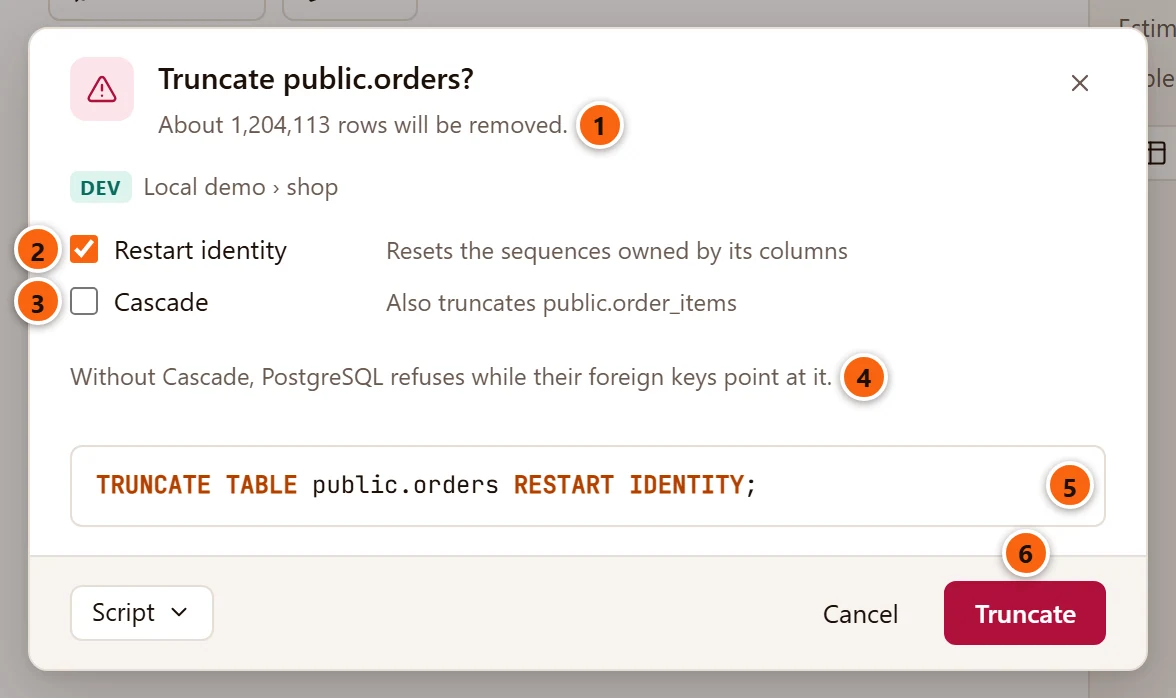
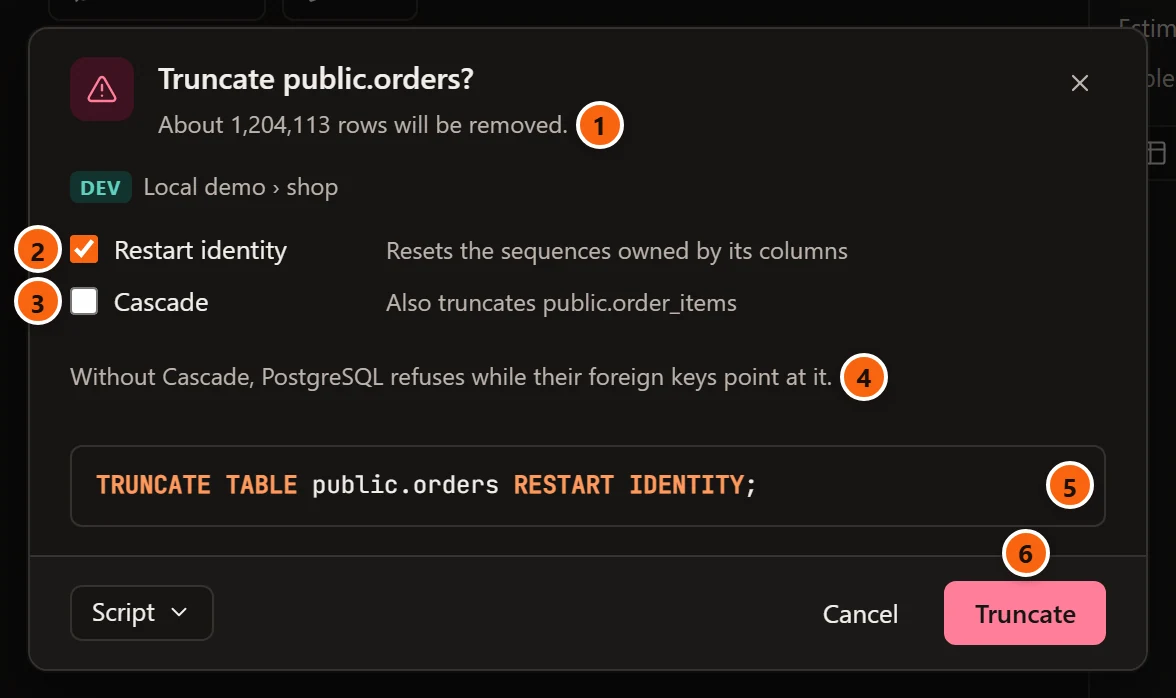
- 1 About how many rows go, under the title: the planner’s estimate, summed over the partitions of a partitioned table. When the planner has no estimate (the table was never analyzed or vacuumed) or expects no rows, it says Every row will be removed. The server and the database are on the line below.
- 2 Restart identity resets the sequences owned by the table’s columns (
serialand identity columns), so new rows start numbering again. It appears only when the table owns such a sequence, and starts ticked. - 3 Cascade also empties the tables whose foreign keys point at this one, named beside it (up to three, then and so many more). It appears only when there are such tables, and starts unticked.
- 4 Without Cascade, PostgreSQL refuses while those foreign keys point at the table.
- 5 The statement that will run, with
RESTART IDENTITYandCASCADEas ticked. - 6 Truncate runs it.
A table that owns no sequence and that no other table points at shows neither box, only the statement. The Script menu, the focus on Cancel, the name to type on a server that asks first, and errors in red work as in the Drop dialog. After it runs, a green notice beside the row says the table was truncated, and the Inspector reads the table again.
TRUNCATE takes an ACCESS EXCLUSIVE lock on the table, and waits while another session holds a lock on it.
Count a table’s rows
Section titled “Count a table’s rows”The Explorer shows a table’s estimated rows, such as ~1.2M. For the exact number, right-click it and choose
TasksCount rows.
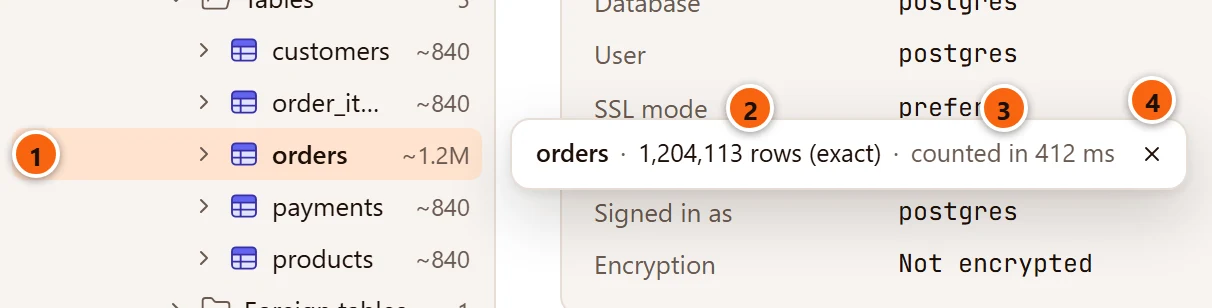
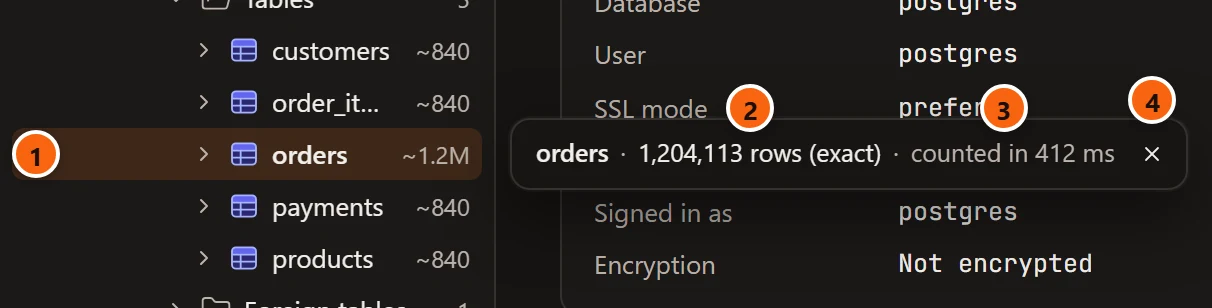
- 1 The row you counted.
- 2 The exact count. While pgjumbo counts, the notice shows a spinner and Counting rows….
- 3 How long it took: counted in so many milliseconds or seconds, or counted in under 1 ms.
- 4 × closes the notice. It stays until you close it.
pgjumbo runs SELECT count(*) on the table or view, on a connection of its own, so the Explorer stays free while
it counts. On a large table that can take a long time, since PostgreSQL visits every row. On a partitioned table it
counts every partition; on a view, it runs the view’s query; on a foreign table, it asks the remote server. No
button stops the count. Closing the notice while it shows Counting rows… does not stop it either, and the
answer then never shows.
The item is there on PostgreSQL’s own catalog tables and views too, but pgjumbo refuses to count them: the red notice
says the object is built into PostgreSQL.
Reset statistics
Section titled “Reset statistics”Right-click a table, materialized view, index, function or procedure and choose TasksReset statistics. It runs at once, without asking, and a green notice says Statistics for the object were reset. The Inspector then reads the object again.
For a table, materialized view or index, pgjumbo runs pg_stat_reset_single_table_counters: scan counts and row
activity start again from zero, and sizes and row estimates stay. For a function or procedure, it runs
pg_stat_reset_single_function_counters: its calls and time start again from zero. By default PostgreSQL lets only
superusers run these functions; anyone else gets permission denied in a red notice.
The Statistics view of the Inspector and of an object’s tab has a Reset statistics… button too, which asks first. See The Inspector.
The notice beside the row
Section titled “The notice beside the row”Count rows, Reset statistics, a drop, a truncate and some other actions answer in a small notice. It floats just right of the Explorer, level with the row you acted on.
| Notice | Looks | Stays |
|---|---|---|
| Work in progress: Counting rows…, Resetting statistics… | A spinner | Until the answer replaces it |
| A row count | Plain | Until you close it |
| Done: … was dropped, … was truncated, Statistics for … were reset, and the notices of Generate Scripts, Install extension… and the create dialogs | Green, with a tick | Six seconds |
| A failure, with the reason | Red | Until you close it |
Press Esc, click anywhere else or click its × to close it. Only one notice shows at a time: the next action replaces it.
What runs, and where
Section titled “What runs, and where”The window never sends SQL for these actions, only which object and which options you chose. The engine finds the object in the catalog and builds the statement from names the server quotes.
What a drop or a truncate would take (the objects that depend on it, the row estimate, the tables that point at it) is a read, made on the Explorer’s own connection to the database.
The change itself runs once, on a connection of its own. pgjumbo opens a new connection to the object’s database,
with the application name pgjumbo/objects that pg_stat_activity shows, runs the statement in auto-commit, and
closes the connection. The Explorer reconnects and repeats a read when its connection was lost, but a drop or a
truncate is never sent twice: if it fails, you see the error and nothing is retried.
That connection is separate from your Query Tool tabs. A transaction you have open in a tab does not include the change, and the tab’s locks can make the drop or the truncate wait.
Count rows and Reset statistics run on a connection of their own too, so a long count does not hold up the Explorer.