
Notifications
PostgreSQL’s LISTEN and NOTIFY let sessions send each other short messages on named channels: an application
announces a new order on orders, and every session listening on orders hears it. The Notifications tab listens
on the channels you name in one database, lists what arrives, and sends notifications of its own. Use it to see what
your applications say to each other, or to test a listener by sending it a message.
Open the Notifications tab
Section titled “Open the Notifications tab”The server must be connected. There is no key for it.
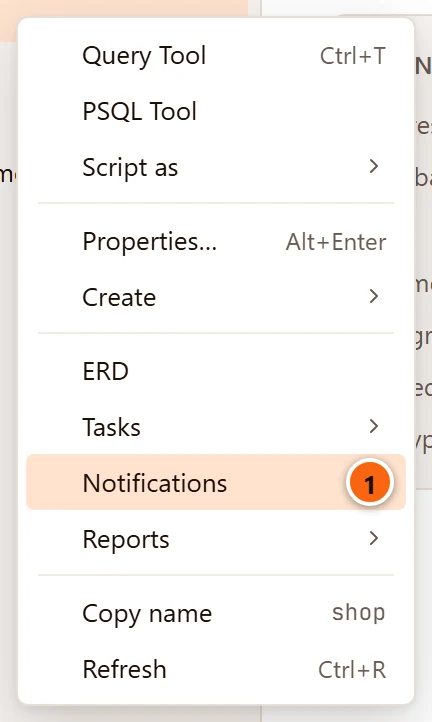
- 1 Right-click a database and choose Notifications. Template databases, which the Explorer lists when it shows system objects, do not offer it.
Or choose ToolsNotifications. It listens in the database of the row selected in the Explorer (the database itself, or the database a table, schema or other object is in), or in the server’s maintenance database when the selected row is a server or is not inside a database, such as a role. It is greyed out while nothing is selected, a group is, or the selected row’s server is not connected.
Each database has one Notifications tab, named after it: Notifications · shop. Hover over the tab for the server and the database. Opening it again brings that tab to the front.
The tab opens a connection of its own to the database (it says Opening the tab’s connection… meanwhile) and keeps it while it is open. Everything the tab does, listening and sending, goes through that connection, never through a Query Tool tab’s. Closing the tab stops listening and closes the connection.
Listen on channels
Section titled “Listen on channels”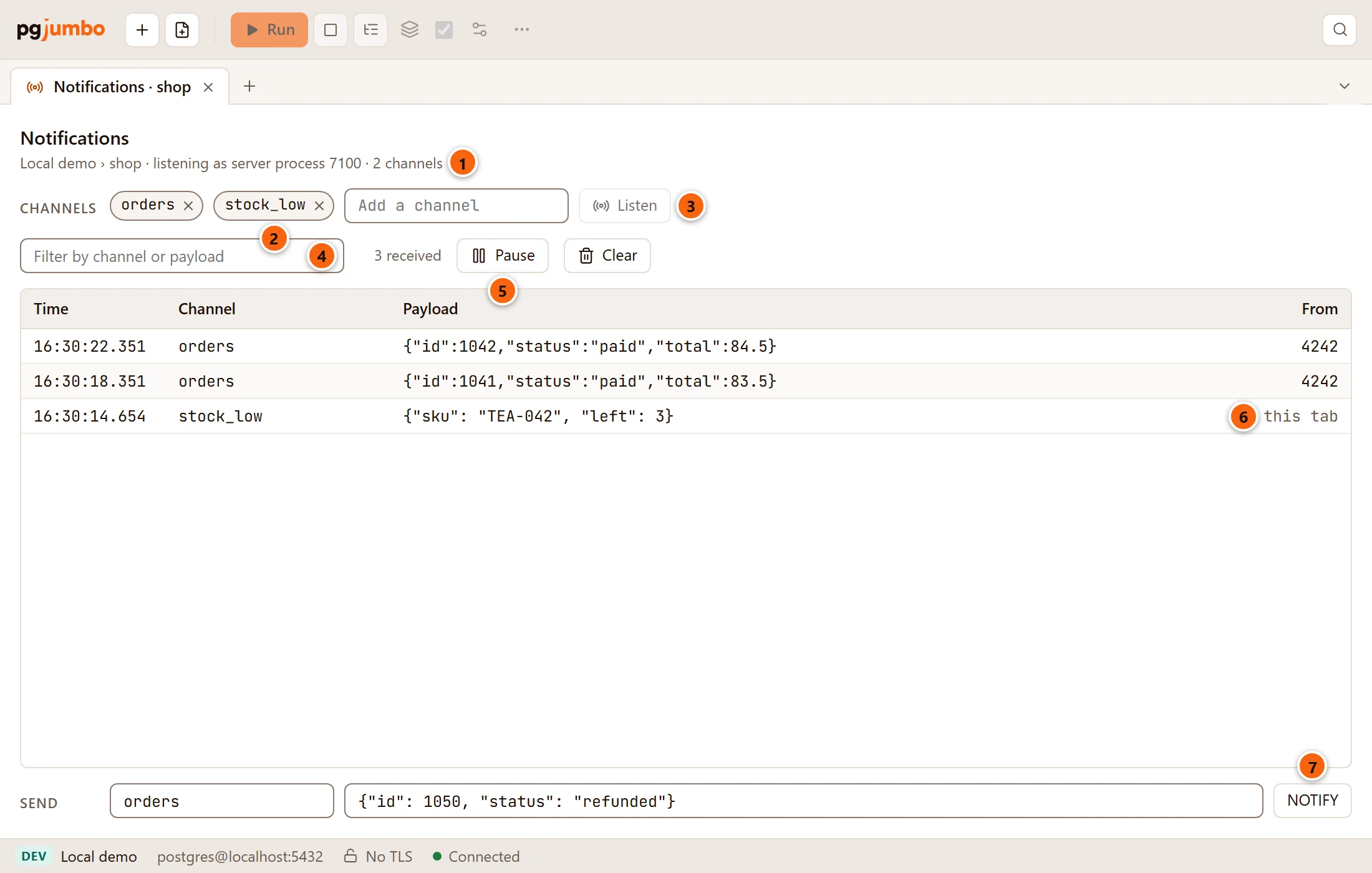
- 1 The server and database, the server process the tab listens as, and how many channels it listens on: Local demo › shop · listening as server process 7100 · 2 channels.
- 2 The channels it listens on. The × on a channel stops listening on it (
UNLISTEN). - 3 Type a channel’s name in Add a channel and click Listen, or press
↩︎ (Enter on Windows and Linux), to listen on it (
LISTEN). Listen is greyed out while the field is empty. - 4 Filter by channel or payload keeps the notifications whose channel or payload contains the text you type, in any case.
- 5 3 received counts what arrived since the tab opened. Pause holds new notifications back; Clear empties the list.
- 6 From: the server process that sent each notification, or this tab for one the tab sent itself.
- 7 NOTIFY sends the payload on the channel of the Send form; see Send a notification.
Before the first channel, the tab says None yet: name one to LISTEN on., and the list says
Listen on a channel to see what NOTIFY sends on it. Once it listens, an empty list says Nothing received yet.,
as it does when the filter matches nothing. The channels shown are the ones the server says the tab’s session
listens on (pg_listening_channels()), read again after each change.
pgjumbo has the server quote the name you type, so a channel’s name is exactly what you typed, capitals included.
NOTIFY Orders written without quotes sends on orders; to hear it, listen on orders in lower case.
A name can be up to 63 bytes long; the field takes at most 63 characters. pgjumbo refuses a name of only spaces with Name the channel., a longer one with A channel name holds at most 63 bytes; PostgreSQL would cut this one short., and a 65th channel with A tab listens on at most 64 channels. Errors show in red beside Listen.
A standby refuses LISTEN: PostgreSQL does not run it during recovery. Listen on the primary.
The notifications that arrived
Section titled “The notifications that arrived”The list shows the newest notification first. pgjumbo looks for new ones about five times a second.
| Column | What it shows |
|---|---|
| Time | When it arrived, in your computer’s time, to the millisecond: 16:30:22.351. |
| Channel | The channel it came on. |
| Payload | The text sent with it, or (none). Hover over a long payload to read it. |
| From | The process id of the session that sent it, or this tab. Hover over it for Server process and the id. |
PostgreSQL delivers a notification when the transaction that sent it commits, and only to sessions listening at that moment: what was sent before the tab listened, or while it was not listening, never arrives.
The tab keeps the newest 10,000 notifications. Past that, the count says how many it keeps: 12,480 received · the newest 10,000 kept.
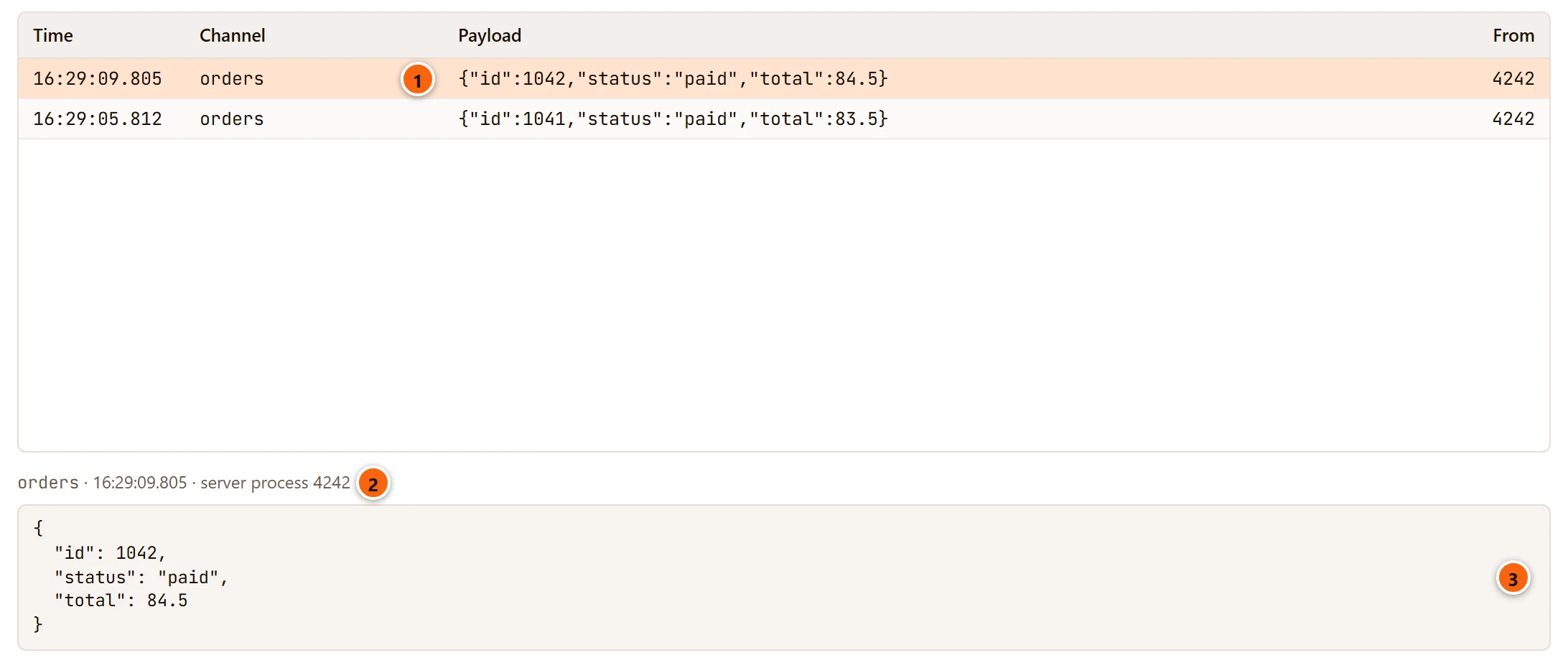
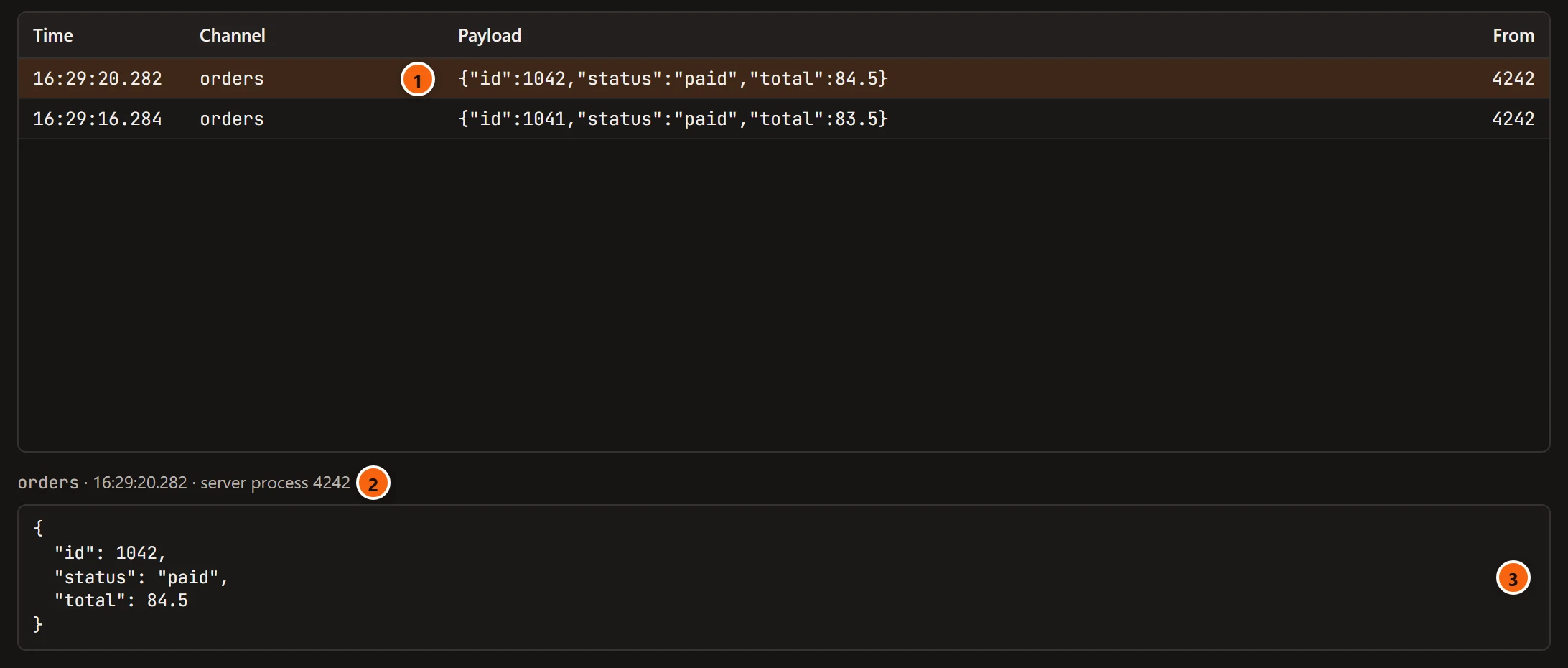
- 1 Click a notification to choose it.
- 2 Its channel, the time it arrived and the server process that sent it.
- 3 Its payload in full. A payload that is a JSON object or array is laid out over several lines; any other text shows as it came, and an empty one says (no payload).
Pause, resume and clear
Section titled “Pause, resume and clear”

- 1 While the list is paused, the count says how many arrived meanwhile: 1 new while paused. The tab goes on listening; nothing is lost.
- 2 Resume adds what arrived while paused to the list, and the list moves again.
- 3 Clear empties the list, and what is held back while paused. The received count keeps counting from where it was. Clear is greyed out when there is nothing to clear.
Pausing keeps the list still while you read it. Filtering does not pause it.
Send a notification
Section titled “Send a notification”The Send form at the bottom sends a notification from the tab’s own connection.
- Type the channel in the first field. It suggests the channels the tab listens on. When you listen on a channel while the field is empty, the field takes that channel. Left empty, it sends on the first channel the tab listens on, which its placeholder shows.
- Type a payload in Payload (optional), or leave it empty.
- Click NOTIFY or press ↩︎ (Enter on Windows and Linux). NOTIFY is greyed out while there is no channel to send on: none typed and none listened on.
pgjumbo runs SELECT pg_notify(channel, payload) with both values bound, so the channel is exactly what you typed and
the payload is sent as it is. The payload field empties once it is sent; the channel stays. When the tab listens on
that channel, the notification arrives in the list too, from this tab.
PostgreSQL takes a payload of up to 7,999 bytes. pgjumbo refuses a longer one with A payload holds at most 7999 bytes; this one has and its size in bytes. Errors show in red beside NOTIFY.
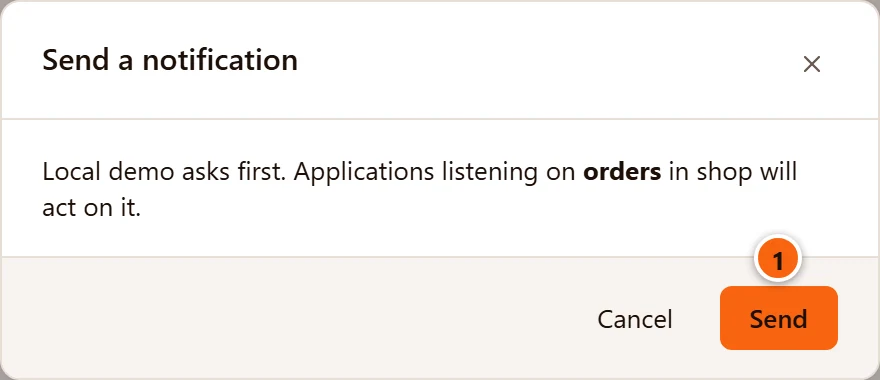
- 1 On a Production server, and on a Staging server when Settings has Staging servers ask before destructive statements too ticked, NOTIFY first asks: Local demo asks first. Applications listening on orders in shop will act on it. Send sends it; Cancel, × and Esc do not.
Other sessions on a channel
Section titled “Other sessions on a channel”The tab shows only its own channels. PostgreSQL has no view of the channels other sessions listen on:
pg_listening_channels() answers only for the session that calls it, so no client can list another session’s
channels.
What the tab does show is who sends. Every session that sends on a channel the tab listens on, in the same database,
reaches the tab: an application, psql, or a Query Tool tab running
NOTIFY orders, 'hello'. The From column gives the sender’s server process id; look it up among the sessions in
the Activity view of the server’s tab to see which application and user it is.
Notifications from another database never arrive: each database has its own channels.
When the tab stops listening
Section titled “When the tab stops listening”The tab’s connection is never opened again on its own. When it is lost, or the server is disconnected, the tab stops listening and says why. The channels it had stay on show, but their ×, Add a channel, Listen and the Send form are greyed out. The list, the filter, Pause and Clear still work.


- 1 Not listening. and why: Disconnected from the server., The connection was lost: and the reason, or the error that stopped the connection from opening.
- 2 Listen again opens a new connection, as a new server process, and listens on the same channels again. It is greyed out until the server is connected.
The list keeps what arrived before. What was sent while the tab was not listening does not arrive.