
Privileges
pgjumbo has a place for each way you think about privileges:
| You want to… | Use |
|---|---|
| see or change who holds what on one object | the object’s Privileges view, in its tab |
| give one grantee the same privileges on several objects of one kind | Privileges… on ticked rows in Object Details |
| grant on many objects of many kinds, to several roles at once | the Grant Wizard |
| decide what objects created later will give | Default privileges in a schema’s or a database’s tab |
| see everything one role was granted, or can do | the role’s Privileges view and What … will be able to do |
Whichever you use, you choose and pgjumbo writes the GRANT and REVOKE statements: the server quotes every name,
each privilege must be one the object’s kind has, and you read the statements before anything runs.
The Privileges view of an object
Section titled “The Privileges view of an object”Every object tab that has privileges has a Privileges view: databases, schemas, tables and partitioned tables, views, materialized views, sequences, functions, procedures, types, tablespaces, languages, foreign servers and foreign-data wrappers. Open the object’s tab (right-click it and choose Properties…, or press ⌘ I (Alt+Enter on Windows and Linux)) and click Privileges. There is no separate Privileges… item in the Explorer’s menu: this view is where an object’s grants change.
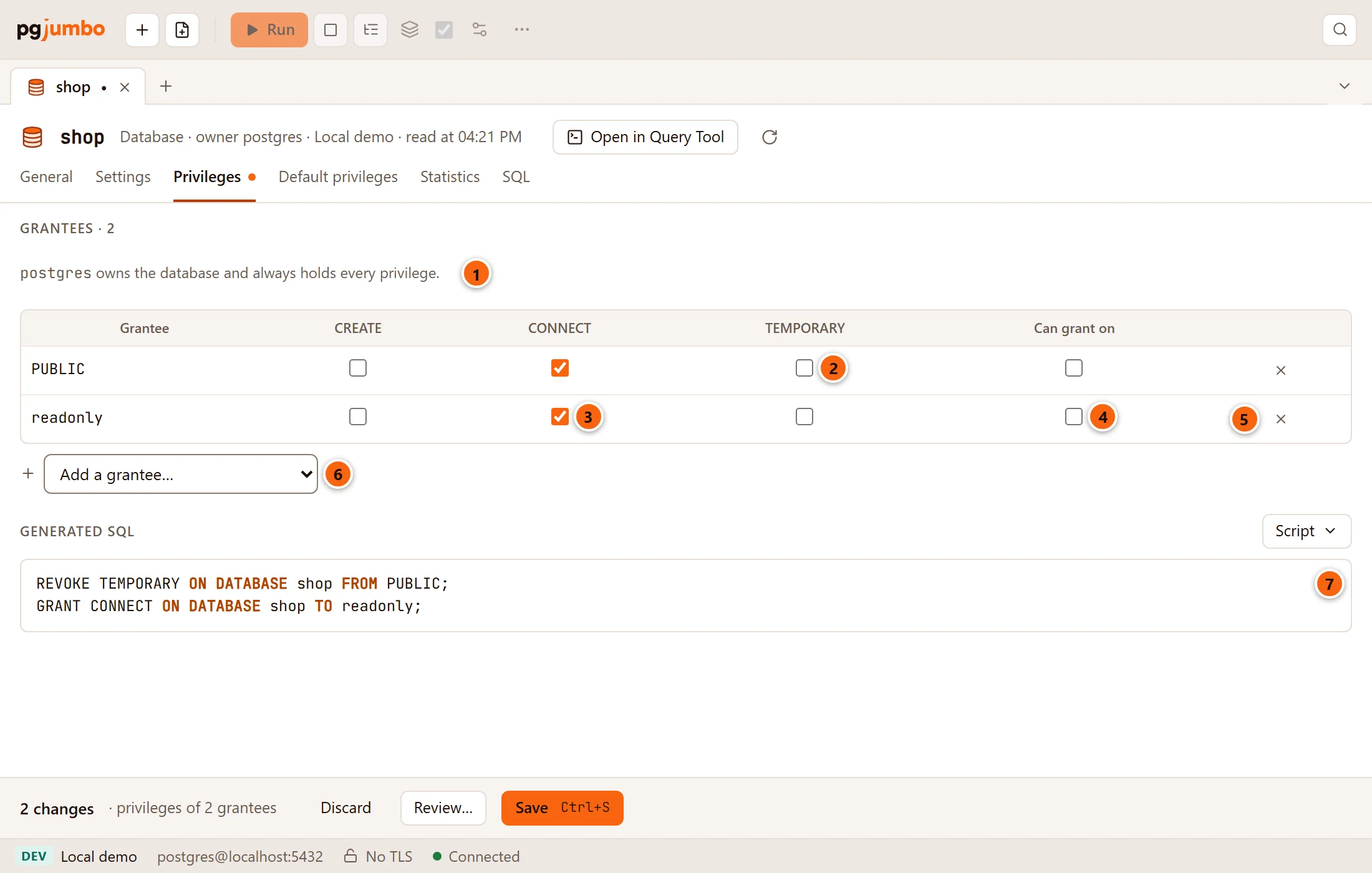
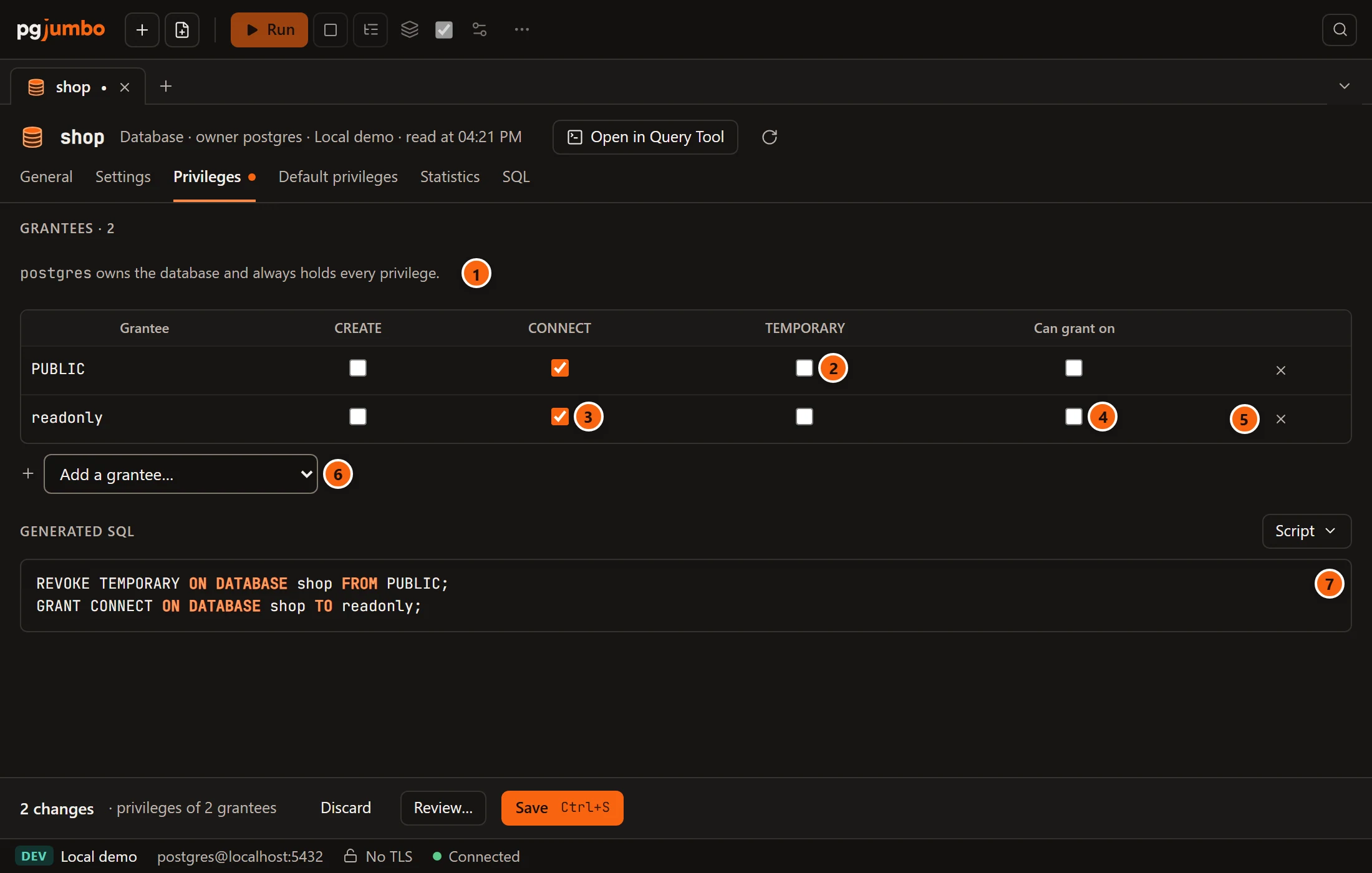
- 1 The owner. It is not in the grid: the owner always holds every privilege. The heading above counts the grantees.
- 2 One row per grantee, one box per privilege. Here
TEMPORARYwas unticked forPUBLIC, which revokes it. - 3 A grantee you added, with
CONNECTticked. - 4 Can grant on: the grantee may grant the privileges of its row to other roles (
WITH GRANT OPTION). It applies to the whole row. It shows a dash when only some of the row’s privileges carry the grant option, and it is greyed out while the row has nothing ticked. A privilege you tick on a row that can grant on gets the grant option too. - 5 The cross removes the grantee: everything it held is revoked.
- 6 Add a grantee… lists
PUBLIC (every role)and every role that is not listed yet and is not the owner, PostgreSQL’s predefinedpg_*roles last. A new row starts with nothing ticked. - 7 Generated SQL: the statements Save will run, worked out against the object’s grants as they are on the server now, with a Script menu.
With nobody listed, the grid says “Nobody else holds a privilege on it.” The statements go grantee by grantee,
PUBLIC first: REVOKE for what you untick, REVOKE GRANT OPTION FOR for a grant option you take away, then GRANT,
and GRANT … WITH GRANT OPTION. They are part of the tab’s changes: Discard, Review… and Save in the
pending bar act on them with the rest, and the bar counts the grantees whose privileges changed. When Save runs at once
and when it opens the review sheet first is explained in Object tabs and review.
The columns are the privileges the object’s kind has on your server:
| Object | Privileges |
|---|---|
| Database | CREATE, CONNECT, TEMPORARY |
| Schema | USAGE, CREATE |
| Table, partitioned table, view, materialized view | SELECT, INSERT, UPDATE, DELETE, TRUNCATE, REFERENCES, TRIGGER, and MAINTAIN on PostgreSQL 17 or later |
| Sequence | SELECT, UPDATE, USAGE |
| Function, procedure | EXECUTE |
| Type, language, foreign server, foreign-data wrapper | USAGE |
| Tablespace | CREATE |
Grant or revoke on many objects at once
Section titled “Grant or revoke on many objects at once”In Object Details, tick the objects, then click Privileges…. It gives one grantee privileges on every ticked object, or takes them away, in one statement.
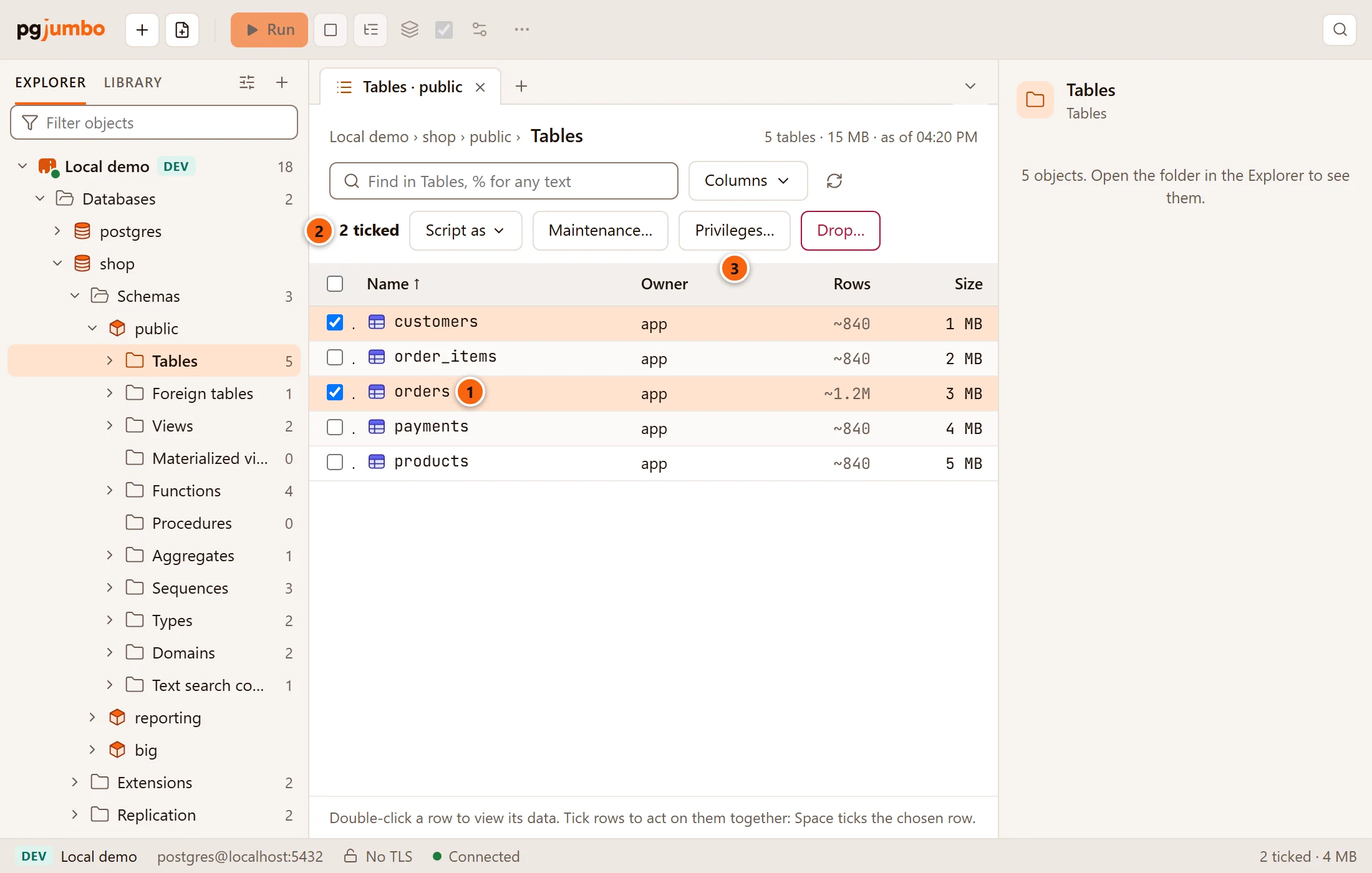
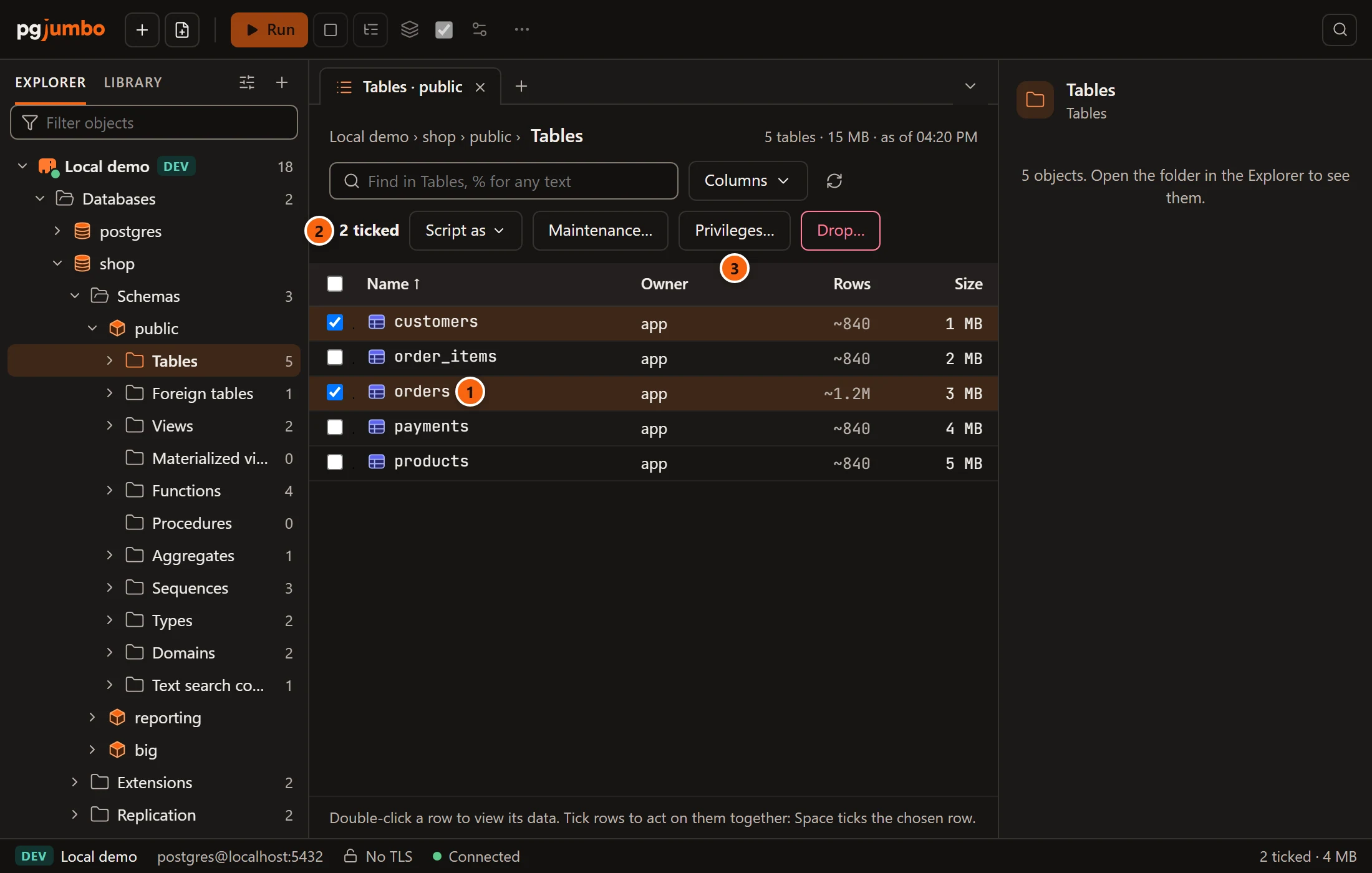
- 1 Tick the objects: click their boxes, or use Space on the chosen row.
- 2 How many are ticked; the status bar shows the count and their size too.
- 3 Privileges… shows when every ticked object takes privileges and none is a system object.
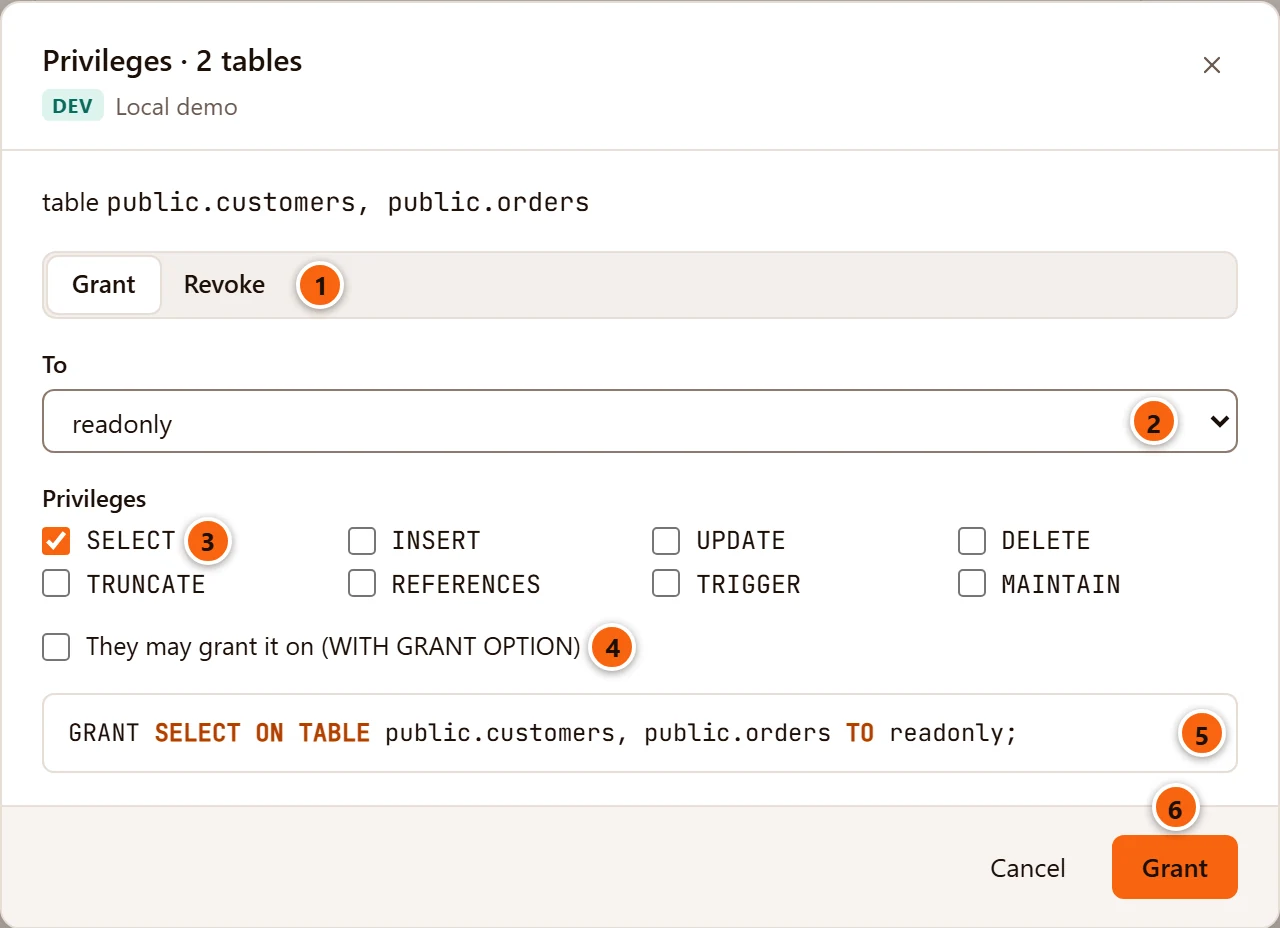
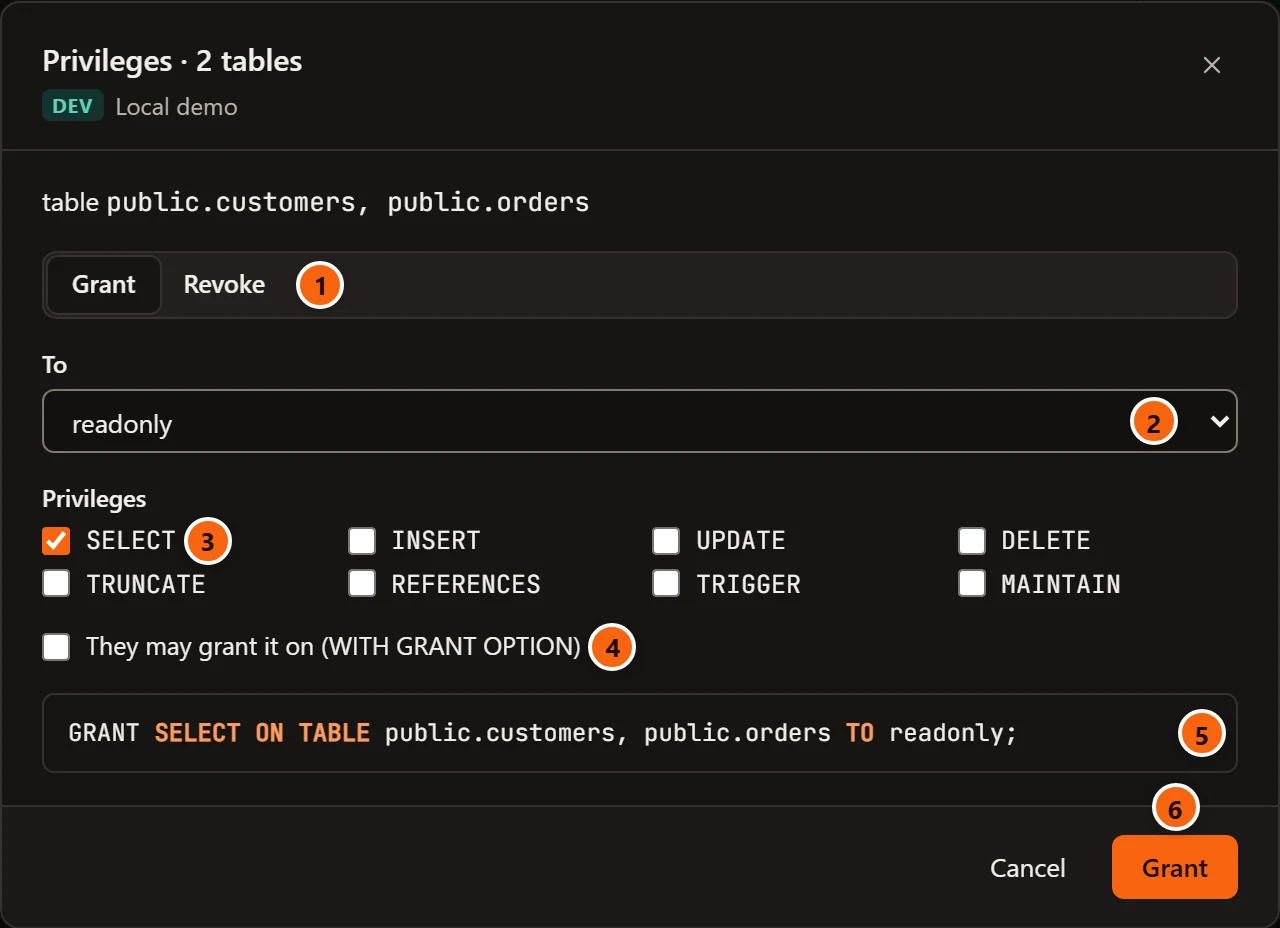
The dialog’s title says what is ticked (Privileges · 2 tables), and its first line names the objects as GRANT
will (table public.customers, public.orders).
- 1 Grant or Revoke.
- 2 To (or From when revoking):
PUBLIC (every role), where it starts, or one role. - 3 The privileges of the objects’ kind; tick the ones to give or take away.
- 4 They may grant it on (WITH GRANT OPTION). When revoking it reads Only the grant option (GRANT OPTION FOR): the grantee keeps the privileges but can no longer grant them.
- 5 The one statement that will run, naming every ticked object. It shows once at least one privilege is ticked.
- 6 Grant (or Revoke) runs it once, on a connection of its own, and closes the dialog. It stays greyed out until a privilege is ticked and the statement is written.
The objects must be of one kind as GRANT names it (tables and views together are fine, a table and a sequence are
not: “These objects are not all of one kind: grant on one kind at a time.”) and in one database. This dialog does not
ask first on a Production server, and it adds to or takes from what each object has; to see or reset each
object’s grants exactly, use its Privileges view.
The Grant Wizard
Section titled “The Grant Wizard”The Grant Wizard grants or revokes on many objects of every kind GRANT takes in a database, for one or several roles
at once. Right-click a database or a schema and choose TasksGrant Wizard….
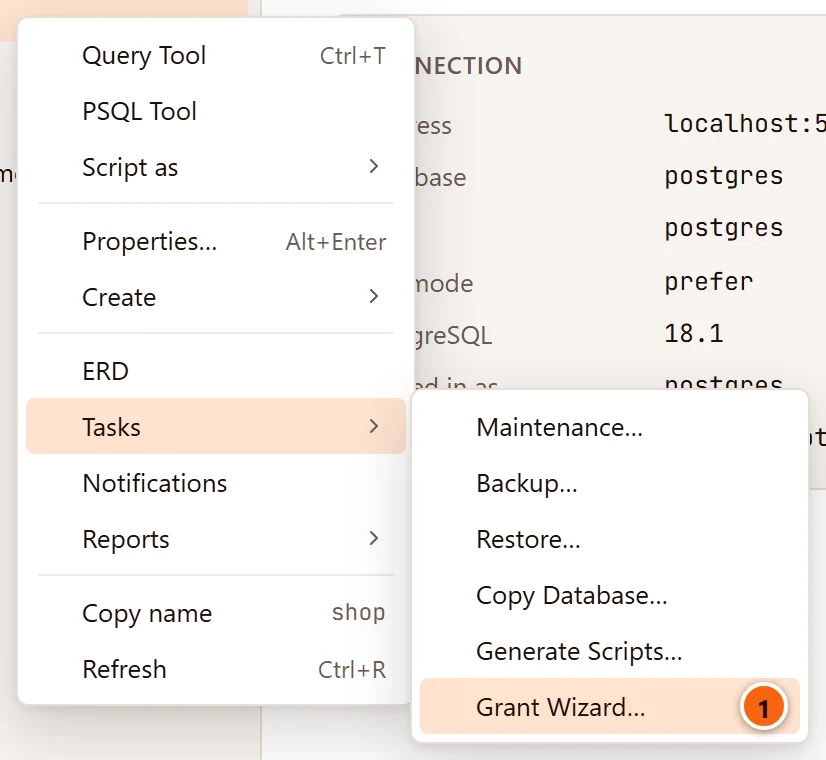
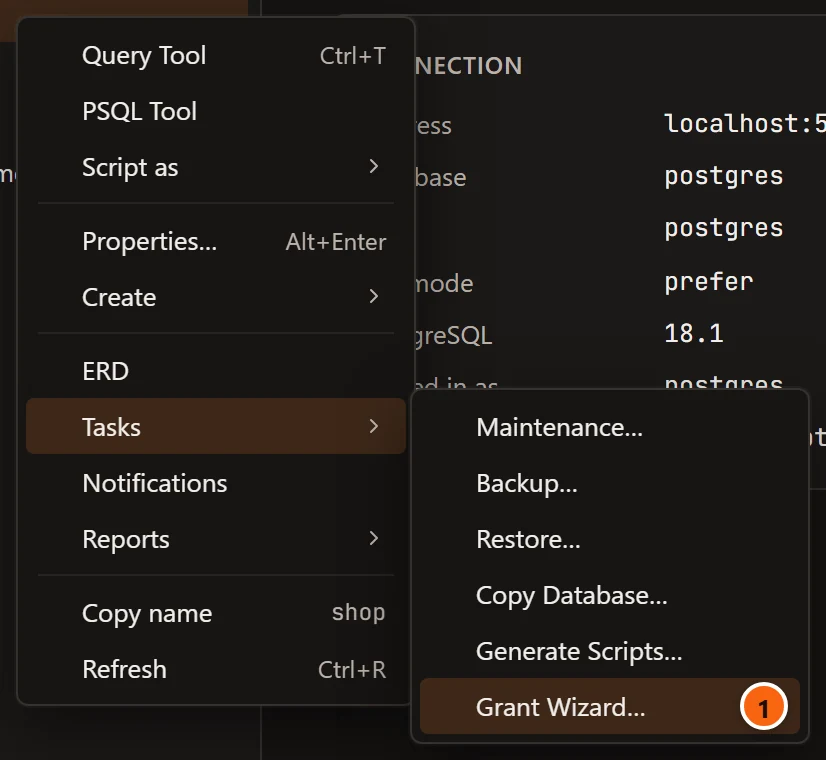
- 1 Grant Wizard…, last under Tasks on a database or a schema that is not a system one.
On a database, the wizard lists the objects of every schema except the system ones and those an extension made; on a schema, only that schema’s. The title names where it was opened (Grant wizard · shop, or Grant wizard · shop › public).
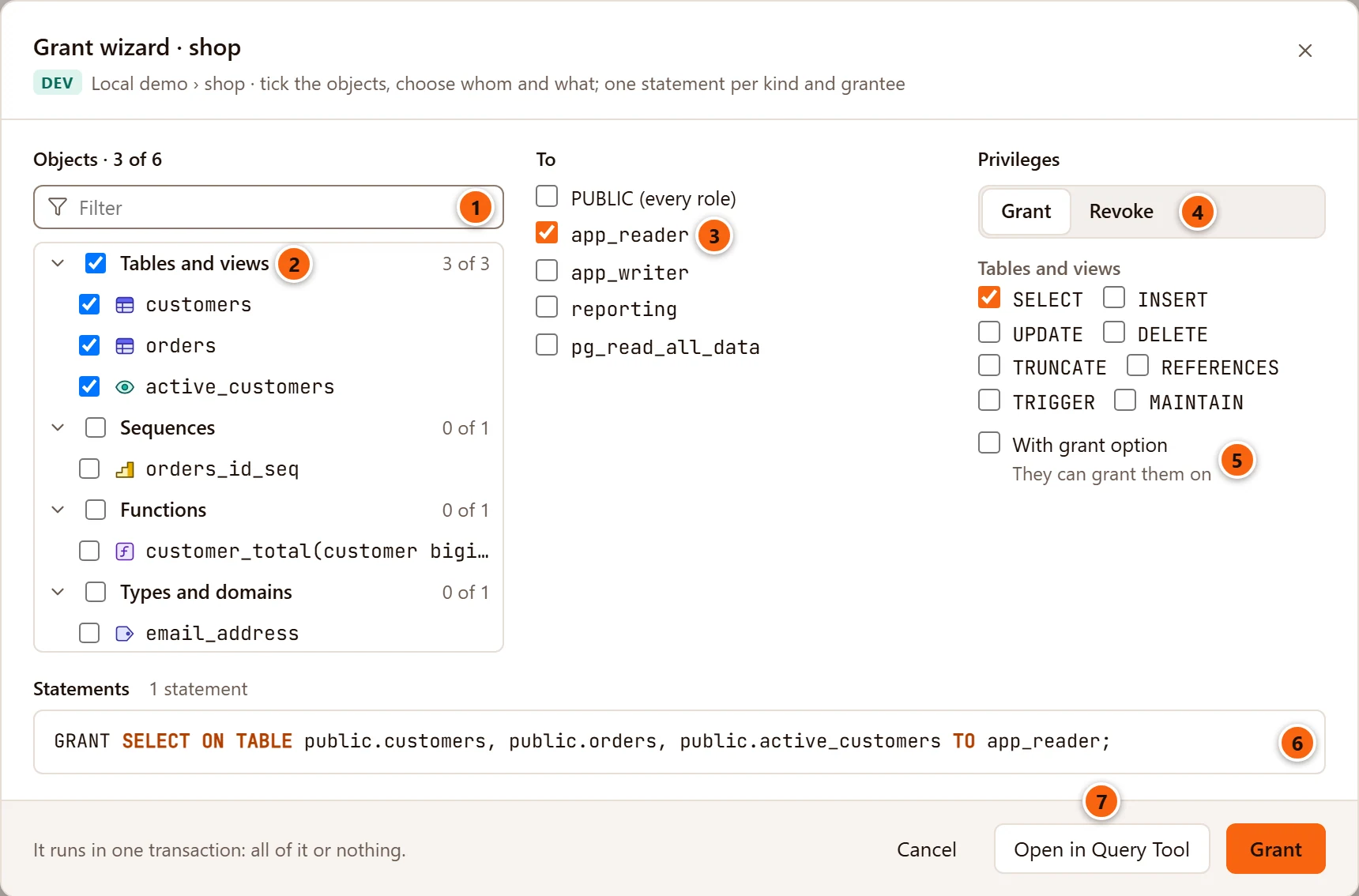
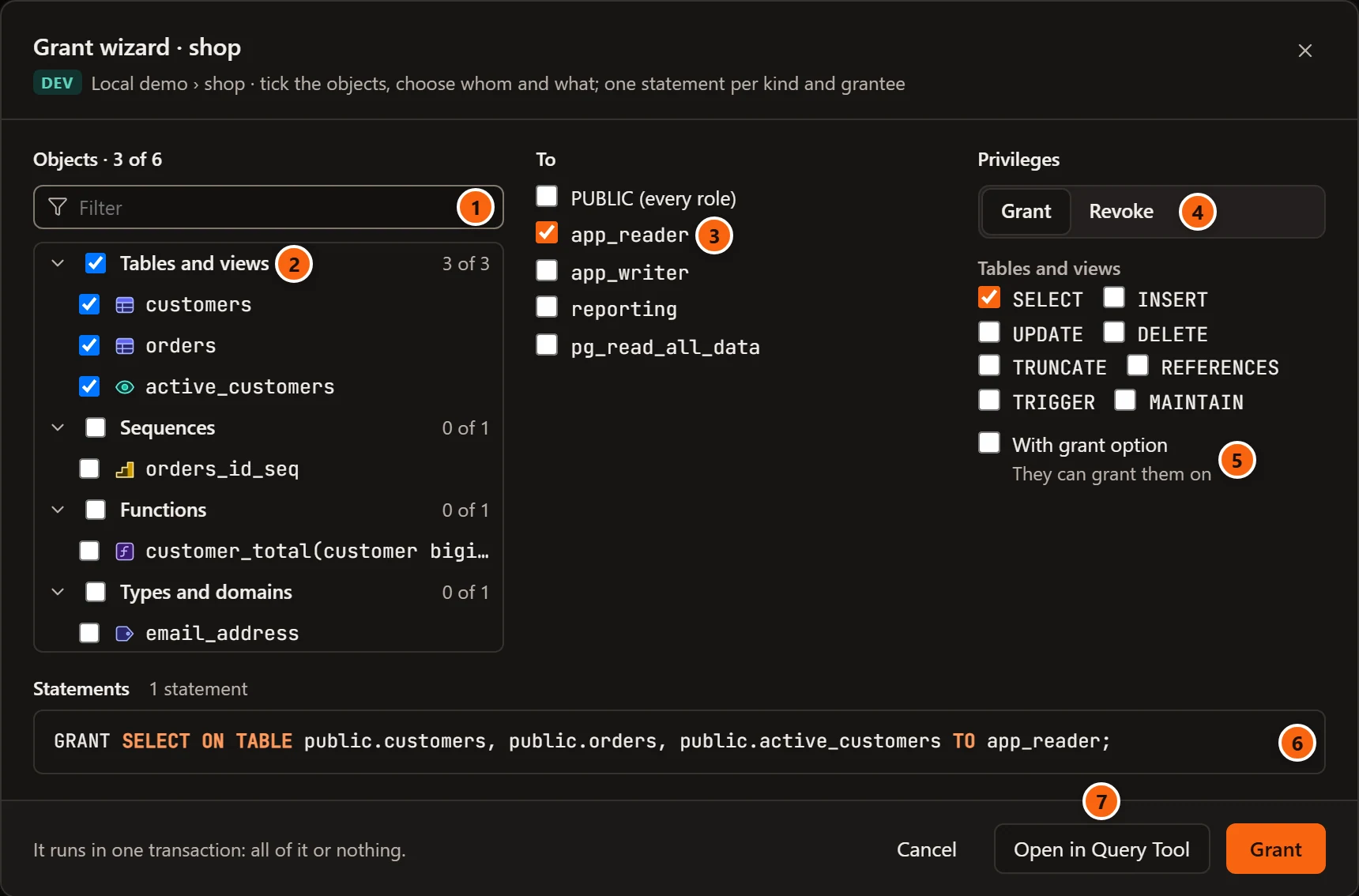
- 1 Filter keeps the objects whose name holds what you type. The heading counts what is ticked: Objects · 3 of 6.
- 2 Tick objects one by one, or tick a group to take everything in it that the filter shows. Each group shows how many of its objects are ticked; the arrow before it opens or closes it.
- 3 Under To, tick the grantees:
PUBLIC (every role)and the roles, PostgreSQL’s predefined ones last. With more than eight roles a Find a role field filters them; ticked roles stay in sight. - 4 Choose Grant or Revoke, then the privileges for each kind among the ticked objects.
- 5 Tick With grant option to let the grantees grant them on. With Revoke this box is Only the grant option: they keep the privileges, but can no longer grant them.
- 6 Read the Statements: one per kind of object and grantee, with their number above them.
- 7 Open in Query Tool puts the statements in a new Query Tool on the database and closes the wizard, so you can run them yourself. Grant (or Revoke) runs them here.
| Control | What it does |
|---|---|
| Objects | Grouped by kind (Tables and views, Sequences, Functions, Procedures, Types and domains) and, when the database has several schemas, by schema first. Tables include partitioned tables, views, materialized views and foreign tables; partitions are left out, as are objects that belong to an extension. Types are enums, composite and range types, and domains. “Nothing here takes privileges.” when there are none, “No object matches.” when the filter hides them all. |
| To / From | Who gets or loses the privileges. Each grantee gets a statement of its own. |
| Grant / Revoke | Gives the privileges or takes them away. |
| Privileges per kind | Shown only for the kinds you ticked objects of, until then “Tick objects to choose their privileges.” They start on reading and using: SELECT for tables and views, USAGE for sequences and for types and domains, EXECUTE for functions and procedures. A kind with nothing ticked gets no statement; with none ticked anywhere the statements say “Choose privileges for at least one kind of the ticked objects.” |
| With grant option / Only the grant option | WITH GRANT OPTION on a grant, GRANT OPTION FOR on a revoke. |
| Statements | The script, written by the server as you choose. Until it can be written it says what is missing: “Tick the objects to grant on.”, or “Choose whom to grant to.” (“Choose whom to revoke from.” when revoking). |
| Cancel | Closes the wizard; nothing ran. |
| Open in Query Tool | Puts the script in a new Query Tool and closes the wizard. |
| Grant / Revoke | Runs the script once, on a connection of its own, as one transaction: all of it or nothing, as the footer says. It reads Running… while it runs. |
When it worked, the wizard closes and a notice beside the row says, for example, “Granted: ran 1 statement on 3 objects”. If the server refuses a statement, nothing changed and its message shows at the bottom of the wizard.
The wizard changes objects that exist. For objects created later, set default privileges.
Default privileges
Section titled “Default privileges”PostgreSQL’s default privileges say what an object gives other roles when it is created. They belong to the role that creates the objects, and you may set them only for yourself or for a role you are a member of. pgjumbo has them in two places:
| Where | What it covers |
|---|---|
| A schema’s tab, Default privileges | New tables, sequences, functions and procedures, and types created in that schema (ALTER DEFAULT PRIVILEGES … IN SCHEMA). |
| A database’s tab, Default privileges | The same anywhere in the database, plus new schemas and, on PostgreSQL 18 or later, new large objects (ALTER DEFAULT PRIVILEGES without IN SCHEMA). |
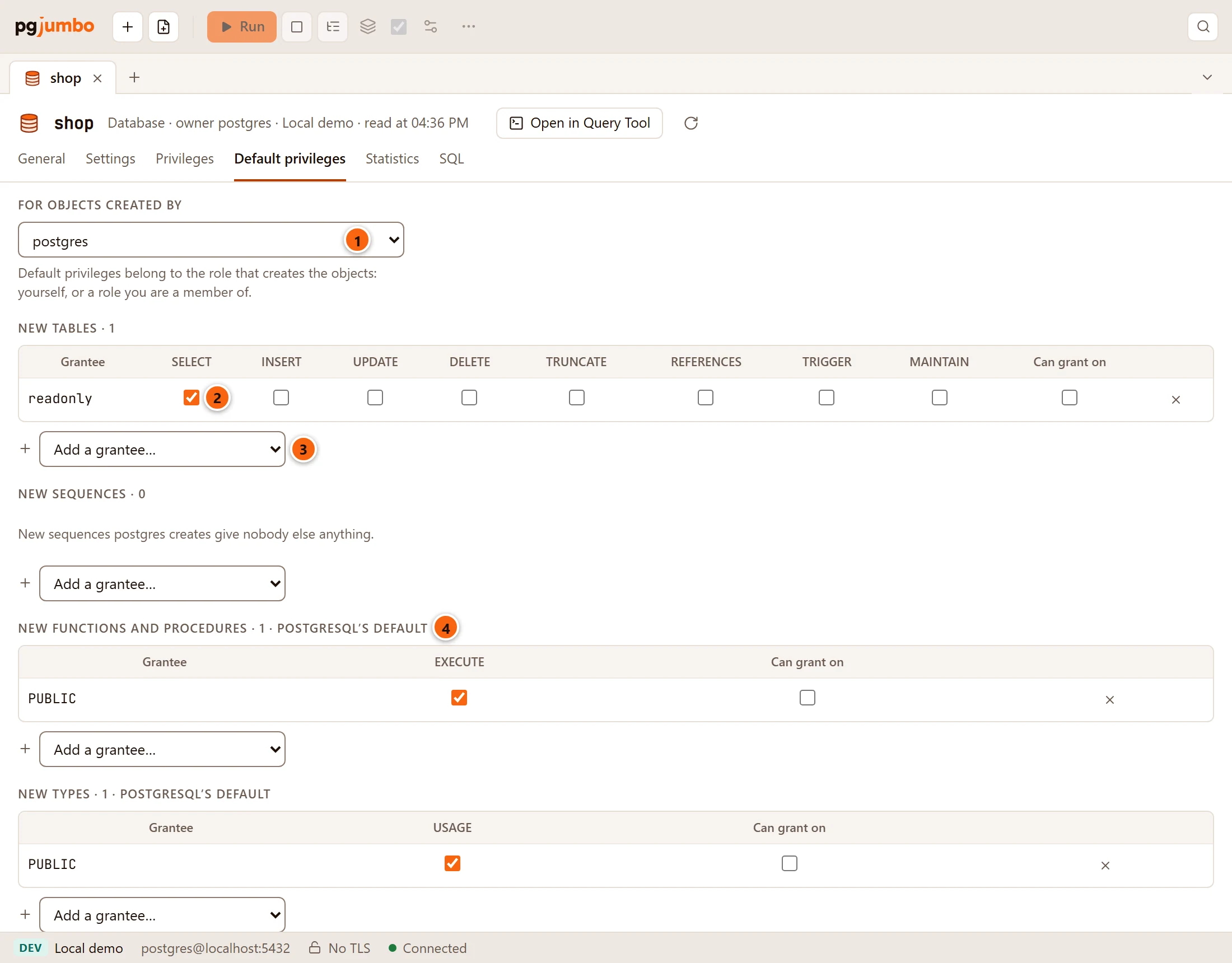
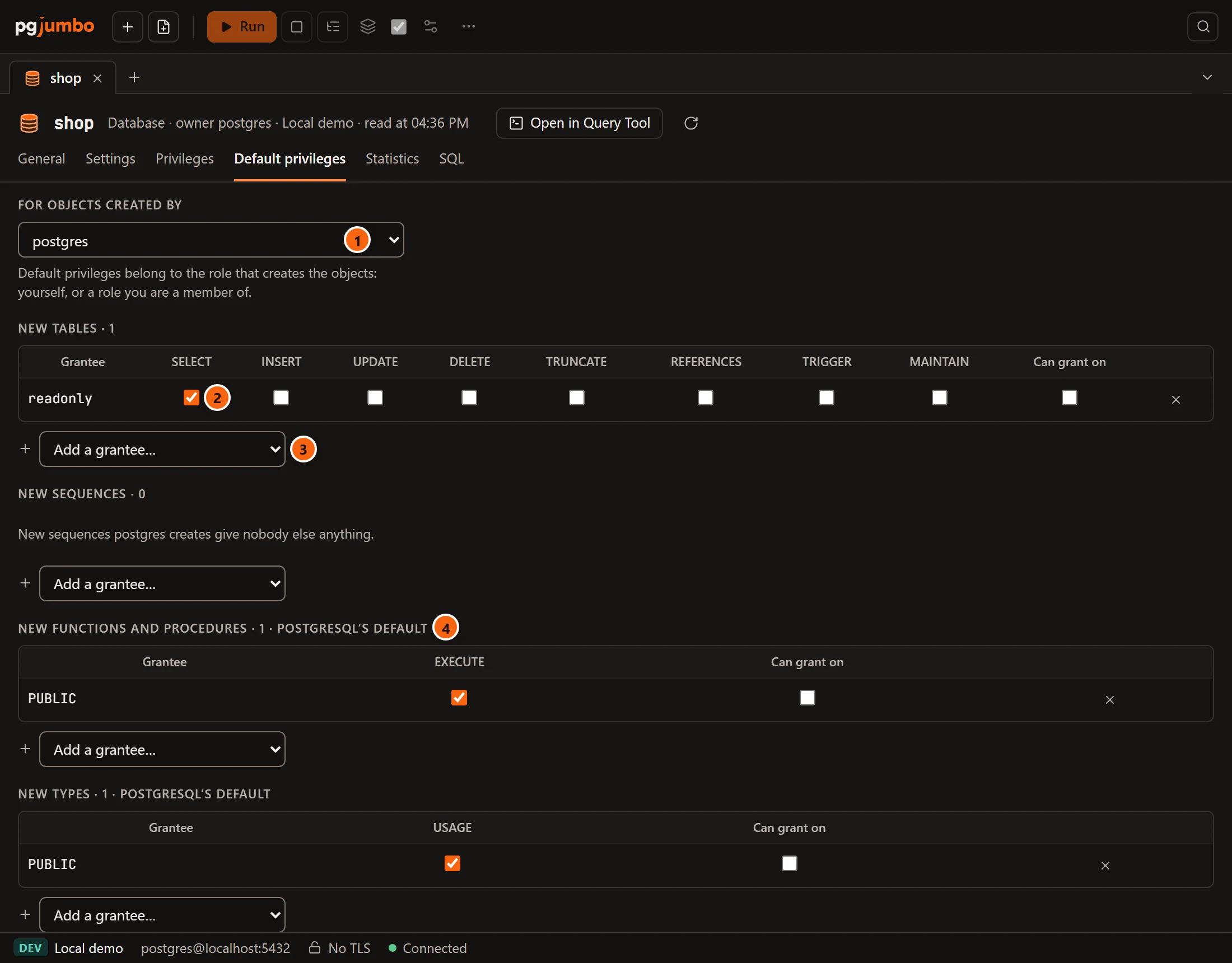
- 1 For objects created by: the role whose new objects the rules are for.
- 2 A rule: new tables
postgrescreates givereadonlySELECT. - 3 Add a grantee… starts a rule for another role or
PUBLIC. - 4 PostgreSQL’s default: what a kind gives when no rule says otherwise.
Both views work alike: choose the creating role in For objects created by, then fill one grid per kind of object,
as in a Privileges view. They differ in what they can take away. A schema’s rules only add to the database’s. The
database’s rules replace what PostgreSQL gives by default: new functions and procedures give PUBLIC EXECUTE, and
new types give PUBLIC USAGE, marked PostgreSQL’s default in its grids. Untick them there to stop that.
Default privileges never change objects that exist already. Use the Grant Wizard for those.
Effective privileges: what a role can do
Section titled “Effective privileges: what a role can do”Grants on objects show who holds what on one object. To turn it around and see what one role can do, open the role’s tab (see Roles):
- What … will be able to do, at the bottom of its General view, lists where the role can connect and what it can
do there, counting its own grants, the roles it inherits from,
PUBLICand default privileges, and says through which role each comes. It follows your unsaved changes to the role’s memberships. - Its Privileges view lists what was granted to the role itself, one database at a time, and lets you change it. Set Granted to To …, and through its roles and PUBLIC to add, greyed out, what it gets from other roles.
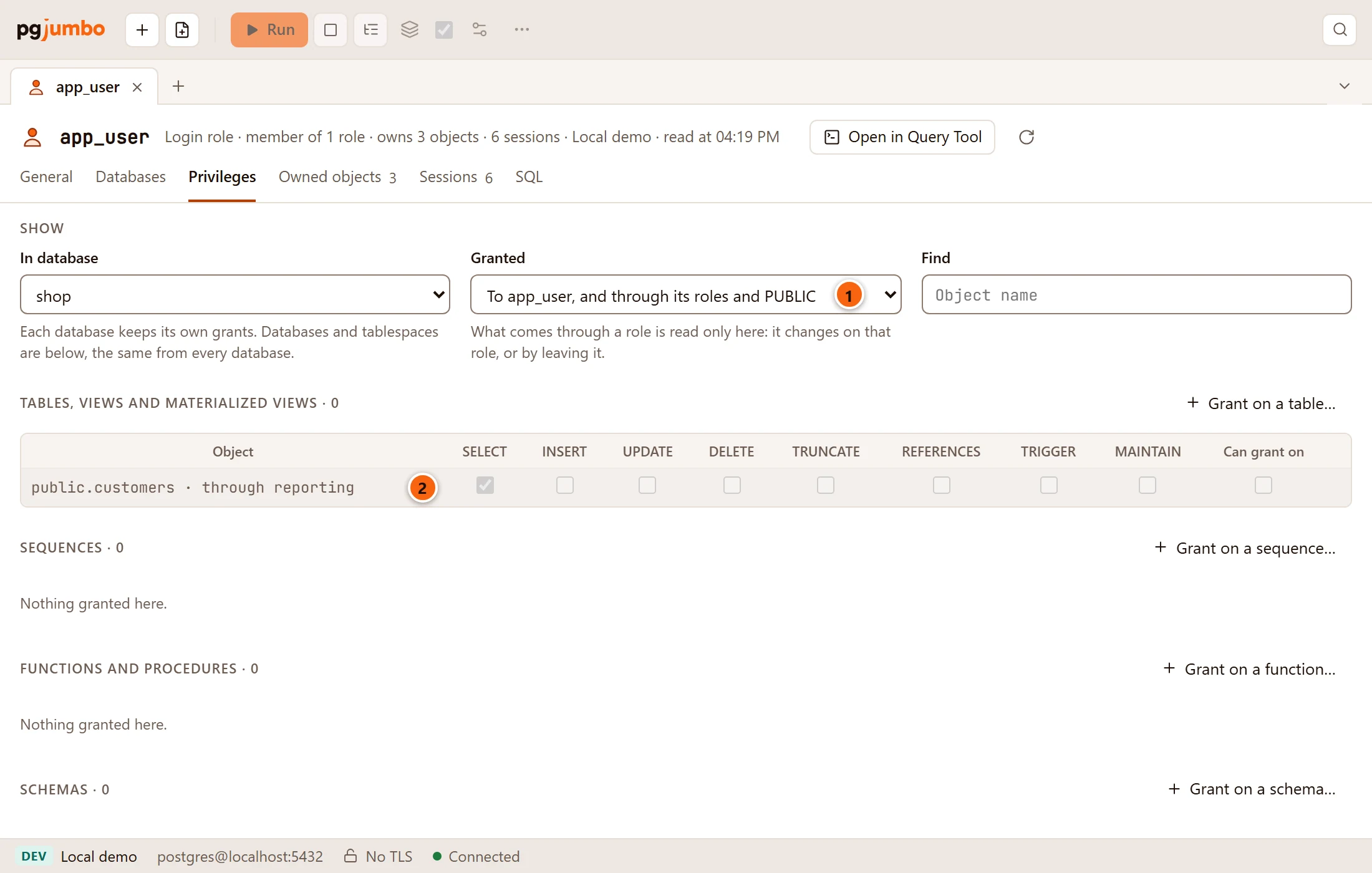
- 1 Granted includes what comes through other roles and
PUBLIC. - 2 A greyed row:
SELECTonpublic.customers, which app_user holds only throughreporting. It changes onreporting, or when app_user leaves it.
A superuser bypasses every check, whatever it was granted, and an owner always holds every privilege on what it owns; a role’s Owned objects view lists those objects.