
Foreign data
Foreign data lets a database query tables that live somewhere else. Four kinds of object work together:
- A foreign-data wrapper knows how to reach one kind of source, such as another PostgreSQL server
(
postgres_fdw) or a flat file (file_fdw). It usually comes with an extension of the same name. - A foreign server is one source, with the options the wrapper needs (host, port, database name…).
- A user mapping says which remote user, and which password, each local role signs in as on that server.
- A foreign table is a table in one of your schemas whose rows come from a foreign server.
Wrappers and foreign servers are in each database’s Other Objects group, in Foreign Data Wrappers and Foreign Servers; a foreign server’s row shows its wrapper’s name. Both open in tabs of their own. Foreign tables are in their schema’s Foreign tables folder.
pgjumbo does not create these objects. Install the wrapper’s extension with Install extension… (see
Extensions), which creates the wrapper, then write CREATE SERVER,
CREATE USER MAPPING and CREATE FOREIGN TABLE (or IMPORT FOREIGN SCHEMA) in a
Query Tool, and refresh the folder.
Foreign-data wrappers
Section titled “Foreign-data wrappers”Double-click a wrapper, or select it and press ↩︎ (Enter on Windows and Linux), to open its tab on General; Properties… (⌘ I (Alt+Enter on Windows and Linux)) does the same.
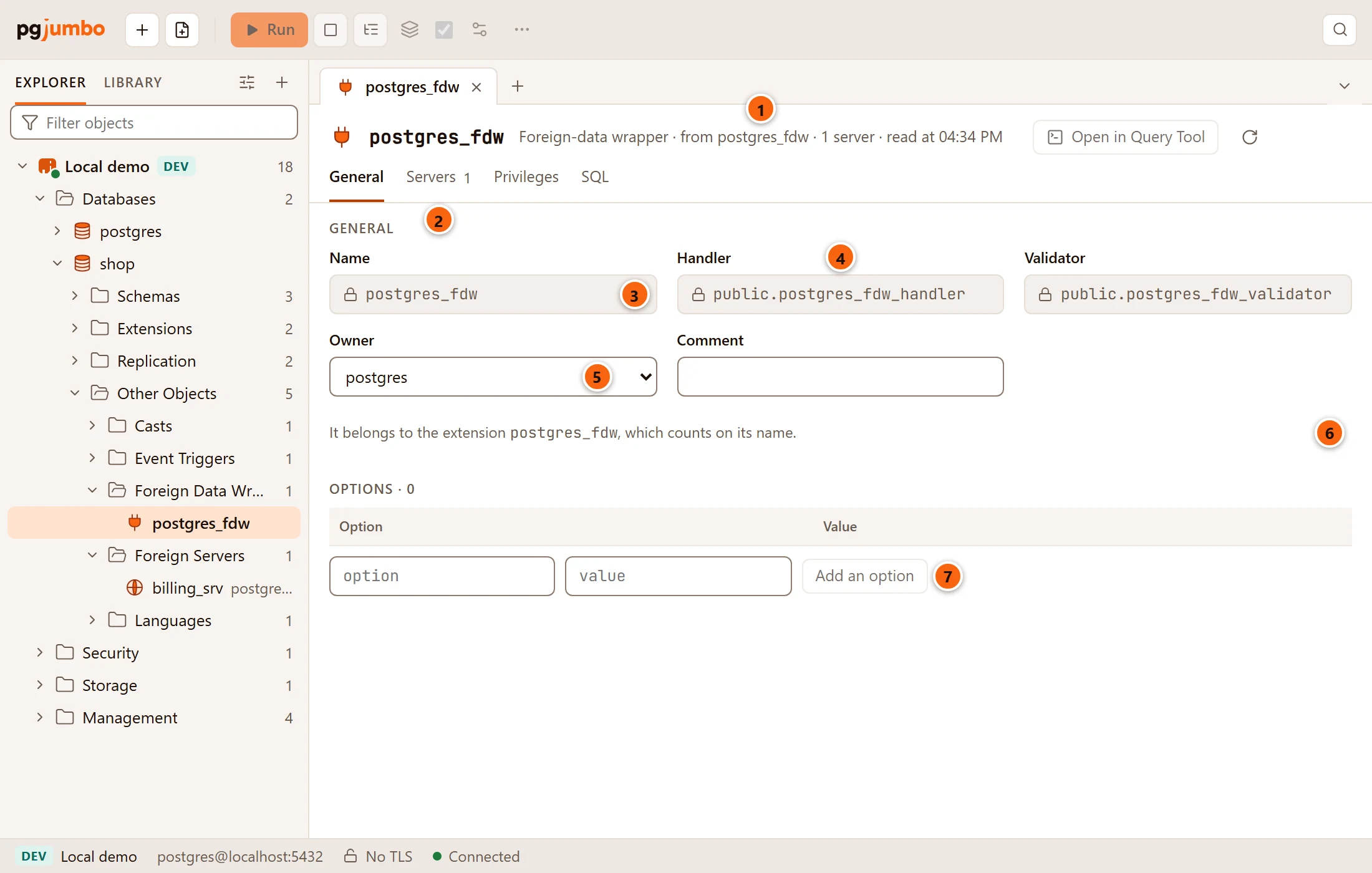
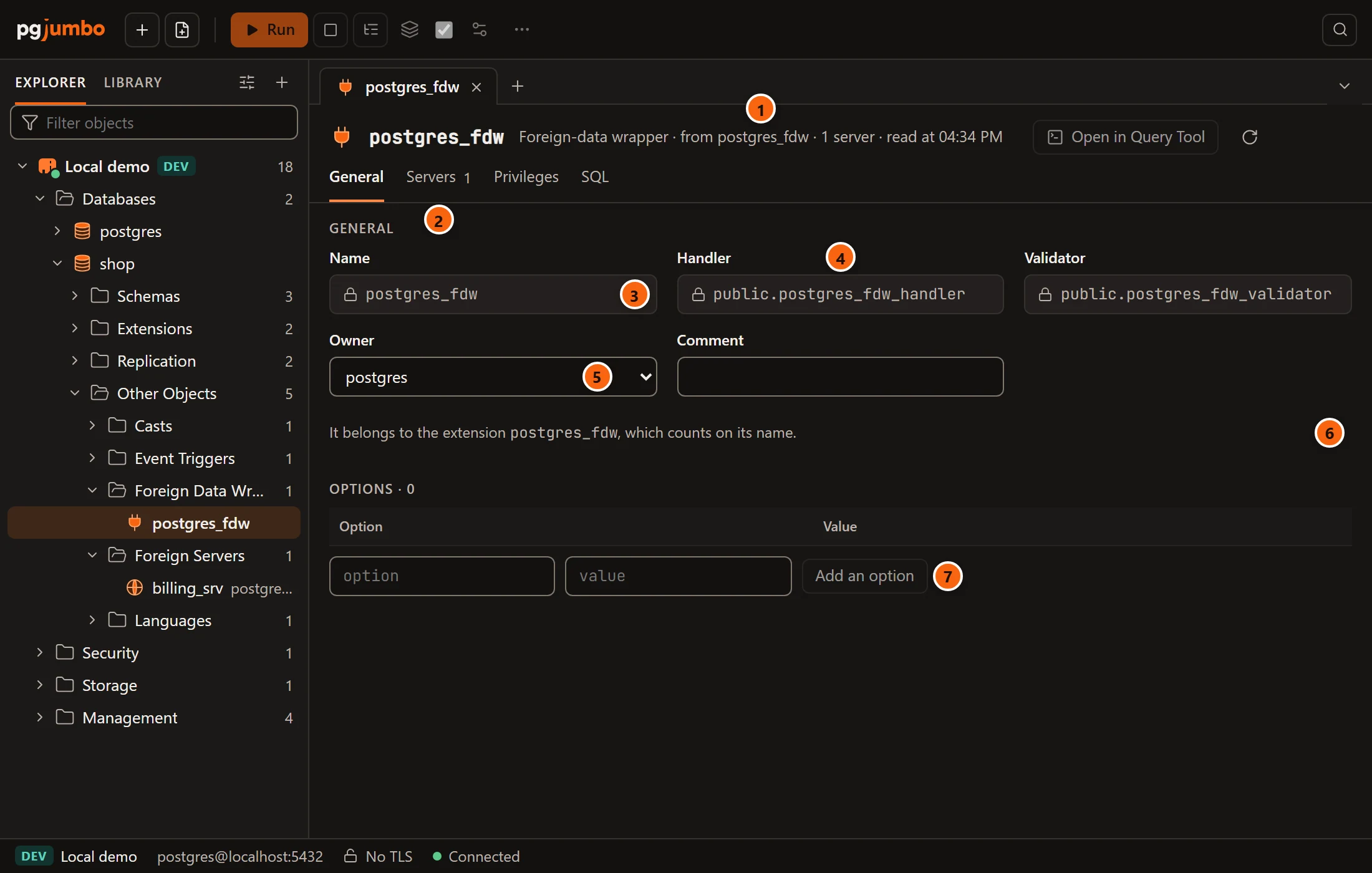
- 1 The header says, after Foreign-data wrapper, the extension it comes from, how many servers use it, and when the tab read it.
- 2 The views: General, Servers (with how many there are), Privileges and SQL.
- 3 Name renames the wrapper, unless it belongs to an extension: then it is locked, because the extension counts on its name.
- 4 Handler and Validator, the functions it was made with, are locked; none when it has none.
- 5 Owner and Comment change its owner and its comment.
- 6 The note naming the extension it belongs to: It belongs to the extension postgres_fdw, which counts on its name.
- 7 Options are the wrapper’s own options, edited as described in Options and secret options.
In the header, Open in Query Tool puts the wrapper’s script in a new Query Tool and Read again reads it from
the server once more; a foreign server’s tab has the same two. Generated SQL appears under the options once you
change something. Your changes become, in this order, ALTER FOREIGN DATA WRAPPER … OPTIONS (…), … OWNER TO,
COMMENT ON FOREIGN DATA WRAPPER, … RENAME TO, then the GRANT and REVOKE statements from Privileges.
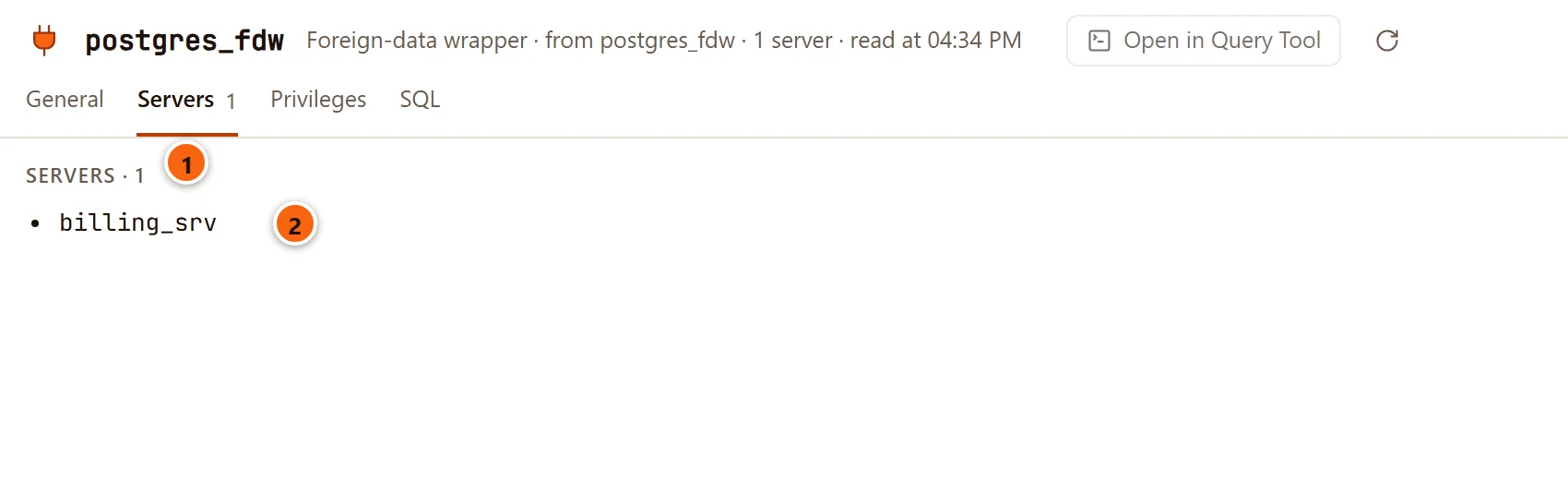
- 1 Servers lists the foreign servers that use the wrapper.
- 2 Each server by its name. With none, the view says No server uses it yet.
Privileges sets who may use the wrapper (USAGE), with the grid described in
Privileges. SQL shows its CREATE FOREIGN DATA WRAPPER script, or, for a wrapper
that belongs to an extension, a comment saying that CREATE EXTENSION creates it. To drop a wrapper,
right-click it and choose Drop… (see Drop, truncate and other quick actions).
Foreign servers
Section titled “Foreign servers”Double-click a foreign server, or select it and press ↩︎ (Enter on Windows and Linux), to open its tab on General; Properties… (⌘ I (Alt+Enter on Windows and Linux)) does the same.
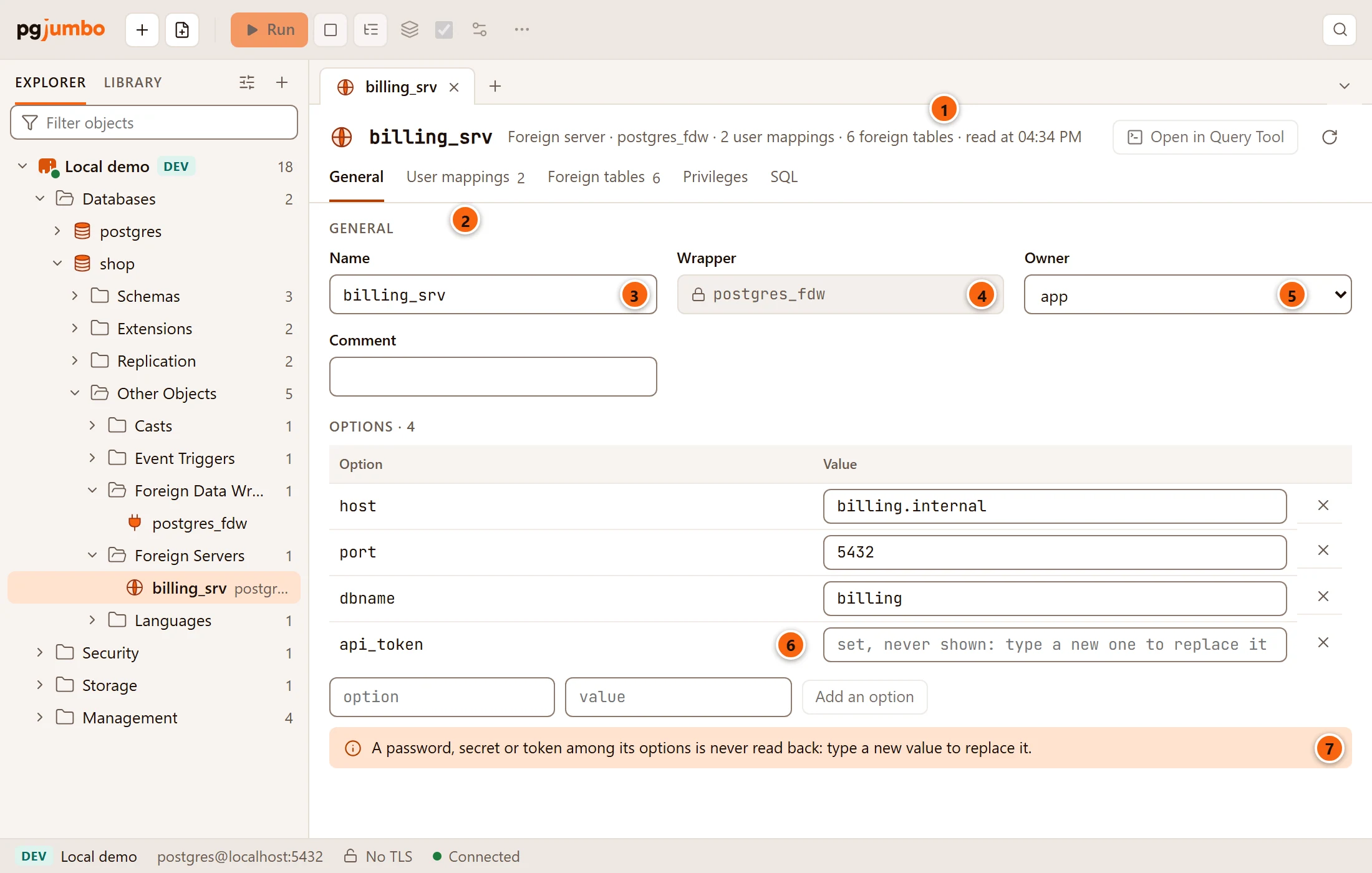
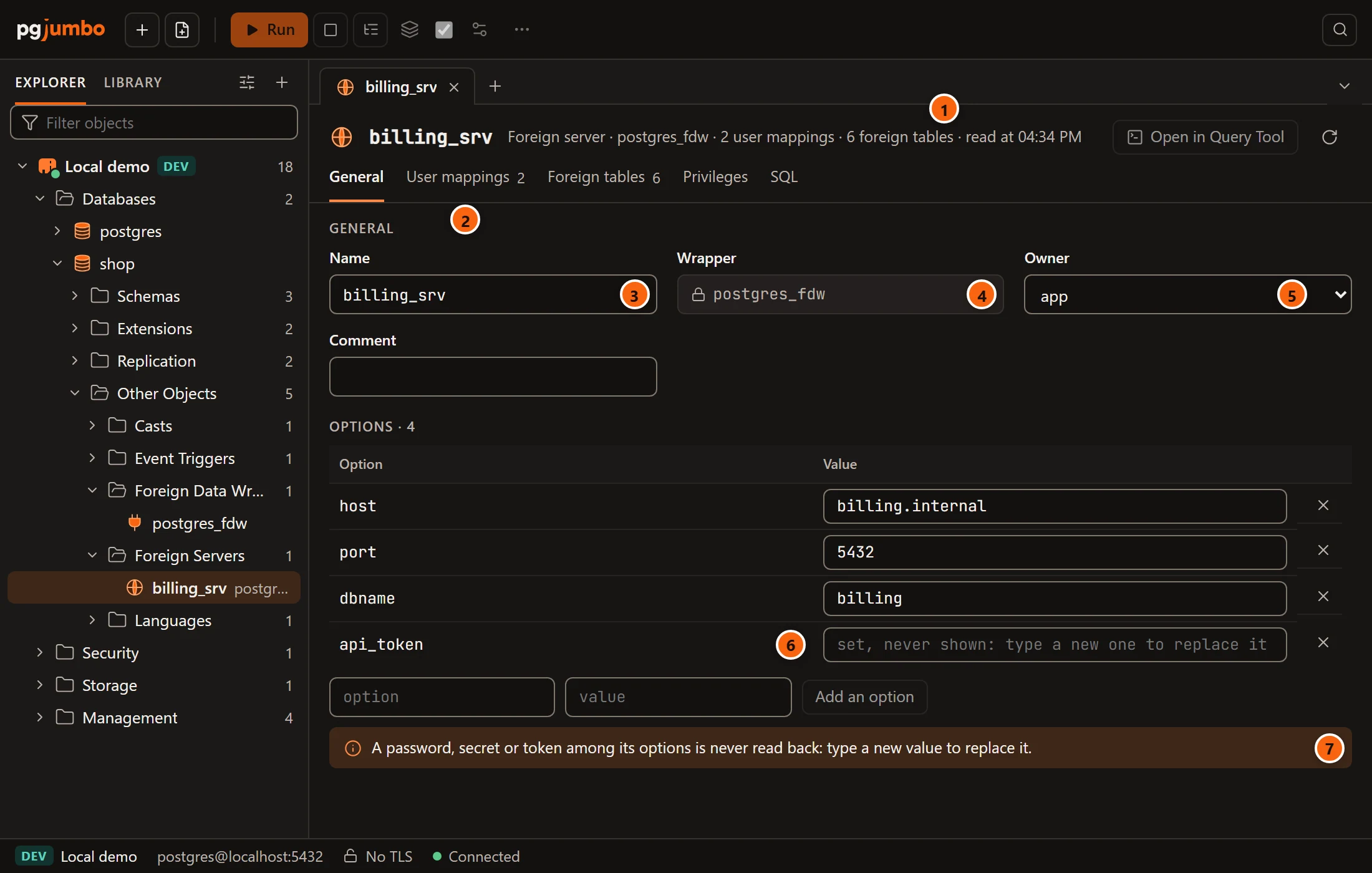
- 1 The header says, after Foreign server, its wrapper, how many user mappings and foreign tables it has, and when the tab read it.
- 2 The views: General, User mappings and Foreign tables (each with a count), Privileges and SQL.
- 3 Name renames the server; the rename runs after the other changes.
- 4 Wrapper is the wrapper it was made with, locked.
- 5 Owner gives it to another role; Comment sets
COMMENT ON SERVER. - 6 A secret option (here
api_token) shows only that it is set. - 7 The note: a password, secret or token among its options is never read back. It shows only when the server has such an option.
Changes to the server become ALTER SERVER … OPTIONS (…), ALTER SERVER … OWNER TO, COMMENT ON SERVER, the user
mapping statements, ALTER SERVER … RENAME TO, then the privileges, in that order.
Options and secret options
Section titled “Options and secret options”A wrapper’s and a server’s options share one editor.
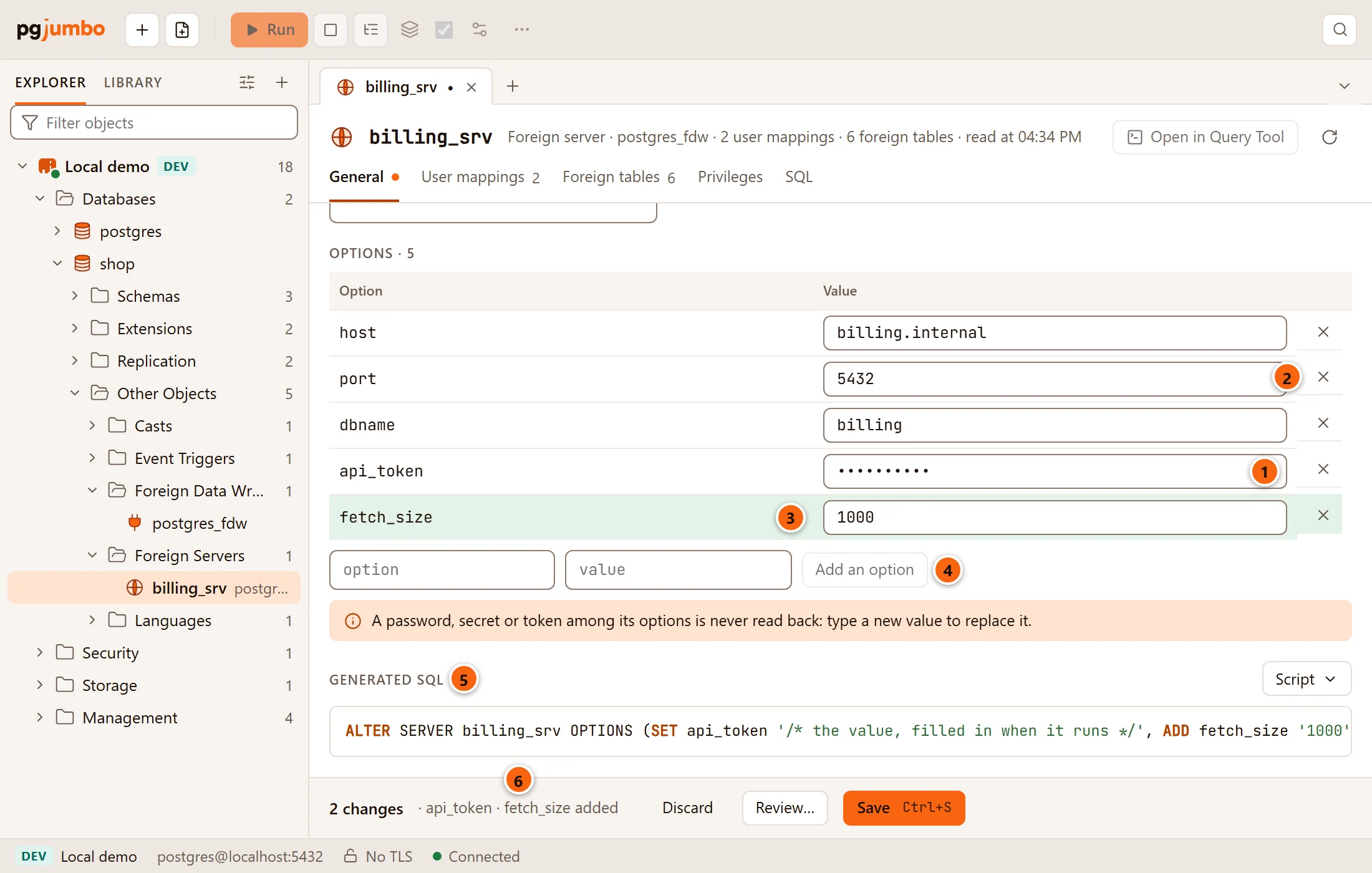
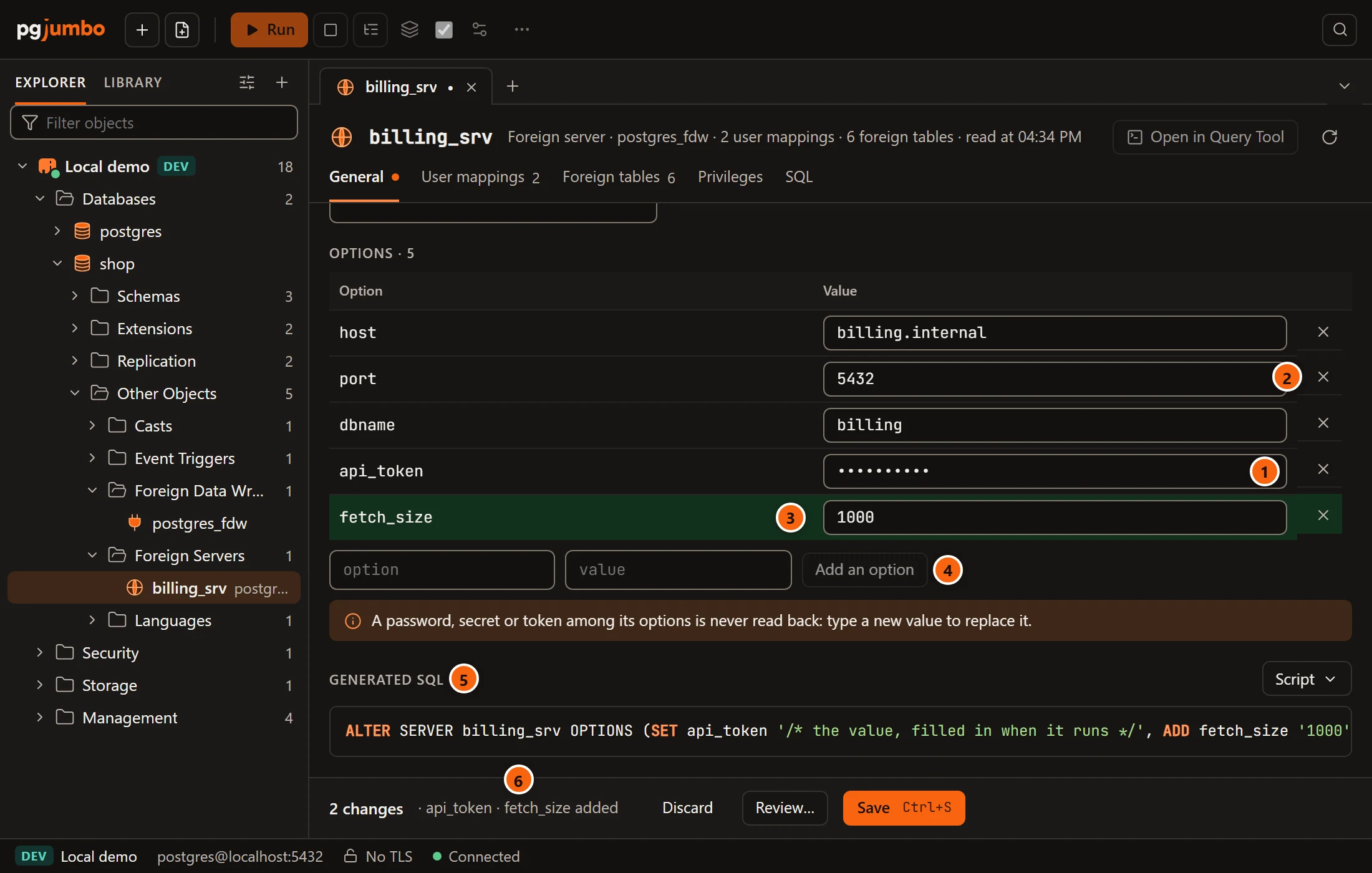
- 1 A secret option takes a new value in a password field. Until you type one, its placeholder, set, never shown: type a new one to replace it, says it has a value that pgjumbo never reads.
- 2 The cross removes an option (
DROP). - 3 A new option is shaded until you save (
ADD). - 4 Type a name in option and a value in value, then click Add an option. The button stays disabled until both are filled in, and while the list already has an option of that name. When the name you type looks secret, the value field hides what you type.
- 5 Generated SQL shows the one
OPTIONS (…)statement that adds, sets and drops them. - 6 The pending bar names each option changed, added or removed.
Edit a value in place to change it (SET); a changed value gets a marked border. Emptying the value of an option
that is not secret is refused, with Give the option … a value, or remove it. Emptying a secret option’s field
changes nothing: it keeps the value it has.
pgjumbo treats an option as secret when its name contains pass, secret or token (but not required, so
password_required is an ordinary option). A secret option’s value never leaves the engine:
- The tab shows only that it is set; its field stays empty until you type a new value.
- A new value goes to the server only when Save runs.
- The Generated SQL and the review sheet show
'/* the value, filled in when it runs */'in its place. - For a foreign server, the Inspector and the SQL view write
…for its value.
The User mappings view
Section titled “The User mappings view”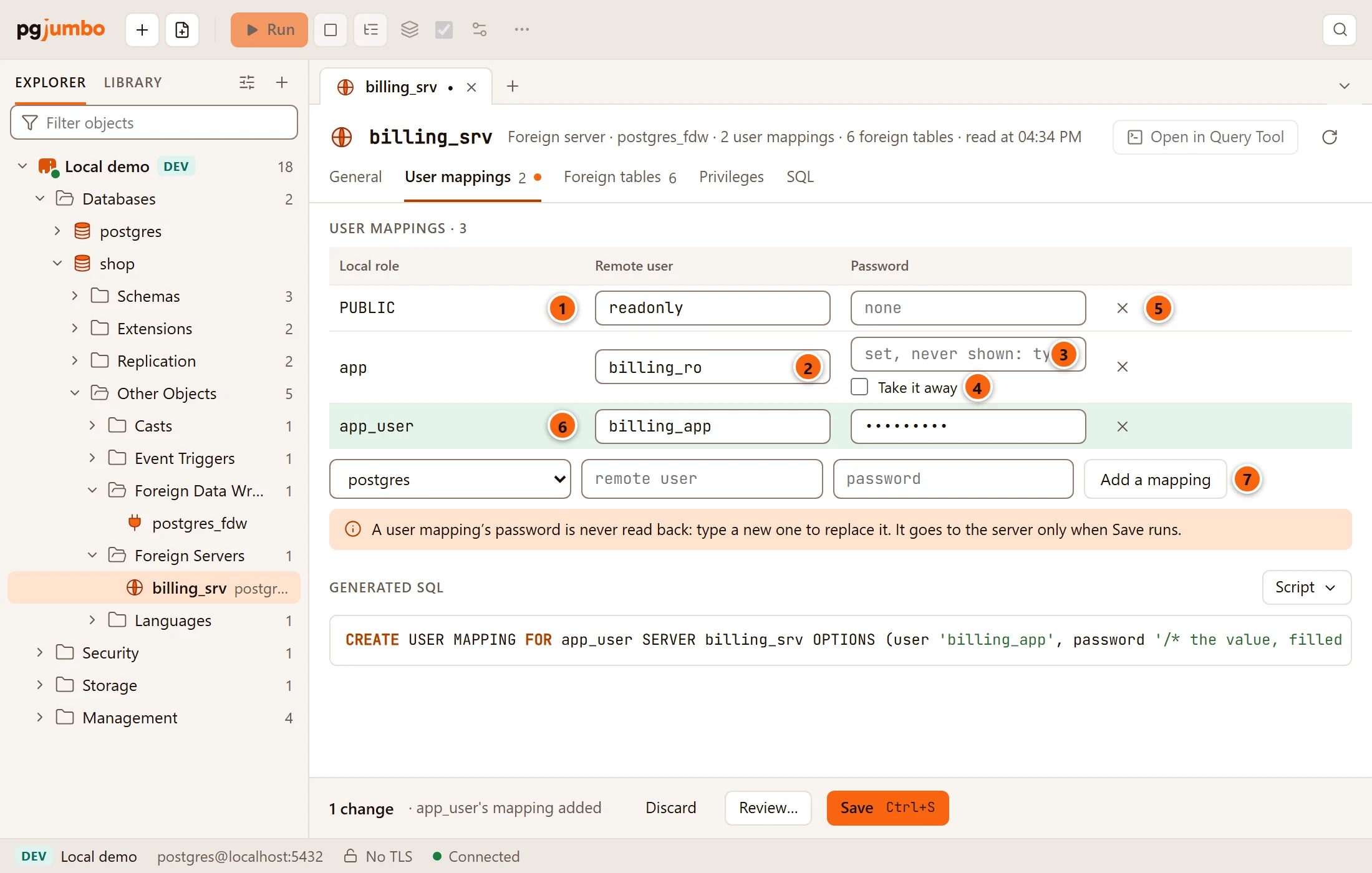
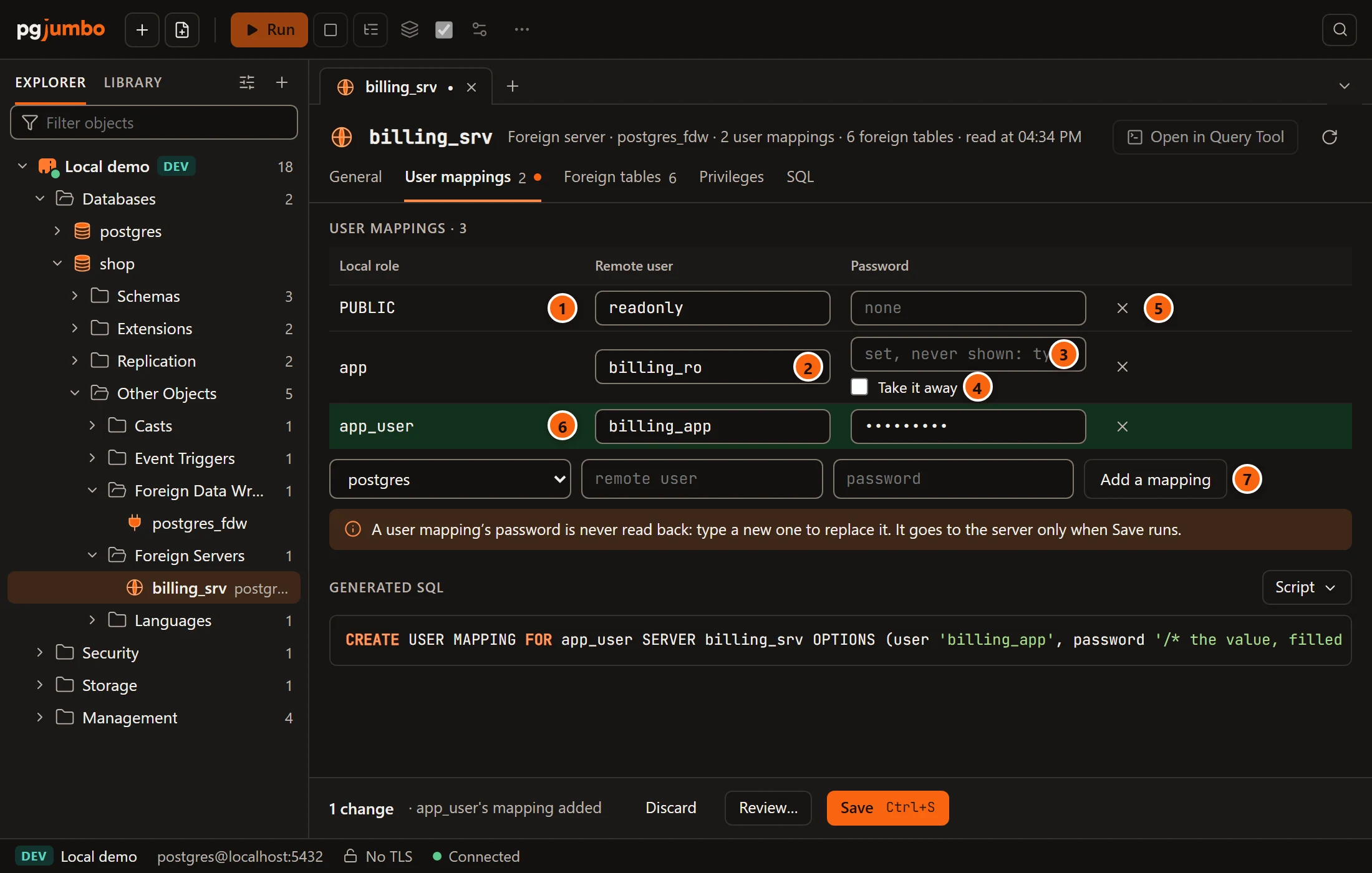
- 1 Local role: the role the mapping is for, or
PUBLICfor every role without its own mapping. - 2 Remote user: the user that role signs in as on the foreign server. Edit it in place.
- 3 Password: type a new password to replace the one it has. pgjumbo never reads a mapping’s password back; the placeholder says set, never shown: type a new one to replace it, or none.
- 4 Take it away (only when the mapping has a password) removes its password on Save; the field then says taken away on Save.
- 5 The cross removes the mapping (
DROP USER MAPPING). - 6 A mapping you added is shaded until you save.
- 7 To add one, pick the role in the first list (PUBLIC and every role that has no mapping yet, the
predefined
pg_roles left out), type the remote user and the password, and click Add a mapping. Both can stay empty. The row disappears when every role has a mapping.
The statements, with names quoted by the server. Wherever pgjumbo shows one, the password is a placeholder; the real one goes in only when Save runs it.
| You | pgjumbo runs |
|---|---|
| add a mapping | CREATE USER MAPPING FOR … SERVER … OPTIONS (user '…', password '…'), with no OPTIONS when both are empty |
| change the remote user or the password | ALTER USER MAPPING FOR … SERVER … OPTIONS (SET user '…', ADD password '…'), using SET, ADD or DROP as needed |
| tick Take it away | ALTER USER MAPPING … OPTIONS (DROP password) |
| remove a mapping | DROP USER MAPPING FOR … SERVER … |
The remote user and the password are kept in the options the mapping already uses (user, username or user_name
for the remote user, the first option that looks secret for the password); a new mapping uses user and password,
as postgres_fdw expects. The note under the list repeats that a mapping’s password is never read back and goes to
the server only when Save runs.
A mapping your role may not read shows hidden from you in both columns. pgjumbo leaves it as it is: its remote
user and password cannot change (You may not read the user mapping of …, so pgjumbo does not change it.), though
its cross still removes it. With no mapping at all, the view says No role is mapped to a remote user yet.
The Foreign tables view
Section titled “The Foreign tables view”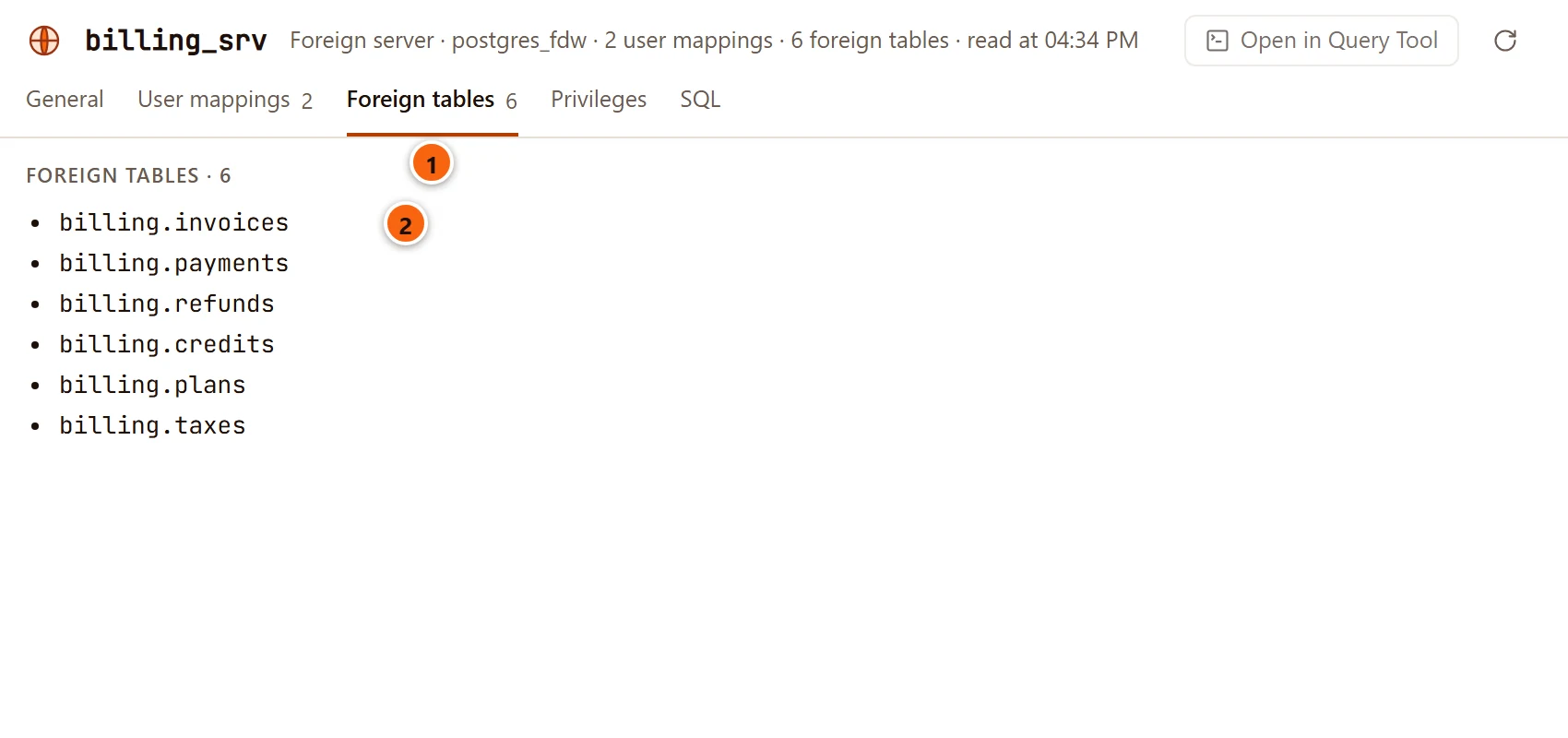
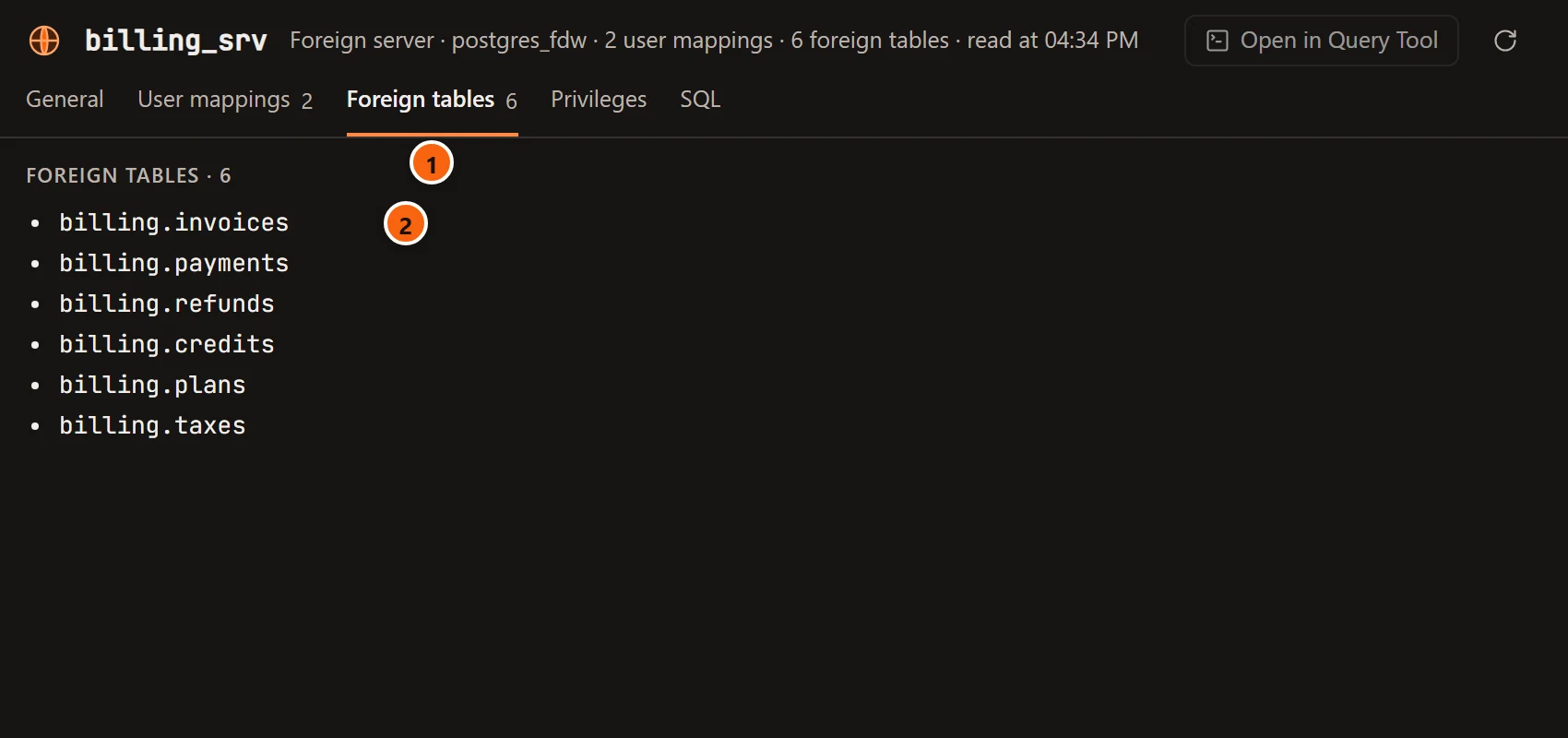
- 1 Foreign tables lists the foreign tables whose rows come from this server.
- 2 Each one by schema and name. With none, the view says No foreign table reads from it yet.
Privileges, SQL and saving
Section titled “Privileges, SQL and saving”Privileges sets who may use the server (USAGE); see Privileges. SQL shows its
CREATE SERVER script, with … for a secret option.
A wrapper’s and a server’s changes only change the catalog, so Save (⌘ S (Ctrl+S on Windows and Linux)) runs them at once, unless the server asks first. The pending bar, Review…, Discard and the review sheet are explained in Object tabs and review.
pgjumbo has no Drop… for a foreign server: run DROP SERVER in a Query Tool.
Foreign tables
Section titled “Foreign tables”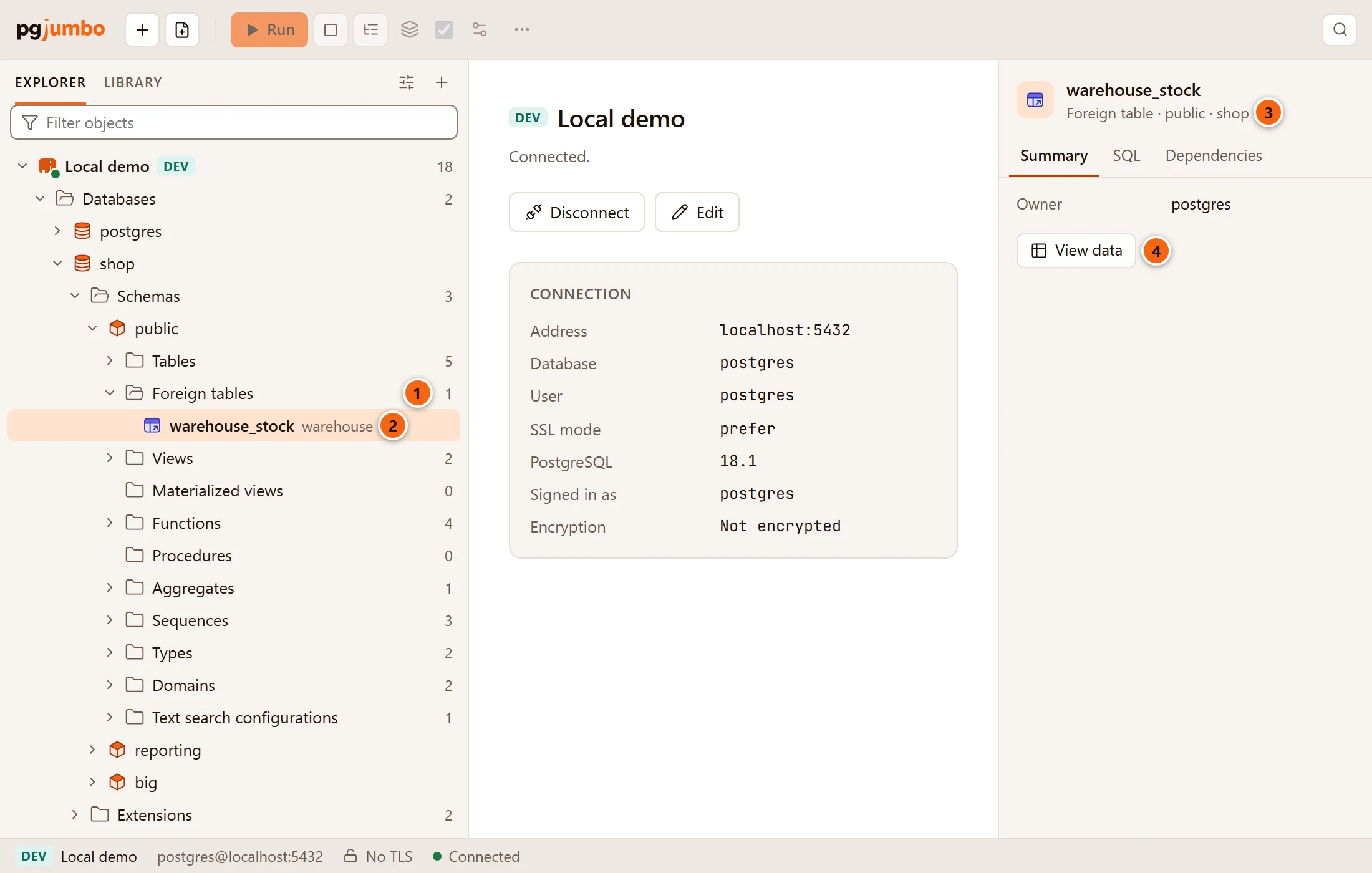
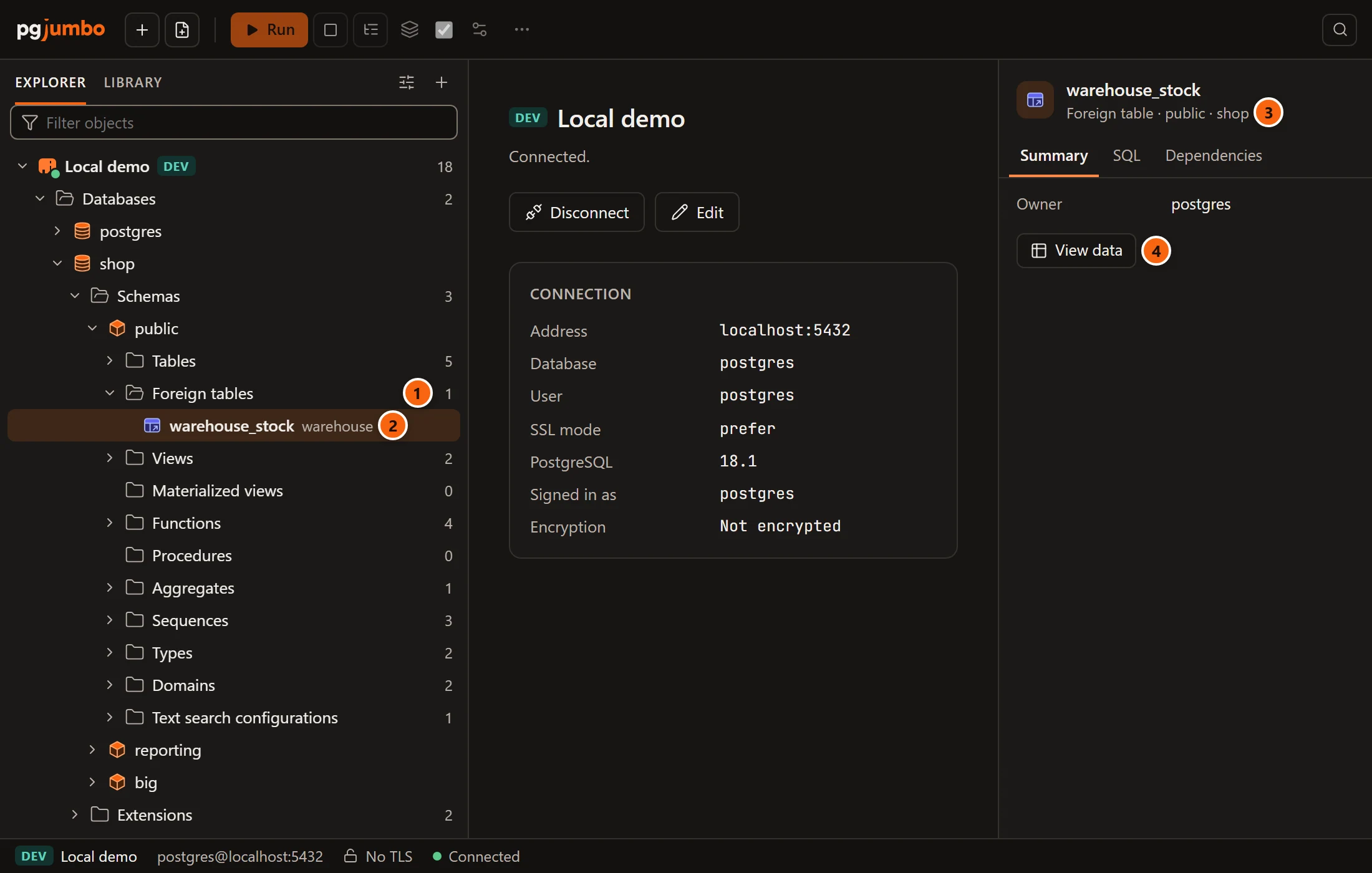
- 1 A schema shows a Foreign tables folder only when it has some.
- 2 Each row shows the foreign server its rows come from.
- 3 The Inspector calls it a Foreign table and has Summary, SQL and Dependencies. Its Summary gives its owner, its Server, its Options and its OID.
- 4 View data opens its rows in a data tab (see View data). Every read goes through the wrapper to the remote source.
A foreign table has no tab of its own: a double-click or ↩︎ (Enter on Windows and Linux) opens or closes its row, and inside it are folders for its Columns, Constraints, Triggers and Policies, as a table has.
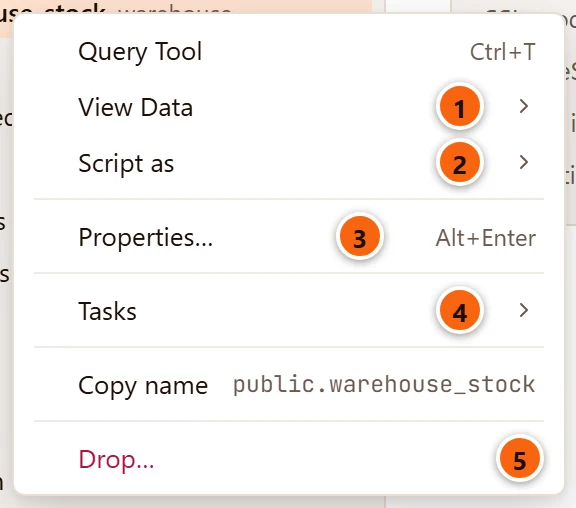
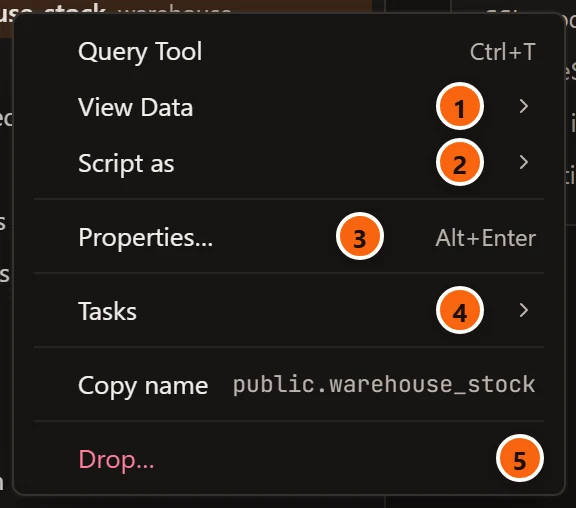
- 1 View Data ▸ opens its rows in a data tab: All rows, First 100 rows, Last 100 rows or Filtered rows….
- 2 Script as ▸ writes CREATE, DROP and CREATE, SELECT, INSERT, UPDATE or DELETE for it into a new Query Tool, without running it.
- 3 Properties… (⌘ I (Alt+Enter on Windows and Linux)) shows its Summary in the Inspector.
- 4 Tasks ▸ holds Count rows and Import/Export Data….
- 5 Drop… runs
DROP FOREIGN TABLE, withCASCADEif you tick it (see Drop, truncate and other quick actions).
Query Tool opens a Query Tool on its database, Copy name copies its qualified name, and Refresh reads its folders again.
Its rows cannot be edited in a data tab: pgjumbo edits only plain and partitioned tables, and says
public.warehouse_stock is not a table, so its rows cannot be edited here. Change remote rows with INSERT,
UPDATE or DELETE in a Query Tool, when the wrapper allows it.
The SQL tab of the Inspector shows its CREATE FOREIGN TABLE script: each column with its own options, then the
server and the table’s options, then its owner and the rest of a table’s script (comments, privileges, triggers). For
example:
CREATE FOREIGN TABLE public.warehouse_stock (    product_id bigint OPTIONS (column_name 'product_id') NOT NULL,    on_hand integer)SERVER warehouseOPTIONS (schema_name 'public', table_name 'stock');
ALTER FOREIGN TABLE public.warehouse_stock OWNER TO postgres;
A foreign table that is a partition of a partitioned table is written as CREATE FOREIGN TABLE … PARTITION OF …
with its bounds instead of a column list.