

Link a repository
A database’s Migrations view shows what the tool’s history table says. Link your project’s folder to the database, and pgjumbo compares the migrations in the folder with the ones the database has applied: which wait, which were edited after they ran, which the folder does not have. It also reads each migration’s SQL, so it can say what a migration did to a table and warn about a trap.
pgjumbo calls the folder a repository, since that is what it usually is. It only reads the folder: it never runs anything in it, never pulls and never pushes. The one thing it writes there is a migration you save yourself from Review, into the folder you pick: see Save a change as a Prisma migration.
Link the folder
Section titled “Link the folder”-
Open the database’s Migrations view and choose the tool, when there are several.
-
Click Link a repository….
-
Click Choose… and pick your project’s folder in the system’s folder dialog.
-
Read what pgjumbo found. Untick a server you do not want linked, and decide whether the Assistant may read the folder.
-
Click Link.
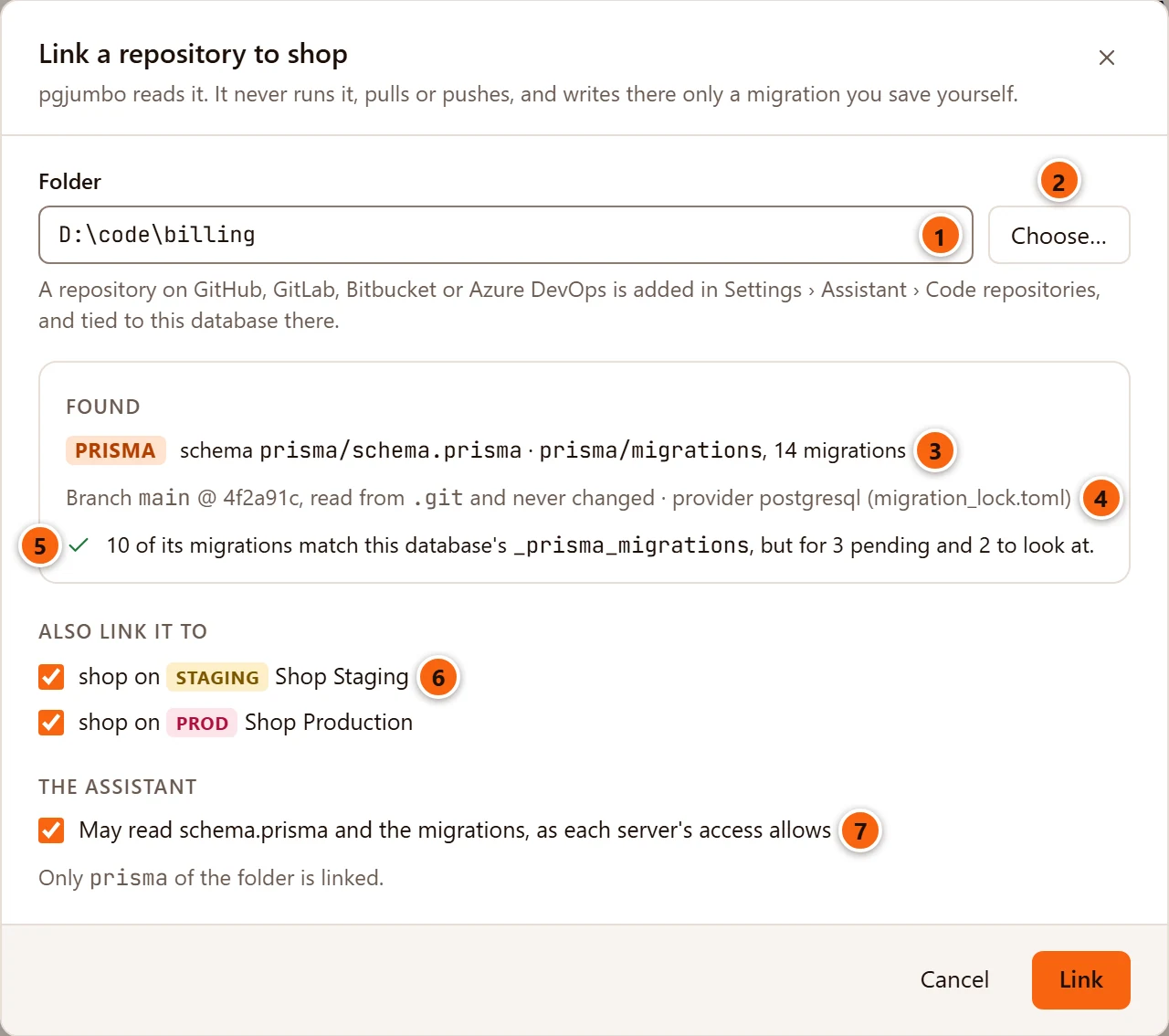
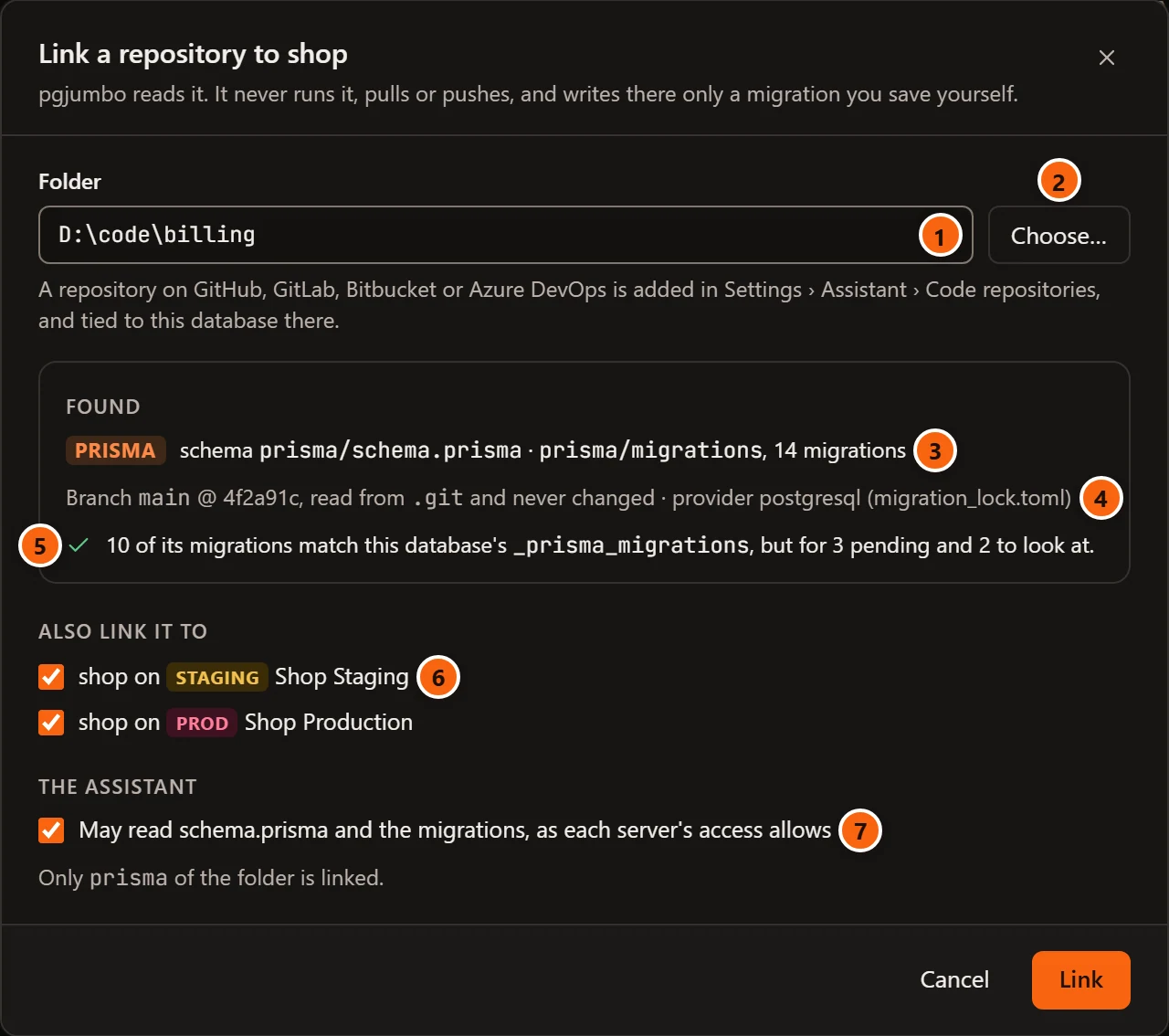
- 1 Folder: the folder you chose. You cannot type here.
- 2 Choose… opens the system’s folder dialog. Choosing again replaces the folder.
- 3 Found: the tool, Prisma’s schema file when there is one, the folder the migrations are in and how many there are.
- 4 The branch and the commit the folder is on, which pgjumbo reads from the folder’s
.gitand never changes. For Prisma, also the provider thatmigration_lock.tomlnames. - 5 How the folder compares with this database: how many of its migrations match the history table, how many are pending, and how many are to look at. Those are the ones edited after they were applied and the ones only in the database.
- 6 Also link it to: the database of the same name on each of your other connected servers. All are ticked to begin with. Untick one to leave it out.
- 7 The Assistant: whether the Assistant may read the linked files. What it reads still follows each server’s access levels.
Link is greyed until pgjumbo has found migrations. While it reads, the dialog says Reading the folder…. If the folder holds none of this database’s tools’ migrations, Found says No migrations of this database’s tools are in this folder. If linking fails, the reason shows in red beside the buttons. Cancel, × and Esc close the dialog and link nothing.
What the link covers
Section titled “What the link covers”The link covers only the folders the migrations and Prisma’s schema are in, such as prisma. The dialog names them:
Only prisma of the folder is linked. Your application’s code beside them is not part of the link, for pgjumbo
or for the Assistant.
When the migrations are at the top of the folder you chose, no narrower link can be named. The Assistant’s box is then unticked and greyed, and the dialog says why: ticking it would let the Assistant read every file in the folder. That is a choice you make in SettingsAssistantCode repositories.
The link is kept with your code repositories, in SettingsAssistantCode repositories. That is where you change the folders it covers, the databases it goes with and what the Assistant may read, and where you remove it. If the folder you choose is already listed there, the Assistant’s box starts as you set it there, and linking adds this database to it.
A repository on a code host
Section titled “A repository on a code host”The dialog links a folder on this computer. A repository on GitHub, GitLab, Bitbucket or Azure DevOps is added in SettingsAssistantCode repositories and tied to the database there. The Migrations view then compares the database with pgjumbo’s copy of that repository, as it was last read from the host. Until the first read, the view says the repository has not been copied yet. See Code repositories.
Which files count as migrations
Section titled “Which files count as migrations”| Tool | What pgjumbo takes as its migrations |
|---|---|
| Prisma | migration.sql in a folder named with a number and a name, such as 20250301101500_init, under a folder called migrations. Also schema.prisma and migration_lock.toml. |
| Drizzle | .sql files whose names start with four digits, such as 0003_orders.sql. |
| Flyway | .sql files named V, a version, two underscores and a description, such as V1_1__add_orders.sql. |
| golang-migrate | Files that end in .up.sql and start with a version, such as 000017_orders.up.sql. |
| Rails | .rb files that start with a version, in a folder called migrate. |
| Django | .py files that start with four digits, in an app’s migrations folder. |
| EF Core | .cs files that start with a timestamp, in a Migrations folder. The .Designer.cs files are left out. |
| TypeORM | .ts or .js files named with a timestamp, a hyphen and a name, in a folder with migration in its name. |
| Knex, Sequelize | .js, .cjs, .mjs or .ts files in a folder with migration in its name. |
| Liquibase, Alembic | None. pgjumbo does not read their changelogs or revision files, so linking finds nothing. |
Prisma, Drizzle, Flyway and golang-migrate write their migrations as SQL files. Only for these four does pgjumbo read what a migration does: its SQL beside the list, a table’s History, the traps, Before you deploy and The schema as of a migration. For the tools whose migrations are code, the view shows which wait and which are only in the database, and each file’s path.
What the Migrations view shows then
Section titled “What the Migrations view shows then”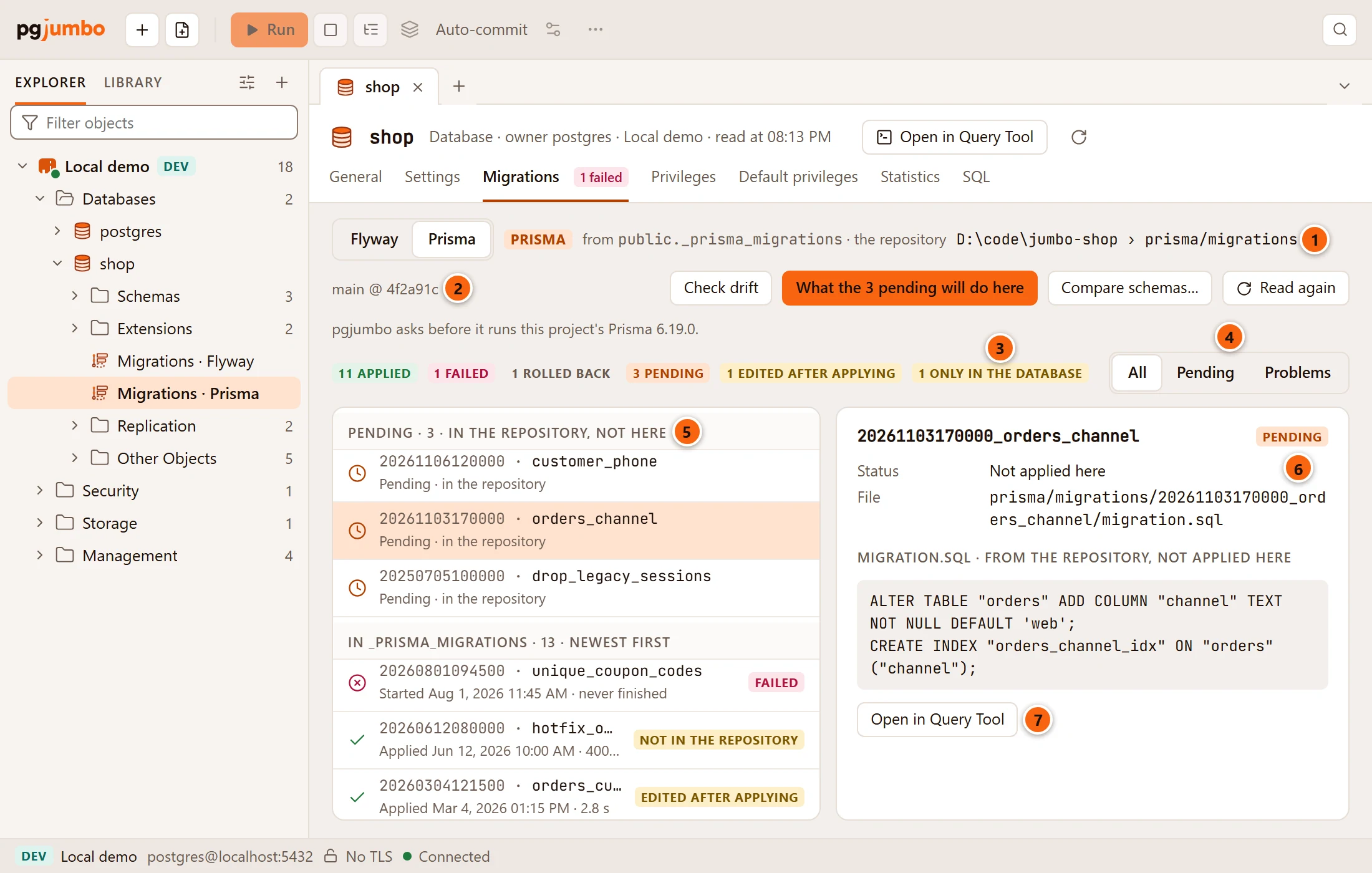
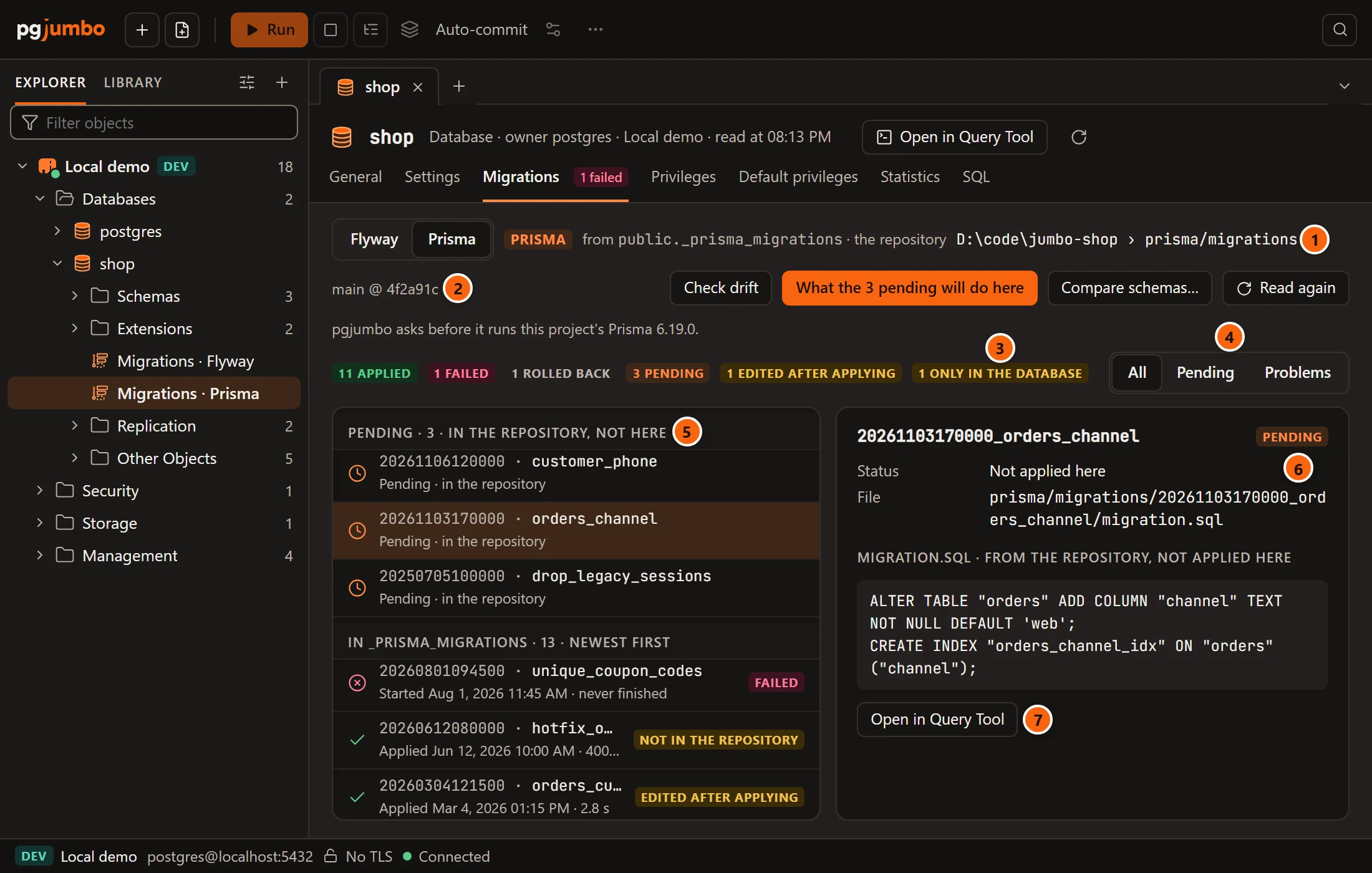
- 1 The folder the list is compared with, and the folder its migrations are in.
- 2 The branch and the commit the folder is on.
- 3 Three more counts: pending, edited after applying and only in the database. A count of none is left out.
- 4 Pending is a third choice: it shows only the migrations that wait. Problems now shows the failed ones, the edited ones and the ones only in the database.
- 5 The pending migrations, in a group of their own above the history table’s.
- 6 For a migration whose file is in the folder: File, its path there. A pending one says Not applied here.
- 7 The file’s SQL, and Open in Query Tool.
The header also gains buttons. What the 3 pending will do here shows while SQL migrations wait: see Before you deploy. Compare schemas… is explained in The schema as of a migration. Check drift, and the line that says whether pgjumbo may run this project’s Prisma, belong to a Prisma project: see Drift against schema.prisma.
Link a repository… is gone for this tool. Another tool in the same database, whose migrations the folder does not hold, still offers it.
Pending
Section titled “Pending”A pending migration is in the folder, and the database has not applied it. Its row has a clock and reads Pending · in the repository. The group’s heading counts them: Pending · 3 · in the repository, not here.
A Prisma migration that was marked rolled back counts as not applied. While its file is still in the folder, it is pending again, as well as rolled back in the history below.
With Pending chosen and nothing waiting, the list says Nothing is waiting.
The file and its SQL
Section titled “The file and its SQL”Choose a migration whose file is in the folder, and the card beside the list shows the SQL under the file’s name: migration.sql · from the repository, not applied here for a pending one, from the repository for an applied one.
Open in Query Tool opens that SQL in a Query Tool on this database. Nothing runs until you run it there.
Only .sql files are shown. If the file cannot be read, the card says The file could not be read: and why.
Edited, or only in the database
Section titled “Edited, or only in the database”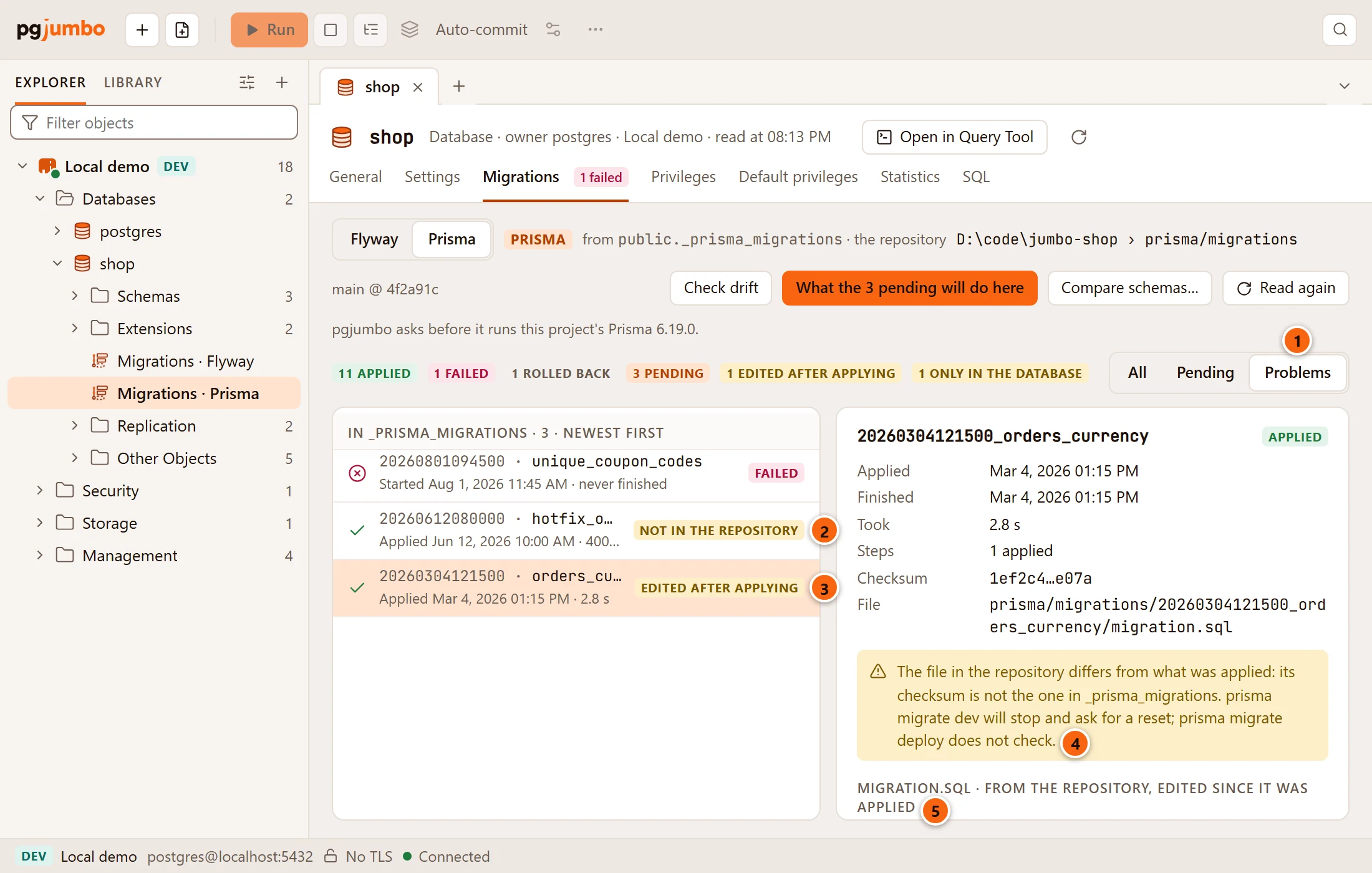
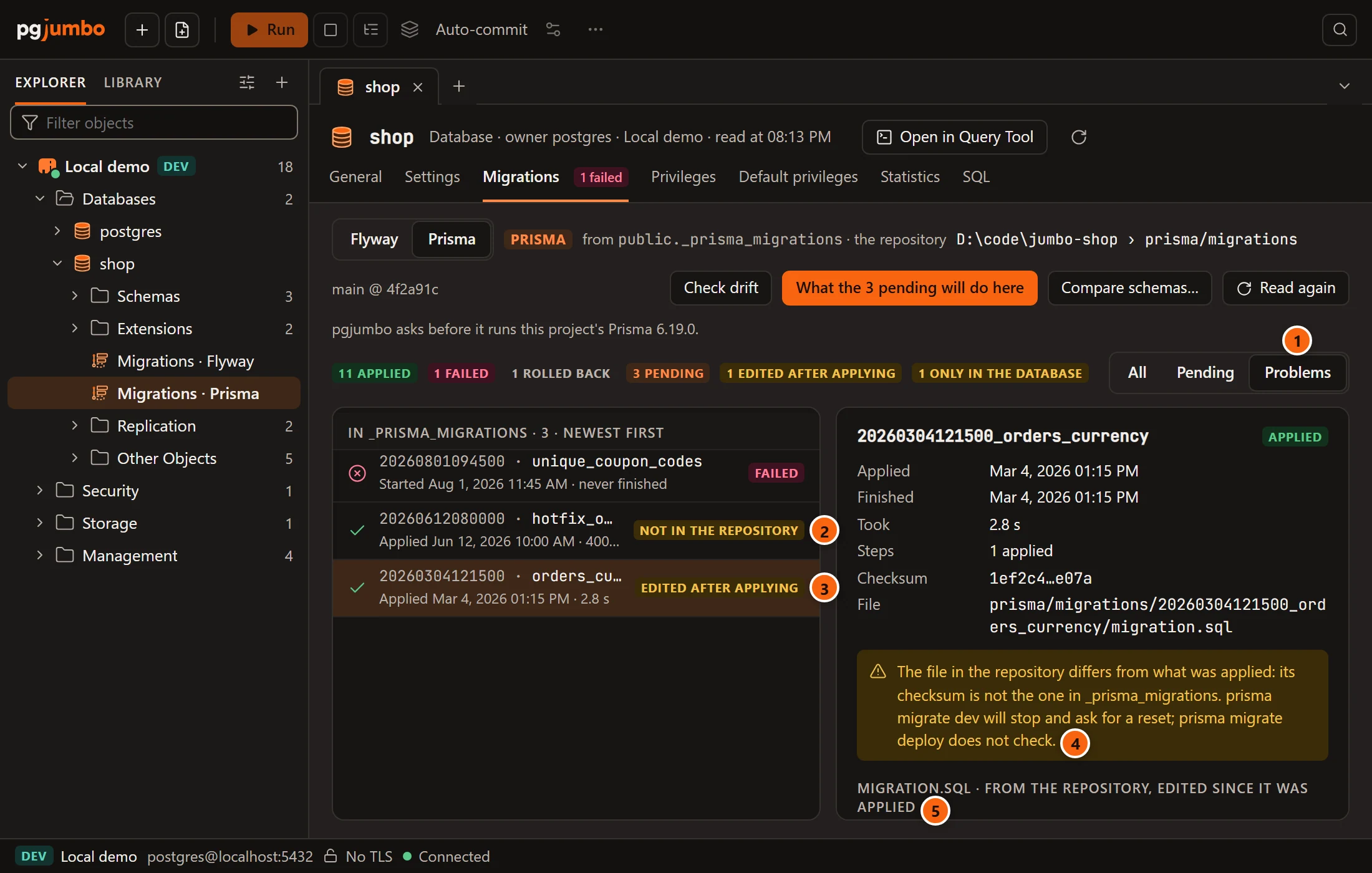
- 1 Problems leaves only the migrations worth a look.
- 2 not in the repository: applied here, and the folder does not have it.
- 3 edited after applying: the file has changed since it ran here.
- 4 What that means for the tool.
- 5 The SQL shown is the file as it is now, edited since it was applied, not what ran.
| Tag | When | What the note says |
|---|---|---|
| edited after applying | A Prisma migration whose file no longer has the checksum in the history table. | Its checksum is not the one in _prisma_migrations. prisma migrate dev will stop and ask for a reset; prisma migrate deploy does not check. |
| not in the repository | A migration applied here that the folder does not have. | Perhaps from another branch. The database keeps only its name, and for Prisma its checksum, so what it did is not known. |
pgjumbo works out Prisma’s checksum from the file itself. As Prisma does, it takes a file that differs only in its line endings, such as a checkout on Windows, as unchanged. Drizzle names a migration by its file’s checksum, and pgjumbo matches those the same way.
Only a migration whose file could be in your project counts as only in the database. The migrations of Django’s own apps and of installed packages do not, nor do Flyway’s repeatable, baseline and Java migrations.
What differs by tool
Section titled “What differs by tool”- golang-migrate keeps only the version the database is at. Every file above that version is pending. Nothing is called edited or only in the database.
- Flyway’s migrations are ordered by version as Flyway orders them:
V2beforeV10. - When more than one linked repository goes with the database, pgjumbo reads the first that holds this tool’s migrations.
When the folder went away
Section titled “When the folder went away”When the linked folder, or the migrations folder in it, is gone or cannot be read (renamed, deleted, its permissions changed), the link is kept. The view says The linked repository could not be read:, which folder and why, and The link is kept: Read again once it is back.
Until then the view shows the database’s own history. Pending and the buttons that need the folder are not offered. Read again reads the folder once it is back.
A table’s History view
Section titled “A table’s History view”With a folder of SQL migrations linked (Prisma, Drizzle, Flyway, golang-migrate), a table’s tab has a History view: every migration that touched the table, its columns, indexes and constraints, newest first.
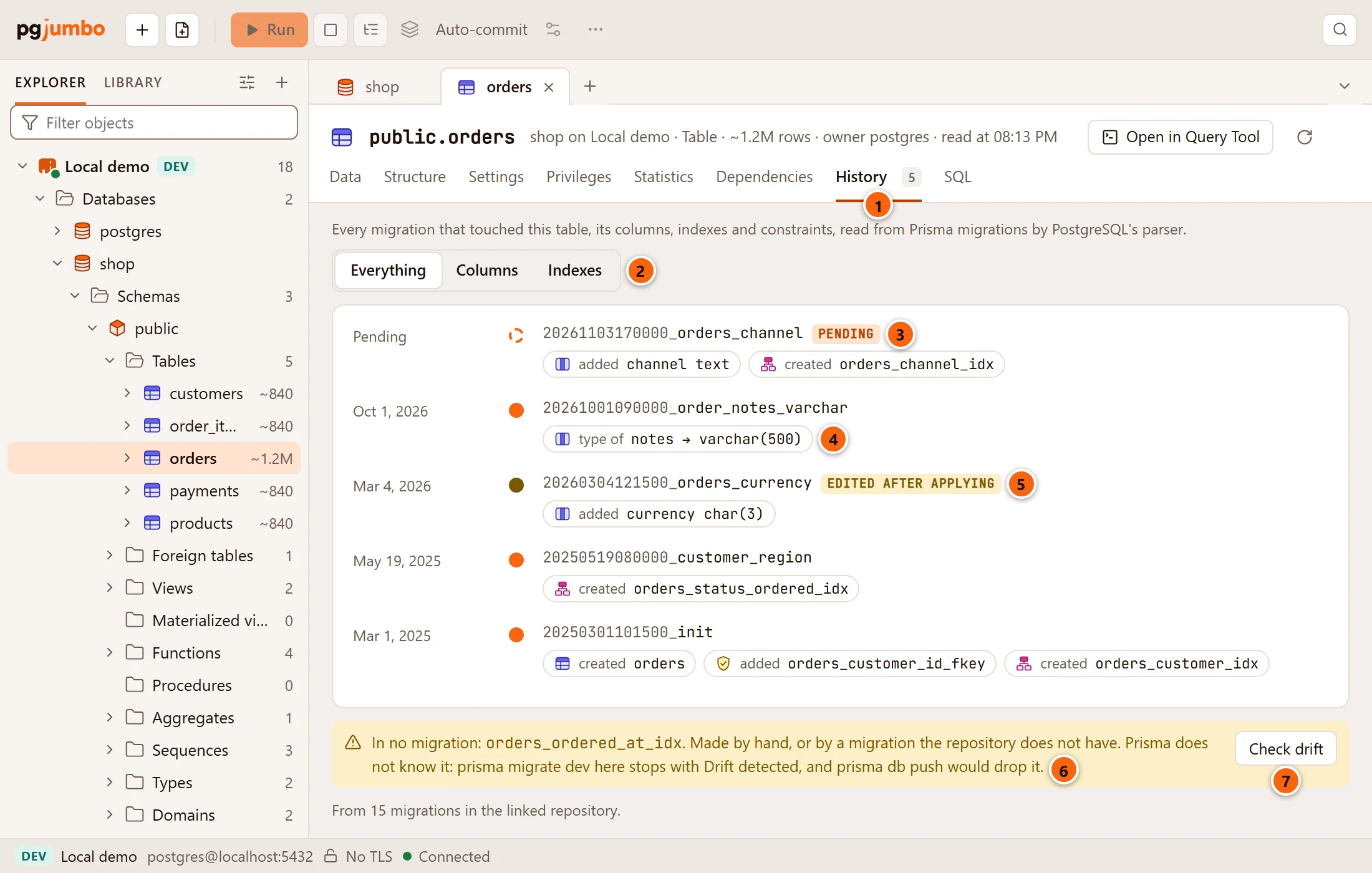
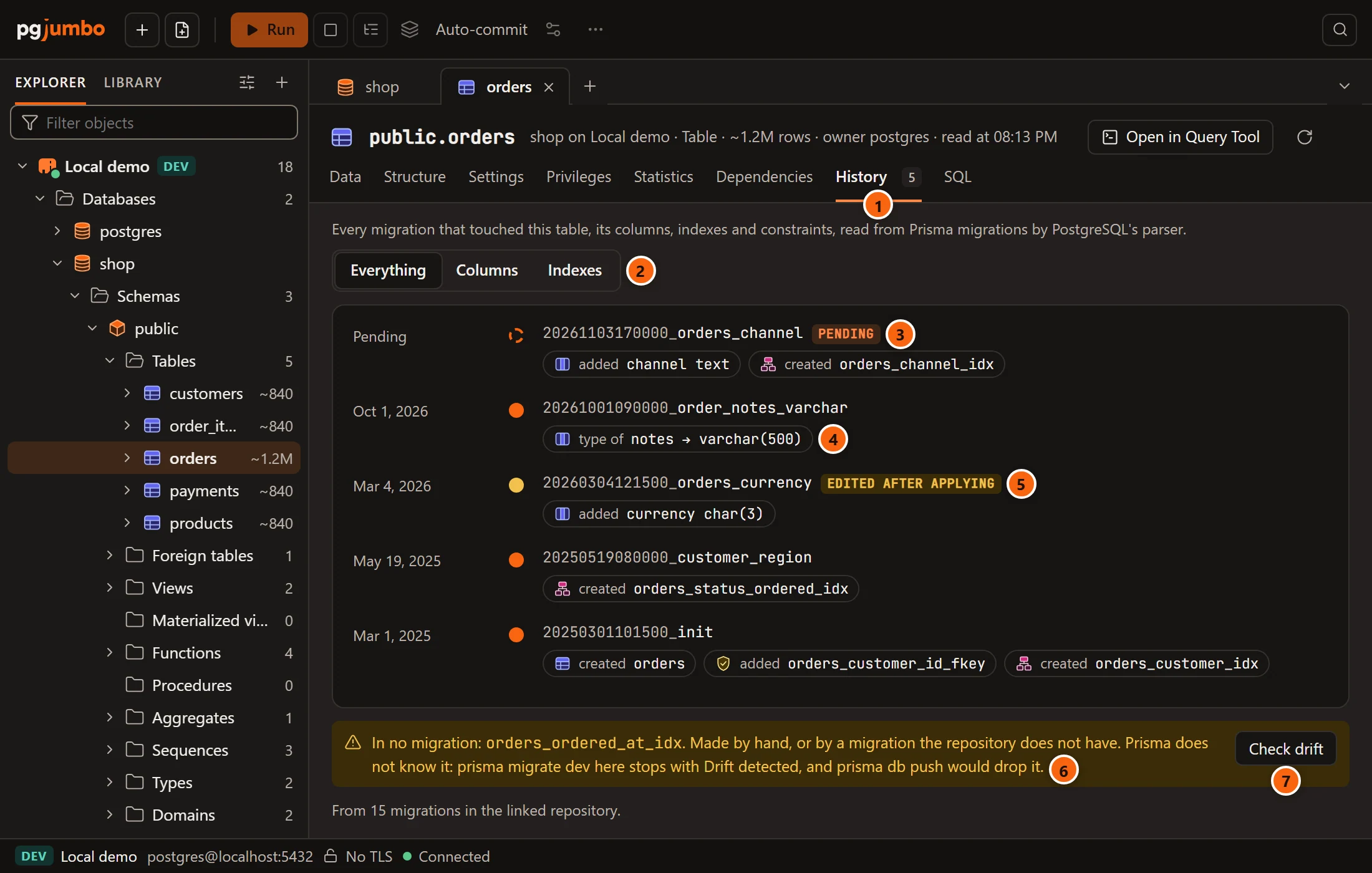
- 1 History, with the number of migrations that touched the table.
- 2 Everything, Columns or Indexes narrows the list. Indexes shows constraints too.
- 3 A pending migration is marked: it has not touched the table here yet.
- 4 What the migration did, one chip for each change: created a table or an index, added or dropped a column or a constraint, type of a column and its new type, renamed and the new name.
- 5 A migration edited after applying. A failed one and one rolled back are marked too.
- 6 In no migration: an index on the table that no migration in the folder made. It was made by hand, or by a migration the folder does not have.
- 7 Check drift opens Drift against schema.prisma. It shows for a Prisma project.
Each migration’s file is read by PostgreSQL’s own parser, so what it did is exact. The line at the foot says how many files were read: From 15 migrations in the linked repository.
Prisma does not know an index that is in no migration. The note says what follows: prisma migrate dev on that
database stops with Drift detected, and prisma db push would drop the index.
golang-migrate keeps only the version it is at, so every migration below that version shows as Applied, without a date. A migration file over 2 MB is not read for what it did. When no migration touched the table the way you chose, the list says No migration touched it that way.
The view is offered only where there is something to read. A table in a database with no linked folder, or one whose tool writes its migrations as code, has no History view.
pgjumbo reads each migration’s SQL for three traps that a tool like Prisma can set, and says them where they matter.
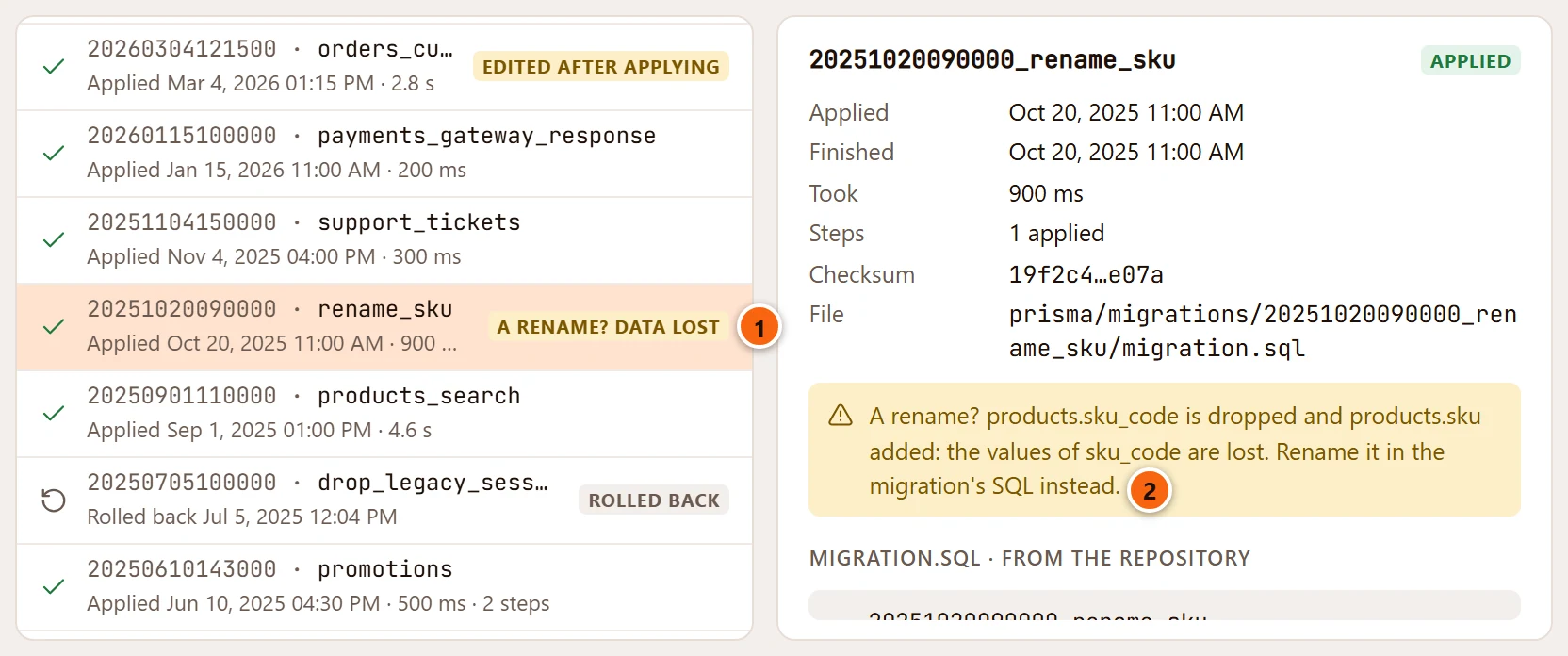
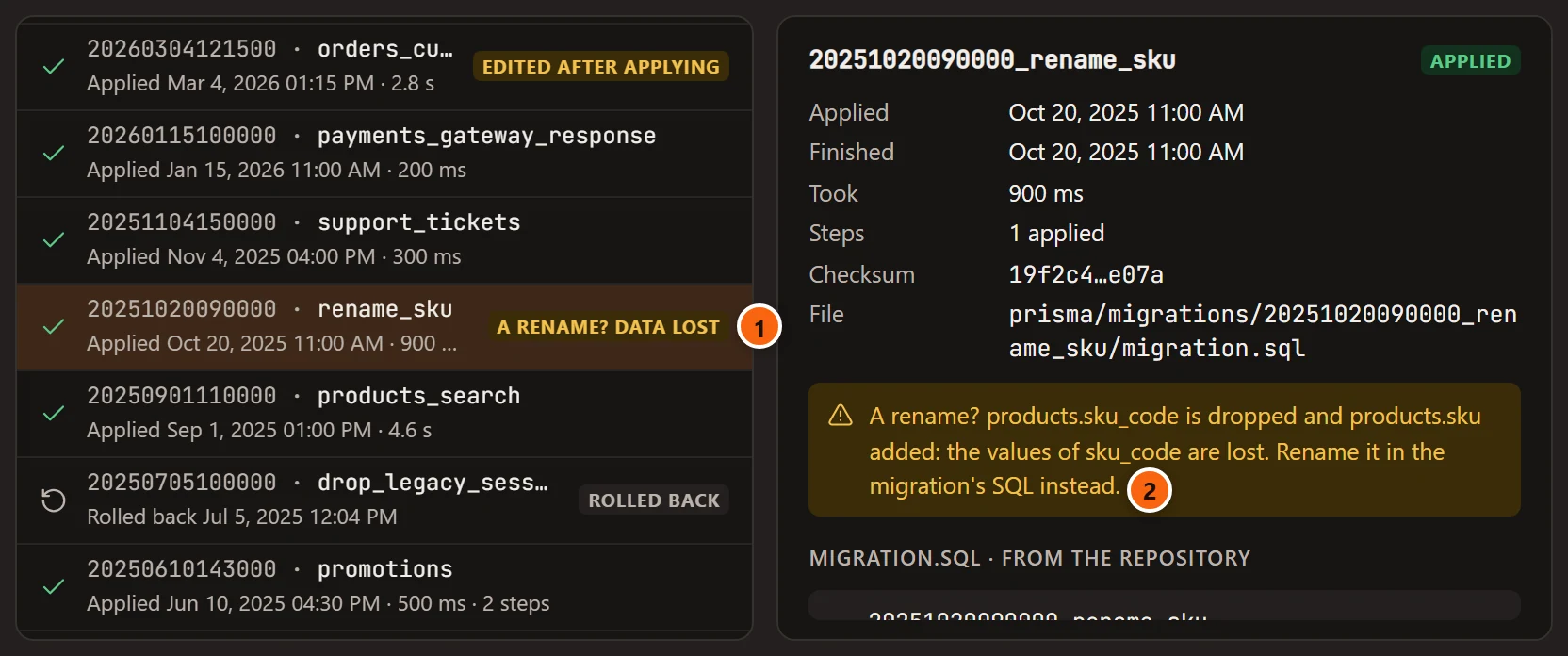
- 1 A migration with a trap is tagged in the list, pending or applied.
- 2 The trap, in a sentence, with the migration’s details.
| Trap | What pgjumbo found | What to do |
|---|---|---|
| A rename that lost data | A column dropped and another added on the same table in one migration. Prisma makes a rename into drop and add, so the old column’s values are gone. | Rename the column in the migration’s SQL instead, before you deploy it. |
A NOT NULL column with no default |
A column added NOT NULL with nothing to fill it. It fails on a table that has rows. |
Give it a default, or fill it first. |
| An enum made again | A new enum takes the name of one renamed away in the same migration. This is how Prisma removes a value from an enum: rows that still hold that value fail the cast. | Change those rows first. |
A rename is tagged a rename? data lost. Another trap is tagged a trap, and several 2 traps. A column that fills itself (a serial, an identity or a generated column) is not taken for the second trap.
A pending migration’s trap also shows in Before you deploy. The Health check lists a rename that lost data, a migration edited after it was applied, one applied here but not in the folder, and the pending ones.