

Prisma Client and SQL
Your application talks to the database through Prisma Client. The database sees only SQL. With a Prisma project’s repository linked to a database, pgjumbo goes between the two: it shows the SQL a Prisma Client call runs, writes the call for SQL you have, and names the model and call behind a statement the server has been running.
The first two are the Assistant’s work, so the Assistant must be on. Neither runs anything.
Prisma Client code in the editor
Section titled “Prisma Client code in the editor”Paste a call such as prisma.order.findMany({ … }) into a Query Tool. A banner over the editor says it is Prisma
Client code, not SQL, and offers the SQL it runs.
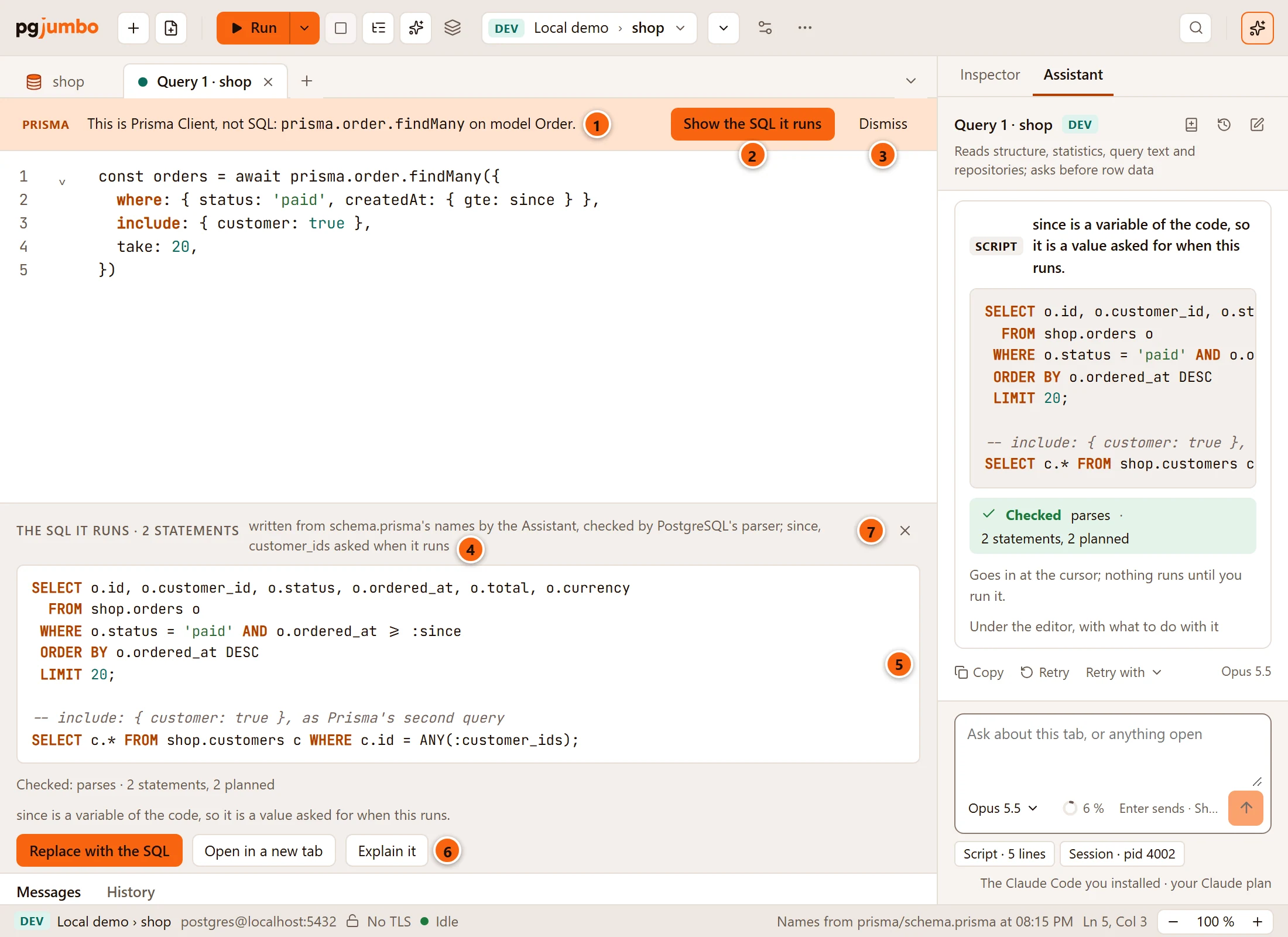
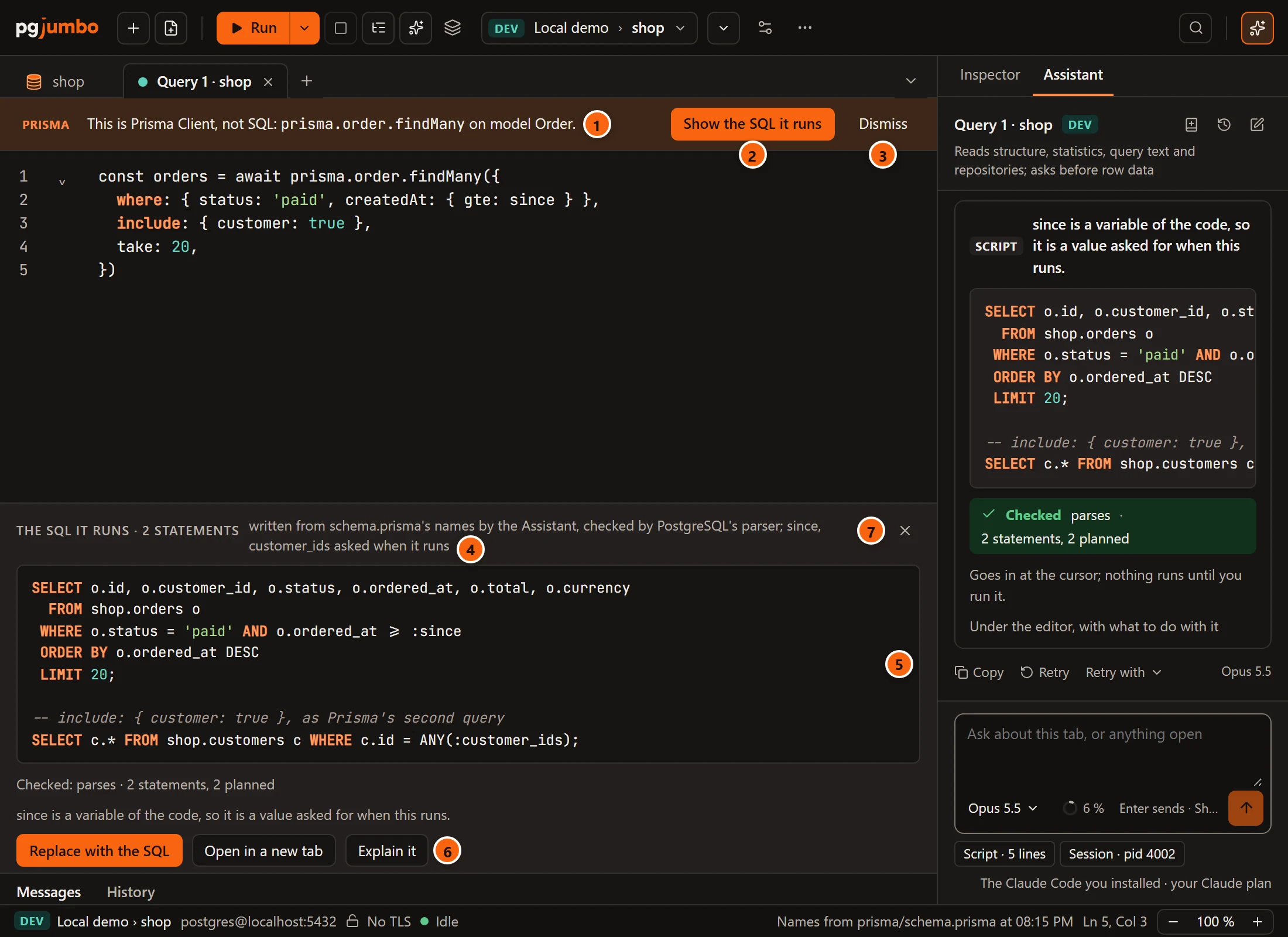
- 1 The banner names the call and the model it is on.
- 2 Show the SQL it runs asks the Assistant for the SQL. While it works the button reads Writing the SQL…, and the Assistant’s pane comes forward with what it reads.
- 3 Dismiss quiets the banner while the editor holds that same call. Another call brings it back.
- 4 The SQL it runs, with the number of statements and how it was made: written from
schema.prisma’s names by the Assistant, checked by PostgreSQL’s parser, and which values are asked when it runs. - 5 The SQL. It uses the database’s own names for tables and columns, not the model’s.
- 6 What to do with it: Replace with the SQL, Open in a new tab or Explain it.
- 7 The × closes the SQL. The banner stays.
Under the SQL, Checked says what pgjumbo found when it checked it, and a line from the Assistant says what the code alone could not tell it.
When the banner shows
Section titled “When the banner shows”- The tab’s database has a Prisma project linked.
- The editor holds a Prisma Client call on a model:
findMany,findFirst,findUnique,count,aggregate,groupBy,create,createMany,update,updateMany,upsert,delete,deleteManyand their kin such asfindUniqueOrThrow. - The model is one the linked schema has.
prisma.invoice.findMany()shows no banner when there is no modelInvoice. - The client can have any name:
prisma.order,db.orderandthis.prisma.orderare all found. - A call kept as a comment is not one. You can leave the code above the SQL it became.
With several calls in the tab, the banner is about the first.
The banner does not depend on where Prisma’s names show: it is there with SettingsMigrationsNamesModel names beside tables and columns on Nowhere too.
The SQL
Section titled “The SQL”The Assistant reads the model from schema.prisma, so the SQL names the tables and columns as the database has them.
pgjumbo checks the SQL before you see it: PostgreSQL’s parser reads it, and the server plans it. Nothing runs.
- A variable of your code becomes a value, written like
:since. The Query Tool asks for it when the SQL runs. See Parameters. - An
includeis a second statement, under a comment that says what it loads, as Prisma Client sends a second query. When the project loads relations by joins (relationLoadStrategy: "join"), it is one statement. A line beside the buttons says pgjumbo follows the project’s setting.
| Button | What it does |
|---|---|
| Replace with the SQL | Puts the SQL where the call was, from its const … = await to its closing bracket. What is above and below stays. The SQL under the editor closes. |
| Open in a new tab | Opens the SQL in a new Query Tool on the same server and database. Your code stays as it is. |
| Explain it | Opens the SQL in a new tab and shows the first statement’s plan. See Explain a query. |
Once you change the code, the SQL under the editor is no longer for what the editor holds. Replace with the SQL is then greyed. Ask again, or open the SQL in a new tab.
When no SQL comes
Section titled “When no SQL comes”The place under the editor says why:
| It says | What to do |
|---|---|
| The Assistant writes the SQL, and it is off | Turn the Assistant on in its pane, which opens, or in Settings. See Set up the Assistant. |
| The Assistant is still answering in its pane | Wait for the answer to end, then click Show the SQL it runs again. |
| No SQL came back: the Assistant’s answer is in its pane | Read the answer in the pane. It may have asked you something, or been refused a read. |
What the Assistant reads
Section titled “What the Assistant reads”For this the Assistant reads the linked repository: the models’ names in schema.prisma. So
SettingsAssistantWhat it may readRepositories applies. On a Production server it asks
first, unless you changed that. The question pgjumbo asked and every read are in the Assistant’s pane.
Set up the Assistant has what it may read, and
The Assistant and your migrations what it does with a linked repository.
SQL as Prisma Client
Section titled “SQL as Prisma Client”The other way round, the Assistant writes the Prisma Client call for SQL you have.
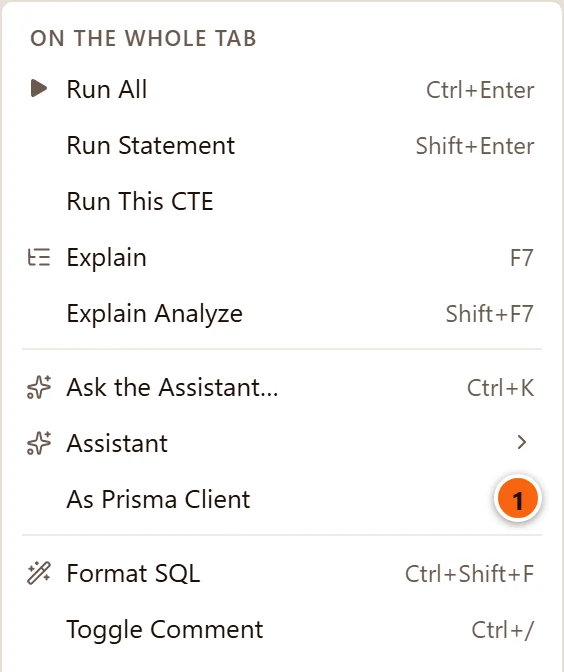
- 1 Select SQL in the editor, or select nothing for the whole tab. Right-click and choose As Prisma Client.
The item is there while the Assistant is on and the tab’s database has a Prisma project linked. The editor’s right-click menu has the other items.
The question lands in the Assistant’s box, where you can read it or add to it. Enter sends it. Ask the Assistant says how such a question works.
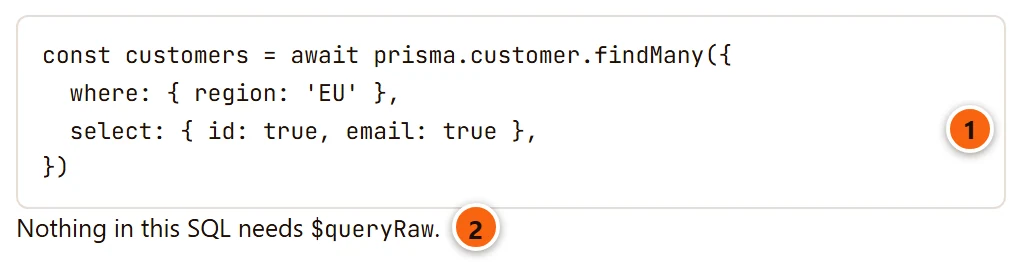
- 1 The call as it would stand in your project, with the models’ and the fields’ names, not the tables’ and columns’.
- 2 What Prisma Client cannot say the way your SQL does. There
$queryRawis the way, and the Assistant says so.
In Top queries
Section titled “In Top queries”Prisma Client names every table and column in full and in quotes, as in "public"."orders"."id". People do not write
SQL that way. Top queries reads that from a statement’s text and names the model and the kind
of call behind it.
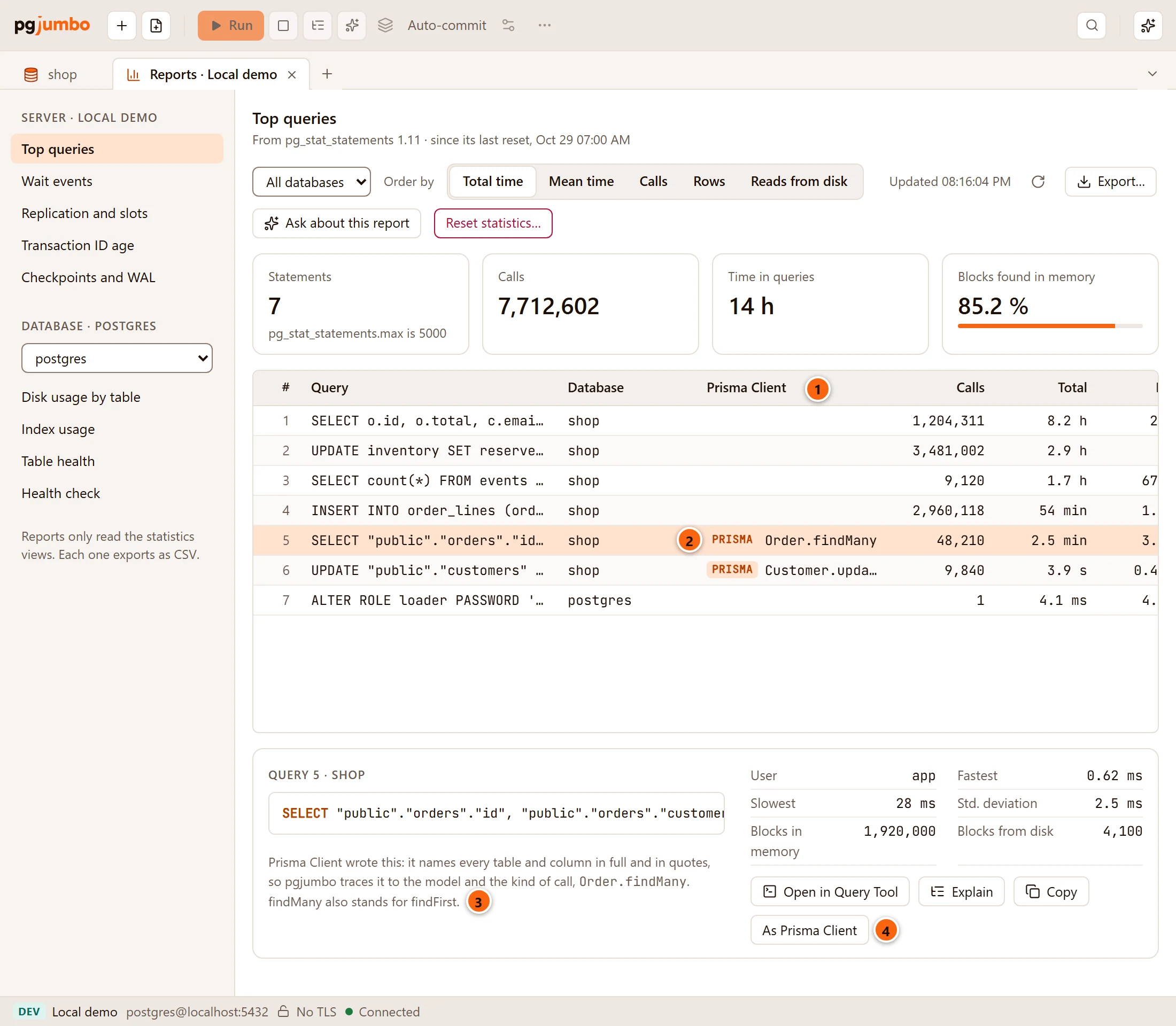
- 1 The Prisma Client column. It appears only when a statement was traced, in a database with a Prisma project linked.
- 2 A traced statement is tagged Prisma, with the model and the call, such as
Order.findMany. A statement someone wrote by hand has nothing there. - 3 Click a row for its whole text. Under a traced statement, a note says that Prisma Client wrote it and how pgjumbo knows.
- 4 As Prisma Client puts the question for the call in the Assistant’s box, with the statement under it to read or change. Nothing is sent until you send it. The button is there while the Assistant is on.
The call is the kind that writes such a statement, not proof of the call:
findManyalso stands forfindFirst.findUniquestands for any lookup of one row by one value.
A statement is named only when its table has a model in the linked schema. One written in the same style on another table is left alone.
Top queries only reads the server’s statistics here, and nothing of Prisma runs.