

The schema as of a migration
With a folder of SQL migrations linked, Compare schemas… shows the schema as any migration left it and compares two points:
- a migration and a later one, to see what the migrations in between changed;
- a migration and the live database, to see whether the database is what its migrations say;
- a migration and every migration in the folder, pending ones too, to see what the schema will be once they are applied.
To know the schema as of a migration, pgjumbo replays your migrations into scratch databases that it makes on a Dev server and drops afterwards. Your database is only read, and nothing runs in it.
Open the comparison
Section titled “Open the comparison”

- 1 Compare schemas…, in the database’s Migrations view.
The button shows when the linked folder’s migrations are SQL files: Prisma, Drizzle, Flyway or golang-migrate.
It opens a tab named after the database, such as Schema diff · shop, between two migrations. There is one such tab for each database. Clicking the button again brings it to the front and sets the two points afresh.
Choose the two points
Section titled “Choose the two points”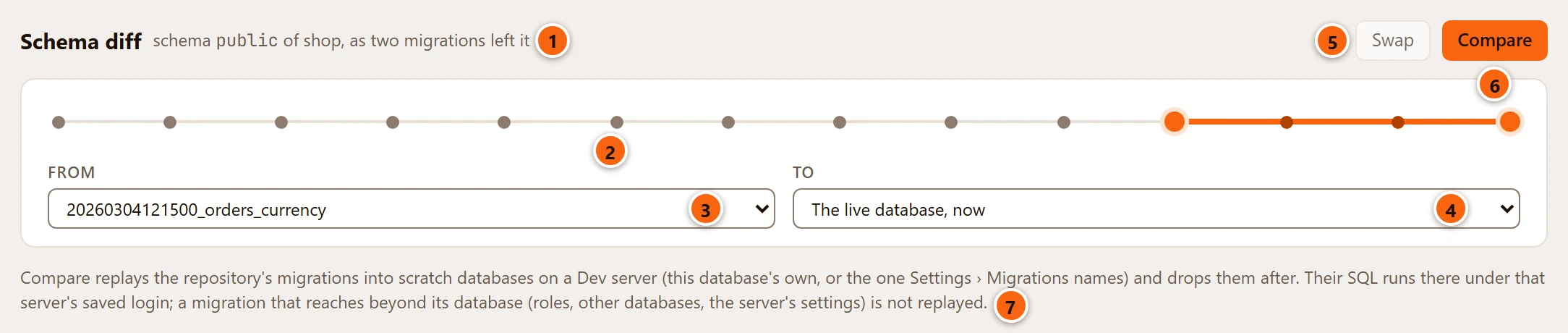
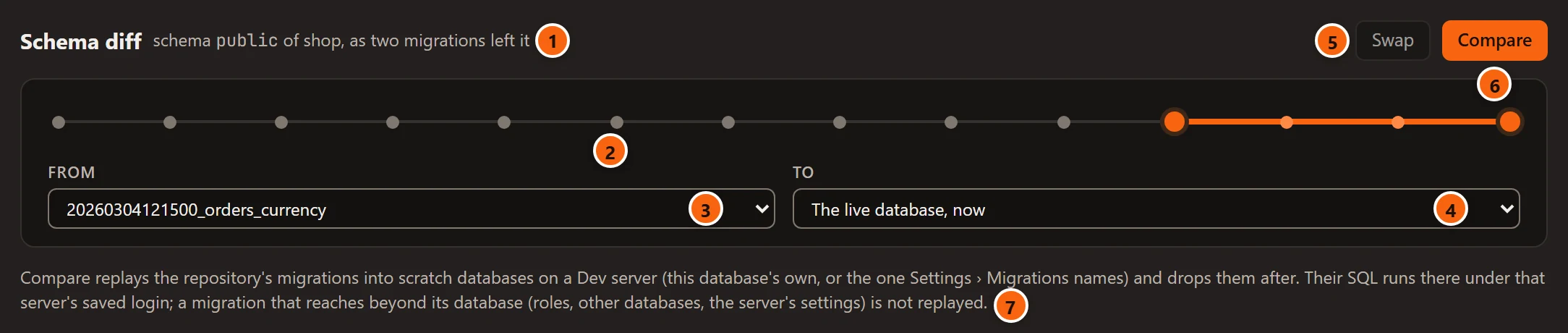
- 1 The schema that is compared. See Which schema is compared.
- 2 The timeline: a dot for each migration in the folder, oldest on the left. The two points are larger, and the stretch between them is coloured. Rest the pointer on a dot to read its migration’s name.
- 3 From: a migration. The tab opens on the newest migration this database has applied.
- 4 To: another migration, The live database, now or The repository, with pending. The tab opens on the live database.
- 5 Swap turns two migrations around. It is greyed while To is the live database or the repository.
- 6 Compare replays the migrations and compares. It reads Replaying… while it works.
- 7 Where the replay happens, said before you start.
| To | What From is compared with |
|---|---|
| A migration | The schema as that migration left it. |
| The live database, now | The schema as it is in this database. |
| The repository, with pending | The schema after every migration in the folder, the pending ones too. |
From is always a migration. Both menus list the migrations that have a file in the linked folder, oldest first. One that is only in the database cannot be replayed, so it is not offered. If both points are the same, Compare answers Choose two different points to compare.
Where the migrations are replayed
Section titled “Where the migrations are replayed”pgjumbo makes a scratch database for each point that is a migration, replays into it every migration up to and with
that one, in order, and reads the schema that results. Against the live database it makes one scratch database and
reads your database’s schema as it is. The scratch databases are named pgjumbo_scratch_ and twelve characters, and
they are dropped when the comparison ends, whether it worked or not.
Scratch databases are made only on a Dev server whose sessions are not read-only:
- the database’s own server, when it is tagged Dev; or
- the Dev server you chose in SettingsMigrationsA project's own toolsScratch databases on.
pgjumbo never makes them on Staging or Production, and never on a server it would have to pick by itself. To compare the migrations of a Staging or Production database, choose a Dev server in that setting: the migrations’ SQL then runs on the Dev server, and the other database is only read. The setting starts at The same server, when it is Dev and offers the connected Dev servers pgjumbo may write on. See Settings.
When the scratch server runs another major version of PostgreSQL than the database’s own, the result says so: what the two versions write differently can show as a difference, and what the scratch server’s version does not know fails there.
If pgjumbo was closed in the middle of a comparison, the scratch databases it left are dropped the next time you compare on that server, once they are more than an hour old.
When there is no server for scratch databases
Section titled “When there is no server for scratch databases”| pgjumbo says | What to do |
|---|---|
| The server is not a Dev server, or has read-only sessions | Choose a Dev server for scratch databases in SettingsMigrations, or open this database on a Dev server and compare from there. |
| Scratch databases go on a server, and it is not connected | Connect that server in the Explorer first. |
| The server chosen for scratch databases in Settings › Migrations is gone | Choose another there. |
What is not replayed, and why
Section titled “What is not replayed, and why”A migration that reaches beyond its database is not replayed. On the Dev server it would take effect for real and stay after the scratch database is dropped. pgjumbo reads every migration it is about to replay with PostgreSQL’s parser first, and says which one it will not replay and why, before it makes anything: the message ends Nothing was made.
| The migration | Why it is not replayed |
|---|---|
| Makes, changes, grants or drops a role, or reassigns or drops what a role owns | It changes the server’s roles, or reaches objects outside the database. |
| Creates, alters or drops a database, or grants on one | It names another database of the server. |
| Creates, changes or drops a tablespace, or grants on one | Storage outside the database. |
Uses ALTER SYSTEM |
It changes the server’s settings. |
| Creates, changes or drops a subscription | It connects to another server. |
Uses COPY or LOAD |
It reads or writes outside the database, or loads a library into the server. |
| Renames, comments on or changes the owner of a role, a database or a tablespace | Those belong to the server. |
| Does not parse as SQL | It cannot be shown to stay inside the scratch database. |
| Is over 2 MB | More than pgjumbo reads before it runs anything. |
A DO block is read by its words: one that speaks of roles, databases, tablespaces, ALTER SYSTEM, subscriptions,
COPY or a link to another database is refused. What a function the migration calls does is not seen.
A migration that stays inside its database can still fail in the scratch database, for example when it needs an extension the Dev server does not have. pgjumbo then names the migration and gives PostgreSQL’s error. The scratch databases are dropped all the same.
Which schema is compared
Section titled “Which schema is compared”The schema compared is the one the migrations work in: the schema the tool keeps its history table in. For Drizzle,
which keeps that table in a schema of its own, it is public.
Against the live database, the tool’s own history table is left out: it is in no migration. Owners and differences in white space are not counted as differences.
Read the result
Section titled “Read the result”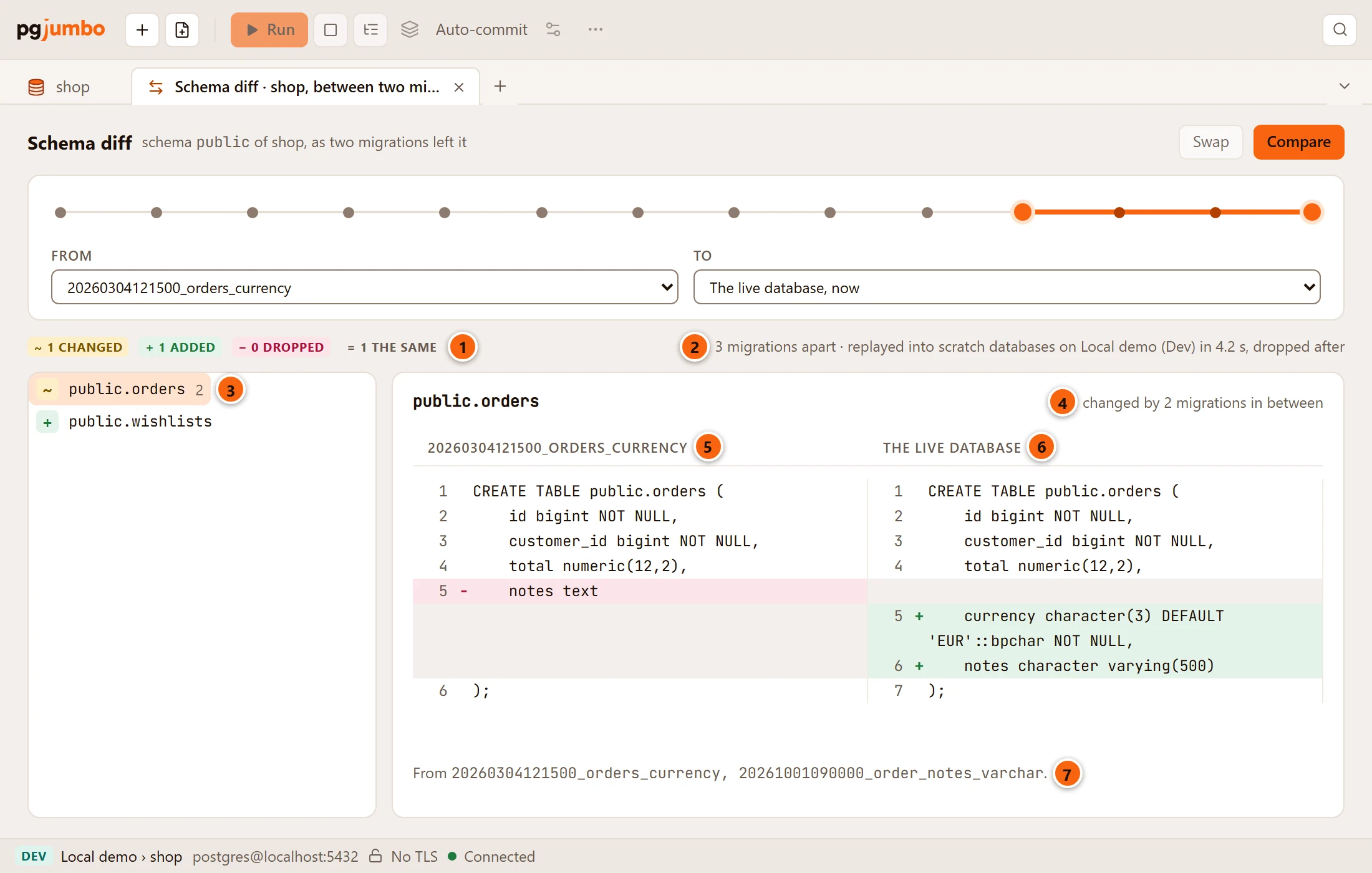
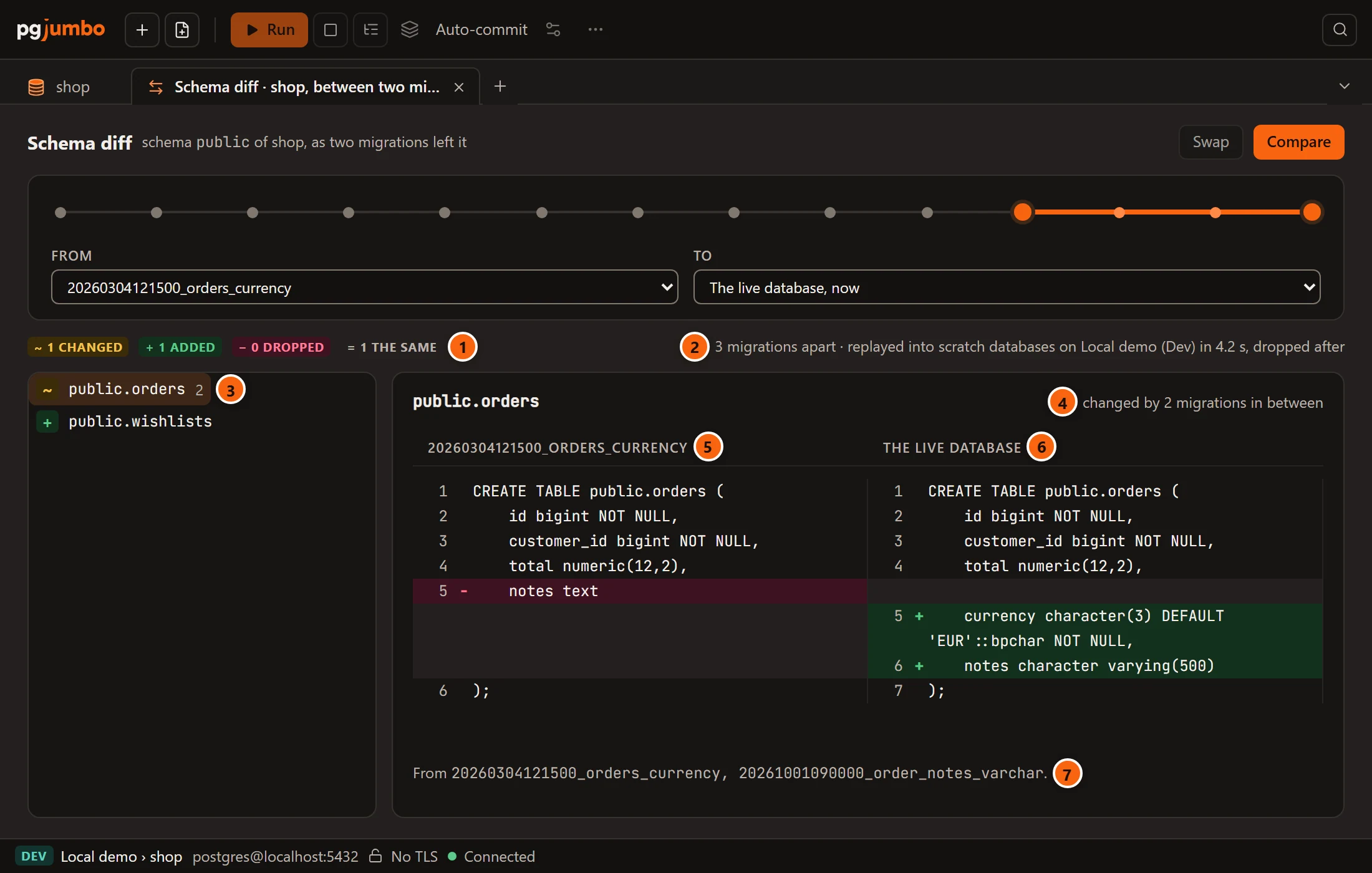
- 1 How many objects changed, were added, were dropped and are the same.
- 2 How many migrations lie between the two points, the server the scratch databases were made on, how long it took, and that they were dropped.
- 3 The objects that differ. The number after a name is how many of the migrations in between touched it.
- 4 The object chosen in the list, and how many migrations in between changed it.
- 5 From is on the left.
- 6 To is on the right. Lines only on the left are marked −, lines only on the right +.
- 7 The migrations in between that touched the object, by name.
An object is added when only To has it and dropped when only From has it. Objects that are the same are counted and not listed. Click an object in the list to see it as each point left it. When nothing differs, the list says The two schemas match.
This tab shows the differences only. It has no script to copy or save: the migrations are the script. For how a schema diff lays out two definitions and what its marks mean, see Schema diff.
Compare again, after choosing other points, clears the result before it replays.
What pgjumbo never does
Section titled “What pgjumbo never does”Nothing is replayed in the database you are looking at, and its history table is not touched. The migrations are not deployed anywhere: the scratch databases exist for the length of one comparison. pgjumbo does not change the folder either.
If the linked folder cannot be read any more (it was moved or renamed, say), the tab says only that, The linked repository could not be read: and why, with Read again, still naming the schema it is for. What an earlier Compare showed or refused goes, and does not come back with the folder: choose Compare again once it can be read. With no folder of SQL migrations linked, it says Link a repository whose migrations are SQL files in the database’s Migrations view first.