

Review before Save
Review before Save shows what each statement of a change will do before it runs: the lock it takes, whether it rewrites the table, reads every row or only touches the catalog, and a safer way to the same result where there is one. Nothing runs until you press its save button. It opens over an object tab, by itself when a change deserves a look, or whenever you ask for it.
Save in a tab’s pending bar (⌘ S (Ctrl+S on Windows and Linux), or FileSave) first asks the server what each statement will do, as the review does. Then:
- If every statement takes only a brief lock, the statements run at once, in one transaction, and the review does not open. A brief lock is one that lets other sessions go on reading and writing the table, or one taken only to change the catalog (a rename, a comment, a grant, a dropped default).
- Otherwise the review sheet opens, and nothing runs until you click its save button.
The review also opens, however brief the locks, when:
- the server asks before changes: its environment is Production, or Staging with Staging asks before destructive statements turned on in SettingsSafetyBy environment (see Settings);
- a statement carries a warning of its own, such as a sequence’s next value at or below what its column already holds (see Sequences);
- the table is managed by a Prisma project (see below).
Review… in the pending bar opens the sheet at any time, whatever the changes are. Opening it changes nothing on the server.
When Save runs without the review, it uses the defaults the review would show. Each statement waits for its lock as
long as SettingsSafetyChanging a table in its tabGive up waiting for a lock after says
(5 seconds unless you changed it). On a table at least as large as
Choose the safer way on tables over in the same group (100 MB unless you changed it), it takes every safer way on
offer. That is why adding an index to a large table can save at once: the index is then built CONCURRENTLY, after
the rest.
Every save follows the same steps, on a connection pgjumbo opens for it alone:
- It sets
lock_timeoutto the wait you chose, so its own checks wait no longer for a lock than the statements do. - It reads the object from the server and checks it is still as the tab read it. If someone changed it meanwhile, nothing runs: see When the object changed meanwhile.
- It runs the statements listed under In one transaction between
BEGINandCOMMIT. If any of them fails, or gives up waiting for its lock, none of them stays. - It runs the statements listed under After it commits, on its own one at a time, in order. These are the ones
PostgreSQL will not run inside a transaction (
CREATE INDEX CONCURRENTLY), and the ones that are safer once the change before them has committed (VALIDATE CONSTRAINT). - It reads the object again, and refreshes the Explorer, the Inspector and the database’s autocomplete.
A save runs once. pgjumbo never retries it, on that connection or another.
The review sheet
Section titled “The review sheet”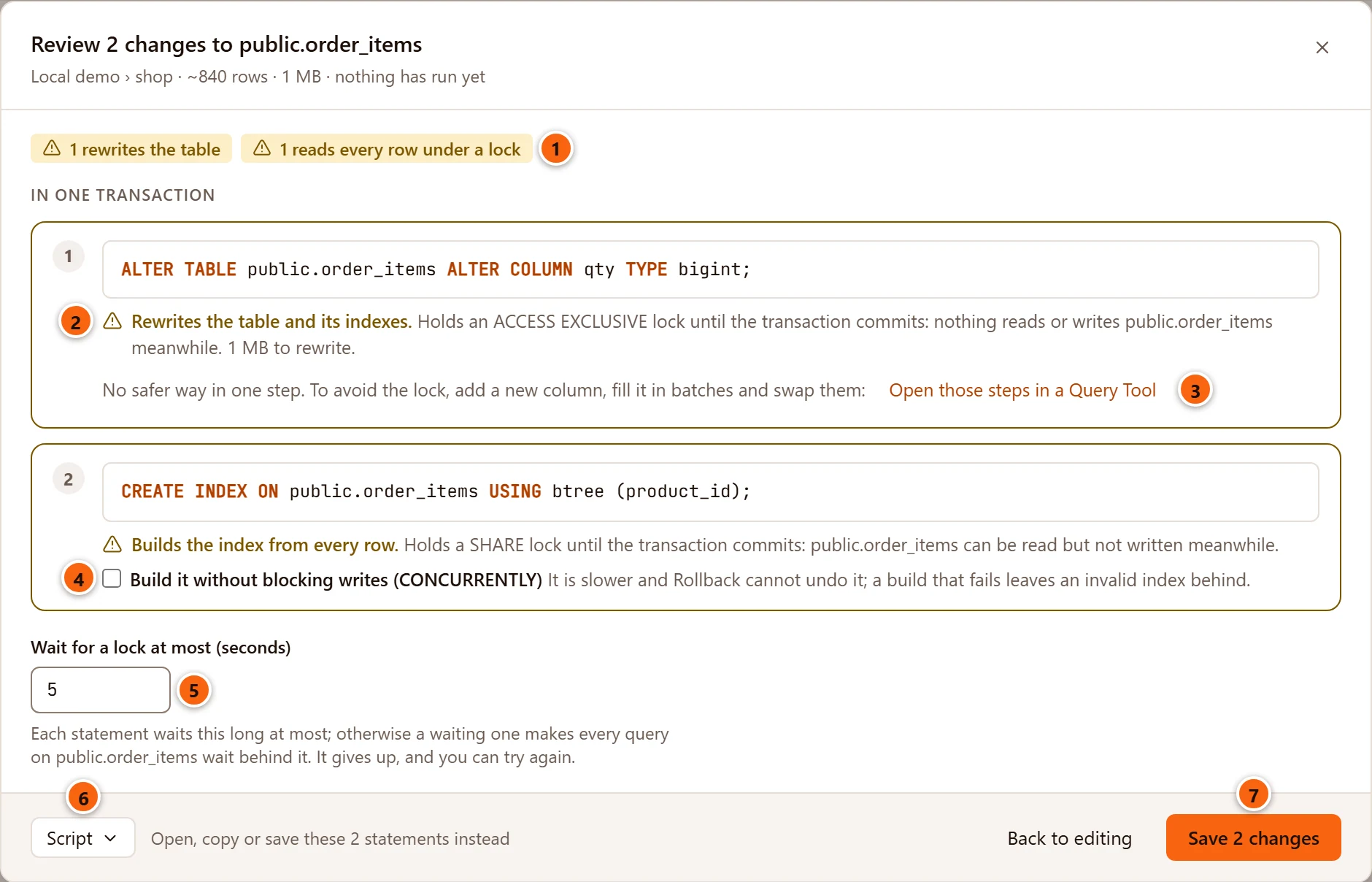
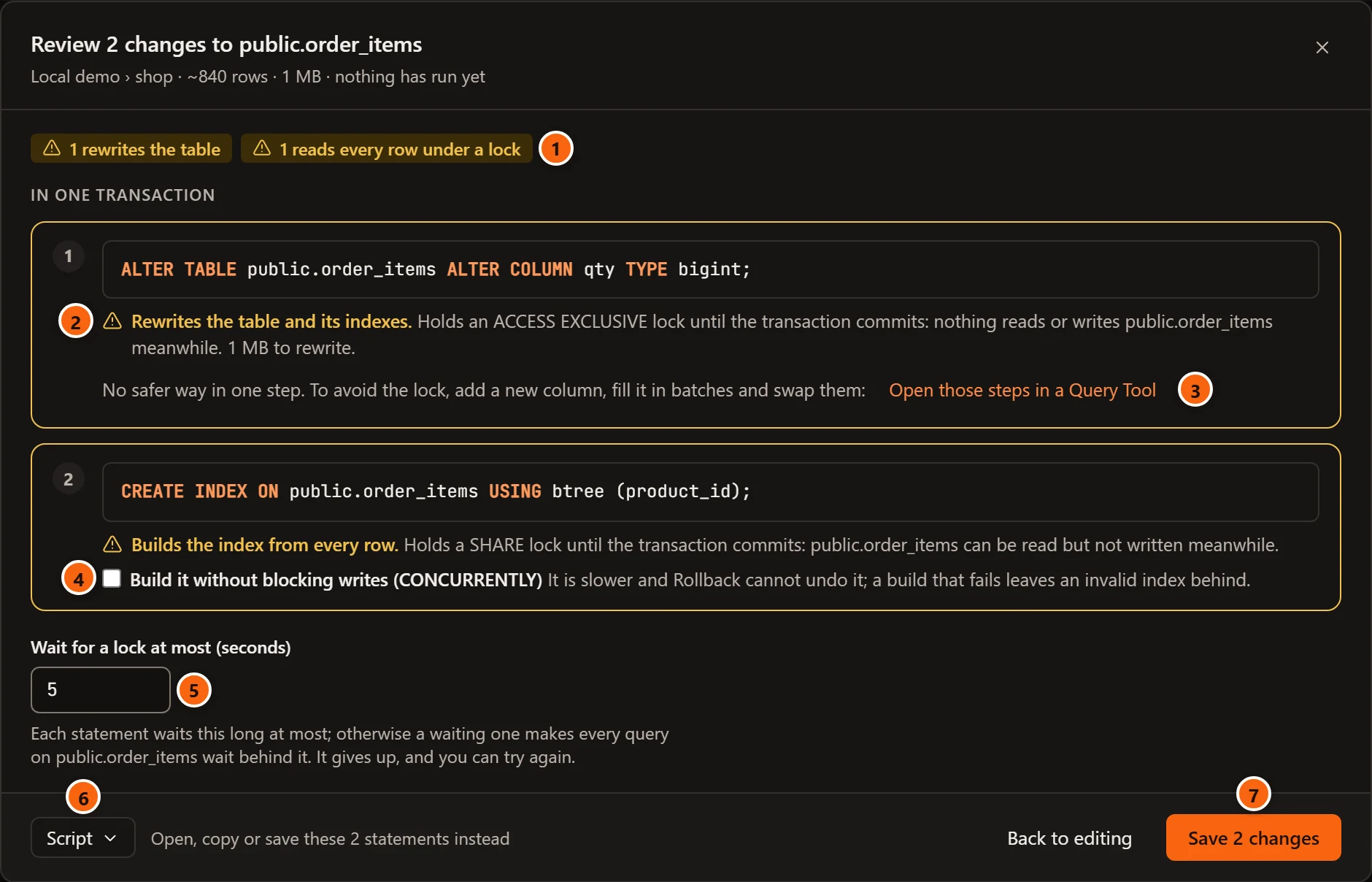
The sheet’s title counts your changes as the pending bar does, and names the object:
Review 2 changes to public.order_items. When the statements are not as many as the changes, the title counts them
too, as in Review 2 changes to public.vat · 1 statement: a function’s new body and new cost become one
CREATE OR REPLACE. Under the title are the server and database, the table’s estimated rows, its size with its indexes
and TOAST, and nothing has run yet. On a Production or Staging server the line starts with its PROD or
STAGING tag.
- 1 A summary of what needs your attention, as chips. See The chips.
- 2 Under each statement, what it does to the table while it runs: the lock it takes, how long it holds it, and the work it does. A warning sign marks what other sessions will notice; a tick marks the rest. What each statement does explains every message.
- 3 For a type change that rewrites the table, Open those steps in a Query Tool opens a way to make the same change without the long lock. See The way out of a rewrite.
- 4 A safer way to the same result, when there is one. Tick it to use it. See Safer ways.
- 5 Wait for a lock at most (seconds): how long each statement waits for its lock before it gives up. See Wait for a lock.
- 6 Script opens, copies or saves the statements instead of running them. The text beside it says how many there are. See Script instead of saving.
- 7 Save 2 changes runs them as the sheet shows, and reads Saving… meanwhile. Back to editing, the × or Esc closes the sheet and keeps your changes in the tab. While a save runs, the sheet stays open.
The statements are numbered in the order they run and grouped by when they run: In one transaction, then After it commits, on its own. A database’s default privileges add a third group, Then in followed by the database’s name and in one transaction (In when nothing else changes), because they live in that database and run on a connection to it after the rest commits (see Databases).
The sheet opens with the keyboard on its save button, so Enter saves once you have read it. On a server that asks first it opens in the field for the database’s name instead.
While pgjumbo asks the server, the sheet says Working out what each statement does… and offers only
Back to editing. Closing it then stops that work on the server, and the sheet stays closed until you open it
again. If pgjumbo cannot work out a statement, the sheet says why instead of listing them, for example
total cannot change from text to numeric by itself: PostgreSQL does not know how to convert the values. Change it in a Query Tool with ALTER COLUMN … TYPE … USING.
If another session holds the table for longer than the lock wait in Settings, working out stops too: see
pgjumbo stopped waiting for a lock.
When you open the review from the question a tab asks before it closes, or from Read again’s question, a line at the top says what the save button does besides running the statements. Both are described in Object tabs.
The chips
Section titled “The chips”| Chip | What it counts |
|---|---|
| 1 rewrites the table, 2 rewrite the table | Statements that write the whole table again, or copy it to another tablespace. On an object that is not a table (a sequence whose new type changes the column it fills) it reads 1 rewrites a table. |
| 1 moves the whole database | A database moved to another tablespace. |
| 1 reads every row under a lock, 2 read every row under a lock | Statements that build an index or check every row while they hold a lock that blocks writes. |
| 1 runs the extension’s scripts | An extension’s update, on an extension’s tab. |
| 1 made safer | Changes you are making the safer way. |
| 2 instant | Statements that only change the catalog. |
With the Assistant turned on, an Explain button stands before the chips. It asks the Assistant to explain the review in plain words, and is described in What the Assistant proposes.
What each statement does
Section titled “What each statement does”pgjumbo takes each statement’s lock from PostgreSQL’s documentation. Whether a type change or a new column’s default rewrites the table depends on your server, so pgjumbo tries it first on an empty temporary table, in a transaction it rolls back at once.
| The sheet says | What it means |
|---|---|
| Instant. Only the catalog changes; the lock lasts a moment. | PostgreSQL changes its catalog and nothing else. The statement still needs its lock, so it waits for queries already using the table. |
| Instant. Only the catalog changes; reads and writes go on. | The same, with a lock that lets reads and writes go on (a comment, a storage parameter, a grant from PostgreSQL 18). |
| Instant. Only the catalog changes; it takes no lock on the table. | Renaming one of the table’s indexes, or a grant before PostgreSQL 18. |
| Rewrites the table and its indexes. Holds an ACCESS EXCLUSIVE lock until the transaction commits: nothing reads or writes public.order_items meanwhile. 1 MB to rewrite. | PostgreSQL writes the whole table again. Nobody can read or write it until the save commits, which takes as long as writing that many bytes. When the table rewritten is another one (a sequence’s new type changing the column it fills), the sheet names that table and its size. |
| Copies the table to the new tablespace. | Moving the table to another tablespace copies its files under an ACCESS EXCLUSIVE lock. The detail gives the size to copy. |
| Builds the index from every row. | A new index holds a SHARE lock (the table can be read but not written meanwhile); a primary key or unique constraint holds ACCESS EXCLUSIVE. |
| Reads every row to check it. | A new check or foreign key constraint, or SET NOT NULL, is checked against every row while the lock is held. A foreign key takes SHARE ROW EXCLUSIVE on the table it references too, and the sheet names both. |
| Builds the index while reads and writes go on. It takes longer than the plain way. | The CONCURRENTLY way of a safer change. |
| Reads every row while reads and writes go on. It takes longer than the plain way. | The VALIDATE CONSTRAINT of a safer change. |
| Moves the whole database to the new tablespace. | Only on a database’s tab. It copies all of the database’s files, needs nobody else connected and stops if someone is, and nobody can connect until it ends. |
| Runs the extension’s update scripts. | Only on an extension’s tab. What they lock depends on the extension: read its release notes first. |
A statement that runs after the commit says until it ends instead of until the transaction commits. A warning of the statement’s own, such as the one about a sequence’s next value, follows its line.
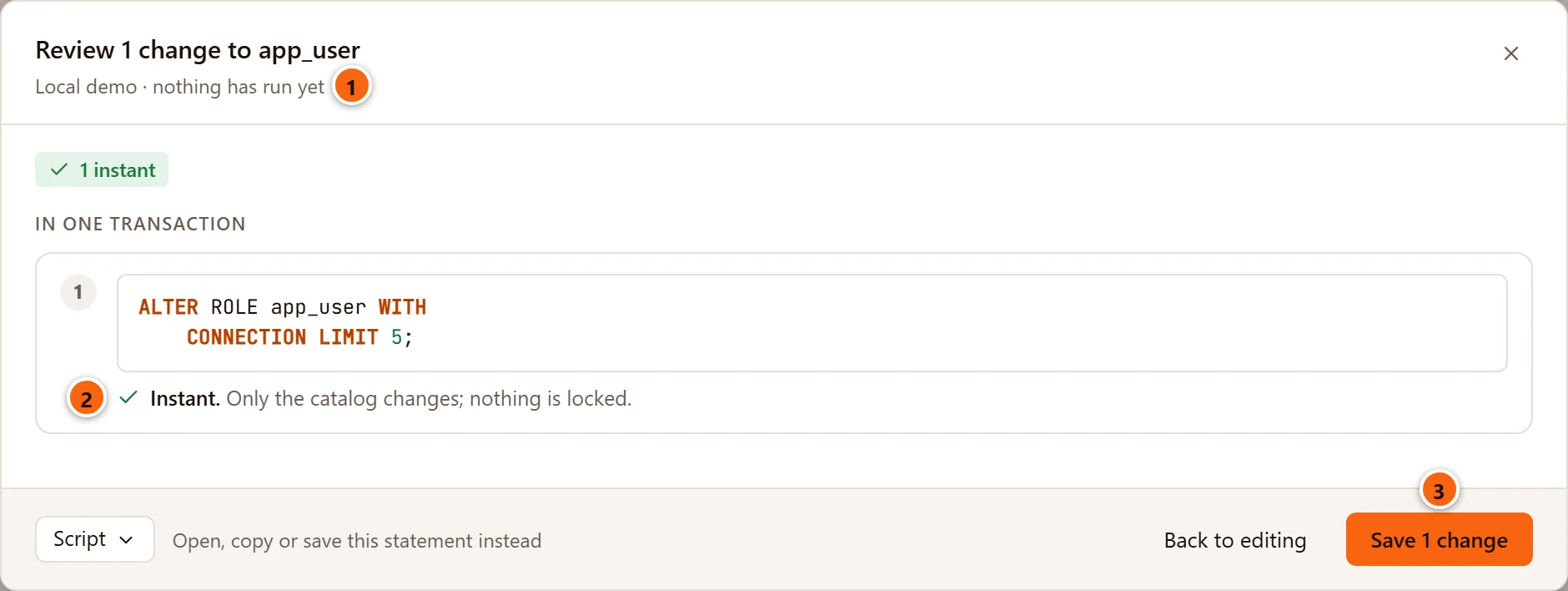
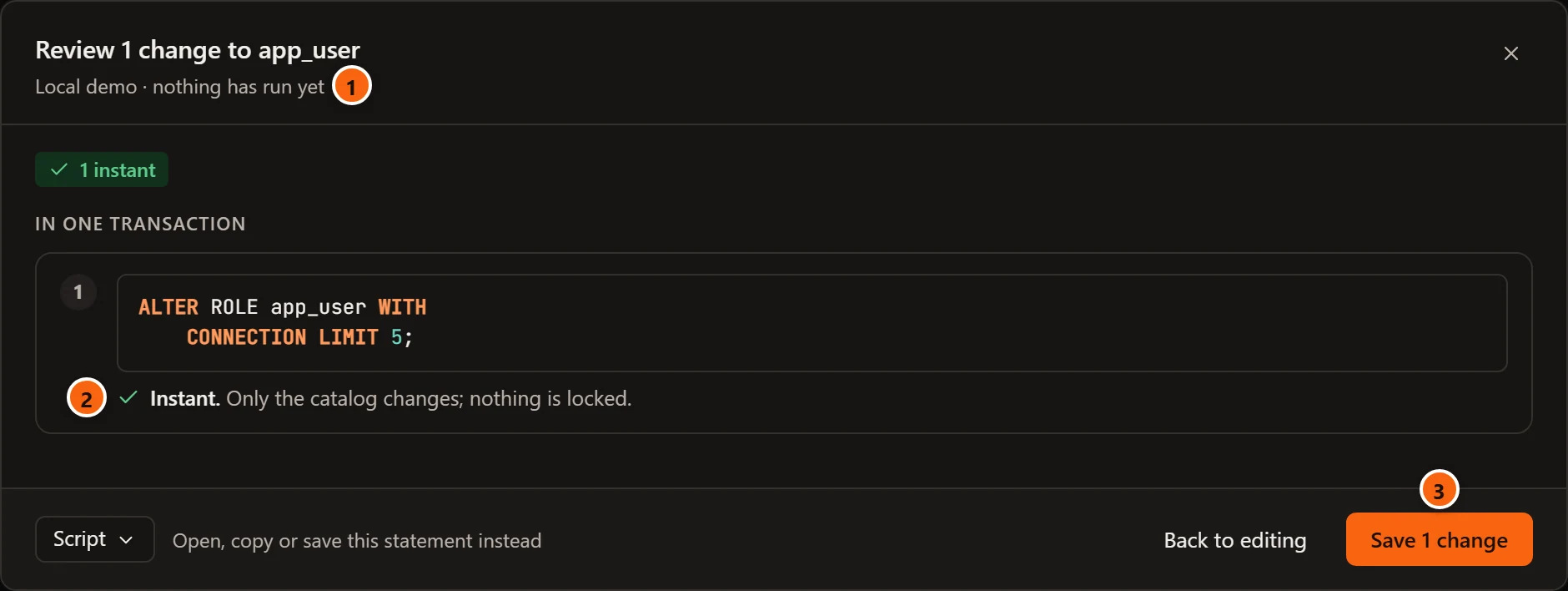
An object that is not a table has no size, so the sheet names what a statement locks instead:
- 1 The line under the title has only the server’s name and nothing has run yet.
- 2 Instant. Only the catalog changes; nothing is locked. A role, a schema or a database changes the
catalog alone. A view or a sequence is locked while it changes, and its line names the lock: Only the catalog
changes, but public.active_customers is locked (ACCESS EXCLUSIVE) until the transaction commits: queries on it wait
meanwhile. A lock that lets reads and writes go on is named too, and for a sequence the line says that reads go on
while
nextvalwaits. - 3 With nothing to lock, the sheet has no lock wait field.
This is how each change to a table is made, and what the review says about it:
| Change in the tab | Statement | Lock and work | Safer way offered |
|---|---|---|---|
Rename a column, drop a column, set or drop a default, drop NOT NULL, add, change or drop identity values |
ALTER TABLE … RENAME COLUMN, DROP COLUMN, ALTER COLUMN … |
ACCESS EXCLUSIVE, instant | None needed |
| Change a column’s type | ALTER COLUMN … TYPE |
ACCESS EXCLUSIVE; instant when PostgreSQL needs no rewrite (a longer varchar, say), else a rewrite |
Steps to run by hand when it rewrites |
| Add a column | ADD COLUMN |
ACCESS EXCLUSIVE; instant, unless the column has identity values, a generated value or a default that differs per row (such as clock_timestamp()), which rewrite the table |
None |
Make a column NOT NULL |
SET NOT NULL |
ACCESS EXCLUSIVE, reads every row | A NOT VALID check, validated after the commit (not offered when a new primary key or identity column needs the column NOT NULL at once) |
| Add or change the primary key | ADD PRIMARY KEY, after dropping the old one |
ACCESS EXCLUSIVE, builds its index | None |
| Add a unique constraint | ADD … UNIQUE |
ACCESS EXCLUSIVE, builds its index | None |
| Add a check constraint | ADD … CHECK |
ACCESS EXCLUSIVE, reads every row | NOT VALID, then VALIDATE after the commit |
| Add a foreign key | ADD … FOREIGN KEY |
SHARE ROW EXCLUSIVE on both tables, reads every row | NOT VALID, then VALIDATE after the commit |
| Change a constraint | Drop it, then add it again | As adding it | As adding it |
| Rename a constraint | RENAME CONSTRAINT |
ACCESS EXCLUSIVE, instant | None needed |
| Add an index | CREATE INDEX |
SHARE, builds the index | CREATE INDEX CONCURRENTLY after the commit |
| Drop an index | DROP INDEX |
ACCESS EXCLUSIVE, instant | DROP INDEX CONCURRENTLY after the commit, unless the same save gives its name to another index or constraint |
| Change an index’s columns, method or uniqueness | Drop it, then create it again | As dropping and adding | As dropping and adding |
| Rename an index | ALTER INDEX … RENAME TO |
No lock on the table, instant | None needed |
| Comment on the table or a column | COMMENT ON |
SHARE UPDATE EXCLUSIVE, instant | None needed |
| Storage parameters | ALTER TABLE … SET (…) or RESET (…) |
SHARE UPDATE EXCLUSIVE, instant | None needed |
| Row security, policies, replica identity, owner, schema, name | ALTER TABLE …, CREATE, ALTER or DROP POLICY |
ACCESS EXCLUSIVE, instant | None needed |
| Tablespace | SET TABLESPACE |
ACCESS EXCLUSIVE, copies the table | None |
| Logged or unlogged | SET LOGGED or SET UNLOGGED |
ACCESS EXCLUSIVE, rewrites the table | None |
| Privileges | GRANT and REVOKE |
No lock before PostgreSQL 18, ACCESS SHARE from 18; instant | None needed |
pgjumbo puts the statements in an order that works: policies, constraints and indexes that go are dropped first, then
columns are dropped, renamed and changed and new ones added, then come keys, constraints and indexes, comments,
policies and settings, then the schema and the table’s name, and last the grants. Statements after the commit, and
the grants, name the table by its new schema and name. Columns can trade names in one save: a column gives up its name
before another takes it, and a swap goes through a spare name such as pgjumbo_rename_1 for one statement.
The same lock and work show under an ALTER TABLE you type in a Query Tool, before you run it: see
Before a statement runs.
Safer ways
Section titled “Safer ways”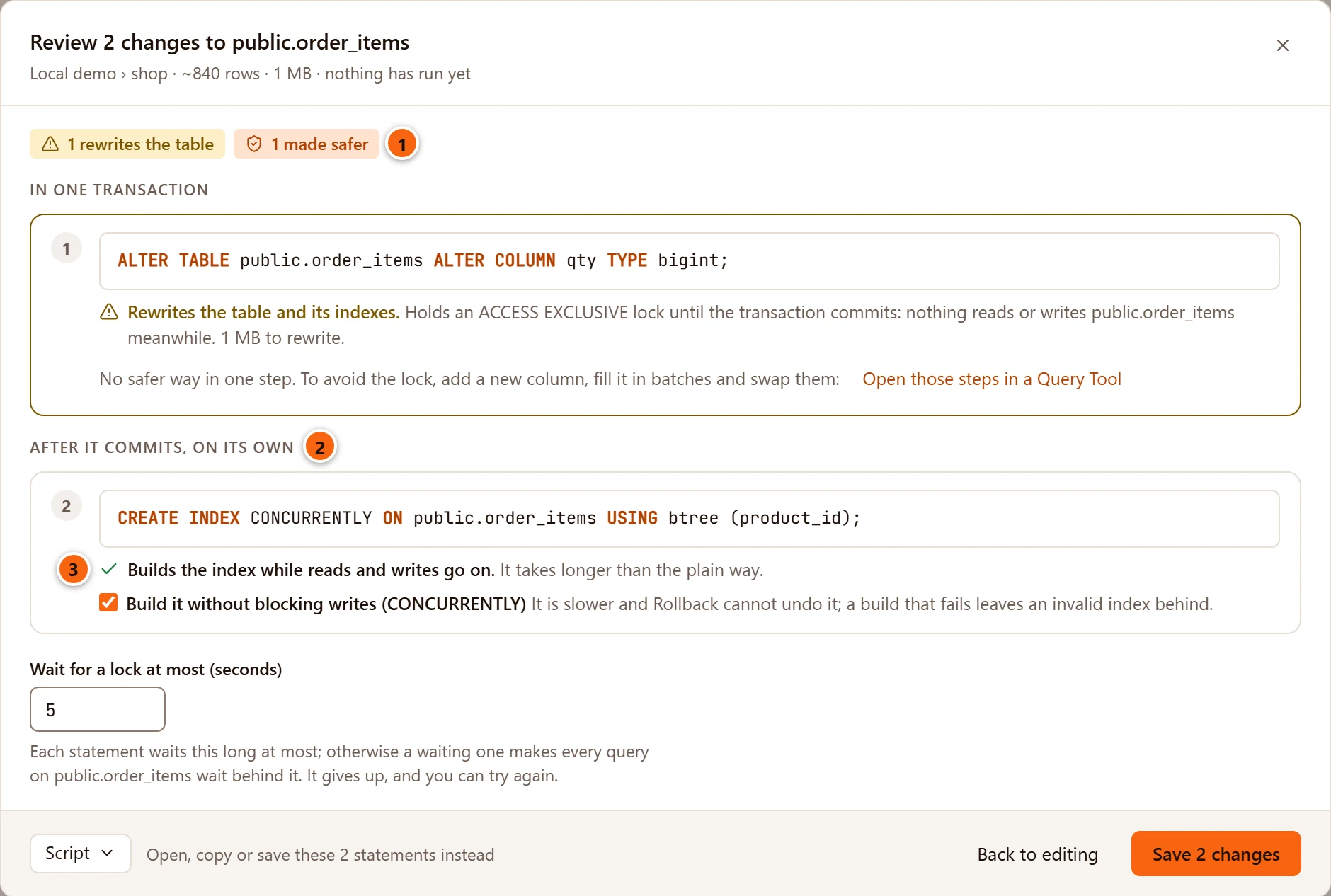
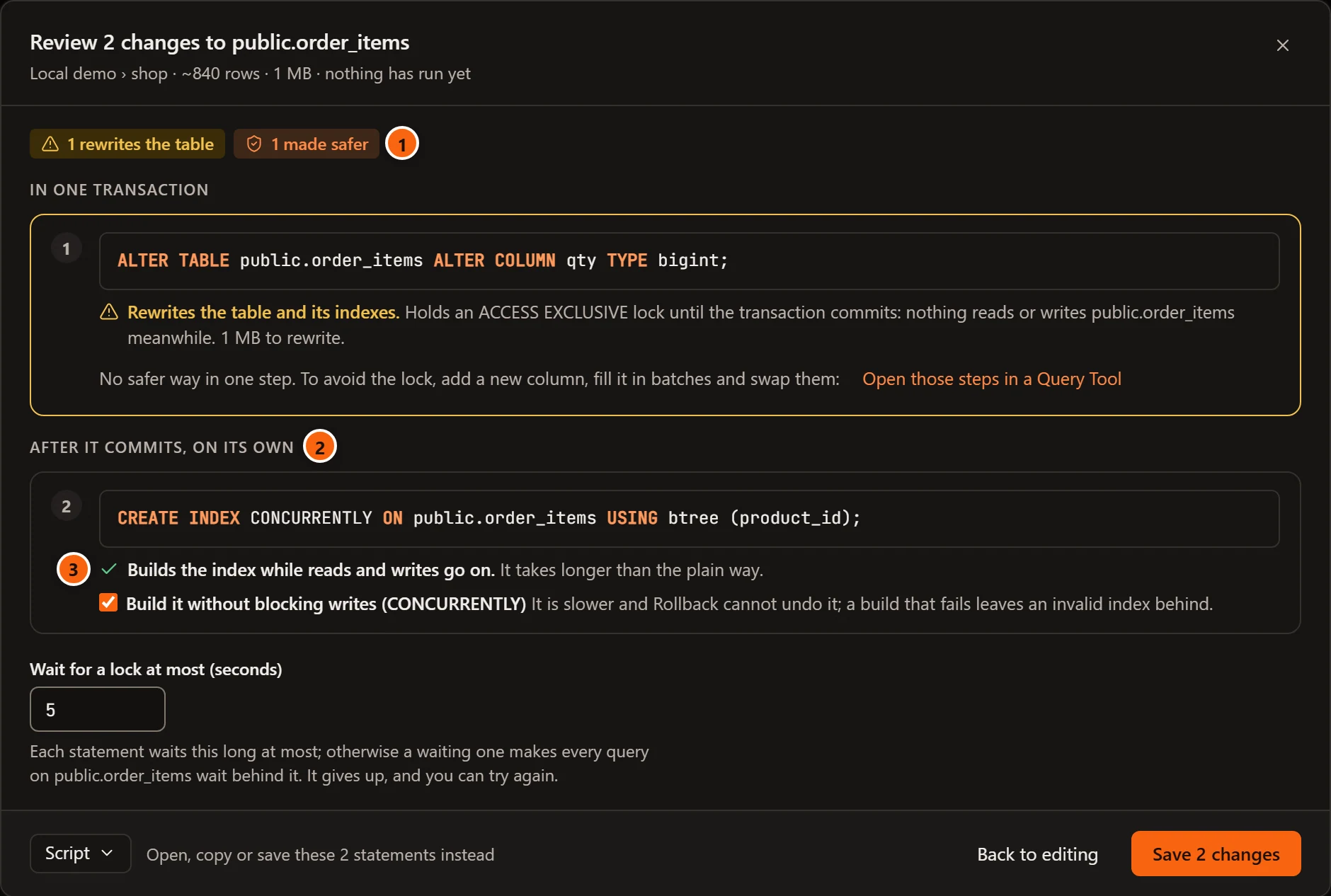
- 1 1 made safer counts the changes you are making the safer way.
- 2 After it commits, on its own: the safer statements leave the transaction and run after it, one at a time.
- 3 Each says what it does instead, here Builds the index while reads and writes go on.
| Checkbox | What it does instead |
|---|---|
| Build it without blocking writes (CONCURRENTLY) | CREATE INDEX CONCURRENTLY after the commit. It is slower, Rollback cannot undo it, and a build that fails leaves an invalid index behind. |
| Drop it without blocking reads and writes (CONCURRENTLY) | DROP INDEX CONCURRENTLY after the commit. It waits for queries on the table to finish. |
| Check the rows after the commit, while writes go on (NOT VALID, then VALIDATE) | The constraint is added NOT VALID in the transaction, so new rows are checked at once, and VALIDATE CONSTRAINT checks the rows already there after the commit. |
| Look for NULLs after the commit, while writes go on, then set NOT NULL | A NOT VALID check that the column is not null is added and validated after the commit. SET NOT NULL then reads nothing, and the check is dropped. |
On a table at least as large as
SettingsSafetyChanging a table in its tabChoose the safer way on tables over (see
Settings), the boxes start ticked and add
Chosen for you on a table this size. Set that setting to 0 to have them chosen on every table. You can still
untick them.
The way out of a rewrite
Section titled “The way out of a rewrite”Changing a column’s type often makes PostgreSQL rewrite the table (integer to bigint, for example), and no single
statement avoids that. The review then says No safer way in one step. To avoid the lock, add a new column, fill it
in batches and swap them: and offers Open those steps in a Query Tool.
That closes the sheet and opens a new Query Tool on the table’s database with a script for you to run by hand, one step at a time. Save never runs it. The steps:
- Add a new column of the new type beside the old one (a brief lock, no rewrite).
- Create a trigger, and its function, that copies the old column into the new one for every row written from then on.
- Fill the rows already there, 10,000 at a time, each batch in a transaction of its own. Run it again until it updates 0 rows.
- Make the indexes, constraints, default and
NOT NULLof the old column on the new one, change the views that read it, and check that every row is filled. - Swap the two in one brief transaction: drop the trigger and its function, rename the old column to end in
_oldand give the new one the old name. - Once nothing reads the old column, drop it.
The column ends up last in the table. Take the type change out of the tab (put the old type back, or Discard) before you save anything else there.
Wait for a lock
Section titled “Wait for a lock”Even an instant statement must wait until the queries already using the table finish. While it waits, PostgreSQL makes every new query on the table wait behind it, so a long report can stall an application through one rename. Wait for a lock at most (seconds) prevents that: a statement that cannot get its lock in time gives up, the transaction rolls back, nothing has changed, and you can try again later. The wait applies to each statement, and to what Save checks before them.
The field starts at the value of SettingsSafetyChanging a table in its tabGive up waiting for a lock after (see Settings). It takes 0.1 seconds to an hour; outside that it says Wait 0.1 seconds to an hour. and the save button stays off. Under it the sheet names what would queue: Each statement waits this long at most; otherwise a waiting one makes every query on public.order_items wait behind it. It gives up, and you can try again.
The field shows whenever a statement takes a lock. That includes a view and a sequence, which are locked while they change; each statement’s line names its lock. A change that locks nothing, such as a role’s, has no such field.
On a server that asks first
Section titled “On a server that asks first”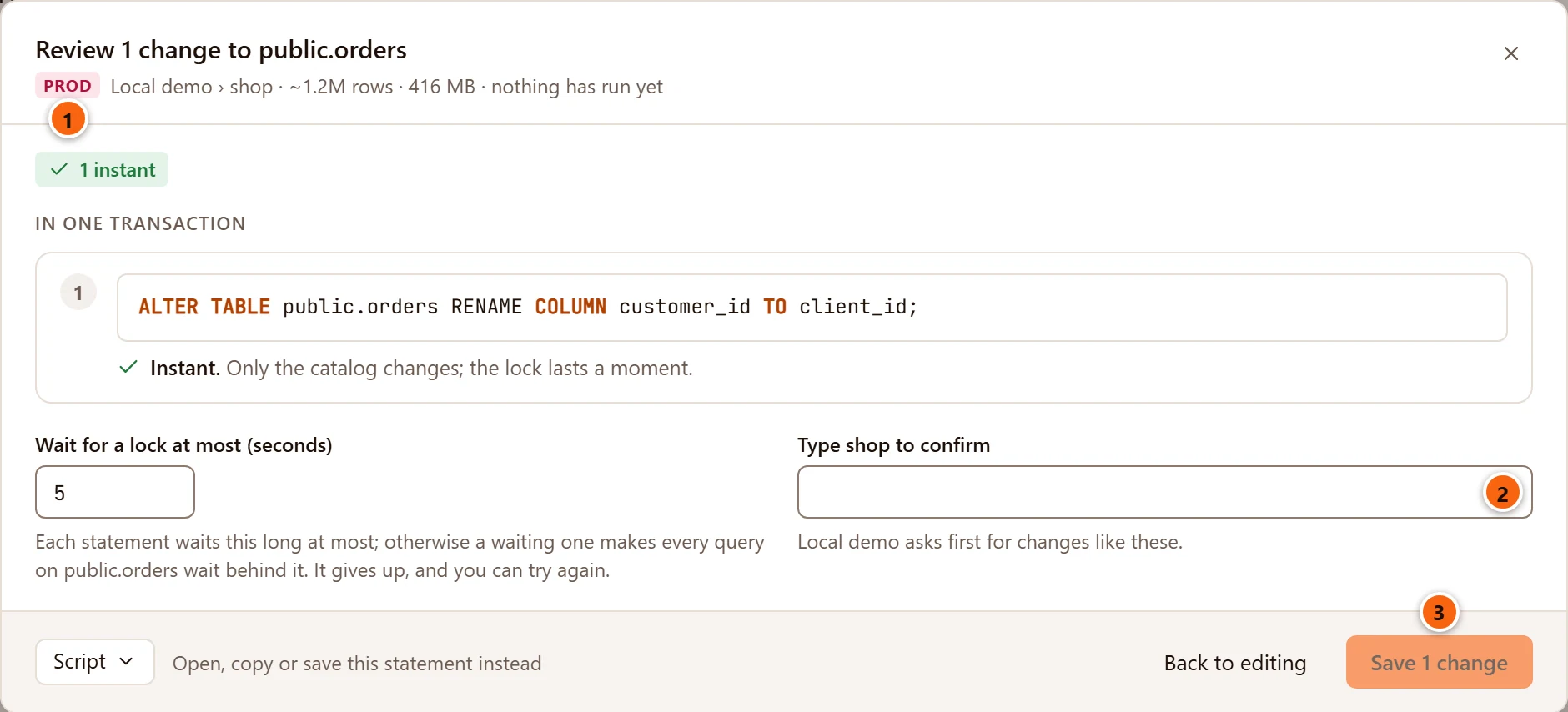
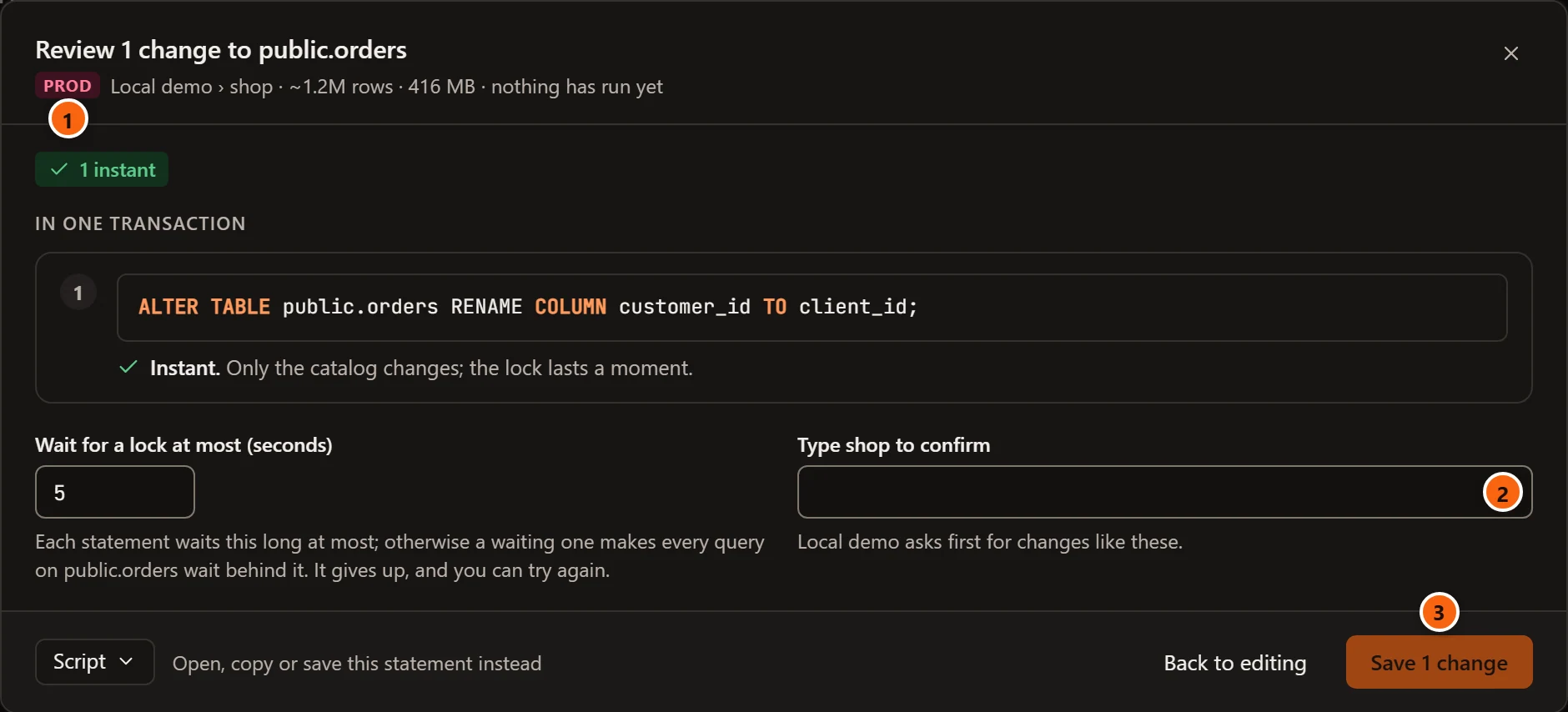
- 1 The server’s environment tag, PROD or STAGING, before its name.
- 2 Type shop to confirm: type the database’s name exactly. The helper under it says the server asks first for changes like these. The sheet opens with the keyboard in this field. pgjumbo checks the name again before anything runs.
- 3 The save button stays off until the name matches.
On such a server Save always opens the review, even when every statement is instant. Which servers ask, and what else changes on them, is in Production servers.
A table that a Prisma project manages
Section titled “A table that a Prisma project manages”When the database is linked to a repository with a Prisma project, and a model of its schema.prisma is mapped to the
table, Save always opens the review. A note on the sheet says Prisma manages this table, with the model and its
file, and why a change made here would later stop prisma migrate dev with drift. The sheet then has two buttons in
place of one: Save as a Prisma migration…, which writes the change into your repository and runs nothing here, and
Run it here anyway, which saves as this page describes. Both, and the setting that chooses which comes first, are
in Save a change as a Prisma migration. pgjumbo itself never runs a migration.
Script instead of saving
Section titled “Script instead of saving”Script at the bottom of the sheet holds the statements in the order Save would run them, with the safer ways you ticked. Open in Query Tool opens them in a new Query Tool on the object’s database and closes the sheet, for example to run them at a quieter time. Copy and Save to file… work as described in The Script menu. The statements meant for after the commit are in the script too, so run those outside a transaction.
When a save goes wrong
Section titled “When a save goes wrong”A failed save shows in red in the tab’s pending bar. When you saved from the review sheet, the error shows at the bottom of the sheet instead and the sheet stays open, so you can change the wait or a safer way and save again.
A statement in the transaction fails
Section titled “A statement in the transaction fails”Nothing was saved. PostgreSQL rolled the transaction back, the server’s error shows, and your changes are still in the tab.
pgjumbo stopped waiting for a lock
Section titled “pgjumbo stopped waiting for a lock”When a statement, or one of Save’s checks before them, cannot get its lock within the wait, PostgreSQL ends it and nothing was saved. pgjumbo adds its own words to the server’s error: pgjumbo stopped waiting for a lock. On the sheet a note explains it: Save waits at most that many seconds for the lock on the object, so it never holds up the queries queued behind it, and another session held the lock longer. In the pending bar the same title stands before the server’s message.
Wait longer in the review’s field, look for the session that holds the lock in the server’s Activity, or save at a quieter time. Show me, on the sheet’s note and in the bar, opens Settings on Give up waiting for a lock after; on the sheet it closes the sheet first, and your changes stay in the tab (see Help inside pgjumbo).
The same can happen before the sheet has anything to show: working out what each statement does reads the table, and waits for a lock no longer than the setting says. The sheet then shows the error in place of the statements, under the same title, with a note in Review’s own words: Review waits at most that many seconds for the lock while it works out what each statement will do, another session held it longer, and nothing was run. Show me opens the setting there too.
The object changed meanwhile
Section titled “The object changed meanwhile”If someone changed the object after your tab read it, nothing runs, the sheet closes, and the pending bar says what changed. See When the object changed meanwhile.
A step after the commit fails
Section titled “A step after the commit fails”The statements after the commit run one at a time. If one fails, pgjumbo stops there: what ran before it stays saved, and nothing after it runs. The sheet closes, the tab reads the object again, and the bar says which statement failed:
| The bar says | What happened |
|---|---|
| Statement 4 failed after the others were saved: and the server’s message | The statements before it ran and are saved. The fourth and those after it did not run. |
| Statement 1 of 1 failed; nothing was saved: and the server’s message | The save had no statement in the transaction, and its first step after the commit failed, so nothing ran before it. A lone CREATE INDEX CONCURRENTLY that fails reads this way. |
The changes that did not run are no longer waiting in the tab, because the tab now shows the object as the server has it. Make them again, and save.
An invalid index
Section titled “An invalid index”A CREATE INDEX CONCURRENTLY or DROP INDEX CONCURRENTLY that fails leaves an invalid index behind. Queries do not use
it, but every write still keeps it up to date. Two things then show in the table’s tab:
- The Structure view tags the index Invalid in its Indexes list, until it is dropped. Hover over the tag to read why.
- The pending bar has a Drop the invalid index… button beside the error.
Drop the invalid index… asks Drop the invalid index followed by the index’s name, explains that it is dropped
CONCURRENTLY so writes go on meanwhile, and on a server that asks first wants the database’s name typed.
Drop index runs DROP INDEX CONCURRENTLY IF EXISTS once it has checked the index is still invalid. If it is valid
now, or gone, you are told there is nothing to drop. The bar then says Dropped the invalid index and its name.
Build the index again from the Structure view once it is gone.
The button goes away with the error, as soon as you change something in the tab or read the table again. The Invalid tag stays. To drop the index then, delete it in the Indexes list and save.