

Before you deploy
When migrations wait in a linked folder, What the 3 pending will do here says what each of their statements will do on this server: the lock it takes, the work it does against this server’s tables, a safer way where there is one, and what would fail.
pgjumbo only looks. Each statement is read inside a transaction that is rolled back, and the migrations never run. You deploy them with your tool, as you always do.
Open the forecast
Section titled “Open the forecast”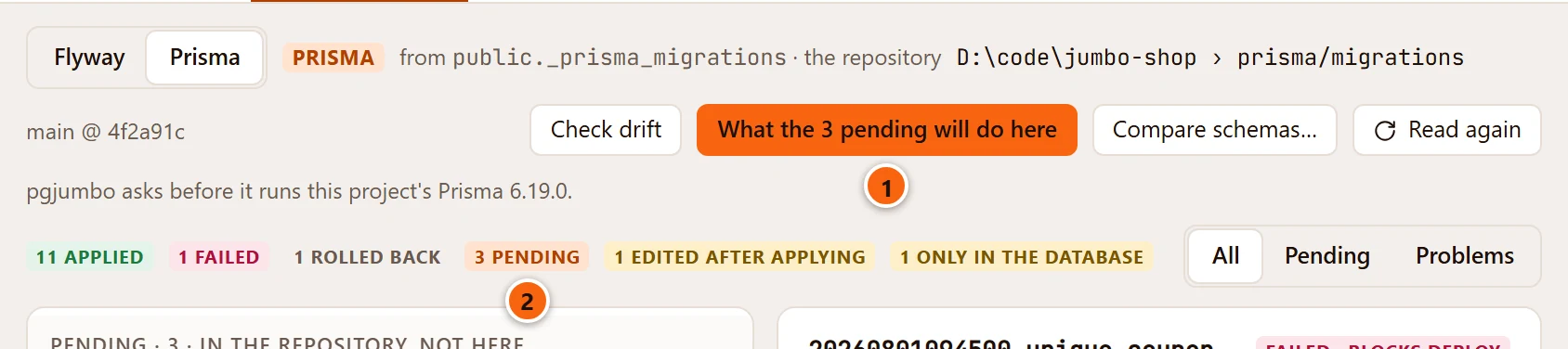
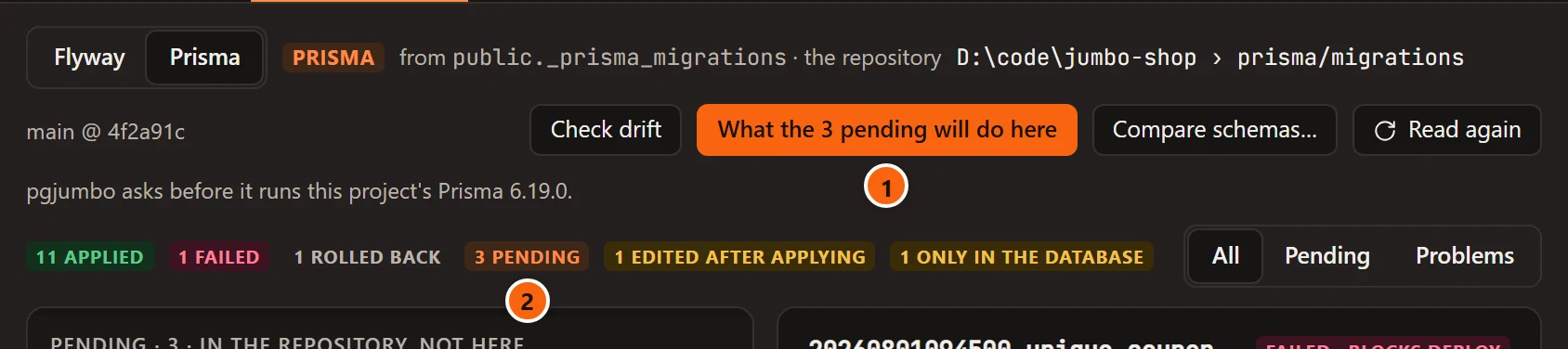
- 1 What the 3 pending will do here, in the database’s Migrations view. The number is how many migrations wait.
- 2 The same number, among the counts.
The button shows when two things are true: the linked folder’s migrations are SQL files (Prisma, Drizzle, Flyway or golang-migrate), and at least one is pending on this database.
The forecast is for the server whose tab you are in. Sizes and row counts differ between servers, so open the database on Production to see what the migrations that wait there will do there. The folder has to be linked to the database on that server too, which the link dialog offers.
Read the sheet
Section titled “Read the sheet”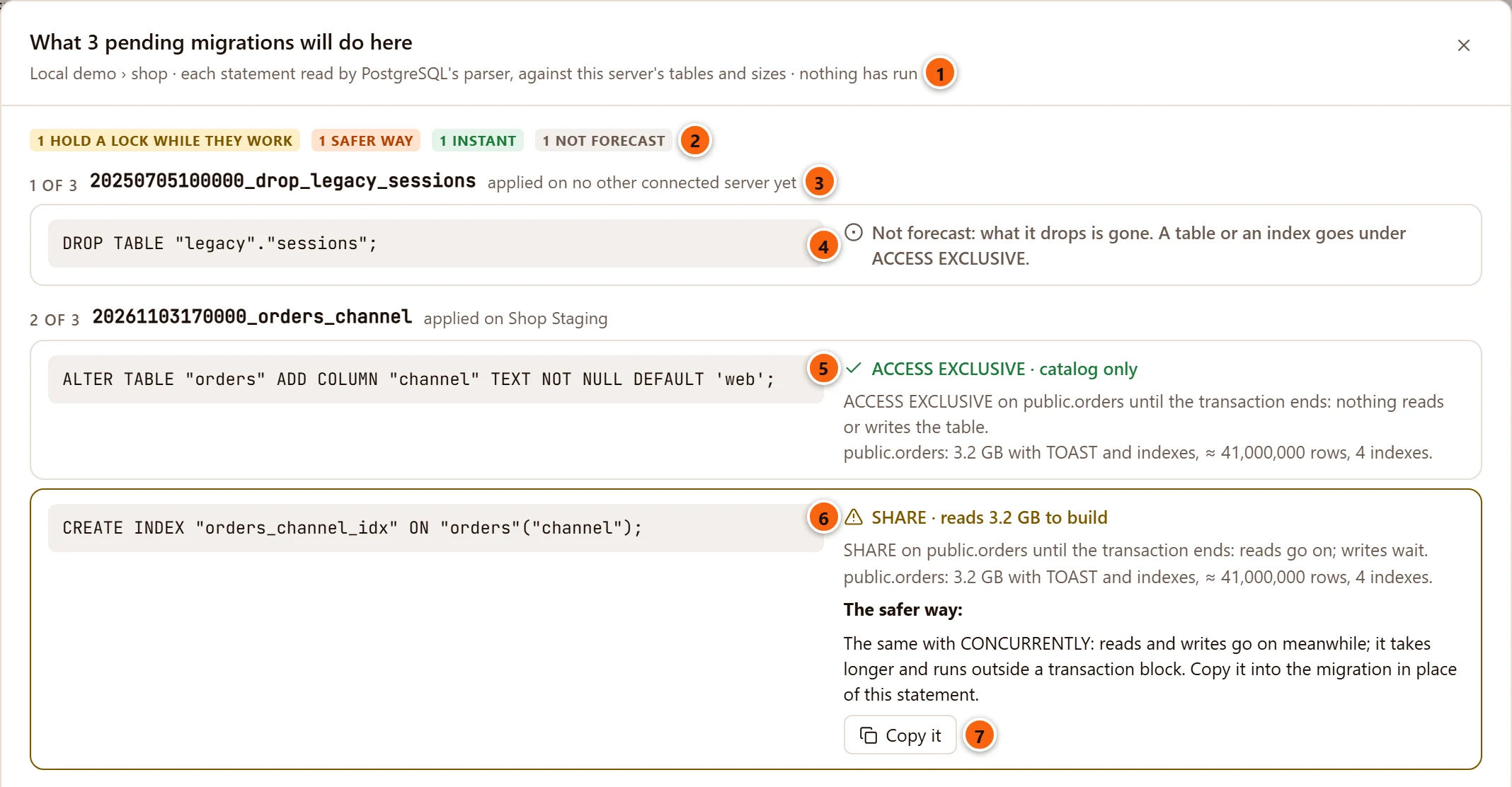
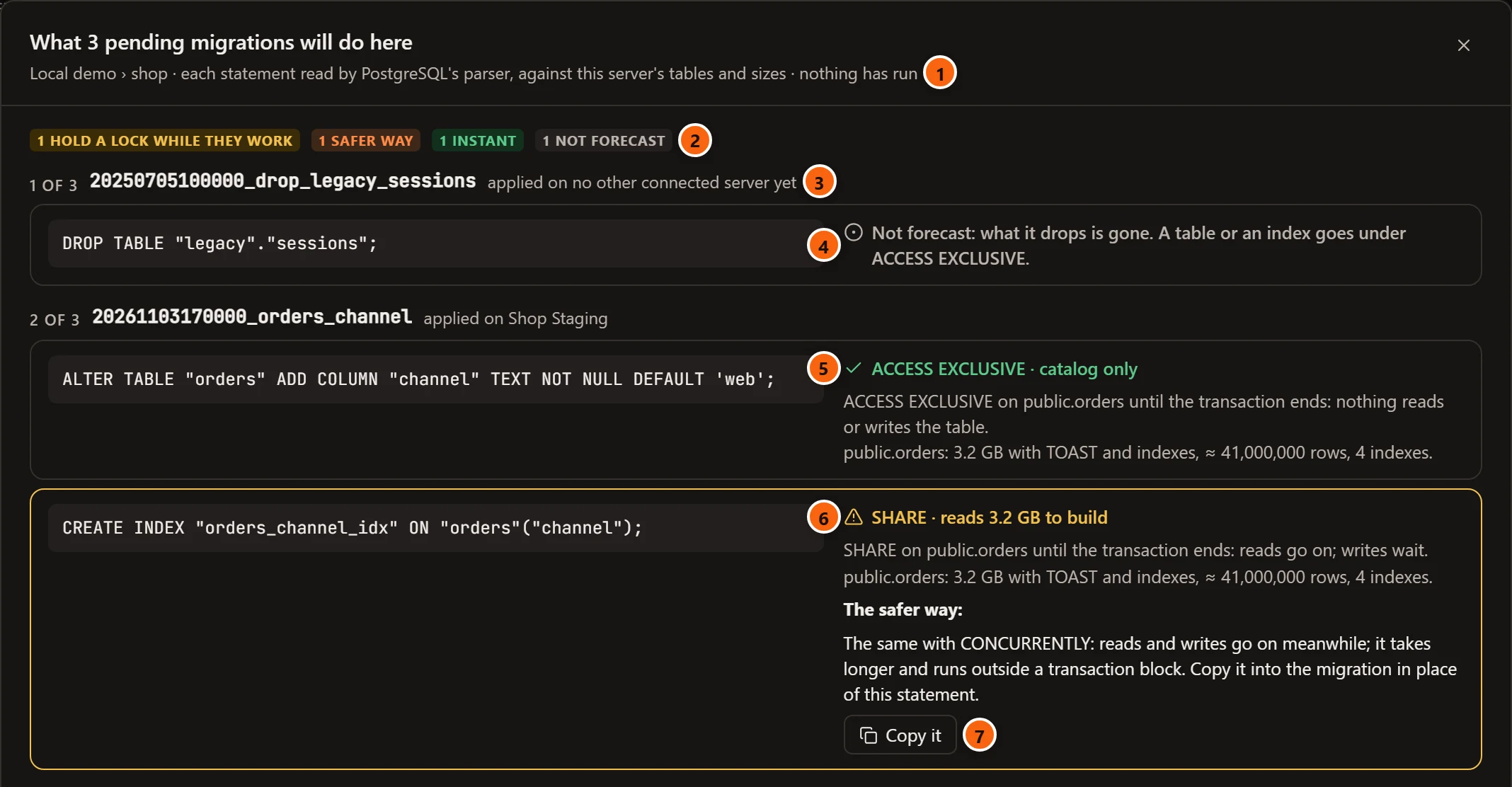
- 1 The server and the database the forecast is for, and a reminder: nothing has run.
- 2 The counts over all statements.
- 3 A pending migration: its place in the order they will run, its name, and where else it is applied.
- 4 A statement pgjumbo does not forecast says why, in grey.
- 5 A green tick: the statement is instant. The line names the lock and the work.
- 6 A warning sign, and an outlined card: reads or writes wait while the statement works.
- 7 The safer way, with Copy it.
Each statement has a card: its SQL on the left, what it will do on the right. A migration’s own BEGIN and COMMIT
are left out. They change nothing themselves, and each statement between them says how long it holds its lock.
While pgjumbo reads, the sheet says Reading each statement against this server’s tables…. With nothing waiting, it says Nothing is pending: the repository’s migrations are all applied here.
The lock and the work
Section titled “The lock and the work”The first line on the right names the lock the statement takes and the work it does, for example SHARE · reads 3.2 GB to build. Under it, in grey, come the details.
| The line says | What the statement does |
|---|---|
| catalog only | Changes the catalog and touches no row. |
| reads all and a size | Reads every row, for example to check a constraint. |
| reads a size to build | Builds an index over the table. |
| rebuilds some indexes | Builds indexes again, as REINDEX does. |
| rewrites a size | Writes the whole table again. Its indexes are rebuilt too, and the line says how many. |
| copies a size | Copies the table, for example to another tablespace. |
| may rewrite a size | Might write the table again. Whether it does could not be tried on this server, and a line in the details says why. |
| also locks another table | Takes a lock on a second table too. |
| fails on a table with rows | Will stop with an error here. See What would fail. |
The details say what the lock means for other sessions, and how big the table is on this server.
| Lock | While it is held |
|---|---|
ACCESS EXCLUSIVE |
Nothing reads or writes the table. |
SHARE, SHARE ROW EXCLUSIVE |
Reads go on. Writes wait. |
SHARE UPDATE EXCLUSIVE |
Reads and writes go on. Other changes to the table and VACUUM wait. |
ACCESS SHARE |
Only a change that locks the whole table waits. |
The lock is held until the transaction ends, or until it ends for a statement that PostgreSQL runs outside a transaction block. The table’s line gives its size with TOAST and indexes, its estimated rows and its number of indexes: public.orders: 3.2 GB with TOAST and indexes, ≈ 41,000,000 rows, 4 indexes. pgjumbo never guesses a time.
pgjumbo forecasts changes to a table’s structure: ALTER TABLE, CREATE INDEX, DROP INDEX, REINDEX,
CREATE TRIGGER, a rename, a move to another schema, VACUUM FULL and CLUSTER. It is the forecast the Query Tool
shows under a statement, described in Before a statement runs.
Instant, or not
Section titled “Instant, or not”Instant means the statement holds no lock while it works: once it has its lock, only the catalog changes. A statement on a table the migration itself makes, or one that makes a new type, is instant too, and says so: Instant: a new, empty table, Instant: its table is new and empty, Instant: a type, kept in the catalog.
An index built CONCURRENTLY lets reads and writes go on, but it works for as long as the build takes. It is not
counted as instant. It gets no warning either: its line has a grey mark.
The safer way
Section titled “The safer way”Where a statement has a safer way, the card says it under The safer way: and offers Copy it.
| The statement | The safer way |
|---|---|
CREATE INDEX, DROP INDEX, REINDEX |
The same with CONCURRENTLY: reads and writes go on meanwhile; it takes longer and runs outside a transaction block. |
| Adding a constraint that checks every row | Add it NOT VALID, then VALIDATE: a moment’s lock, then the rows are checked while writes go on. |
SET NOT NULL |
A check, validated while writes go on, then SET NOT NULL with no scan. |
| Changing a column’s type, when that rewrites the table | Steps that change the type without holding ACCESS EXCLUSIVE while the table is rewritten. |
Copy it puts the safer script on the clipboard, and the button reads Copied. The script starts with a comment that says what it does and what to watch for. Paste it into the migration in place of the statement. Nothing opens it or runs it here.
For a partitioned table, CONCURRENTLY is offered only for REINDEX, on PostgreSQL 14 or later.
What would fail
Section titled “What would fail”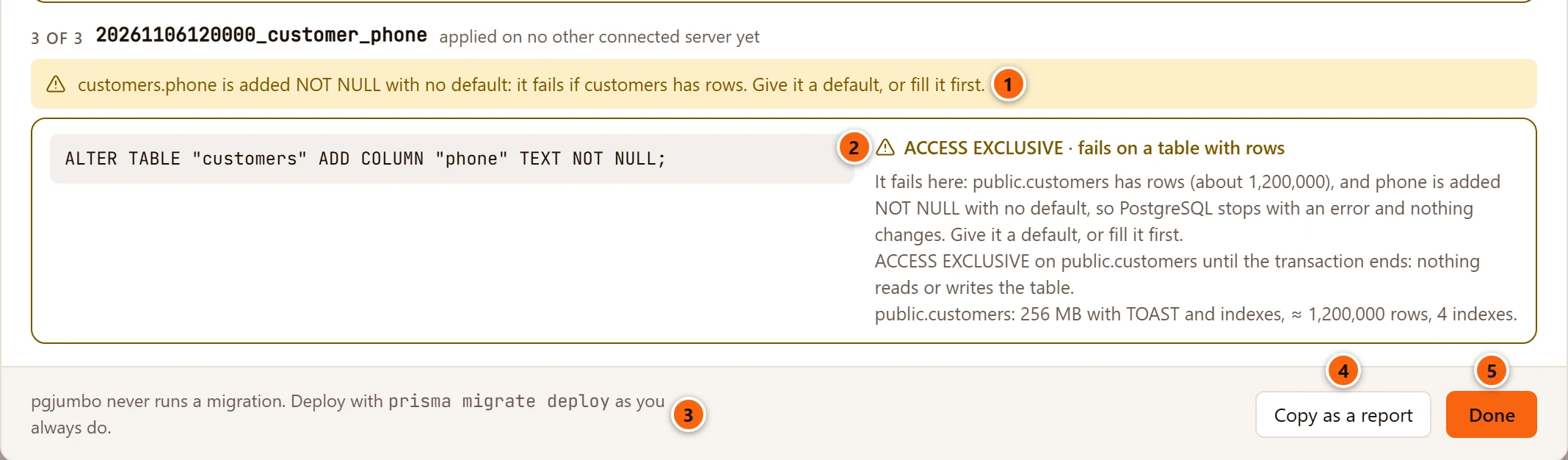
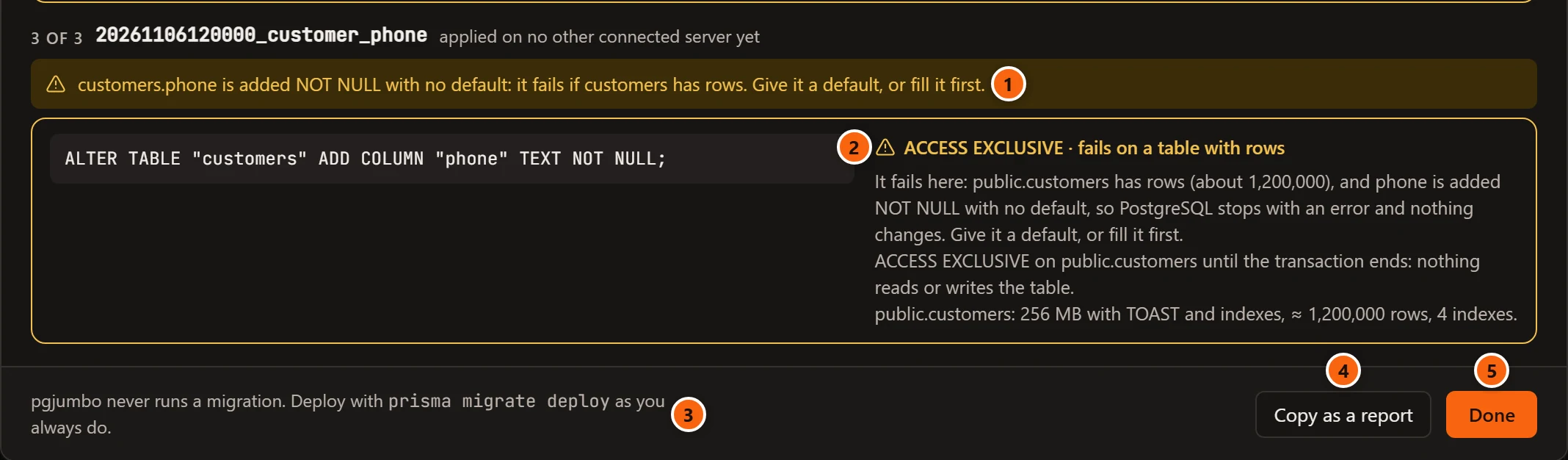
- 1 A migration’s traps are said under its name, before its statements.
- 2 A column added
NOT NULLwith no default fails if the table already has rows. The line says so, and the details say how many rows the table has here. It is not counted as instant. On a table with no rows it is. - 3 The foot names your tool’s own deploy command. pgjumbo never runs it.
- 4 Copy as a report.
- 5 Done closes the sheet. So do × and Esc.
What is not forecast
Section titled “What is not forecast”A statement pgjumbo does not forecast says so, and is never counted as instant.
| The line says | For |
|---|---|
| Not forecast: it changes rows. How long it holds its locks depends on how many. | UPDATE, DELETE, INSERT, MERGE |
| Not forecast: TRUNCATE empties the table under ACCESS EXCLUSIVE. | TRUNCATE |
| Not forecast: what it drops is gone. A table or an index goes under ACCESS EXCLUSIVE. | DROP TABLE and other drops. DROP INDEX is forecast. |
| Not forecast: pgjumbo forecasts changes to the tables that are here. | A change to a table that is not in this database |
| Not forecast: pgjumbo forecasts changes to a table’s structure. | Any other statement |
| It does not parse: and PostgreSQL’s reason | A file that is not valid SQL |
| Not forecast: the file could not be read. or the file is over 2 MB. | A migration file pgjumbo could not read. It keeps its place in the list. |
The counts
Section titled “The counts”| Count | What it counts |
|---|---|
| hold a lock while they work | Forecast statements that make reads or writes wait while they do more than change the catalog, or that may rewrite the table. |
| safer way | Statements with a safer way to copy. |
| instant | Statements that hold no lock while they work. |
| not forecast | Statements pgjumbo did not forecast. |
A count of none is left out. A statement that would fail is in none of them: it has its own line.
Where else it is applied
Section titled “Where else it is applied”After each migration’s name, the sheet says which of your other connected servers have applied it already, for example applied on Shop Staging, or applied on no other connected server yet. It reads the history table of the database with the same name on each of them, on a connection of its own. With no other server connected, it says nothing.
On a Production server
Section titled “On a Production server”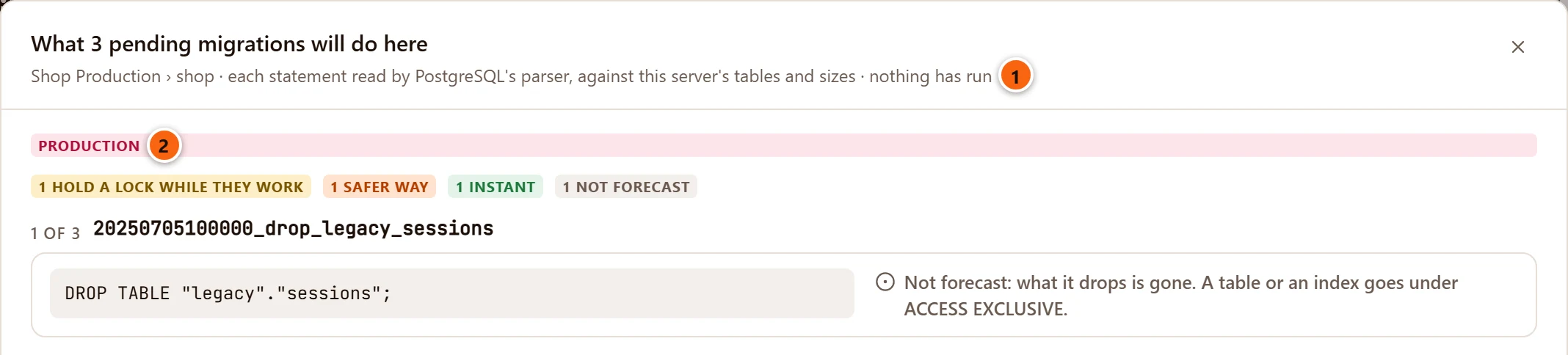
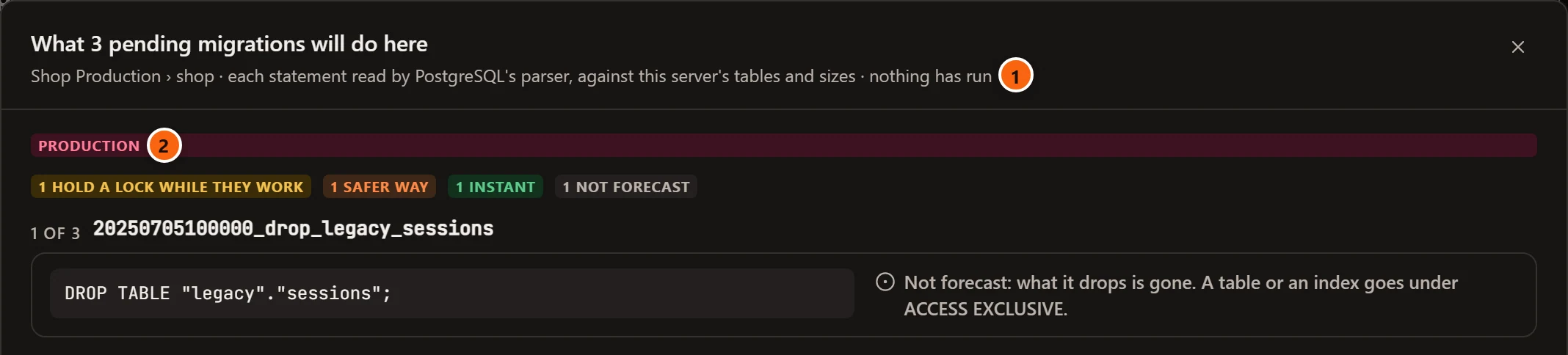
- 1 The server the forecast was read on.
- 2 On a server tagged Production, the sheet carries a Production tag.
The forecast is read the same way on every server. On Production too, each statement is looked at inside a transaction that is rolled back, and the look is short: see What pgjumbo does to make the forecast.
Copy as a report
Section titled “Copy as a report”Copy as a report copies the whole forecast as plain text, for a pull request or a message to whoever deploys. The button reads Copied. The report has everything the sheet says: each migration with where else it is applied, its traps after Careful:, each statement with its line and details, and each safer way with its script.
What 3 pending migrations will do on Local demo › shop
1 of 3: 20250705100000_drop_legacy_sessions (applied on no other connected server yet)  DROP TABLE "legacy"."sessions";    Not forecast: what it drops is gone. A table or an index goes under ACCESS EXCLUSIVE.
2 of 3: 20261103170000_orders_channel (applied on Shop Staging)  ALTER TABLE "orders" ADD COLUMN "channel" TEXT NOT NULL DEFAULT 'web';    ACCESS EXCLUSIVE · catalog only    ACCESS EXCLUSIVE on public.orders until the transaction ends: nothing reads or writes the table.    public.orders: 3.2 GB with TOAST and indexes, ≈ 41,000,000 rows, 4 indexes.  CREATE INDEX "orders_channel_idx" ON "orders"("channel");    SHARE · reads 3.2 GB to build    SHARE on public.orders until the transaction ends: reads go on; writes wait.    public.orders: 3.2 GB with TOAST and indexes, ≈ 41,000,000 rows, 4 indexes.    The safer way: The same with CONCURRENTLY: reads and writes go on meanwhile; it takes longer and runs outside a transaction block. In the migration, in place of this statement:      CREATE INDEX CONCURRENTLY "orders_channel_idx" ON "orders"("channel");
3 of 3: 20261106120000_customer_phone (applied on no other connected server yet)  Careful: customers.phone is added NOT NULL with no default: it fails if customers has rows. Give it a default, or fill it first.  ALTER TABLE "customers" ADD COLUMN "phone" TEXT NOT NULL;    ACCESS EXCLUSIVE · fails on a table with rows    It fails here: public.customers has rows (about 1,200,000), and phone is added NOT NULL with no default, so PostgreSQL stops with an error and nothing changes. Give it a default, or fill it first.    ACCESS EXCLUSIVE on public.customers until the transaction ends: nothing reads or writes the table.    public.customers: 256 MB with TOAST and indexes, ≈ 1,200,000 rows, 4 indexes.
What pgjumbo does to make the forecast
Section titled “What pgjumbo does to make the forecast”pgjumbo reads each pending migration’s file from the linked folder and splits it into statements with PostgreSQL’s own parser. For each statement it opens a transaction on this server, looks, and rolls the transaction back. A look waits at most half a second for a lock and runs for at most two seconds. Where the only way to learn whether a change rewrites the table is to try it, pgjumbo tries it on an empty temporary copy of the table, inside that same transaction. Your table and its rows are not changed.
A tool that works in a schema of its own, such as a Prisma schema in the connection’s address, has its statements
looked up in that schema.
The Assistant’s migration card opens the same sheet for a migration it proposed, with See what it will do. See The Assistant and your migrations.