

The Assistant and your migrations
Where pgjumbo found a database’s migrations and your project’s repository is linked to it, the Assistant answers questions about them: which migration made a column and why, what the pending ones will do on a server, what failed. It can also write a Prisma migration for you. That migration comes as a card; you save it into your repository yourself, and deploy it as you always do.
The Assistant never runs a migration, a migration tool or one of a tool’s commands, and never writes to a tool’s history table. It never writes into your repository either: the only thing written there is a migration you save from its card.
What pgjumbo shows of a database’s migrations, and how the repository is linked, are on A database’s migrations and Link a repository.
Ask from the Migrations view
Section titled “Ask from the Migrations view”Open the Assistant (⌘ J (Ctrl+J on Windows and Linux)) while a database’s tab is on its Migrations view, or a table’s tab on its History view. The message box then says Ask about this database, its models or its migrations…, and under it chips say what goes with your next message.
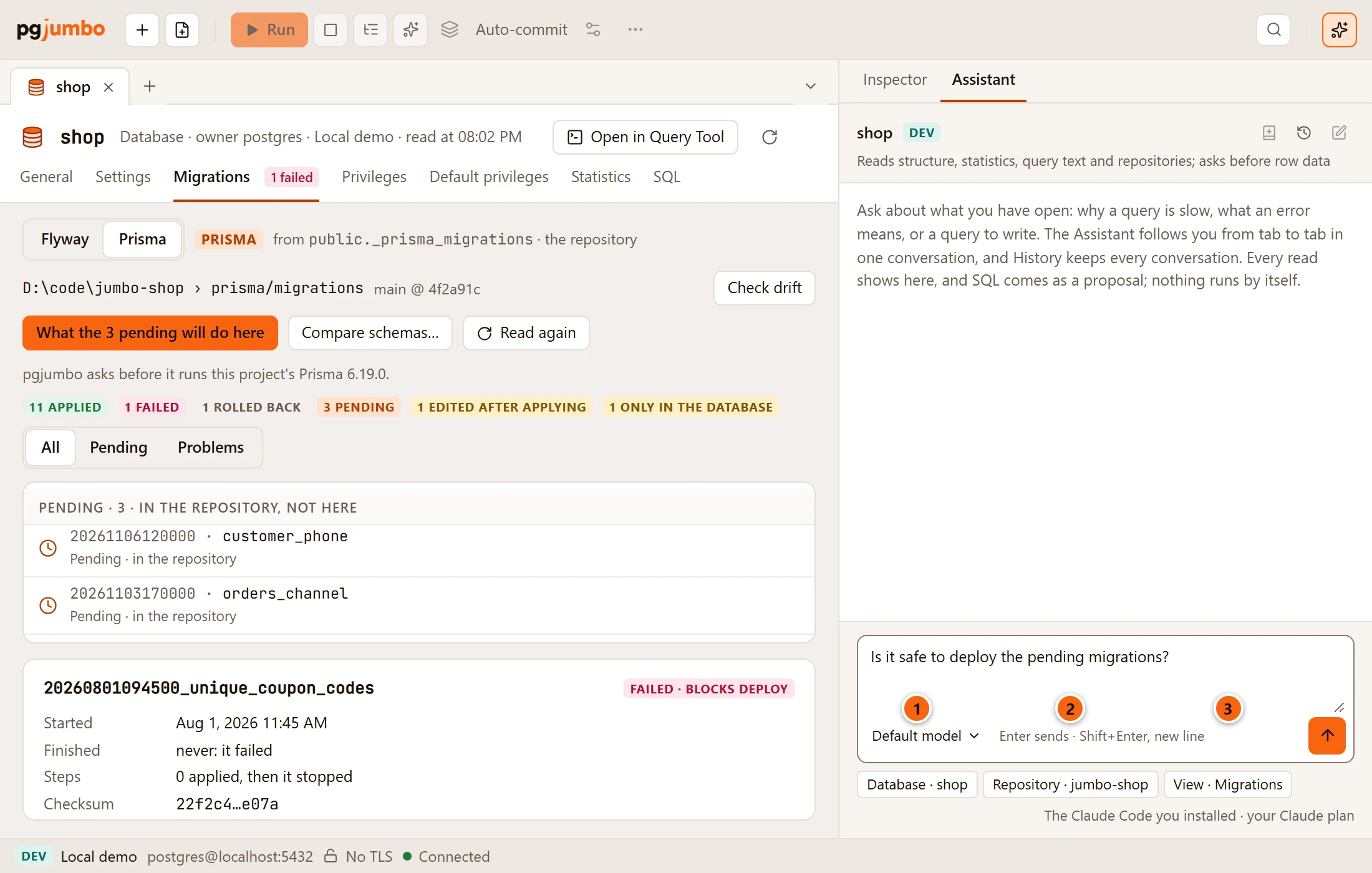
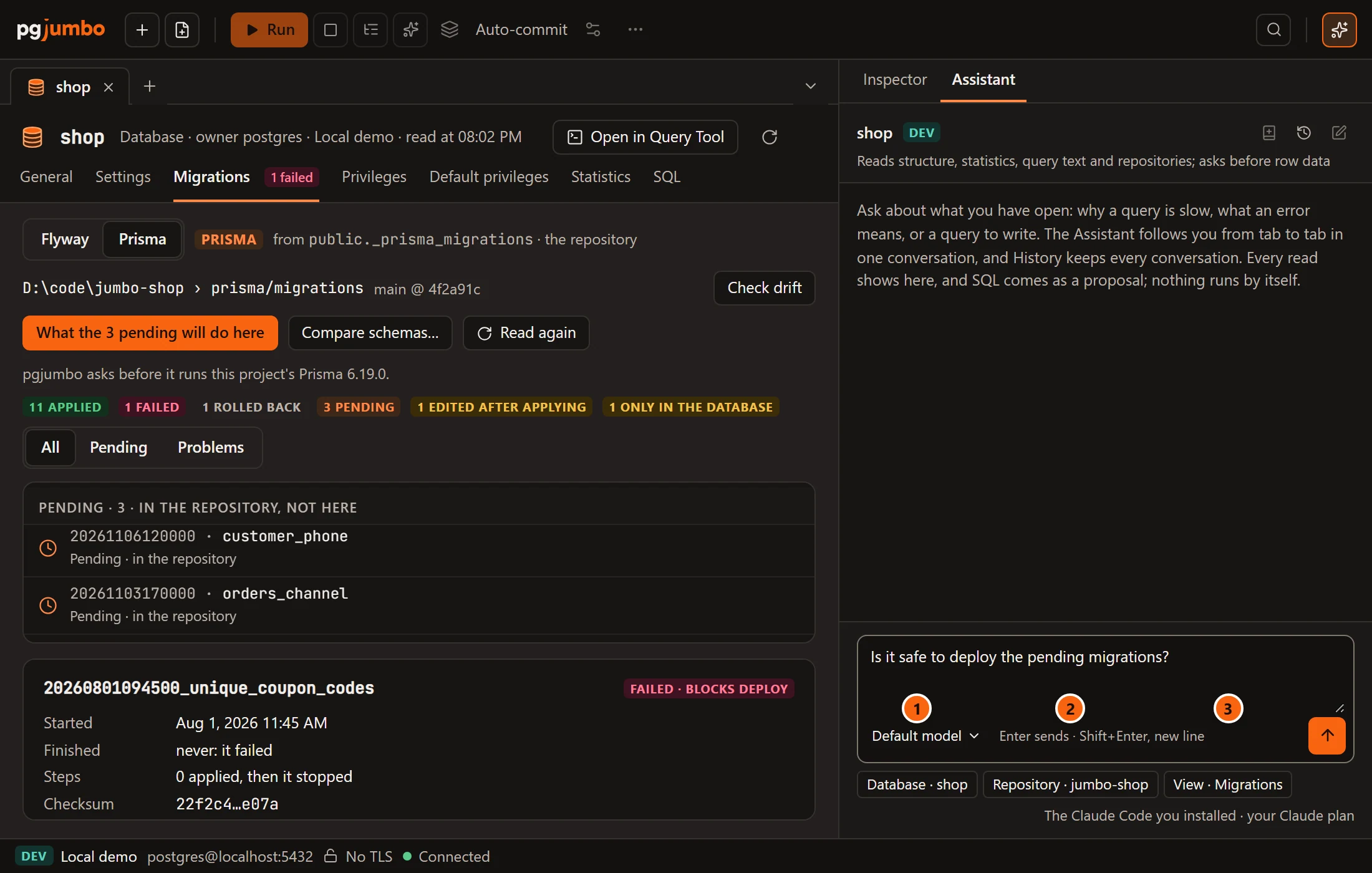
- 1 Database · shop: the database the view belongs to. On a table’s History view it is Table · public.orders.
- 2 Repository · jumbo-shop: the repository linked to that database. It shows only when a repository is tied to the database and Read in conversations about these databases is ticked for it (see Code repositories).
- 3 View · Migrations, or View · History on a table’s tab: the view you ask from.
Click a chip to leave that part out of the next message, and click it again to send it; its tooltip says which it is. The chips you sent stay under your question in the conversation. How the box and the other chips work is on Ask the Assistant.
What it answers
Section titled “What it answers”You can ask anything, in your own words. Three questions it is made for:
| You ask | What the Assistant does |
|---|---|
| Why does a column exist? | It finds the migrations that touched the table, and the one that added the column, read from the migrations’ SQL by PostgreSQL’s parser, then reads that migration’s file. Where the repository is a folder on this computer kept with git, it also says who committed the migration, when, and with what message. |
| Is it safe to deploy? | It forecasts each pending migration’s statements against the server’s own tables and their sizes: the lock each takes, whether writes wait, the work it does, and a safer way where there is one. Name another connected server that has the database, such as your Production server, to have the forecast for that one. Nothing runs, and nothing is tried on a copy. |
| What failed? | It sees which migration failed and when, from the database’s history. It is not given the failure’s log, which can hold values from your rows: read that in the Migrations view. |
Reading what a migration did to a table needs migrations written as SQL files: Prisma’s, Drizzle’s, Flyway’s or golang-migrate’s.
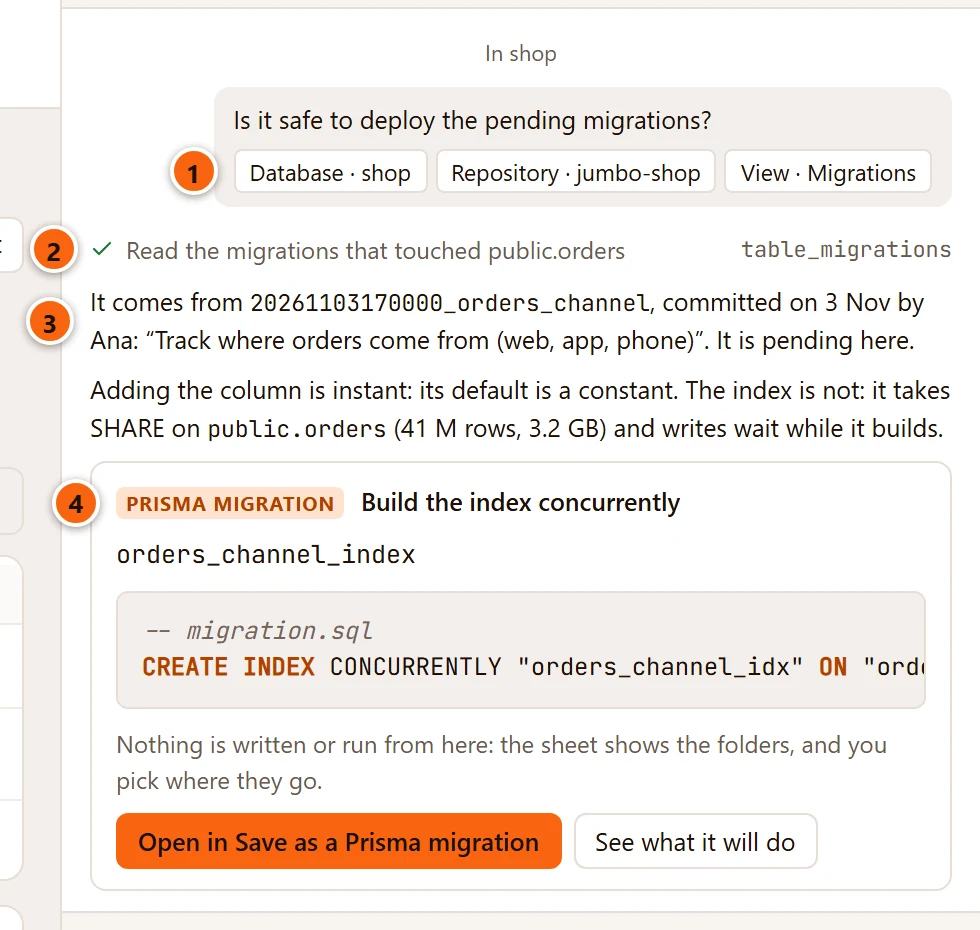
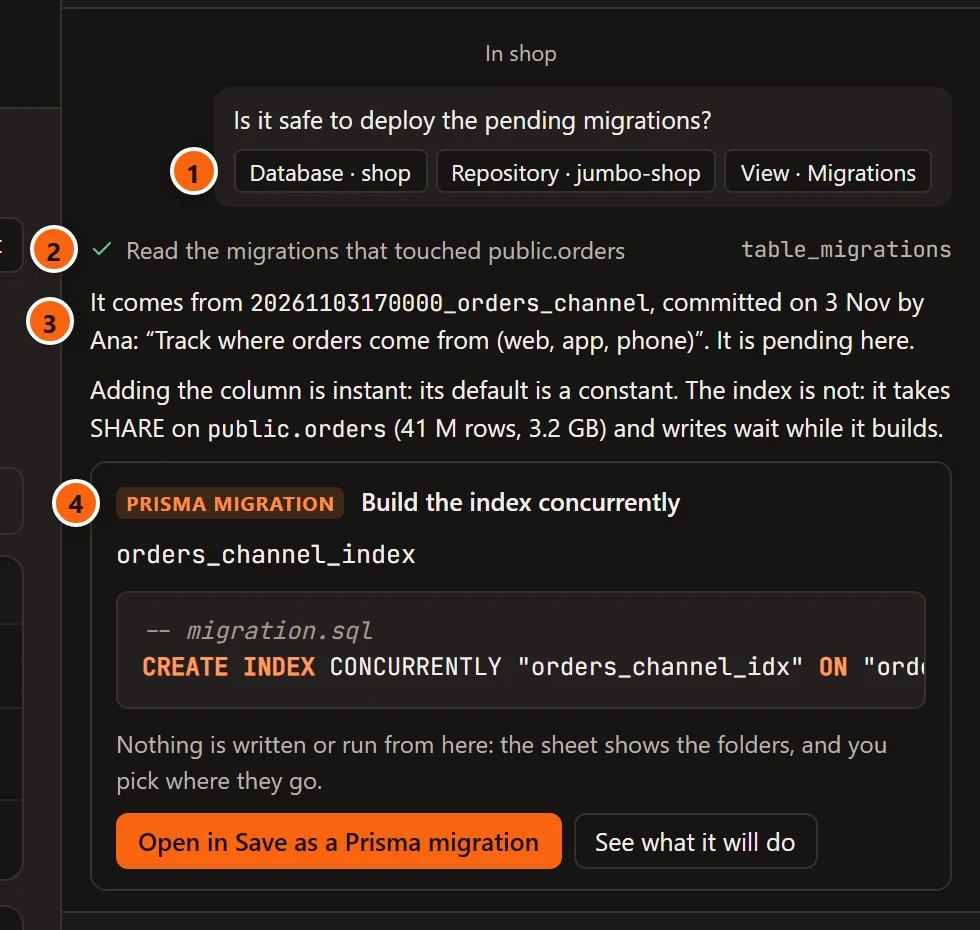
- 1 The chips your question went with.
- 2 Each read is a line, here the migrations that touched
public.orders. - 3 The answer: where the change comes from, who committed it, and what it does to the table on this server.
- 4 A safer way, offered as a migration of its own: see A migration as a card.
The answer above is an example. What the Assistant writes depends on your migrations and your server.
A migration as a card
Section titled “A migration as a card”Ask the Assistant to write a migration for a Prisma project, for example “an optional phone number on customers”, or let it offer a safer way for a pending one. The answer ends with a Prisma migration card.
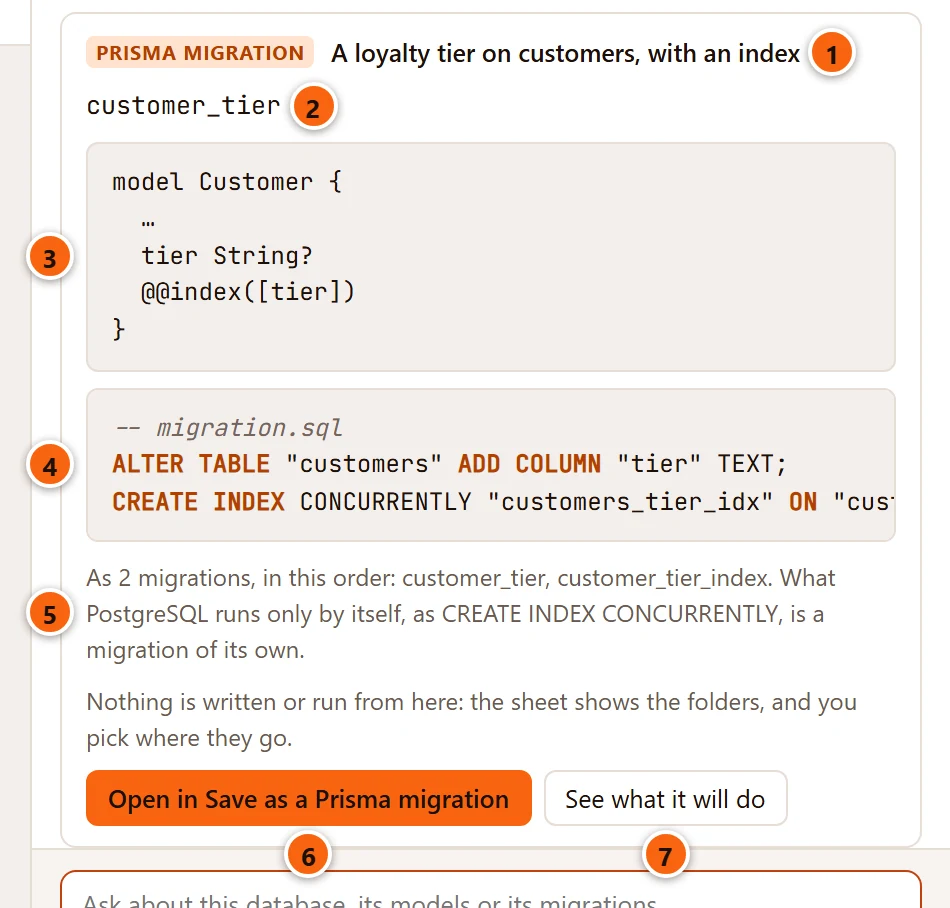
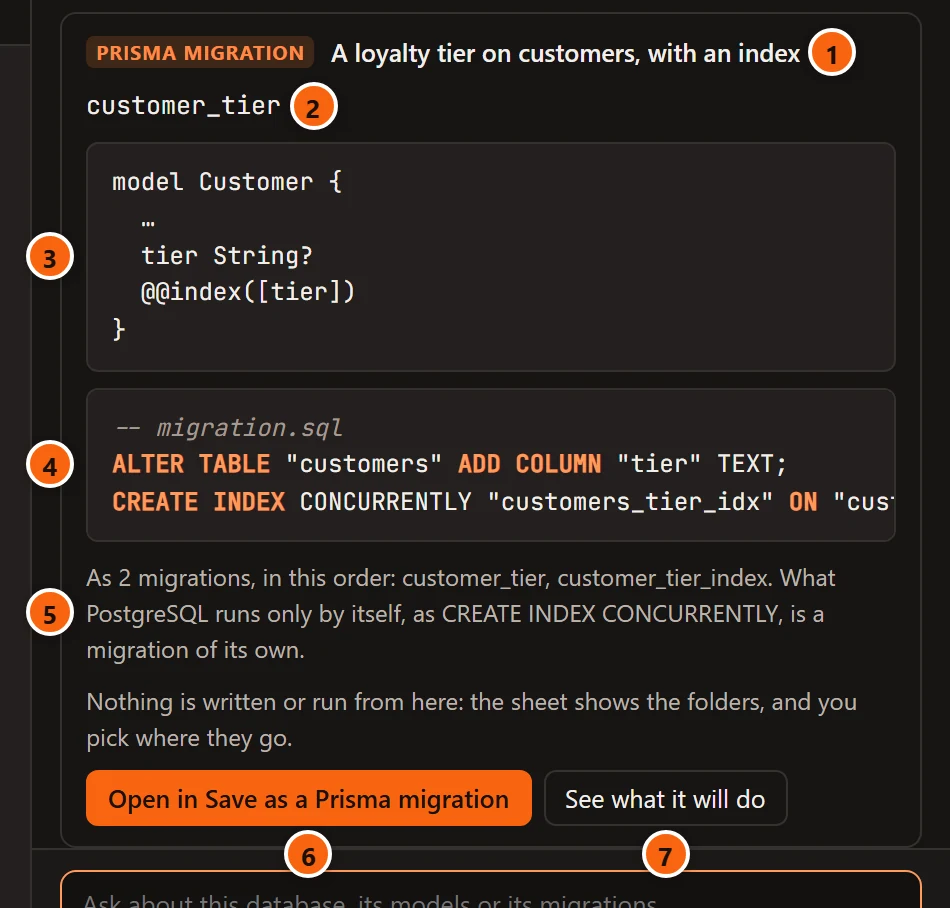
- 1 Prisma migration, and what it does in a few words.
- 2 The migration’s name. The sheet puts a timestamp in front of it.
- 3 The lines the model needs in
schema.prisma, shown inside the model with the rest left out (…). - 4 Its
migration.sql. pgjumbo has had PostgreSQL’s parser read it before you see it. - 5 When it is more than one migration, in which order. A statement PostgreSQL runs only by itself, such as
CREATE INDEX CONCURRENTLY, is a migration of its own, so one card can be two folders. - 6 Open in Save as a Prisma migration: see below.
- 7 See what it will do: see below.
The card says Nothing is written or run from here: the sheet shows the folders, and you pick where they go. Its two buttons are greyed when the conversation is on no server.
Open in Save as a Prisma migration
Section titled “Open in Save as a Prisma migration”Open in Save as a Prisma migration opens the sheet that a change made in a table’s tab opens too. It shows the folder each migration would be in your repository, after the newest migration there, and the lines to paste into the model, and you can change the migration’s name. Save to the repository… asks for the folder, starting in the project’s migrations folder. It writes only new folders there, never over one that is there, and refuses another folder, because Prisma would never read it. Nothing runs. The sheet is described on Save a change as a Prisma migration.
Once saved, the card says so:
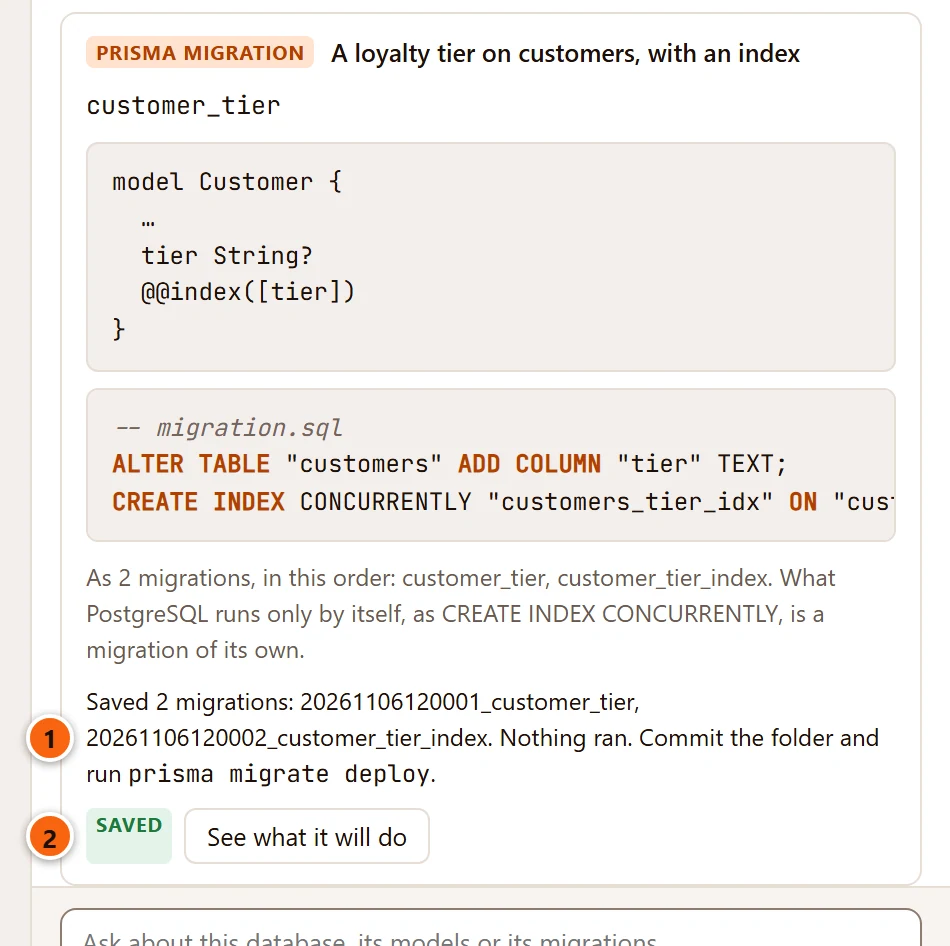
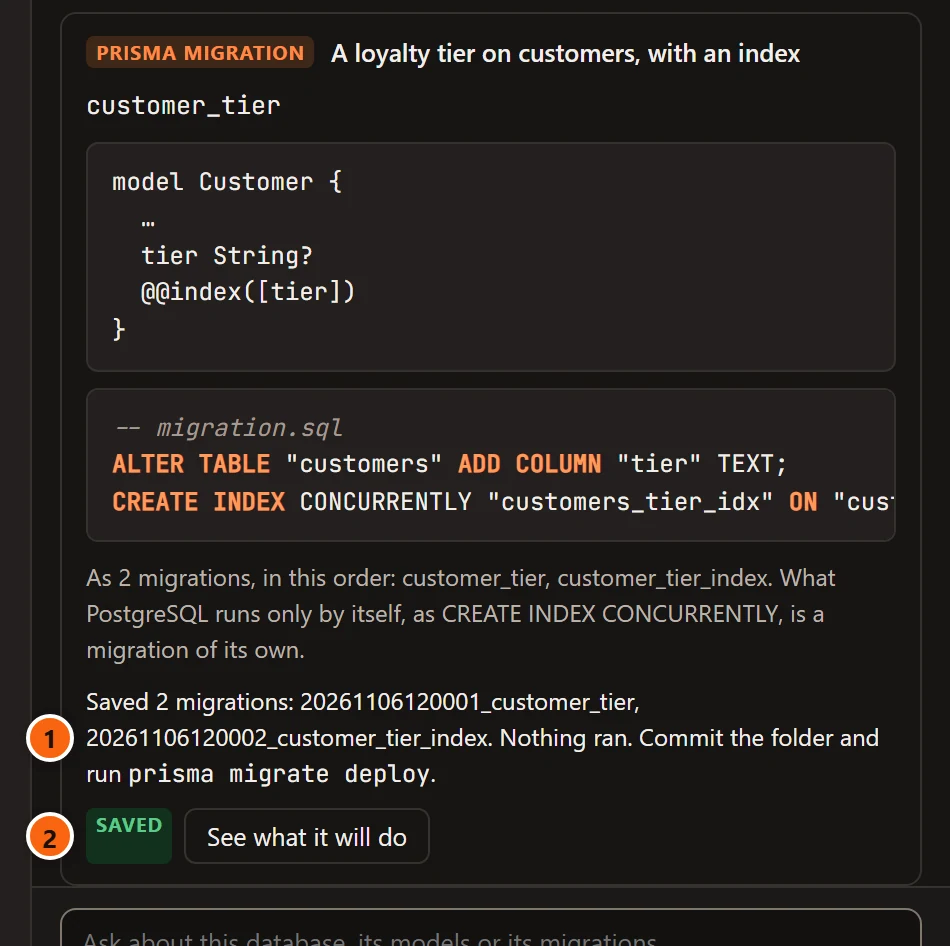
- 1 The folders written, and that nothing ran. Commit the folder and deploy it with
prisma migrate deploy, as you always do. - 2 Saved takes the place of Open in Save as a Prisma migration.
See what it will do
Section titled “See what it will do”See what it will do forecasts the card’s statements on the server you asked on, as Before you deploy does for the pending migrations. It reads; nothing runs.
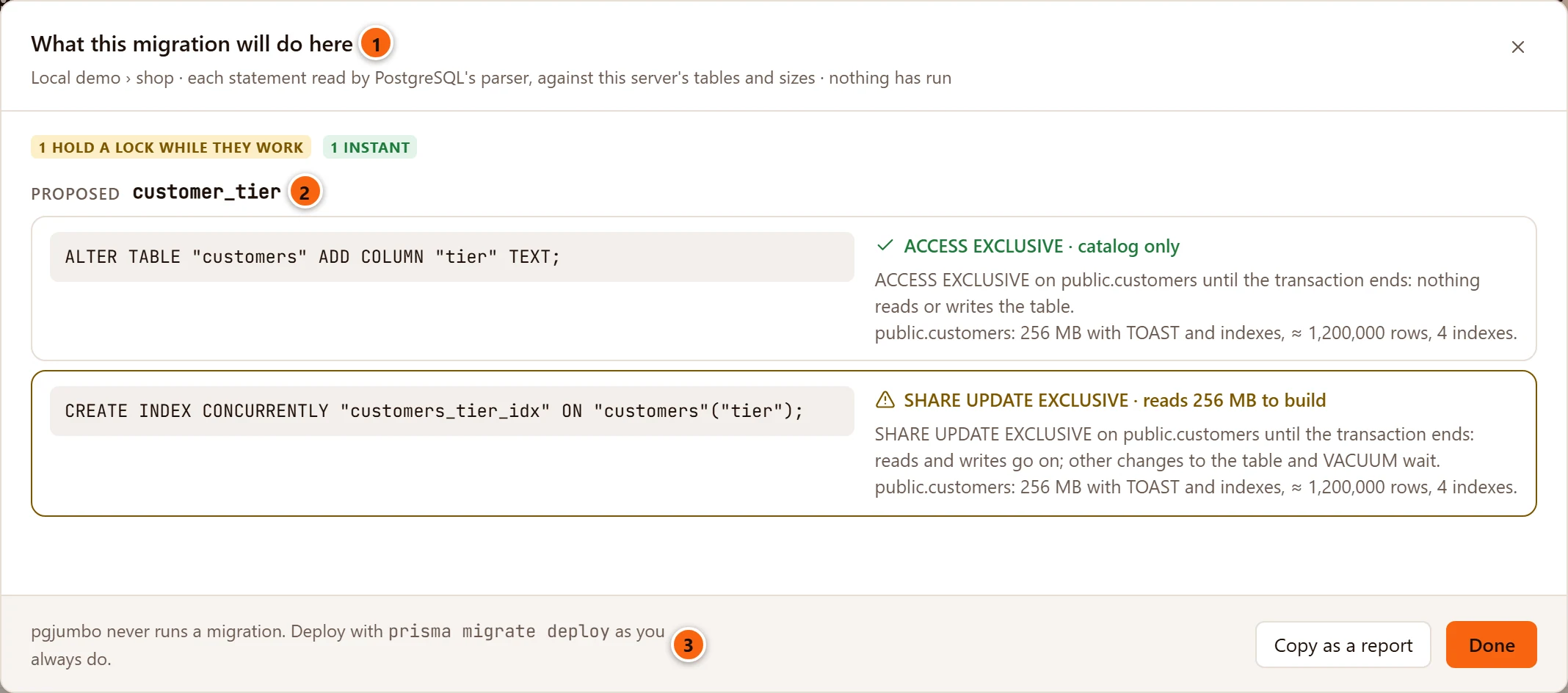
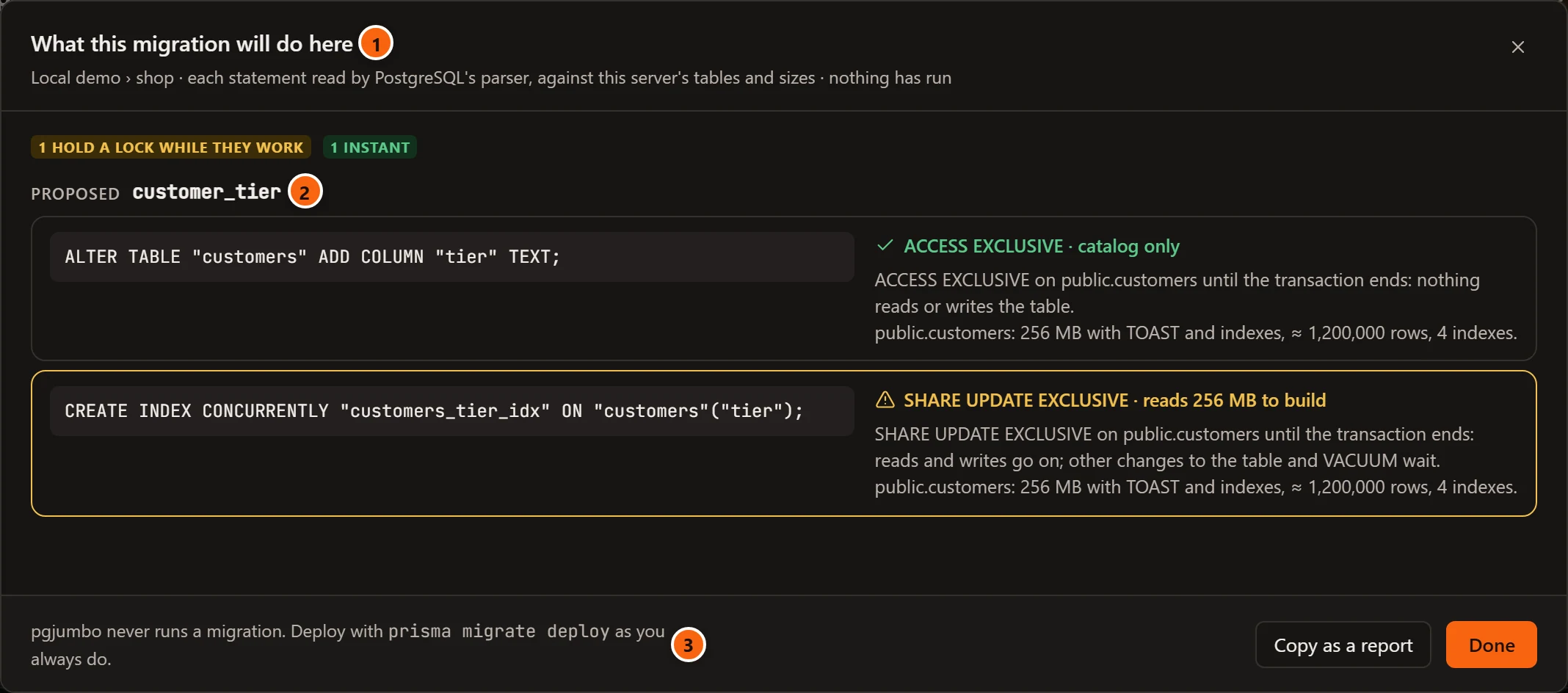
- 1 What this migration will do here, with the server and database under it.
- 2 Proposed and the migration’s name, then each statement with the lock it takes and the work it does on this server’s tables.
- 3 pgjumbo never runs a migration. Deploy with
prisma migrate deployas you always do.
Copy as a report copies the forecast as text, and Done closes it. How to read each line is on Before you deploy.
When the repository has it already
Section titled “When the repository has it already”pgjumbo compares the card with your repository’s pending migrations.
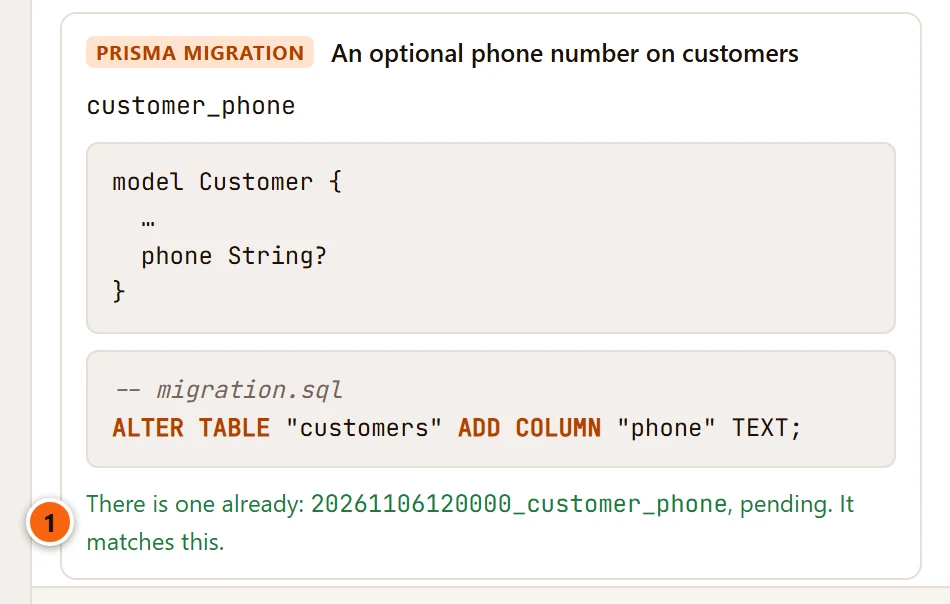
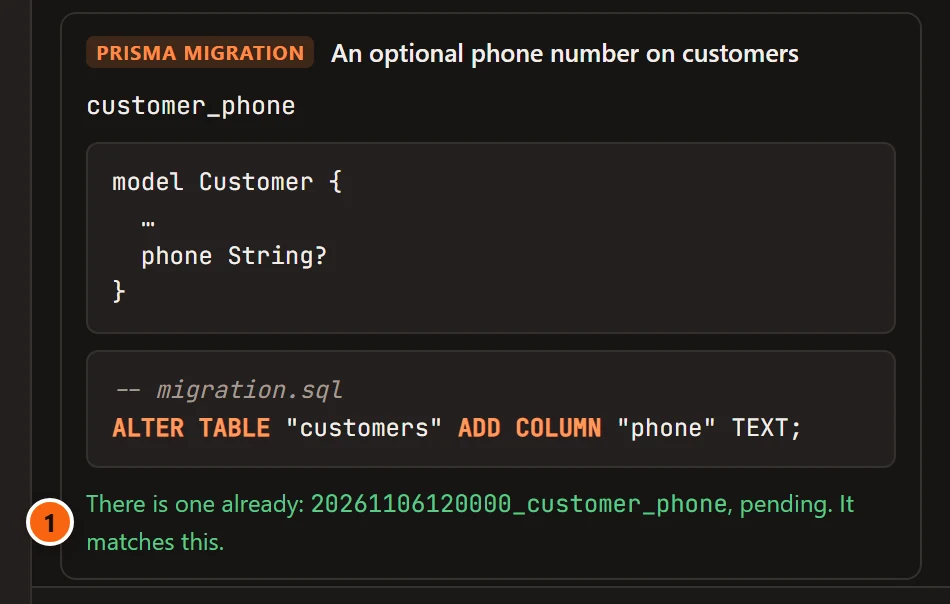
- 1 There is one already: migration , pending. It matches this. A pending migration holds the same statements: that is the one to deploy, so the card offers nothing to save.
When a pending migration has the same name but other statements, the card says There is one by this name already: migration , pending. Its statements are not these., and its buttons stay.
In the database guide
Section titled “In the database guide”Where a Prisma project is linked, Explain this database also gives the Assistant what the project’s
schema.prisma says about its models and fields, in the lines that start with three slashes (///). The guide uses
them as the project’s own words, and can offer one as a table’s or a column’s comment. See
Database guides.
What it reads, and what it never does
Section titled “What it reads, and what it never does”What the Assistant reads here follows the server’s access levels in SettingsAssistantWhat it may read (see Set up the Assistant):
| What it reads | Kind of read |
|---|---|
| The database’s migration history: each tool’s migrations, when each was applied, failed or rolled back | Structure |
The repository’s side: which migrations are pending or were edited after they were applied, a migration’s file, what each migration did to a table, the schema’s models and their /// descriptions, a commit |
Repositories |
| What the pending migrations, or a card’s migration, will do on a server | Statistics on that server, and Repositories for the pending migrations themselves |
| Writing a Prisma migration card | Repositories |
On Production the Repositories row asks first unless you changed it, and a repository is read there only when its On Production servers too is ticked (see Code repositories). Where the Assistant may not read the repository, it still says what the history holds, and that it does not know which migrations are pending.
It never runs a migration, a migration tool or a tool’s command, and never writes a tool’s history table. When a command would help, such as the one that gets past a failed migration, it names the command for you to run.
With SettingsMigrationsFinding themFind migration tools in my databases turned off, it reads none of this. See Settings.