

Before a statement runs
When the cursor rests in a statement in the Query Tool, pgjumbo reads what that statement would do and writes it into the editor beside it: above a write, under a table change, under a read. Nothing of the statement runs. This page explains the three, and the one switch that turns them off.
All three look at the statement the cursor is in, the one the editor lights up (see Run SQL). They appear a little more than half a second after the cursor comes to rest, go when you edit the statement, and come back when you pause. pgjumbo reads them on the tab’s own session, so they follow its search path, its temporary tables and its open transaction. They show while the session is open and nothing runs on it.
What a write will touch
Section titled “What a write will touch”Put the cursor in an UPDATE, a DELETE or a MERGE. A strip above the statement says how many rows it would
change and what else would happen. It shows on every server, whatever its environment tag.
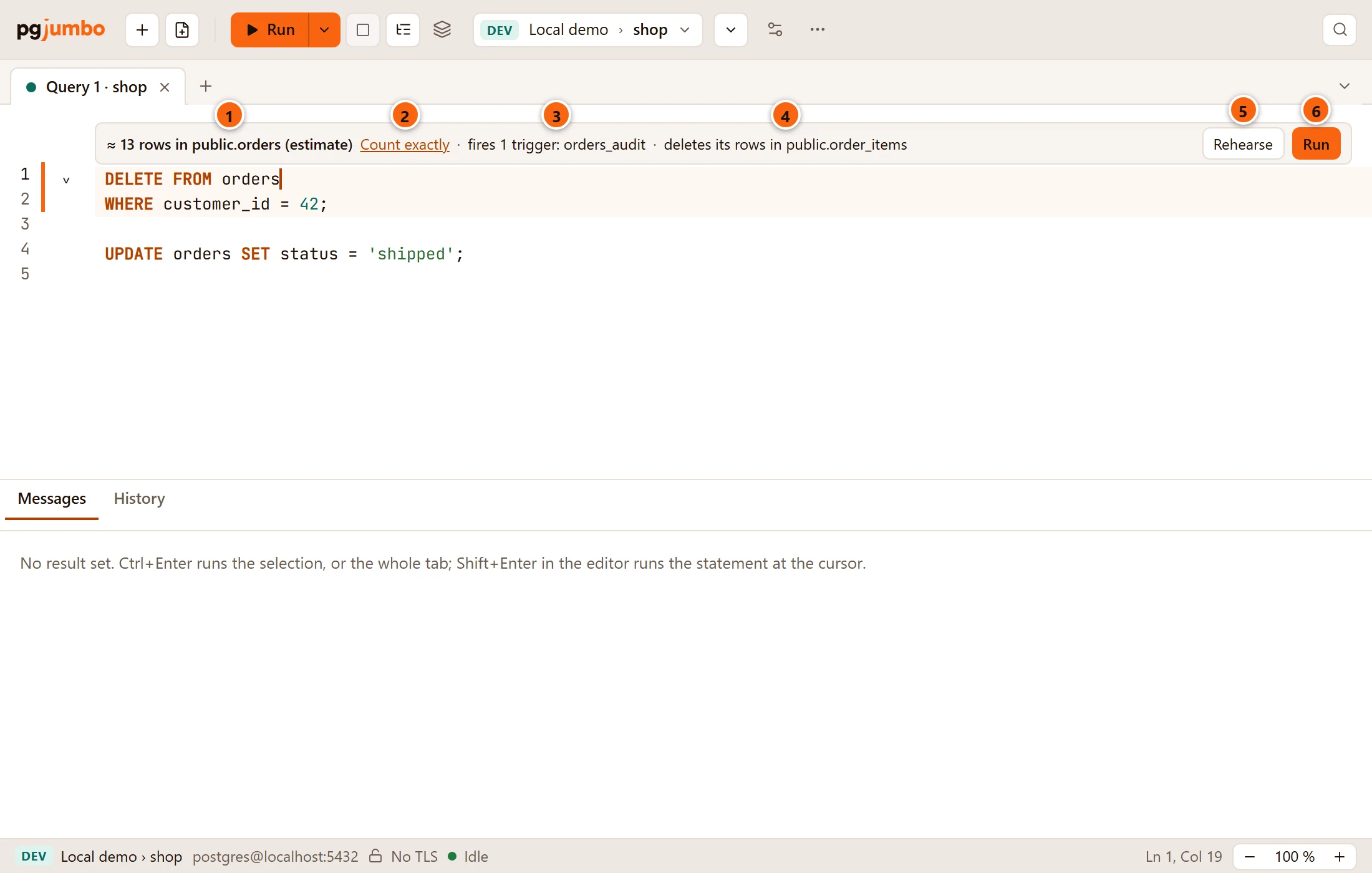
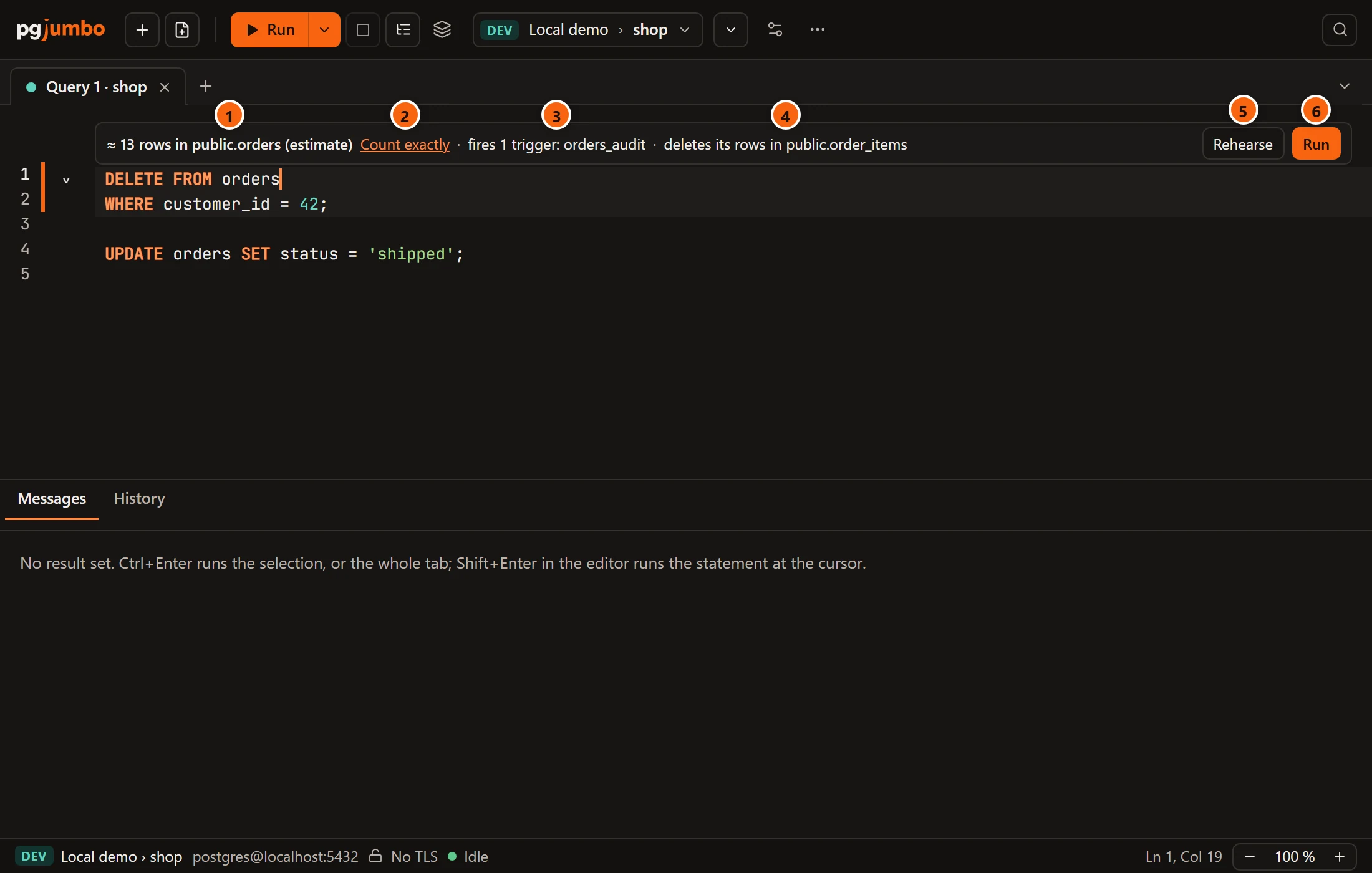
- 1 How many rows of which table:
≈ 13 rows in public.orders (estimate). The number is the planner’s estimate, asEXPLAINwould give it. - 2 Count exactly counts the rows the statement would change. It runs a read-only
SELECT count(*)built from the statement’s ownWHERE, for 10 seconds at most. - 3 The triggers the statement fires, by name: the table’s enabled triggers for that command.
- 4 Each foreign key that would change another table’s rows, and how:
deletes its rows,sets its key to null,sets its key to its defaultorupdates its key. - 5 Rehearse runs the statement without committing it and shows every row it changed. See Rehearse a write.
- 6 Run runs this statement, as Run Statement does.
After Count exactly, the strip gives the true number in place of the estimate:


A statement with no WHERE changes every row, and the strip turns to warning colours to say so:


| The strip says | When |
|---|---|
≈ 1,240 rows in public.orders (estimate) |
The planner could estimate the rows. |
1,240 rows in public.orders, counted |
After Count exactly. |
Every row of public.orders |
The statement has no WHERE. A MERGE never says this: its rows depend on its source. After Count exactly it adds the number. |
public.orders: no estimate |
The statement could not be planned, for example because it has parameters without values, or it waited for a lock. The reason follows. |
fires 2 triggers: orders_audit, orders_touch |
The table has enabled triggers for the command. |
deletes its rows in shop.payments, through shop.orders |
The rows a cascade deletes have foreign keys pointing at them in turn. pgjumbo follows the cascades as far as they reach and names the table each step comes through. |
row security: orders_owner, orders_region |
The table has row security: these policies apply to the command. no policy for it means none does. (this role sees past it) means the role the tab runs as is not held to them. |
An UPDATE names a cascade only when it sets a column that the other table’s foreign key points at.
Count exactly is not offered when counting would not answer: for a MERGE, for a WHERE CURRENT OF (only a
cursor knows the row), and for a statement whose WITH writes too, as counting would run it. When the count takes
more than 10 seconds, the strip says Counting took more than 10 seconds; the estimate is what there is.
The strip keeps to the editor’s width and wraps when it is long, so Rehearse and Run stay in view.
What a table change will do
Section titled “What a table change will do”Put the cursor in an ALTER TABLE, a CREATE INDEX, a DROP INDEX, a REINDEX, a VACUUM FULL, a CLUSTER or
a CREATE TRIGGER. A badge under the statement, after its semicolon, names the lock it takes and the work it does
to the table, with the table’s size.
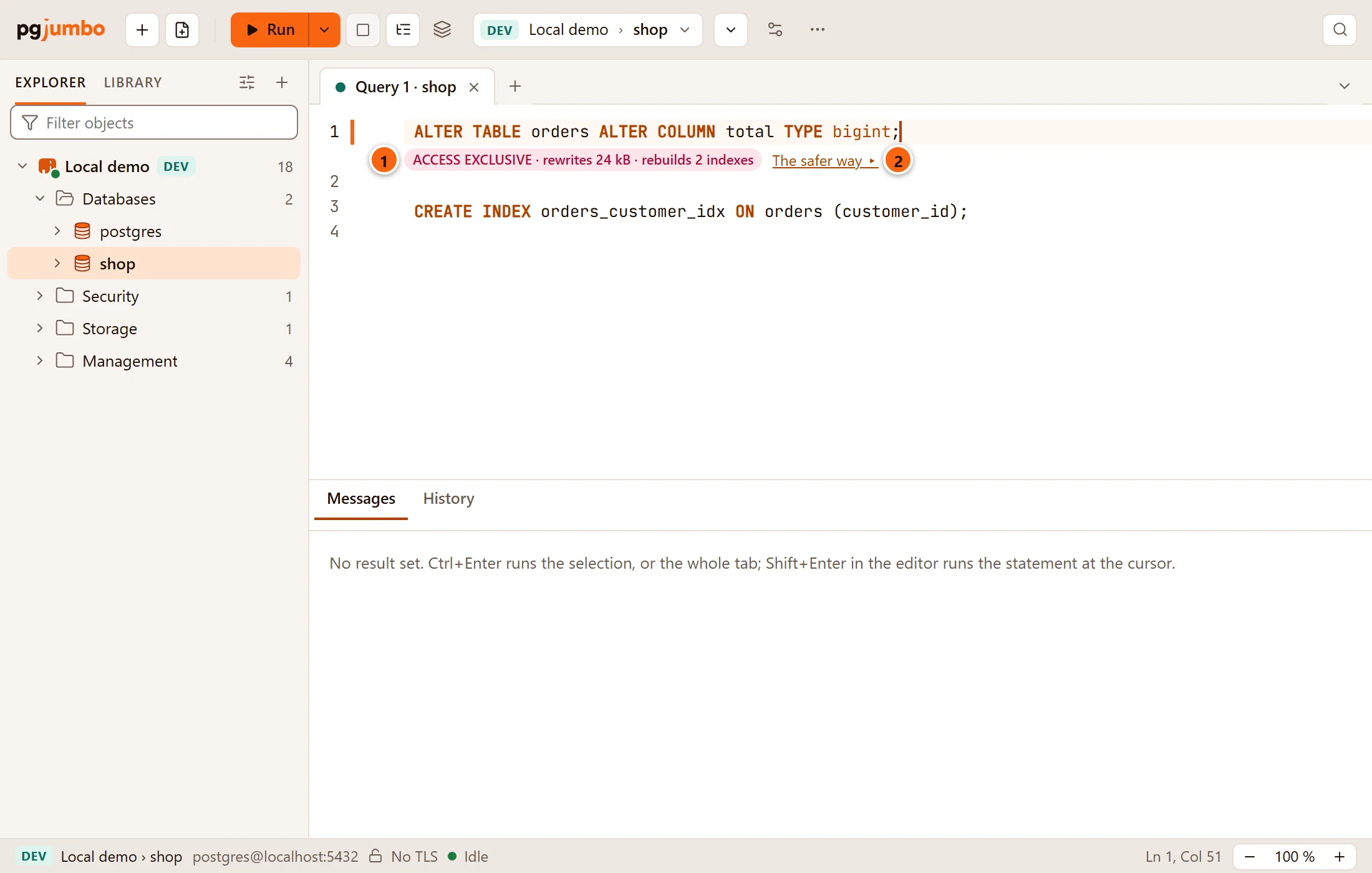
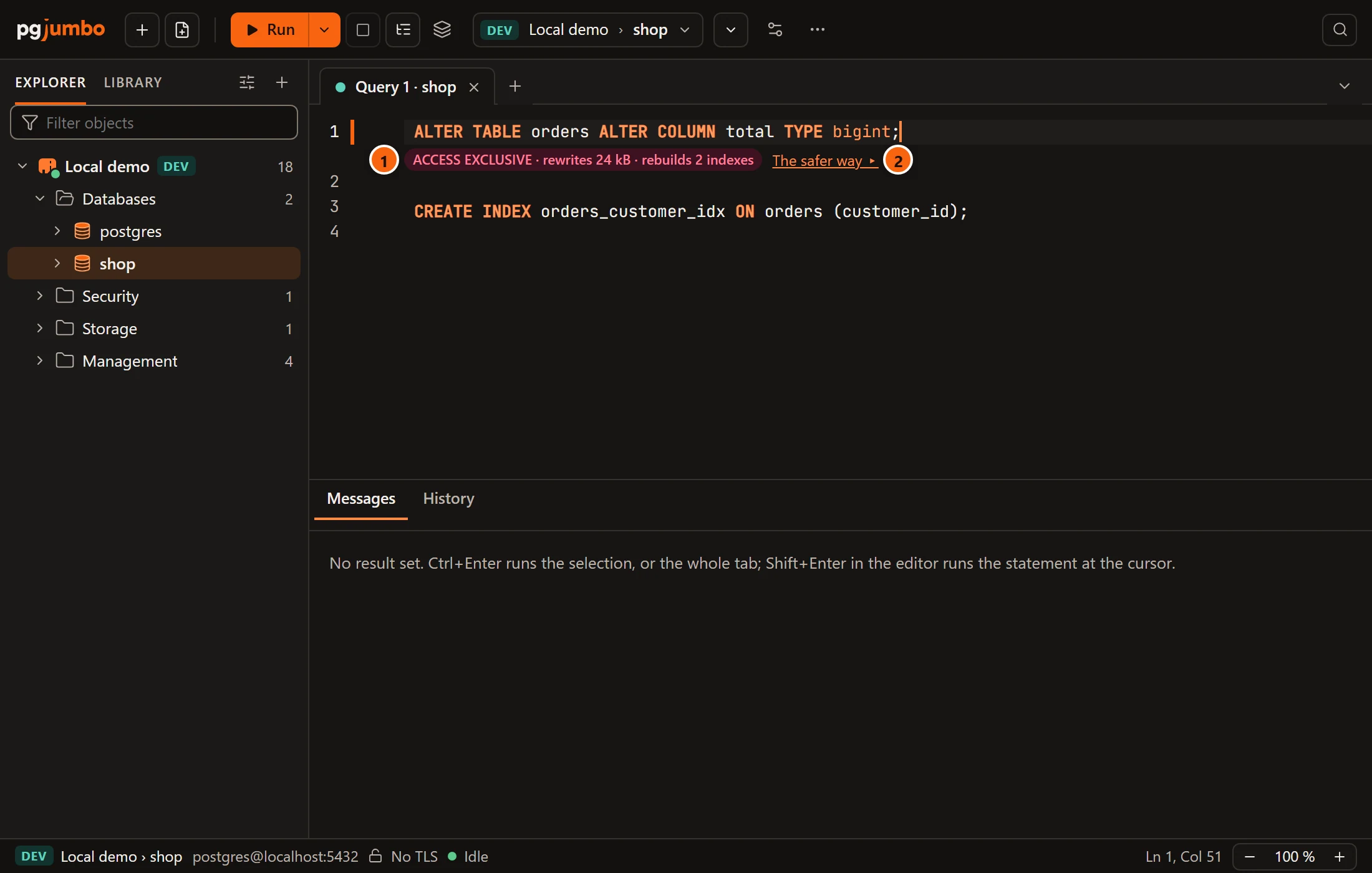
- 1 The badge: the strongest lock the statement takes, then its work. It is red when the lock keeps other sessions out while real work goes on, and grey when the lock lets reads and writes go on or is held for a moment’s catalog change.
- 2 The safer way ▸, when there is one.


Read the badge
Section titled “Read the badge”The first word is the lock, as PostgreSQL’s documentation names it. Hover the badge for what other sessions can do while it is held:
| Lock | While it is held |
|---|---|
| ACCESS EXCLUSIVE | Nothing reads or writes the table. |
| SHARE ROW EXCLUSIVE | Reads go on; writes wait. |
| SHARE | Reads go on; writes wait. |
| SHARE UPDATE EXCLUSIVE | Reads and writes go on; other changes to the table and VACUUM wait. |
| ACCESS SHARE | Only a change that locks the whole table waits for it. |
| No lock on the table | Other sessions go on as before. |
After the lock comes the work:
| The badge says | The statement |
|---|---|
catalog only |
Changes the table’s definition and touches no row. |
reads all 48 GB |
Reads every row, for example to check a new constraint. |
reads 48 GB to build |
Reads the table to build an index. |
rebuilds 6 indexes |
Builds every index of the table again (REINDEX TABLE). |
rebuilds 2 GB |
Builds one index again; the size is the index’s (REINDEX INDEX). |
rewrites 48 GB · rebuilds 6 indexes |
Writes the whole table again, and its indexes with it: a type change that needs it, VACUUM FULL, CLUSTER. |
copies 48 GB |
Copies the table’s files to another tablespace (SET TABLESPACE). |
may rewrite 48 GB |
May rewrite the table; pgjumbo could not find out. The tooltip says why. |
also locks public.customers |
Locks another table too: the one a new foreign key points at, or a partition being attached. |
fails on a table with rows |
Would fail here; see below. |
The size is the table’s with its TOAST table and its indexes. pgjumbo never guesses a time.
Whether a new column type or a new default rewrites the table depends on the types involved. pgjumbo tries it on an empty temporary copy of the table, inside a savepoint on the tab’s session that it rolls back at once, so nothing of the trial stays.
The tooltip also says until when the lock is held (until the transaction ends, or until it ends for a command
that runs outside a transaction), each part’s lock and work when an ALTER TABLE has several, and the table’s facts:
its size, its estimated rows (or never analyzed) and its indexes.
A column that cannot be added
Section titled “A column that cannot be added”A column added NOT NULL with nothing to fill the rows already there (no default, no identity, no generated
expression, not a serial) fails on a table that has rows. The badge then says fails on a table with rows, in red,
and its tooltip says about how many rows the table has. pgjumbo tells from the table’s size and statistics without
reading a row. When the table has pages but no count of rows, the tooltip says the statement fails if there is one.
On an empty table such a column is catalog only.
The safer way
Section titled “The safer way”The safer way ▸ opens the same change, written so that it holds its lock for less time, in a new Query Tool tab on the same database. pgjumbo never runs it: read it, then run it yourself, one statement at a time where it says so.
| For | The safer way |
|---|---|
CREATE INDEX, DROP INDEX, REINDEX |
The same statement with CONCURRENTLY: reads and writes go on meanwhile. It takes longer and runs only outside a transaction. |
ALTER TABLE … ADD CONSTRAINT, for a constraint that can be added unvalidated |
The constraint NOT VALID, a moment’s lock, then VALIDATE CONSTRAINT, which checks the rows while writes go on. |
ALTER TABLE … ALTER COLUMN … SET NOT NULL |
A CHECK (… IS NOT NULL) added NOT VALID and validated while writes go on, then SET NOT NULL, which needs no scan, then the check dropped. |
ALTER TABLE … ALTER COLUMN … TYPE, when it rewrites the table |
Six steps by hand: a new column, a trigger that fills it for new rows, the old rows filled in batches of 10,000, a check, the two columns swapped in one short transaction, the old column dropped. |
Each script starts with a comment that says what the safer way costs. For an index:
-- CONCURRENTLY builds the index while reads and writes go on. It takes longer, cannot run inside a-- transaction block, and a build that fails leaves an invalid index behind to drop.CREATE INDEX CONCURRENTLY orders_customer_idx ON orders (customer_id);CONCURRENTLY is not offered for a system table or for a DROP INDEX … CASCADE. On a partitioned table it is
offered only for REINDEX, from PostgreSQL 14. In Manual commit, running a CONCURRENTLY statement asks first; see
Transactions.
The same locks, work and safer ways are what Review before Save shows when you change a table in its own tab.
What a read will cost
Section titled “What a read will cost”On a server tagged Staging or Production, put the cursor in a SELECT. A line under the statement
estimates what running it would cost. It comes from a plain EXPLAIN, so nothing runs. It never shows on a Dev
server.


The line starts with the server’s tag, PROD or STAGING, and Before it runs:, then up to three parts:
| Part | What it says |
|---|---|
≈ 9.0 k rows × 220 B ≈ 1.9 MB to this computer |
The rows the planner expects, their width, and so how much would come to this computer. |
≈ 4.1 M rows × 220 B ≈ 860 MB; the first 100,000 come here (≈ 21 MB) |
The same for a result past the row cap: a plain SELECT stops at the cap, so only the first rows come. See Large results. |
Seq Scan on public.orders (38 GB) and 2 more |
The biggest sequential scan of the plan, with how much of its table it reads, and how many other tables are scanned the same way. |
statistics 9 days old or public.orders never analyzed |
How old the planner’s statistics are for the table whose statistics are oldest, when that is a day or more. With old statistics the estimate can be far off. |
A scan under a LIMIT stops once it has its rows, so it counts only its share of the table, as the planner
reckons it. An ORDER BY or a GROUP BY reads the whole table first, and a filter that leaves fewer rows than the
LIMIT reads all of it to find them, so those count the whole table.
Hover the line for An estimate from a plain EXPLAIN; nothing ran., the table with the oldest statistics, and the
other sequential scans. A read with nothing worth saying has no line: no scan and no result of 1 MB or more, and
statistics less than a day old.
The question before a costly read
Section titled “The question before a costly read”When the plan scans a table, or would bring to this computer rows, of more than the size Settings gives, the line
turns to a warning. Run such a SELECT by itself (the whole tab, a selection, or Run Statement) and it waits
with a bar under the editor.
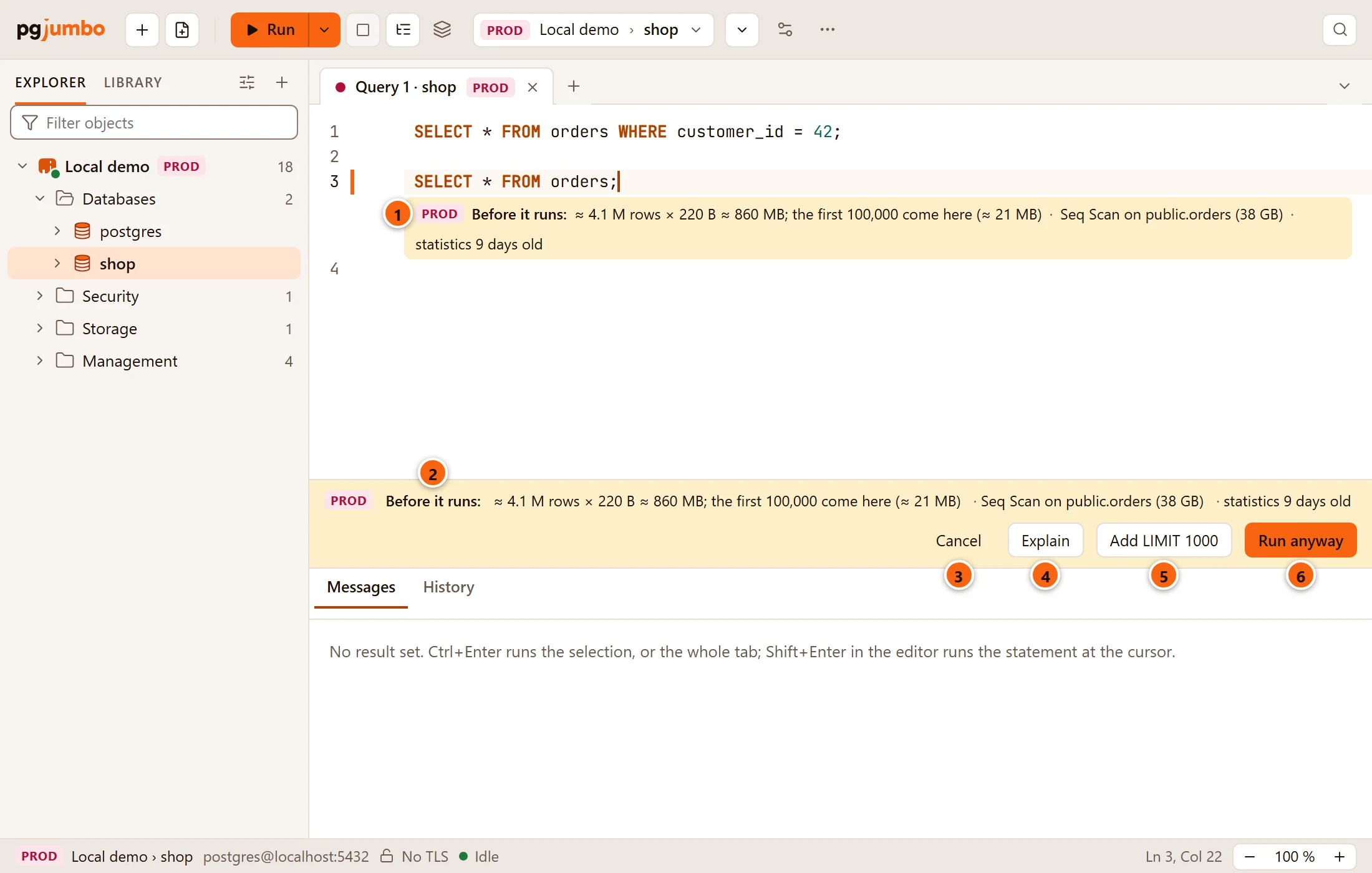
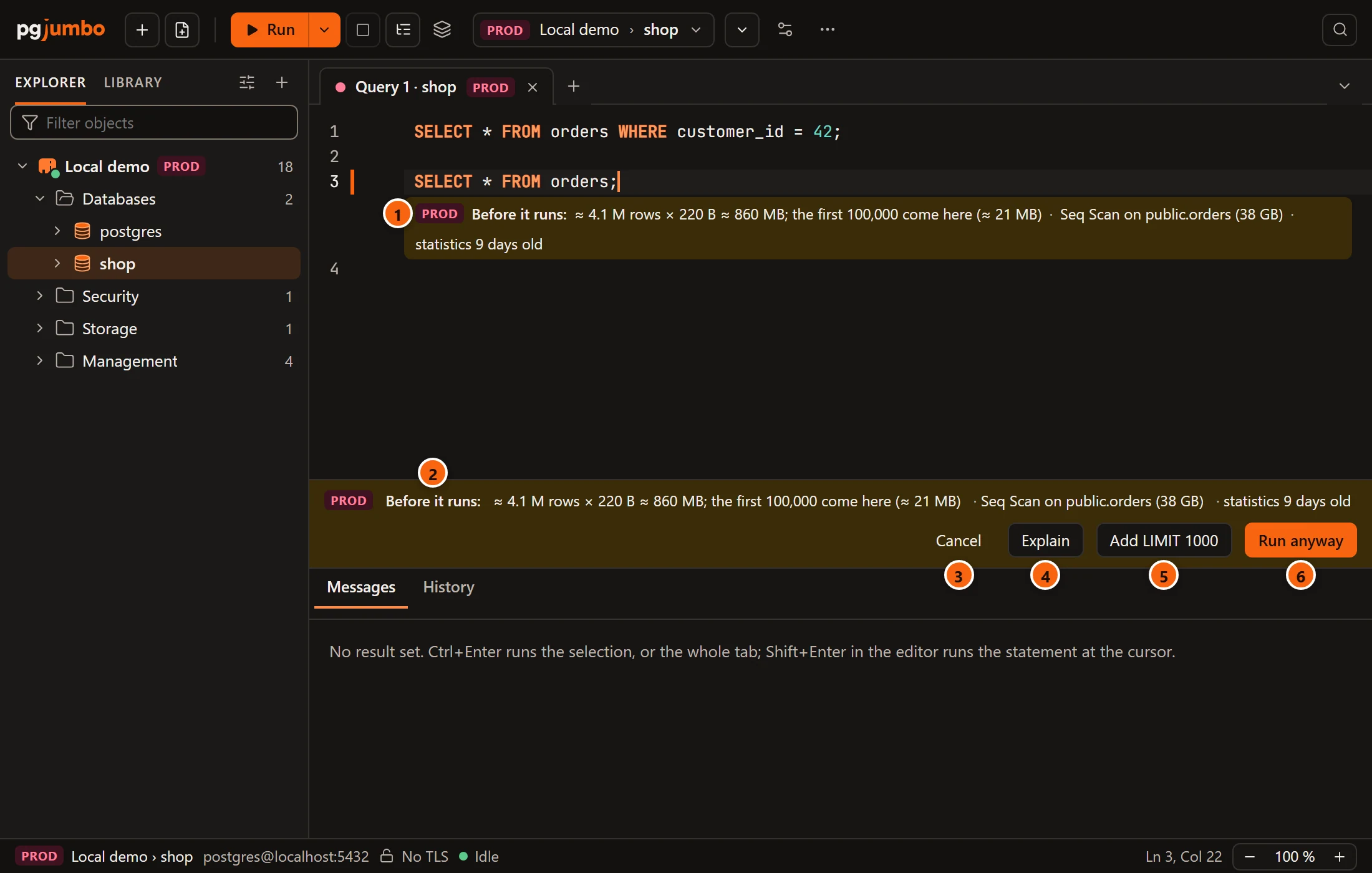
- 1 The line under the statement, in warning colours.
- 2 The bar repeats the figures. Nothing has been sent yet.
- 3 Cancel takes the bar away and runs nothing.
- 4 Explain shows the statement’s plan in the Explain tab; see Explain a query.
- 5 Add LIMIT 1000 writes
LIMIT 1000into the statement in the editor and runs it. The bar comes back only if the limited statement still costs more than the size. The button is there when the statement has noLIMITof its own. - 6 Run anyway runs the statement as you typed it.
The size is SettingsSafetyBy environmentAsk before a costly read: 1,000 MB by default, for Staging and Production together. Set it to 0 and pgjumbo never asks; the line still shows. See Production servers.
The question is for one SELECT at a time. A script of several statements runs without it, and so does a
statement with parameters, which cannot be planned before it has its values. When the cost cannot be read at all,
Run goes ahead as it would have. Watch asks the same question once, when it starts.
Turn them off
Section titled “Turn them off”SettingsSafetyBefore a writeShow what a write or a table change will do is on by default. Turned off, the strip above a write, the badge under a table change and the line under a read no longer show, and neither does the line that says how a query runs in production. The question before a costly read stays: it follows Ask before a costly read alone. See Settings.