

What if
What if… shows a statement’s plan as it is now beside its plan with an index that does not exist, or with a
planner setting changed, and says how much the cost changes. Each plan is a plain EXPLAIN in the tab’s own session:
the statement does not run, no index is built, and nothing changes for anyone else on the server.
Open What if
Section titled “Open What if”Explain the statement first. With a plan in the Explain tab, the result bar has What if….


- 1 What if… opens a What if tab beside Explain, for the statement that was explained. It is greyed out while the tab runs something.
The tab stays beside the other result tabs. Click What if… again after you explain another statement, and the tab turns to that one.
Read the two plans
Section titled “Read the two plans”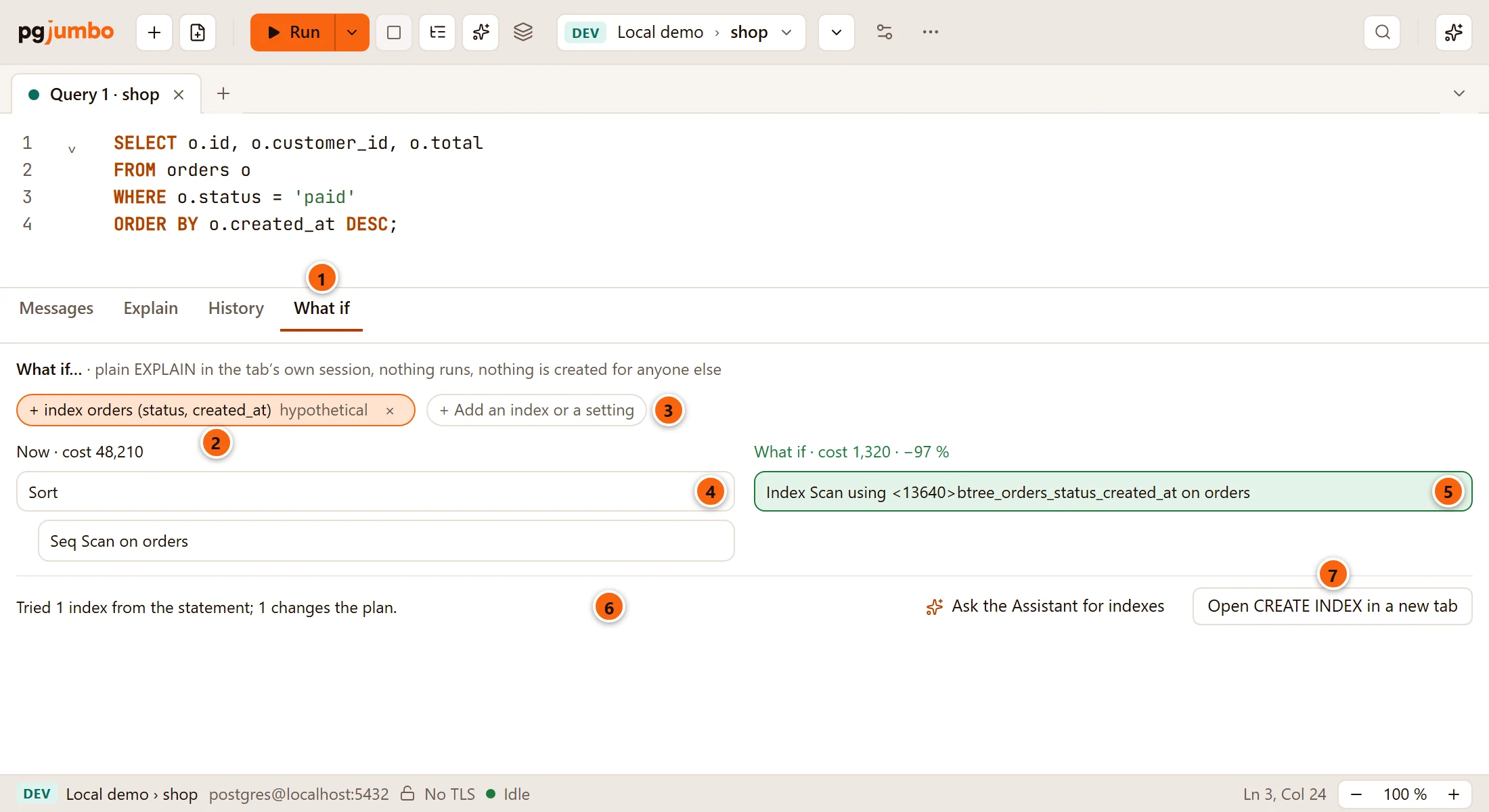
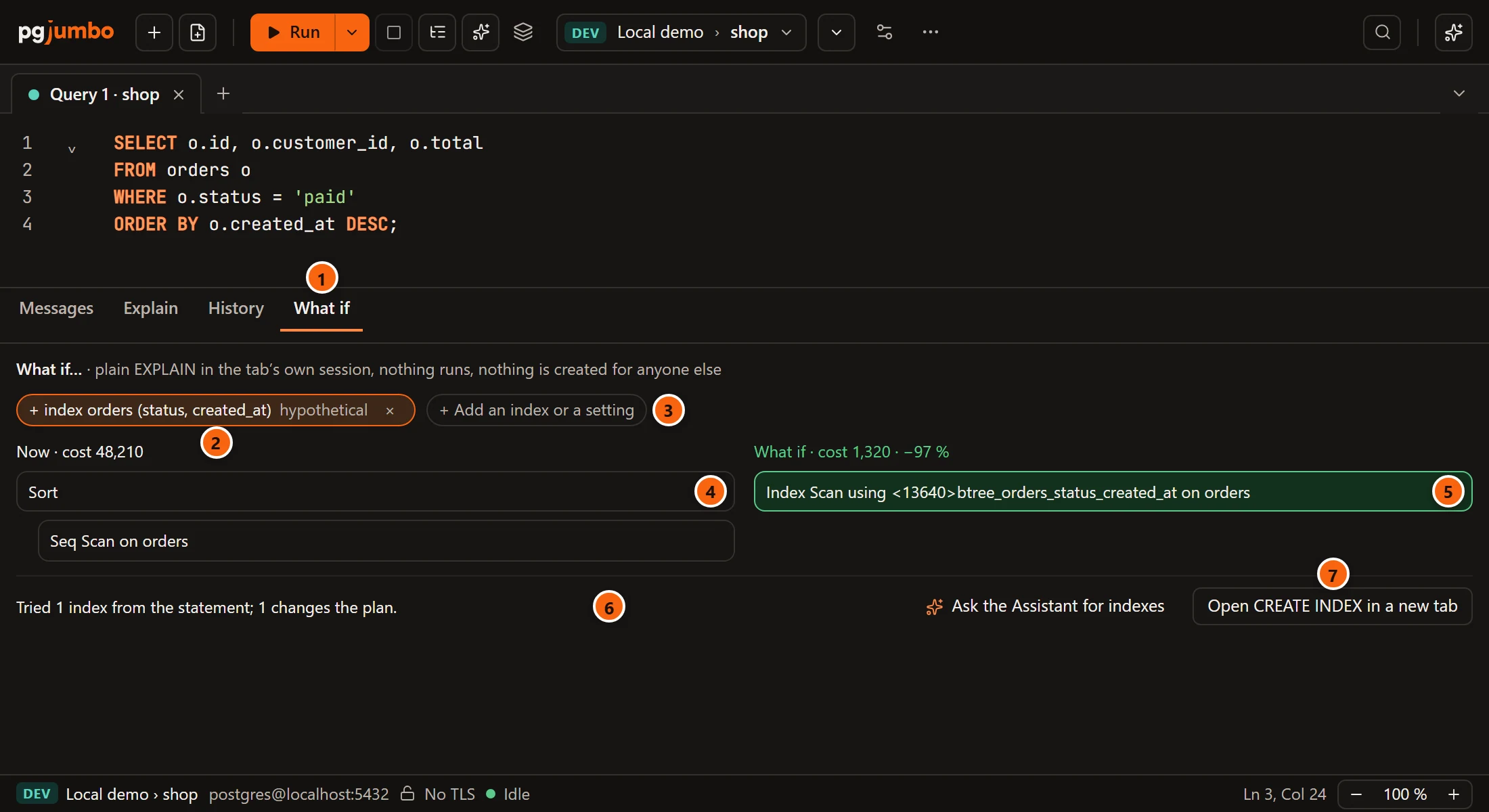
- 1 The What if tab. Its first line repeats what it is: “plain EXPLAIN in the tab’s own session, nothing runs, nothing is created for anyone else”.
- 2 What is assumed, one chip each. An index reads
+ index orders (status, created_at)with the word hypothetical; a setting readswork_mem = 256MB. The × on a chip takes that assumption away and asks for the plans again. - 3 + Add an index or a setting opens a field for one more: see Add an index or a setting.
- 4 The plan as the server makes it today, under Now · cost and its total cost in the planner’s units. Each step is a line, indented under the step it feeds, with the table or index it reads. There are no rows or times, since nothing ran.
- 5 The plan with everything on the chips, under What if · cost, its total cost and the change in percent. That line is green when the plan gets cheaper. A step that uses a hypothetical index is green too, and names the index with a number in angle brackets, as HypoPG does.
- 6 What pgjumbo tried by itself: see The indexes pgjumbo tries.
- 7 Open CREATE INDEX in a new tab, when at least one tried index helps. With the Assistant turned on, Ask the Assistant for indexes is beside it.
With nothing assumed, the right side says “Add an index or a setting to see the plan with it.” While pgjumbo waits for the server, the tab says “Asking the planner…”.
The indexes pgjumbo tries
Section titled “The indexes pgjumbo tries”When the tab opens, pgjumbo reads the statement’s own WHERE, JOIN and ORDER BY and makes up to five candidate
indexes from them: for each table, the columns compared with = first, then one column compared by a range or sorted
by; and a column joined on, by itself. It tries each one as a hypothetical index and keeps only those the planner
would use, for a plan at least a tenth cheaper. The cheapest becomes the first chip, so the tab opens with a
comparison already made.
The line at the bottom says how that went:
| Line | What it means |
|---|---|
| “Tried 3 indexes from the statement; 1 changes the plan, 2 dropped because they don’t.” | The count of candidates, and how many of them the planner would use for a cheaper plan. |
| “The statement has no WHERE, JOIN or ORDER BY an index would serve.” | There was nothing to make a candidate from. |
| “The Assistant suggested 3 indexes; 1 changes the plan, 2 were dropped because they don’t.” | The candidates were the Assistant’s (see below). |
| “Hypothetical indexes need HypoPG in this database; settings work without it.” | The database does not have the extension: see What it needs. |
Open CREATE INDEX in a new tab writes the indexes that were kept as a script in a new Query Tool on the same database:
-- Indexes What if found the planner would use for a cheaper plan. CONCURRENTLY builds each while reads and-- writes go on; it cannot run inside a transaction block. Nothing ran yet.CREATE INDEX CONCURRENTLY ON orders (status, created_at);pgjumbo never runs it. Read it, name the index if you want a name of your own, and run it when you choose.
Ask the Assistant for indexes puts a question with the statement and its plan in the Assistant’s box, for you to send; the indexes it answers with are tried here the same way, and only those that make the plan cheaper are kept. See SQL help in the editor.
Add an index or a setting
Section titled “Add an index or a setting”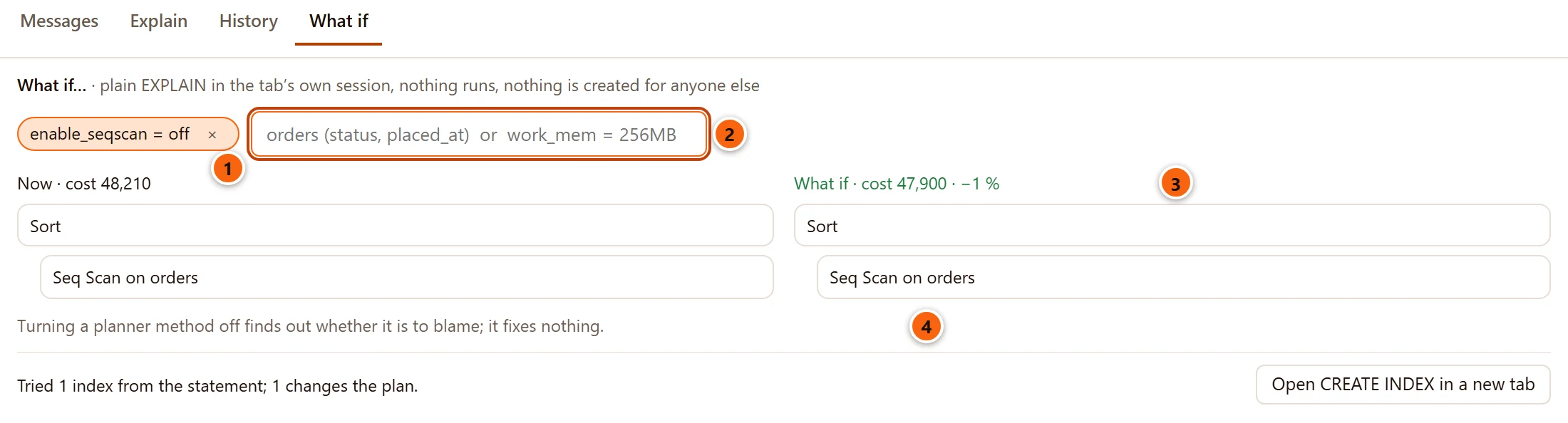
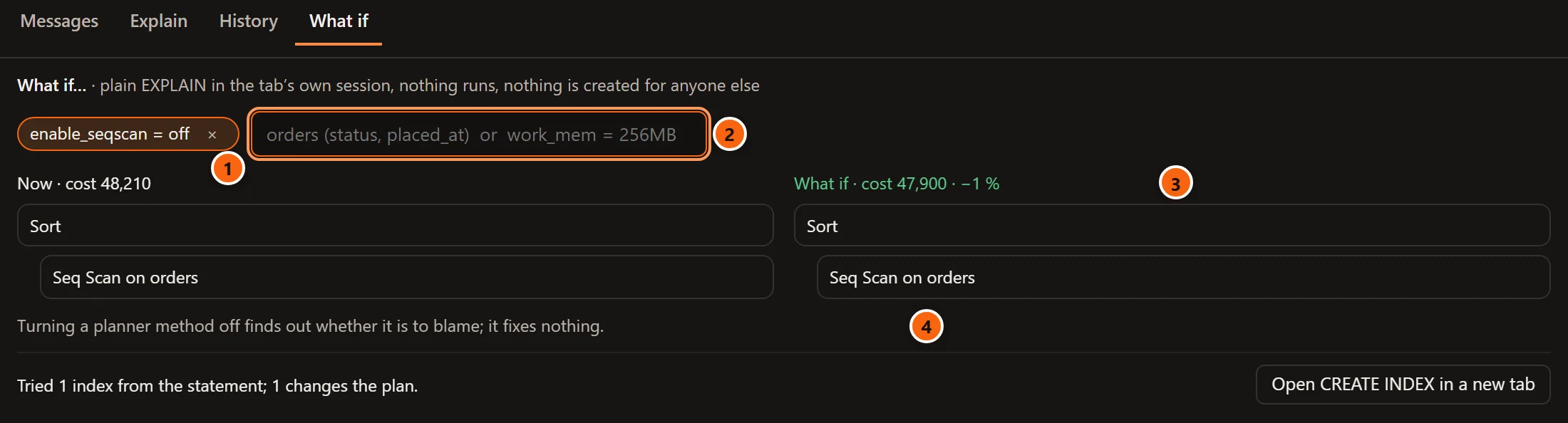
- 1 A setting you assumed, as a chip.
- 2 The field + Add an index or a setting opens. Type an index or a setting and press Enter. Esc closes the field.
- 3 The plan with what you assumed, and the change against Now.
- 4 “Turning a planner method off finds out whether it is to blame; it fixes nothing.” It shows when one of
the settings turns an
enable_switch off.
What the field takes:
| You type | It assumes |
|---|---|
orders (status, placed_at) |
A hypothetical index on that table and those columns, in that order. The table may have its schema, sales.orders (status), and a name may be in double quotes. |
work_mem = 256MB |
That setting, for the plan only. |
Anything else is left in the field as you typed it. The same table and columns twice says Already assumed.
The settings What if can try are work_mem, random_page_cost, seq_page_cost, effective_cache_size,
max_parallel_workers_per_gather, jit and the planner’s switches: enable_seqscan, enable_indexscan,
enable_indexonlyscan, enable_bitmapscan, enable_nestloop, enable_hashjoin, enable_mergejoin, enable_sort
and enable_hashagg. For another one, the tab says “What if changes only settings for the plan, such as work_mem,
enable_seqscan or jit; not shared_buffers.”
What it changes, and what it never does
Section titled “What it changes, and what it never does”- Each plan is
EXPLAINwithoutANALYZE: the statement is planned and never run. The costs are the planner’s estimates, not times. - pgjumbo asks in a read-only transaction of its own on the tab’s session, or under a savepoint when you have a transaction open, and rolls it back. Your transaction stays as it was.
- A setting is set for that transaction only and rolled back with it. The tab’s session keeps the values it had.
- A hypothetical index exists only in the memory of the tab’s own session, where HypoPG keeps it. pgjumbo drops each one again as soon as the plan is read. Nothing is written to the database, and no other session sees it.
- The planner gets five seconds at most, and half a second to wait for a lock.
What it needs
Section titled “What it needs”Hypothetical indexes need the HypoPG extension in the tab’s database: it lets a session describe an index to the planner without building it. Settings work without it.
In a database without HypoPG:
- the tab opens with the plan Now and no chip, and the line at the bottom says “Hypothetical indexes need HypoPG in this database; settings work without it.”;
- an index you add yourself gets its chip, and the right side says “Hypothetical indexes need HypoPG in this database: CREATE EXTENSION hypopg, where the server has it.” in place of a plan;
- Ask the Assistant for indexes and Open CREATE INDEX in a new tab are not offered.
CREATE EXTENSION hypopg; adds it, run by a role that may create extensions, on a server that has the extension’s
files. Extensions says how to install an extension from pgjumbo.
When it goes wrong
Section titled “When it goes wrong”| What the tab says | What to do |
|---|---|
| “What if needs the tab idle and its transaction not failed: try again when it is.” | The tab is running something, or its transaction has failed. Wait, or roll back, and click What if… again. |
| “A hypothetical index names a table and at least one column.” | Type the index as table (column, column). |
An error from the server on the right side, such as column "placed_at" does not exist |
The index names something the table does not have, or the setting’s value is not one the server takes. Remove the chip and add it again. |
| An error from the server in red above the plans | The statement itself cannot be planned as it is written. What if does not ask for parameter values: put a value in place of :name or $1 to try it. |