

Code repositories
The code that uses a database says a lot the catalog does not: its migrations, its models, the SQL it runs. In SettingsAssistantCode repositories you list your own repositories that the Assistant may read, each tied to the databases it describes. A conversation about one of those databases can then list, search and read the repository’s files, and name the file and line a fact comes from.
It is read only: the Assistant never writes to a repository, never pushes, and never opens anything else of yours. The one thing pgjumbo ever writes into a project’s folder is a migration you save yourself: see Save a change as a Prisma migration.
The list
Section titled “The list”Open Settings with ⌘ , (Ctrl+, on Windows and Linux), choose Assistant and scroll to Code repositories, the last group of the page. The line over it says what it is for: What the Assistant may read to understand your databases. Read only: it never writes, pushes or opens anything else. The group has no Save of its own: a repository is saved from its dialog, and removed after its question.
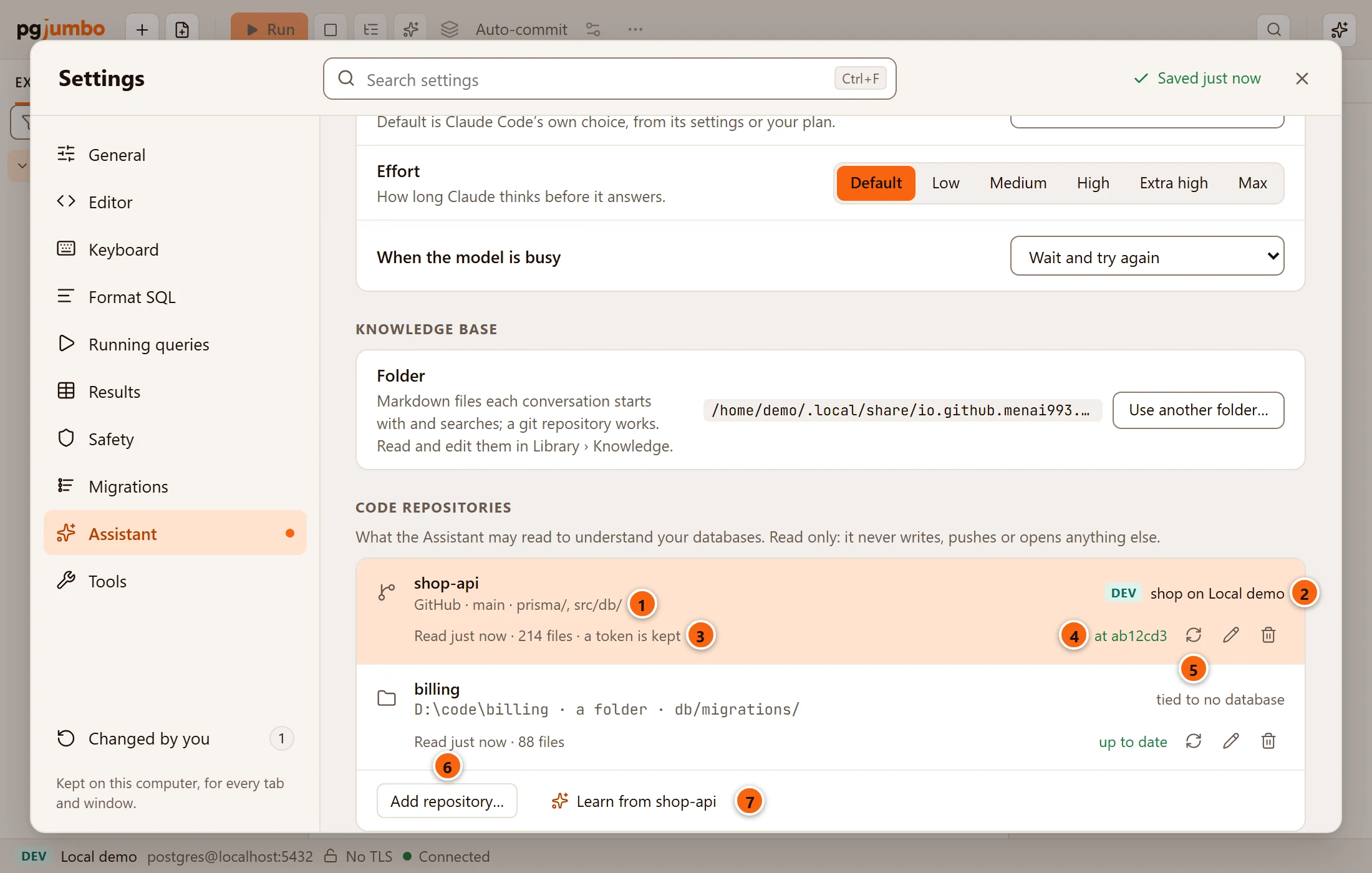
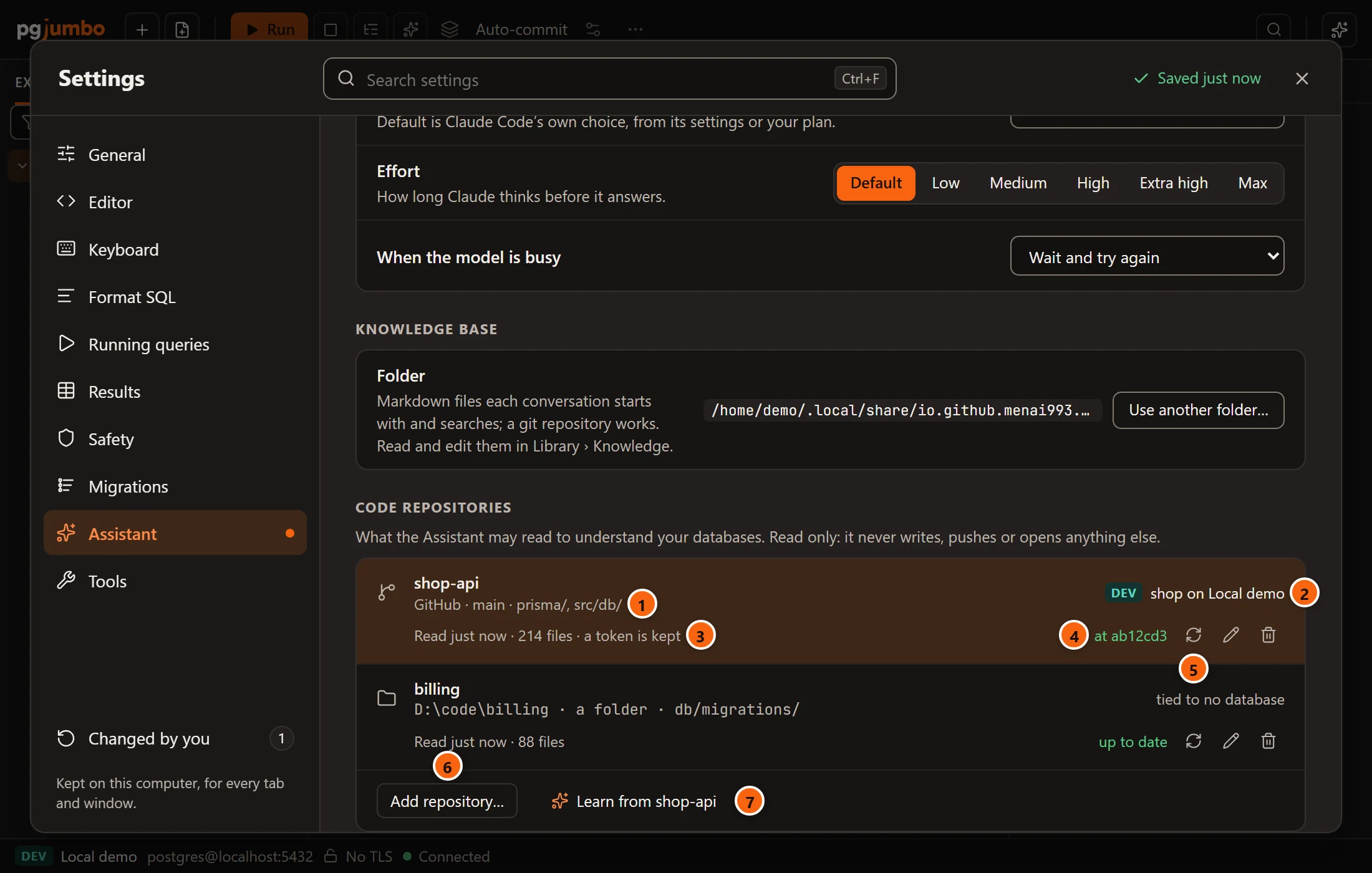
- 1 Where it comes from and what is read: the code host, the branch and the folders, as GitHub · main · prisma/, src/db/. A folder on this computer shows its path, a folder and its folders. all of it stands for no folders named, default branch for no branch.
- 2 The databases it describes, each with its server’s environment tag. A repository tied to none says tied to no database; a tie whose server you deleted says a server since removed.
- 3 When it was last read and how many files it offers: Read just now · 214 files, then 5 min ago, 2 h ago, yesterday or a date. Not read yet before the first read, Reading… during one. · off for conversations when conversations may not read it, · a token is kept when a token is kept.
- 4 What was read: for a code host’s repository, the commit pgjumbo’s copy is at (at ab12cd3); for a folder, up to date, or how many of its files changed since it was read (3 files changed).
- 5 Read again, then Edit… (the pencil) and Remove… (the bin). See Read again, edit or remove.
- 6 Add repository… adds one. See Add a repository.
- 7 Learn from repository asks the Assistant to write knowledge-base files from the repository. See Learn from a repository.
Click a row to choose it for Learn from; with more than one repository, the chosen row is tinted. Before you add any, the list says None yet. Add the repositories that hold a database’s migrations, models or SQL, tied to the databases they describe.
A folder you link to a database with Link a repository… in its Migrations view is listed here as well, with the folders the link covers. This is where you change it afterwards, and where you remove it. See Link a repository.
Add a repository
Section titled “Add a repository”-
Click Add repository….
-
Choose where it comes from: GitHub, GitLab, Bitbucket, Azure DevOps, or A folder on this computer (any git, or none).
-
For a code host, paste the repository’s Address, and type a Branch unless you want its default branch. For a folder, click Choose… and pick it in the system’s folder dialog.
-
Type the Folders to read, one a line, or leave the box empty for the whole repository.
-
Under Describes, tie it to each database it describes (see Tie it to its databases).
-
Click Save and read.
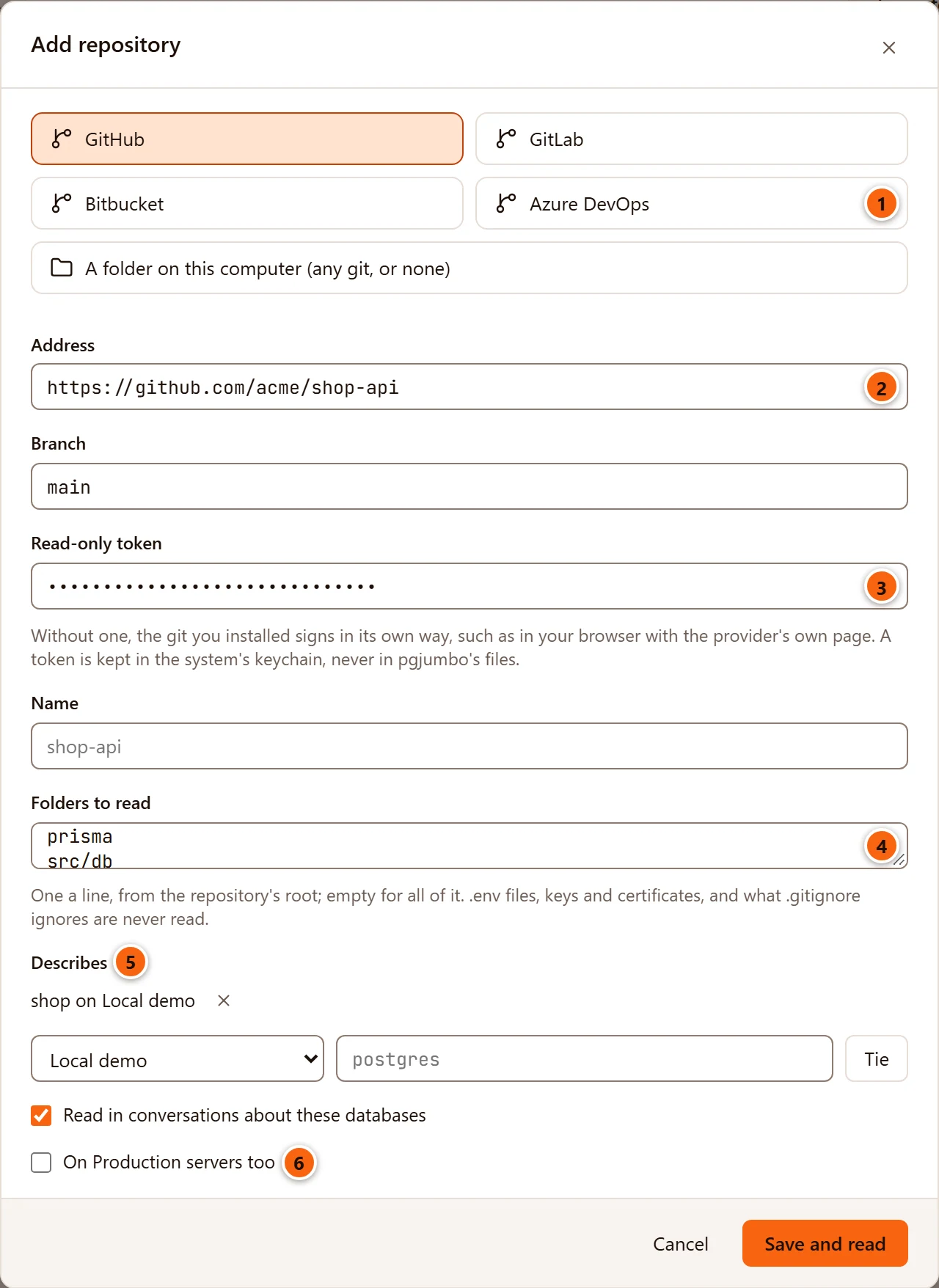
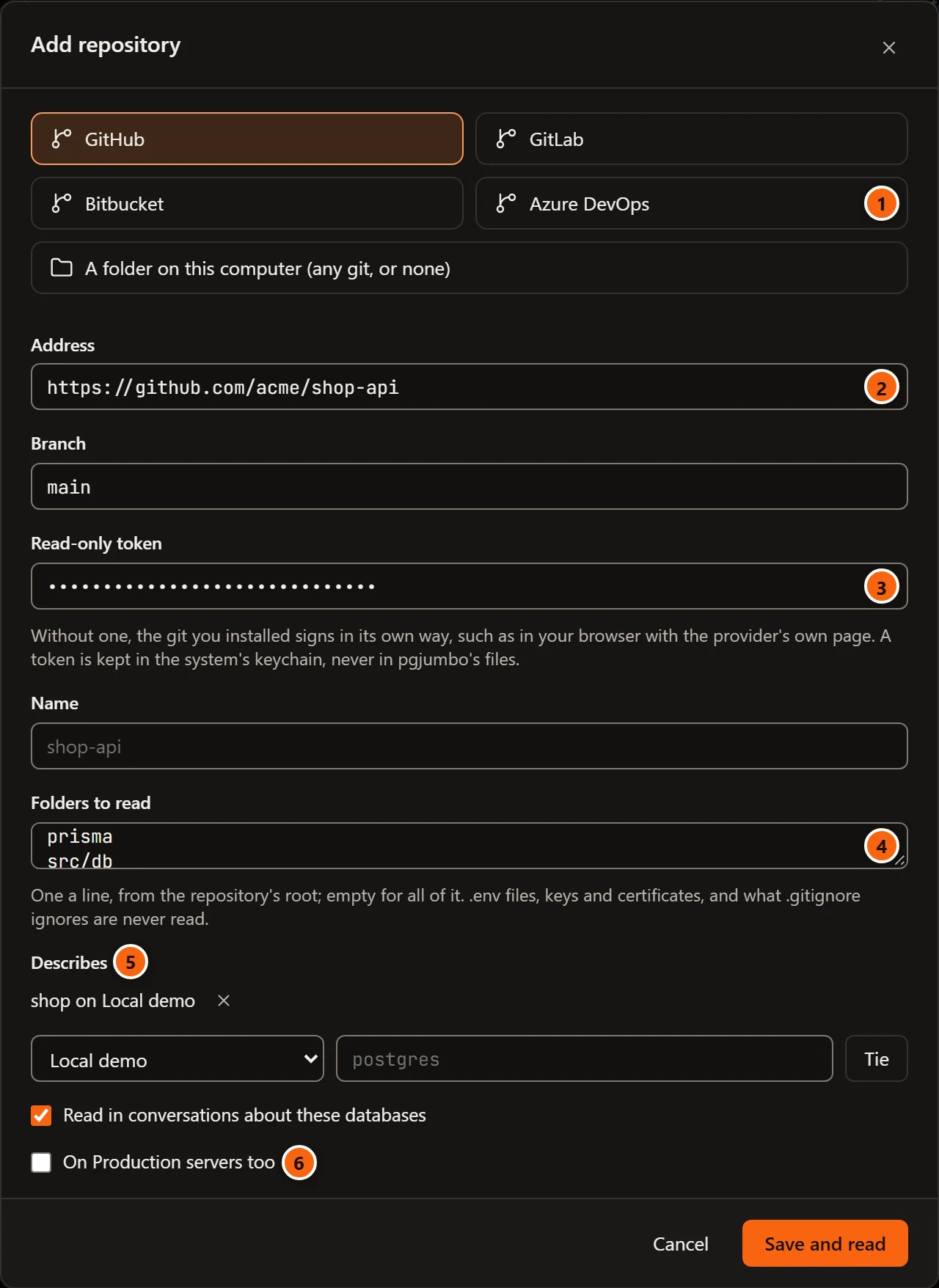
- 1 Where it comes from. The four code hosts differ only in the example address the box shows.
- 2 Address: the repository’s HTTPS address, as the host gives it for cloning.
- 3 Read-only token: optional. See Sign in, or a read-only token.
- 4 Folders to read: one a line, from the repository’s root. The line under it repeats what is never read.
- 5 Describes: the databases it is tied to, and the controls that tie one more.
- 6 The two switches: Read in conversations about these databases and On Production servers too. See The two switches.
| Field | What it does |
|---|---|
| Address | A code host’s repository only. Its https:// address, such as https://github.com/acme/shop-api. pgjumbo tells the host from the address, so it sends a token the way that host takes it. An address on another git server works too, and the list calls its host git. |
| Branch | A code host’s repository only. Empty, the repository’s default branch (the box says Its default branch). |
| Read-only token | A code host’s repository only. Optional; Optional shows in the box until you type. |
| Folder | A folder on this computer only. Choose… opens the system’s folder dialog; you cannot type the path. Read where it is, a clone you keep or any folder. |
| Name | How the list and the conversations name it. Left empty, the last part of the address or folder, without .git, shown greyed in the box. |
| Folders to read | One folder a line (commas work too), from the repository’s root, such as prisma or app/models. Empty, the whole repository. A folder named from the disk’s root or with .. is refused. |
| Describes | The databases it is tied to: see below. |
| Read in conversations about these databases | Ticked to begin with. |
| On Production servers too | Unticked to begin with. |
Save and read is greyed until the address or folder is there and the repository has a name. It saves the repository and reads it at once, and the row shows Reading… until it is done. Cancel, × and Esc close the dialog and add nothing.
When pgjumbo cannot save it, the reason shows in red beside the buttons and the dialog stays open:
| The dialog says | Why |
|---|---|
| Give the repository a name. | There is no name, and none could be taken from the address or folder. |
| Give the repository’s HTTPS address, such as https://github.com/acme/shop-api. | The address does not start with https://. pgjumbo does not copy over SSH. |
| The address keeps no user or password: paste a token in its own field instead. | The address has a user or a password before the host, as in https://me:secret@github.com/acme/shop-api. |
| This is not a repository’s address. | There is no host after https://, or the address has a space in it. |
| A branch’s name has letters, digits, and . _ / - only. | The branch has another character, or starts with -. |
| folder : a folder is named from the repository’s root, without .. . | A folder of Folders to read starts at the disk’s root or goes up with ... |
A folder on this computer
Section titled “A folder on this computer”pgjumbo reads the folder where it is and makes no copy. Any folder works: a clone you keep, a folder with no git at all. The Assistant reads the files as they are on disk when it reads them, changes you have not committed included.
Each read lists the folder’s files again, and the row then says how many changed since. Who added a file and when can
be read only when the folder is a git repository (it has .git); pgjumbo reads that with the git you installed,
which only reads.
A repository on a code host
Section titled “A repository on a code host”pgjumbo copies the repository with the git you installed: the newest commit only, of one branch, and only the folders you named. The copy is kept in pgjumbo’s data folder (see Where things are), and the Assistant reads that copy. Changes pushed later reach it when you click Read again. Because the copy holds one commit, the Assistant cannot say who added a file of it; it can for a folder on this computer.
pgjumbo needs git for this. When a copy fails, the reason shows in red under the list, after the repository’s name:
| The list says | Why |
|---|---|
| git was not found: install git to read a repository from GitHub, GitLab, Bitbucket or Azure DevOps. A folder on this computer needs no git. | No git where pgjumbo looks for it. |
| git took more than five minutes and was stopped. | The copy took too long, for example over a slow network. |
| git could not read the repository: and git’s own last words | The address, the branch or the sign-in was refused, or the host could not be reached. |
Sign in, or a read-only token
Section titled “Sign in, or a read-only token”Without a token, the git you installed signs in its own way, as it does when you clone in a terminal: for example in your browser, on the code host’s own page. pgjumbo does not let git stop to ask for a password in a terminal, so when git cannot sign in its own way, the copy fails and the list says why.
A token you paste is used instead. Make one on the code host that can only read the repository. pgjumbo keeps it in the system’s credential store (the macOS Keychain, Windows Credential Manager, or the system keyring on Linux), never in pgjumbo’s own files, and the dialog never shows it again. It reaches git only while git runs to copy the repository, through git’s environment, never on its command line. The row then says · a token is kept. See Passwords and the credential store for where to find the entry.
Tie it to its databases
Section titled “Tie it to its databases”Under Describes, choose the server in the list, type the database’s name in the box beside it and click Tie. With the box empty, Tie ties the database the box shows greyed, the server’s maintenance database. The tie is listed above the controls as shop on Local demo, with × to untie it. Tying the same database twice does nothing.
A repository can describe several databases, on several servers: the same database on your Dev, Staging and Production servers, for example. The Assistant reads it only in conversations about a database it is tied to, and the database’s Migrations view compares that database with the repository’s migrations.
The two switches
Section titled “The two switches”- Read in conversations about these databases: a conversation about a tied database may read the repository. Unticked, no conversation reads it, the row says · off for conversations, and the message box shows no Repository chip (The Assistant and your migrations). The Migrations view still uses it.
- On Production servers too: the same for the tied databases on servers tagged Production. Unticked, a conversation on a Production server does not read the repository, whatever else allows it.
What the Assistant may read, and when it asks
Section titled “What the Assistant may read, and when it asks”Three things decide whether a conversation reads a repository:
- The repository is tied to the database the conversation is about.
- The Repositories row of SettingsAssistantWhat it may read allows it for the server’s environment tag: Allow, Ask or Don’t allow. It is Allow on Dev and Staging and Ask on Production to begin with. Access levels in general are on Set up the Assistant.
- The repository’s own switches allow it: Read in conversations about these databases, and on Production On Production servers too.
So on a Production server, with nothing changed, a repository is not read at all; tick On Production servers too and the conversation asks first. Where the row says Ask, the question names the repository and the folders it would read, such as Read the code tied to this database on Local demo: shop-api (prisma, src/db)?, or (every folder) when no folders are named. How to answer is on Set up the Assistant. Where a repository may not be read, the Assistant is told why and carries on without it.
What a conversation can read of a repository, each read a line in the conversation:
| Read | What the Assistant gets |
|---|---|
| The repositories | The repositories tied to the database: their names, where they come from, their folders and when they were last read. This needs no access level. |
| Files | The files under a folder, or all of them, with their sizes. |
| Search | The lines that hold some text, as file, line number and line, at most 60. Searching for a table’s or a column’s name finds the code that reads or writes it. |
| A file | One file with its line numbers, at most 2,000 lines, so that an answer can name the file and line a fact comes from. |
| Migrations | The files that look like migrations, in their order. |
| A commit | Who added a file, when, and the first line of the commit’s message. Only for a folder on this computer that is a git repository. |
| Prisma’s models | The models of a Prisma project’s schema.prisma, beside their tables. |
What it does with migrations is on The Assistant and your migrations.
Read again, edit or remove
Section titled “Read again, edit or remove”Read again
Section titled “Read again”Read again (↻, at the row’s end) reads the repository again: a folder’s list of files, or a fresh copy from the code host. While it reads, the row says Reading… and Read again waits on every row. The copy that was there is replaced only once the new one is whole, so a failed read leaves the old copy, and the reason shows under the list.
Edit… (the pencil) opens the same dialog, titled Edit repository, as you saved it. Change the folders, untie a database with ×, tie another, or change the switches. A kept token stays: the box says A token is kept: type to replace it, and Remove the kept token under it deletes it when you save. Save and read saves the changes and reads the repository again.
Changing a folder’s place, or turning a folder into a code host’s repository, forgets a permission you gave to run its Prisma (see Drift against schema.prisma).
Remove…
Section titled “Remove…”Remove… (the bin) asks first, and names each thing that goes or stays, with a row only for what there is.
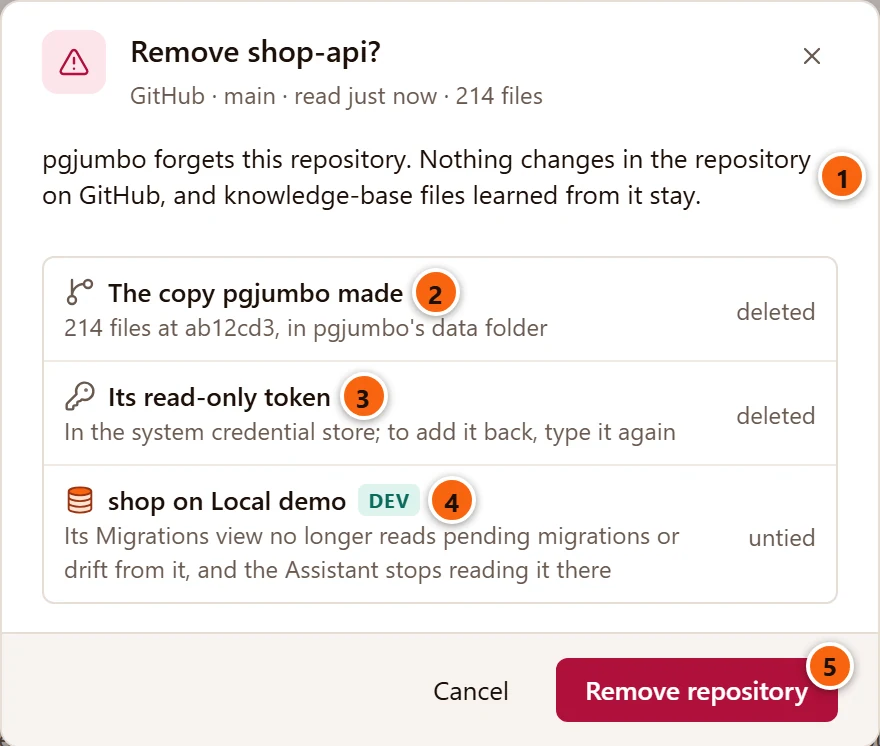
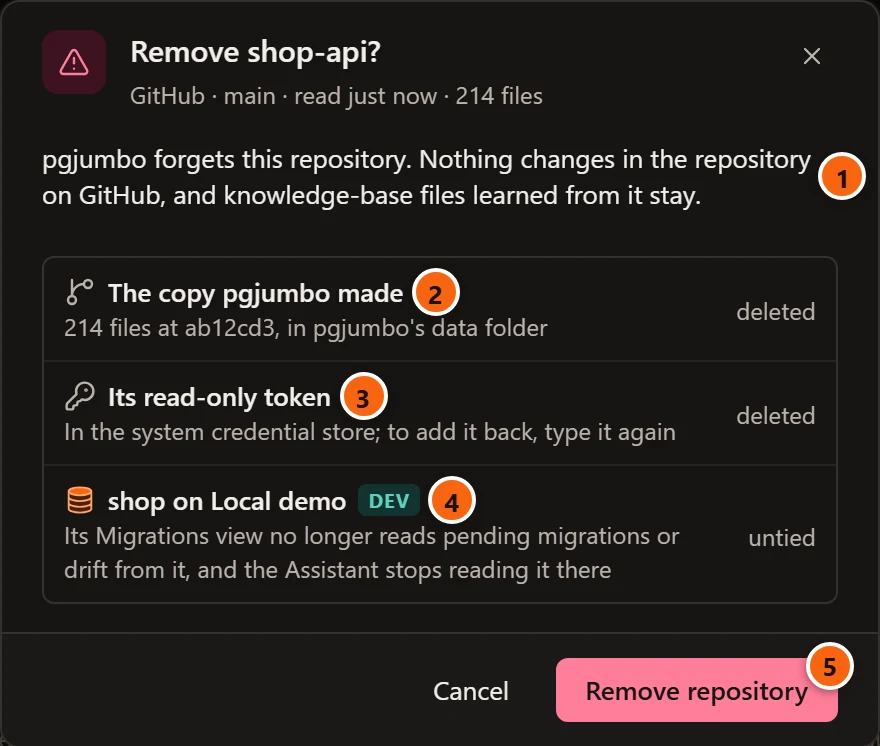
- 1 What pgjumbo forgets, and what does not change: the repository on the code host, and the knowledge-base files learned from it.
- 2 The copy pgjumbo made: deleted from pgjumbo’s data folder.
- 3 Its read-only token: deleted from the system’s credential store.
- 4 Each database it is tied to: untied.
- 5 Remove repository removes it.
| Row | When it shows | What happens to it |
|---|---|---|
| The copy pgjumbo made | A code host’s repository that was read: the row says how many files, at which commit. | deleted |
| Its read-only token | A token is kept. The row names the credential store: the macOS Keychain, Windows Credential Manager or the system keyring. | deleted; to add it back, type it again |
| The folder’s path | A folder on this computer: Your folder, with its files and any git history. The question’s first line says pgjumbo made no copy of it. | stays |
| Each tied database, with its environment tag | The repository is tied to it. | untied: its Migrations view no longer reads pending migrations or drift from the repository, and where the Assistant read it there, it stops |
| Running its Prisma for drift | You allowed it, on the date the row gives. | forgotten, and asked again if the repository comes back |
Cancel, × or Esc keeps everything. If the removal fails, the question stays open and says why. To untie one database, or to drop the token alone, use Edit… instead.
Learn from a repository
Section titled “Learn from a repository”Choose a repository in the list and click Learn from repository. Settings closes, the Assistant’s pane comes forward, and a question waits in its box for you to send it with ↩︎ (Enter on Windows and Linux), as with any Ask button (see How an Ask button works).
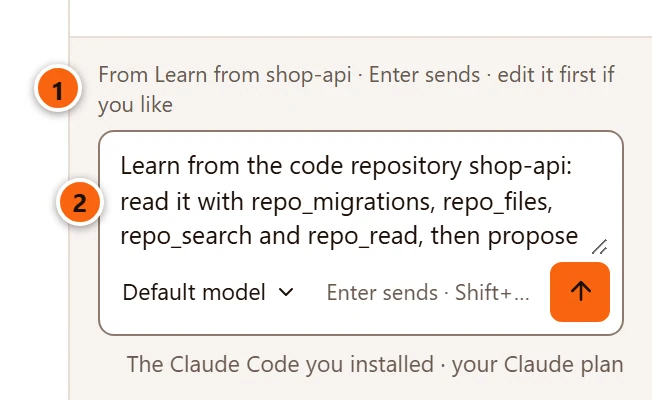
- 1 Where the question came from.
- 2 The question. Edit it first if you like.
The Assistant reads the repository and proposes files for your knowledge base, each fact with the file and the line it comes from:
databases/server/database.md: what each table holds and what writes to it.conventions/repository.md: the conventions the code follows, such as soft deletes, money or status values.- A file in
flows/for each main flow, with its tables in order.
They come as one Knowledge card. Nothing is written until you save it, and the files go into your knowledge base, never into the repository. See Knowledge base and notes.
Learn from asks about the first database the repository is tied to. It is greyed until the repository is tied to a database (its tooltip says Tie it to a database first) and until it has been read (Read it first). It reads the repository like any conversation, so the access levels and the switches above apply.
What is never read
Section titled “What is never read”Whatever the folders you name, and whatever a conversation asks for, these are never read from a repository:
| Never read | |
|---|---|
| Folders you did not name | When Folders to read names some, only those. |
.git |
The repository’s own history folder. Who added a file is asked of git instead. |
What .gitignore ignores |
As git would ignore it. |
.env files |
Any file whose name starts with .env. |
| Keys and certificates | Files named id_rsa…, id_ed25519… or id_ecdsa…, and files ending in .pem, .key, .p12, .pfx, .keystore or .jks. |
node_modules |
In any folder. |
| Binary files | A file with a NUL byte in its first 8 KB. |
| Large files | Files over 512 KB. |
| Past 5,000 files | A repository is read up to its first 5,000 files. |
| Outside the repository | A link that leads out of the repository’s folder. |
The settings page itself is described on Settings.