

Generate scripts
Generate Scripts writes one script for many objects of a database: their CREATE statements in the order
PostgreSQL needs, with foreign keys after every table, and, if you like, DROP statements, owners, privileges,
comments and rows. Use it to copy a schema’s structure to another server, to keep a database’s objects in version
control, or to hand a colleague the SQL for a set of tables.
The script goes to a Query Tool, a file, a file per object or the clipboard. Nothing runs. For one object’s script, use Script as.
Open Generate Scripts
Section titled “Open Generate Scripts”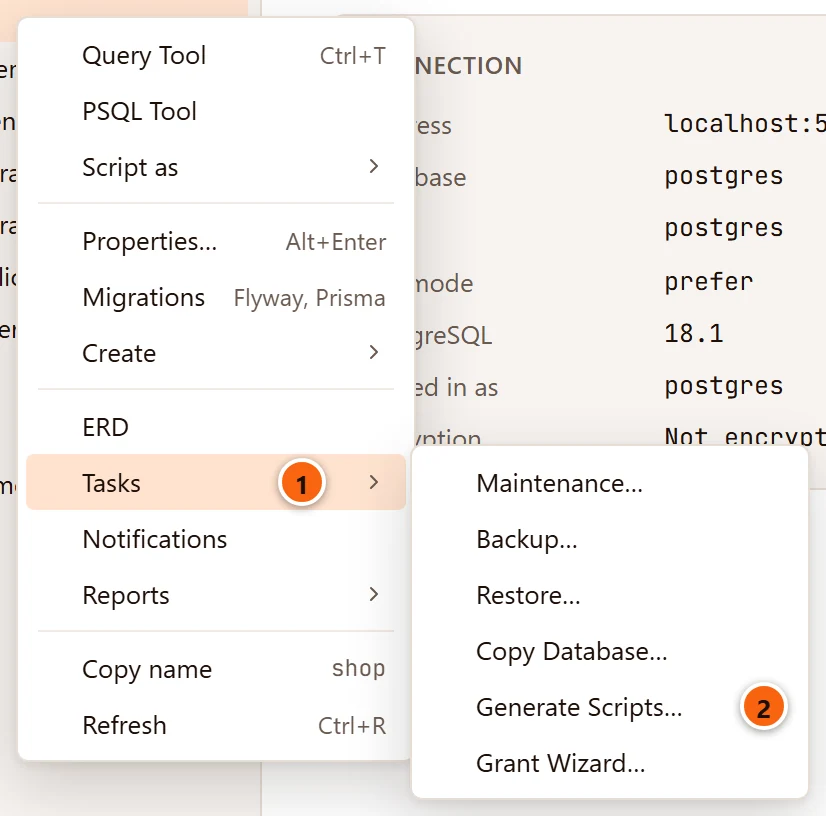
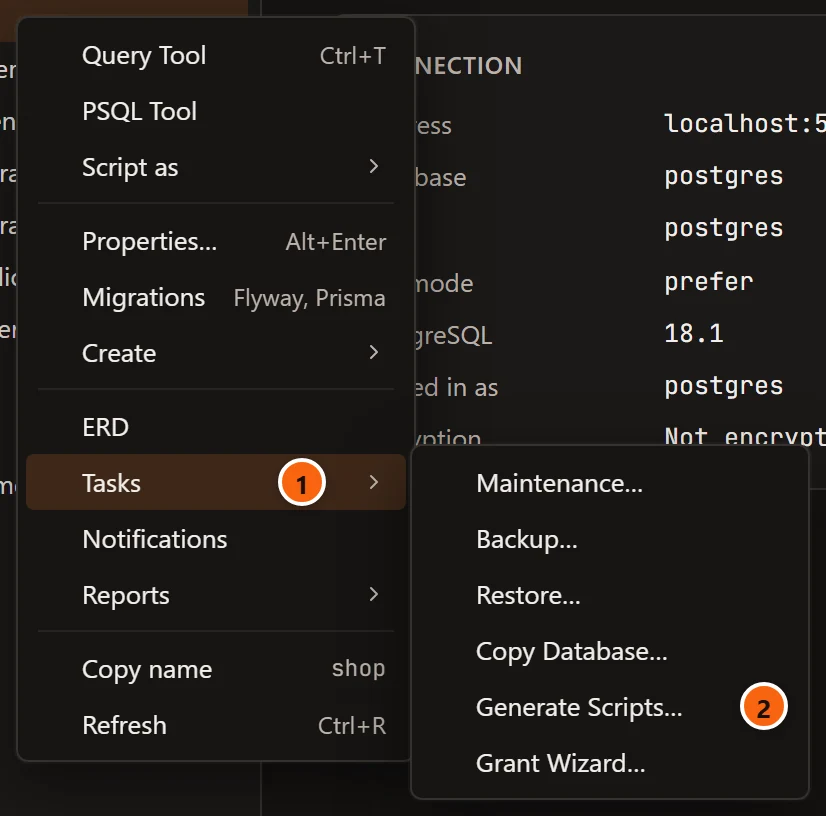
- 1 Right-click a database or a schema in the Explorer and open Tasks.
- 2 Generate Scripts… opens the dialog. On a database every object starts ticked; on a schema, that schema’s objects.
The menu bar has it too: select a database or a schema in the Explorer and choose ToolsGenerate Scripts…. The item is greyed out while anything else is selected, while the server is not connected, and while the Explorer is hidden.
A diagram opens the same dialog with only its tables ticked: see From a diagram.
System databases and schemas do not offer it. No way in has a key.
The dialog
Section titled “The dialog”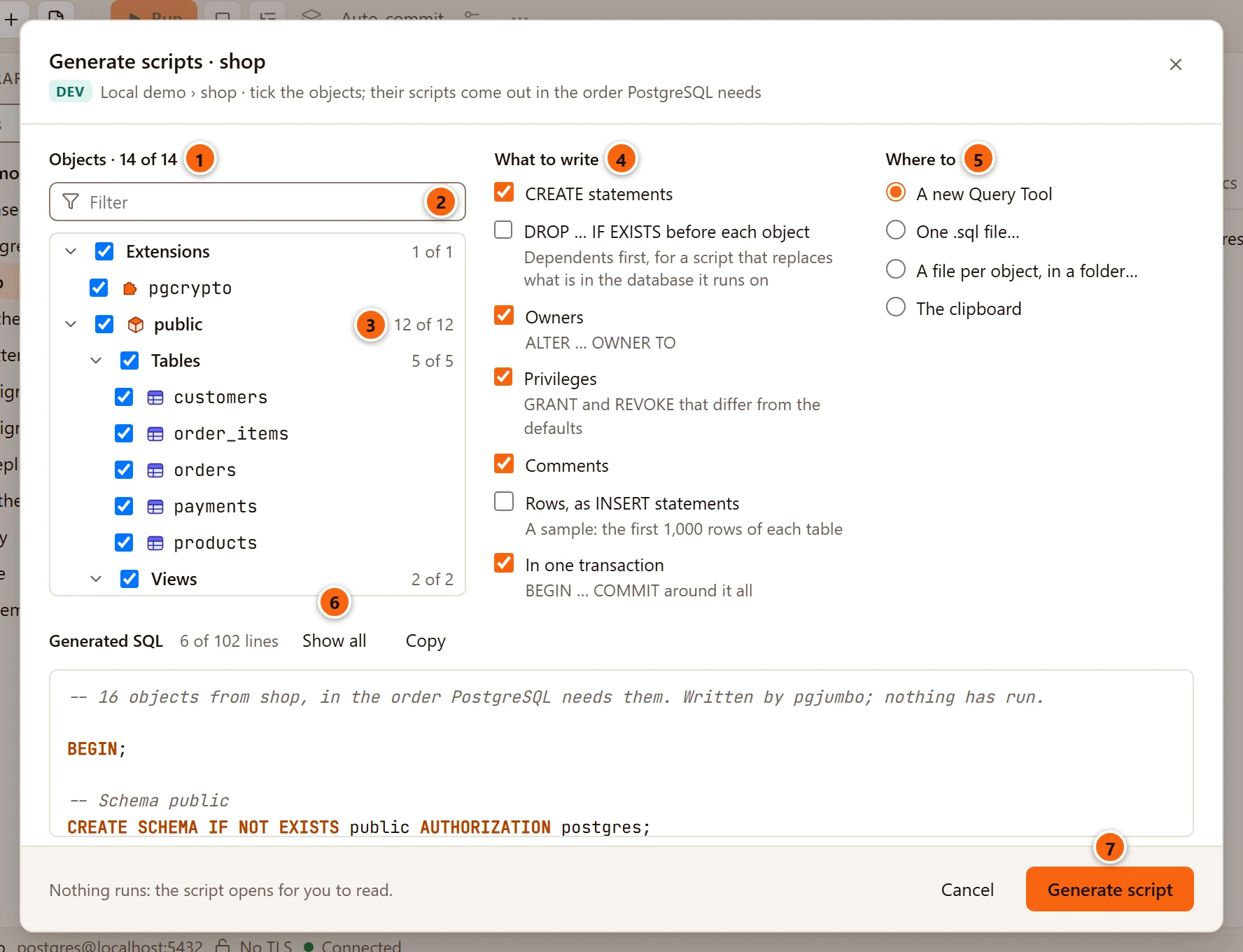
- 1 Objects counts what is ticked out of what the database has.
- 2 Filter shows only the objects whose name contains what you type, upper or lower case alike. Ticking a group then ticks only the objects shown.
- 3 Each group (Extensions, a schema, a folder in it) has a box that ticks or unticks every object under it, and says how many of them are ticked. A box half filled means some are. The arrow opens or closes the group.
- 4 What to write chooses which statements go in.
- 5 Where to chooses where the script goes.
- 6 Generated SQL shows the first six lines of the script as it will be, and how many lines it has. Show all shows up to 500 lines (Show less goes back). Copy copies the whole script and reads Copied for two seconds.
- 7 Generate script writes it and sends it where you chose. It is greyed out while nothing is ticked, and says Generating… while it works.
Under the title, the server’s environment tag, the server and the database come before tick the objects; their scripts come out in the order PostgreSQL needs. While the list loads, the dialog says Reading the database’s objects….
The preview follows your choices about a third of a second after you stop changing them. It says Tick the objects to script. while nothing is ticked, Writing the script… before the first preview arrives, and shows the reason in red when the script cannot be written. With more than 5,000 objects ticked, the preview waits for you: it says how many are ticked and that a preview of this many takes a while, so it waits for you, with a Preview link that writes it.
The footer says Nothing runs: the script opens for you to read., or shows what went wrong in red (a failed Copy says Could not copy: and why). ↩︎ (Enter on Windows and Linux) in the Filter field does the same as Generate script. Cancel, × or Esc closes the dialog.
The objects you can tick
Section titled “The objects you can tick”The list holds the database’s extensions (all but plpgsql), then each schema in alphabetical order with its
objects in folders: Tables (partitioned tables and partitions too), Views, Materialized views,
Functions, Procedures, Aggregates, Sequences, Types (enum, composite and range types),
Domains, Collations, Operators, Text search configurations and Text search dictionaries. A
folder appears only when the schema has objects of that kind, and a schema only when it has something to tick.
Some objects are not in the list:
- System schemas (
pg_catalog,information_schema,pg_toast, temporary schemas) and anything that belongs to an extension. The extension’s ownCREATE EXTENSIONbrings those back. - Indexes, constraints, triggers, policies, rules and the sequences a column owns. They come with their table’s script.
- Foreign tables, base types and multirange types, text search parsers and templates, and the objects that live outside a schema other than extensions: casts, event triggers, languages, publications, subscriptions, foreign-data wrappers, foreign servers, roles and tablespaces. Script those one at a time with Script as.
If the database has nothing to script, the list says This database has no objects to script. If the filter matches nothing, it says No object matches.
What is written without being ticked
Section titled “What is written without being ticked”pgjumbo adds two things to what you ticked, so that the script can run on a database that lacks them:
- The schema each ticked object is in comes first, as
CREATE SCHEMA IF NOT EXISTS, so it is made only if it is missing. So does the schema a ticked extension is installed in, even one that holds nothing else. - A function that a trigger of a ticked table or view calls is written too, with its schema, even when it is not ticked: a trigger cannot be made before its function. The head of the script names it, in a line that starts Also written, as triggers of the chosen objects call it. This happens only with CREATE statements ticked, and never for a function that belongs to an extension.
Nothing else is added. An object that needs another one you left unticked, such as a view on a table you did not tick, fails when the script runs unless that object is already there.
What to write
Section titled “What to write”| Option | Starts | What it adds |
|---|---|---|
| CREATE statements | Ticked | The statements that make each object, and everything in its script that is not an owner, a privilege or a comment (indexes, constraints, triggers, ALTER SEQUENCE … OWNED BY, and so on). The foreign keys and SET check_function_bodies come only with this option. |
| DROP … IF EXISTS before each object | Not ticked | A DROP … IF EXISTS for each object at the top, dependents first, for a script that replaces what is in the database it runs on. |
| Owners | Ticked | The ALTER … OWNER TO statements, and the AUTHORIZATION of each CREATE SCHEMA. |
| Privileges | Ticked | The GRANT and REVOKE statements that differ from PostgreSQL’s defaults. |
| Comments | Ticked | The COMMENT ON statements. |
| Rows, as INSERT statements | Not ticked | A sample: the first 1,000 rows of each table, as INSERT statements. |
| In one transaction | Ticked | BEGIN; at the start and COMMIT; at the end, so the script makes everything or nothing. |
The grey line under an option says what it adds, such as ALTER … OWNER TO under Owners. Untick everything but Privileges, for example, to get only the grants on the objects you ticked.
Rows are a sample
Section titled “Rows are a sample”Rows writes at most the first 1,000 rows of each ticked table, by its primary key if it has one, so the same rows come out each time. A table without a primary key gives the first 1,000 the server returns, in no set order. The script is not a backup: to copy every row, use Copy a database or Back up and restore.
- The server quotes the values. Generated columns are left out, and a table with an identity column
GENERATED ALWAYSgetsOVERRIDING SYSTEM VALUE. - pgjumbo reads only the table’s own rows, so a partitioned table’s rows come with its partitions, when you tick them, and a parent table’s without its children’s.
- Above the rows, the script names each table that holds more than 1,000, in a line such as
-- public.orders: the first 1,000 of more. - The foreign keys of such a table, and those that point at it, are added
NOT VALID, since a row of the sample may point at a row left out. TheVALIDATE CONSTRAINTstatements follow as comments, to run once the rest of the rows are in. - Triggers, rules, row security and policies are written after the rows, so that copying the rows fires no trigger
and nothing turns a row away. After them come a
setvalfor each sequence that has been used (a ticked one, or one a ticked table’s column owns), so new rows carry on where the source stands, and aREFRESH MATERIALIZED VIEWfor each materialized view that holds data, which is madeWITH NO DATAfirst.
DROP with Rows
Section titled “DROP with Rows”Run on the database it was made from, a script with both DROP … IF EXISTS and Rows would drop a table and put back only 1,000 of its rows. pgjumbo refuses to write it when a ticked table holds more than 1,000 rows.
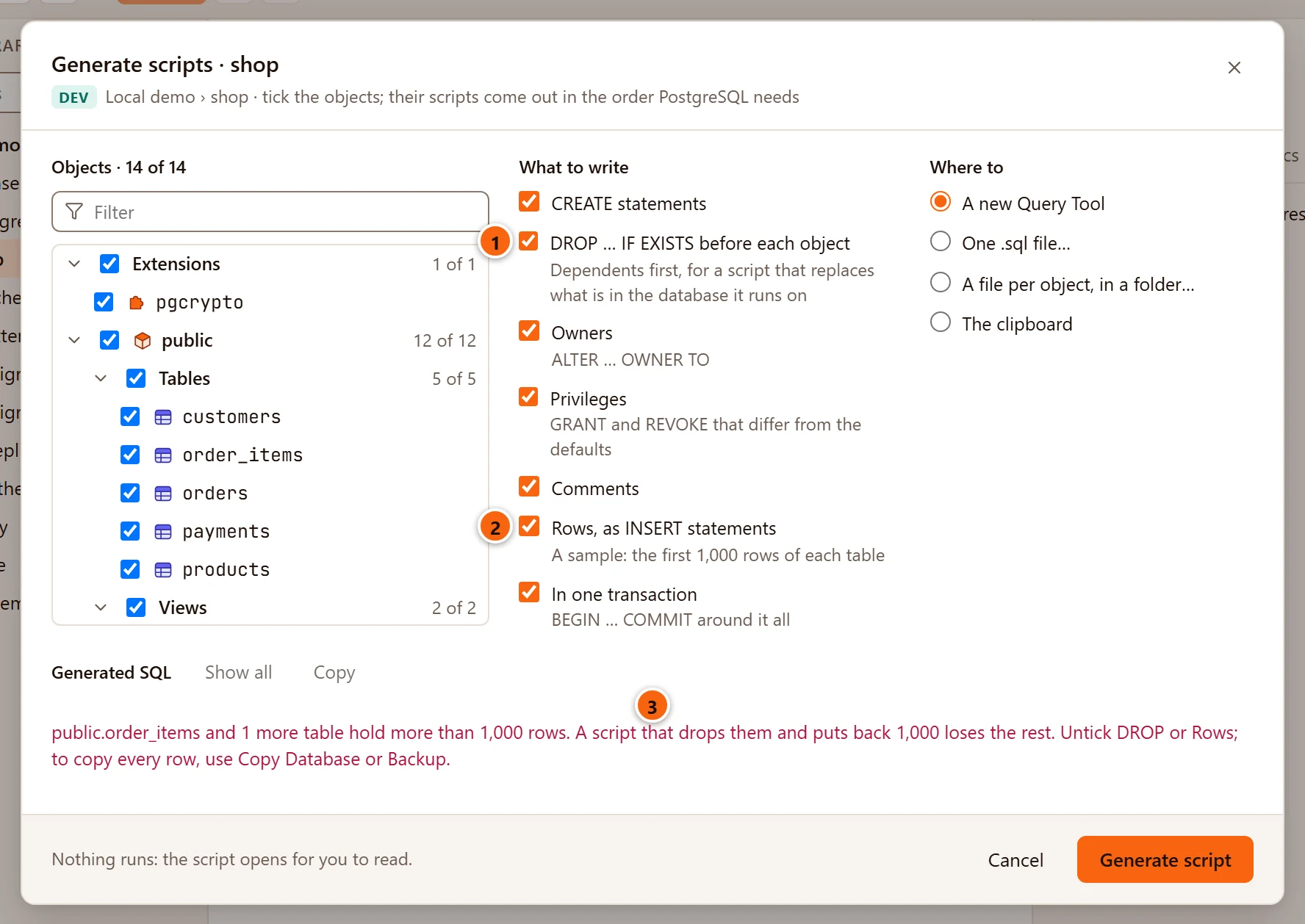
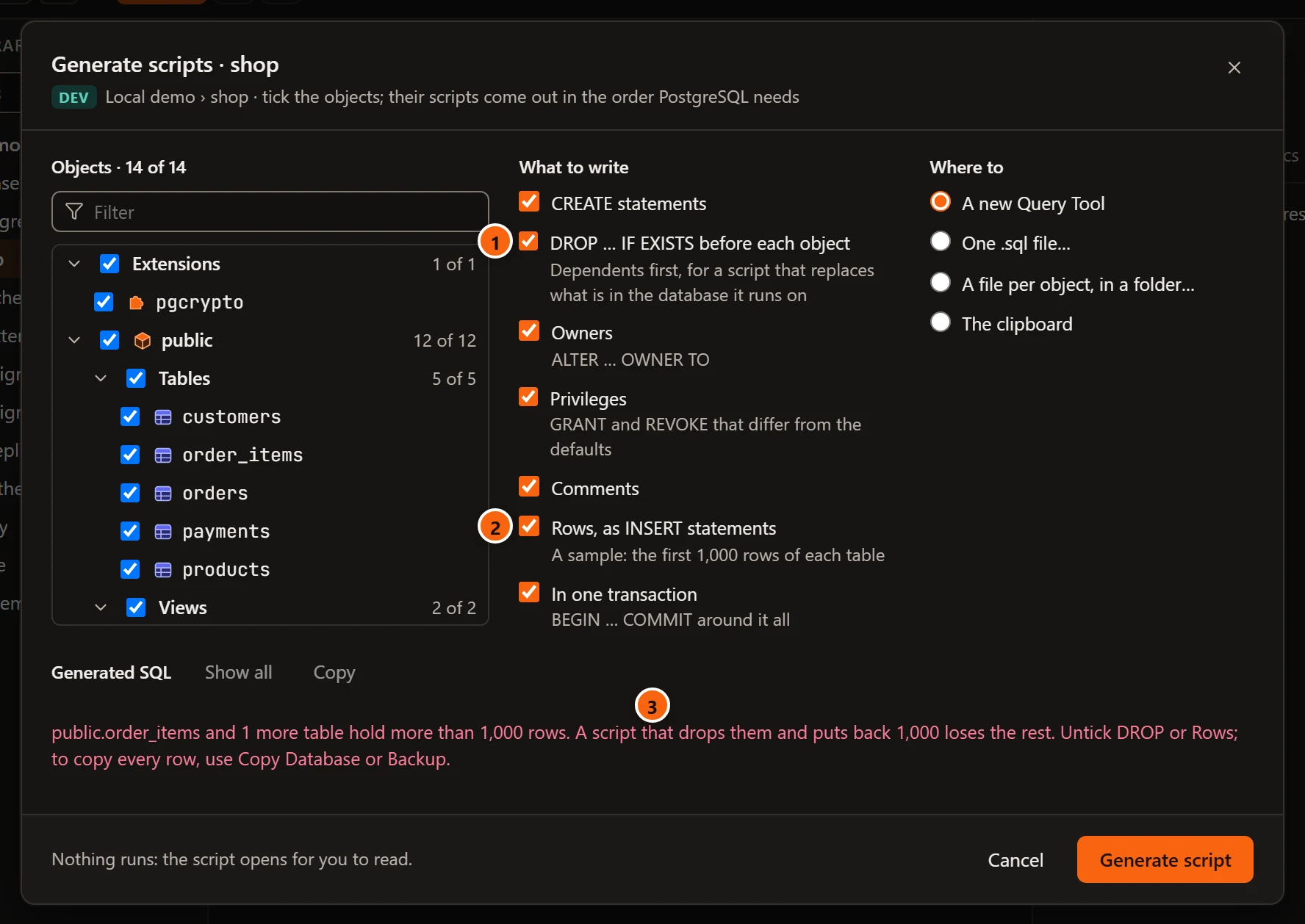
- 1 DROP … IF EXISTS before each object, ticked.
- 2 Rows, as INSERT statements, ticked too.
- 3 The preview names the first such table and counts the others:
public.order_items and 1 more table hold more than 1,000 rows. A script that drops them and puts back 1,000 loses the rest. Untick DROP or Rows; to copy every row, use Copy Database or Backup.With one table it readspublic.orders holds more than 1,000 rowsand goes on the same way.
Untick one of the two. If you click Generate script as it is, the footer shows the same refusal and the dialog stays open. With every ticked table at 1,000 rows or fewer, the two options go together.
Where the script goes
Section titled “Where the script goes”| Choice | What happens |
|---|---|
| A new Query Tool (the default) | The script opens in a new Query Tool tab on the database, and the dialog closes. |
| One .sql file… | The Save SQL File dialog opens with the database’s name filled in, such as shop.sql. A notice beside the row says Saved the script to and the file’s name. |
| A file per object, in a folder… | A folder dialog, Folder for the Scripts, opens. pgjumbo writes one .sql file per object, named by its place in the script and its name, such as 001 public.sql for a schema and 007 public.customers.sql for a table, and a last file for the foreign keys, numbered after the others and called … foreign keys.sql. Files of the same name in that folder are replaced. The notice says Wrote so many files to and the folder’s name. |
| The clipboard | The whole script is copied. The notice says Copied the script of so many objects. |
In every case but A new Query Tool, the dialog closes and a green notice beside the row in the Explorer says where the script went. It goes away after six seconds.
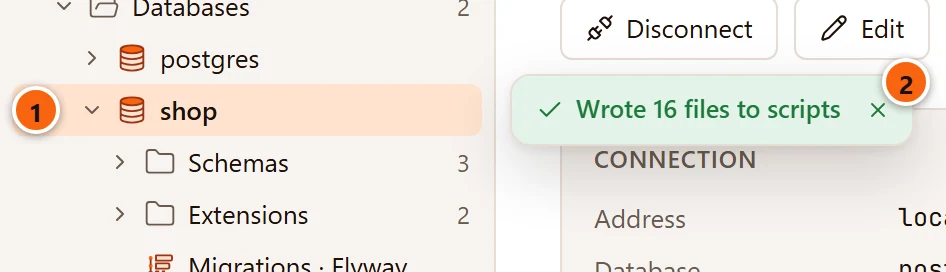
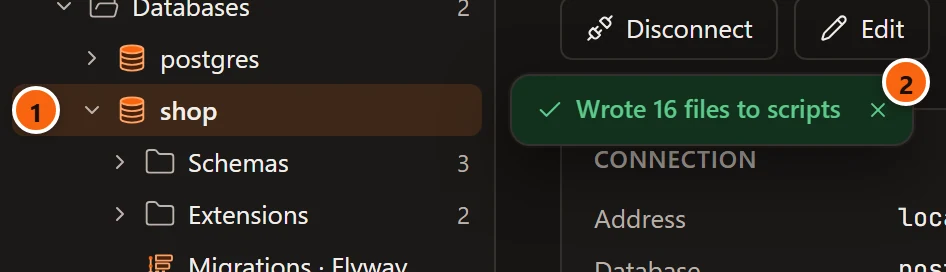
- 1 The database or schema you opened the dialog on.
- 2 The notice: here, 16 files written to a folder called
scripts. Its × closes it sooner.
If you cancel the file or folder dialog, you are back in the Generate scripts dialog with your choices kept.
In a file per object, each file holds that object’s statements under a comment that names it, with its
DROP … IF EXISTS and its rows when those are ticked, and SET check_function_bodies = false; for a function or
procedure. No file has BEGIN or COMMIT. A character that a file name cannot hold, such as a bracket in a function’s
arguments, becomes _. Run the files in the order of their numbers.
A file you saved opens like any other: see SQL files.
From a diagram
Section titled “From a diagram”In a diagram, ExportSQL script… opens Generate Scripts on the diagram’s schema with only that schema’s tables ticked: the ones the diagram draws.
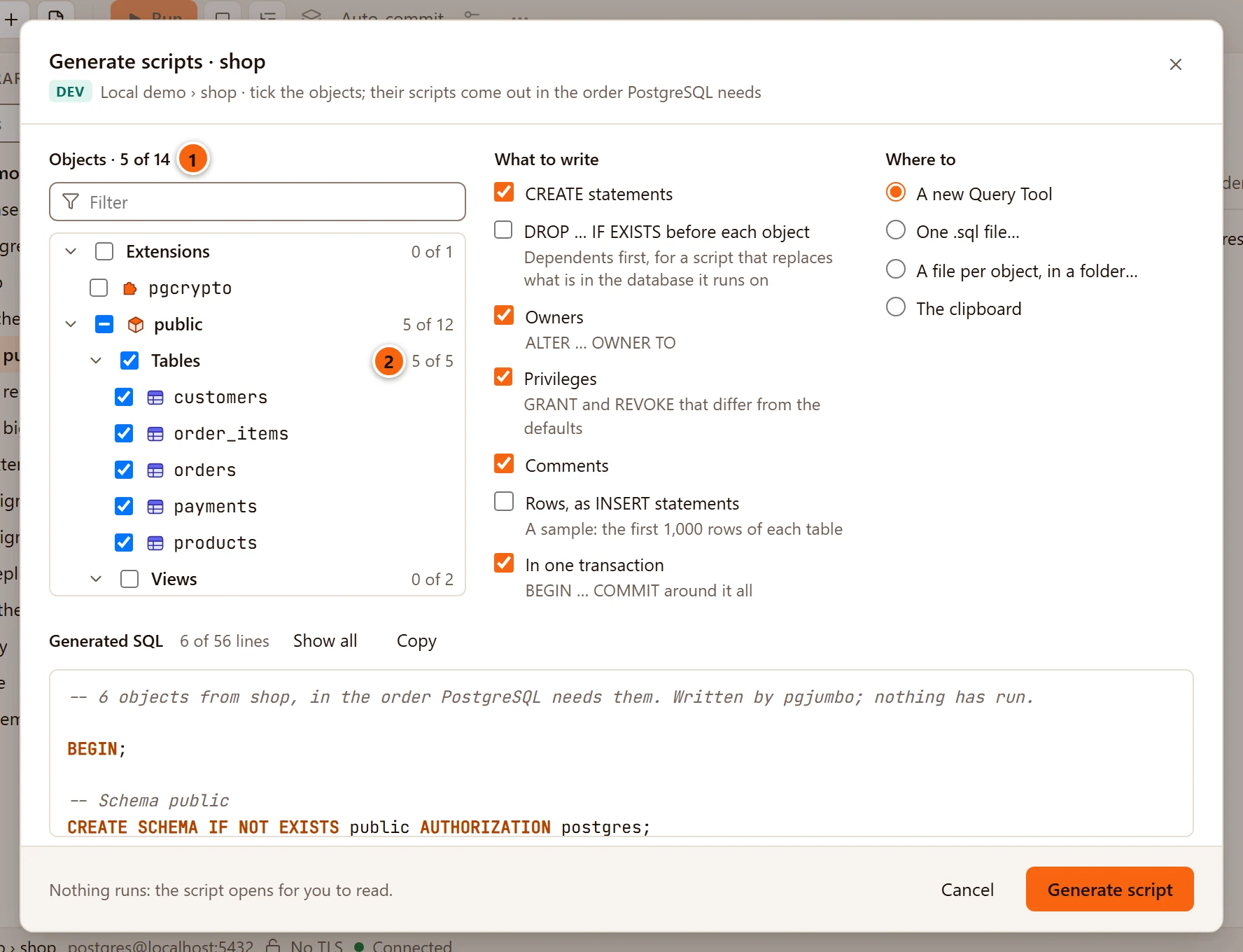
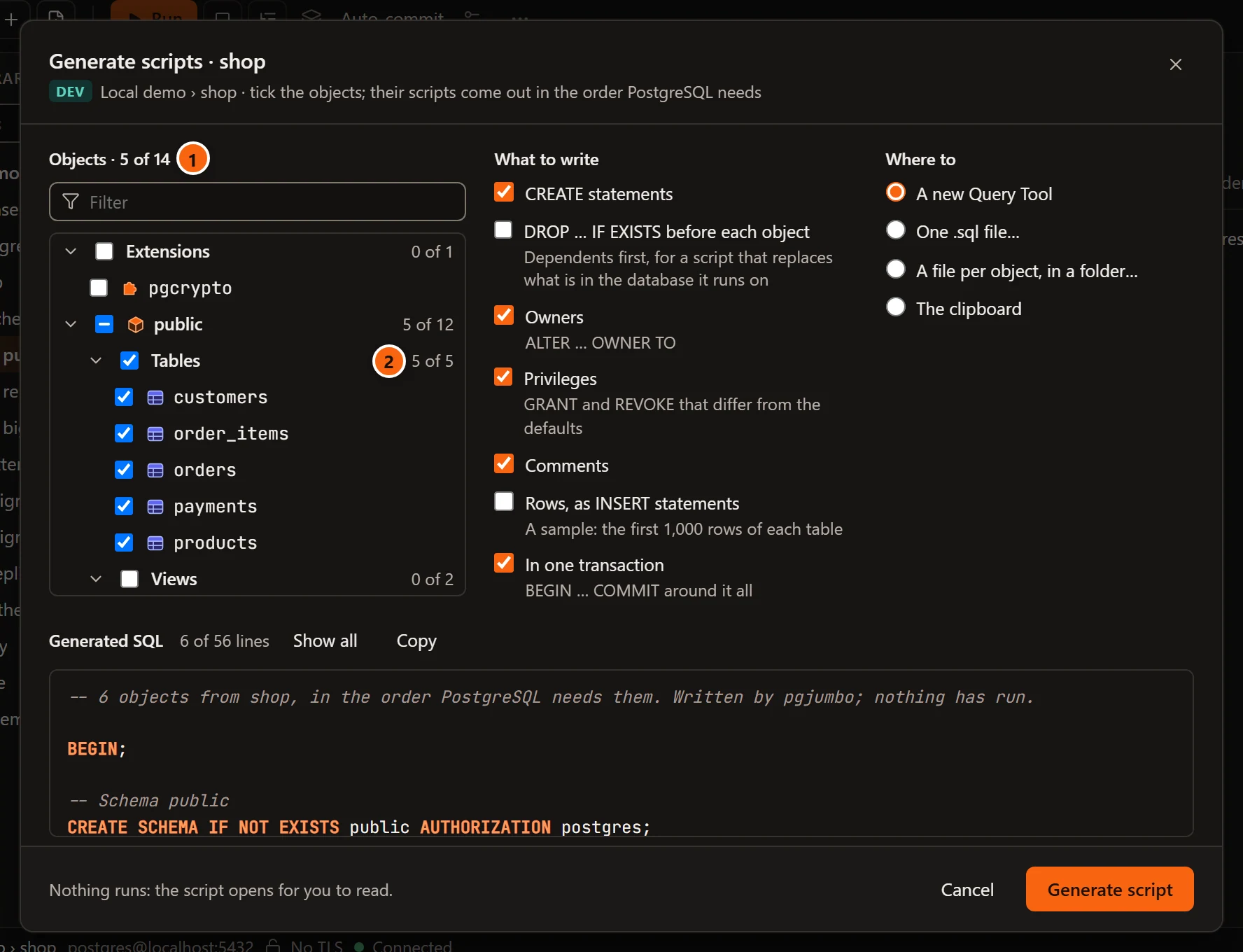
- 1 5 of the database’s 14 objects are ticked.
- 2 The schema’s Tables, all ticked. Its views, functions, sequences and types are not, and neither are the other schemas’ objects.
From there the dialog works as it does from the Explorer: tick more, choose what to write and where. With A new Query Tool, the script opens beside the diagram:
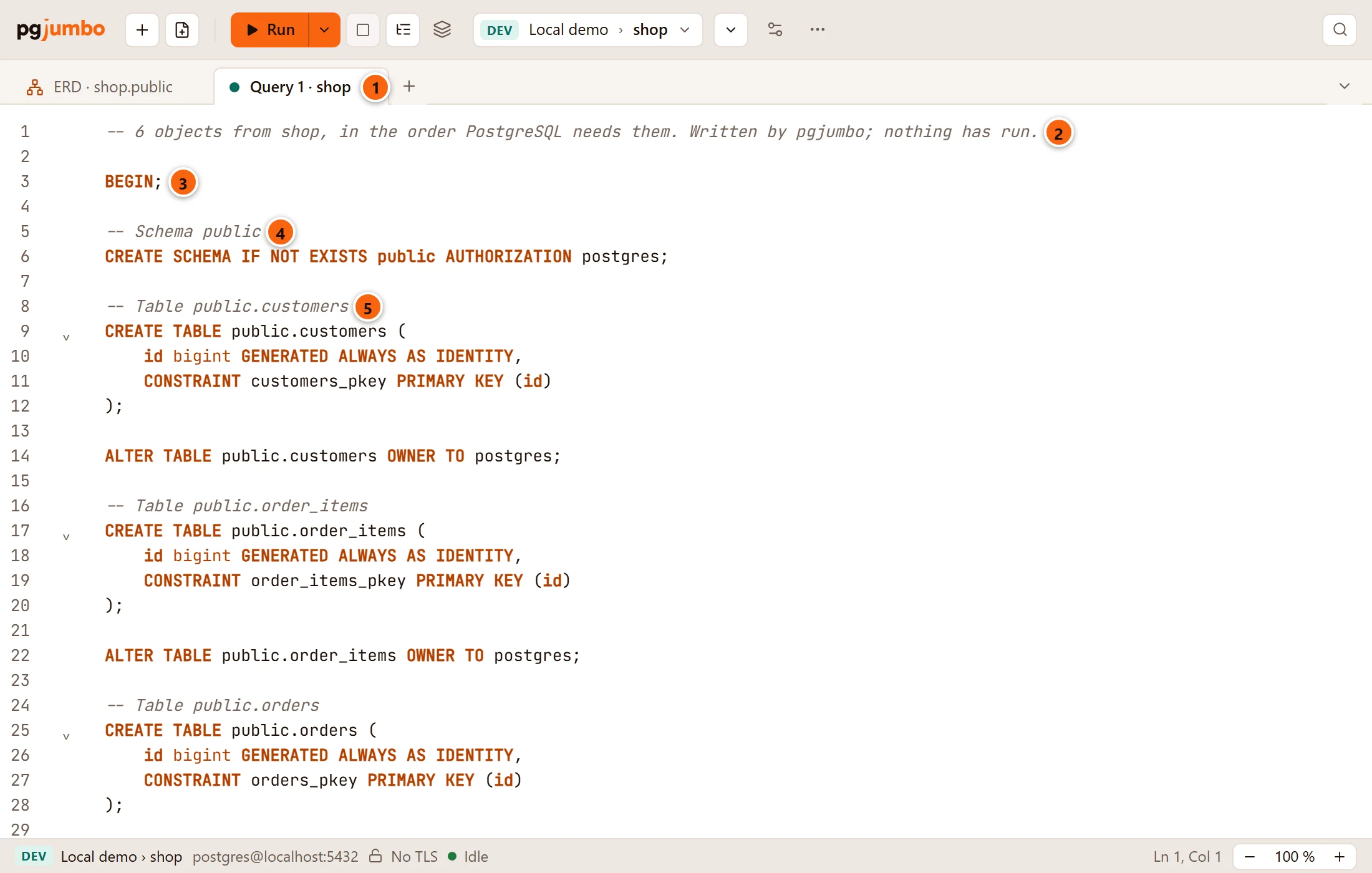
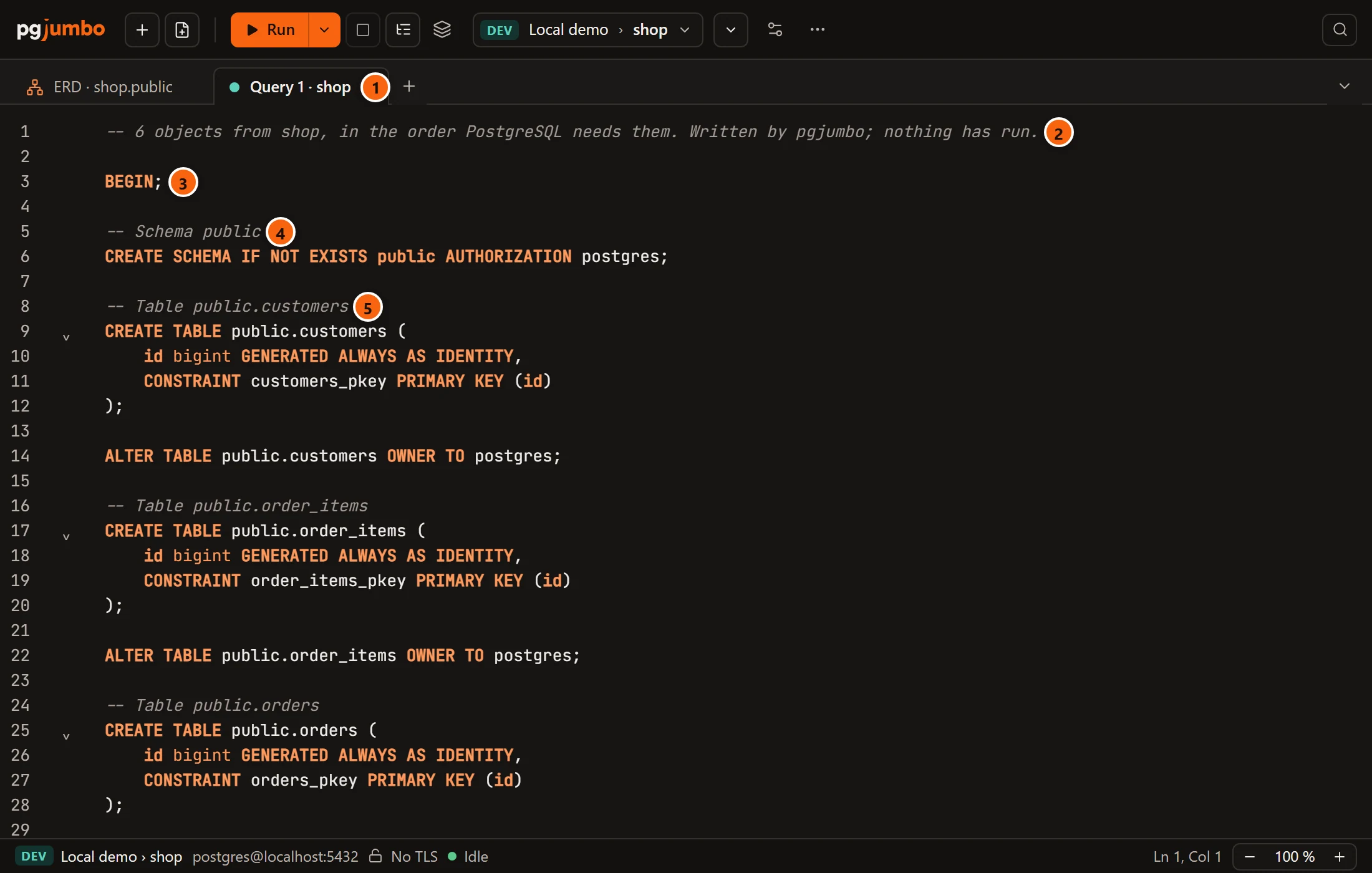
- 1 The new Query Tool tab, on the database of the objects.
- 2 The head of the script: how many objects it holds, the schema among them, and that nothing has run.
- 3
BEGIN;, from In one transaction. - 4 The schema, made only if it is missing.
- 5 Each object under a comment that names it, with its owner, privileges and comments after its
CREATE.
When the script goes to a file, a folder or the clipboard from a diagram, the diagram’s own line says where it went: Diagrams describes it.
What the script contains
Section titled “What the script contains”pgjumbo writes the script in this order:
- A comment that says how many objects it holds (the schemas count too) and that nothing has run. When a trigger’s function was added, a second comment names it.
- When it creates a function or procedure,
SET check_function_bodies = false;under a comment that says why: a function’s body is checked when it runs, not when it is made, so it can mention a table made further down. BEGIN;, with In one transaction.- With DROP … IF EXISTS, a section that removes what is there now: first the foreign keys, then each object, dependents before what they depend on. Schemas are never dropped.
- Each schema’s
CREATE SCHEMA IF NOT EXISTS, then each object under a comment that names it. Every object comes after what it needs, as PostgreSQL’s catalog records it, and a partition after its parent. Where nothing decides, the order is: extensions; collations, types and text search dictionaries; domains, sequences and text search configurations; functions and procedures; aggregates and operators; tables; views; materialized views. - With Rows, the rows of each table, under a comment that names the tables cut at 1,000.
- With Rows, what waits until the rows are in: triggers, rules, row security, the sequences’ positions and the
materialized views’
REFRESH. - The foreign keys, added once every table is there. That way two tables can point at each other, and the rows can
go in before the keys check them. With Rows, the keys of the tables cut at 1,000 come last,
NOT VALID, followed by theirVALIDATE CONSTRAINTstatements as comments. COMMIT;, with In one transaction.
Names are quoted by the server. For two tables in a schema sales, with Rows ticked and more than 1,000 rows in
orders, the script looks like this (shortened):
-- 3 objects from shop, in the order PostgreSQL needs them. Written by pgjumbo; nothing has run.
BEGIN;
-- Schema salesCREATE SCHEMA IF NOT EXISTS sales AUTHORIZATION app;
-- Table sales.customersCREATE TABLE sales.customers (    …);
ALTER TABLE sales.customers OWNER TO app;
-- Table sales.ordersCREATE TABLE sales.orders (    …);
ALTER TABLE sales.orders OWNER TO app;
-- Rows: a sample, at most the first 1,000 of each table (by its primary key where it has one).-- sales.orders: the first 1,000 of more.
INSERT INTO sales.customers (id, name) OVERRIDING SYSTEM VALUE VALUES ('1', 'Ada');…
INSERT INTO sales.orders (id, customer_id, total) OVERRIDING SYSTEM VALUE VALUES ('1', '1', '12.50');…
-- Once the rows are in: triggers, rules, row security, sequences and materialized views.SELECT pg_catalog.setval('sales.customers_id_seq', 840, true);
SELECT pg_catalog.setval('sales.orders_id_seq', 1200000, true);
-- Foreign keys of the tables whose rows are a sample, added NOT VALID: a row may point at one left out.ALTER TABLE sales.orders    ADD CONSTRAINT orders_customer_id_fkey FOREIGN KEY (customer_id) REFERENCES sales.customers(id) NOT VALID;
-- Once the rest of the rows are in, check them:-- ALTER TABLE sales.orders VALIDATE CONSTRAINT orders_customer_id_fkey;
COMMIT;
With DROP … IF EXISTS ticked instead of Rows, this section follows BEGIN;, and the foreign key comes under
-- Foreign keys, once every table is there. without NOT VALID:
-- What is there now, dependents first.ALTER TABLE IF EXISTS sales.orders DROP CONSTRAINT IF EXISTS orders_customer_id_fkey;DROP TABLE IF EXISTS sales.orders;DROP TABLE IF EXISTS sales.customers;What pgjumbo never does
Section titled “What pgjumbo never does”Nothing runs: the script opens for you to read. When it goes to a Query Tool, it runs only if you run it there, and a Production server’s confirmations apply.
pgjumbo reads the list of objects on the Explorer’s connection. It writes the script on a connection of its own to the database, which only reads: the catalog, and with Rows the tables.