

Prisma's names
Your code says Order.orderedAt. The database says orders.ordered_at. With a Prisma project’s repository
linked to a database, pgjumbo shows the names your code uses beside the names the
database has, wherever you meet a table or a column.
pgjumbo reads the names from schema.prisma itself: each model’s @@map, each field’s @map, and the ///
descriptions. Nothing of Prisma runs. In a Query Tool, the status bar says where the names are from and when they were
read, such as “Names from prisma/schema.prisma at 02:39 PM”. Point at it for the repository’s folder and how many of
the models have a table in this database.
In the editor
Section titled “In the editor”Suggestions, Quick Info and the hover over a column all gain Prisma’s name. Writing SQL has each of them in full.
Suggestions
Section titled “Suggestions”

- 1 A column’s Prisma field is shown beside it, between the column’s name and its type.
Typing the field’s name finds the column too: isActive finds active. The column’s own name is what goes into the
SQL, since that is the name PostgreSQL knows.
Quick Info
Section titled “Quick Info”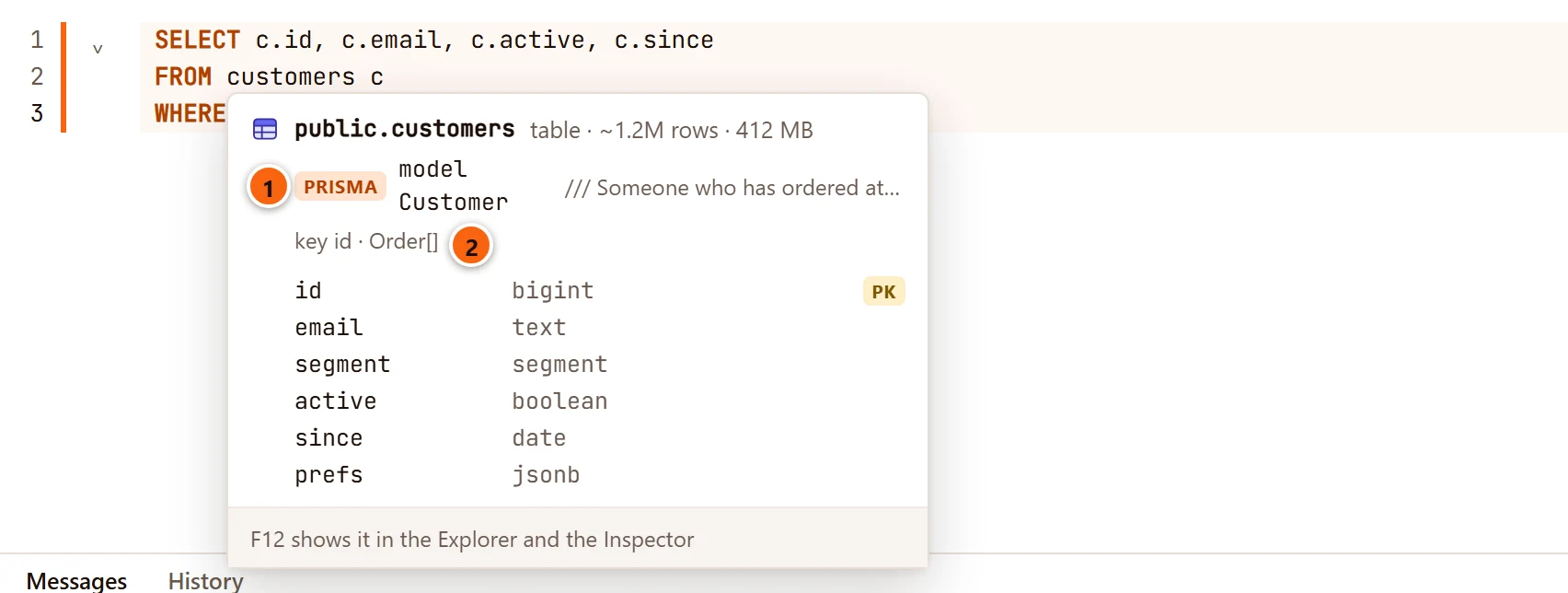
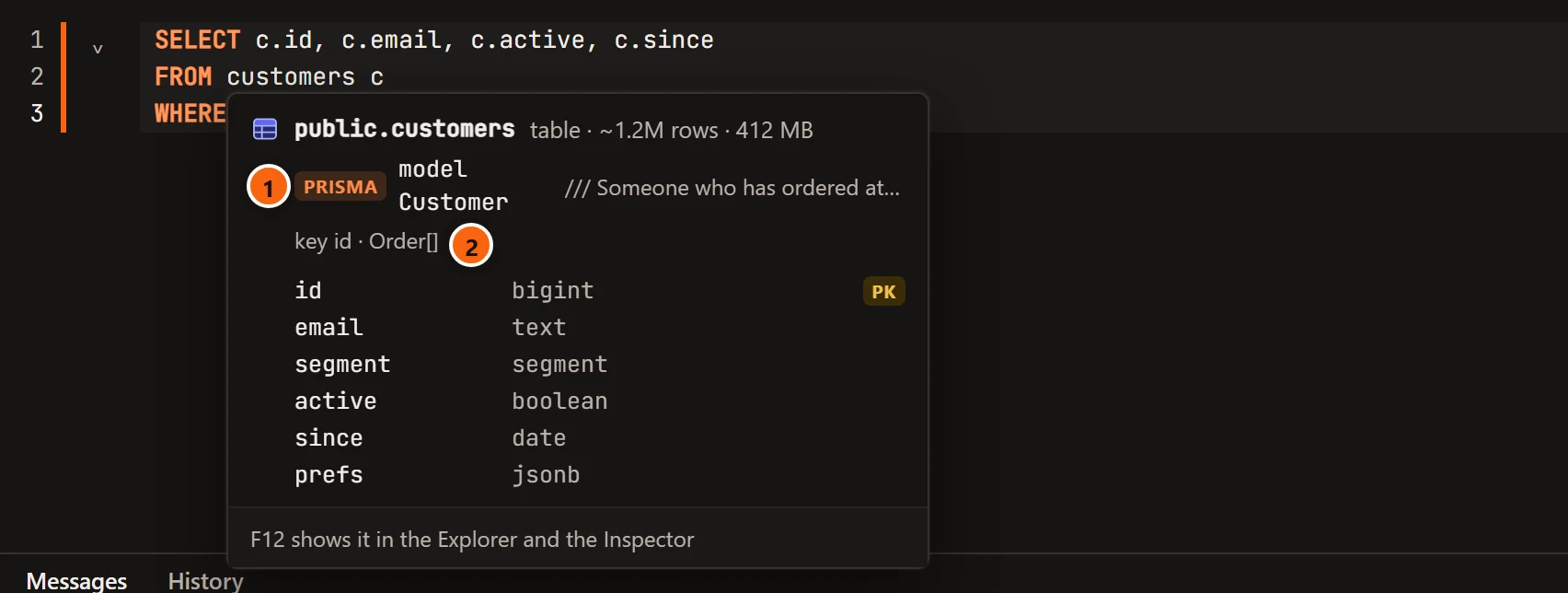
- 1 Pointing at the name of a table or view that a model is mapped to also shows the model, tagged
Prisma, with the description written over it in
schema.prisma. - 2 The model’s key, and the models it relates to, written as the schema writes them:
Order[]for a list,Coupon?for one that may be missing.
A column
Section titled “A column”

- 1 Pointing at a column shows the field it is, as
Model.field, with the field’s Prisma type and its description.
In a result
Section titled “In a result”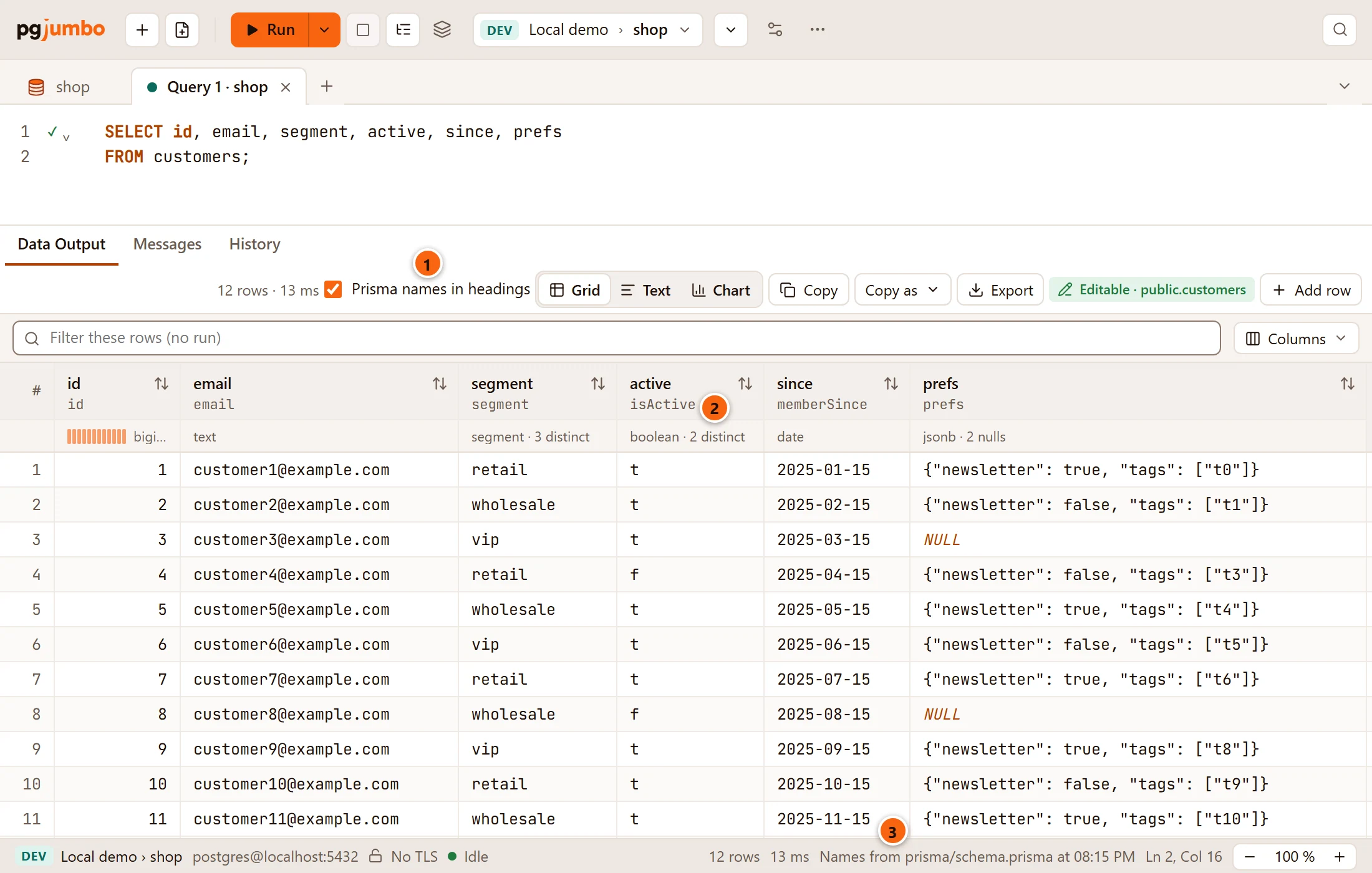
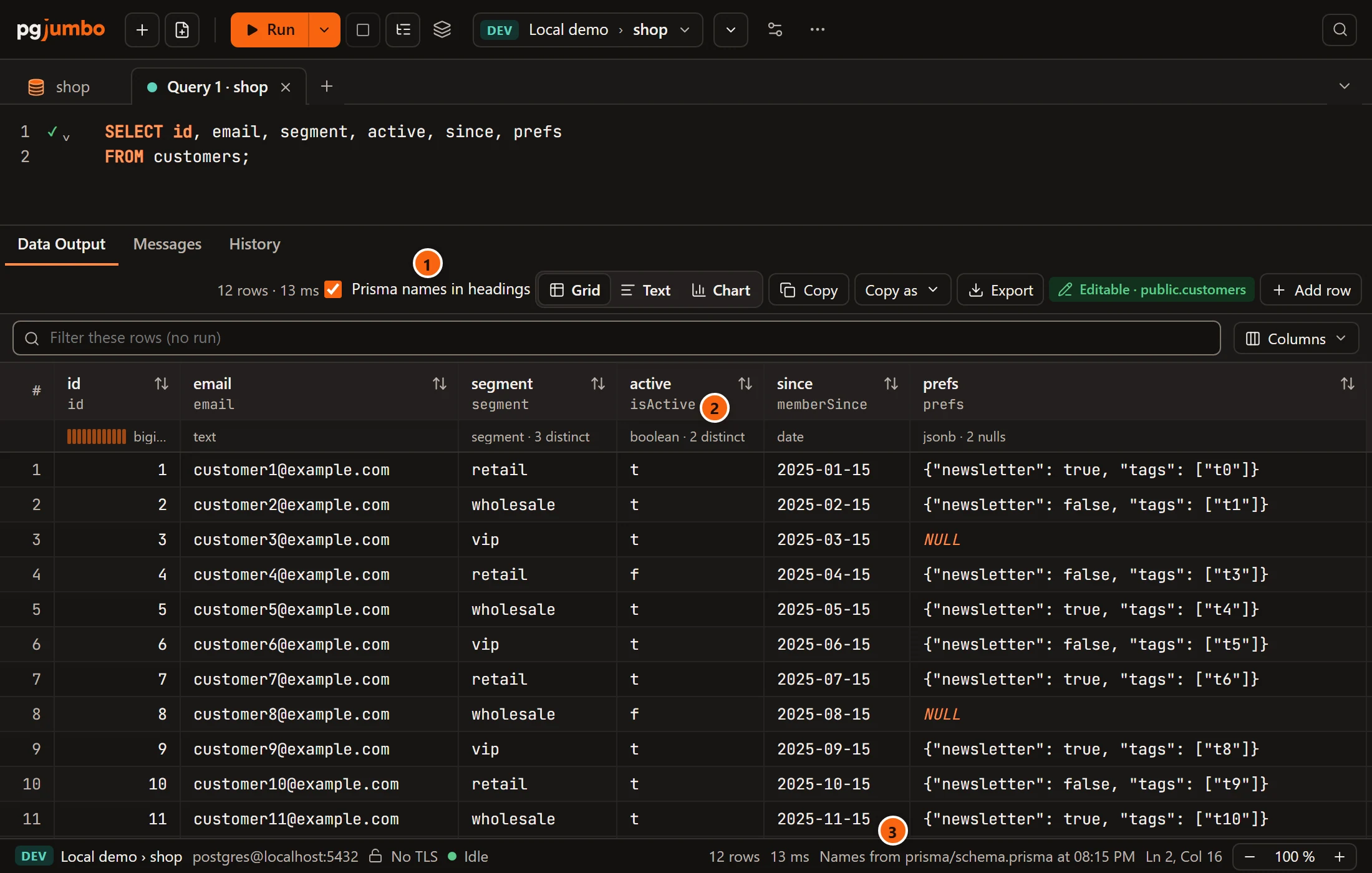
- 1 Tick Prisma names in headings in the result bar to put each column’s field under its name.
- 2 The column’s name stays on top, with the field under it. Pointing at a heading shows both, with the type.
- 3 The status bar’s line on where the names are from.
A column of another model than most of the result’s is shown with its model, as Customer.fullName. An expression has
no field, and neither has a column of a table without a model.
The box is offered only while the result in front has such columns, and only in the grid, not when the result shows as text, a chart or a map. The results grid has the rest of the result bar.
The box is the same choice as SettingsMigrationsNamesModel names beside tables and columns:
| Choice | Where the names show |
|---|---|
| Hover and autocomplete | In suggestions, hovers, Quick Info, the Inspector and the ERD. pgjumbo starts with this. Unticking the box chooses it. |
| Also grid headings | Under a result’s headings too. Ticking the box chooses it. |
| Nowhere | Only the database’s own names, everywhere. The ERD’s Names switch still shows Prisma’s for one diagram. |
Settings has the setting.
In the ERD
Section titled “In the ERD”With a Prisma project linked, the diagram of a schema is drawn by Prisma’s names.
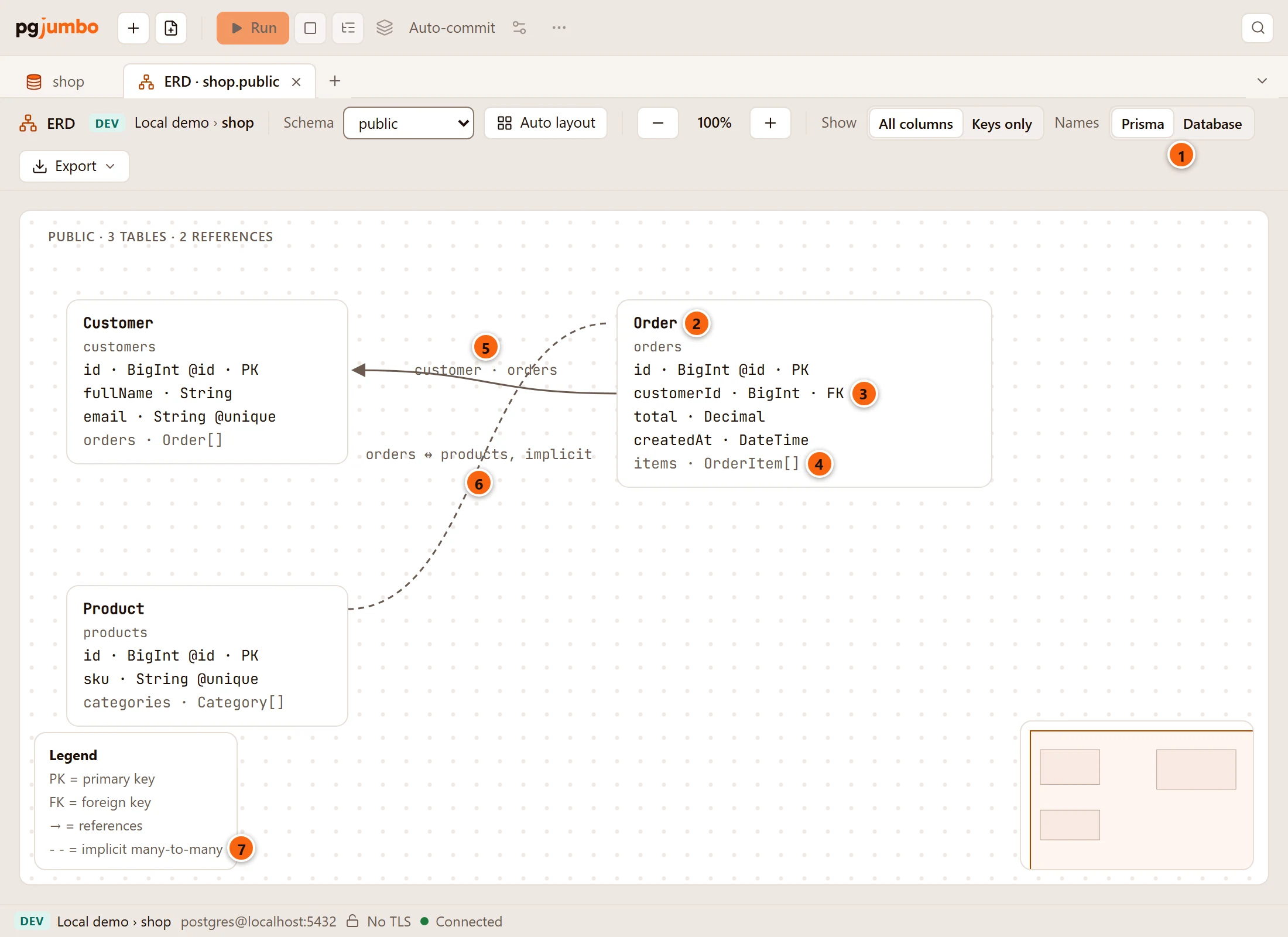
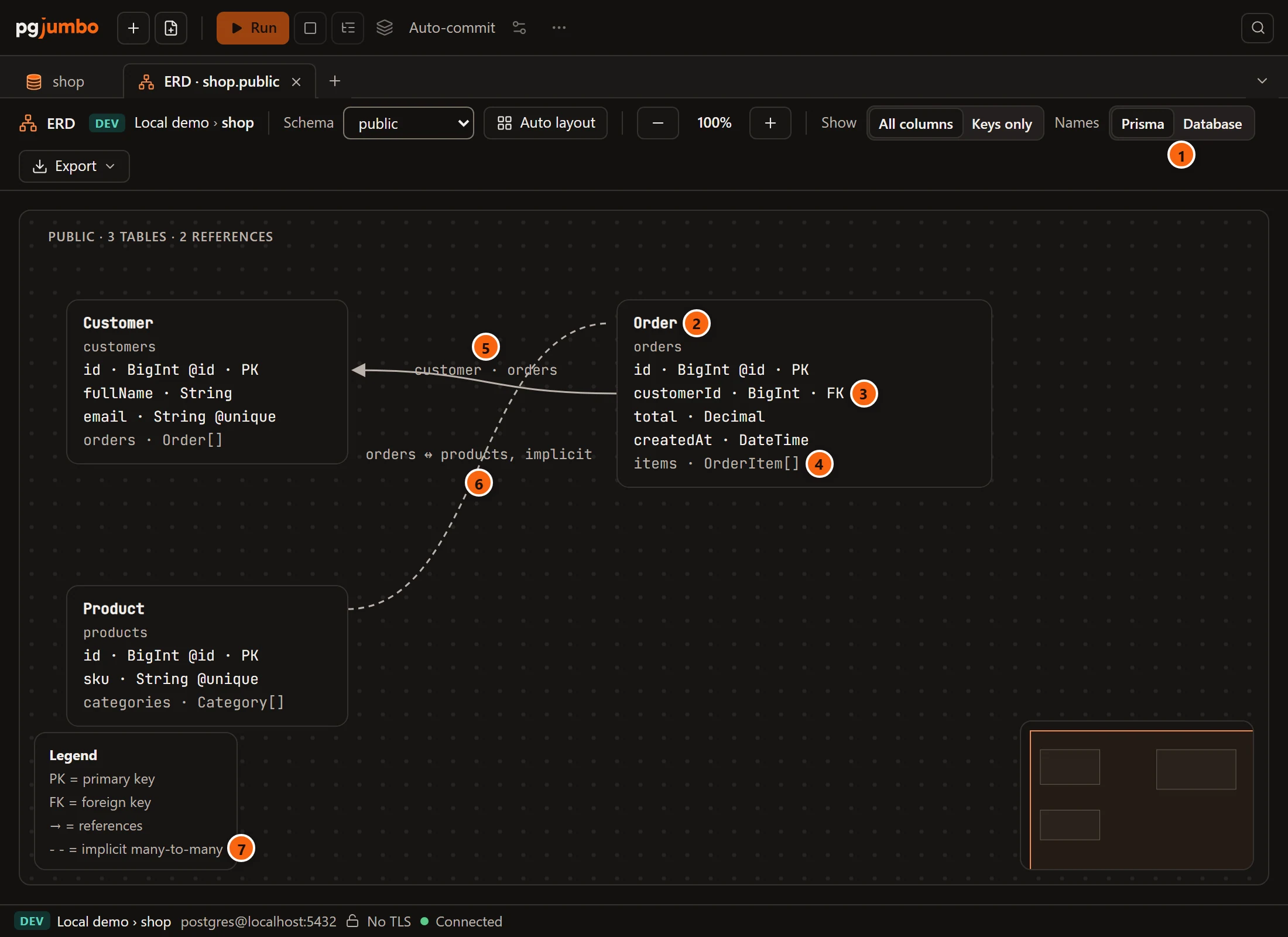
- 1 Names in the tab’s bar: Prisma or Database. It is there only when a Prisma project is linked. Database draws this diagram by the database’s own names again.
- 2 Each card is headed by its model, with the table’s own name under it.
- 3 The rows are fields, with their Prisma types and PK or FK.
- 4 A list that holds no column here, such as
items · OrderItem[], is a muted row after the fields. - 5 Each line carries the names of the two fields it relates.
- 6 An implicit many-to-many relation is one dashed line between its two models, in place of the joining table Prisma keeps for it.
- 7 The Legend gains a line for the dashed line.
With SettingsMigrationsNamesModel names beside tables and columns on Nowhere, a diagram opens by the database’s names, and Names › Prisma turns Prisma’s on for that diagram alone.
In the Inspector
Section titled “In the Inspector”Select a table or view that a model is mapped to in the Explorer. The Inspector adds two blocks under its properties, on Summary.
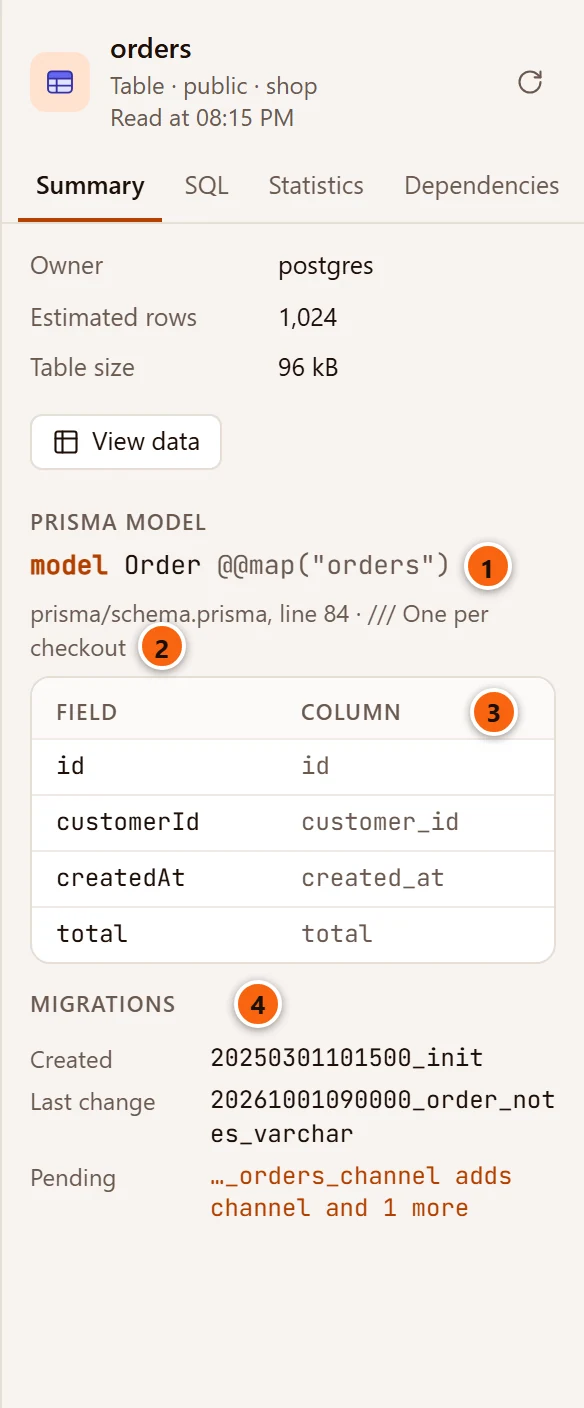
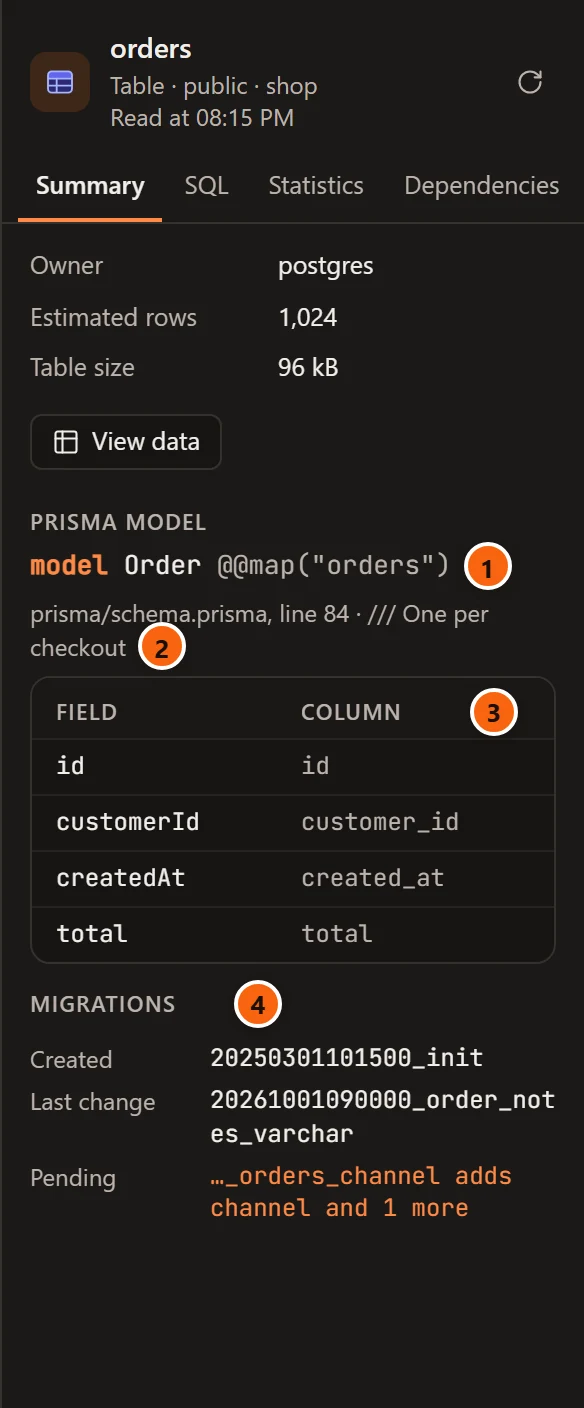
- 1 Prisma model: how
schema.prismaheads the model, with its@@mapwhen the table has another name than the model. - 2 The file and the line the model is on, and its description.
- 3 Each Field beside its Column. Point at a row for the field’s Prisma type and description.
- 4 Migrations: Created is the migration that created the table, Last change the last applied one that changed it, and Pending each migration that waits, with what it will do.
Read again in the Inspector reads both again. A table’s whole history is in its History view: see Link a repository.
In the Health check
Section titled “In the Health check”With a Prisma project linked, the Health check says three more things, each from the schema and each among the findings to look at.
| Finding | What it says |
|---|---|
| columns are filled by Prisma Client, not by the database, with their number | The columns marked @updatedAt, and those whose default Prisma works out itself: cuid(), uuid(), nanoid() or ulid(). An INSERT or UPDATE written by hand, or by another app, must give them a value: the database has no default and no trigger for them. Each column is listed with what marks it. |
| An enum lost a value the data still uses | A value an enum still has in the database that the schema no longer lists, while rows hold it. A migration that makes the enum again without the value fails on those rows. The finding names the enum, the value, the table and about how many rows. |
| foreign keys have no index, with their number | The finding is there with or without Prisma. With a project linked it adds that Prisma does not index the columns of a relation on PostgreSQL: add @@index([…]) to the model and migrate, or build the index in a migration of its own. |
The enum’s rows are read from the planner’s statistics, so nothing is scanned. A value that only a few rows hold may not be found.
When no column is filled by Prisma Client alone, the Health check says so among what is fine.
When no names show
Section titled “When no names show”- No Prisma project’s repository is linked to the database, or the linked folder has no
schema.prisma. - SettingsMigrationsNamesModel names beside tables and columns is on Nowhere.
- SettingsMigrationsFinding themFind migration tools in my databases is off. Then pgjumbo reads nothing of a migration tool, model names among it.
- The table has no model. A table Prisma does not know keeps its own name alone.