

Drift against schema.prisma
Drift is what the database has that schema.prisma does not ask for, or the other way round: an index someone made by
hand, a column whose type was changed in a hurry, a model nobody migrated yet. With a Prisma project’s repository
linked to the database, pgjumbo compares the two and shows each difference with what
Prisma would do about it.
pgjumbo only reads here. It changes nothing in the database and nothing in the repository, and it never runs
prisma migrate dev, prisma migrate deploy or prisma db push.
Check drift
Section titled “Check drift”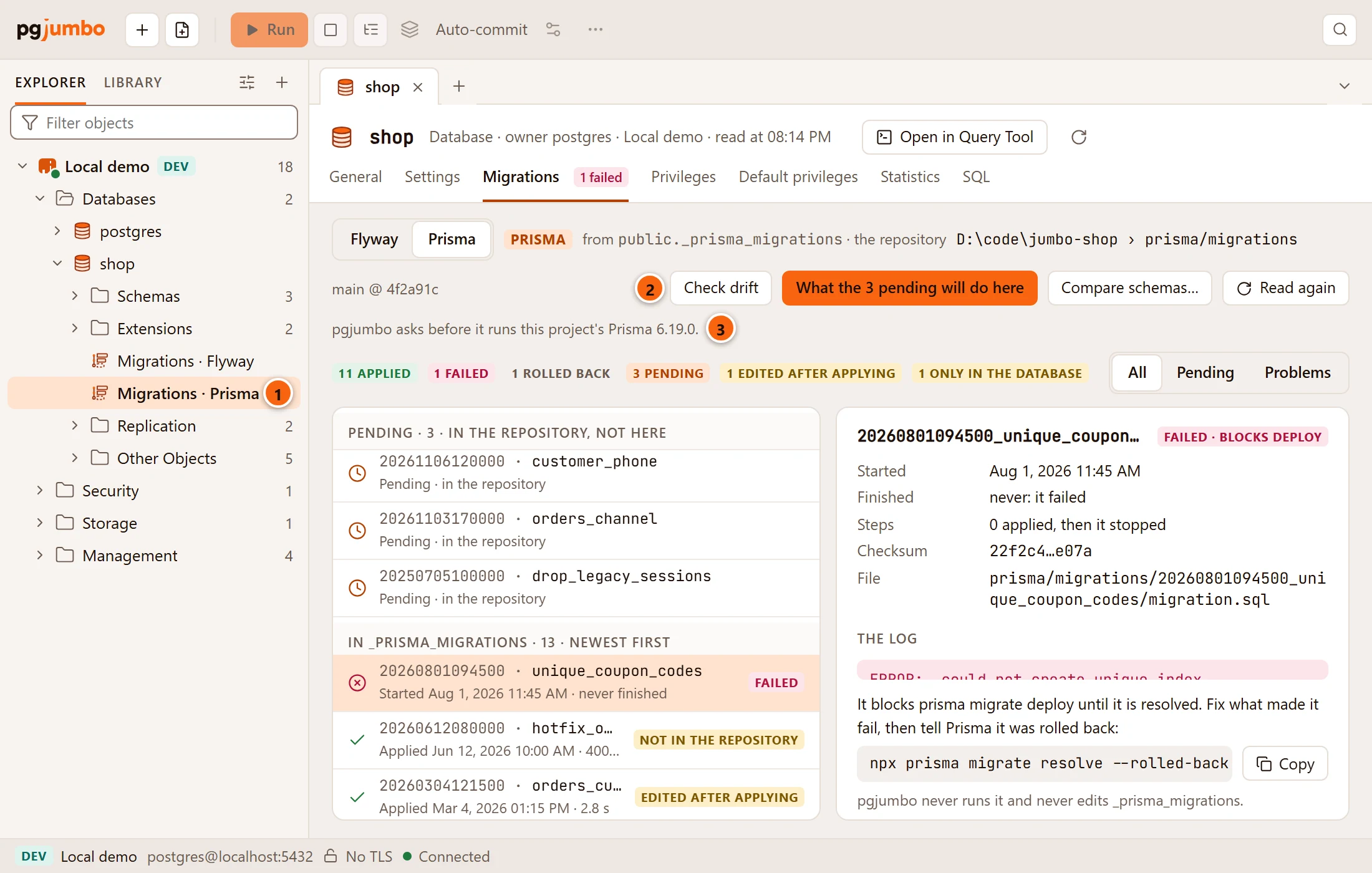
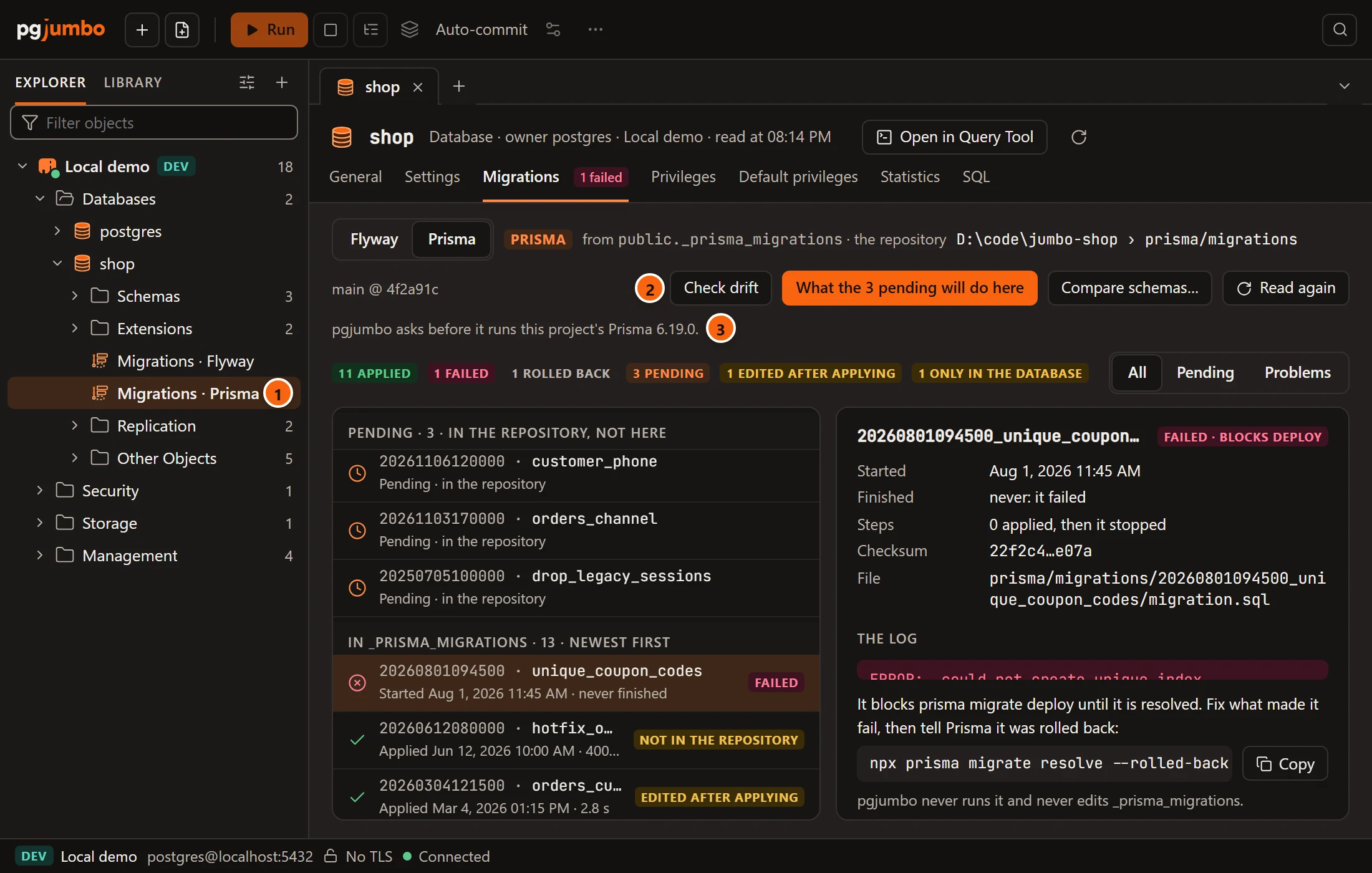
- 1 Open the database’s Migrations view: double-click Migrations · Prisma under the database in the Explorer. A database’s migrations describes the view.
- 2 Check drift opens the comparison in a tab named Drift · and the database. The button is there once a Prisma project’s repository is linked and pgjumbo can read it.
- 3 This line is about your project’s own Prisma, which can read the drift too. See This project’s Prisma.
Each database has one Drift tab: Check drift brings it to the front when it is open already.
The same button is in a table’s History view, beside the note about an index that no migration made. See Link a repository.
The Drift tab
Section titled “The Drift tab”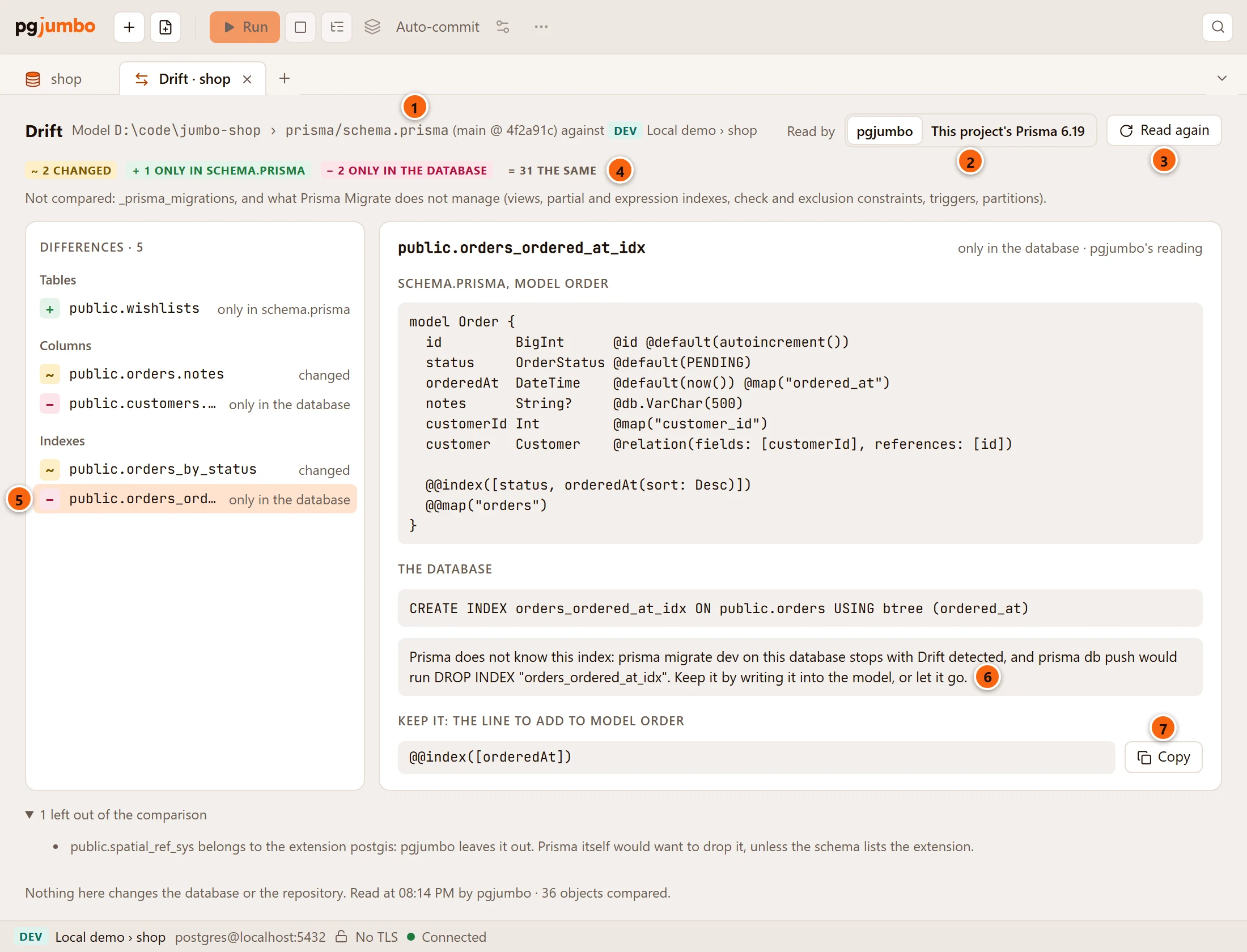
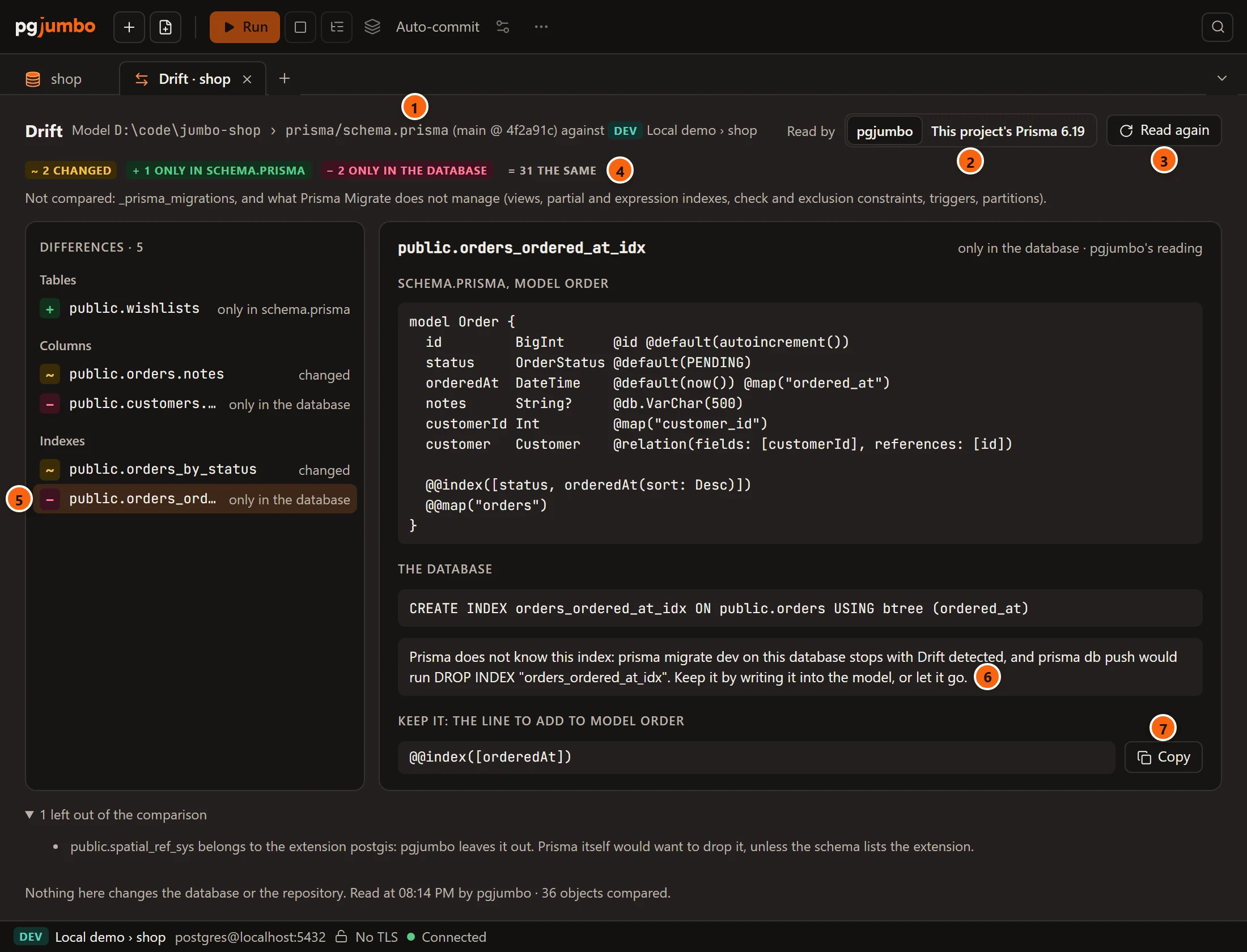
- 1 What is compared: the model’s file in the repository, with its branch and commit when pgjumbo knows them, against the database on its server. A schema kept in several files says “and 2 more” after the first.
- 2 Read by says whose reading this is. pgjumbo is chosen to begin with; the other choice asks your project’s own Prisma.
- 3 Read again compares once more, by whichever of the two is chosen.
- 4 The counts:
~changed,+only in schema.prisma,−only in the database, and=the same. - 5 Differences, each under its kind: Tables, Columns, Primary keys, Indexes, Foreign keys, Enums. A kind with no difference is left out. Click one to read it on the right.
- 6 What Prisma would do about the difference chosen.
- 7 Keep it: the line that keeps what the database has, with Copy.
Under the list, 1 left out of the comparison (or however many) opens the objects pgjumbo left out and why. The last line says when the comparison was read and how many objects were compared.
With nothing different, the tab says “No drift: the database holds what schema.prisma asks for”, and names the schemas it compared.
What is compared
Section titled “What is compared”pgjumbo compares what Prisma Migrate manages:
- Each model’s columns: the type, whether a value is required, and the default.
- Primary keys, unique indexes and plain indexes.
- Foreign keys.
- The values of enums.
It compares the schemas the datasource names with schemas, or, without that, the schema Prisma keeps its record of
migrations in.
It does not compare what Prisma leaves alone: views, partial indexes, indexes on an expression, check and exclusion
constraints, triggers and partitions. Prisma’s own _prisma_migrations table is skipped too. The line beside the
counts says so. An object that belongs to an extension is left out and named under the list, as
public.spatial_ref_sys of PostGIS is in the picture.
Read a difference
Section titled “Read a difference”The right side shows the difference chosen in the list. Its heading says which side has it, and “pgjumbo’s reading”.
| Part | What it shows |
|---|---|
| schema.prisma, model and the model’s name | The model’s lines from the file. For a model with no table yet, a line such as “model Wishlist, 3 columns”. |
| It asks for | What those lines mean for PostgreSQL: a column with its type, or the index Prisma would make, under the name Prisma gives it. |
| The database | What the database has: a column with its type, an index’s definition. |
| The note under them | What Prisma would do. See below. |
| Keep it: the line to add to model … | For an index or a plain column that the database has and the model lacks: the line to add to the model so that Prisma keeps it. Copy takes the line. |
| Keep the database’s name: the line for model … | For an index that matches the model under another name: the model’s line with map: and the database’s name, so Prisma does not rename it. |
| Show in the Explorer | Selects the object in the Explorer: the table, or the column or index itself under its table. |
| Show its table in the Explorer | The same for what has no row of its own in the Explorer, such as a column that is only in schema.prisma, or a key: its table is selected. |
What Prisma would do depends on the command, so the note names each one:
prisma migrate devon this database stops with Drift detected and asks to reset it.prisma db pushwould drop what the model does not have: the column with its values, the index, the enum.- On a server tagged Staging or Production the note adds that
prisma migrate deploywill not notice the difference. It applies the pending migrations and never compares.
A foreign key, or a table with no model, is quicker to take into the schema with prisma db pull than by hand, and the
note says so. pgjumbo runs none of these commands: you run them, in your project.
Whose reading it is
Section titled “Whose reading it is”pgjumbo reads schema.prisma itself and works out what it means for PostgreSQL by Prisma’s own rules: Prisma’s types,
the names it gives keys and indexes, what a foreign key does on delete and on update when the model does not say, and
the joining table of an implicit many-to-many relation. Nothing of Prisma runs. A schema kept as a folder of .prisma
files is read whole.
Where pgjumbo is not sure of a rule, it says the object was not compared. It never guesses:
- A default written with
dbgenerated("…")is only checked to be there. - A column typed
Unsupported("…")is only checked for whether a value is required. - A line of the schema that pgjumbo cannot read is named above the list, with its file and line, and a warning that some of what follows may be wrong.
This reading is close to Prisma’s, but it is not Prisma’s. For the exact answer, ask the Prisma your project installed.
This project’s Prisma
Section titled “This project’s Prisma”Beside Read by, the second choice is This project’s Prisma with its version, such as
This project’s Prisma 6.19. It shows the script that the next prisma migrate dev would write for this database.
This is the one program of your project that pgjumbo may run, and it runs it only after you allow it.
What pgjumbo asks first
Section titled “What pgjumbo asks first”The first time you choose This project’s Prisma, a sheet says what would run. Nothing of your project runs until you click Allow.
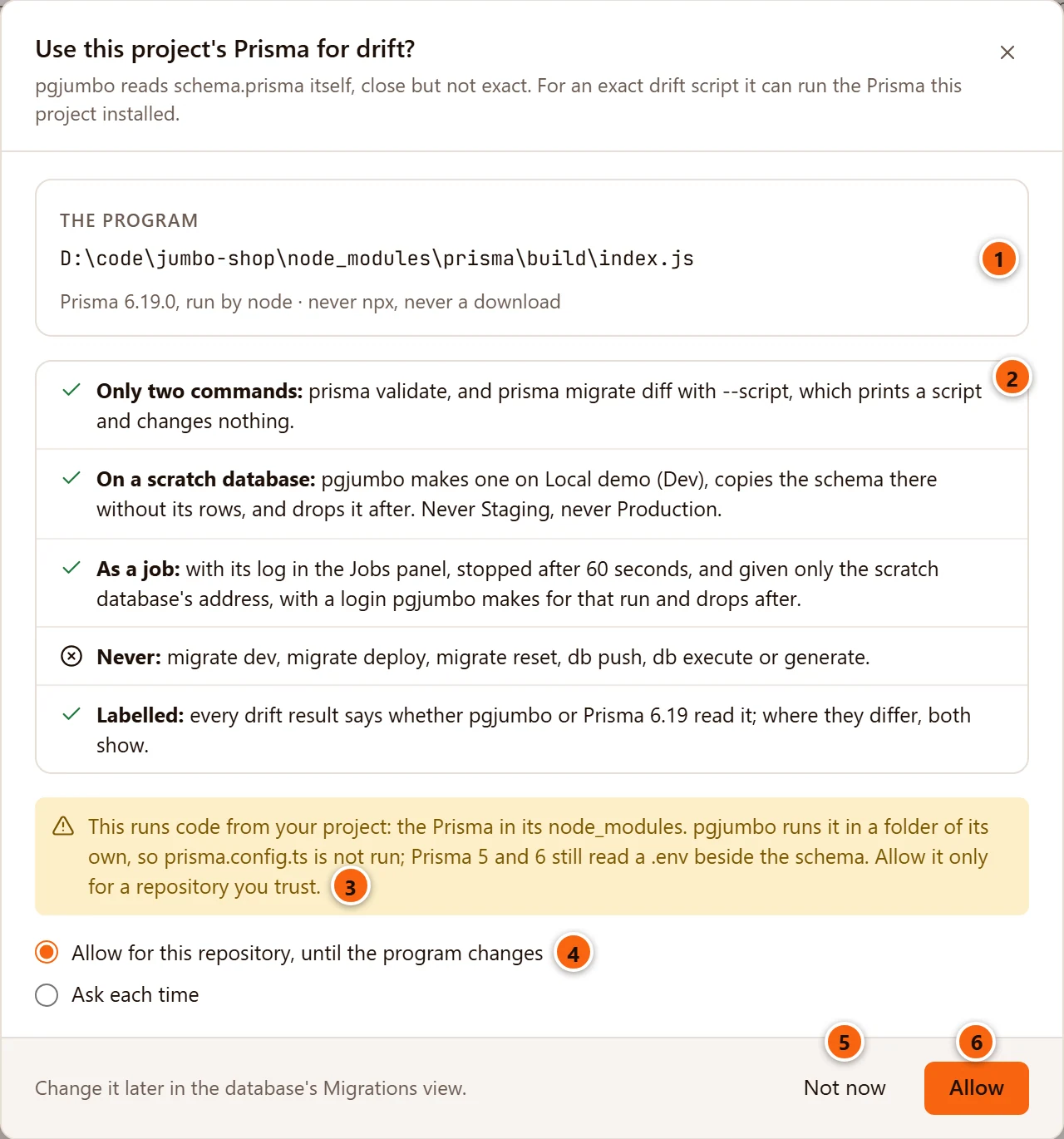
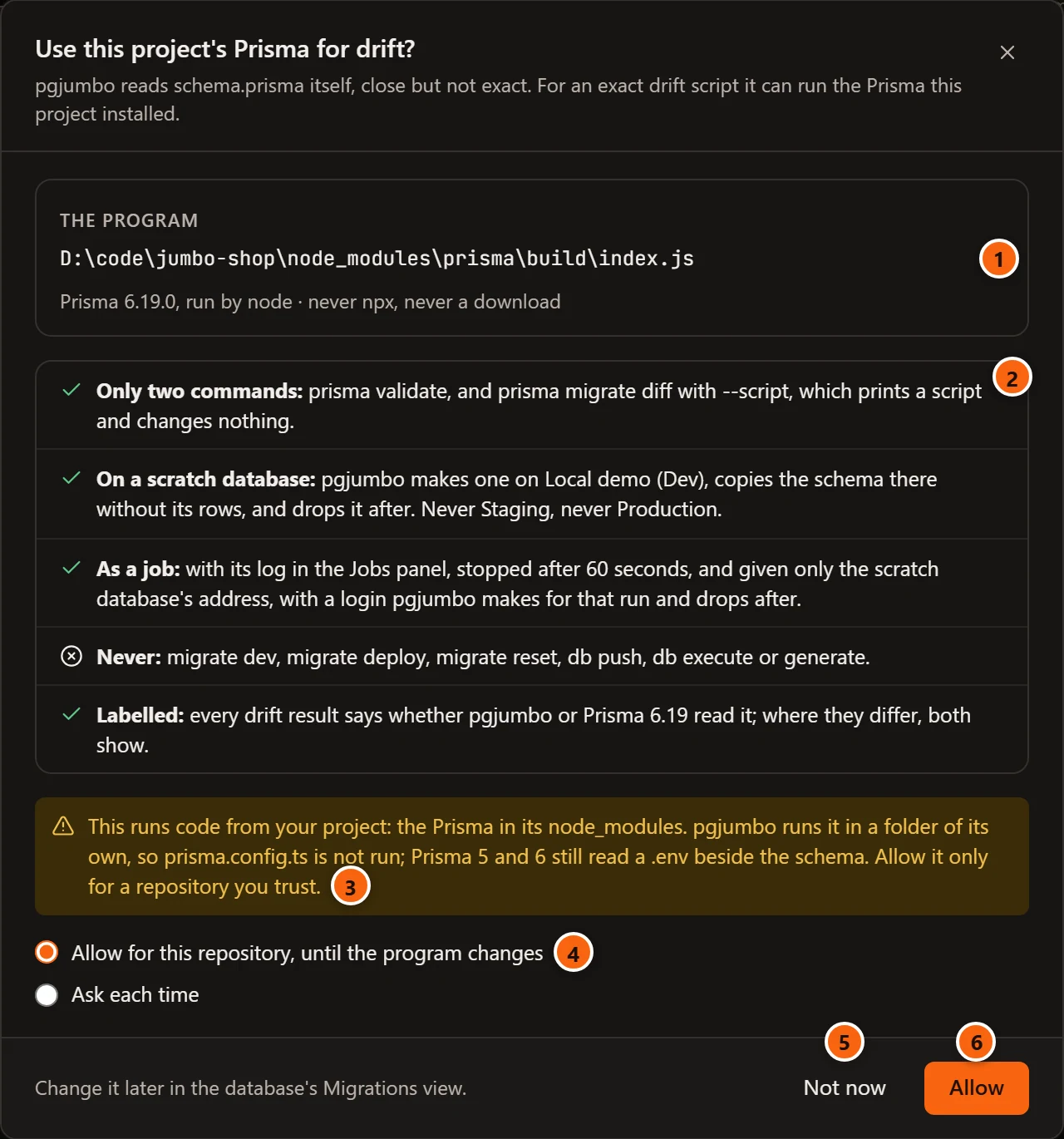
- 1 The program: the Prisma in the project’s
node_modules, with its version, run by the Node.js on this computer. pgjumbo never usesnpx, and nothing is downloaded. - 2 What pgjumbo runs, and what it never runs. The table below has each line.
- 3 The warning: this runs code from your project. Allow it only for a repository you trust.
- 4 How long the permission lasts. Allow for this repository, until the program changes keeps it. Ask each time allows one run and keeps nothing.
- 5 Not now closes the sheet. pgjumbo’s own reading stays.
- 6 Allow starts the run.
| Line | What it means |
|---|---|
| Only two commands | prisma validate, and prisma migrate diff with --script, which prints a script and changes nothing. |
| On a scratch database | pgjumbo makes a database on a Dev server, copies the schema there without its rows, and drops it afterwards. Never on Staging, never on Production. |
| As a job | The run is a job with its log in the Jobs panel. It is stopped after the time SettingsMigrationsA project's own toolsStop a project's tool after gives, 60 seconds unless you change it. Prisma is given only the scratch database’s address, with a login that pgjumbo makes for that run and drops afterwards. |
| Never | migrate dev, migrate deploy, migrate reset, db push, db execute or generate. |
| Labelled | Every drift result says whether pgjumbo or Prisma read it. Where the two differ, both show. |
After an upgrade of the project’s packages, or on a branch with other packages, the program is no longer the one you allowed. pgjumbo then asks again, and the sheet says “The program is not the one you allowed” with the day you allowed it.
When something a run needs is missing, the sheet says which, and its only button is Close. When it is the setting that says never to run a project’s tool, the sheet has Open the setting too. See What a run needs.
What a run does
Section titled “What a run does”-
pgjumbo makes a scratch database on a Dev server and copies the database’s objects into it, without their rows. The server is the database’s own when it is Dev, or the one chosen in SettingsMigrationsA project's own toolsScratch databases on.
-
It makes a login for that one run. The login may read the copy and nothing else. It stops working by itself ten minutes later, or a little after the longest the run may take when that is more.
-
Prisma compares the copy with
schema.prisma. While it does, the tab says that Prisma is reading a copy of the schema in a scratch database, and that the log is in the Jobs panel, where the run can be stopped. -
The scratch database and the login are dropped, whatever happened.
Your own login, password or token is never given to Prisma, and your database is only read, by pgjumbo. Prisma runs in
a folder of pgjumbo’s own, so the project’s prisma.config.ts is not run. Prisma 5 and 6 still read a .env beside
the schema; the address pgjumbo passes wins over one written in it.
What a run needs
Section titled “What a run needs”- A Dev server whose sessions may write: the database’s own, or the one chosen in Settings. On Staging and Production no scratch database is made, and pgjumbo’s own reading stays.
- A login that may make a database and a login:
CREATEDBandCREATEROLE. - The project’s folder on this computer, linked to the database, with its packages installed: Prisma 5, 6 or 7. A repository that pgjumbo copied from GitHub, GitLab, Bitbucket or Azure DevOps has nothing installed.
- Node.js on this computer.
- A server that Prisma can reach as pgjumbo does. That leaves out a server named only in
pg_service.conf, one that asks for a client certificate, and one behind an SSH tunnel whose certificate is checked against its name.
Read Prisma’s script
Section titled “Read Prisma’s script”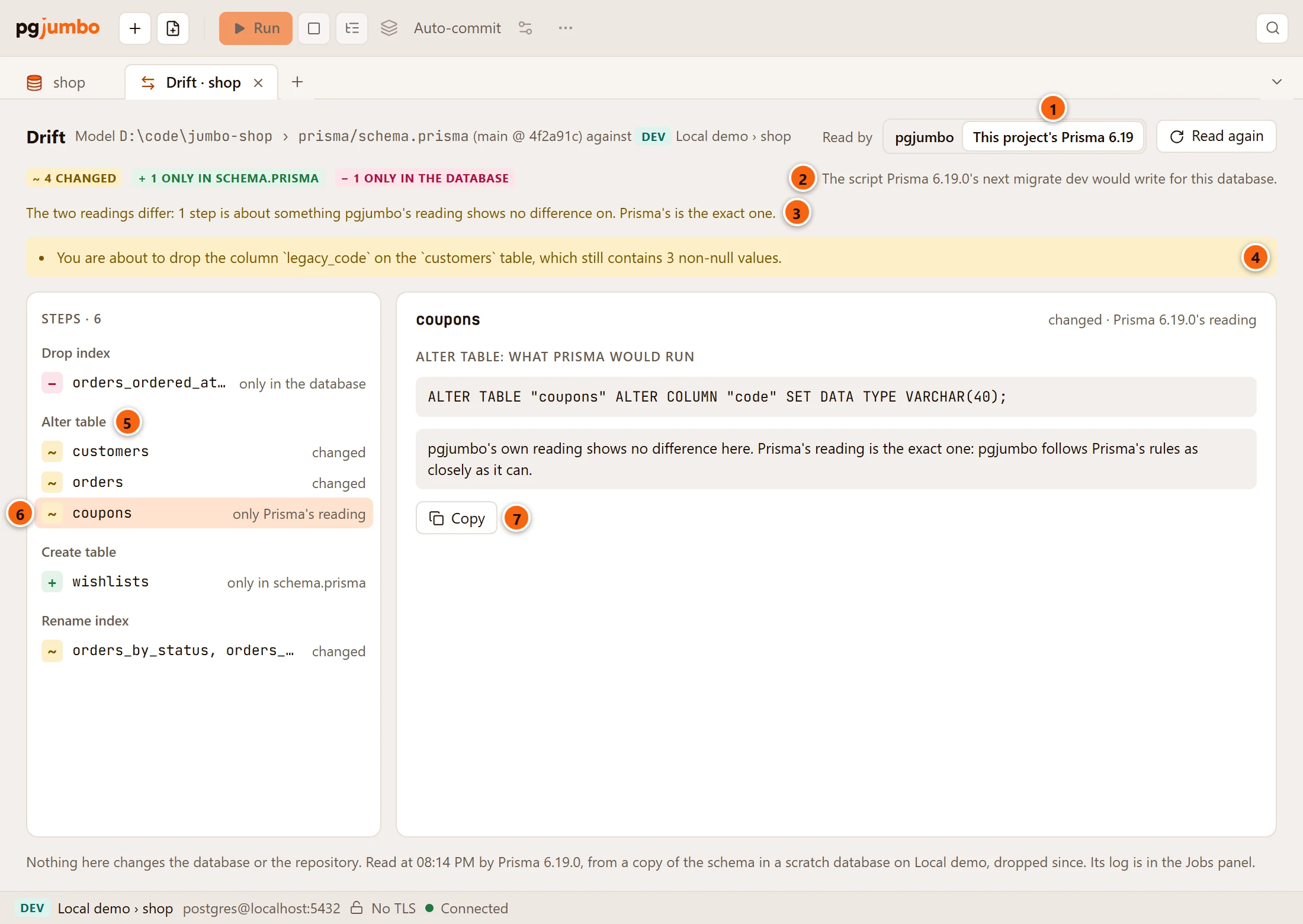
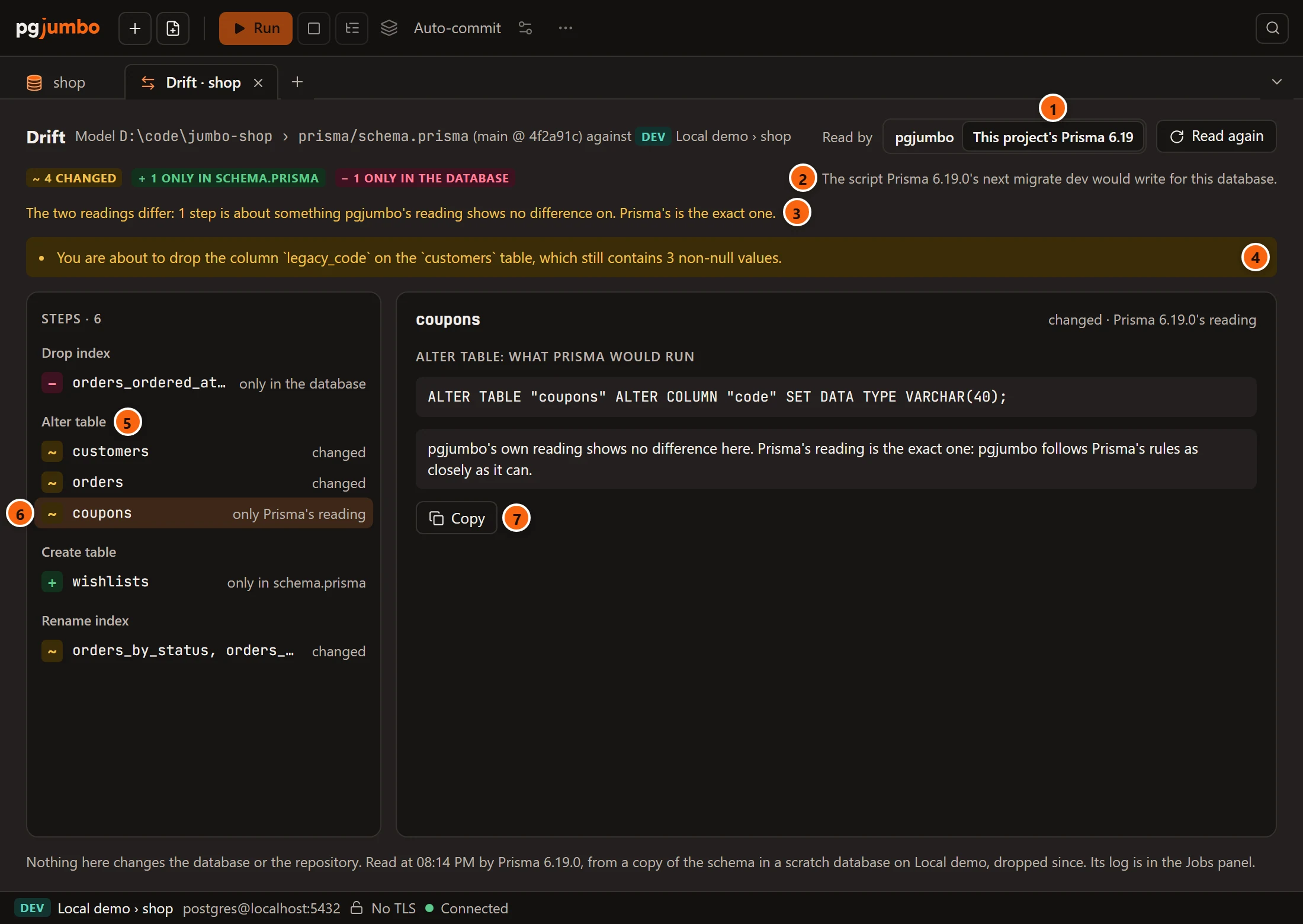
- 1 This project’s Prisma is chosen. Click pgjumbo to see pgjumbo’s reading again. When you allowed Prisma for the repository, its reading is kept until Read again runs it once more. With Ask each time, choosing it again asks again.
- 2 The line says what you are looking at: the script that Prisma’s next
migrate devwould write for this database. - 3 A line says when the two readings differ, and how.
- 4 Prisma’s own warnings about values that would be lost.
- 5 Steps, under Prisma’s own headings (Drop index, Alter table, Create table,
Rename index), in the script’s order and marked
~,+and−as in pgjumbo’s reading. - 6 A step about something pgjumbo’s reading shows no difference on is marked only Prisma’s reading.
- 7 The SQL Prisma would run for the step chosen, with Copy.
Prisma’s reading is the exact one. An older Prisma may also differ from a database that a newer one made: Prisma 5 keeps the joining table of a many-to-many relation unique with an index, Prisma 6 and 7 with a primary key.
With no difference, the tab says that Prisma would write an empty migration for this database. The last line says when Prisma read, its version, and the server the scratch copy was on.
When a run fails, the tab shows why, with Look at the program again…, which opens the sheet with the program as it is on disk now.
Take the permission back
Section titled “Take the permission back”The database’s Migrations view says where the permission stands, under its buttons. The line is there when the linked folder has a Prisma installed.


- 1 Stop allowing it takes the permission back. pgjumbo asks again the next time you choose This project’s Prisma.
The line changes with the permission:
| The line says | What it means | Beside it |
|---|---|---|
| pgjumbo asks before it runs this project’s Prisma | You have not allowed it, or you took the permission back. | |
| pgjumbo may run this project’s Prisma for drift | You allowed it for this repository. | Stop allowing it |
| This project’s Prisma changed since you allowed it: pgjumbo asks again before it runs | The program on disk is another one now. | Forget the permission |
| Settings › Migrations says never to run a project’s own tool | The setting below is on Never. | Open the setting, which opens Settings on it |
Read again in the Migrations view reads the program as it is on disk now. After an upgrade the line says so in every tab of a database the repository is linked to.
SettingsMigrationsA project's own toolsRun a project's own tool set to Never turns this off for every repository. What you allowed is kept, and not used until you choose Ask for each repository again. Settings has these settings.