

Parameters
SQL in a Query Tool can hold parameters to fill in when it runs. Write the query once, with a name where a value goes, and pgjumbo asks for the values each time: Run opens the Values for this query dialog, then sends the values to the server as bind values. They are never pasted into the SQL’s text.
Write a parameter
Section titled “Write a parameter”There are four ways to write one. All of them can stand wherever a value can.
| You write | Example | In the dialog it is named |
|---|---|---|
:name |
WHERE status = :status |
:status |
$1, $2, … |
WHERE customer_id = $1 |
$1 |
? |
WHERE id = ? |
?1, ?2, … in the order they appear: each ? is a value of its own |
${name} |
WHERE region = ${region} |
${region} |
A name used several times is asked for once. One query can mix the forms: a numbered parameter keeps its number, and each of the others takes the lowest number that is free. The dialog lists them in that order.
pgjumbo finds parameters with PostgreSQL’s own scanner, so these are never taken for one:
- A
::cast, such ascreated_at::date. - Anything inside a string, a quoted name or a comment.
- An array slice, such as
tags[1:n]. - jsonb’s
?operator after a value, such asdoc ? 'key'.
A parameter stands for a value. It cannot stand for a table’s name, a column’s name or a keyword, because the server takes it as a value. To fill in names, use a template’s placeholders instead.
The Values for this query dialog
Section titled “The Values for this query dialog”Run SQL that has parameters and the dialog opens before anything is sent. It asks only for the parameters of what is about to run: the selection, the statement at the cursor or the whole tab.
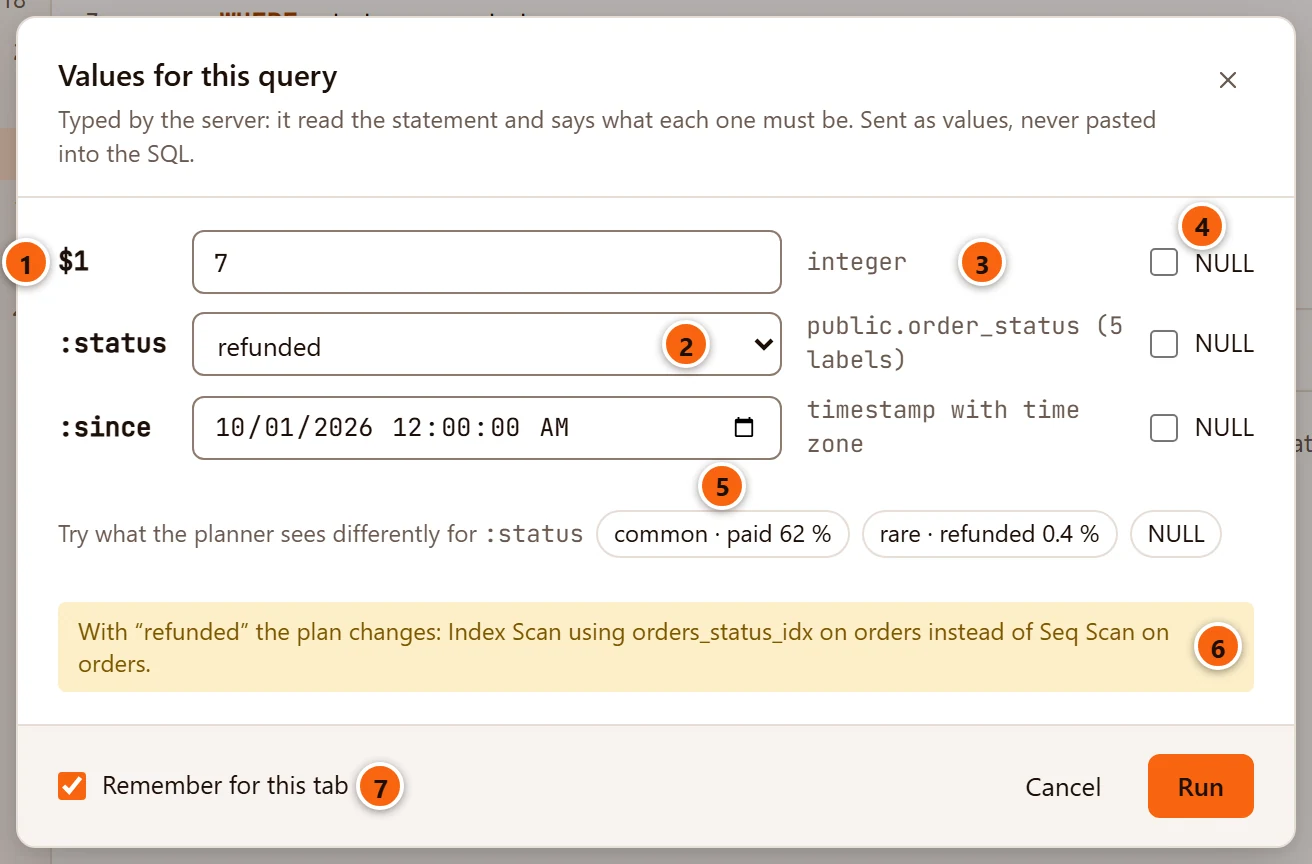
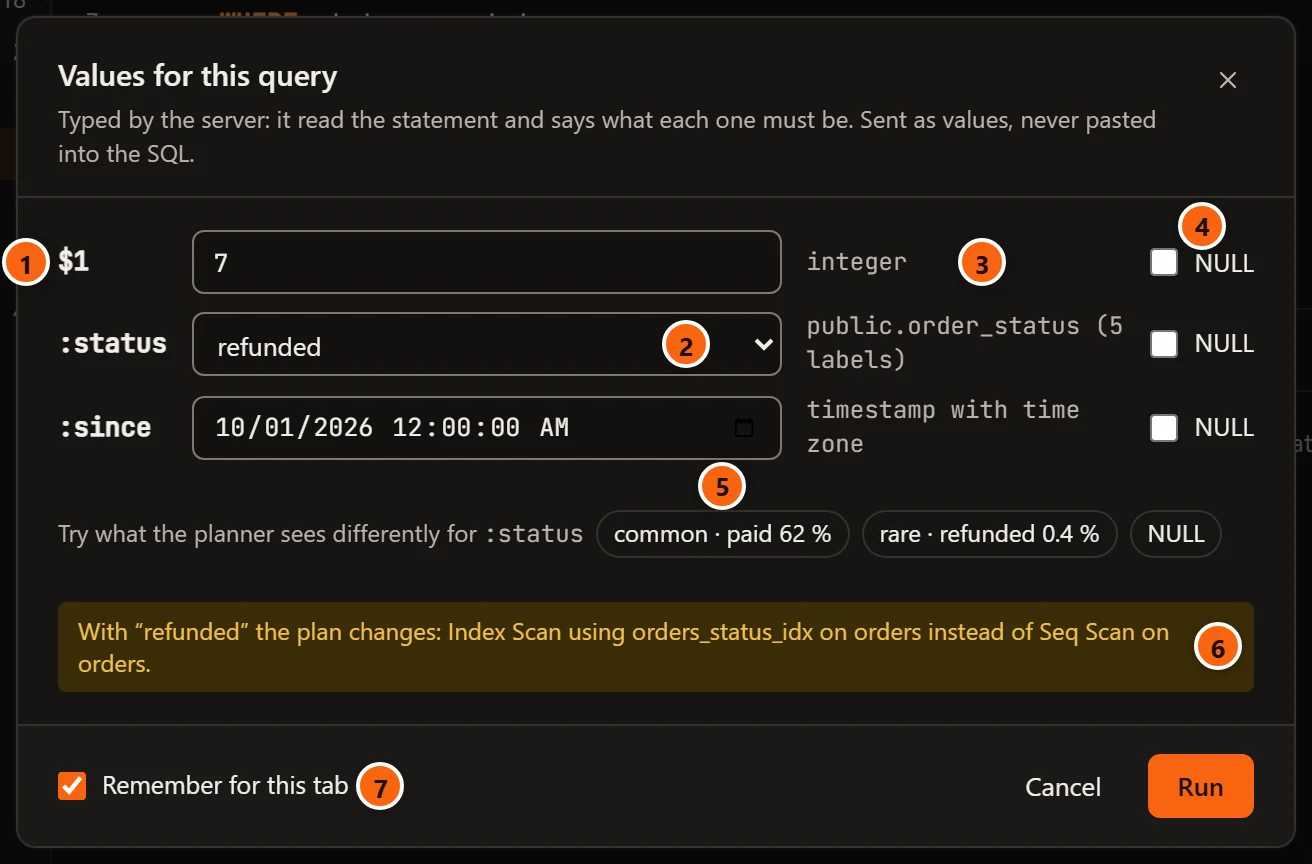
- 1 The parameter, as you wrote it.
- 2 Its field. An enum or a boolean gets a list, a date a date field, a timestamp a date and time field, everything else a text field. The first field has the focus when the dialog opens.
- 3 The type the server says the value must have, as PostgreSQL writes it. An enum also says how many labels it has. The tab’s server reads the statement to learn this; nothing runs.
- 4 NULL sends NULL for that parameter, whatever its type and whatever is in the field. Untick it to send the field’s value again.
- 5 Values to try, for a parameter compared with a column whose values are uneven: its most common value, a rare one and NULL, each with its share of the rows. Click one to put it in the field.
- 6 What changes in the plan with that value, for example
With “refunded” the plan changes: Index Scan using orders_status_idx on orders instead of Seq Scan on orders.These come from plainEXPLAINs, asked a moment after you stop typing; nothing runs. See Plans in production for plan flips. - 7 Remember for this tab, ticked unless you untick it, fills the dialog with the same values the next time the tab runs. The values stay with the open tab: they are not kept with the SQL once the tab closes.
Run sends the query with the values; Enter does the same. Cancel, the × and Esc close the dialog and nothing runs.
When the statement returns rows, a line at the bottom lists the columns it will return, with their types
(Returns: id bigint · total numeric(12,2)).
What an empty field sends
Section titled “What an empty field sends”| The parameter’s type | An empty field sends |
|---|---|
Text (text, character varying, character, name, citext), bytea, or a type the server could not name |
The empty string. Tick NULL to send NULL instead. |
Any other type: numbers, dates, uuid, jsonb, arrays… |
NULL, because those types have no empty value. The field says NULL in grey. |
| A list (an enum or a boolean) | NULL: its first entry is NULL. |
When the server cannot type the parameters
Section titled “When the server cannot type the parameters”When the server cannot say what the parameters are, for example because a table does not exist yet, the dialog says
The server could not type them: and the reason, then The values go as text. Every parameter then gets a text
field, its type reads unknown, and PostgreSQL converts the text when the statement runs.
Which commands ask
Section titled “Which commands ask”| Command | What happens with parameters |
|---|---|
| Run, Run Statement, Run from Cursor, Run Script, Run with Profiler | The dialog opens; its button reads Run. |
| Explain, Explain Analyze | The same dialog; its button reads Explain or Explain Analyze. Explain plans the statement for those values without running it. Explain Analyze runs it, inside a transaction or a savepoint that is rolled back. |
| Run as One Statement | Nothing is asked: the text goes to the server as written. |
| Watch | Refused: Watch runs a query without parameters: put their values in the query first. |
Run SQL explains each way to run, and Explain a query the plan.
The generic plan
Section titled “The generic plan”EXPLAIN (GENERIC_PLAN) is PostgreSQL’s way to see the plan a prepared statement gets before it knows any value.
pgjumbo sends such a statement as you wrote it: its $1, $2, … are not asked for, PostgreSQL plans them without
values, and the plan reads = $1.
EXPLAIN (GENERIC_PLAN)SELECT id, total FROM orders WHERE customer_id = $1;Write $1 there, not :name. This needs PostgreSQL 16 or later. On an older server the run says so
(EXPLAIN (GENERIC_PLAN) needs PostgreSQL 16 or later, and this server runs PostgreSQL 15. …); leave GENERIC_PLAN
out, and Run asks for the values and explains the plan for them.
Give a parameter a value for the whole session
Section titled “Give a parameter a value for the whole session”\set name value, on a line of its own in the editor, gives :name a value for the rest of the tab’s session. Run no
longer asks for it. \set alone lists the values you have set, and \unset name takes one back. This works for the
:name form only. See psql commands in the editor.
\set status paidSELECT id, total FROM orders WHERE status = :status;Parameters in History
Section titled “Parameters in History”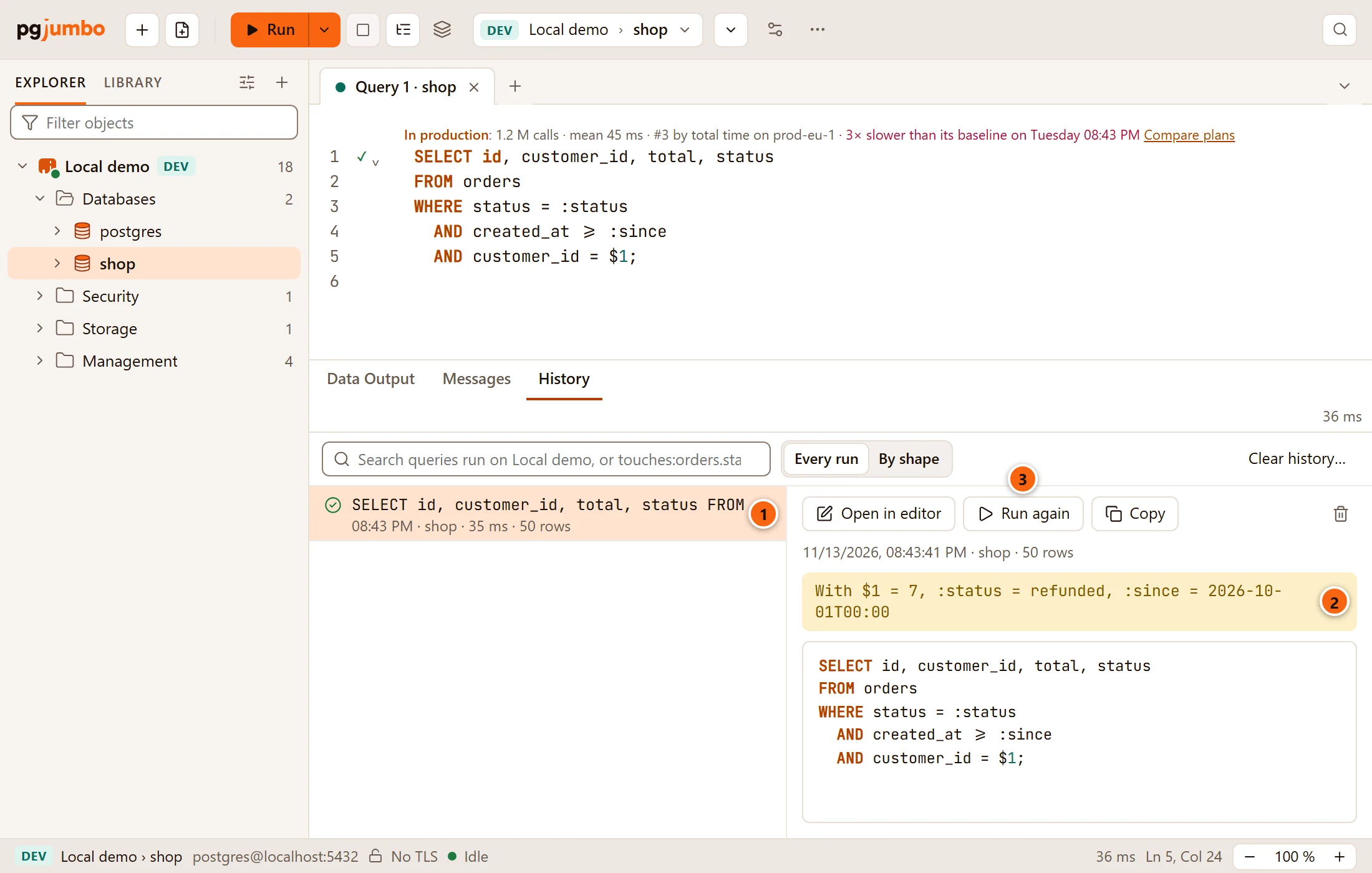
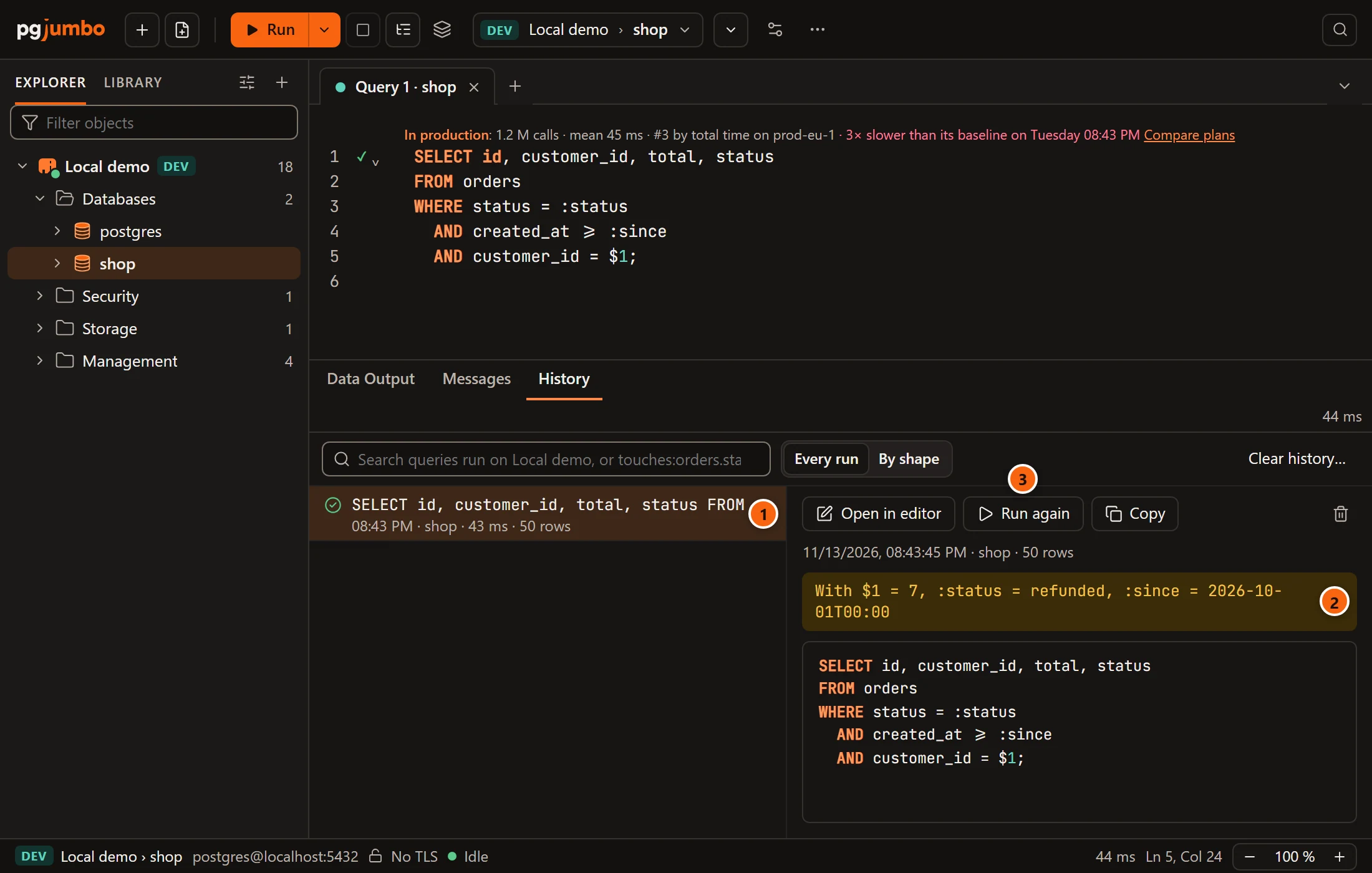
- 1 The run in the list.
- 2 The values the run was given, in a line that starts with With. The SQL under it is kept as you wrote it, with its parameters.
- 3 Run again puts the SQL in the editor and runs it, so the dialog asks for the values again.
A value whose name says it is a secret (a name with pass, secret, token, apikey or api_key in it) is shown
as ********, and a value longer than 80 characters is cut short. Query history explains the
rest of the tab.