

Rehearse a write
Rehearse runs an UPDATE, a DELETE or a MERGE inside a transaction that nobody has committed yet, and shows
every row it changed, old beside new, in every table it reached. You look at the result, then Commit keeps it or
Roll Back leaves every table as it was. Use it before a write you cannot take back by hand.
Rehearse a statement
Section titled “Rehearse a statement”Put the cursor in the statement. The strip above it says roughly what it would touch (see Before a statement runs); click Rehearse on that strip.
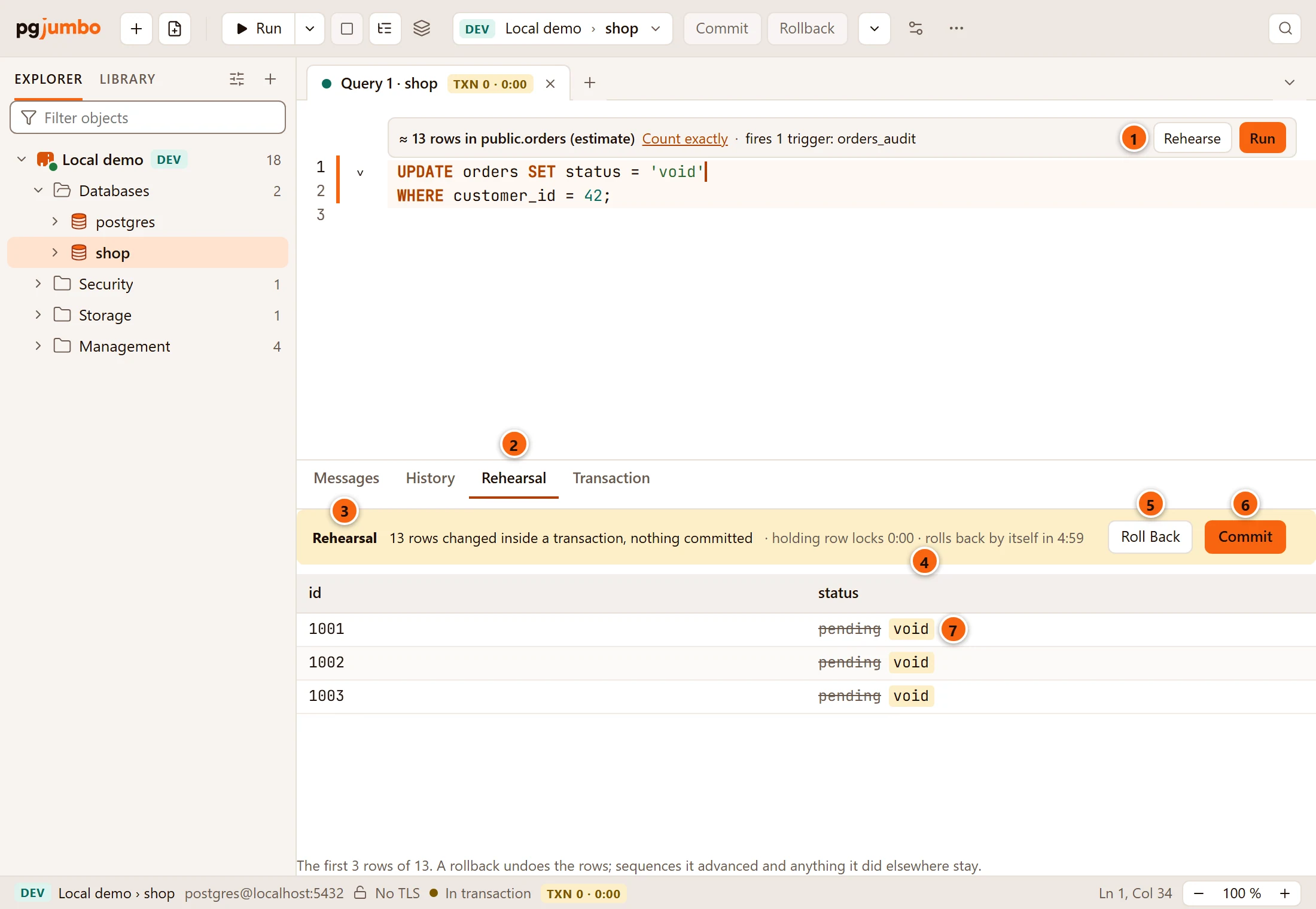
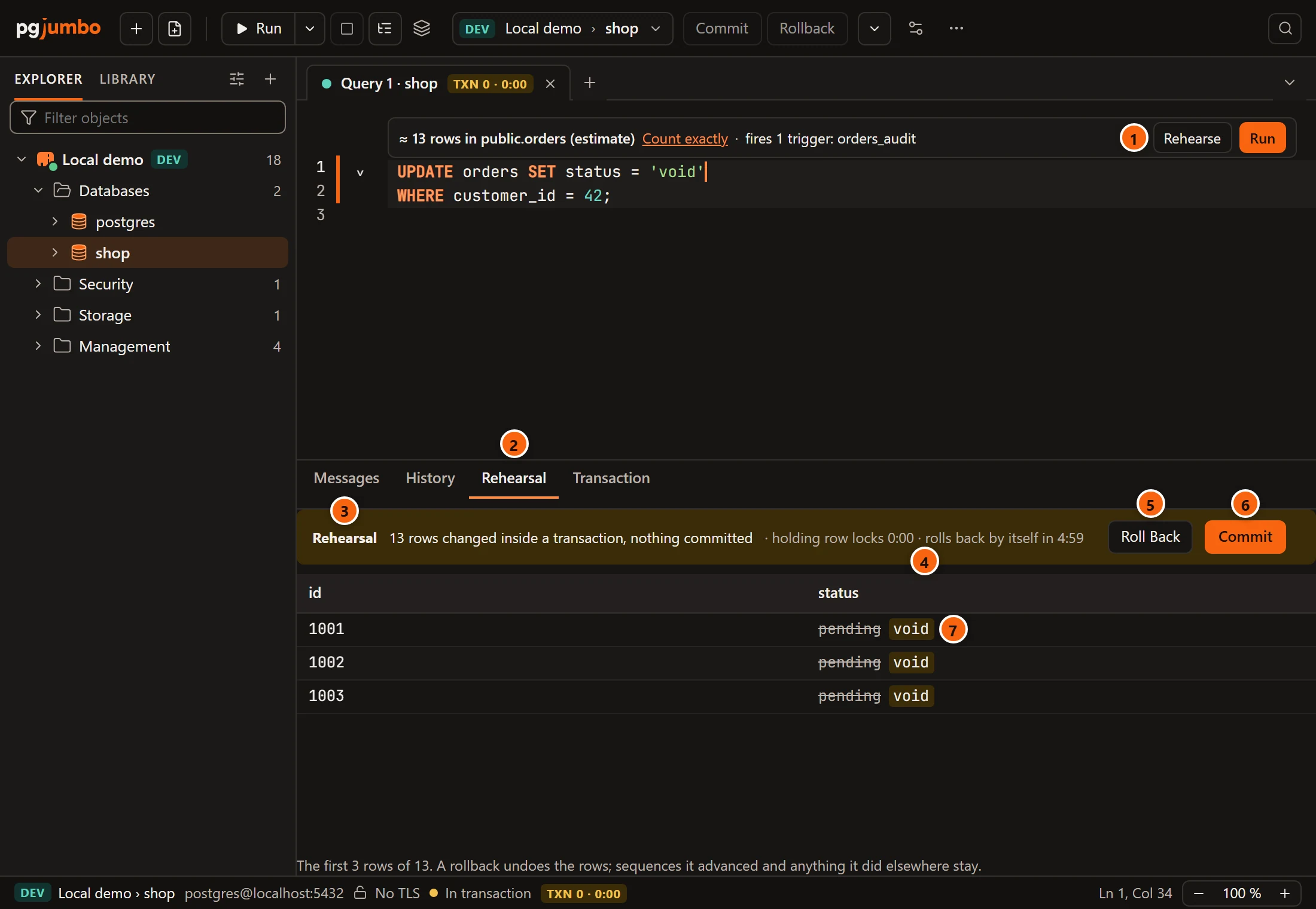
- 1 Rehearse, on the strip above the write.
- 2 The Rehearsal tab opens beside Messages.
- 3 The banner: how many rows changed, where the write ran, and that nothing is committed.
- 4 How long the write’s row locks have been held, and when the rehearsal rolls back by itself.
- 5 Roll Back undoes the write.
- 6 Commit keeps it.
- 7 Each changed row: the old value struck through, the new one beside it. A value that did not change
shows once. A deleted row is struck through whole, and a row a
MERGEinserted shows only its new values.
Under the rows a line says what to know about the list. It names the columns a trigger changed
(updated_at changed too: a trigger did it, and the rehearsal shows that.), says when the list holds only the first
rows of those changed, and ends with what a rollback does not undo.
pgjumbo sends the statement as you wrote it, on the tab’s own session. In an idle tab the write runs in a transaction
of its own. In a tab with a transaction open it runs under a savepoint in yours, and the banner says
under a savepoint in this tab's transaction.
While a rehearsal waits
Section titled “While a rehearsal waits”Nothing else runs on the tab until the rehearsal ends, and only its own two buttons end it.
- Run shows the Rehearsal tab again and says
A rehearsal is waiting: Commit or Roll Back it first. - The toolbar’s Commit and Rollback are greyed, and so are the ones in the Query menu. Their tooltip says where to end it.
- Savepoint…, Roll back to here, saving edited rows, Keep as Temp Table and the tab’s session settings are refused until it ends, and say so.
- After five minutes the rehearsal rolls back by itself, and the banner says
It rolled back by itself: nothing changed. - Closing the tab, quitting or moving the tab to another database asks first, and rolls the rehearsal back when you choose to roll back; see Drafts, closing and quitting.
The Transaction tab names the waiting write too:
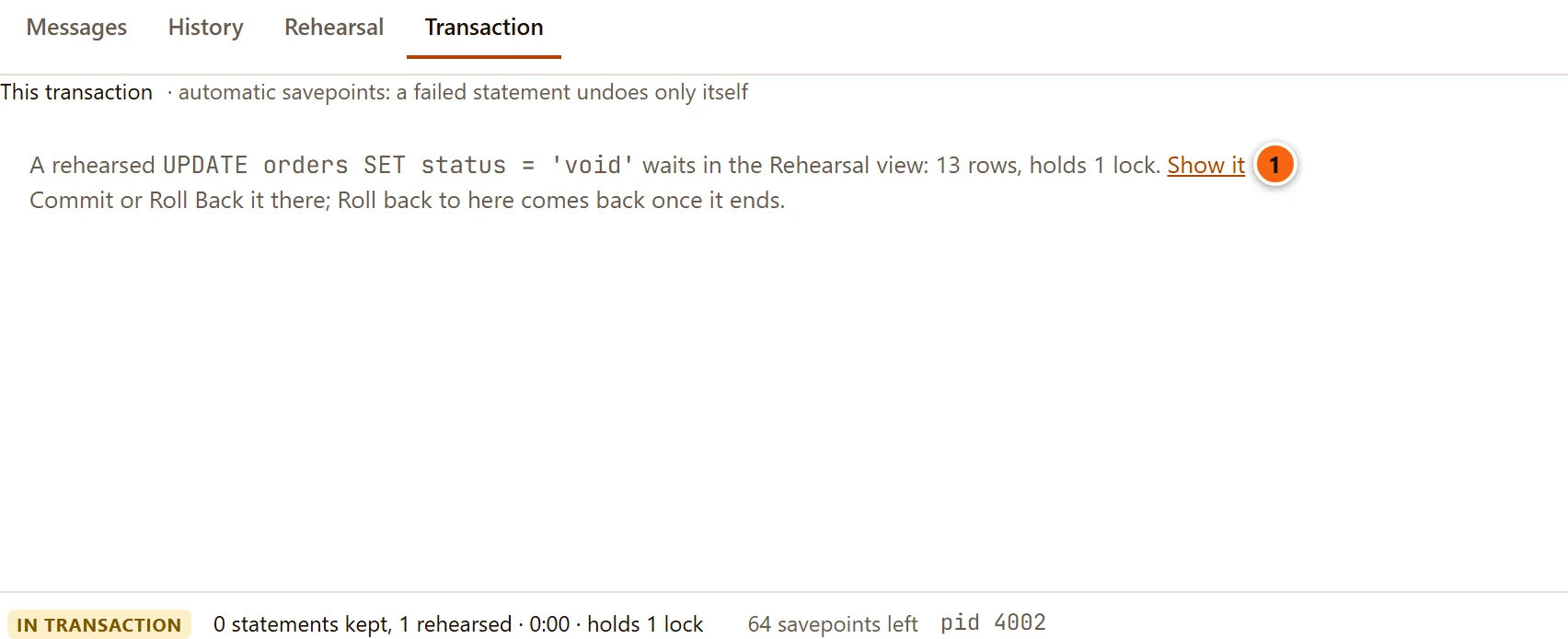
- 1 Show it goes back to the Rehearsal tab.
Other tables the write changes
Section titled “Other tables the write changes”A write can change more than its own table. Deleting an order deletes its items when their foreign key says
ON DELETE CASCADE, or empties their key with SET NULL; a trigger can write somewhere else. The rehearsal counts
every row in every table.
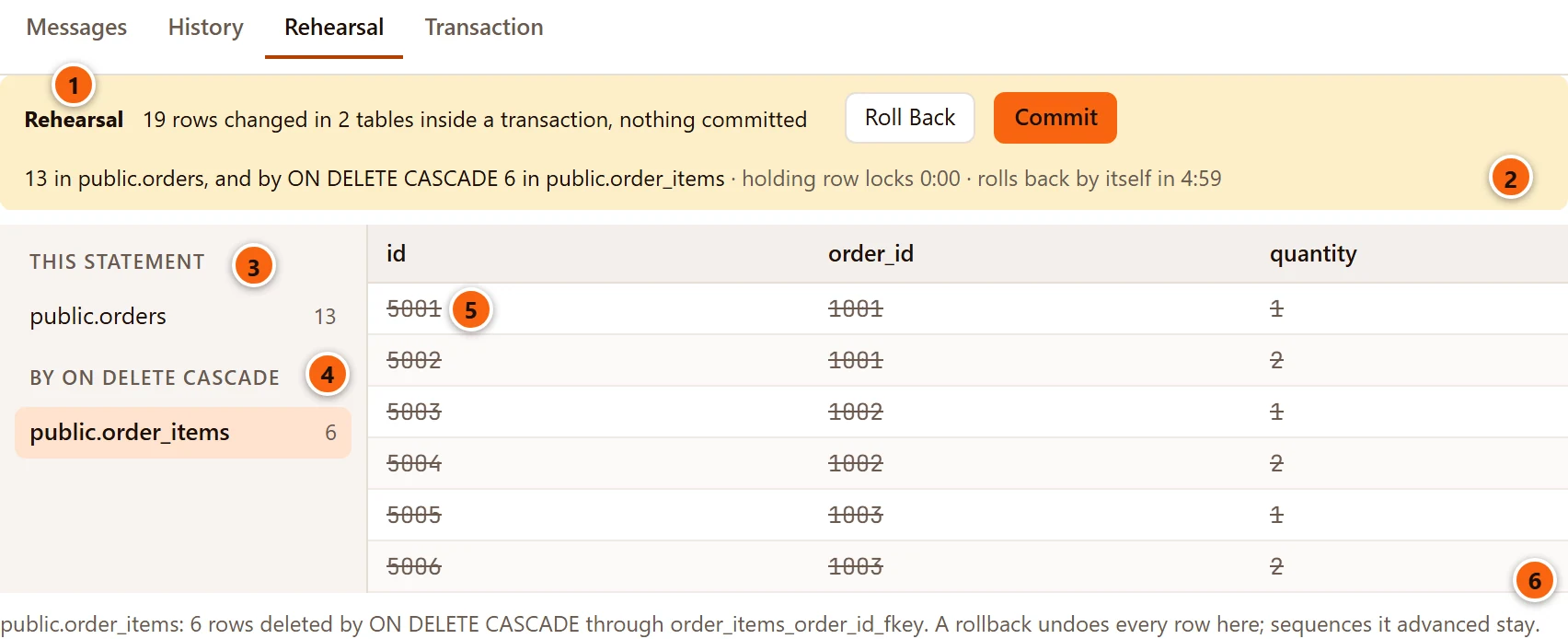
- 1 The banner counts all rows and all tables.
- 2 Its second line names each table with its rows and what changed them.
- 3 THIS STATEMENT: the table the statement writes to.
- 4 The other tables, grouped by what changed them: BY ON DELETE CASCADE, BY ON DELETE SET NULL and the other foreign key rules, BY A TRIGGER, or ALSO CHANGED when no foreign key explains it. Click a table to see its rows.
- 5 The chosen table’s rows. A row a
SET NULLorSET DEFAULTchanged shows old beside new. - 6 The note says how this table’s rows changed and through which foreign key.
pgjumbo reads the rows a cascade will change before the write runs, and locks them as the statement itself finds them, so no new row joins them while the rehearsal waits.
PostgreSQL counts every row changed in every table, so a table pgjumbo could not list is named all the same. The
banner marks it not listed, or not all listed: a trigger’s write to another table, rows past the first
1,000, or a table your role may not read. Its note says why, such as
The rehearsal could not read them back.
When the server does not count changes (track_counts is off), the note says that what cascades and triggers
changed beyond the listed tables cannot be seen.
Commit or roll back
Section titled “Commit or roll back”Roll Back undoes every row in every table. The banner then says Rolled back and Nothing changed. Two
things stay, as after any rollback: sequences the write advanced keep their new values, and whatever a trigger did
outside the database is done.
Commit keeps the write:
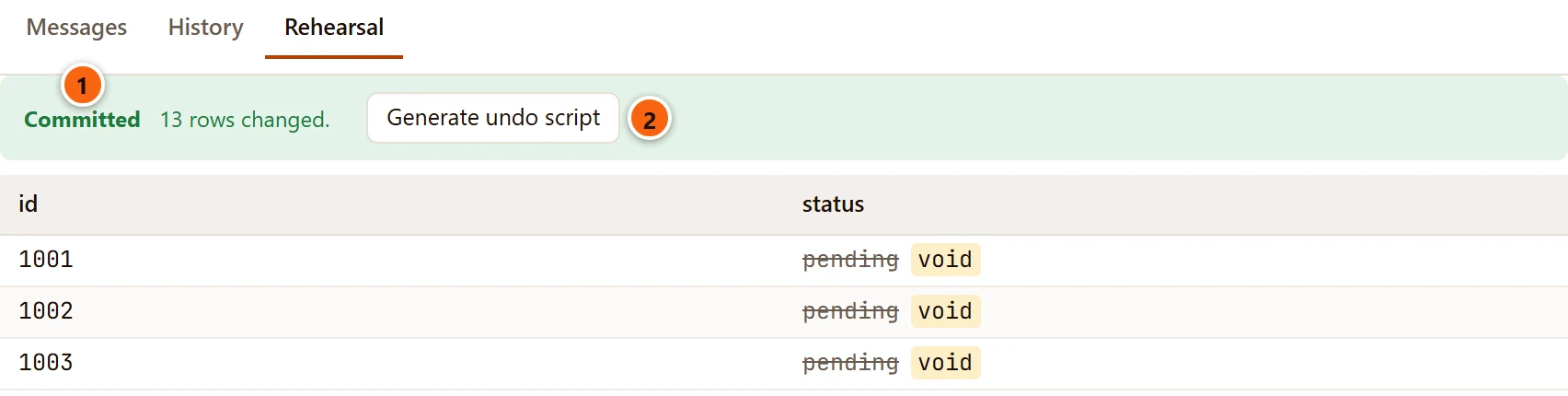
- 1 Committed, with the rows changed. With several tables it names each one’s rows.
- 2 Generate undo script; see below.
In a tab with a transaction of your own open, the rehearsal’s Commit keeps the rows in that transaction, and
the banner says in this tab's transaction, which Commit then keeps. The write joins the
Transaction tab with the locks it took, and your own Commit or Rollback
then decides, as for any statement you ran.
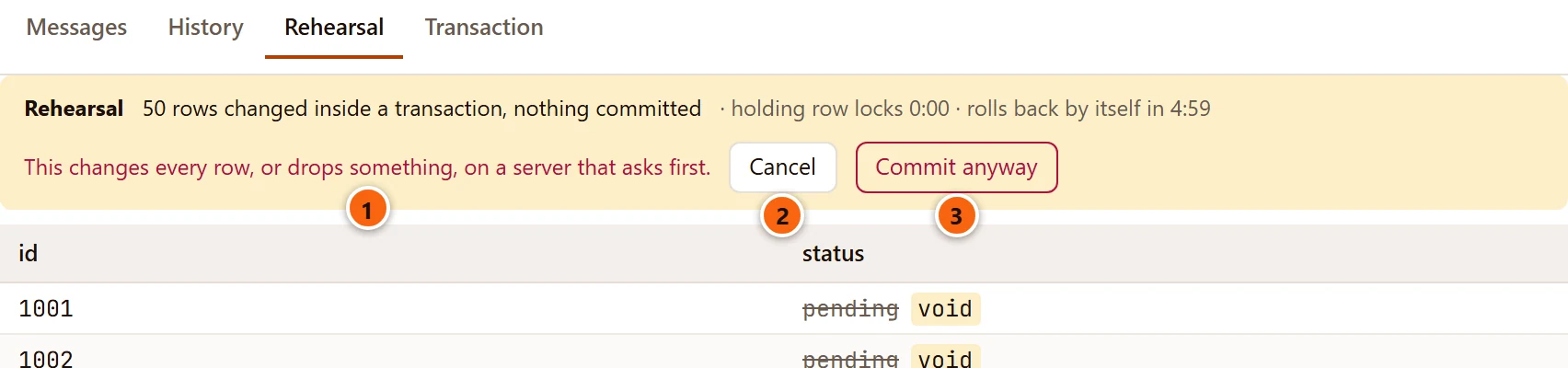
On a server that asks before destructive statements, a write that changes every row asks once more when you commit it:
- 1
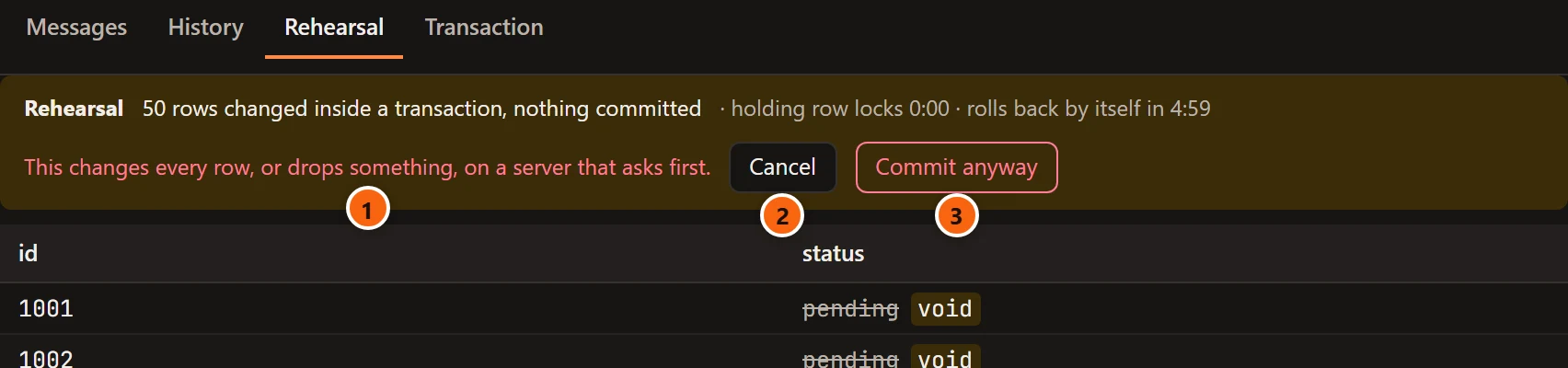
This changes every row, or drops something, on a server that asks first. - 2 Cancel goes back to Roll Back and Commit; the rehearsal still waits.
- 3 Commit anyway commits it.
That is a server tagged Production, or Staging when you set it to ask; see Production servers.
The undo script
Section titled “The undo script”After a rehearsed commit, Generate undo script opens a script in a new Query Tool tab on the same database. It puts the rows back as they were before the write. pgjumbo never runs it: keep it, and run it if you need to.
-- Undo of: UPDATE orders SET status = 'void' WHERE customer_id = 42;-- 2 rows on public.orders. Each statement changes a row back only while it is as the rehearsal left it.
UPDATE public.orders SET status = 'pending'::text WHERE id = '1001'::bigint AND status IS NOT DISTINCT FROM 'void'::text;UPDATE public.orders SET status = 'pending'::text WHERE id = '1013'::bigint AND status IS NOT DISTINCT FROM 'void'::text;- An
UPDATEis undone by oneUPDATEfor each row. It finds the row by its primary key and changes it back only while the changed columns are still as the rehearsal left them, so it never overwrites a change someone made since. - A
DELETEis undone by anINSERTof each deleted row. Generated columns are left out, and an identity column that is always generated getsOVERRIDING SYSTEM VALUE. - With other tables, every row goes back in an order the foreign keys accept: the statement’s own table first, then
each table under a comment line of its own. Rows a cascade deleted come back as
INSERTs, and rows aSET NULLorSET DEFAULTchanged asUPDATEs. Rows anON UPDATE CASCADEchanged go back with their parent’sUPDATE, which cascades again.
When the undo could not bring every row back, none is written, and the banner says why in place of the button:
| The banner says | Why |
|---|---|
A MERGE's undo would mix INSERTs, UPDATEs and DELETEs; it is not written. |
The write was a MERGE. |
It changed more than 1000 rows; an undo script holds that many at most. |
The rehearsal keeps 1,000 rows, counting every table. |
No undo script: a trigger also wrote 1 row in audit.change_log, which the rehearsal could not read back. |
A table changed that pgjumbo could not list. |
The table has no primary key, so its rows cannot be found again. |
An UPDATE on a table without a primary key. A cascade’s table without one says the same of itself. |
No undo script: 3 rows could not be read again after the UPDATE, which changed their key. |
Before PostgreSQL 18, an UPDATE that changes a row’s primary key. |
No undo script: this server does not count changes (track_counts is off) … |
pgjumbo cannot tell what cascades and triggers changed. |
Most of these end with Keep a copy first. When you know a write is of this kind, copy the rows it will touch before
you run it, for example with CREATE TABLE … AS SELECT ….
What cannot be rehearsed
Section titled “What cannot be rehearsed”When Rehearse cannot run, a line beside the result tabs starts Could not rehearse: and gives the reason.
| The reason | What to do |
|---|---|
Rehearse runs one UPDATE, DELETE or MERGE, and shows the rows it changes. |
Rehearse one such statement at a time. |
A MERGE is rehearsed on PostgreSQL 18 and later, which says both versions of each row. |
On an older server, run the MERGE in a transaction of your own. |
Rehearse sends the statement as written: put its parameters' values in the text first. |
Replace :name or $1 with the values. See Parameters. |
Rehearse needs the statement without a RETURNING of its own. |
Take the RETURNING out; the rehearsal shows the rows anyway. |
Rehearse changes a table's rows; this statement's target is no table here. |
The target is a view or another kind of relation. |
This tab's transaction failed. Roll it back before rehearsing. |
Click Rollback first. |
PostgreSQL 18 and later report both versions of each changed row themselves. On an older server, pgjumbo reads an
UPDATE’s rows before the write and finds them again by their primary key afterwards. Two cases then show only
the rows as they were, and the note under the rows says so: a table without a primary key
(Without a primary key, PostgreSQL before 18 cannot show the new values: these are the rows as they were.), and a
row whose key the UPDATE changed.
Stop cancels a rehearsal that is still running, as it cancels any statement.
If the connection goes
Section titled “If the connection goes”If the tab’s connection is lost while a rehearsal waits (the server ended an idle session, for example), the
banner says Connection lost and The tab's connection went while it waited: pgjumbo committed nothing. The
server rolls back what an ended session had not committed. The tab offers Reconnect; see
A tab’s session.
If the connection went while Commit was on its way, the banner says
The connection went while Commit was on its way: whether the server committed it is not known. Look on a new connection before you run it again.
Do what it says: check the rows before you run the write a second time.