

Jobs
Work that takes a while runs in the background as a job, so you can go on working while it runs. The dialog that started a job follows it, and the Jobs panel in the status bar lists every job started since pgjumbo opened, with its live log.
These run as jobs:
| Job | Started from | Its title in the list |
|---|---|---|
Maintenance (VACUUM, ANALYZE, REINDEX, CLUSTER, a refresh, an integrity check) |
TasksMaintenance…, or Maintenance… in Object Details | The statement and the object: VACUUM public.orders, Check public.orders with amcheck |
| A materialized view’s refresh | The Refresh view of its tab | REFRESH MATERIALIZED VIEW and its name |
A backup with pg_dump or pg_dumpall |
TasksBackup…, or Backup… on a server | Back up shop, Back up roles and tablespaces, Back up every database |
A restore with pg_restore or psql |
TasksRestore… | Restore shop from shop.backup |
| A copy of a database | TasksCopy Database… | Copy shop to Local demo as shop_copy |
| An import or export of table data | TasksImport/Export Data… on a table or view, or TasksImport File into New Table… on a schema or its Tables folder | Import orders.csv into public.orders, Export public.orders to orders.csv |
| Move objects… on a tablespace | The tablespace’s tab | Move 3 objects to tablespace · database, one job for each database |
| This project’s Prisma reading the drift of a database | The Drift tab of a database’s Migrations view, once you allowed it | Prisma version reads the drift of shop |
Follow a job in its dialog
Section titled “Follow a job in its dialog”When you start a job, its dialog turns into the job’s view and follows it.
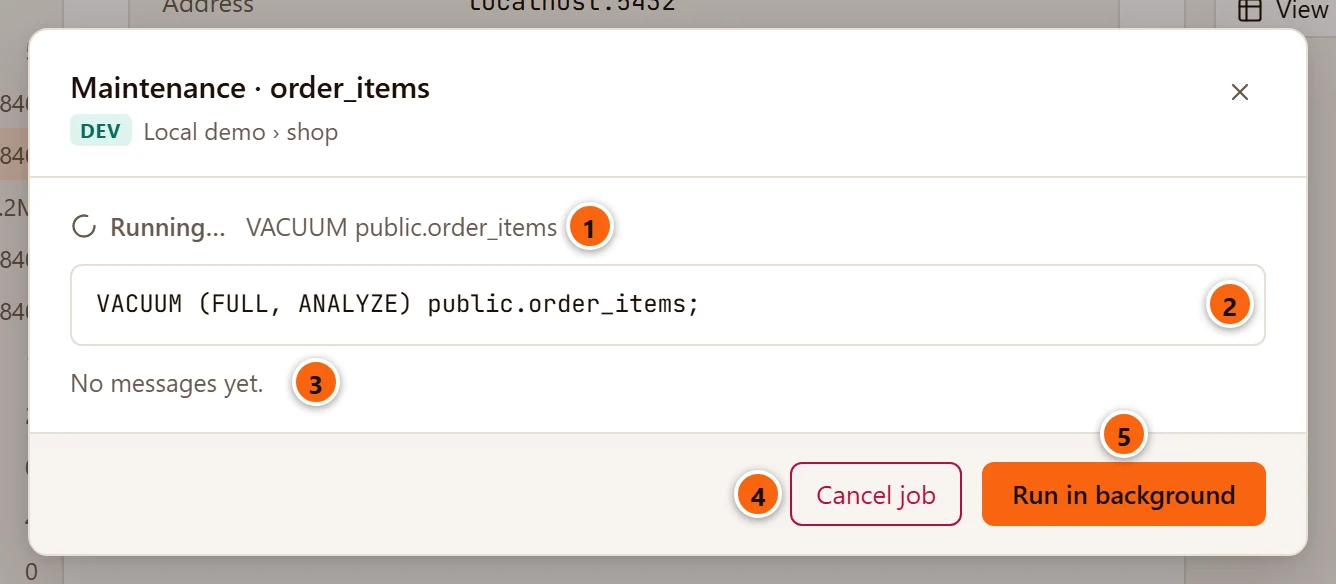
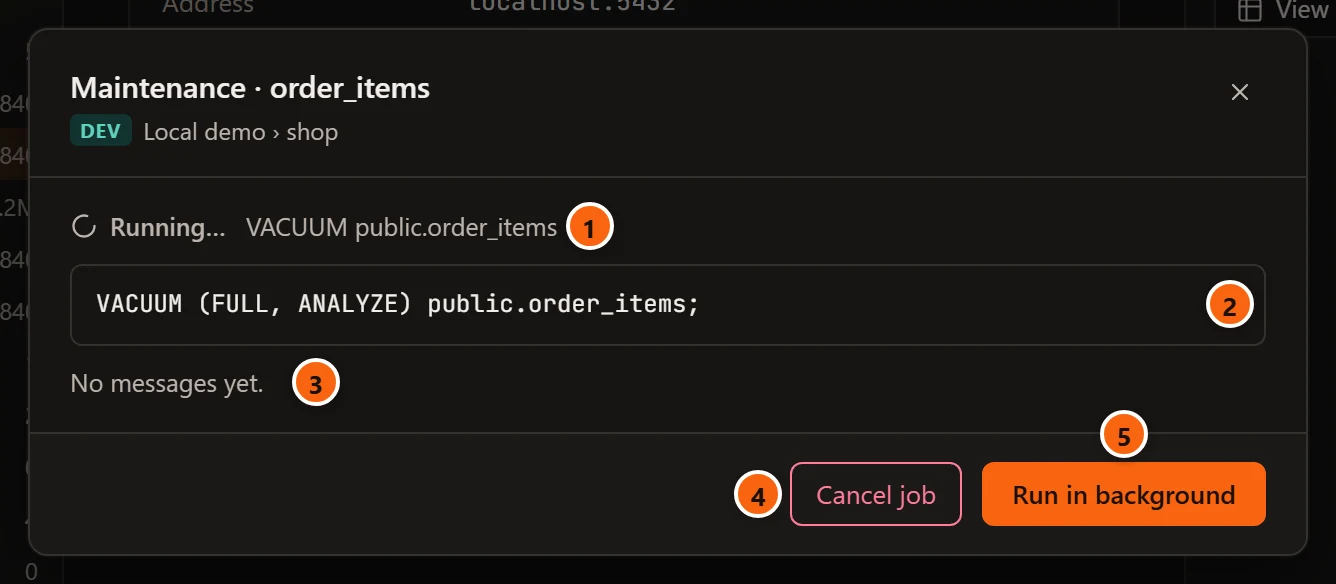
- 1 The job’s state and its title.
- 2 The statement it runs, or the command line of the program it runs. A command line holds no password and no connection settings.
- 3 The messages, as they arrive (see Read the log). Before the first one it says “No messages yet.”
- 4 Cancel job stops the job (see Cancel a job).
- 5 Run in background closes the dialog and leaves the job running. Point at it and it says “It stays in Jobs, in the status bar”. The × and Esc do the same.
Closing the dialog never stops its job. Find the job again in the Jobs panel.
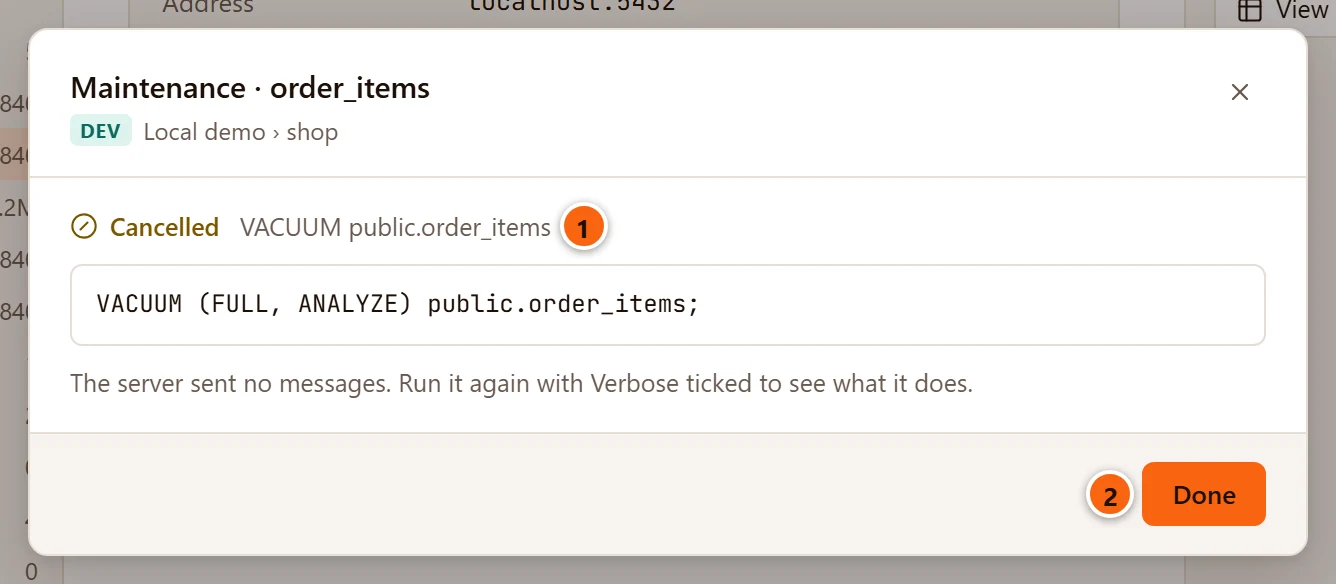
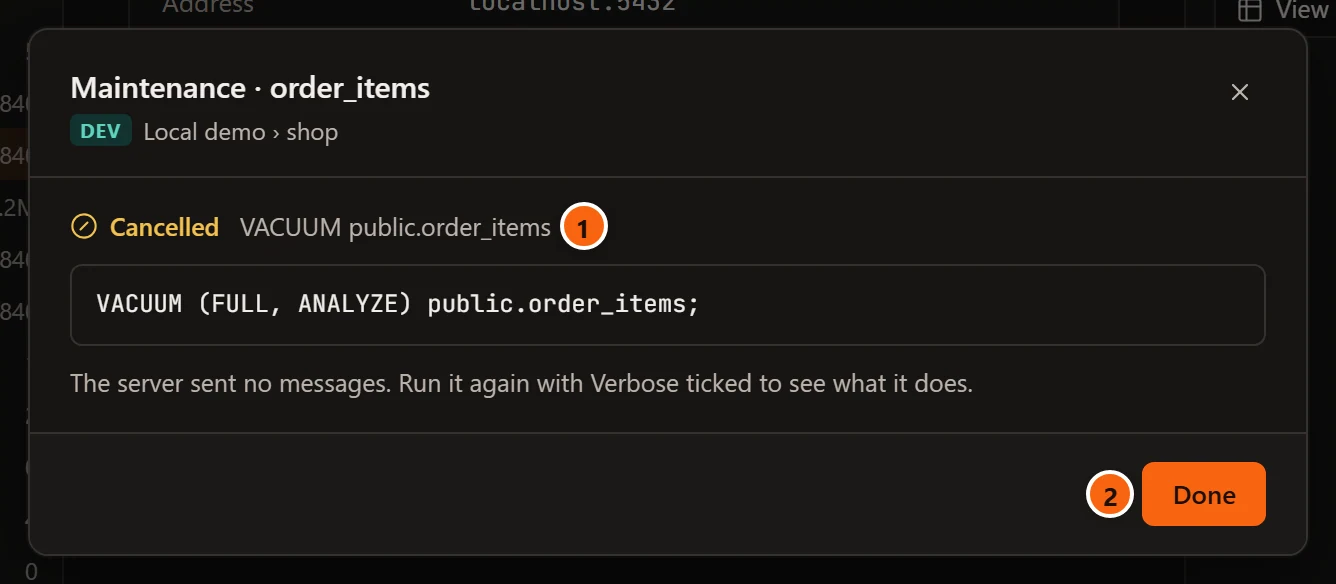
- 1 Once the job has ended, the state reads Done in time, Failed after time or Cancelled.
- 2 Done closes the dialog.
Open the Jobs panel
Section titled “Open the Jobs panel”

- 1 Once the first job has started, the status bar has a jobs button at its right end. While jobs run it says 1 job running or N jobs running, with a spinner. Click it to open the panel.


- 1 When no job runs, the button says Jobs · and how many jobs the panel lists.
There is no menu item and no key for the panel. Before the first job of a run of pgjumbo, the status bar has no jobs button.
The Jobs panel
Section titled “The Jobs panel”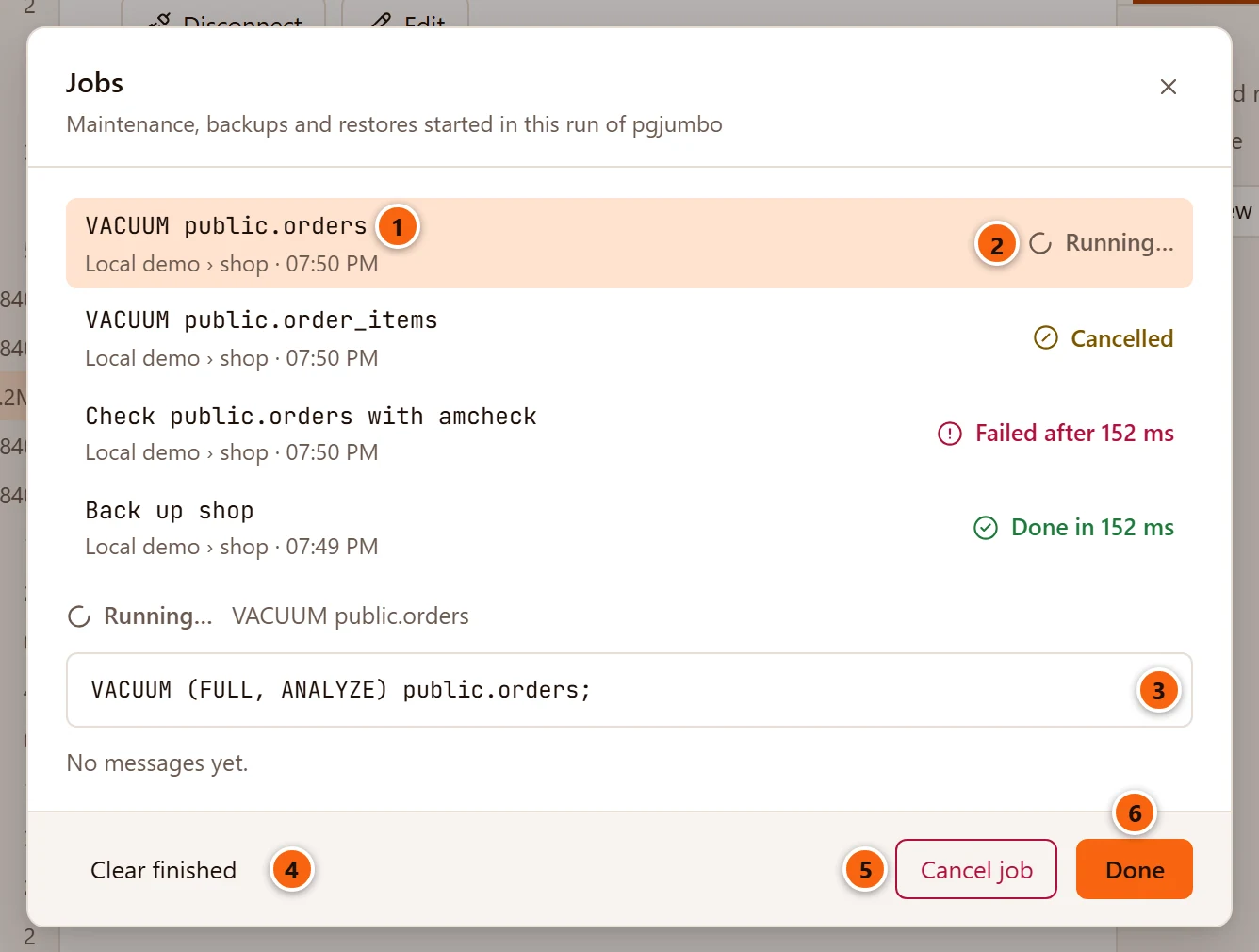
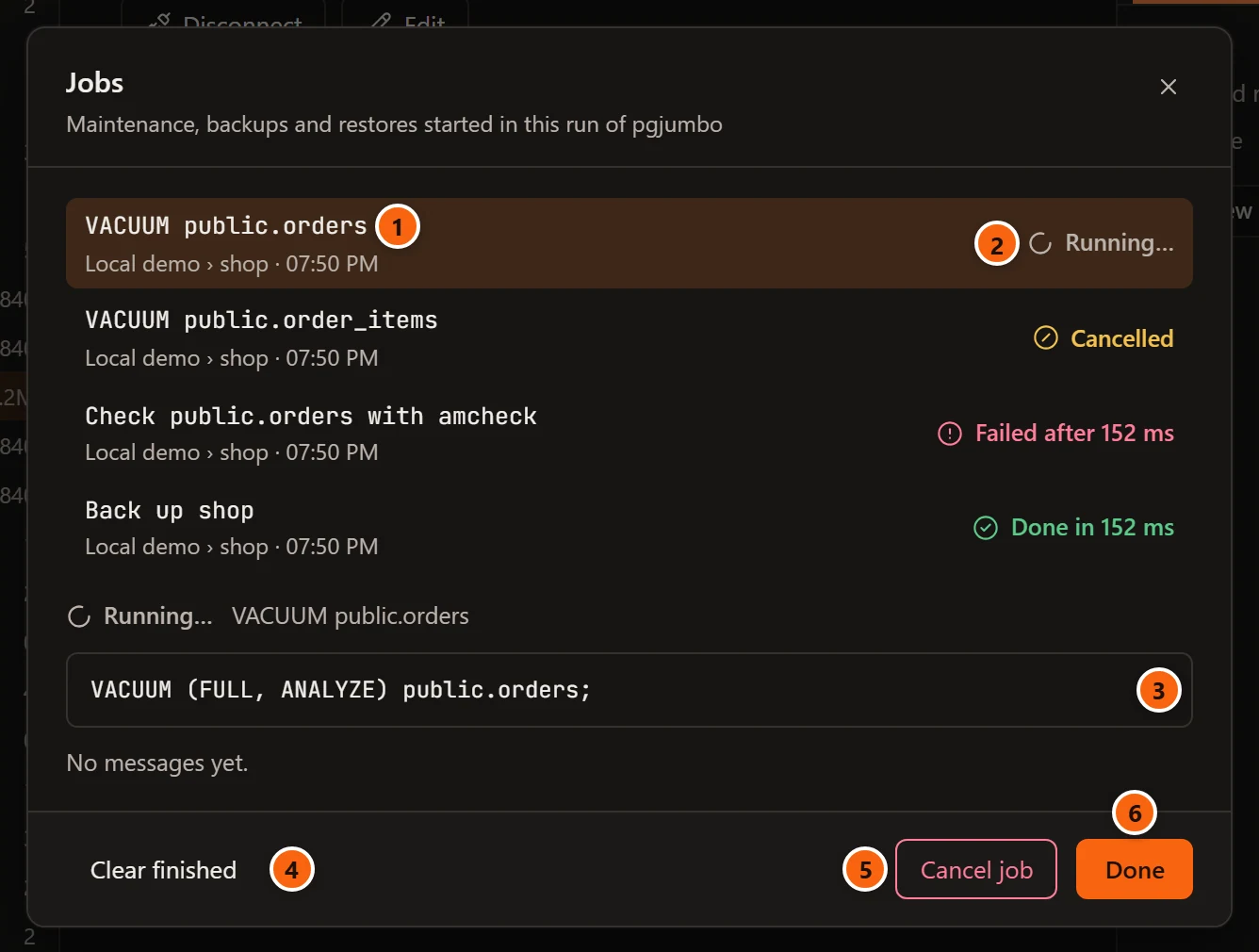
- 1 Each job, the newest first: its title, then server › database and when it started: the time if it started today, else the day and the time (with the year, if it was another year). Click a job to show it below the list. The newest one is shown when the panel opens.
- 2 Its state (see the table below), with an icon.
- 3 Below the list, the job you chose, as its dialog shows it: its state and title, its statement or command line, its error, and its log.
- 4 Clear finished takes every job that has ended off the list. It is greyed out while every job is still running.
- 5 Cancel job stops the chosen job. It shows only while that job is running.
- 6 Done closes the panel; the jobs go on. The × and Esc do the same.
| State | What it means |
|---|---|
| Running… (a spinner) | The job has started and has not ended yet. |
| Done in time (a tick) | It finished well, in that time: 152 ms, 2.35 s, 12.3 s. |
| Failed after time (a circle with an exclamation mark) | It stopped with an error, shown in red under its statement. |
| Cancelled (a circle with a slash) | You cancelled it, and it stopped. |
The panel’s subtitle reads “Maintenance, backups and restores started in this run of pgjumbo”, though it lists every kind of job. When Clear finished has emptied the list, the panel says “No jobs yet. Backup…, Restore… and Maintenance… in the Explorer start them.” Close it then, and the jobs button leaves the status bar until the next job starts.
The list lasts while pgjumbo runs and starts empty at the next start. When a new job starts, pgjumbo keeps the 50 most recent jobs that have ended and forgets older ones; a running job always stays.
Read the log
Section titled “Read the log”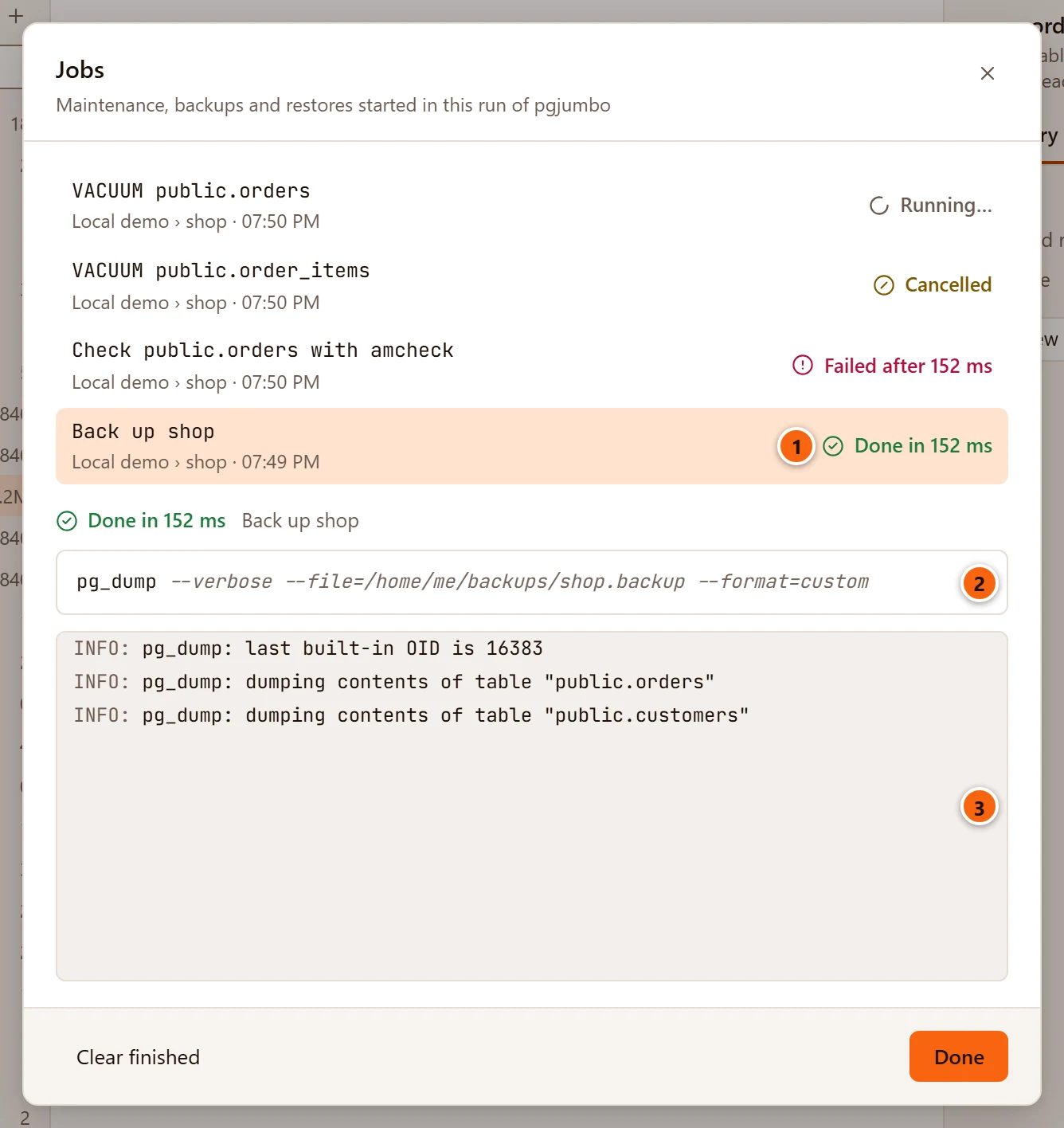
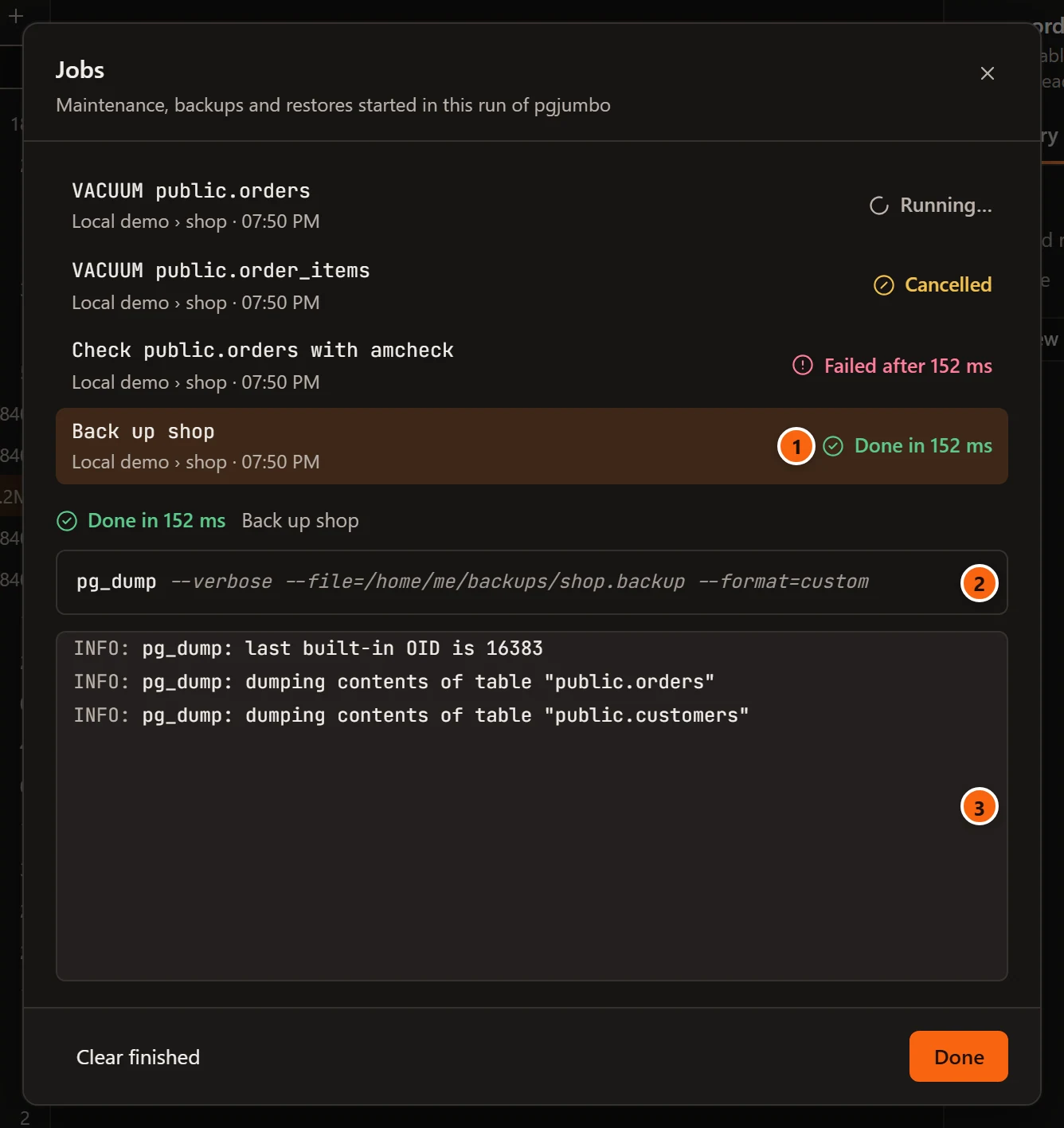
- 1 The job chosen in the list.
- 2 The command line pgjumbo ran: the program’s name and its arguments. For a statement, the statement.
- 3 The log: every line the server or the program sent, as it arrives, each led by its severity.
| What runs | What the log holds |
|---|---|
| A statement (maintenance, a refresh, an import or export) | The server’s messages: the output of Verbose, notices and warnings, each led by INFO:, NOTICE: or WARNING:, with the message’s detail on the next line. |
A program (pg_dump, pg_dumpall, pg_restore, psql) |
Every line the program wrote, in its own words. A line holding fatal: is marked FATAL, error: is ERROR, warning: is WARNING, notice: is NOTICE, and every other line is INFO. |
The log follows the newest line while you are at its end. Scroll up and it stays where you are; scroll back to the end and it follows again. A job that ended without a message says “The server sent no messages.”
When a job fails
Section titled “When a job fails”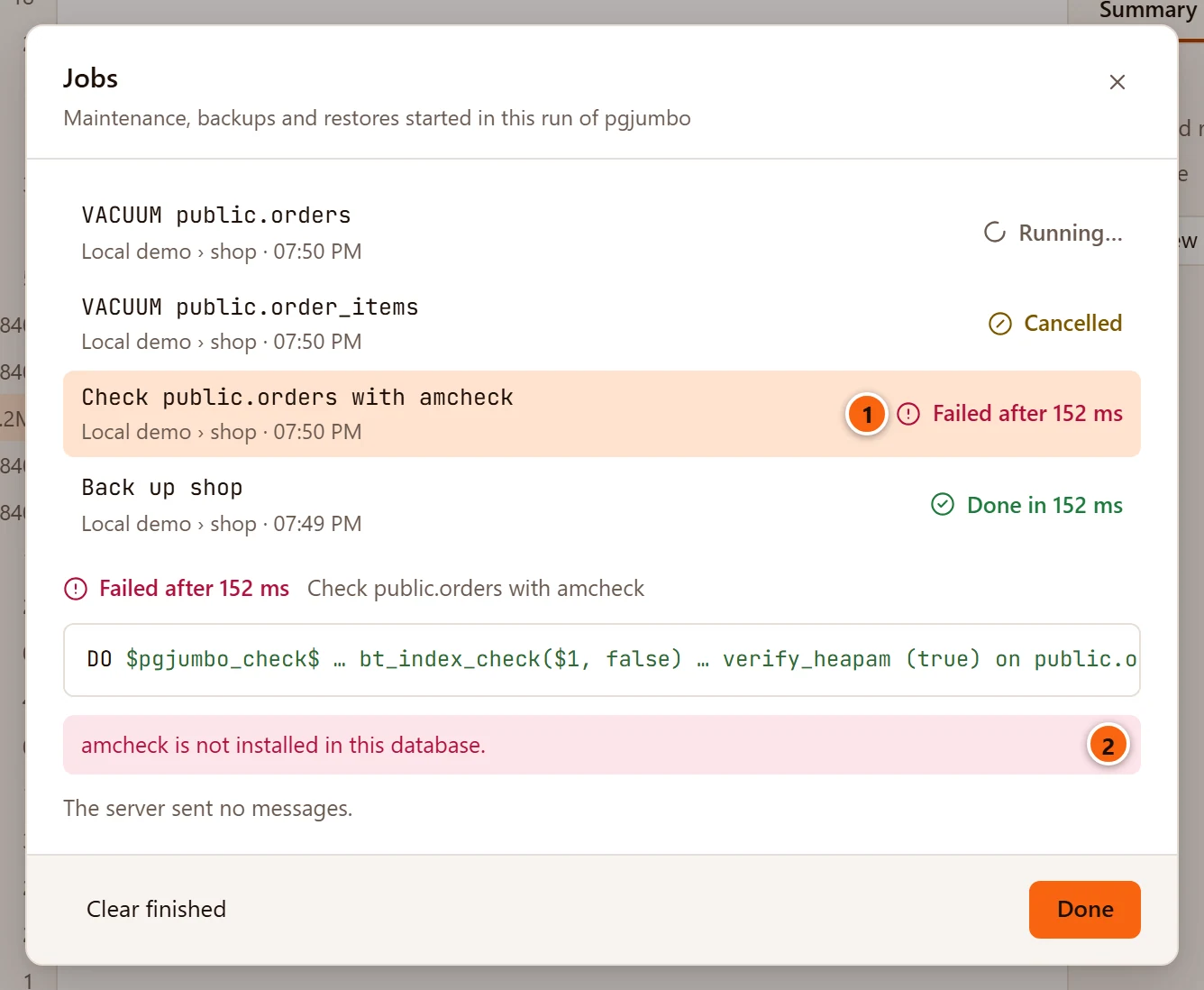
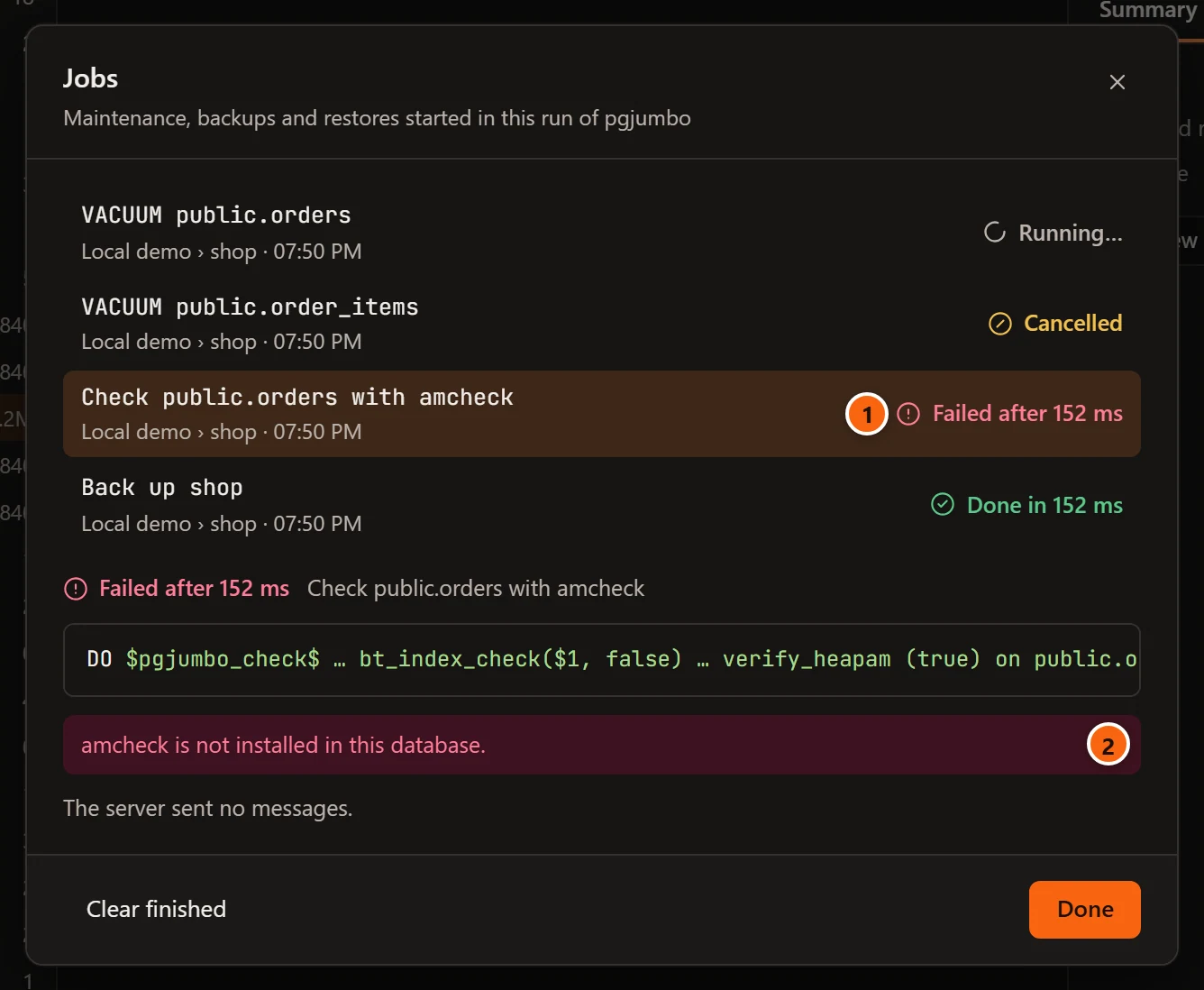
- 1 A job that failed says how long it ran.
- 2 Why it failed, in red, above its log.
A statement that fails gives the server’s error. A program that fails gives how it ended, and when the server said why, the server’s message comes first:
| What happened | The error reads |
|---|---|
The server gave the reason, with its DETAIL and HINT |
ERROR: out of shared memory. HINT: You might need to increase "max_locks_per_transaction". pg_dumpall ended with exit code 1: pg_dump failed on database "qa_measure", exiting |
The server’s message is the program’s own last error, as in a script psql loads |
ERROR: function nope() does not exist. HINT: No function matches the given name and argument types. You might need to add explicit type casts. psql ended with exit code 3 (psql:C:/backups/shop.sql:2). The bracket says where in the script it was. |
| Only the program said why | pg_dump ended with exit code 1: could not open output file "D:/x.backup": Permission denied |
| Nothing said why | pg_dump ended with exit code 1: see the log |
| The program was ended by the system, not by itself | pg_dump was stopped: see the log, or with its last error after the colon |
Each part of the error is cut at 1,000 characters, and ends in an ellipsis where it was cut, so a line that names every table of a database stays in the log, whole. The log keeps every line the program and the server wrote.
Cancel a job
Section titled “Cancel a job”Cancel job, in the job’s dialog or in the panel, stops a running job. How it stops depends on what the job runs:
- A statement gets PostgreSQL’s cancel request, as
pg_cancel_backendwould send. The job ends as Cancelled once the server has stopped the statement. If the statement finished before the request arrived, the job ends as Done in time instead. - A program (
pg_dump,pg_dumpall,pg_restore,psql) is asked to stop. On macOS and Linux it has five seconds to end before it is killed; on Windows it is ended at once. A copy of a database stops both its programs.
A backup is written beside the file you chose until it has finished, and takes the file’s name only then. A backup that is cancelled or fails leaves nothing behind, and never a cut-short file in place of a good one.
Quit while a job runs
Section titled “Quit while a job runs”Quitting pgjumbo stops every job still running, so the question pgjumbo asks before it quits names each one first, even when nothing else is left to ask and no tab is open.
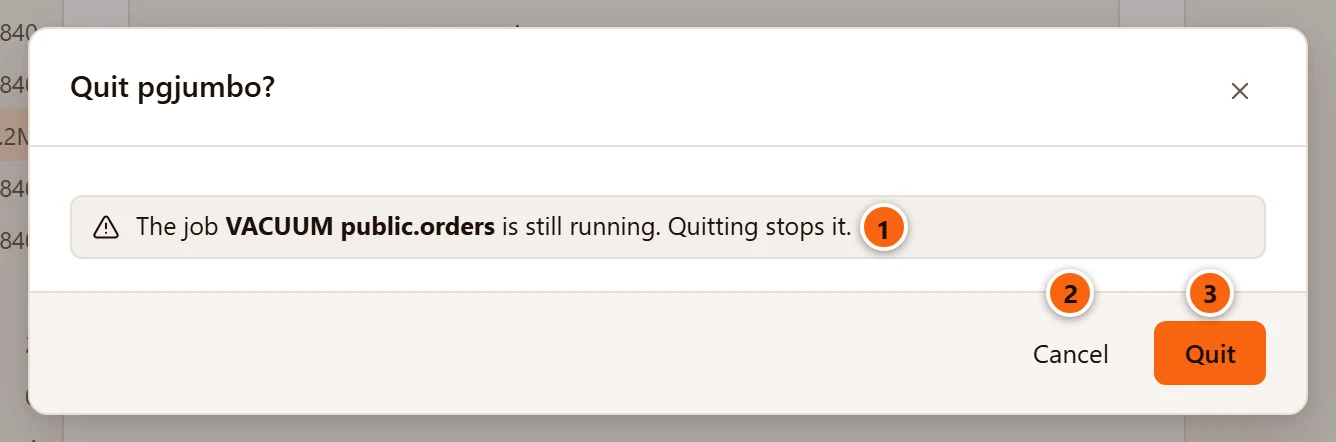
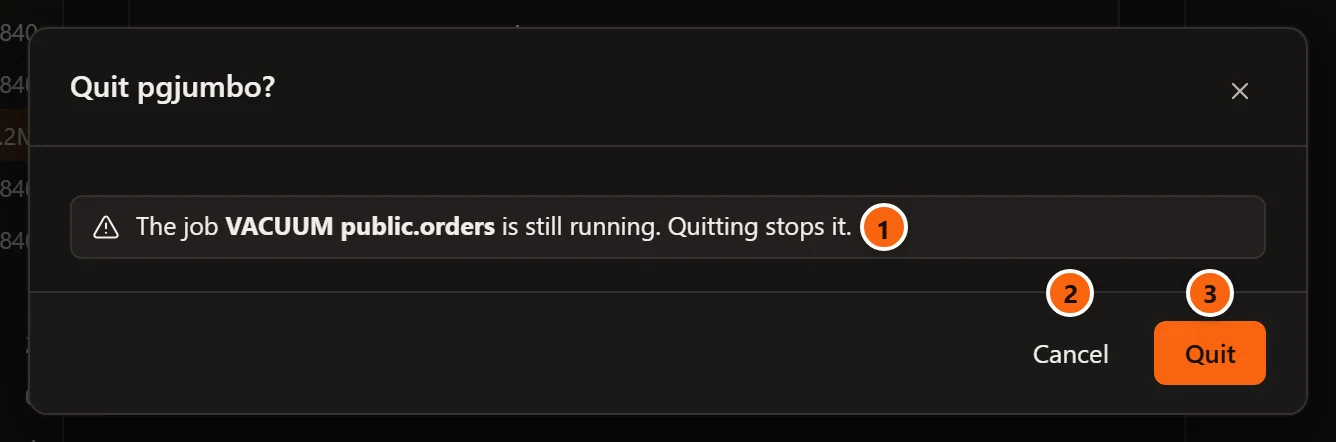
- 1 Each job still running: The job and its title is still running. Quitting stops it.
- 2 Cancel keeps pgjumbo open and the jobs running.
- 3 Quit goes on, and the jobs stop with pgjumbo.
With tabs to save, the same lines come under them, and the question asks about the tabs too: Drafts, closing and quitting explains every part of it. Restart to update asks the same question, titled Restart pgjumbo to update to version**?**, where each line ends Restarting stops it. and the last button says Restart; see Updates.