

Schema diff
The schema diff compares a schema with the schema of the same name in another database, on the same server or on another connected one. It lists what changed, what is only on one side and what is identical, shows each object’s two scripts side by side, and writes the script that makes the target match the source. Use it to see what a staging database lacks compared with development, or what drifted between two copies of the same schema.
The diff never runs its script. You copy it, save it, or open it in a Query Tool and run it yourself.
The Migrations view’s Compare schemas… opens a schema diff as well, between two migrations, or between a migration and the live database. Its marks and its two scripts side by side read as they do here; The schema as of a migration covers choosing the two points and what that comparison adds.
Open a schema diff
Section titled “Open a schema diff”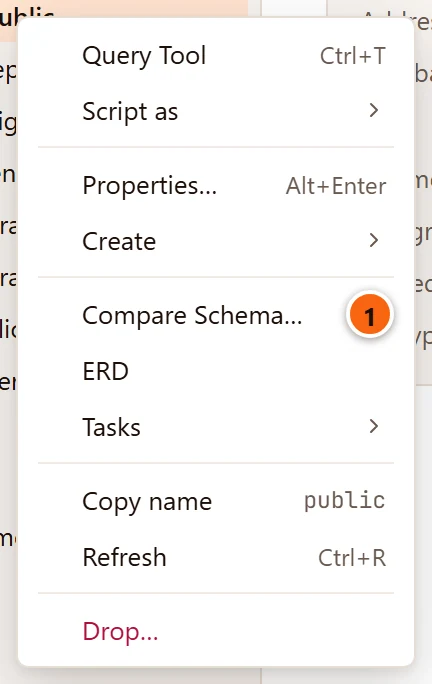
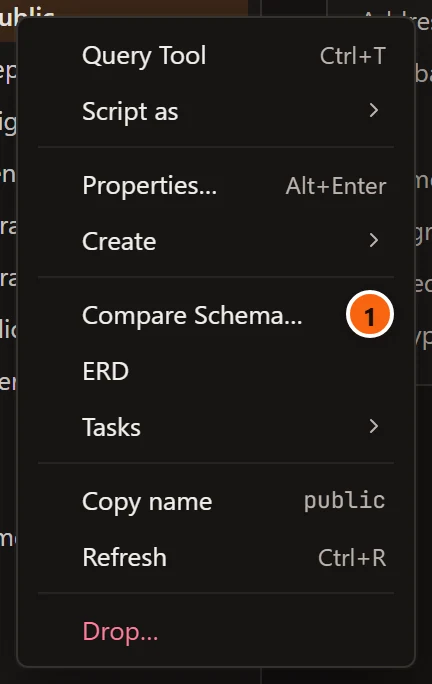
- 1 Right-click a schema in the Explorer and choose Compare Schema….
Or select the schema and choose ToolsSchema Diff… in the menu bar. The item is greyed out while anything but a schema is selected, or while its server is not connected. Neither way has a key, and system schemas do not offer it.
A tab named Schema diff · shop.public opens. The schema you started from is the source. A schema has one such tab:
choosing the item again brings that tab to the front. It closes and moves between windows as any tab does: see
Tabs.
Choose what to compare with
Section titled “Choose what to compare with”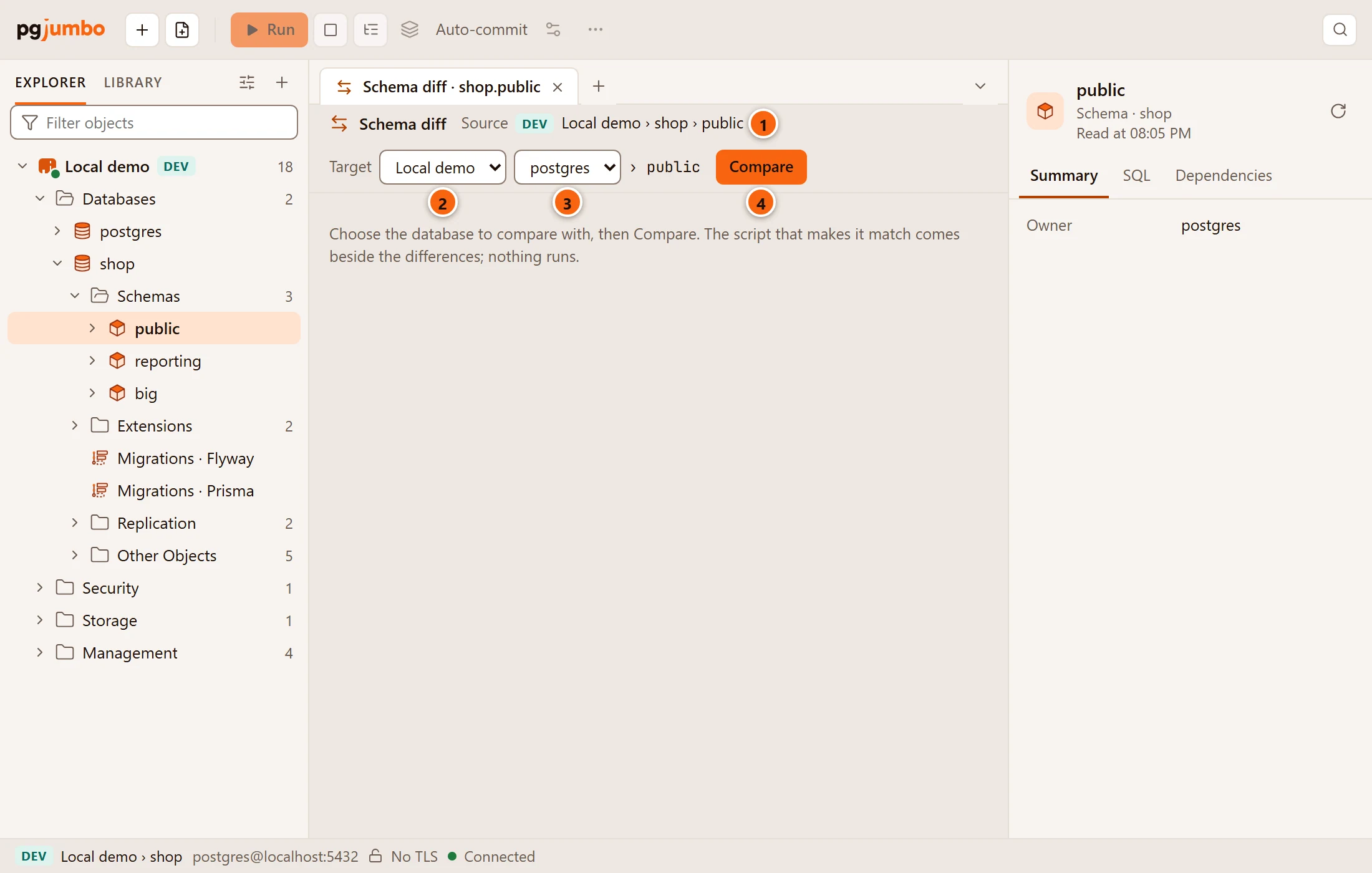
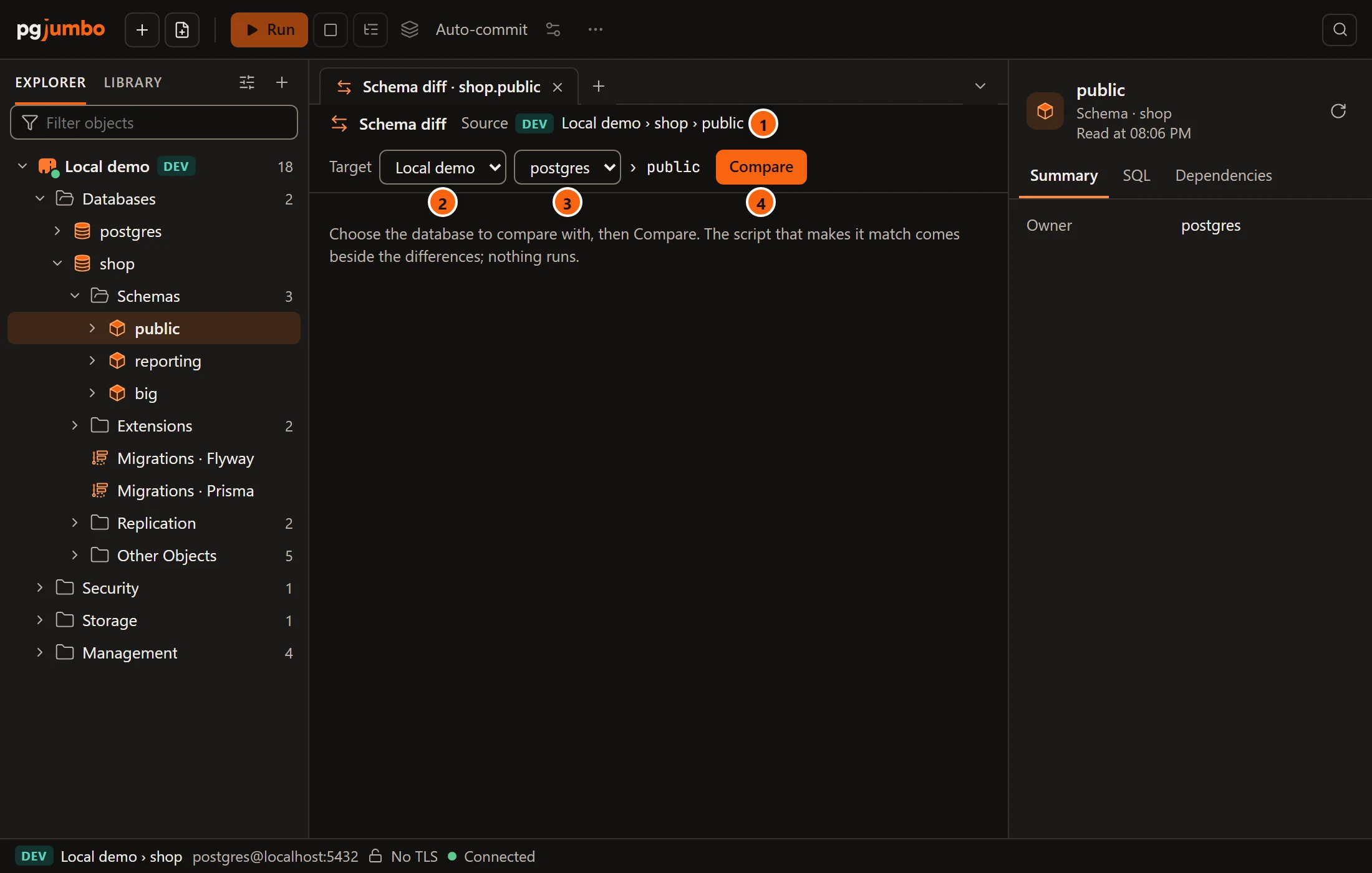
- 1 Source: the schema you started from, with its server’s environment tag.
- 2 The target server. It starts on the source’s own server, and lists the servers that are connected now; connect another one first to compare with it.
- 3 The target database. It lists that server’s databases, without the source’s own database and without template databases; the database of the same name is chosen first when there is one. When the server has no other database, the list is empty and greyed out. After it comes the schema’s name: the target is always the schema of the same name. When that database has none, the header says That database has no schema and the name, and Compare stays greyed out.
- 4 Compare reads both schemas and shows what differs. It says Comparing… while it reads. If the comparison fails, the reason shows in red under the header.
Until the first comparison, the tab says Choose the database to compare with, then Compare. The script that makes it match comes beside the differences; nothing runs. With no server connected it says Connect the server to compare with.
pgjumbo reads both sides on connections of its own to the two databases, and only reads, so the Explorer goes on working meanwhile.
After a comparison, choosing another target server or database leaves the last result on screen until you click Compare again; the script and Open in Query Tool still belong to the target you compared with.
With the Assistant on, it knows which schema the diff in front compares.
Read the differences
Section titled “Read the differences”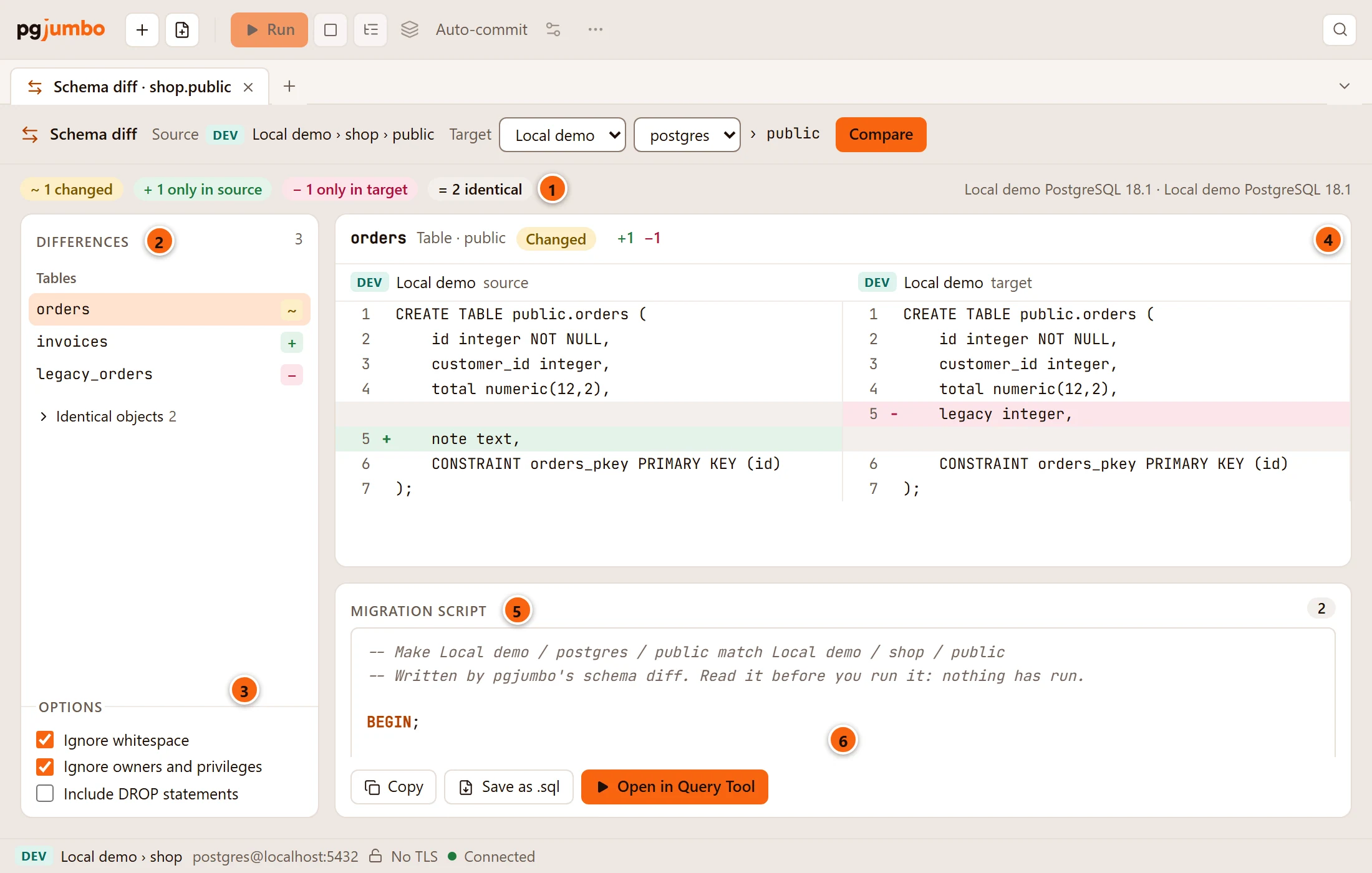
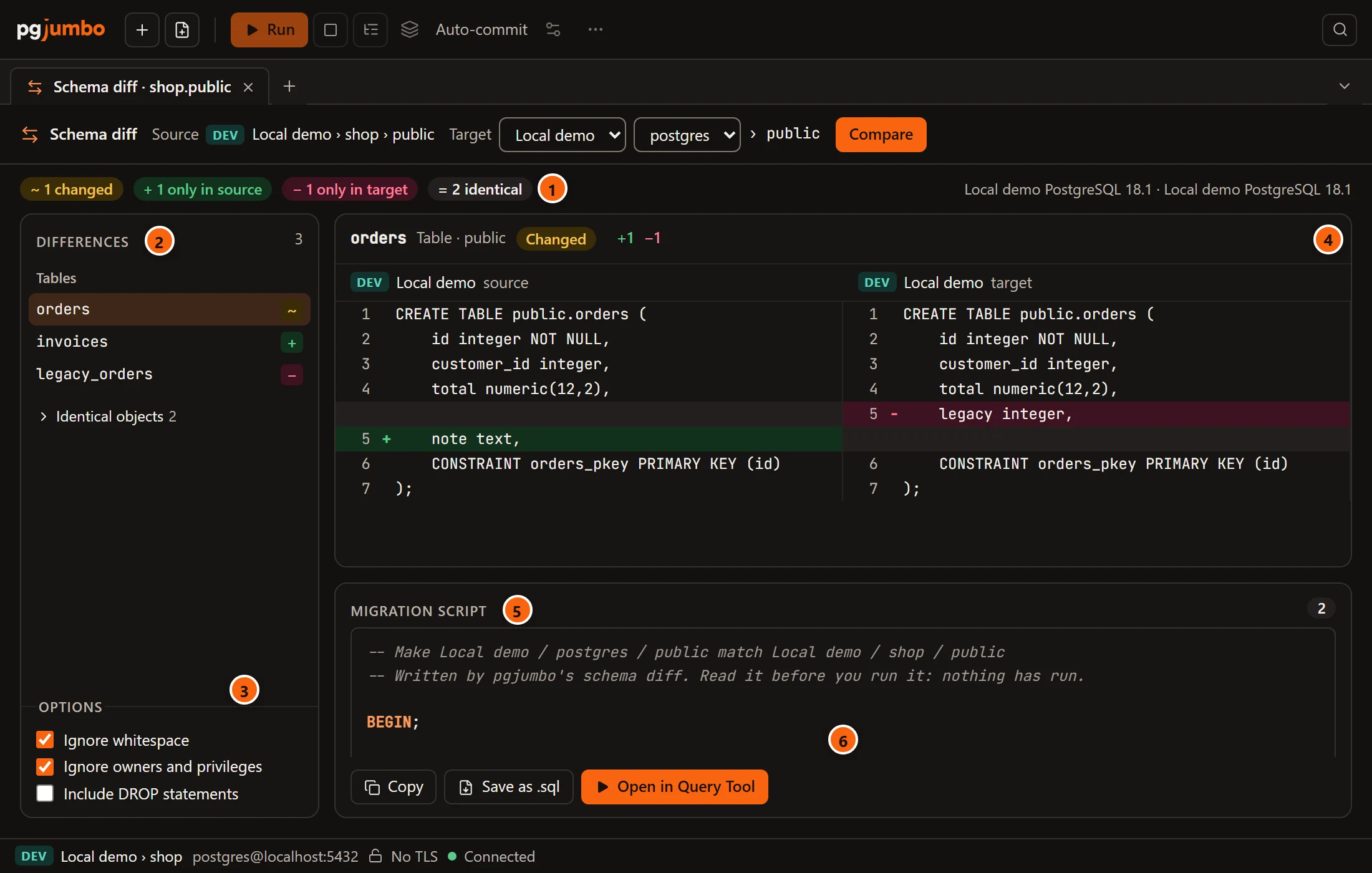
- 1 The counts: changed (in both, but different), only in source, only in target and identical. At the right end, each side’s server and PostgreSQL version.
- 2 Differences, with how many objects differ: every object that differs, grouped by kind (tables,
views, functions and the rest) in the order a script needs them. The mark after a name says how it differs:
~changed,+only in the source,−only in the target; hover over the row for the words. Click an object to compare it. Identical objects at the end opens the list of those that match, by name only. - 3 Options. Changing one compares again at once.
- 4 The chosen object: its name, kind and schema, how it differs (Changed, Only in source or
Only in target), and how many lines the source adds (
+) and the target has that the source lacks (−). A long name or schema ends in…and shows whole when you hover over it. Below, the source’s script and the target’s side by side, each line with its number, lines only in the source in green with a+and lines only in the target in red with a−. - 5 Migration script: the script that makes the target match the source. The number at the right end of
this line counts its statements,
BEGINandCOMMITaside. - 6 Copy, Save as .sql and Open in Query Tool: see Take the script.
After Compare, the first difference is chosen for you, and the one you chose stays chosen when you compare again. With no object chosen, the middle says Choose a difference to see both scripts. When the two schemas match, the list says The two schemas match.
The diff compares the objects Generate scripts can write, other than extensions: tables, views, materialized views, functions, procedures, aggregates, sequences, types, domains, collations, operators and text search configurations and dictionaries. Two objects are the same object when their kind and name match, a function by its arguments too. A function whose arguments changed therefore shows as one only in the source and another only in the target.
Options
Section titled “Options”| Option | Default | What it does |
|---|---|---|
| Ignore whitespace | Ticked | Runs of spaces and line breaks count as one space, so a function or view laid out differently is not counted as changed. |
| Ignore owners and privileges | Ticked | Owners, GRANT and REVOKE are not compared, and the script leaves the target’s as they are. What it creates comes without owners and privileges. |
| Include DROP statements | Unticked | Drops the objects, columns, constraints and indexes the target has and the source lacks. Unticked, those DROP statements are in the script as comments. |
In a narrow tab
Section titled “In a narrow tab”In a wide tab the list, the comparison and the script stand side by side. In a tab narrower than about 1,120 px the script goes under the comparison, as in the picture above. Narrower than about 640 px, the three stack, each scrolling in its own box:
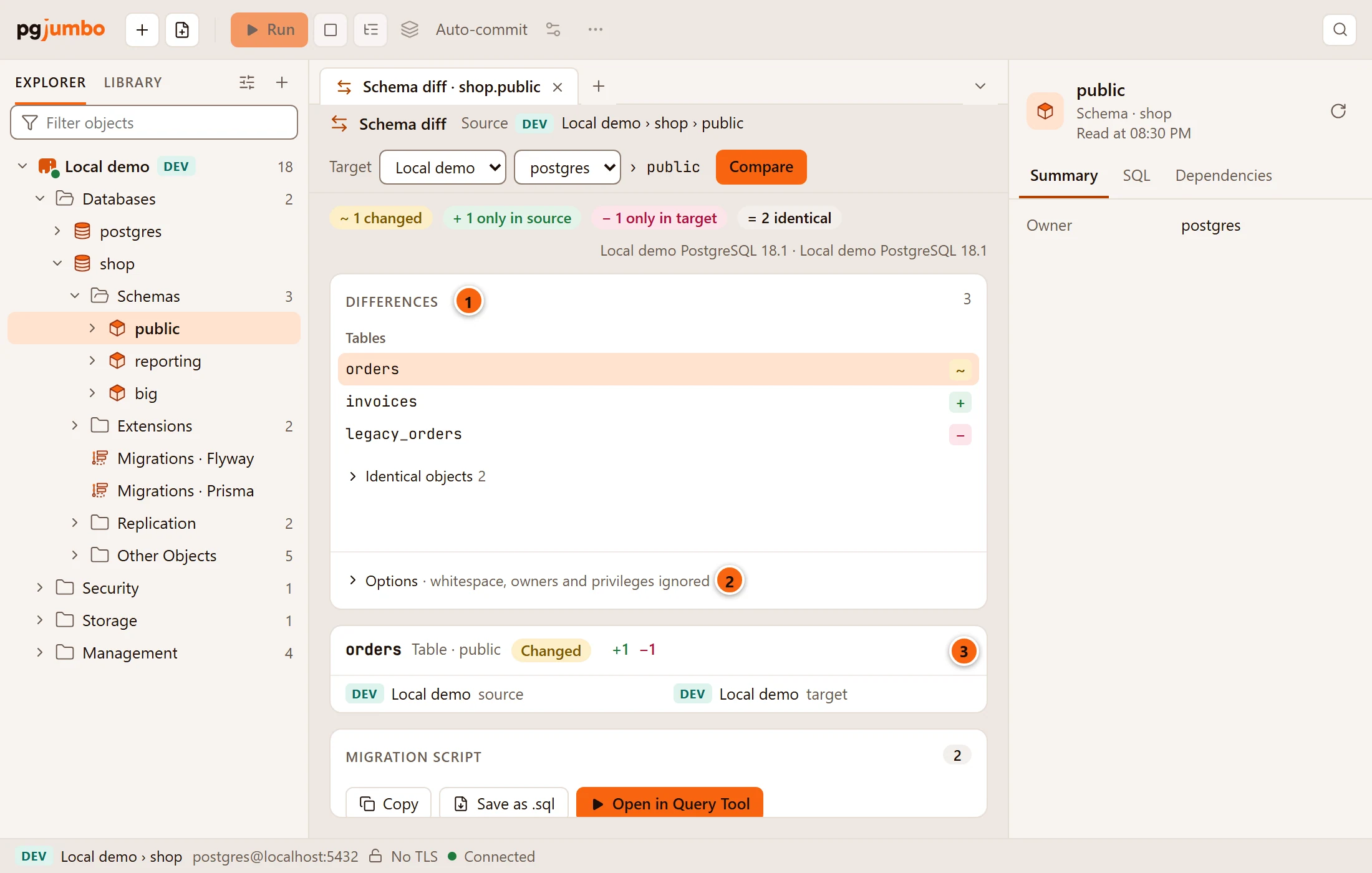
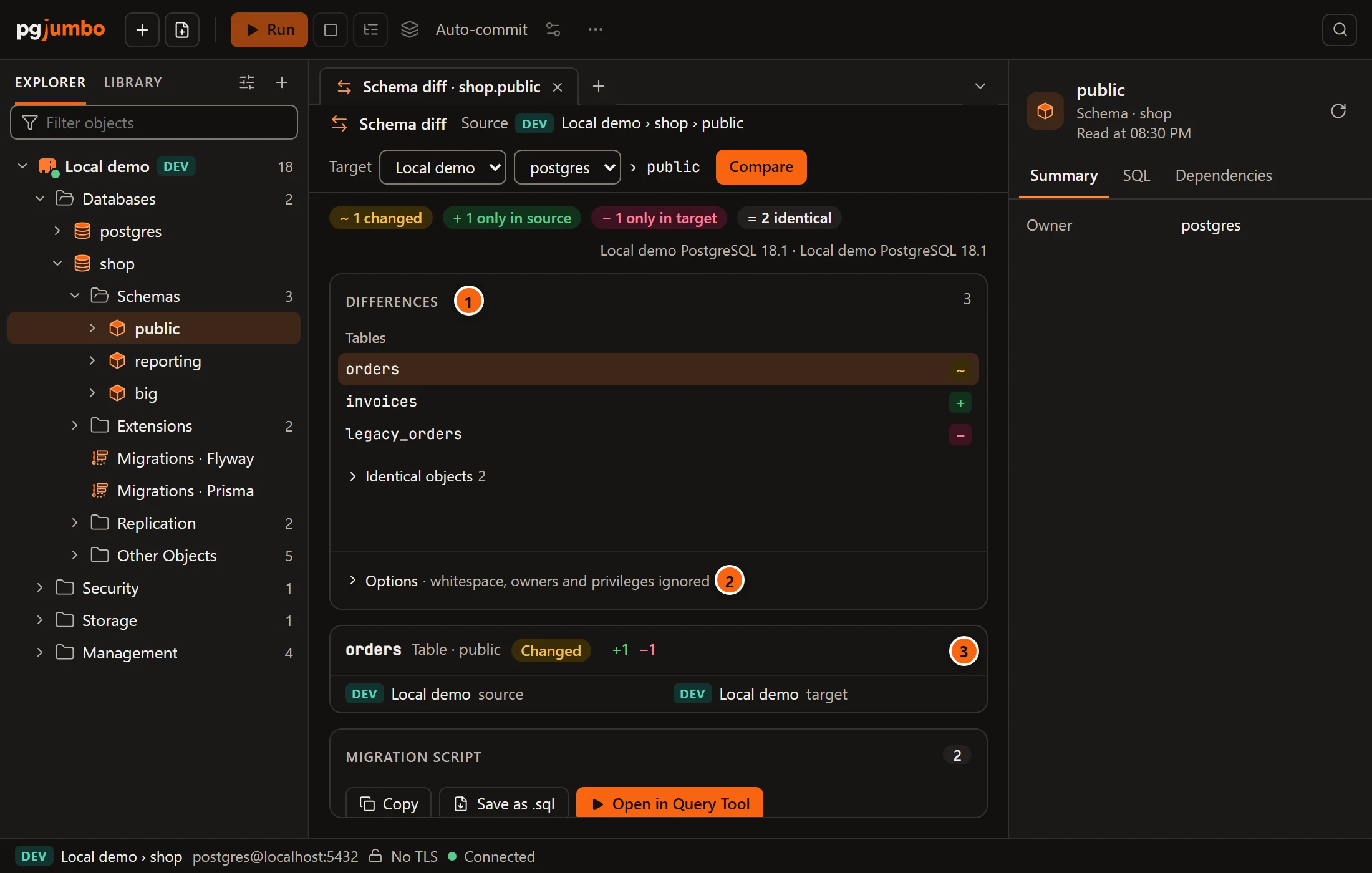
- 1 The Differences list comes first and keeps room for its rows.
- 2 The Options fold behind one line that says what they are set to, such as whitespace, owners and privileges ignored or nothing ignored, DROP statements included. Click the line to change them.
- 3 The comparison, then the migration script, follow below.
Hide the Explorer or the Inspector to give the tab more room.
Take the script
Section titled “Take the script”Under the script are three buttons:
| Button | What it does |
|---|---|
| Copy | Puts the script on the clipboard. A line above the buttons says Copied the script. |
| Save as .sql | Opens the system’s Save SQL File dialog, suggesting <database>-<schema>-migration.sql with the target’s names. The line then says Saved and the file’s name. |
| Open in Query Tool | Opens the script in a new Query Tool on the target database, where you read it and run it yourself. |
If saving or opening fails, the reason shows in red under the header.
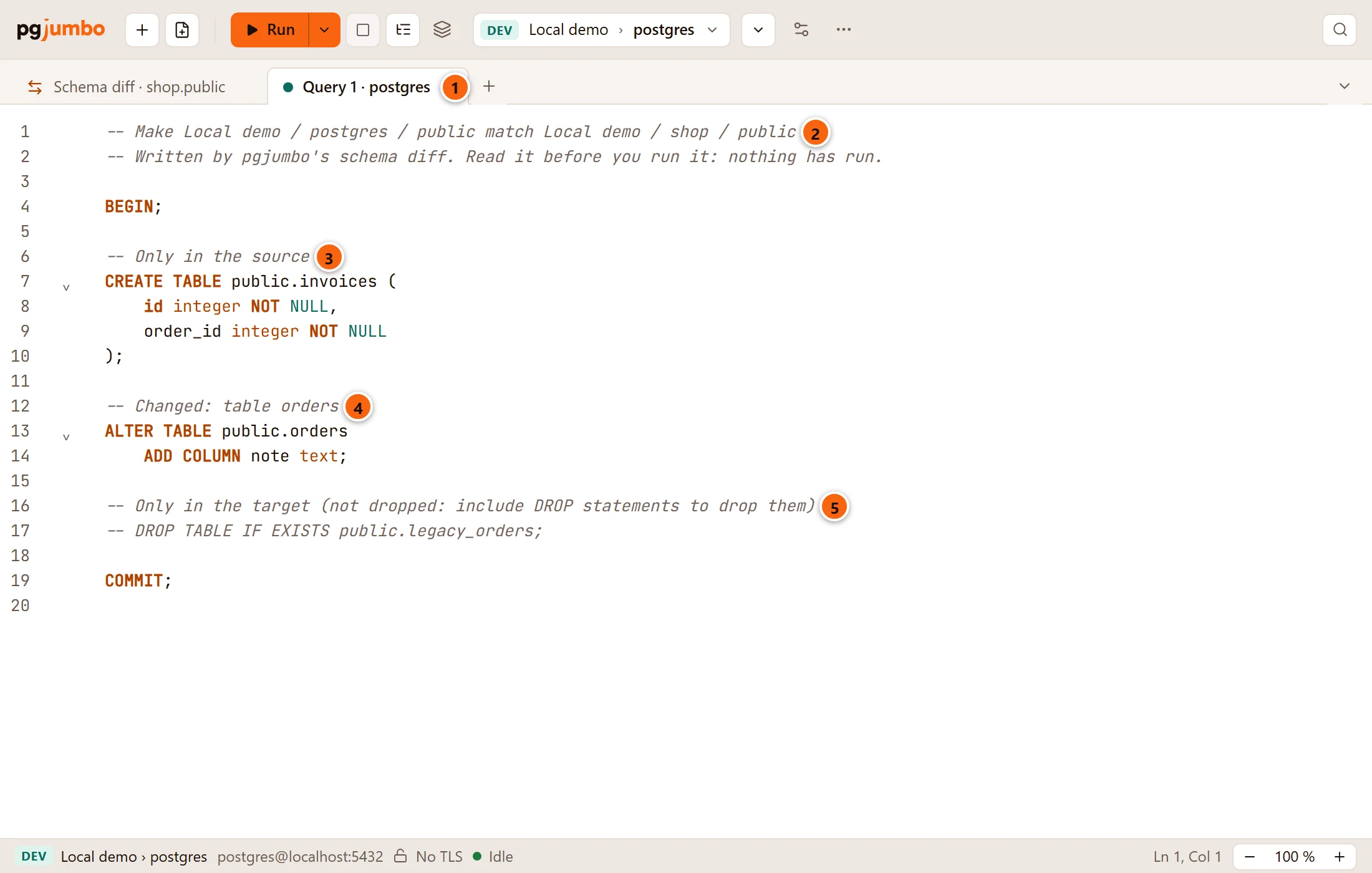
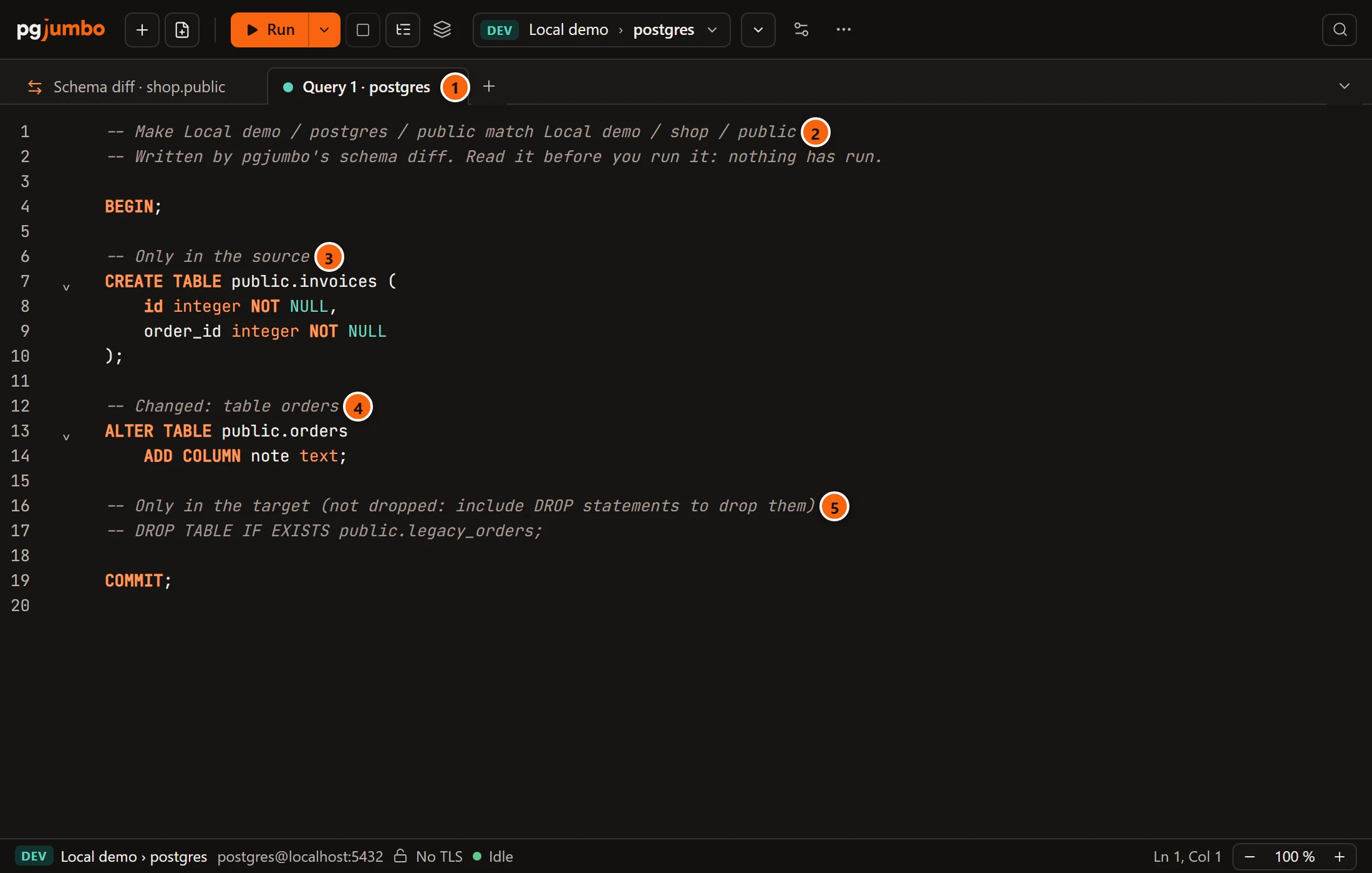
- 1 The new Query Tool is on the target’s database, here
postgreson Local demo. - 2 The head:
Makethe targetmatchthe source, each named as server, database and schema, and nothing has run. - 3 Only in the source: what the script creates.
- 4 Changed: and the object, once for each changed object, with the statements that change it.
- 5 Only in the target: the drops, here as comments because Include DROP statements is unticked.
On a Production target
Section titled “On a Production target”When the target server is tagged Production, a warning sits above the buttons, and the script’s head has the line
-- The target is a Production server.
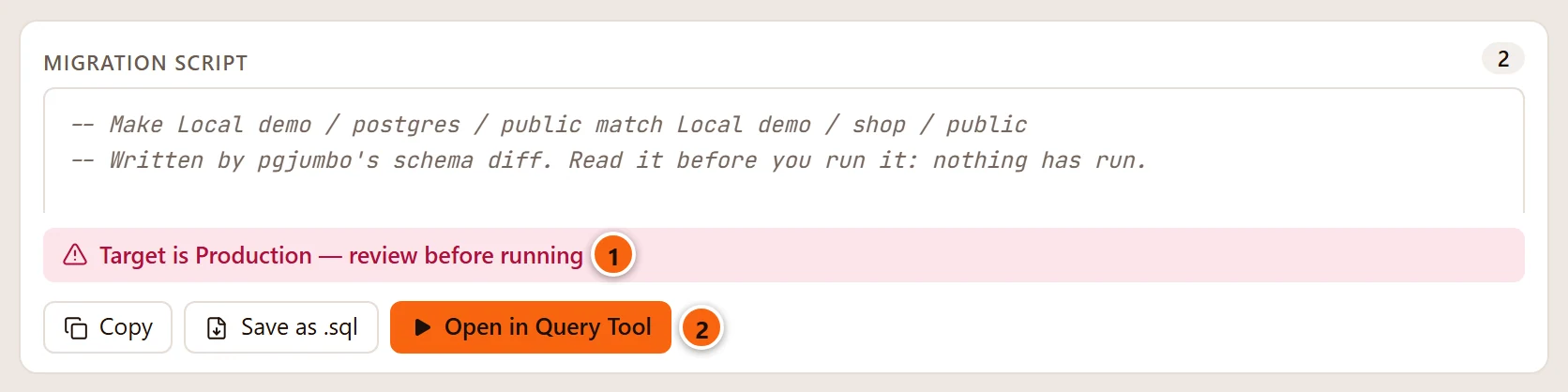
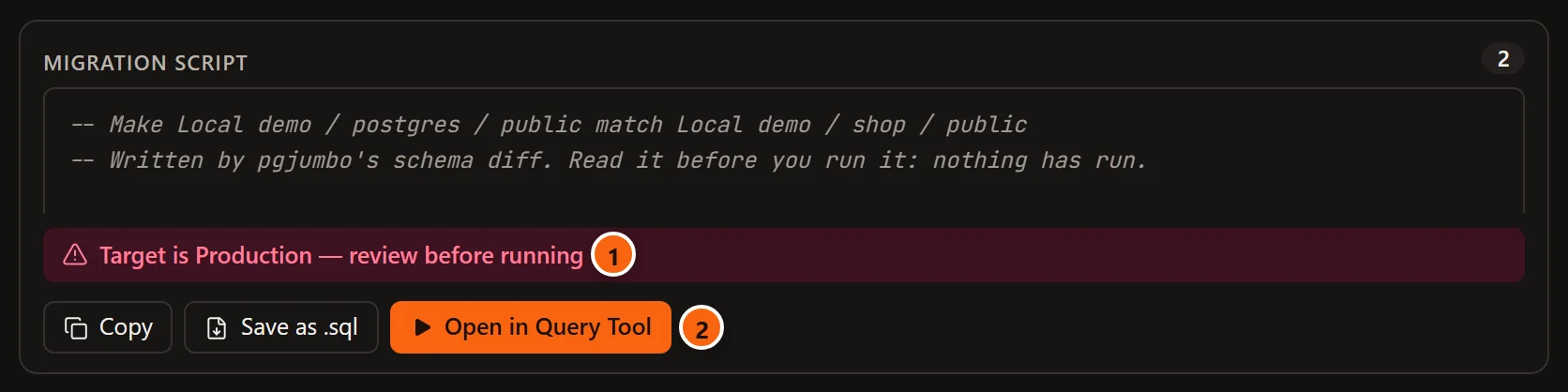
- 1 Target is Production — review before running.
- 2 Open in Query Tool still opens the script. When you run it there, a Production server’s confirmations apply.
What the script does
Section titled “What the script does”The script starts with comments that name both sides and say that nothing has run, then wraps everything in BEGIN
and COMMIT. It has up to three parts.
Only in the source creates the objects the target lacks, as Generate scripts would write them: in the order they need each other, with foreign keys after every table.
Changed: comes once for each changed object, with its kind and name. For a table it holds the ALTER TABLE
statements a table’s tab would run to turn the target’s table into the source’s; for a view,
materialized view, sequence, function, procedure or type, what its tab would run. When a sequence the table owns (a
serial column’s) has other options, such as its type, its ALTER SEQUENCE is written under the table.
Only in the target holds the DROP statements for the objects the source lacks. With
Include DROP statements unticked the heading reads
Only in the target (not dropped: include DROP statements to drop them) and every line under it is a comment.
Careful, Left for you to review and Not dropped
Section titled “Careful, Left for you to review and Not dropped”Under each changed object, beside its statements, the script says what those statements cannot do for you. All three are comments, so they change nothing when the script runs.
| Line | When it is there | What it says |
|---|---|---|
-- Careful: |
The script drops a column and adds another of the same type | The two may be a rename. The two statements lose the dropped column’s values, so the line gives the RENAME COLUMN to run instead, as a comment. The diff never guesses a rename for you. |
-- Careful: |
A column is added NOT NULL with no default |
The statement fails if the table has rows. |
-- Careful: |
A sequence the table owns is changed | The ALTER SEQUENCE holds a lock on the sequence until COMMIT: inserts that take its next value wait. |
-- Left for you to review: |
The two sides differ in something no statement in the script writes | What differs and on which side, where here means the target: a trigger, a rule, privileges on single columns, a comment on an index, constraint, trigger, rule or policy, a column’s collation, an index on an expression or a partial one, an exclusion constraint, a view’s column default, or a sequence the table owns on one side only. |
-- Left for you to review: |
The object is of a kind pgjumbo writes no changes to (a domain, a collation, an aggregate, an operator, a text search configuration or dictionary), or the change cannot be written | That, or the reason. Compare the two scripts and write the change yourself. |
-- Not dropped (tick Include DROP statements to drop it): |
Include DROP statements is unticked and the target’s object has something the source’s lacks, such as a column or an index | The statements that would drop it, as comments, to run if you mean it. |
A changed generated column is written as SET EXPRESSION when the target is PostgreSQL 17 or later, which computes a
stored column again for every row. Before PostgreSQL 17 the difference is left for review, as is a column that is
stored on one side and virtual on the other, or generated on one side only: those change only by dropping and adding
the column.
The head of the script counts these lines, so you know what to read first:
-- Make Staging EU / shop / public match Local demo / shop / public-- Written by pgjumbo's schema diff. Read it before you run it: nothing has run.-- 1 thing to check before you run it: the lines that start with "-- Careful:".-- 2 differences this script does not write: the lines that start with "-- Left for you to review:".
BEGIN;
-- Changed: table orders-- Careful: note is added NOT NULL with no default: this fails if public.orders has rows.ALTER TABLE public.orders    ADD COLUMN note text NOT NULL;-- Left for you to review: the trigger orders_touch is only in the source.-- Left for you to review: the collation of code differs: none here, "C" in the source.-- Not dropped (tick Include DROP statements to drop it):-- ALTER TABLE public.orders--     DROP COLUMN legacy;
COMMIT;
With Include DROP statements ticked, the last three lines become a live DROP COLUMN. Had legacy and note
the same type, a -- Careful: line would then offer ALTER TABLE public.orders RENAME COLUMN legacy TO note;
instead of the two statements.
What pgjumbo never does
Section titled “What pgjumbo never does”The diff never runs its script, and it writes nothing to either database. The target database needs a schema of the same name as the source: pgjumbo does not create it for the comparison.