

Large results
The first rows of a result show as soon as they arrive, and a big result stays within two limits you set: how many
rows a result reads, and how much memory its rows may take. A plain SELECT stops on the server at the row cap, so
millions of rows nobody looks at are never sent. Rows past the memory cap go to a temporary file.
The two limits
Section titled “The two limits”Both are in SettingsResultsHow much a result keeps.
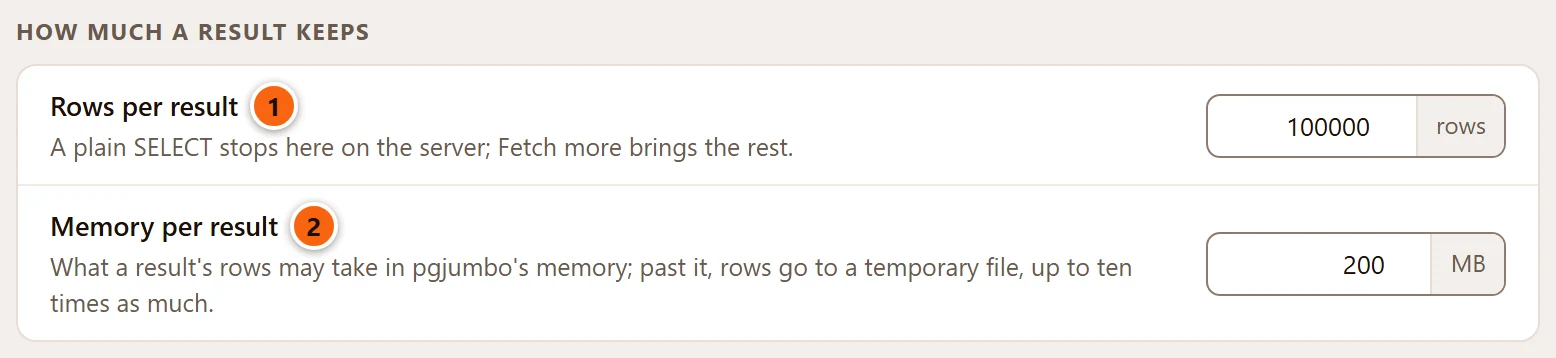
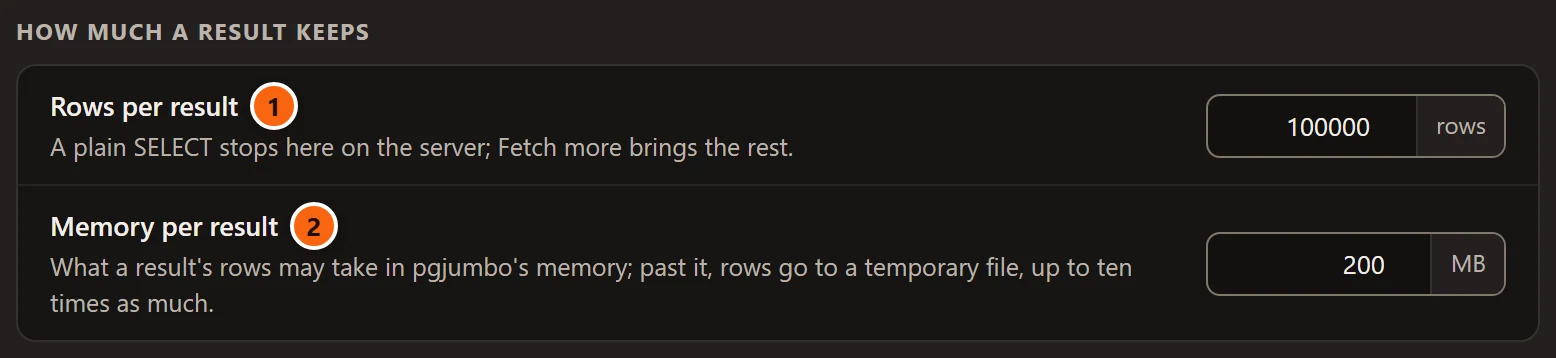
- 1 Rows per result: where a plain
SELECTstops on the server. 100,000 unless you change it, from 1,000 to 10,000,000. - 2 Memory per result: what a result’s rows may take in pgjumbo’s memory. 200 MB unless you change it, from 16 to 4,096 MB. Past it, rows go to a temporary file, up to ten times as much.
A change applies from the next run; the results on screen keep what they hold. Settings has both with their defaults.
The row cap
Section titled “The row cap”When a query has more rows than Rows per result, pgjumbo reads that many and stops. A line under the grid says so and offers to read on.
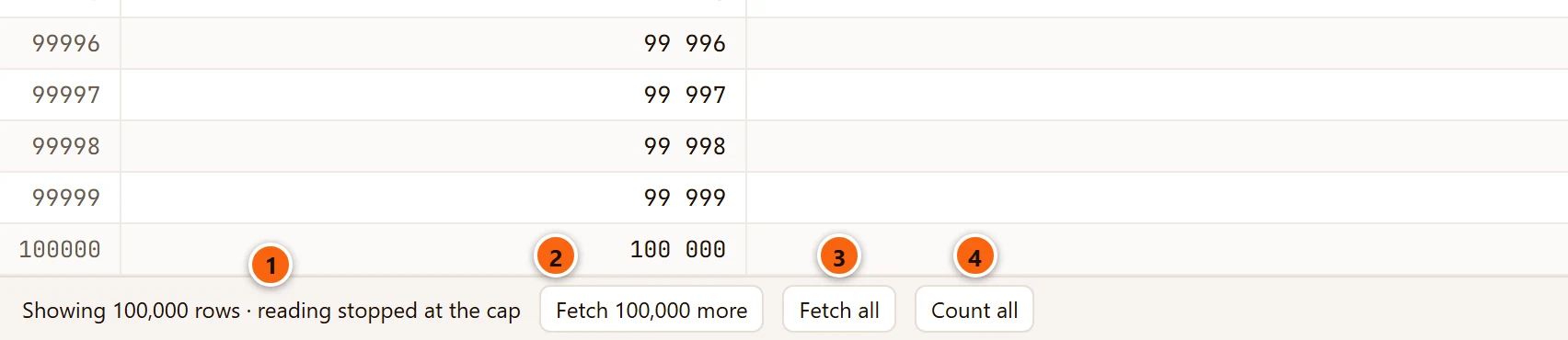
- 1
Showing 100,000 rows · reading stopped at the cap: the result holds the first 100,000 rows, and the server has the rest ready. pgjumbo does not know yet how many there are. - 2 Fetch 100,000 more reads as many rows again and adds them to the grid. The button names the number the run read. You can use it again and again, until the last rows have come and the line goes.
- 3 Fetch all reads every row that is left. While it reads, a Stop button beside it ends the reading: the rows that came stay, and the rest is let go. Rows past the memory cap go to the temporary file; see The memory cap.
- 4 Count all counts the rows left on the server without reading them. It ends the reading: after it the line and its buttons are gone.
While one of them works, its button shows a spinner and the others wait. When the line goes, the grid has the keyboard again.
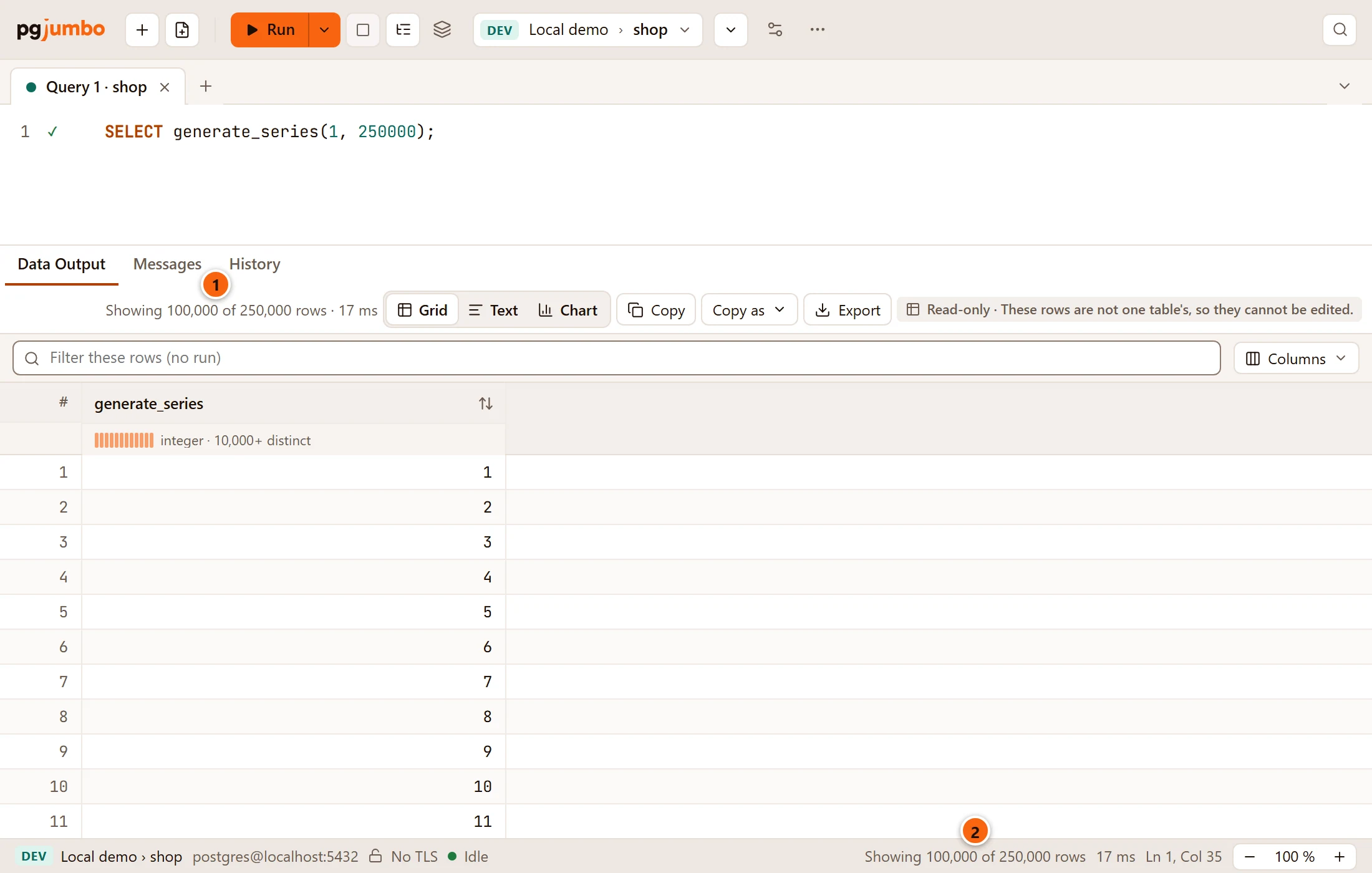
After Count all, the result bar and the status bar say how many rows there are in all:
- 1 The result bar:
Showing 100,000 of 250,000 rows. In a narrow pane this line is cut short; hover over it, or read the status bar. - 2 The status bar says the same for the result in front.
Until you count, the result bar gives only the rows read so far (100000 rows), and the statement’s line in
Messages reads SELECT 100000.
Which statements stop at the cap
Section titled “Which statements stop at the cap”pgjumbo reads a statement this way when PostgreSQL’s own parser reads it as one plain SELECT, VALUES or TABLE.
These run as written instead, to the end:
- a
SELECT … INTO, - a
SELECTwith a locking clause, such asFOR UPDATE, - a
WITHthat changes rows, - anything else that returns rows, such as
INSERT … RETURNING.
For those, rows past the cap are counted and not kept, and the result bar says Showing 100,000 of 250,000 rows at
once. There is nothing to fetch: to see other rows, narrow the statement.
How long the rest waits
Section titled “How long the rest waits”pgjumbo reads a plain SELECT through a cursor on the tab’s own session. The rest of the rows waits in that cursor,
and a cursor needs a transaction:
- With Auto-commit, pgjumbo holds the cursor in a transaction of its own that it never shows as yours: the status bar stays Idle, and closing the tab asks nothing. It lets the cursor go before anything else runs on the tab, when the tab closes, and after five minutes at most. Each Fetch more starts the five minutes again. Where the server would end an idle transaction sooner, pgjumbo lets go before that.
- Saving changes to the rows lets it go too.
- In a transaction of your own (Manual commit, Smart commit after a write, or your own
BEGIN), the cursor is part of it and goes when you commit or roll back. - Only the last statement of a run keeps its cursor. An earlier statement of a script that stopped at the cap cannot read on.
Once the rest is gone, the line says so and has no buttons:


- 1
Showing 100,000 rows · reading stopped at the cap. Run the query again to read on.
If you press a button a moment after the cursor went, the result bar explains: “The rest of these rows is no longer on the server: the tab ran something else, its transaction ended, or pgjumbo let them go after a few minutes. Run the query again to read on.”
The transaction modes are on Transactions.
What works on the rows you have
Section titled “What works on the rows you have”Everything in the result pane works on the rows the result holds, not on the rows still on the server:
- Sort, filter and Find, the profile row and the selection’s sum.
- Copy, Text, Chart and Map.
- Compare and Keep as Temp Table. A kept table’s entry in Messages says how many rows past the cap are not in it.
To write every row of a query to a file without reading them into the result first, use All rows in the Export dialog: see Save results to a file.
The memory cap
Section titled “The memory cap”Rows per result counts rows; Memory per result measures what they take. Wide rows can reach the second limit long before the first.
- Past Memory per result, pgjumbo writes the next rows to a temporary file of its own, up to ten times the setting (2 GB with the 200 MB it starts with). The grid, Copy and Export read those rows as if they were in memory.
- pgjumbo stops writing before your disk would have less than 2 GB free.
- Nothing is left on disk when the result goes, even after a crash: the file is pgjumbo’s own, hidden from other programs, and the system removes it with pgjumbo.
Past either limit, the rest of the rows are counted and not kept, and the bars say, for example,
Showing 2,000,000 of 9,000,000 rows.
When the file is full
Section titled “When the file is full”When a result that stopped at the row cap has also filled its memory and its file, the line under the grid names that limit instead of the row cap:
| The line says | What happened |
|---|---|
Showing 91,674 of 100,000 rows · this result's file on disk is full: the rest are counted, not kept. A larger Memory per result (Settings › Results) keeps more. |
The result reached ten times Memory per result. |
Showing 91,674 of 100,000 rows · the disk is nearly full, so rows past Memory per result (Settings › Results) are counted, not kept. |
Your disk has less than 2 GB free. |
Fetch more and Fetch all are not offered then, as they could keep nothing. Count all still counts the rest on the server. A Fetch more that fills the file on the way keeps what fits and says why. To keep more, raise Memory per result and run the query again.
Long values
Section titled “Long values”The caps are on the rows pgjumbo keeps, and it keeps every value whole. Only the grid is sparing: a cell gets its value’s first 512 bytes, ending in “…” when there is more. The cell viewer, editing, Copy and Export read the whole value.