

Production servers
Tag a server Production and pgjumbo treats it with more care: it asks before a statement that could destroy data, it holds each new tab to limits the server enforces, and it asks before a read that would cost a lot. It does not make the server read-only. This page explains each of these, what a Staging server shares with it, and Run as.
The tag is the Environment of the saved connection: Dev, Staging or Production. You choose it in Connection settings. It is your word for what the server is; pgjumbo cannot tell a production server by itself.
Recognise a Production tab
Section titled “Recognise a Production tab”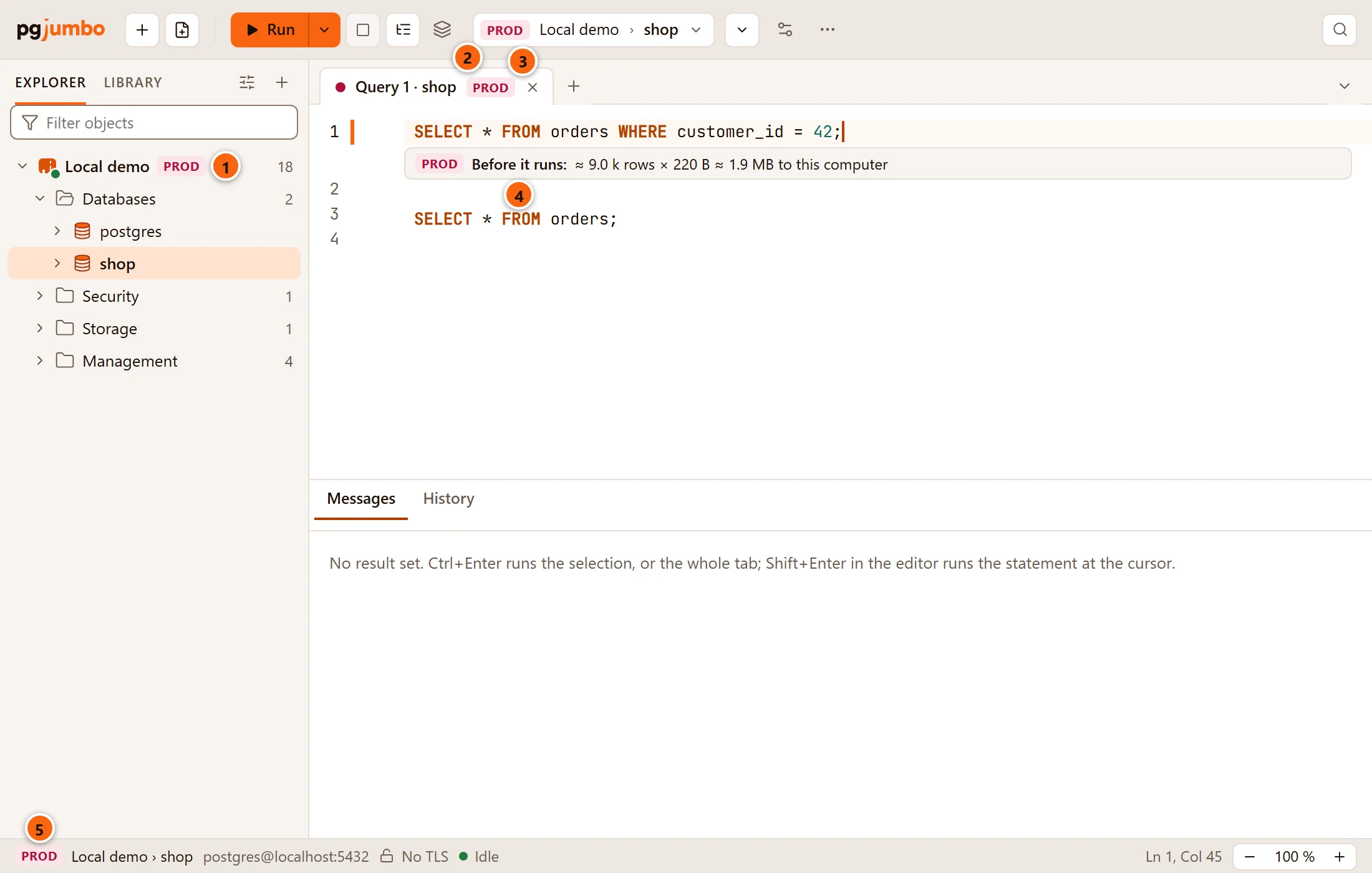
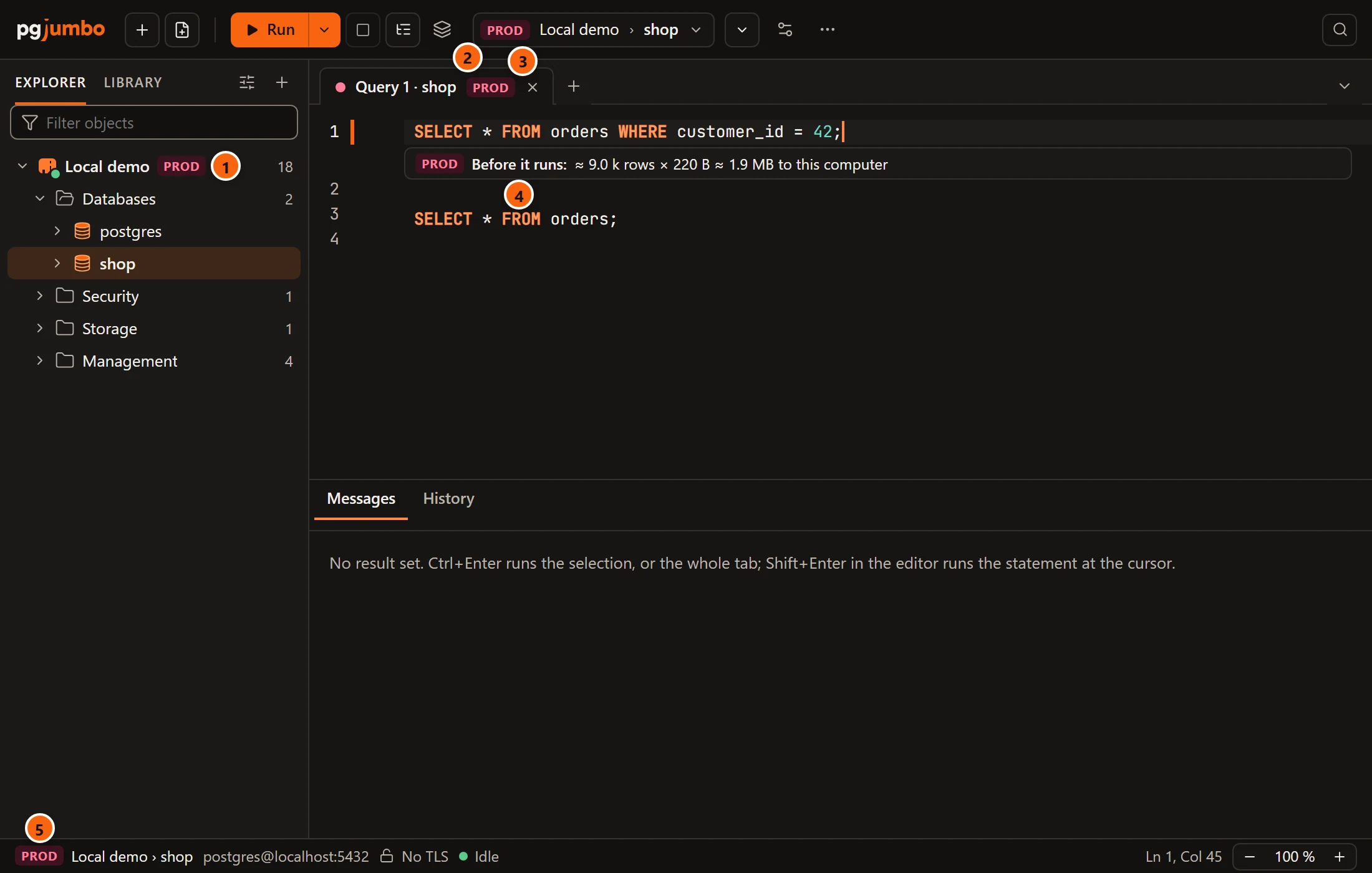
- 1 The server’s row in the Explorer carries a red PROD tag.
- 2 So does the toolbar’s connection button for the tab in front.
- 3 The tab has a red dot and a PROD tag. Hover the tag for what Production does there, with the limits
as you have set them:
Production: statements that drop, truncate, or change every row ask first. In a new tab a lock wait ends after 10 s, an idle transaction after 10 min, a statement after 15 min (Settings › Safety). - 4 Under a
SELECT, a line says what the read would cost. See The question before a costly read. - 5 The status bar starts with the same tag.
The confirmation before a destructive statement
Section titled “The confirmation before a destructive statement”Before anything is sent, pgjumbo reads each statement of the run with PostgreSQL’s own parser. When one could destroy data, the run stops in a dialog. Nothing has run until you answer.
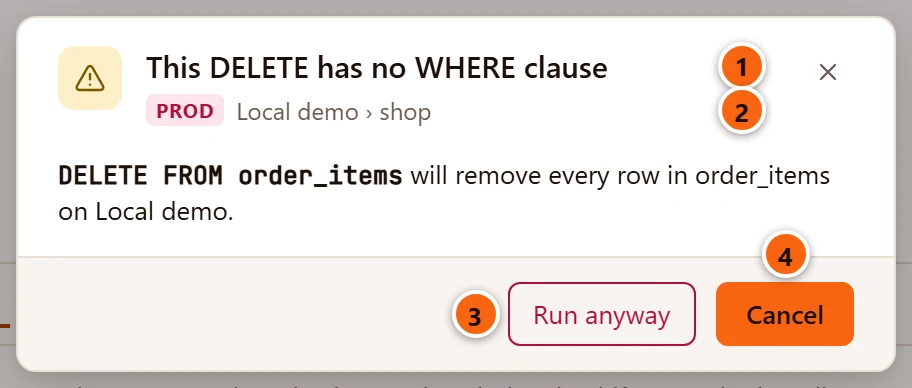
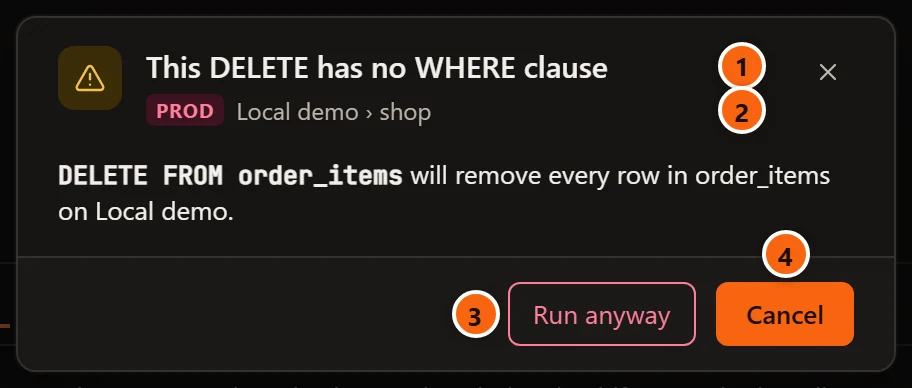
- 1 The title says what the statement does.
- 2 The server’s tag, the server and the database it would run on.
- 3 Run anyway runs the whole run as it is, from its first statement.
- 4 Cancel sends nothing. It is the default: Enter, Esc and the ×
cancel too, and
Nothing was run.shows beside the result tabs for a few seconds.
Under the title a sentence gives the statement and what it will do, such as
DELETE FROM order_items will remove every row in order_items on Local demo.
Which statements ask
Section titled “Which statements ask”| Statement | It asks | The dialog’s title |
|---|---|---|
DROP … |
Always, whatever it drops. | This DROP cannot be undone |
TRUNCATE … |
Always. | This TRUNCATE empties the table |
UPDATE |
When it has no WHERE. |
This UPDATE has no WHERE clause |
DELETE |
When it has no WHERE. |
This DELETE has no WHERE clause |
ALTER TABLE … DROP COLUMN |
Always, also on a foreign table. | This ALTER drops a column |
ALTER TYPE … DROP ATTRIBUTE |
Always. | This ALTER drops an attribute |
ALTER TABLE … ALTER COLUMN … TYPE … USING |
Always: every value becomes what USING computes. |
This ALTER replaces a column’s values |
An UPDATE or DELETE without WHERE asks wherever it stands in the statement, inside a WITH too:
WITH gone AS (DELETE FROM orders RETURNING id) SELECT count(*) FROM gone empties orders, and asks.
For an ALTER, the sentence names the table and the columns whose values would go:
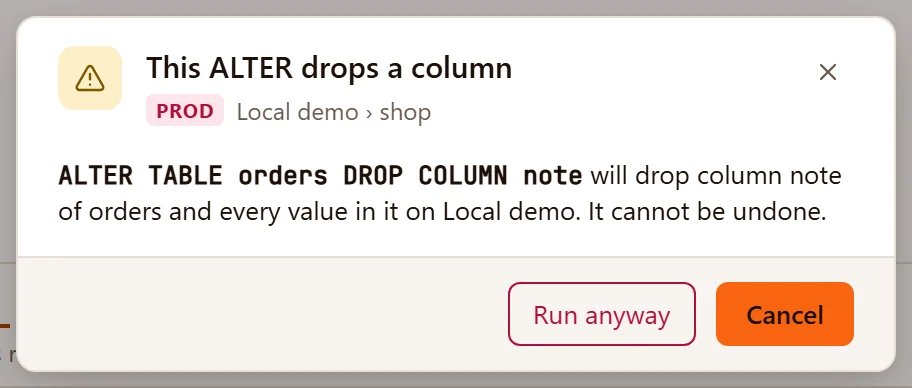
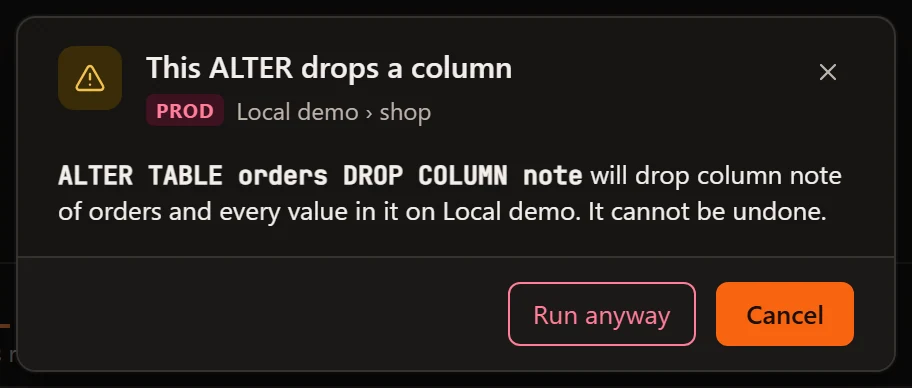
When one ALTER takes several columns, the title counts them, such as This ALTER drops 2 columns.
When a run holds several statements that ask, one dialog lists them all:
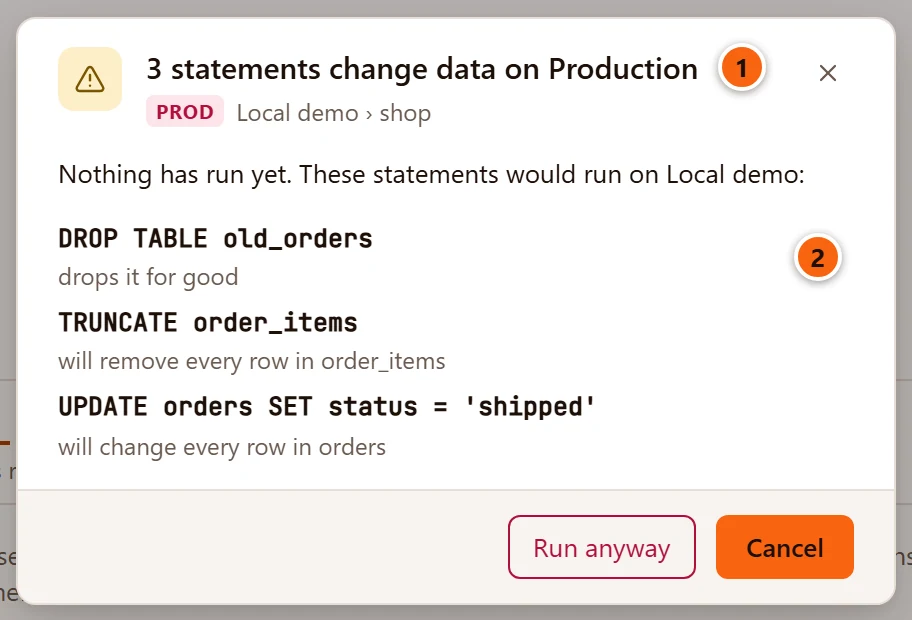
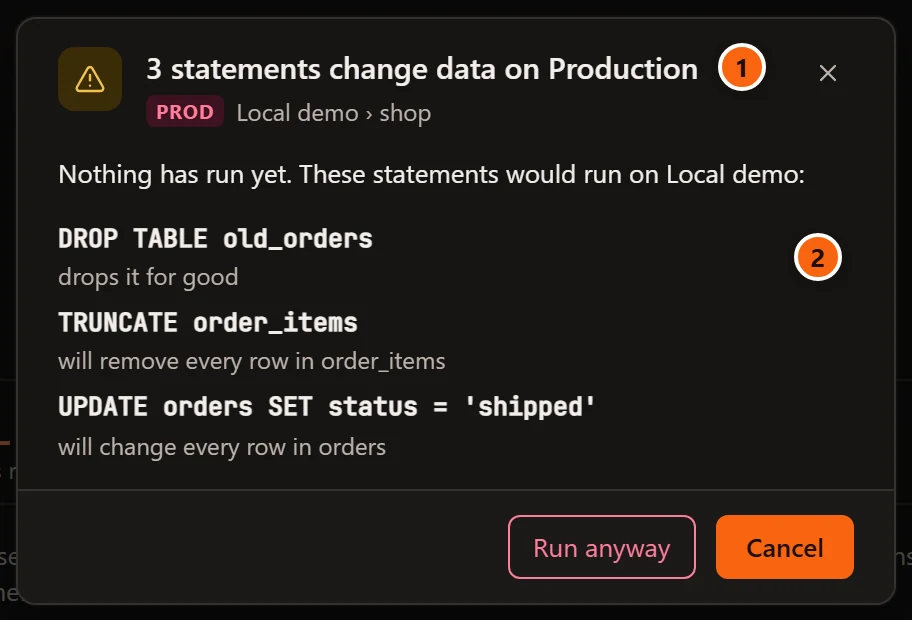
- 1 How many statements ask, and on what:
3 statements change data on Production. - 2 Each of them on one line (a long one is cut), with what it would do under it. Statements of the run that do not ask are not listed, and run with the rest when you choose Run anyway.
What does not ask
Section titled “What does not ask”- A statement with a
WHERE, even one that matches every row, such asWHERE true. - What a function does. A
SELECTthat calls a function which deletes rows does not ask: pgjumbo does not look inside functions. - An
ALTERthat drops a constraint, a default orNOT NULL, or detaches a partition: no row and no value goes. - A type change without
USING, where PostgreSQL’s own cast converts each value.
The confirmation trusts a WHERE. To see what a write with a WHERE really changes before you keep it,
rehearse it.
Where else pgjumbo asks
Section titled “Where else pgjumbo asks”The same check runs for every way to run SQL from the editor, about the part that would run:
- Run, Run Statement, Run Script and the other ways on Run SQL.
- Run on several databases asks once for all the databases.
- Explain Analyze asks too, because it runs the statement; its button reads Explain Analyze anyway. A plain Explain runs nothing and never asks. See Explain a query.
- A rehearsed write that changes every row asks when you commit it.
Changes pgjumbo builds for you outside the editor ask in their own way: you type the name the dialog asks for before its button works. See Drop, truncate and other quick actions and Review before Save.
Limits on a Production session
Section titled “Limits on a Production session”A new Query Tool tab or data tab on a Production server starts with three limits. pgjumbo sets them on the tab’s session when it opens, and the server enforces them from then on.
| Limit | PostgreSQL’s setting | Starts at | What it does |
|---|---|---|---|
| Give up waiting for a lock after | lock_timeout |
10 s | A statement that waits longer for a lock fails, so it never queues behind a long transaction and holds up everything behind itself. |
| End a session idle in a transaction after | idle_in_transaction_session_timeout |
10 min | The server ends a session that sits in an open transaction, doing nothing, for longer. What the transaction had not committed is rolled back. |
| Stop a statement after | statement_timeout |
15 min | The server cancels a statement that runs longer. |
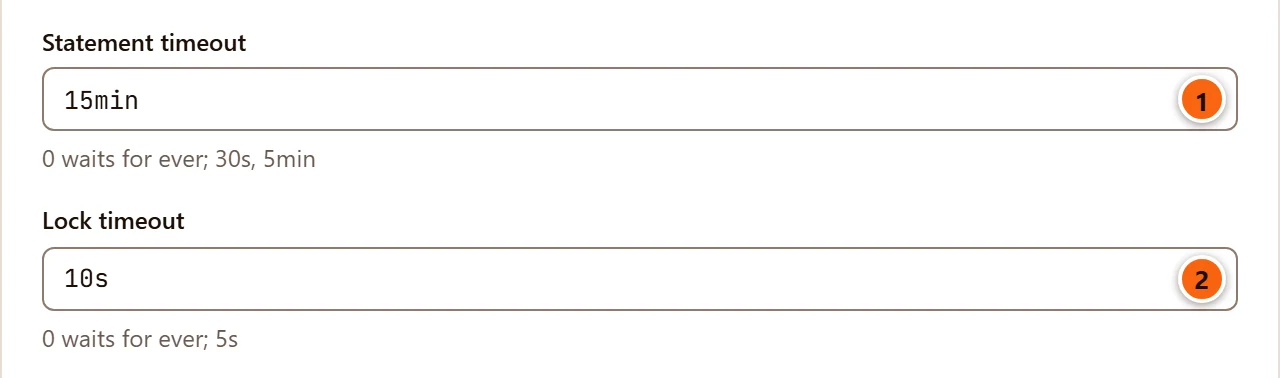
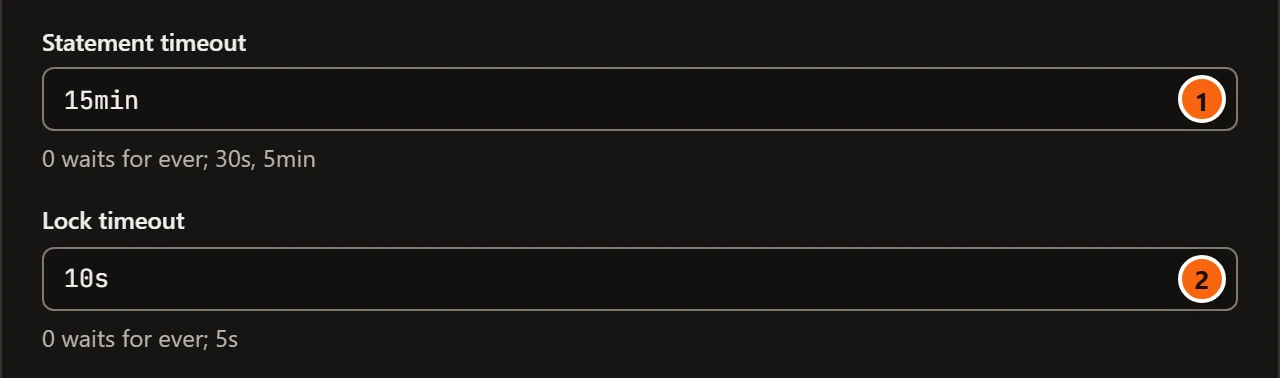
- 1 Statement timeout in Session Settings… of a new Production tab:
15min. - 2 Lock timeout:
10s.
To change them for one tab, use Session Settings… (see A tab’s session) or run a
SET in the tab. To change what new tabs start with, see Settings by environment. A
tab that is already open keeps the limits it started with. A tab that reconnects opens a new session, which starts
with the limits again before pgjumbo puts back what you chose for the tab.
When one of the limits stops a statement or ends the session, the error in Messages carries a note that says pgjumbo’s own limit did it, with buttons to the places that change it. See Help inside pgjumbo. After the idle limit ends a session, the tab offers Reconnect; see A tab’s session.
The question before a costly read
Section titled “The question before a costly read”On Production and Staging, a line under the SELECT at the cursor estimates what running it would cost, and a
read past a size you set waits for your answer before it runs. Both are explained on
Before a statement runs. The size is
Ask before a costly read in the table below: 1,000 MB at first.
Settings by environment
Section titled “Settings by environment”SettingsSafetyBy environment is a table: one column for each environment tag, one row for each thing pgjumbo asks or limits. Like every setting, a change applies at once.
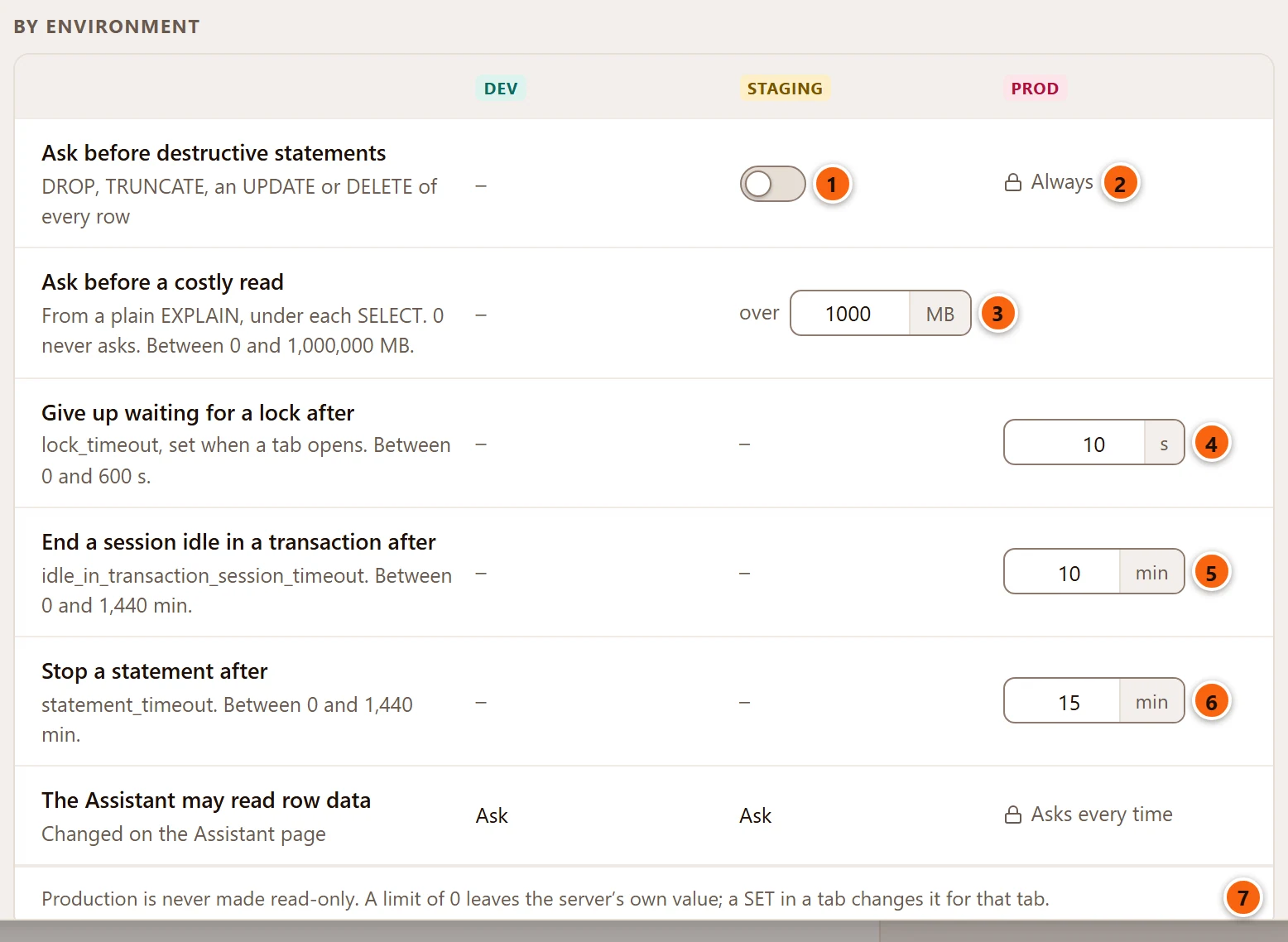
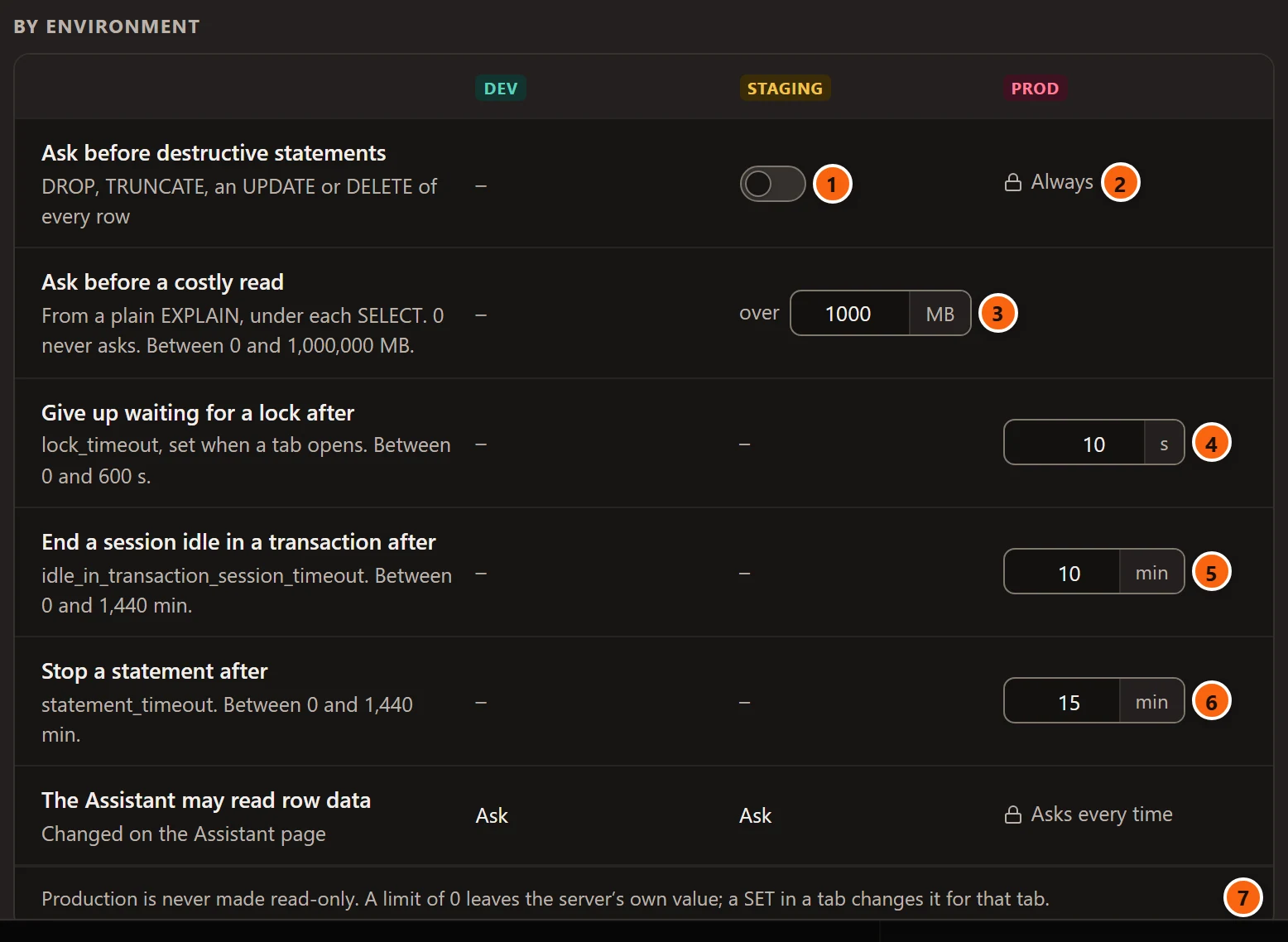
- 1 Ask before destructive statements, under STAGING: the switch that makes Staging servers ask as Production does. It is off at first.
- 2 Under PROD it says Always, with a lock: Production cannot be told not to ask.
- 3 Ask before a costly read: the size, in MB, for Staging and Production together. From 0 to 1,000,000; 0 never asks.
- 4 Give up waiting for a lock after, in seconds, from 0 to 600.
- 5 End a session idle in a transaction after, in minutes, from 0 to 1,440.
- 6 Stop a statement after, in minutes, from 0 to 1,440.
- 7
Production is never made read-only. A limit of 0 leaves the server's own value; a SET in a tab changes it for that tab.
A dash means pgjumbo does nothing there: a Dev server is never asked about and never limited. The row The Assistant may read row data repeats a choice made on the Assistant’s page; see Set up the Assistant for what the Assistant may read and do on a Production server.
Every setting’s default and range is also on Settings.
Staging servers
Section titled “Staging servers”A server tagged Staging shares two things with Production:
- The line under a
SELECTand the question before a costly read, always. - The confirmation before destructive statements, once you turn on
SettingsSafetyBy environmentAsk before destructive statements under STAGING. The
dialog is the same, with the STAGING tag and a title such as
3 statements change data on Staging.
Staging tabs get no limits from pgjumbo and carry no tag on the tab; the toolbar’s connection button and the status bar show STAGING in amber.
Run as another role
Section titled “Run as another role”On a server that matters, it helps to run as the role with the least rights that will do: the application’s role to see what it sees, or a read-only role to look around. The toolbar’s Transaction menu has Run as for that. It works on every server, whatever its tag.
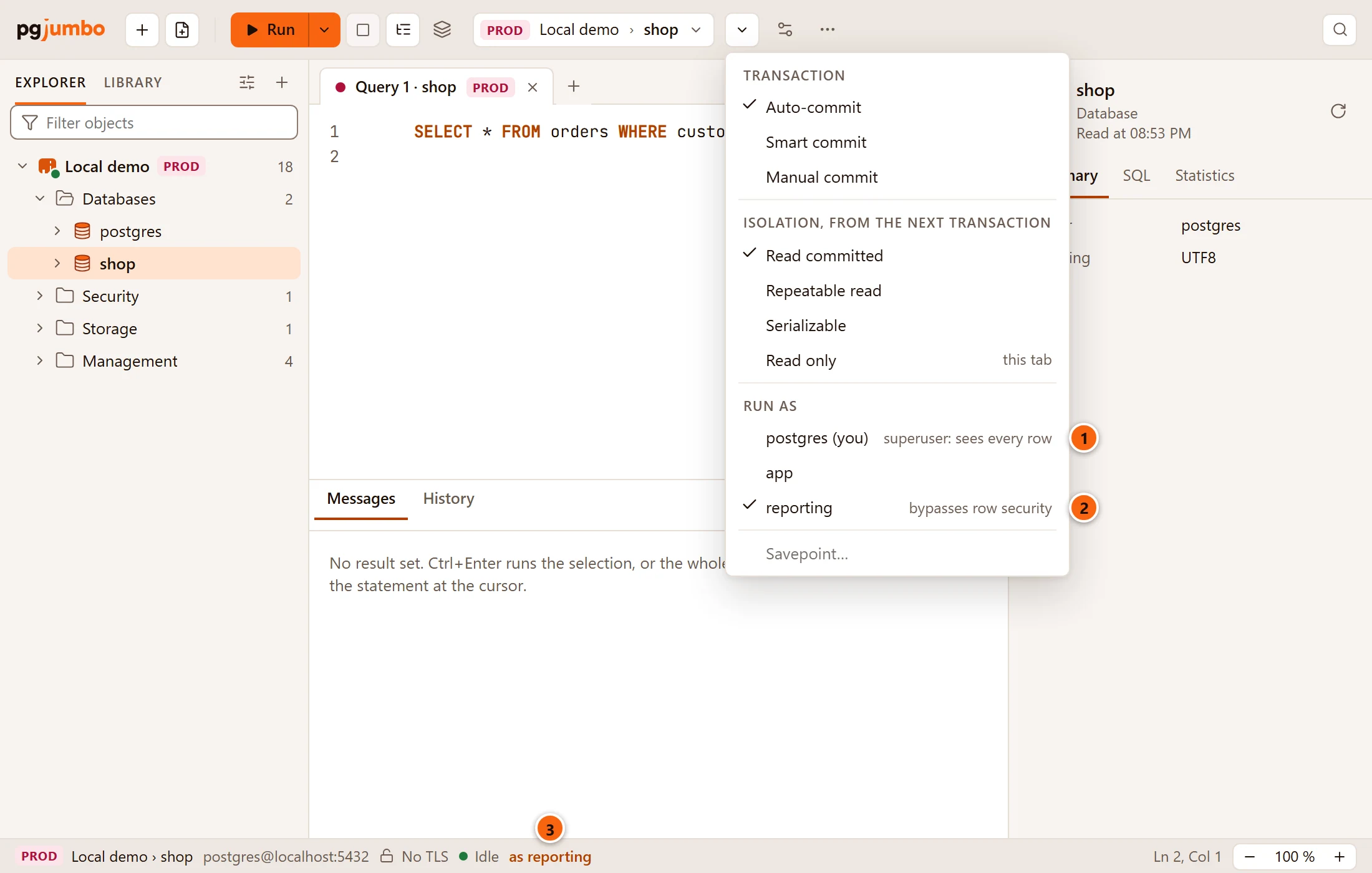
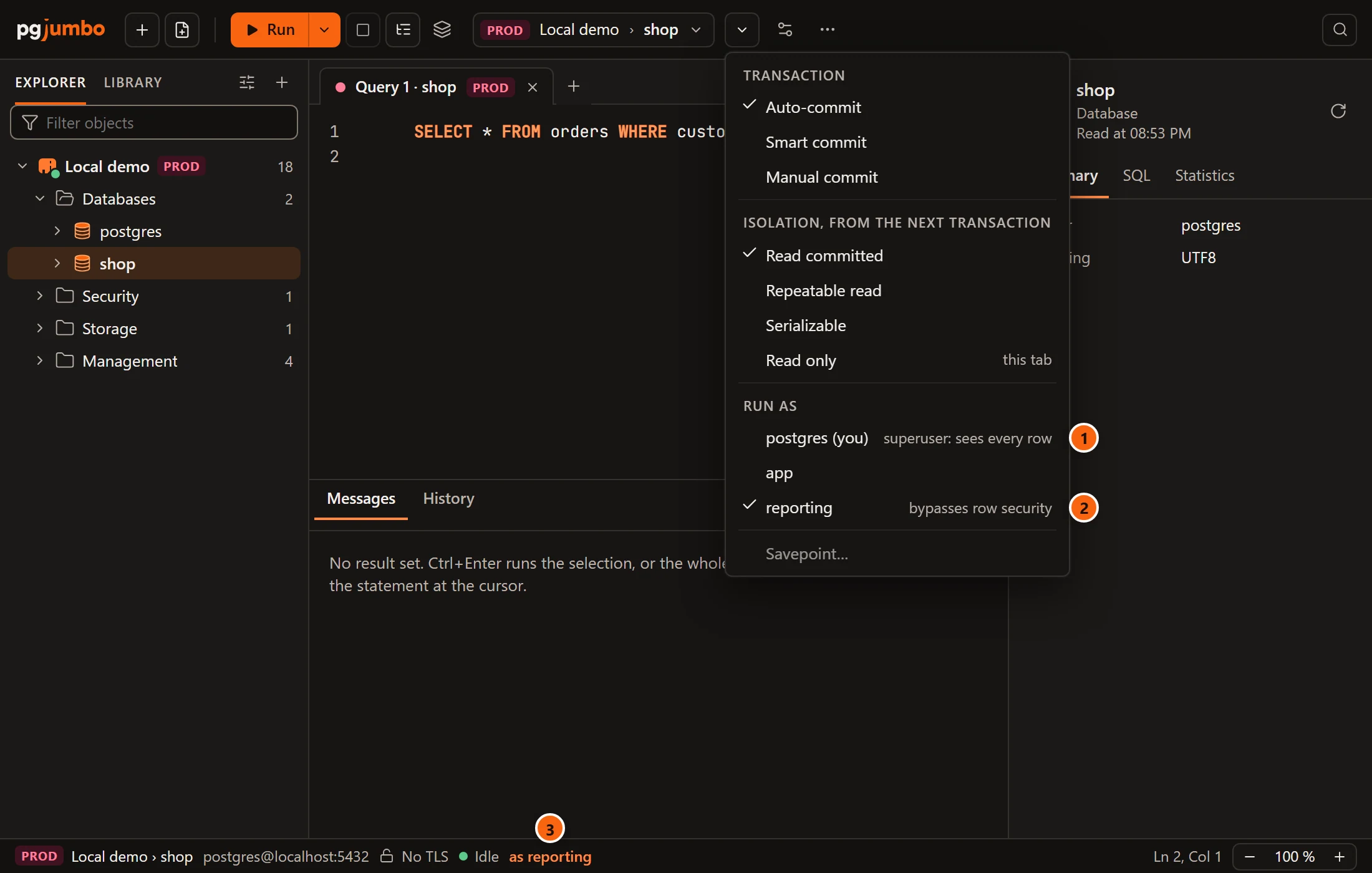
- 1 Your login role, marked (you), with a note when it sees past row security.
- 2 The role the tab runs as is ticked. Choose a role and the tab’s statements run as it from then on, as
after
SET ROLE; choose your login role to go back. - 3 While the tab runs as another role, the status bar says as and the role. Hover it for
This tab's statements run as this role (Transaction menu › Run as).
The list holds the roles your login is a member of, directly or through other roles, without those whose names
start with pg_. A grey note beside a role says when row security does not hold it back:
| Note | The role |
|---|---|
superuser: sees every row |
Is a superuser: no privilege and no policy is checked for it. |
bypasses row security |
Has BYPASSRLS. |
owns tables with row security |
Owns a table in this database that has row security not forced on its owner, so on that table it sees every row. |
A role with no note is held to the policies like anyone else. So to see what your application’s users see, run as a role without a note.
The strip above a write follows the role too: it names the
policies that apply, or says (this role sees past it). The role belongs to the tab’s session, and pgjumbo sets it
again when the tab reconnects. Session Settings… lists every role when the menu’s twelve are not enough; see
A tab’s session.
What Production does not do
Section titled “What Production does not do”- It never makes a session read-only. Read-only sessions is a tick box of its own on the saved connection, and tagging a server Production does not turn it on. See Connection settings. For one tab, tick Read only in the Transaction menu.
- It is not a permission. What your role may do is decided by the server’s grants, on every server.
- It does not check what a function does, and it trusts a
WHERE.
Other parts of pgjumbo take the tag into account in their own way, and their pages say how: the PSQL Tool, Runbooks and Set up the Assistant.